
Agreed! It is a complete violation of privacy. KYC is disgusting!


Does Your Next Monitor Need a KVM Switch?

I never thought about this before, really for a monitor. I've heard about them being used as standalone switches, and still think that may be more flexible.
However, if you have one ultra-wide monitor, maybe it would make sense to split that display into two sides, and have a computer working on each side (a bit like having two physical monitors).
The main point of a KVM switch is to improve your productivity by allowing you to use multiple computers with one monitor, mouse, and keyboard. It's there in the name: KVM stands for "keyboard, video, mouse," and when a monitor is equipped with a KVM switch, you can easily swap between multiple devices utilizing it.
Where I certainly can use a KVM switch is for the times I just want to connect my Macbook Air, or maybe even my Samsung Dex on my phone, to one of my monitors. The reason is right now when I connect a different device to one of my monitors, the OS recognises the monitor as disconnected, and it rearranges my desktop. If a KVM switch can make that operation a bit slicker and smoother, it could be useful.
I'll certainly not be rushing out though to go buy a monitor just to get a KVM switch. I'd really only think about this when buying another monitor, and I'd also need to consider whether I'll just replace one of my three monitors, or buy an expensive ultra-wide monitor with a KVM switch. Really decisions only for a future time, I hope.
I've only previously looked at KVM switches for remote management of a computer, but I'm thinking it is time to get to know more about just how KVM switches can be used.
See https://lifehacker.com/tech/your-next-monitor-needs-a-kvm-switch
#technology #KVMswitch #monitors
I really like my KVM on mine. Works well.
Sovran_SystemsOS just got a major update! New features on window navigation and Bisq 1.9.14! Now you can continue to Buy and Sell Bitcoin anonymously. Thanks nostr:npub18eynzyyrx0v46qjnvtj6mvekpxlfnkq06e3zfd6q9487vty0lfaszucvu7 ! Bisq allows you to stay out of government jurisdiction and stay in the private with your ownership of Bitcoin. Because ALL forms of governments are immoral.
Also, the Sovran_SystemsOS updater has been updated to be more reliable and consistent!
https://git.sovransystems.com/Sovran_Systems/Sovran_SystemsOS

The Free Market will take care of it. Silly games, gives you silly prizes.

ZEUS v0.8.0 is now widely available.
* Embedded LND node
* OLYMPUS by ZEUS 0-conf channel service
* ZEUS PAY self-custodial lightning addresses, using Zaplocker
* Simple Taproot Channels
* Contact book
## Links
Release notes: https://github.com/ZeusLN/zeus/releases/tag/v0.8.0
ZEUS documentation: https://docs.zeusln.app/
Embedded node FAQ: https://docs.zeusln.app/for-users/embedded-node/faq
Fee structure: https://docs.zeusln.app/lsp/fees
Android
Universal APK: https://zeusln.com/zeus-v0.8.0-universal.apk
arm64-v8a APK: https://zeusln.com/zeus-v0.8.0-arm64-v8a.apk
Manifest: https://zeusln.com/manifest-v0.8.0.txt
Manifest Signature: https://zeusln.com/manifest-v0.8.0.txt.sig
F-Droid https://zeusln.com/download
Google Play https://play.google.com/store/apps/details?id=app.zeusln.zeus
iOS
IPA: https://zeusln.com/zeus-v0.8.0.ipa
Apple App Store: https://apps.apple.com/us/app/zeus-wallet/id1456038895 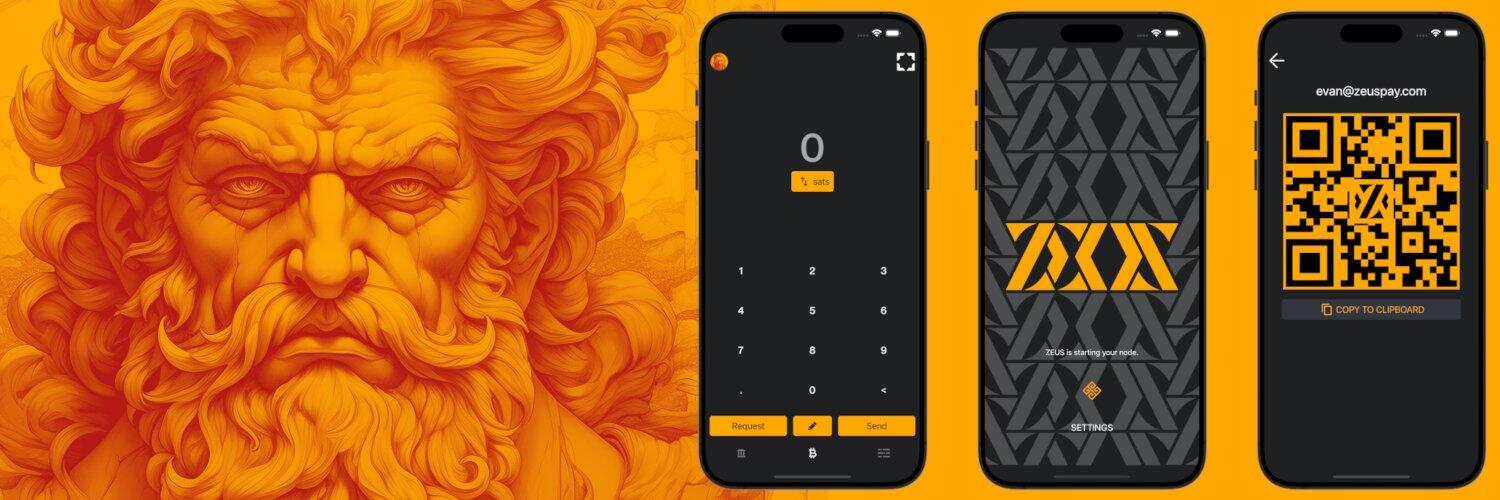
Looky Looky... 😄
nostr:note14h5x4td8p3rtanrvysuhel3mu5mdkzuytxt93678hkpaxc06jjrq9kskka
Working on something new...


haha, facts!!

Very Cool! Just wait to you connect Zeus to your own node! Feels good!

This is correct! Don't particapte in government propaganda. Play silly games, you will win silly prizes.


With the disappearance of Wallet of Satoshi for US markets, now it's more important than ever to become an "Uncle Jim" for your close friends and family members. What is an Uncle Jim? Simply put, he's a person that lends a helping hand to those in need, providing a service for them, one that they cannot provide for themselves.
You can fairly easily do this if you're not afraid of getting your hands dirty by digging through the technical trenches. You'll need to run a full Bitcoin node, a Lightning node, LNBits, and Nginx. You'll also need to buy a domain name use a service such as Cloudflare,
You'll setup a Bitcoin and Lightning node as you normally would. Then, you'll need to setup LNBits and configure the LNURLp and LNDHub plugins for each wallet that you're going to host.
The hardest part of this whole setup is the local networking portion of this. You'll need to have a server or a dedicated machine to run Nginx. This is a web server. You'll need to setup this web server to act as a reverse proxy to point to your LNBits installation. In this example, you'll setup your Nginx configuration to use wallet.mydomain.com and do a reverse proxy to your LNBits installation and port number. Then, to finalize the local networking, you'll configure your router to do port forwarding to your Nginx installation.
For example: Router Port Forwarding 443 -> Nginx 443 -> LNBits 5000
Then, you'll need to create a free account on Cloudflare and point your domain that you registered to Cloudflare. You'll then need to add your home IP address and a subdomain. Maybe you'll use wallet.mydomain.com.
If all goes as planned, you should be able to connect to https://wallet.mydomain.com and view your LNBits. You now have a Zappable Lighting address user@wallet.mydomain.com.
This isn't the best guide. I wrote this very quickly after reading a Bitcoin Magazine article about being an Uncle Jim. Hopefully this gives you enough information to ask the right questions or perform some advanced Google searches. Good luck!
Great info!


Why are they so scared of Bitcoin? ummm...
Grand Rising Nostr!


Check these good folks out! If you feel inclined, send some stats over to them so they can meet their goal!
I love bipcoin nemes.
Yes, folks, run your own Bitcoin and Lightning nodes. It really is the best way.

Use the Bisq app. Hopefully, there will be others in your area using it.
Bitcoin has nothing to do with evil governments. If you volunteer your offerings to them they will gladly take it.