
# **I*"
- Inkscape (Illustrator Replacement)
- Inkscape Install from PPA
- Inkscape PDF Multi Page Support
- Installing_Linux
- Install_Linux_On_A_Mac
- Integrated Circuit Design
- IC Design
- Mosis Service IC Fabrication
- Intel ME (CPU Management Engine)
- Internet Hosting Options
- IzzyOnDroid (F-Droud Repository)
# **J*
- Joplin Notes
- Joplin Notes App
- Joplin Notes Install Linux
# **K**
- KeePass Password Manager
- KDE Connect (Sync all devices)
- Kdenlive_VideoEditor
- Kindle Alternatives
- PineNote (to do)
- Kodi (Media Center)
- Elementum
- Kodi Install Elementum
- Kodi Enable Unknown Sources
- Kodi Install
- Kodi VPN
- Krita Photoshop Paint Replacement
- Krita Install Daily Build PPA
- Krita Install Stable Appimage
- Krita Install Stable Flatpak
- KVM (Keyboard Video Mouse)
- Barrier = Software KVM
# **L**
- Learn Linux
- Linux Video Channels
- Linux Professional Institute
- 50 Most Used Commands Video
- LEGO on Linux
- LDCad
- Lego Physical Alternatives
- LeoCAD
- LibreOffice Install PPA
- LibreWolf Web Bowser
- LibreWolf Low Spyware
- Linux Certified Hardware
- Linux Computers New
- ArkPc (Australia)
- Dell (USA)
- Dell Latitude 7420
- Dell Precision Mobile Workstation
- Dell XPS 13
- Dell XPS 13 Plus
- EmperorLinux_Inc (USA)
- Entroware (UK)
- Free Softwaren Foundation (USA)
- HP Dev One Laptop (USA)
- Juno Computers (UK)
- Kubuntu Focus (USA)
- Laptop With Linux (Netherlands)
- Libiquity_Computers (USA)
- Nova_Custom (Netherlands)
- PineBook (Poland, ARM processor)
- PineTab2 (Poland, ARM processor)
- Purism (USA)
- RaspberryPi400 (UK, ARM processor)
- Razer Lamda Laptop
- Slimbook (Spain)
- Fedora Slimbook
- Slimbook 4 KDE
- Starlabs (UK)
- System 76 (San Fran, USA)
- System76 Pangolin Laptop
- Think Penguin (NH, USA)
- Tuxedo Computers (Germany)
- Linux Computers Used
- Above Computer (USA)
- Good Used Computers For Linux
- Mark37 Ghost Computer (USA)
- Patriot PC (USA)
- Linux Tablets
- Linux Distros
- Linux Phones
- Best Linux Phones 2022
- PinePhone
- PinePhone Keyboard Case
- Droidian Linux Phones
- Linux System Tools
- Linux Tech Help
- Linux Video Channels
- Logitech Device Manager Solaar
# **M**
- Marketplace Alternatives
- Gab Marketplace
- GunBroker.com
- Mammoth Nation Marketplace
- Patriot Switch
- Public Square (Public Mall)
- Shopstr.store
- Microsoft_365_Replacement
- eCloud Online Ecosystem
- Murena Cloud
- Nextcloud_Host_Your_Own (to do)
- HostYourOwnEmailServer
- Microsoft_Office_Replacements
- Metered_Connection_Settings
- Media Centers
- KODI Media Center
- Jellyfish
- Messengers
- Session Messenger
- Signal Messenger
- Nextcloud_Talk
- Telegram
- Movie Website Alternatives
- TheMovieDB.Org (IMDB Alternative)
- Worth It Or Woke
# **N**
- Navigation (GPS)
- Navigation On FOSS Android
- Nostr
- [Nostr First Time Beginner's Guide](https://rebelnet.me/news/49b239288887089cfc18
- Nostr_Social_Media
-Note Apps
- Carnet (app is in development)
- Joplin
- NextcloudnNotes
- Org Mode
- Emacs OrgMode
- Orgzly Android Client
- Atom OrgMode (to do)
- QOwnNotes
- Nova Custom Linux Laptops
- Nextcloud - (Replaces Google, Apple
& MS online ecosystems)
- Nextcloud AI Apps
- Nextcloud Apps
- Nextcloud Hosting_Options
- Nextcloud Poll Notifications
- Nextcloud Talk
# **O**
- ObtainiumnApp Store Alternative
- Odysee Streaming VideonWebsite
- Off Grid Power
- The Back Shed
- Office_Software
- Office 365 Replacement
- Online Document Collaberation
- Collabora
- Collabora_LibreOfficeSuite
- Collabora_Android_OfficeSuite
- LibreOffice
- Only_Office
- OpenSnitch (Firewall Tool)
- OpenSnitch_HowToInstall
- Oracle_Privacy_Invasion
- Orbot
# **P**
- Passwords
- Hardware Password Managers
- OnlyKey USB Password Device
- YubiKey_USB_PassDevice
- Software Password_Managers
- BitWarden_Alternatives
- KeePass_PassManagers
- KeePassDX_forAndroid
- KeePassXC_forLinux
- Patriot Mobile Cell Provider
- PackageManagersForLinux
- Flatpak Package Manager
- How To Downgrade Packages
- Linux Package Formats Explained
- Nala FrontEnd 4 Apt
- Snapcraft How To Remove
- Snaps
- Snap Store
- Zao Appimage Manager
- Paypal Alternatives (to do)
- AlignPay (to do)
- GabPay (to do)
- Parallel Economy (to do)
- Pro Life Bank
- PDF Editors
- Inkscape Now Has PDF Multi Page Support
- Photo_Editors
- GIMP_PhotoEditor
- Darktable
- Lightroom Replacement Darktable
- Photoshop Replacement
- GIMP Photoshop Replacement
- Krita Photo Editor
- Pine_Note
- PinePhone Information
- PinePhone PRO OrderHere
- PineTab2
- Phone Tracker
- PhoneTrack_Nextcloud
- PreTix Ticketing Website (Self Hosted)
- Printers
- Printers_In_Linux
- Printing Press Alternatives
- All_Seasons_Press
- Privacy
- Programming
- RegEx (Regular Expressions)
- Put Linux On A USB_Stick
- Python - Learn
# **Q**
- qBittorrent
- qBittorrent_Setup
- QGIS Mapping Softwatr
- QGIS_Tutorials
- Quicken_Replacement
# **R**
- Raspberry_Pi
- CrowPi STEM Laptop
- RaspPi PC Alternatives
- RaspPi ARM Alternatives
-Regular Expressions
- Remote Desktop Apps
-NoMachine (Not Open Source)
- Remmina
- Veyon (Developed for Classrooms)
- Responsive Apps
- Maui KDE Convergence SDK
- Rolling Distro
#Rolling Vs Fixed Distros
- Routers
- Router_Cell_Phone_Unlimited
- GL_iNet_Spitz_GL_X750V2
- Rsync_File_Backup
- Rsync_How_To_Use
# **S**
- Samba
- Screenshot_Tools
- Flameshot_Screenshot_Tool
- Shutter_Screenshot_Tool
- Search_Engines w/Independent Indexes
- Brave_Search
- Brave_Search_100_Independent
- Gigablast
- MoJeek
- SemiRolling_Distro
- Security
- Hardware_Password_Managers
- OpenKey_USB_PasswordDevice
- YubiKey_USB_PasswordDevice
- Open_Snitch
- Open_Snitch_HowToInstall
- What_Is_SSL_Certificate
- Securing_Linux
- Session_Private_Messenger
- SFTP_Secure_File_Transfer
- SFTP_MaterialFiles
- SFTP_FileTransfer_btwn_Android_Linux
- Share_Files
- Share_Files_Samba
- Shells
- Change_Default_Shell
- Signal_Messenger_for_Linux
- Signal_Messenger_VerifyCertificate
- Signal_Droid_APK
- Simple_Phone_DeGoogled
- Slack_Team_Collaboration_Alternatives
- Mattermost
- RocketChat
- Smart_Cards_In_Linux
- Smart_Cards_AnywhereWorkspace
- Smart_Cards_In_Firefox
- Smart_Cards_In_Brave
- Smart_Cards_In_Chrome
- Smart_Cards_VMware_Horizon
-Snapcraft
- Snapcraft_HowTo_Remove
- Speech_To_Text_Keyboards
- Sayboard_Android
- Voice_Input
- SSH_Install
- Steam_Deck
- System_Tools
- Disk_Usage_Analyzer_Baobab
- HardInfo_System_Information
- System_Monitors
- System_Monitor_As_Taskmanager
- System_Information
- Users_And_Groups
# **T**
- Tablets
- Tablets_Linux
- CutiePi
- Dell_2in1
- Fydetab_Duo
- PineTab
- PineTab2
- PineTab_V
- Purism_Librem_11
- RaspPad3
- StarLabs_StarLite5_Linux_Tablet
- Taskmanagers (to do)
- Telegram
- Combot_CAS_Ban
- Telegram_Disable_Post_Comments
- How_To_Create_Telegram_Stickers
- Telegram_Install_PPA
- Text_Editors
- Atom
- Atom_Discontinued_By_Microsoft
- VSCodium = Atom alternative
- Ticket Sales (Self Hosted)
- PreTix
- Tip_Of_The_Day
- Clone_Drive_With_Progress_Bar
- Tips_Tricks_Ubuntu
- Install_Restricted_Extras
- Play_DVDs
- Thumbnail_Picker_BindToMouse
- Windows_Tiling_Manager
- Thumbnail_Picker_ShowAllWindows
- Tips_Tricks_Mint
- Thumbnail_Picker_Mint
-Tor
- CronJob_RandomWallpaperCinnamon
- CronJob_Random_Wallpaper_Mate
# **U**
- Ubuntu_Tips_Tricks
- UIbuntu_Server_on_RaspberryPi
- UnGoogledChromium
- Install_Extensions_Chromium
- *USB_Creator_Bootable*
- Baleana Etcher
- mx-live-usb-maker
- PenDrive
- Rufus
- usb-creator-gtk
- usb-creator-kde
- Ventoy
## **V**
- Ventoy_BootableUSB_Stick
- Video_Channels_Linux
- Video_Downloaders
- Grayjay
- NewPipe
- Video_DownloadHelper
- Youtube_DL
- Qbittorrent (to do)
- Video_Editors
- VFX_Video_Editors
- Kdenlive_Video_Editor
- DaVinci_Resolve
- Olive
- Video_Security_Surveillance
- ZoneMinder
-Video_Streaming_Apps
- BraveNewPipe
- Grayjay
- NewPipe
- Video_Tools
- MKV_ToolNIX_Extracter
- Handbrake_Video_Encoder
- Handbrake_DVD_Ripper
- Vivaldi_Web_Browser
- VoiceInput_SpeechToText
- VPN
- Raspberry_Pi_VPN_at_Home
- VPN_Routers
- VPNs_What_Are_They
- VPS_Virtual_Private_Servers
- VPS_Beginners_Guide
- VPS_Do_You_Need_One
- VSCodium_Text_Editor
## **W**
- Wallpaper_Sources
- Wallpaper_Random_UnSplash
- Website_Copy_Scrape_Locally
- Scrape_Website_Wget_Terminal
- Scrape_Website_HTTrack_GUI
- Web_Services
- RightForge (to do)
- Epik (to do)
- American_Cloud (to do)
- Web_Browsers
- Brave_Browser (HIGH)
- Install_Brave_Via_Repository
- Chrome_Browser (EXTERMELY HIGH)
- Chromium (to do)
- Dissenter (DO NOT USE) (to do)
- Firefox (HIGH)
- IceCat (to do) (Not Spyware)
- LibreWolf_Spyware_Low
- LibreWolf_ConnectTo_KeePassXC
- Mull (to do)
- Pale_Moon (to do)
- Tor_Browser (Not Spyware)
- UnGoogled_Chromium (Not Spyware)
- Vilvaldi (MEDIUM)
- Web_Browser_Privacy_Tests
- Brax_Me_Geo_Location
- Browser_Audit
- Cover_Your_Tracks
- Scheme_Flooding
- Website_Design
- phpBB_Free_Themes
- WebsiteHostingPetitions_withPytition
- WWAN_BroadbandDIY_Kit
- WWAN_EM7455
## **X**
- Nothing Under X Yet


I tried. Too many lights in my city.

Bring new life to your existing video cameras, keep your data in your hands, and run your video surveillance yourself without paying a monthly subscription fee.
ZoneMinder is an integratred set of open source software that you can install on your own hardware, and then view and control with any device from anywhere.
ZoneMinder Features:
- Monitor From Anywhere
- Use any camera
- You control your data
- Run a really small, or super big system
- Advanced AI powered detection
- Actively maintained and built
You can get more info at their website:
https://zoneminder.com/features/
ZoneMinder is available in the Debian/REdHat repositories, or if you want the latest, plus setup instructions, you can go here: https://zoneminder.com/downloads/
People could even use this to constantly keep an eye on government officials and 3-letter agents by watching and recording their every move. 😃💪
⚡️ Follow
#Video_Security_Surveillance
#ZoneMinder_VideoSecurity #FreedomTech #Linux #FOSS
Bring new life to your existing video cameras, keep your data in your hands, and run your video surveillance yourself without paying a monthly subscription fee.
ZoneMinder is an integratred set of open source software that you can install on your own hardware, and then view and control with any device from anywhere.
ZoneMinder Features:
- Monitor From Anywhere
- Use any camera
- You control your data
- Run a really small, or super big system
- Advanced AI powered detection
- Actively maintained and built
You can get more info at their website:
https://zoneminder.com/features/
ZoneMinder is available in the Debian/REdHat repositories, or if you want the latest, plus setup instructions, you can go here: https://zoneminder.com/downloads/
People could even use this to constantly keep an eye on government officials and 3-letter agents by watching and recording their every move. 😃💪
⚡️ Follow
#Video_Security_Surveillance
#ZoneMinder_VideoSecurity #FreedomTech #Linux #FOSS
.
Unfortunately Minecraft is now owned by Microsoft, which means you must have an MS account to play the game.
Minetest on the other hand is the open source alternative to Minecraft, and with the proper world installed, it has good gameplay.
Having an MS account is not an option for many privacy focused individuals. Minetest helps squash any temptations one might encounter when considering Minecraft.
You can install the latest version [via PPA](https://launchpad.net/~minetestdevs/+archive/ubuntu/stable) using these commands on Mint/Ubuntu distros.
```
sudo add-apt-repository ppa:minetestdevs/stable
sudo apt update
sudo apt install minetest
```
Minetest comes with the "Minetest Game" pre-installed, but that game is very boring. We recommend you hit the "+" sign in the lower left, and install the "Mesecraft" game.
The Mesecraft add-on is more in line with what you'd expect from a Minecraft alternative. Please note, you will need the latest Minetest to run the Mesecraft add-on.
[⚡️ Follow](primal.net/p/npub1fkluklzamwpyn7w8awxzrcqe7z8mldlvthk4gz9kz3vsh6udz62s9qj48l)
#Minetest #MinecraftAlterantive #Linux #LinuxGames #FOSS #FreedomTech
 #m=image%2Fjpeg&dim=1230x620&alt=Nextcloud+PhoneTrack&blurhash=iTIEnXNHXUxZM%7Bt8NGt7WCIoxtaeR*f%2Bn*bIWUj%5BPUNGr%3Dfkaynjaxf5ae.lNbn%2Cn%24V%40oMV%40oee.JQt7oLWBofjZofWCoJ&x=9145bbc47886de75c60e82d53a5e38302f369f652f330d76c667d1a201ae7271
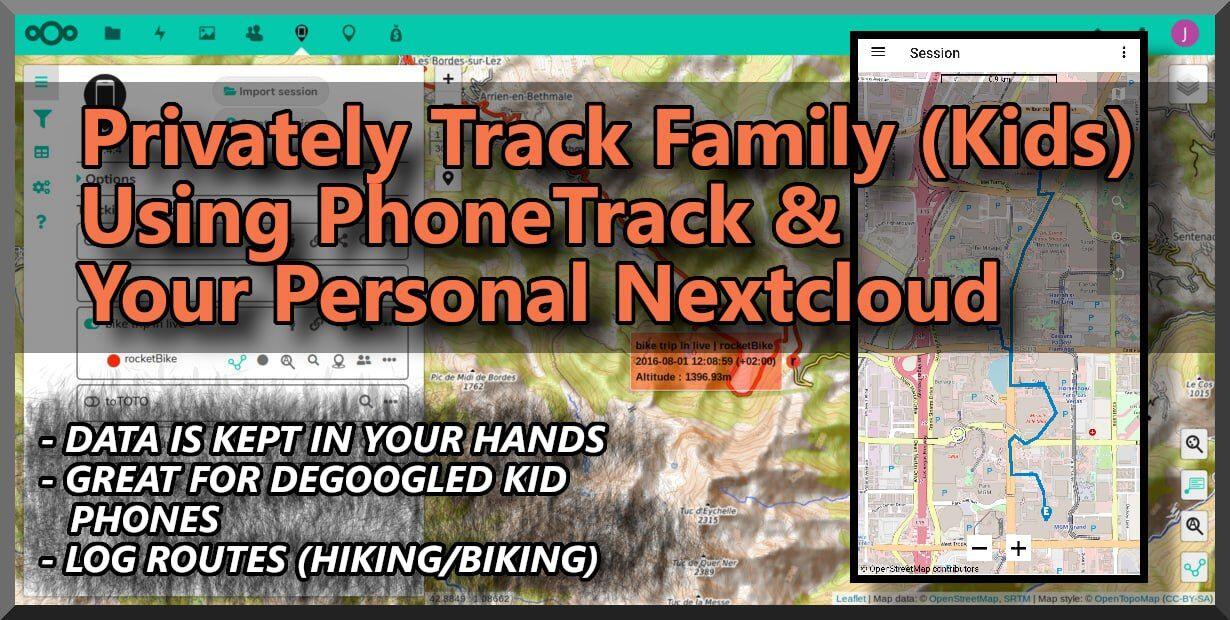
# Track Your Kids Using Nextcloud and PhoneTrack
You can log and track the phone locations of your family and friends in complete privacy, using your Nextcloud server.
To do this you need to install the Nextcloud [PhoneTrack App](https://apps.nextcloud.com/apps/phonetrack) on your Nextcloud server, and the Android [PhoneTrack App](https://gitlab.com/eneiluj/phonetrack-android) on every DeGoogled phone you want to track.
The F-Droid version is old and buggy.
To get the newer Dev Android version, you:
1. Go to the [PhoneTrack Dev GitLAb page](https://gitlab.com/eneiluj/phonetrack-android#install), scroll down and click the "APK Direct Download" [link](https://gitlab.com/eneiluj/phonetrack-android/pipelines)
2. At top "Pipeline" option, click the Download arrow and select "AssembleDevDebug:archive"
3. This downloads a zip file. Extract the zip and install the APK.
CONNECT ALL PHONES AND TRACK
4. On Nextcloud create a dedicated account for PhoneTracking.
5. Create a PhoneTrack "Session" in the Nextcloud PhoneTrack a
app.
6. Sign each phone into the Nextcloud PhoneTrack account, and on the phone, add a "PhoneTrack log job" to the Session on Nextcloud.
[⚡️ Follow](nostr://npub1fkluklzamwpyn7w8awxzrcqe7z8mldlvthk4gz9kz3vsh6udz62s9qj48l)
#PhoneTrack #FreedomTech #eFreedomTecj #DeGoogledPhones #Nextcloud
#PhoneTrack_Nextcloud #PhoneTracker
# What Is SystemD
In this 👉 [video](https://tilvids.com/videos/watch/efa16927-168c-4d38-af61-cbd29c1716cd) Nick from [TheLinuxExperiment](thelinuxexperiment_channel@tilvids.com) goes over SystemD
Video breakdown..
(Watch the video for a really good explanation of SystemD)
### What Are Init Systems?
- Initialization service
- 1st thing to start up
- launches services in proper order
### Is SystemD Bloated?
- Does non-init things
- Keeps getting bigger over time
- Still modular, so it can be small
- Bloat depends on implementation
- Many distros implement a lot, so systemd is big
- Hard to argue it's not bloated
### Does Everything Depend On It?
- SystemD is so pervasive things can't function w/out it
- Other solutions = more work
### Red Hat Project?
- Red Hat started it, but many work on it
- 1 company w/control = bad
- It can be forked
### Restricts Choice/Modularity?
- Other choices do exist
- With do many distros using systemd, it's hard to not to use it development
### Makes Linux Less Secure?
- Usage on so many distros = bigger target
- Big projects may be less secure
- SystemD is better maintained than a bunch of smaller projects would likely be maintained
### Why Use SystemD
- Unified project = learn 1 system to manage many things
- Processes can start in mostly any order
- Well integrated into Linux Kernel
- Written in C, faster than script init systems
### Conclusion:
- Use whichever init system comes w/distro
[⚡️ Follow on Nostr](nostr:npub1fkluklzamwpyn7w8awxzrcqe7z8mldlvthk4gz9kz3vsh6udz62s9qj48l)
#SystemD_InitSystem #eFreedomTech #SystemD
#FreedomTech #Linux #DropBigTech

Think Penguin has been in the Linux laptop business longer than most companies, and it shows with their dedication to providing computers that will run on pure FOSS software as much as possible.
They now have a new Linux laptop available, with fairly impressive specs, all while supporting "Libre" distros, such as Trisquel, which is a rare feature.
- Up to 64G RAM
- 10-Core I5-1335U
- 15.6" 2K display
- Intel Iris Graphics
- 6-in-1 Card Reader
- 3 M.2 card slots
- Removable Battery
- M.2 SSD Drive
- 2.5" SATA DRive
- DVD/Blu-Ray drive
- Bluetooth
You can config and buy one here:
https://www.thinkpenguin.com/gnu-linux/penguin-t4-gnulinux-laptop
#PenguinT4 #ThinkPengnui
#LinuxComputers #LinuxLaptops #Linux
#eFreedomTech #FreedomTech #Libre #Trisquel #FOSS #FLOSS