

Just used a compressor app and it’s down to under 3MB but still won’t post :( nostr:npub137c5pd8gmhhe0njtsgwjgunc5xjr2vmzvglkgqs5sjeh972gqqxqjak37w halp ser
Discussion

Let me check, we should be good up to 10MB 🐶🐾🫡
Did not find any issues, what error are you getting? Also, when uploading on iOS Damus, change options as below: 🐶🐾🫡 
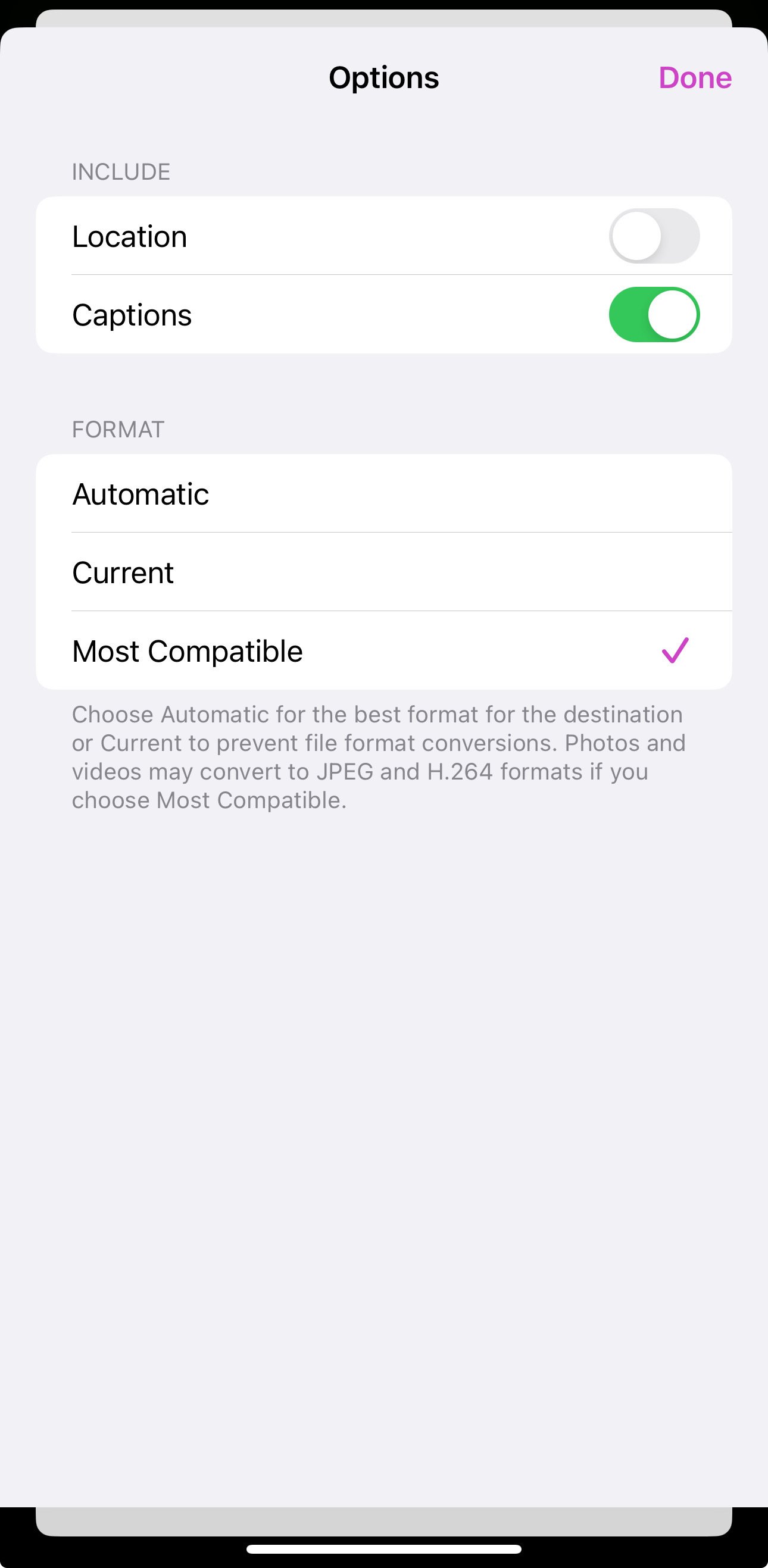
What format of the video are you using? MP4? 🐶🐾🫡
Ok, found you in the logs and see that the upload did exceed 10MB limit. It could be that iPhone automatically converts the file into a bigger size one or you are uploading same big file. If you are sure that the size you uploading is correct, you can try using webpage directly 🐶🐾🫡
So turns out the “compressor” app I found was somehow doubling the file size 🤦but here’s the originals size. I tried changing the option in Damus but still doesn’t work under 10MB 🤔
Gonna try from webpage now 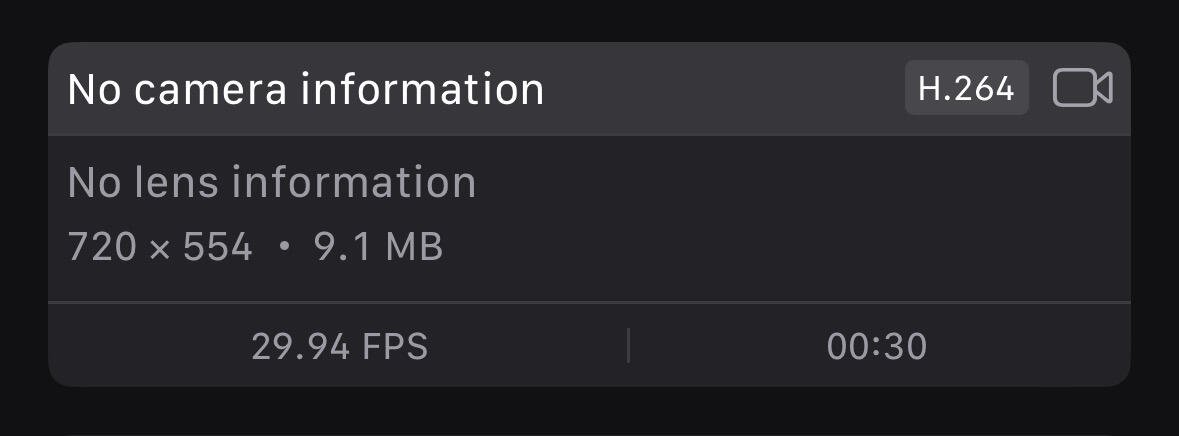
Website says it exceeds the file size of 11 MB.. but it’s 9.1 MB? 😂 iPhone videos ffs. Does it have to be MP4?
We measure uploaded bytes, so if it’s over limit it is rejected. 🐶🐾🫡
If you are only bound to iPhone then try https://apps.apple.com/jp/app/video-compress-shrink-vids/id997699744?l=en-US
It is not free for some sizes (not sure what was the limit) but should work on short ones. 🐶🐾🫡