welp...
i went down the Obsidian rabbit hole last night.
I get it.
welp...
i went down the Obsidian rabbit hole last night.
I get it.
#yestr what'd you enjoy?
i love #Obsidian
the flat text file/directory structure is fantastic and it makes back-ups easy and make sense. you can also use syncthing to just sync that directory and point Obsidian to it on your synced device to that folder and you have all your stuff, avoiding all servers/cloud. you can also not sync the settings (file) if you need different settings on a phone than a PC.
it's a really good app.
syncthing + obsidian is beautiful, just works and super flexible
yep no proprietary file formats or BS. total control by the user because they deliberately made it simple. (a little like #Nostr in a sense)
I'd like to hear from people how they use it. I haven't probably even touched 25% of what can be done with it.
I found a bible research and study Obsidian vault someone published. It’s so well done, with links and formatting, images and emojis, i got a
glimpse of how it can be used as a publishing platform.
Mind sharing that vault?
Woah
that's a ton of work to do that. hmm now I want to catalogue a bunch of Zen stuff into something searchable in obsidian ... moar werk
thanks for showing that.
I use it for a number of things. The cross linking is super helpful.
- journal
- goal and prayer tracking with a couple of plugins that produce visuals like bar graphs
- bullet journal for daily highlights, cross linked back to journal and goals
- write quotes and stories with big moments with my kids
- I keep a set of “tools” like yearly Christmas lists, book reviews, lessons learned
- lastly in a separate folder I’m trying to write a book
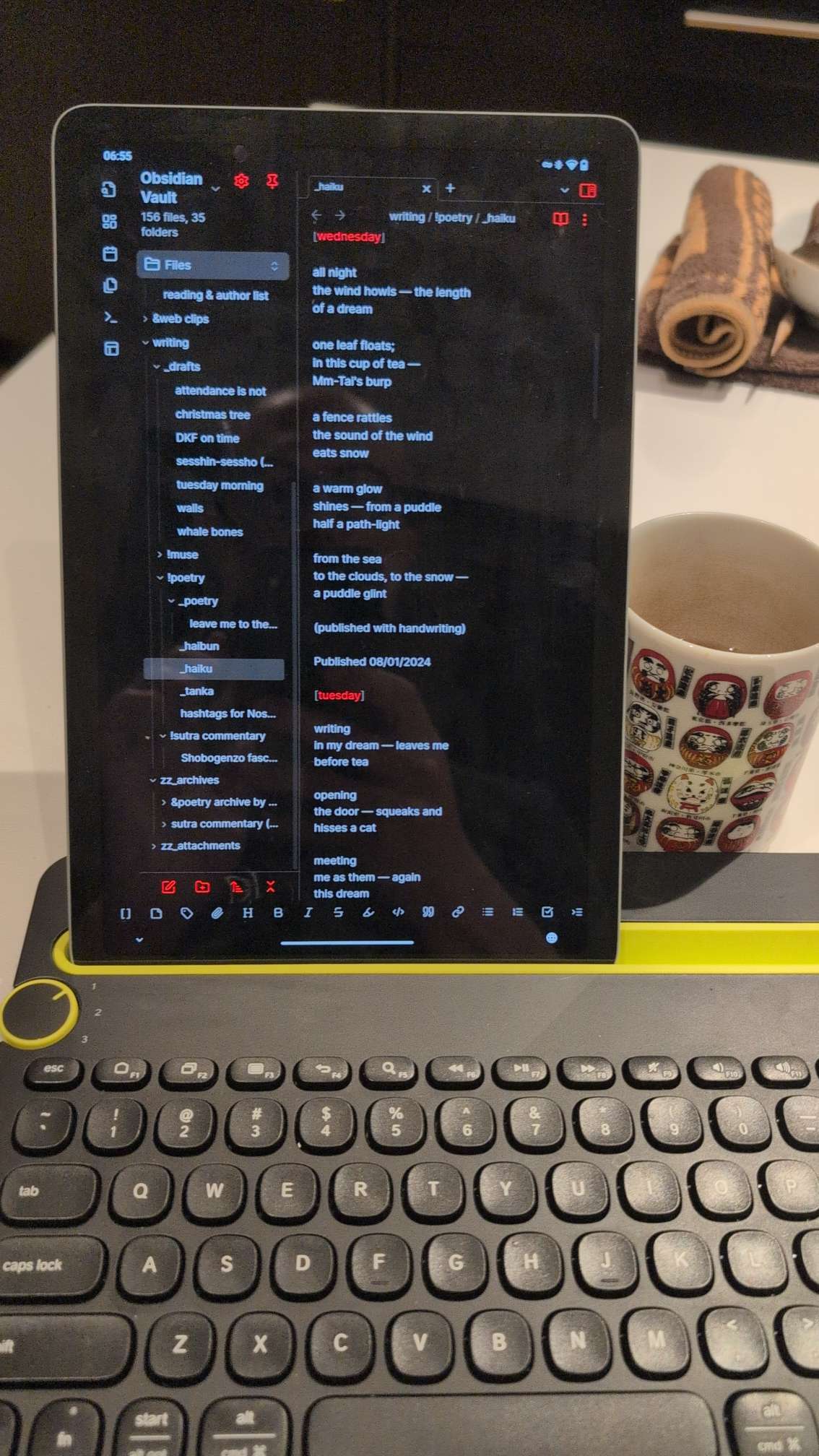
me every morning / day
that's beautiful + kudos for the logitech multidevice keebs 😄
this is my main vault

thanks for sharing. it's interesting to see people's vault-structure, how it's being used, etc.
🤙💪
Agreed, with something so flexible it feels like there is always more to learn so i'm really curious. I would share more but it would dox me pretty hard
These are my current favorite plugins
Better Word Count
Charts
Iconize
Nostr Writer
Novel Word Count (for book writing)
Progress Bar
Tag wrangler
Tiny Chart
Habit Tracker
You guys convinced me to try this out soon. Downloaded a while back but kinda forgot about it.
reach out if you find cool stuff or have questions!
Oh yeah? Ok. I poked around originally and it seemed pretty straight forward, at least for the limited use I was planning. Odds are I wont stick with it though, as my notes lately are all math formulas and stuff, and seems too laborious to enter that in. We shall see
Looks awesome! I’m a long time user of workflowy.com but the plugins sound cool!
Obsidian is terrific.
I use it for everything planning perennial plantings to work files to tracking interesting themes or diving down rabbit holes.
I use it all the time, but primarily just write in the thing without bothering to dive into all of the extensions. Although I do have a nostr obsidian in the thing, not sure if it works tho.
a great complement to #obsidian is evergreen note taking. break your notes down into concepts. update and interlink those over time as you add new concepts, and it turns into a personal ontology.