Global Feed Post Login
Replying to Avatar Alice

#Question for Samsung users.

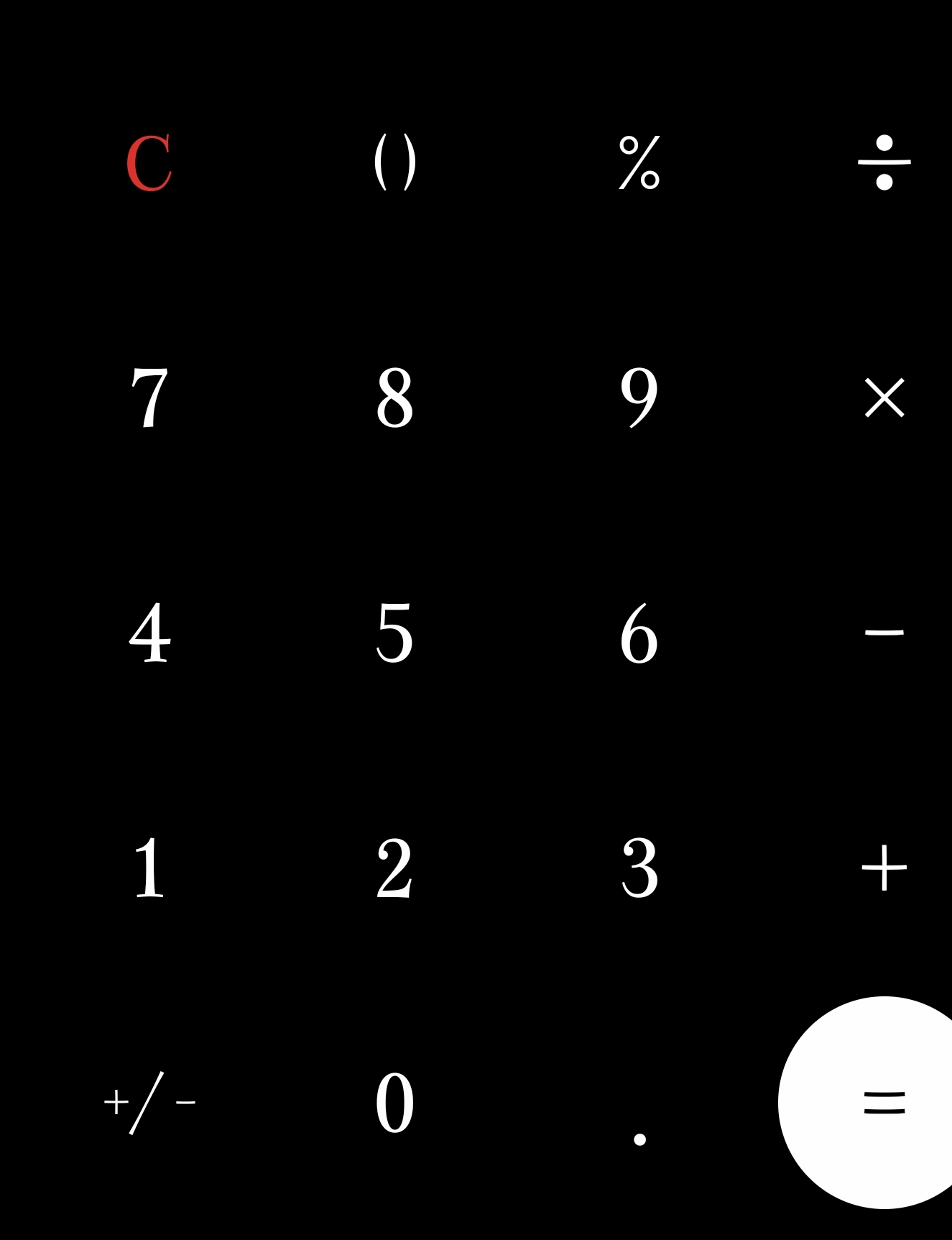
When using numbers, How do I get my keyboard to pop up in a calculator style and not just on the top bar of the letters on the keyboard?

I want it like this by default

Not like this

I noticed that when you're filling out certain things on certain apps your keyboard will automatically pop up that way for you but how do you get it that way permanently?

I hate that I have to look at just the top row to type in digits it makes it so much harder and takes longer.

I know that's a first world problem I'm just trying to see if there's a fix for this?

Why doesn't the number keyboard on your keyboard pop up like a calculator anyways by default I don't get it

#Questions #Samsung #S23U #Phones #Keyboard

66
66f962d9... 2y ago

If you want this by default, you may need to use a third-party keyboard app that provides this specific feature. I have a Samsung tablet but without an app to specify what you want on an each app, or some sort of a shortcut for that keyboard there is no way to switch on calculator style.

Some forms have this preinstalled on a webpage, so it will choose numbers only based on that, like The_Beave said.

Reply to this note

Please Login to reply.

Discussion

No replies yet.