

Fancy doing a "for dummies" to explain slowly to anyone who wants to learn? 😊
Discussion
Use sparrow wallet to see raw transaction data.
Identify an out and identify the value of the output
Sparrow helps with this, as does this:
https://developer.bitcoin.org/reference/transactions.html
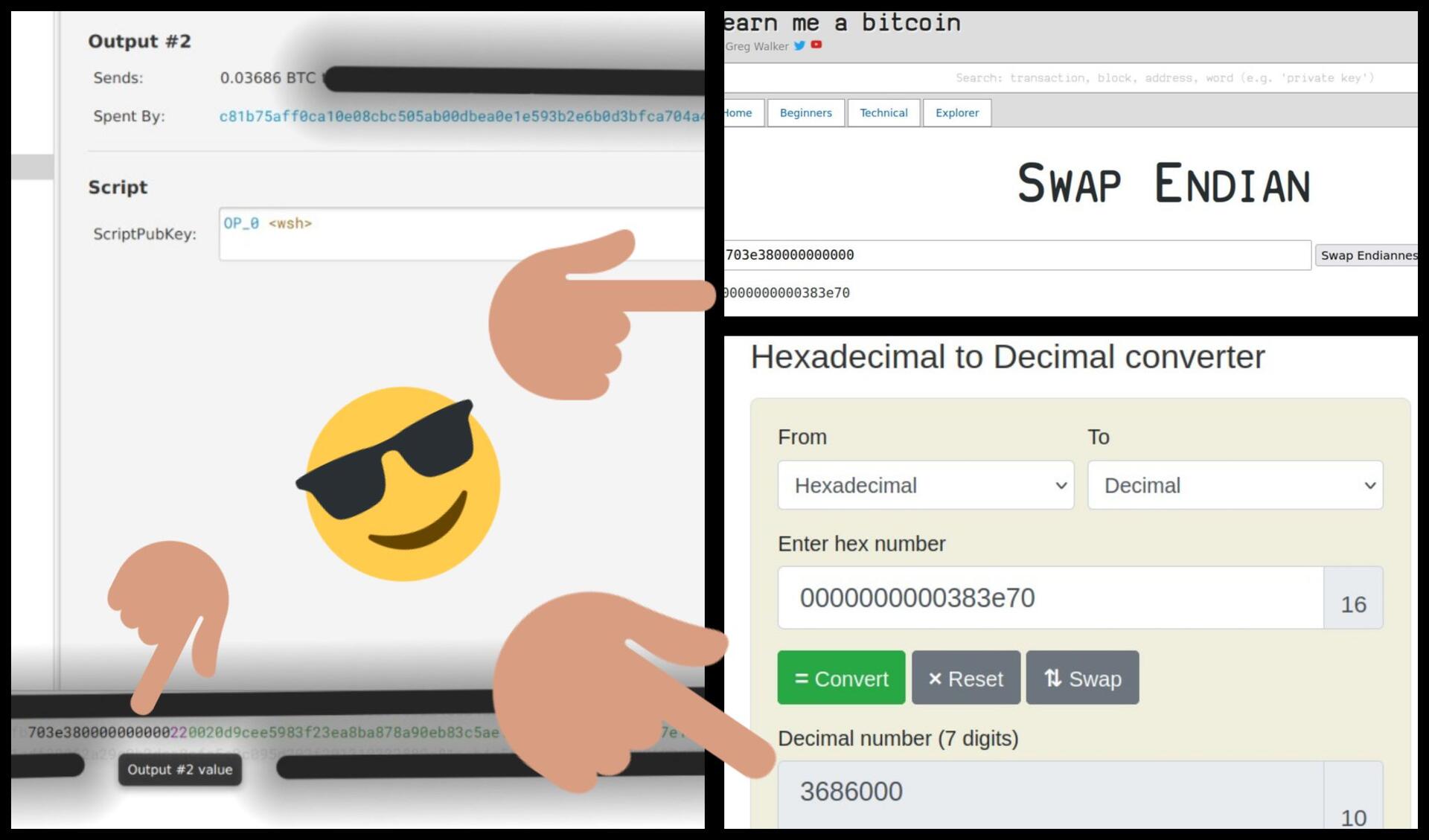
In the example above, the output value is highlighted in black (that's the number of sats)
it's written in reverse hexadecimal: 703e380000000000
first reverse the order, here: https://learnmeabitcoin.com/tools/swapendian/?hexadecimal
you get: 0000000000383e70
Then convert from hexadecimal, to decimal here: https://www.rapidtables.com/convert/number/hex-to-decimal.html
3686000 sats
divided by 100 000 000 = 0.03686 BTC