My 1TB ssd is about full on my RoninDojo Tanto Full node, so it is time for an upgrade! 
Here is how to update a RoninDojo Tanto full node from a 1TB ssd to a 2TB NVMe 🧶
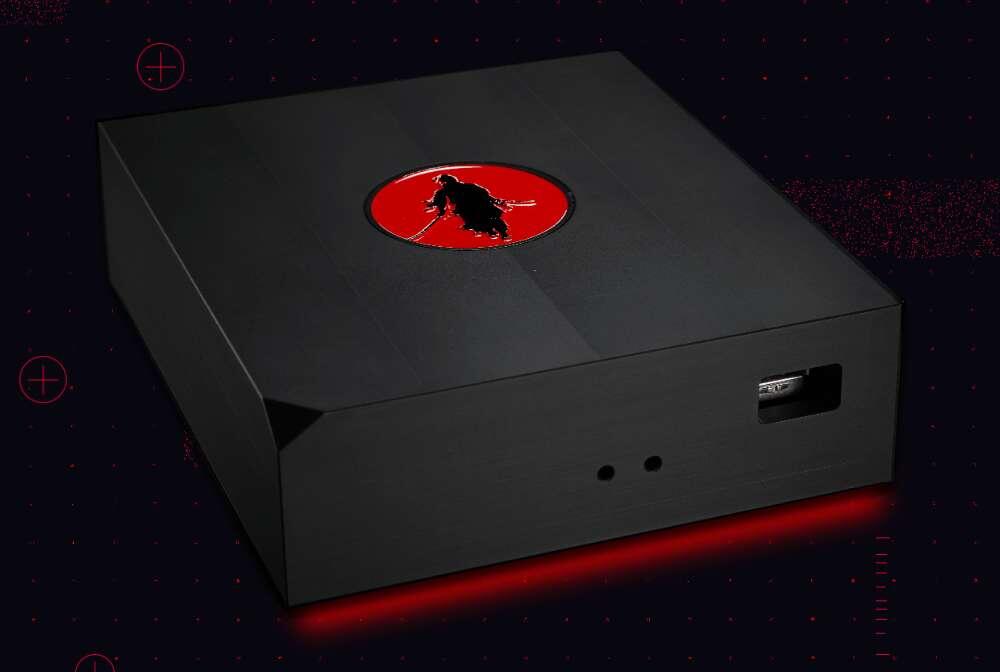
The RoninDojo Tanto is a milled solid piece of steel running a rockpro64 on custom Ronin hardware and RoninOS. They are no longer in production.
I am using a Western Digital wd_black SN770 NVMe gen 4 as my new drive
https://www.amazon.com/WD_BLACK-SN770-Internal-Gaming-Solid/dp/B09QV5KJHV
▫️Log in to the GUI and shutdown your node
▫️Unplug power and ethernet cable
▫️Remove bottom plate
▫️Remove sd card
▫️Remove 1tb ssd
▫️Replace with new 2Tb nvme
▫️Ensure no gold pins are showing
▫️On a laptop download the correct image for your hardware (RockPro64 in this case)
▫️The latest RoninOS is 2.1.4
🔸RoninDojo download images:
https://ronindojo.io/downloads/RockPro64/
🔸Use:
https://ronindojo.io/downloads/RockPro64/RoninOS_v2.1.4.img.gz
▫️Now using Balena Etcher, flash your SD card with that image.
▫️Then take the flashed SD card and insert it correctly into the Tanto.
▫️Replace the bottom plate.
▫️Now plug in the ethernet cable first.
▫️Then plug in the power.
▫️Should see the ethernet light flash on back of the node.
▫️Should see the red light illuminate on the front of the node after a few minutes.
▫️Since this is a new 2TB drive it will need to do a new complete download and index of the blockchain.
▫️Everything is automated so do not disconnect anything.
▫️Let it run.
▫️You will then go through the original setup process of the node.
🔸RoninDojo wiki web archive:
https://web.archive.org/web/20240502003339mp_/https://wiki.ronindojo.io/en/setup/tanto-setup
▫️Open browser on same network and nav to ronindojo.local
▫️Document root credentials
▫️Setup password for RoninUI
▫️Let node initialize before doing anything else
▫️Wait for the blockchain to download and index
🔶That is how to upgrade your RoninDojo Tanto full node.
▫️This node is a Dojo and is compatible with Samourai, Ashigaru Wallet and Sparrow. It runs electrum or fulcrum and can be used as such.
🔸RoninDojo wiki web archive:
https://web.archive.org/web/20240426061333/https://wiki.ronindojo.io/en/home
🔸RoninDojo Gitea:
http://2l2o5umijiwxjioxwpsvwxe6pr75tj7r5rggnl5ze256guwvtee3kpqd.onion/Ronin
🔸RoninDojo Canary:
https://blog.ronindojo.io/canary/
#freesamourai #ashigaru #ronindojo #bitcoin