Use #ChatGPT to create a new custom themes for the #Bitcoin UI Kit.
Here's how you can do it:
1. Get the Bitcoin UI Kit: https://www.bitcoinuikit.com/
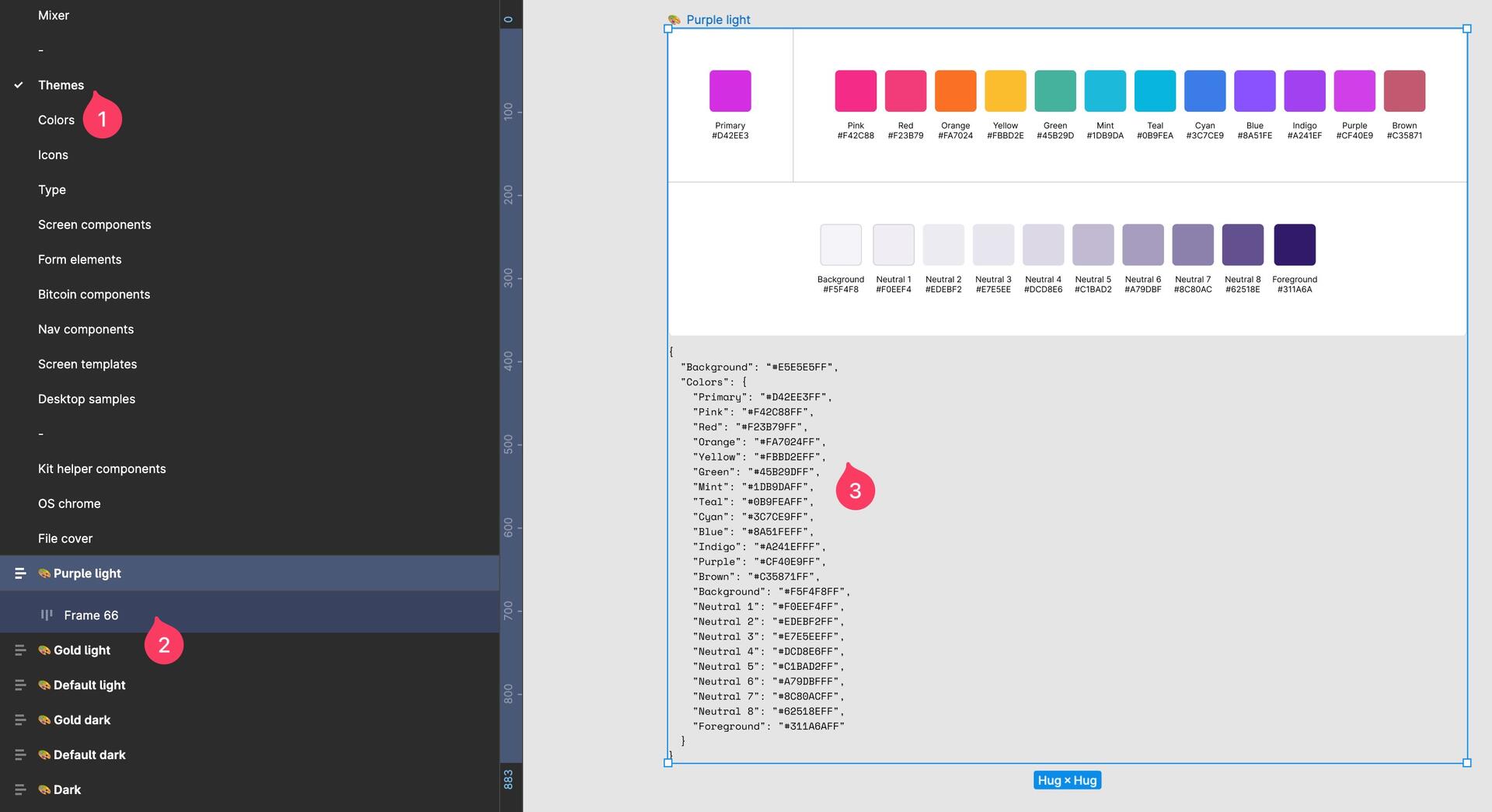
2. Duplicate the UI Kit in Figma, go to the page "Themes" and select one of the themes and make the hidden autolayout frame visible.
3. Now you see a JSON code. Copy this JSON Code and paste it into Chat GPT and tell it to generate a new color palette and that it should output it as a new JSON.
For example tell it to create a color palette based on the primary color with a hex value of your choice.
4. If you got your new JSON, replace the JSON text in the Figma file.
5. Open the Bitcoin UI Kit plugin (https://www.figma.com/community/plugin/1254869452790045259/bitcoin-ui-kit) and select the whole theme frame with the little 🎨 emoji and click on "apply theme" in the plugin.
6. Boom! The whole UI kit will change to your new custom theme.