
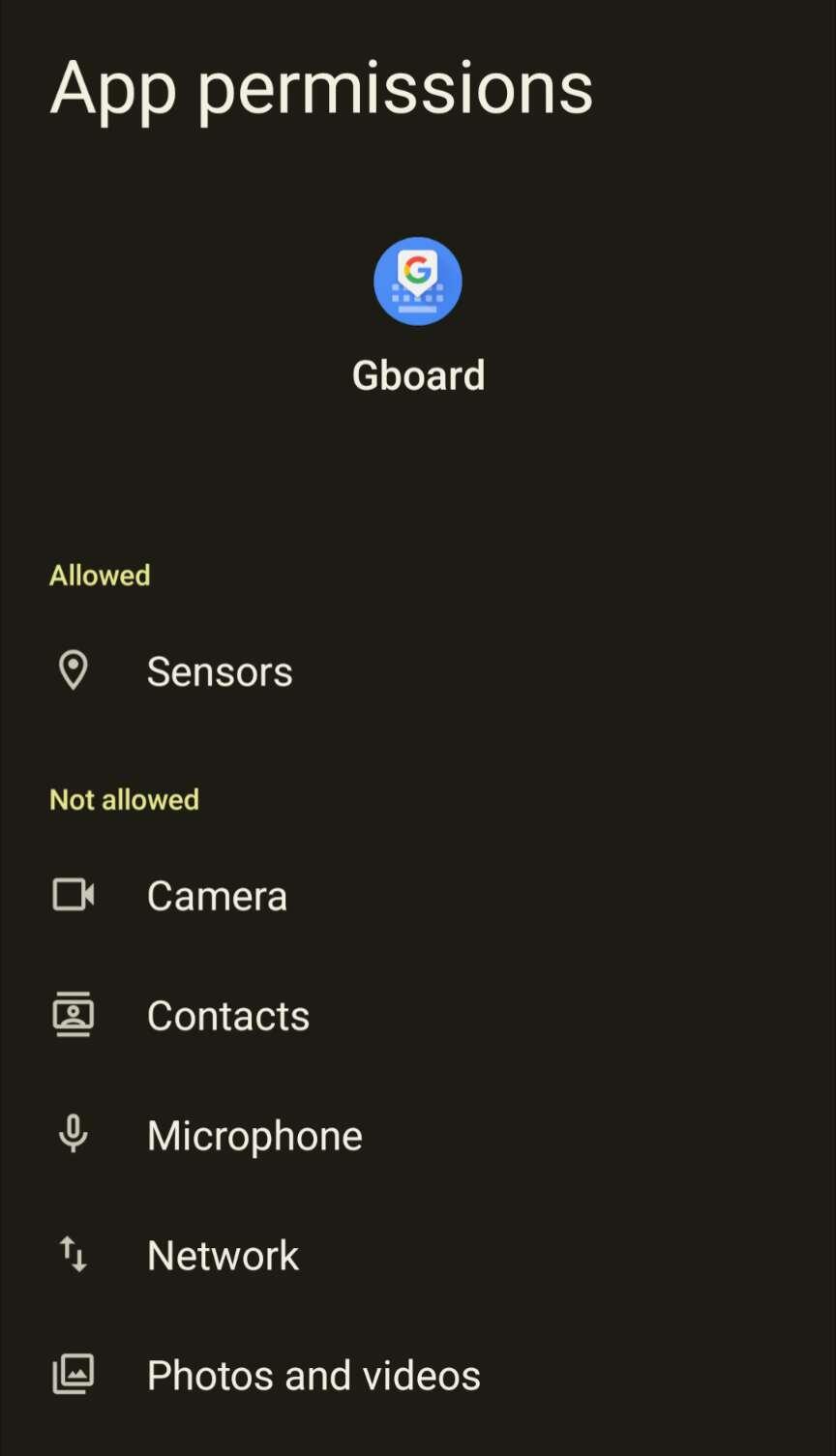
Gboard is the stock Google keyboard that ships with Pixels. You can find it in Aurora store. When installing, GrapheneOS will ask if you want to grant it network connectivity. Just deny. Alternatively, you can long press the app and open settings. Adjust permissions as follows:
Reply to this note

Please Login to reply.

Discussion

Ah yes thats the menu I was referring to. Thanks

Actually, I just checked, and it does not appear it needs sensors either. Try denying that as well. Keep in mind that sandboxing Gboard in this manner will disallow in-keyboard GIFs & voice input. Emojis & swipe will still work.

What is sensors? Like the fingerprint sensor?