
秋陽さんのカレー粉コレクションを今度見せてください
日本でも真似できそうであれば真似してみたいです
秋陽さんのカレー粉コレクションを今度見せてください
日本でも真似できそうであれば真似してみたいです
😂😂😂 My kitchen at home doesn't have a big collection but I will take a pic next time I visit a department store 😅
Also, mostly it's
- Garam masala
- Chilli powder
- Coriander powder
used in dishes.
More than spice powders, whole spices are used or ground close to cooking time 😅
あと少しでカレーできます! 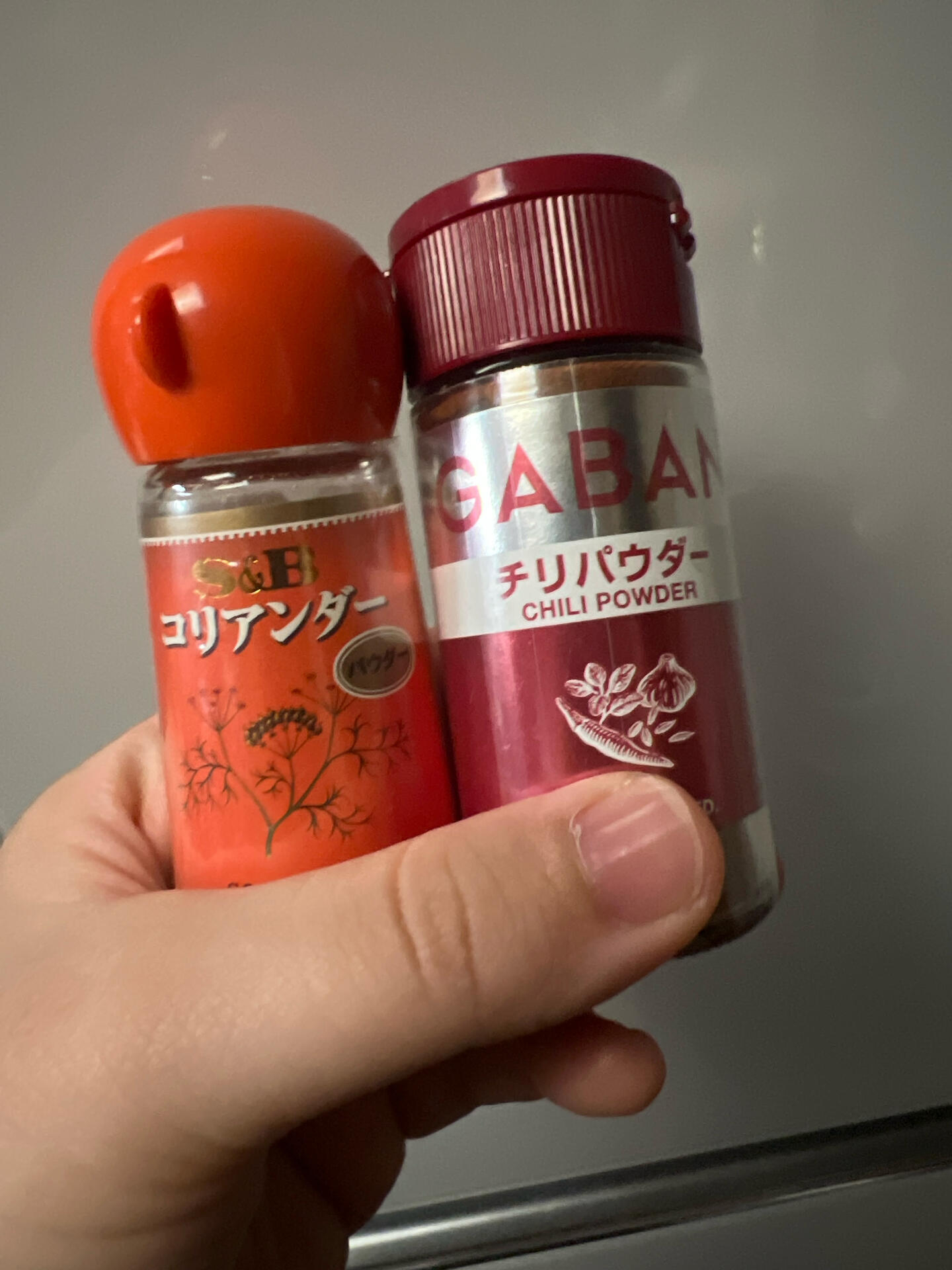
That's amazing - Roro-san has the essential spice mixes 🙌🙌
Btw, I found some Japanese cooking channels showing Indian dishes
サンバル!知らない料理!でも美味しそう!!
I have Sambar every alternate day... It tastes great with rice or idli or dosa (but I am South Indian, so my taste buds are used to it & like it. I am not sure if it will suit Japanese tastes 😅)
I would not recommend Roro-san to cook sambar, as it's very labour-intensive 😅
郷土料理という感じなんですね。
ろろは他国の家庭料理に興味があるので
日本語のレシピはめちゃくちゃ嬉しかったです🥰
ありがとう!!
本当ですか!?嬉しいです(*>ᴗ<*)
ちなみにiHerbで買ったのですが、
これがめちゃくちゃ美味しかったです。 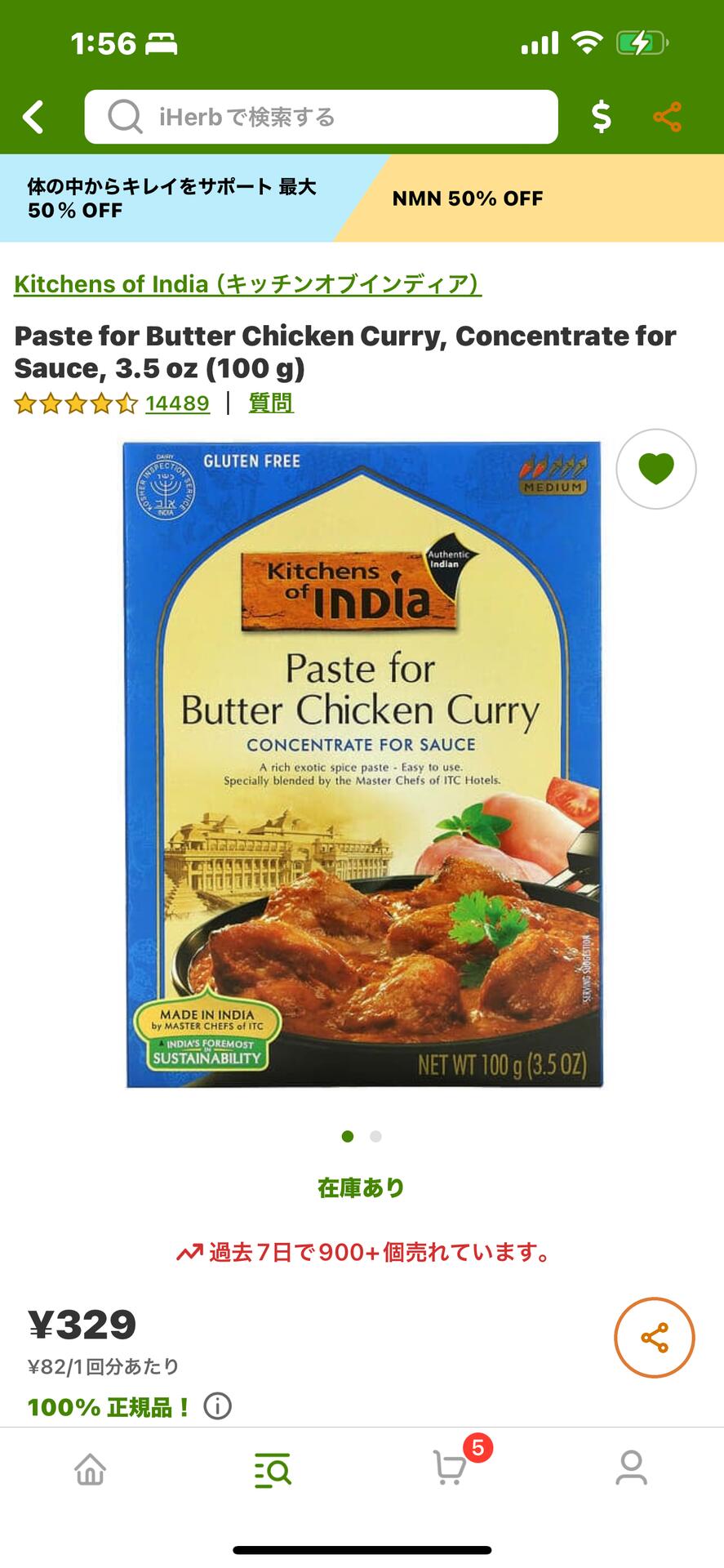
Hey, I've seen this brand in stores 🙌🙌
There are probably 5-6 base types of curry. You can just switch vegetables among them many curry types
(Meat also I suppose, but I don't eat meat).
Mix-and-match cuisine 😁😅
本当にインドキッチンだったwwwww
そうですそうです。エビ、チキンカレー、ティカマサラ用のペーストがあって、ろろも一人暮らしの頃に肉ではなくてシーチキンで作りました(笑)
どれも美味しかったです
Wow....I think Roro-san has a more Indian kitchen than I do 😅 I can't cook well 🙈
ろろも怠惰なので切って煮るか焼くぐらいしか出来ません😇(美味しいのはお店で食べたいですね)
There are many ready-to-eat packs (or gravy packs) which may be best for initial trial to see if Roro-san likes the taste.
The one closest to sambar will be this (it's kinda like sambar + rice)
https://www.bigbasket.com/pd/260767/mtr-masala-bisibelebath-powder-100-g-pouch
But I am not sure how easy they're to get in Japan
せっかく教えてくれたのに
見れなかった🥲 
見れました🥳
リゾットみたいでオシャレな見た目…✨️
商品名が分かったので買えるお店を探します😊
秋陽さん, jag kan inte se vad du menar med "カレー粉コレクション". かなどは、私は一般적으로日本語で言っていますが、もちろん「真似できそうであれば真似してみたい」という意味には理解します.
/anna
-1349
2017-05-02T18:36:00Z
ZXing library for Java
========================
The ZXing library for Java is a barcode and QR Code scanning library written in Java. It can be used to decode barcode and QR Code data from images and text files, as well as to encode data into barcode and QR Code images. The ZXing library supports several encoding formats such as EAN-13, UPC-A, Data Matrix, and QR Code.
Features
--------
* Supports over 200 encoding formats
* Decodes data from barcode and QR Code images
* Encodes data into barcode and QR Code images
* Supports batch processing of multiple files
* Supports OCR for decoding text files
* Supports custom encoding and decoding rules
* Supports multi-threading for faster processing
* Supports Java SE 6 and later versions
Installation
------------
To install the ZXing library for Java, follow these steps:
1. Download the latest version of the ZXing library from [http://zxing.sourceforge.net/download.html](http://zxing.sourceforge.net/download.html).
2. Extract the downloaded archive to a directory on your computer.
3. Add the ZXing library to your Java project's classpath.
4. Import the ZXing library into your Java project using the following Maven dependency:
```xml
```
Usage
-----
To use the ZXing library for Java, follow these steps:
1. Import the necessary classes from the ZXing library.
2. Create a new BarcodeReader object and set its parameters as desired.
3. Call the read method on the BarcodeReader object to decode data from an image or text file.
4. Output the decoded data to your program.
5. To encode data into a barcode or QR Code image, create a new BitMatrix object and set its values using the write method of the ZXing library.
6. Output the encoded image to your program.
Examples
--------
Here is an example of how to decode data from a barcode image using the ZXing library for Java:
```java
import org.zxing.*;
import org.zxing.common.BitMatrix;
import javax.imageio.ImageIO;
import java.awt.*;
import java.awt.image.BufferedImage;
import java.io.FileInputStream;
import java.io.IOException;
public class ZXingExample {
public static void main(String[] args) throws IOException {
// Create a new BarcodeReader object and set its parameters
BarcodeReader reader = new BarcodeReader();
reader.setAutoRotateEnabled(true);
reader.setDisableLuminanceNormalization(false);
reader.setMaxSizeInches(10, 25);
reader.setMargins(20, 20, 20, 20);
// Read data from a barcode image
BufferedImage image = ImageIO.read(new FileInputStream("barcode_image.jpg"));
int[] pixels = ((DataBufferByte) image.getRaster().getDataBuffer()).getData();
int width = image.getWidth();
int height = image.getHeight();
BitMatrix bitMatrix = reader.decode(new LINESource(pixels, 0, width, 1, height));
if (bitMatrix != null) {
String text = new String(bitMatrix.toArray(), Charset.forName("US-ASCII"));
System.out.println("Decoded data: " + text);
} else {
System.out.println("Failed to decode data.");
}
}
}
```
In this example, we first create a new BarcodeReader object and set its parameters as desired. We then read data from a barcode image using the decode method of the ZXing library. If successful, the decoded text is output to the console.
/anna