

You might run the Alby Hub on your Desktop computer.
To be able to receive (and send) you have to have this application running!
That's why we recommend using a server/cloud setup which is always online.
You might run the Alby Hub on your Desktop computer.
To be able to receive (and send) you have to have this application running!
That's why we recommend using a server/cloud setup which is always online.
I’m not sure how to do that! I apologize for being such a noob here but if I could get some help in understanding how to do this would be amazing. I tried connecting using the browser extension but it seems that I am doing something incorrect.
I also don’t understand the benefit of using alby when my primal wallet works fine for sending and receiving zaps here? Is using alby the only way to accept zaps on damus and across other clients?
Have u tried “wallet of satoshi” app? It’s the easiest starting wallet on 🍎 with customizable LN Address so you can set it up on your Nostr profile and it will follow you on the other clients ⚡️
I don’t think I am able to download that here in the United States. I do have a strike account, but for some reason it does not seem to work well across some clients, such as nostrudel. My primal address does though.
Yes you can! Actually it’s the most used wallet! Give it a try 😉
I don’t believe so. It is not in the Apple Store
Oh! I see, just saw online they had to remove it from the stores in the US indeed… try Zeus, that’s a better one, much more complete, also going forward when/if you run your own node 😉
Interesting I will check it out! Are you using that address on multiple clients, and does it work? I use primal, and nostrudel atm. But I have tried my strike wallet; that gives me problems on nostrudel, but works on primal
Do you run a node yourself?
I do! an Umbrel Home, super easy starting node too! I have zeus ln address set in my Nostr profile so I receive always there indeed! I just had to set a primal wallet to be able to zap from primal, but I mostly use Damus and Nostur on iPhone and Snort, noStrudel on web. Where I use NWC to zap out. But zeus, being set as my default address right in the profile is always where zaps come in. Your profile config follow on every other client.
Hmm few things in there that I’m not familiar with such as when you say “NWC to zap out”. I’d really like to get your help in setting something like that up!
Sure! Have you checked DarthCoin Guides? That’s a must to start
Is that an account here or website? Link me!
And from there you can check all other guides too. It’s just part of the rabbit hole as usual 😉
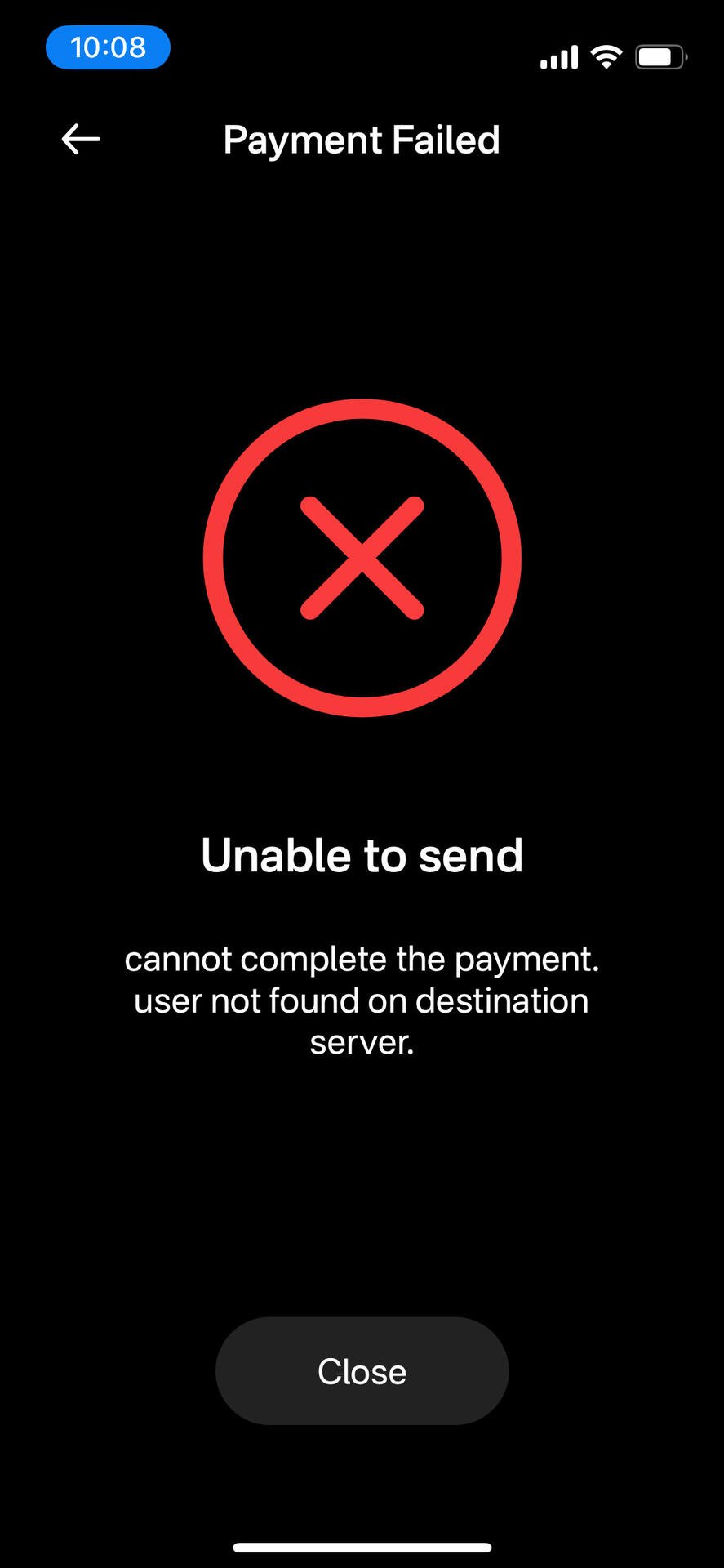
Also, I just tried zapping you but I’m getting this error message

if you're happy with primal and only want to do nostr zapping then keep primal. no need to use Alby Hub.
If you want to do other things or want to be self-sovereign by owning your keys and having your own lightning channels, then Alby Hub might be interesting.
Great, thank you for that.
I believe I have a lot more to learn first about how to run a node. I certainly want to obtain self sovereign status on lightning eventually. I do have that for my btc and hold on cold storage with my seed phrase. So, at least I do practice that in some respect.
What is the running cost of having an alby hub?
great!
The Alby Cloud is 21k sats per month (with a 50% welcome bonus for 3 months)
If you already have a server or computer you can also run it there.
Depending on what you need there will be some costs to open a channel.
In the future one channel might be included with the Alby Cloud subscription.
Gotcha, thanks for the explanation.
However, I’m still not understanding why my wallet shows an inflow of 10 sats but I am unable to send that out? Is this due to the fact that I need to purchase / open a channel? 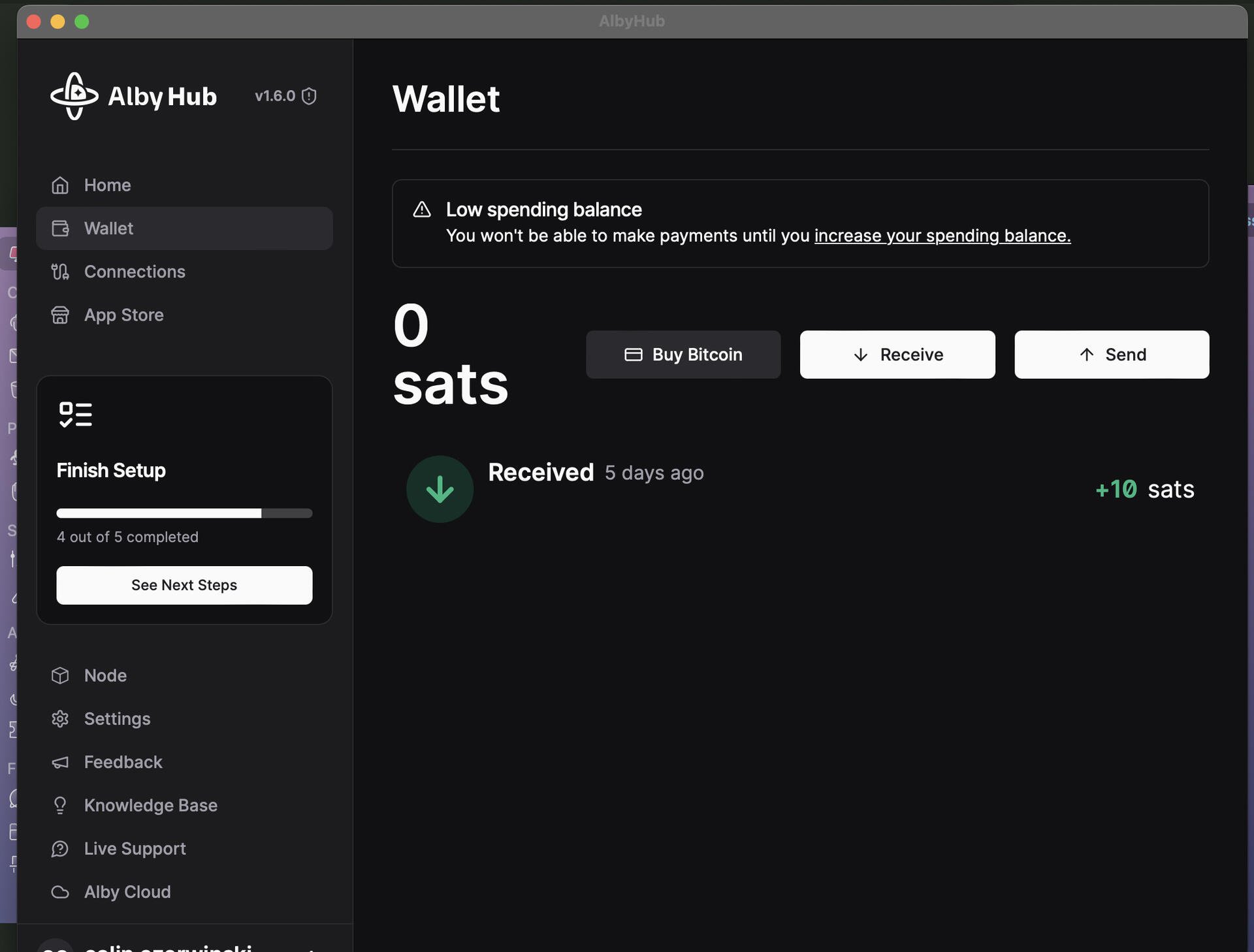
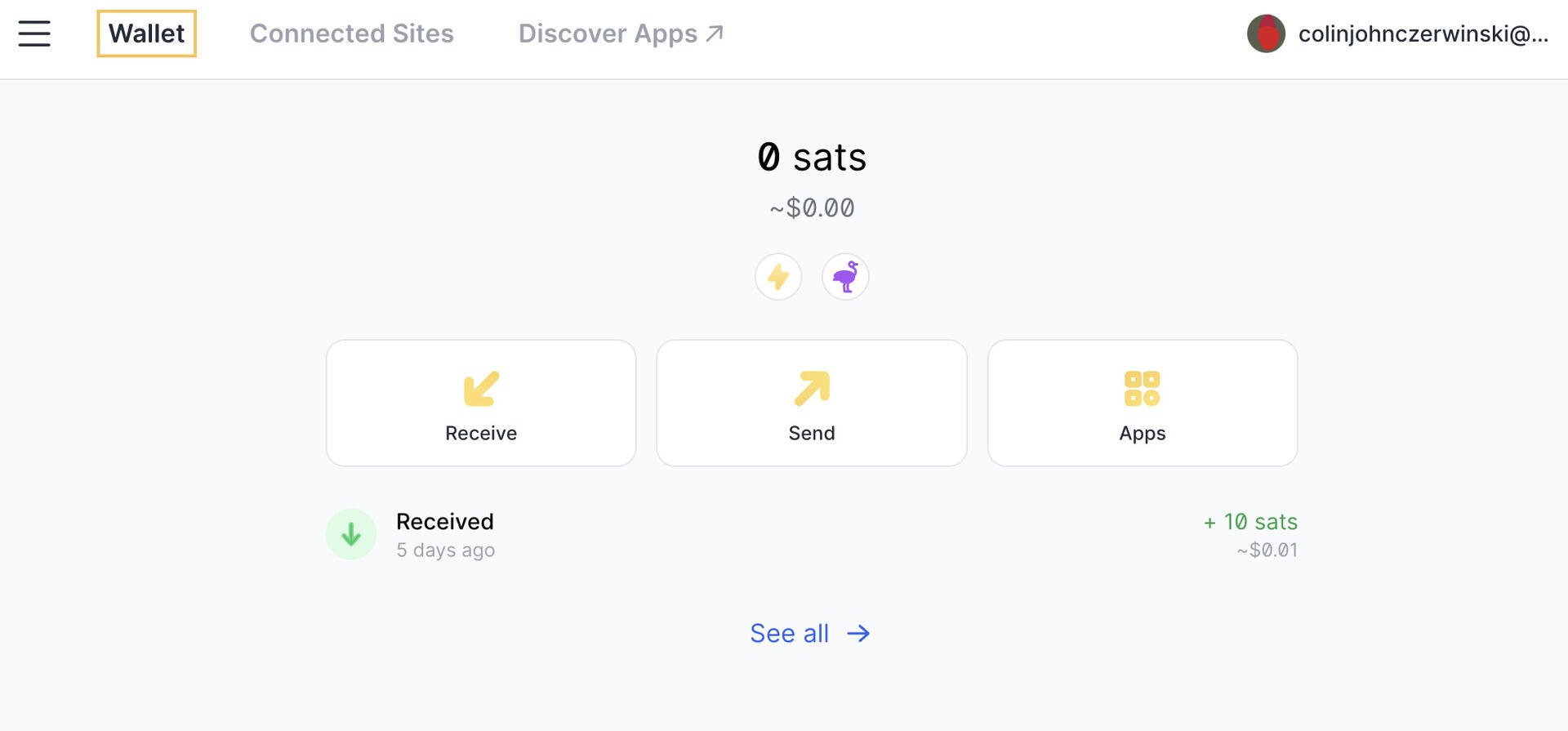
I think you have a channel already, can you show me the node page?
It will likely say something about the channel reserve that you need to fill.
I think this may be what you are asking for?
I appreciate the help btw* 🤝🏼 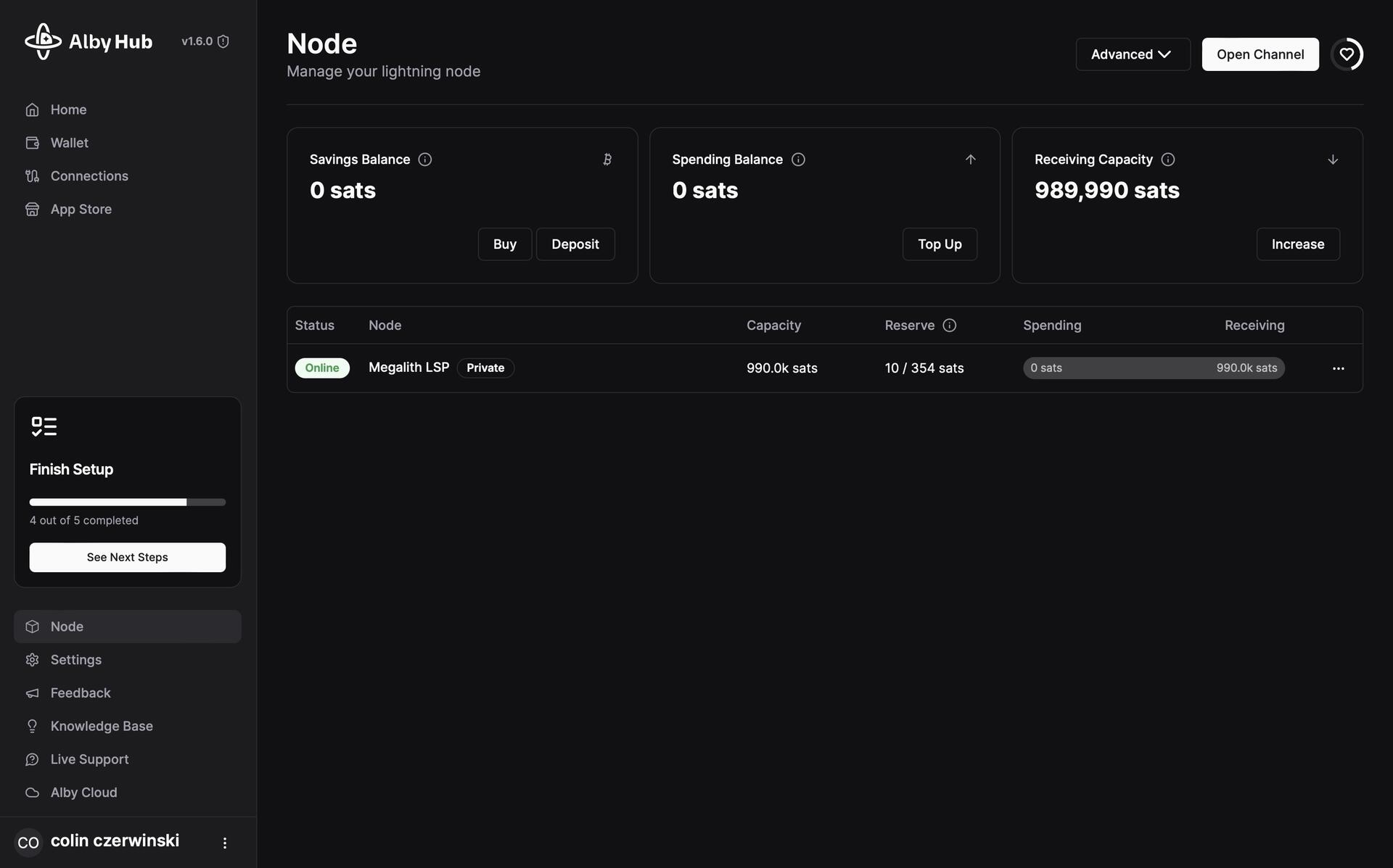
yes. so you have one channel. that is great. you can receive up to a million.
do you see that “10/354” reserve? so you need to get some more sats to meet the reserve and then you can send out sats. (those sats are still yours but reserved for closing the channel some time in the future)
Brilliant, incredibly helpful.
So the 354 sats; will those be held in the wallet for when I want to close? Or say I send in the remaining 344 sats to open the channel, can I send out the 354 while keeping the channel open still? Hopefully that makes sense
Yes, those sats are held for when the channel will be closed.
You basically save up until you have enough.
The channel is already open, now you fill up the reserve.
Those 354 will be kept in the channel as reserve, the amount above that you can spend.
Perfect. Thanks so much for the clarification
Okay, so I have downloaded the Alby Hub for desktop and have connected the wallet. However, I am still unable to see the 10 sats in the wallet.
Please see screenshot attached
Side note* I’m having difficulty uploading images on desktop and mobile.

see the node page . you likely need to fill up the channel reserve first.
Ah, okay I believe I understand now thank you very much. Is that a one time payment; to open the channel?
It's a one time payment to open the channel, yes.
But depending on the LSP some funds are reserved to make sure there is enough funds to close it again at some point.
Thus those sats are not spendable (see the node page for details)

