

在哪里可以查询,是网页查询还是调用api?
Discussion
Nostr协议,NIP01
是这样吗:
nostr:note1u47qte2yfspjkll7x42qylq2kqprc96r0hrq8u3cqp8esrpt5mfqknfx9g
哪里有NIP-01的api,需要自己搭建吗?
这个机器人瞎说的,你看下协议
哈哈,机器人特别擅长一本正经地胡说八道。
机器人一本正经地胡说八道,原来是一种功能。
nostr:note1zuxepz7wavdd3rl6evt8s0a55unzjgctc3979ge9tluvtdrxe34szljz5g
https://github.com/nostr-protocol/nips/blob/master/01.md
尝试使用 https://nostr.info/relayr/ 可以指定relays查询特定的公钥,返回的查询中“created_at”就是发帖子的时间戳。
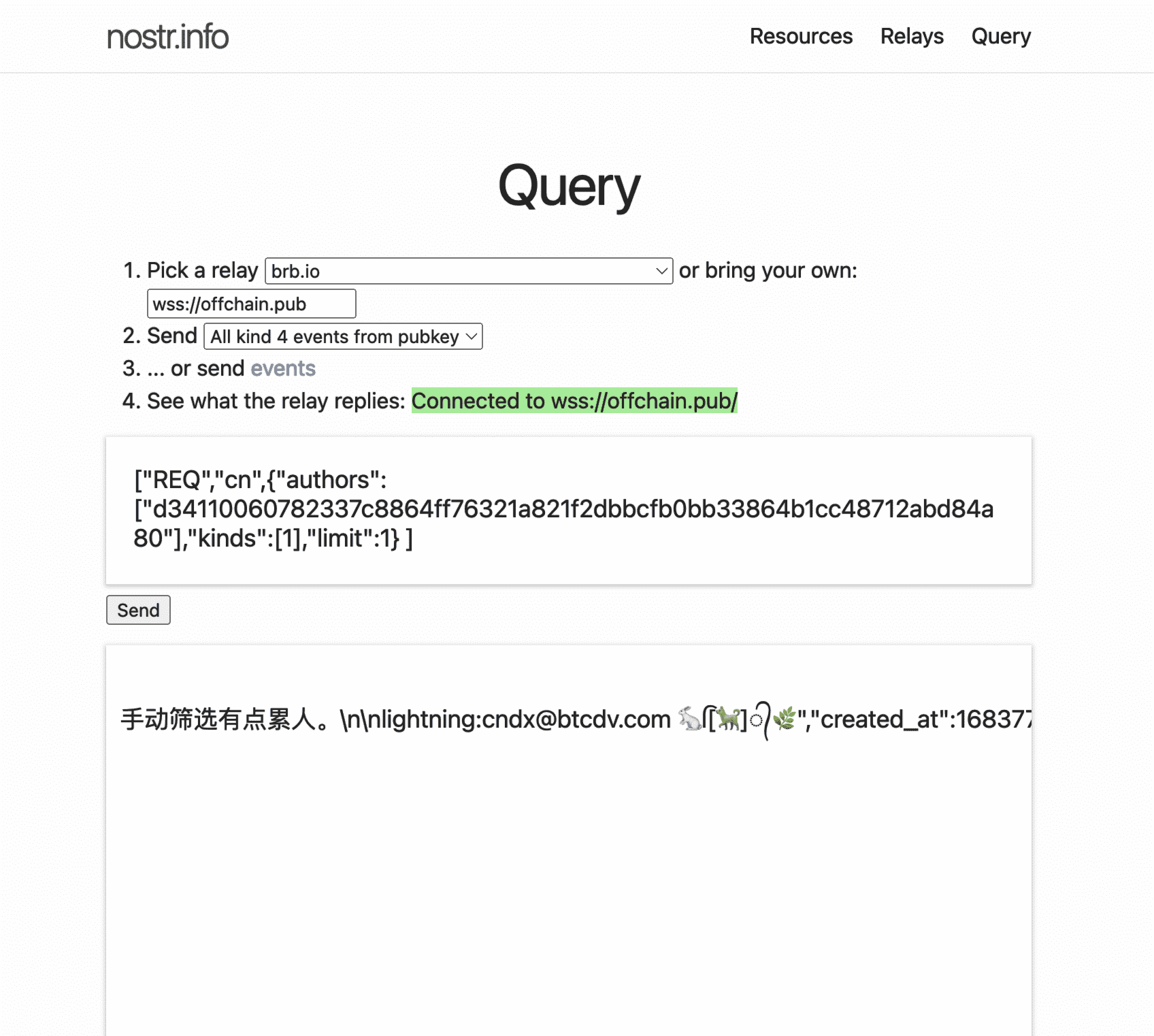
AI编的脚本,已经能读到指定ID用户最近的帖子内容了
from selenium import webdriver
from selenium.webdriver.common.by import By
import requests
import json
from selenium.webdriver.support.ui import WebDriverWait
from selenium.webdriver.support import expected_conditions as EC
from selenium.webdriver.common.keys import Keys
import time
import re
def npub_to_live(driver, input_str):
# 添加显式等待,直到所需元素变得可见
wait = WebDriverWait(driver, 10)
# 等待直到 connectionState 元素的文本内容包含 "Connected"
connection_state = wait.until(
EC.visibility_of_element_located((By.ID, "connectionState"))
)
wait.until(
lambda _: "Connected" in connection_state.text
)
# 寻找hex输入框,并获取hex_key值
query_input = driver.find_element(By.ID, 'input')
query_input.clear()
query_input.send_keys(input_str)
# 点击 id 为 "send" 的按钮
send_button = driver.find_element(By.ID, 'send')
send_button.click()
time.sleep(1)
query_output = driver.find_element(By.ID, 'output')
query_output = query_output.get_attribute('value')
return query_output
def main():
with open(“nostr_id_public_keys_china_users.txt”, “r”) as f:
npub_keys = [line.strip() for line in f]
unique_followers = set()
# 创建WebDriver实例
driver = webdriver.Safari()
url = 'https://nostr.info/relayr/'
driver.get(url)
# 添加显式等待,直到所需元素变得可见
wait = WebDriverWait(driver, 10)
relay_input = wait.until(EC.visibility_of_element_located((By.ID, 'relay')))
# 寻找relay输入框,并设置relay_key值
relay_input.clear()
relay_input.send_keys("wss://offchain.pub", Keys.RETURN)
for npub_key in npub_keys:
input_str = f'["REQ","cn",{{"authors":["{npub_key}"],"kinds":[1],"limit":1}} ]'
query_output = npub_to_live(driver, input_str)
print(f"{npub_key} Processed: {query_output} ")
# 提取 created_at 时间戳
created_at_match = re.search('"created_at":(\d+)', query_output)
if created_at_match:
created_at = int(created_at_match.group(1))
# 计算当前时间戳和 created_at 的差值
current_timestamp = int(time.time())
time_difference = current_timestamp - created_at
# 判断是否在过去30天内
if time_difference < 30 * 24 * 60 * 60:
with open("nostr_crawler_live_zh_users_list.txt", "a") as f:
f.write(f"{npub_key}\n")
# 关闭WebDriver实例
driver.quit()
if name == “main”:
main()