#### How to switch off Apple Intelligence ####
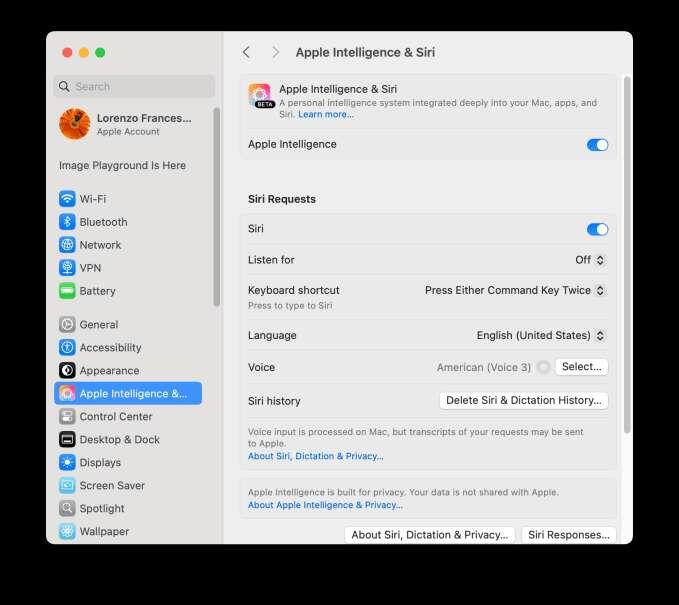
Go to Settings on iOS, or System Settings on Mac, and then tap or click on Apple Intelligence.
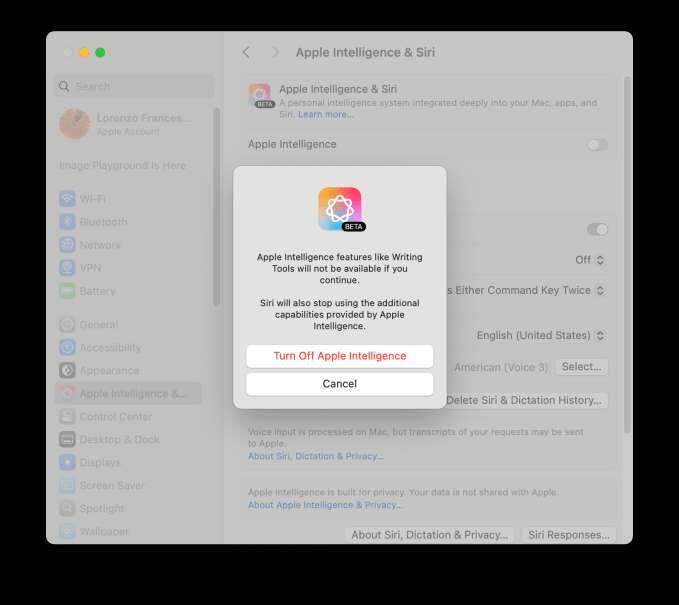
On Mac, if it’s switched on, turn it off by clicking on the toggle. if you don't use it because you care about your privacy, switch off Siri here as well.
Confirm you want to stop using Apple Intelligence in the dialog box that opens after you click
On iOS, open the Settings App, scroll down to Apple Intelligence & Siri, tap on the toggle to turn it off.
You can turn off Siri too