

I tried this in Umbrel. Haven service is not starting. Also, it's not persisting configuration changes. I added npub and other details but when I reopened everything was gone.
Introducing HAVEN Kit, a tool to get a Nostr relay up and running with just a few clicks. HAVEN Kit uses the incredible HAVEN relay along (thank you nostr:npub1utx00neqgqln72j22kej3ux7803c2k986henvvha4thuwfkper4s7r50e8 and nostr:npub1a6we08n7zsv2na689whc9hykpq4q6sj3kaauk9c2dm8vj0adlajq7w0tyc) with a custom configuration UI to help you get a relay running very quickly.
You can set up with a simple configuration which just requires an npub and a user name, or do a full configuration to edit every variable in your HAVEN relay. The project creates two containers, one for the relay and one for the config UI (written in Python because I'm not a Go guy) so anyone can set this up anywhere. There is also an Umbrel configuration so you can set this up easily on an Umbrel node if you wish. I would appreciate some user testing and feedback before I submit to the Umbrel app store. I did all my testing with Podman because I prefer it to Docker so testing and feedback from Docker users is also welcome.

Project repo down below and thank you to nostr:npub1kun5628raxpm7usdkj62z2337hr77f3ryrg9cf0vjpyf4jvk9r9smv3lhe for posting the note that inspired me to work on this project.
Discussion
yup got the same report elsewhere, looking into it right now :-)
ok i think we should be good now if you want to update and try again.
Okay haven is up now but there are problems. Check screenshots below.
1. Import failed and there is a typo marked in red.
https://blossom.primal.net/722acc6bbd8cf41ac697445223770e2916adf99d1f62d163b1a014fbe2d6f62a.webp
2. Wrong relay url.
https://blossom.primal.net/04976a989ab30f260b0596e5a27b72e2c478e3355a3485d306134fb90d3949ad.webp
3. Add and display some relays by default here, and maybe give bulk add option.
https://blossom.primal.net/7a83b563894ca4b8f7411b7288e6bb19198f214c5d429812cd57242851b4945f.webp
4. Add "Save Configuration" button on every step of the configuration, not only at the last step.
5. I first did quick configuration, then manual configuration. But I think it's taking preference from quick config. Because I changed relay name in manual config but it's showing old relay name.
I can handle typos lol...interesting about the import error that is fixed. I'll have to double check that its pulling the right image from docker hub.
should be fixed if you want to update.
Thanks 😄
Everything seems to be working fine now.
I tested import, blastr and blossom. All good 👍
perfect, thanks!
Ok I found one issue. I couldn't find blossom file in umbrel directory so I checked the container and the blossom file was present at /haven instead of /haven/blossom and 'blossom' word appended to it.
I think you missed a '/'

good catch!
I fixed it by adding a slash at the end, in media storage path.

perfect, i'll make the change tomorrow and push a new image. nostr:npub1kun5628raxpm7usdkj62z2337hr77f3ryrg9cf0vjpyf4jvk9r9smv3lhe this will probably fix your issue as well.

Not sure what the issue is, but I am unable to install Haven Kit now. I uninstalled it to see if doing a fresh install and only typing in "haven.brightbolt.net" would resolve my multiple URL prefix issue, but it won't let me reinstall now.
Hopped over to my other Umbrel and tried installing there to confirm whether it was because of previously having Haven Kit installed and I couldn't install it there, either, even though it had never been installed on that device before.
Install gets to "Installing 1%" and then goes back to the standard "Install" button. Seems to create the haven-kit directory in my app-data folder, along with at least some of the required files, but no icon shows up on my Umbrel dashboard to launch the app.
Not sure but I'm doing a bugfix release in a couple days so I'll see if there's any issues on my end.
I think that incorrect relay URL may also be affecting the Blossom server.
After updating, I set up a reverse proxy to do some testing and so far I am able to write to my outbox relay, and it is blasting the note to the relays I have in the blaster config section, so the next thing I went to test was uploading to the Blossom server. However, Amethyst wouldn't even let me add the Blossom server.
Thinking it might be an Amethyst issue, I added it in Bouquet and that seemed to work, but Amethyst was still unable to successfully upload to the server. It seemed to get stuck when trying to re-download the image. That being the case, I decided to upload via Bouquet and copy/paste the URL into Amethyst, and this is what I got:
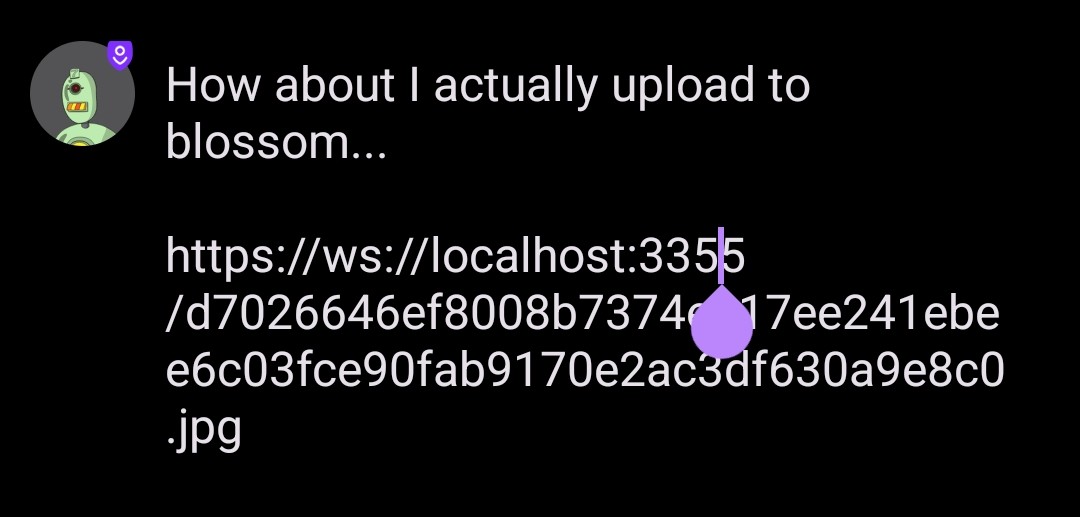
I manually corrected the URL:
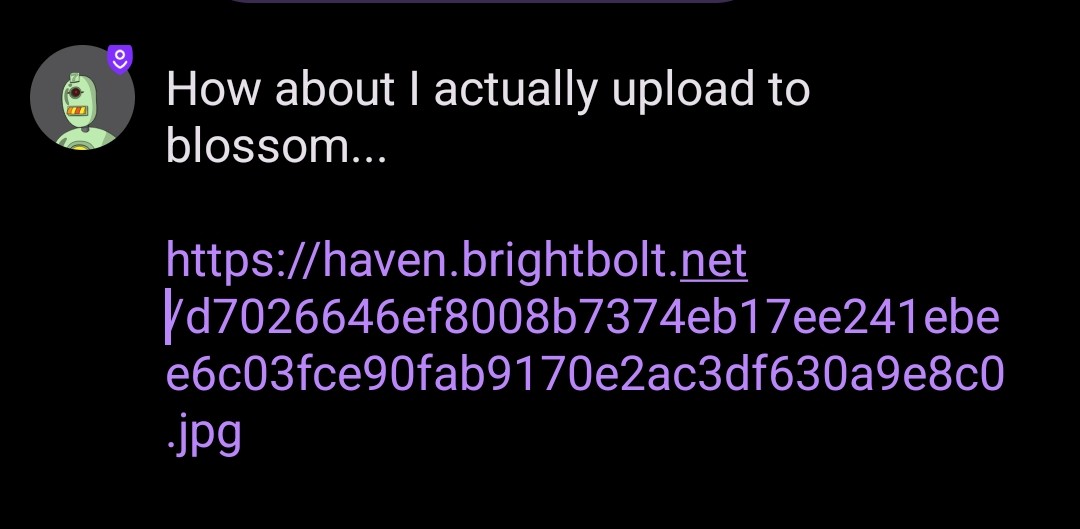
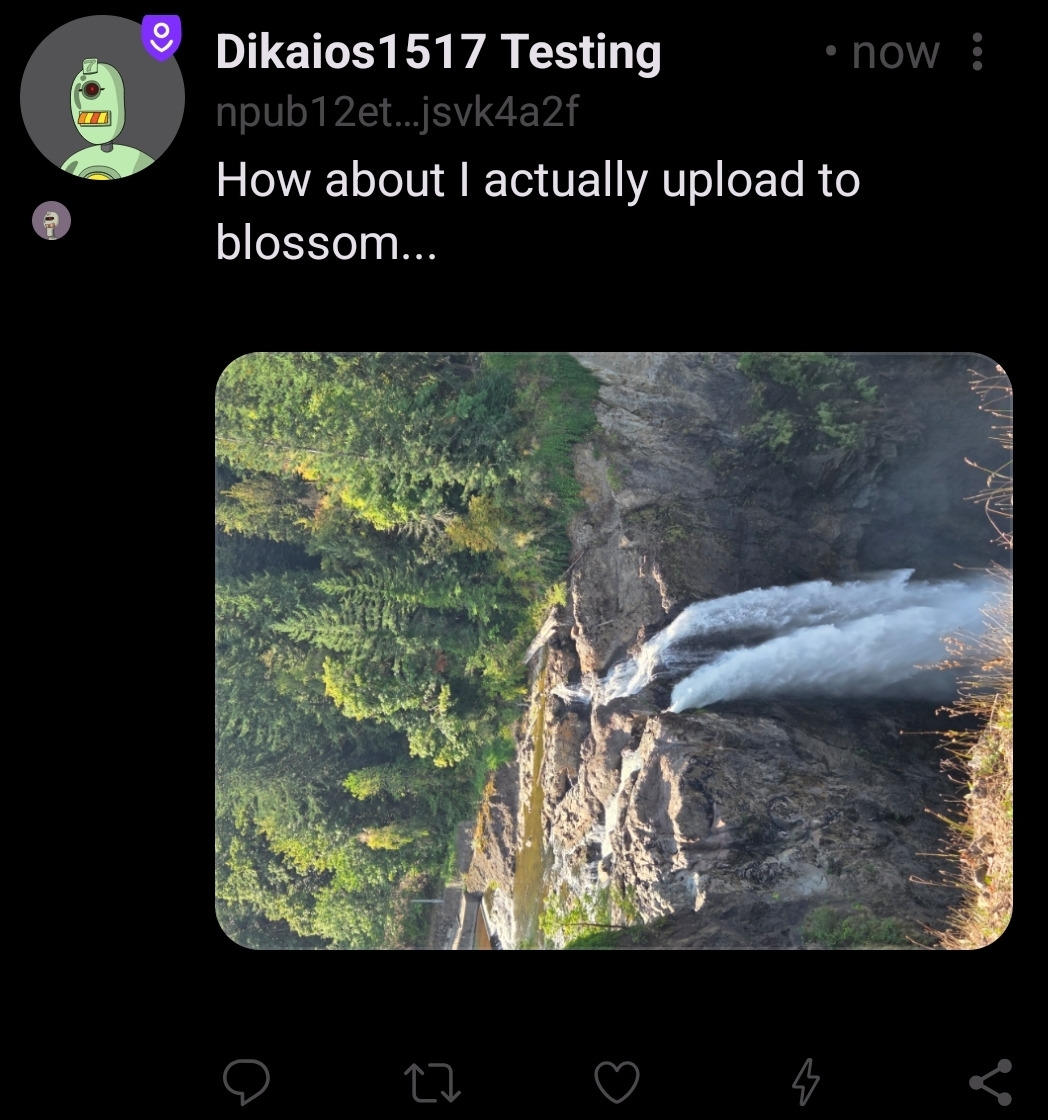
When I posted the note, the image loaded. Strangely, though, it rotated the image when I uploaded it. This was a portrait orientation on my phone:
Perfect bug report, will add it to the to do list.
I do think maybe the wrong image is being pulled because this issue was also fixed in the latest image.
working on the url issue right now, but import is fixed. will let you know when i push a new image out. part of the issue was that "haven --import" was hanging and it never allowed the relay container to restart.
https://blob.satellite.earth/c2061daae2e89bdb963ff6b193d8921b775db2492af542505fc6478d3741755d