

I'm still clueless about linux stuff. I cannot get this to work. needs KDE, whatever that is. Does this not work on debian?
Futr v0.2.0 (Linux only nostr client, windows coming soon)
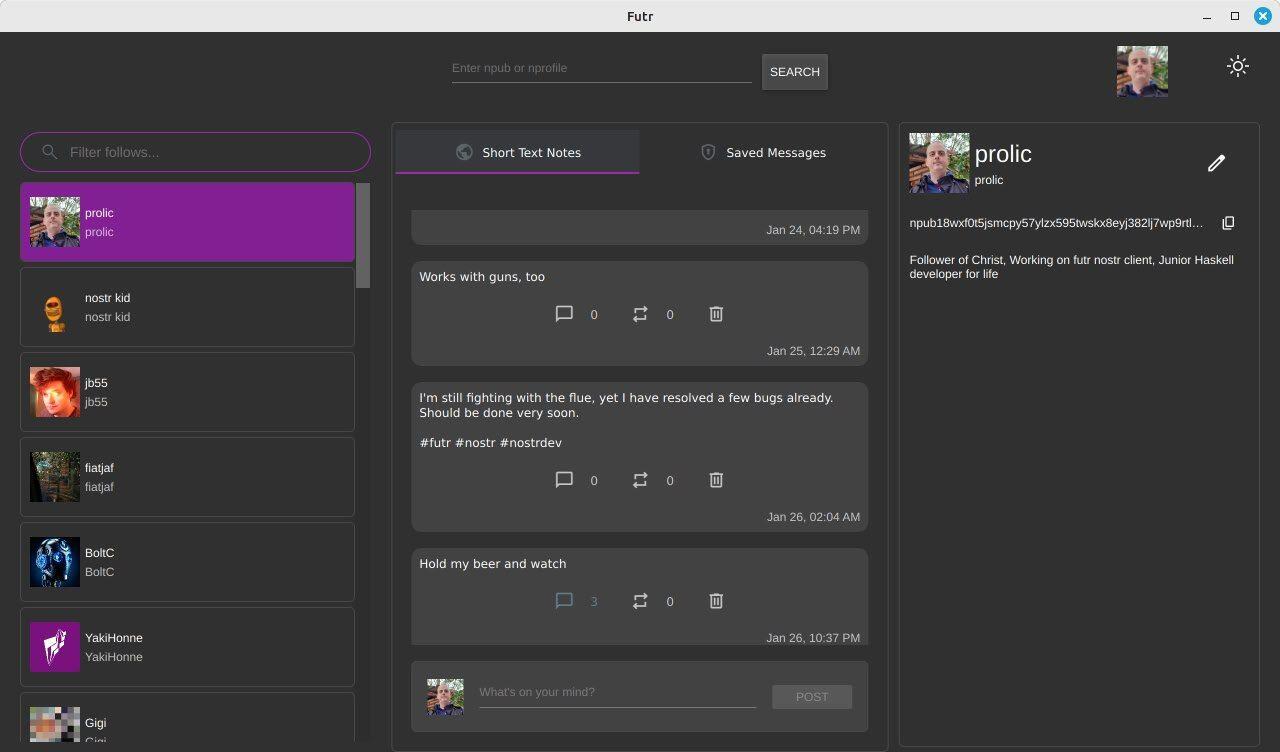
A major update focusing on core nostr functionality, persistent storage, and improved user experience.
Installation via flatpak:
flatpak remote-add --if-not-exists futr-stable https://flatpak.futrnostr.com/futr-stable.flatpakrepo
flatpak install com.futrnostr.futr
Or if you have the old version already, simply do:
flatpak update
New Features
- Comment support with threaded discussions (NIP-10)
- Repost and quote repost functionality (NIP-18)
- Improved post rendering and content display
- Event deletion support (NIP-09)
- Persistent LMDB-based storage for all data
- LRU caching system for improved performance
- Optimized timeline storage and retrieval
- Better subscription handling and event processing
- Improved relay connection stability with websocket ping/pong
- Better relay discovery through NIP-65 (Inbox & Outbox Model)
- Optimized subscription management
- Enhanced relay authentication
- Referenced post display
- Comment threading and counts
- Consistent styling between posts and private messages
- Better notification handling for post updates
- Consolidated LMDB operations
- Improved subscription lifecycle management
- Better error handling and logging
- Enhanced tag parsing and handling
- Optimized event caching and invalidation
- More efficient timeline management
#futr #nostr #nostrdev
Discussion
You need to have flatpak installed: sudo apt install flatpak. After that, you simply add the flatpak repository for futr and install. If you need any further help, let me know.