

#foss #fossanalytics #analytics #datascience #data #workflows #visualprogramming #automation #dataviz #statistics #nostr #linux #windows #pc #tech #computers #software #hardware
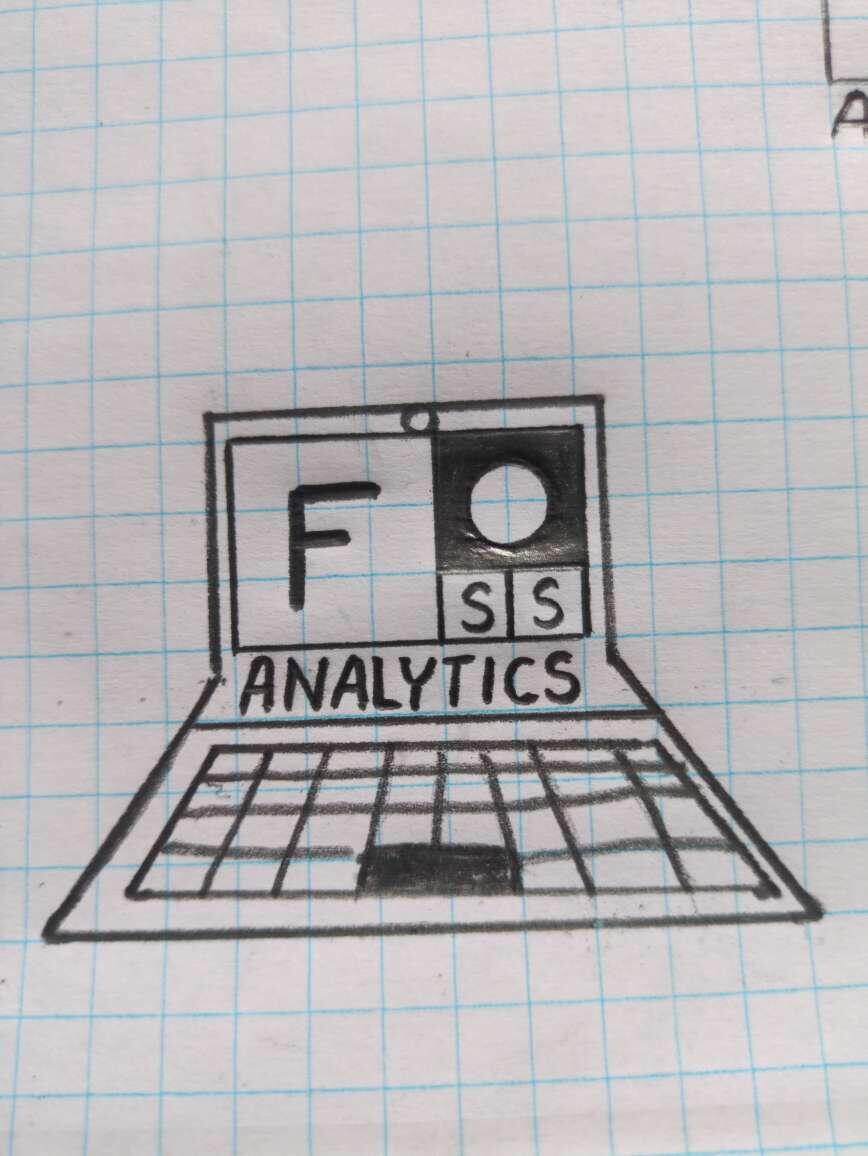
I am working on a FOSS Analytics concept. The idea behind the concept is to use FOSS for analytics running on Linux.
The logo is inspired by the #Fibunacci sequence, where the only two repeating numbers (1,1) are represented by the SS in FOSS in the squares.
The extended variation of the logo is a laptop with the FOSS #Fibunacci sequence on the screen. 

#foss #fossanalytics #analytics #datascience #data #workflows #visualprogramming #automation #dataviz #statistics #nostr #linux
A FOSS analytics tools discussion, also mentioning and promoting NOSTR.
https://www.youtube.com/watch?v=TbkAUsWAMtI
#foss #fossanalytics #analytics #internalaudit #datascience #data #workflows #visualprogramming #automation #dataviz #statistics #nostr #linux
A FOSS analytics tools discussion, also mentioning and promoting NOSTR.
https://www.youtube.com/watch?v=TbkAUsWAMtI
#foss #fossanalytics #analytics #internalaudit #datascience #data #workflows #visualprogramming #automation #dataviz #statistics #nostr #linux
https://www.youtube.com/watch?v=pVI_smLgTY0&t=17
#linux #foss #software #windows #switchtolinux #pc #computers
https://www.youtube.com/watch?v=mYJ83cgbmk0
#tech #foss #analytics #software #linux #productivity #IT #statistics #data #datavisualization #BI #data #database #fossanalytics #knime #opensource
We need to explore. Metabase apparently has a driver for it.
#stats #statistics #education #analytics #econometrics #foss #opensource #learning #nostr #framework13 #frameworklaptop #nostr #foss #fossanalytics #software #linux #sql #db #database #datamanagement
Running Small LLMs (oxymoron) Locally With an Integrated GPU on a Laptop.
This is what running local models on a consumer-grade laptop without a discrete GPU looks like... Still acceptable for many use cases in my opinion, but I definitely want to upgrade to a machine with a dedicated GPU.
Framework 13
OS: Linux
Hardware: AMD Ryzen 7040Series AMD® Ryzen 7 7840u w/ radeon 780m graphics × 16
Run in Terminal:
ollama run --verbose llama3.2:1b

The "verbose" specification provides the statistics output.
#stats #statistics #education #analytics #econometrics #foss #opensource #learning #nostr #ai #llm #llms #framework #framework13 #frameworklaptop #nostr #foss #fossanalytics #software #linux
The PDF versions of these statistics books are free:

#stats #statistics #python #r #education #rstudio #analytics #books #freebooks #econometrics #foss #opensource #learning #nostr
As pointed out in Databricks' Generative AI Fundamentals course, which I strongly recommend (it's free and really good), AI “is a necessary condition to compete, but it is not a sufficient condition to differentiate yourself in the market.” AI tools and LLMs are widely available and accessible, including local LLMs.
So, how can LLMs be leveraged in a way that is practical and contributes to success?
From what I have seen and experimented with so far, one winning formula seems to be the following:
Local LLMs + Proprietary Data = Comparative and Competitive Advantage
Getting started with running local LLMs is as easy as navigating to Ollama and running the following commands (Linux example, of course):
Download Ollama:
curl -fsSL https://ollama.com/install.sh | sh
Run llama 3.2:1b (example):
ollama run llama3.2:1b
Check the list of downloaded models:
ollama list
Verify Ollama is running locally (that's right, you don't need an internet connection).
Here are some advantages of running local LLMs as opposed to relying on proprietary models:
Free
No Contracts
Control
Flexibility
Choices
Security
Anonymity
However, appropriate hardware and know-how is needed for successful executions.
As we are told, there are no perfect models; only trade-offs. So, how do you choose and evaluate various options across family of models such as llama, hermes, mistral, etc. and select the appropriate size within a model (1.5b, 3b, 70b)? I call this horizontal vs vertical comparison, respectively.
Obviously, use cases and hardware requirements need to be considered, but beyond that, in addition to running prompts ad-hoc in the terminal or using the Open Web UI, a systematic way to compare models is needed for analytics purposes, especially if we want to follow the winning formula and take a full advantage of our data. Here is high level overview:

Running local LLMs in Knime workflows for model comparison for analytics use cases, holding prompt(s) and hardware constant, and systematically capturing outputs has proven incredibly empowering, especially when the workflow is already integrated with proprietary data sources. Needless to mention, data wrangling is often needed prior to running analytics, as well as LLMs, and Knime workflows are great at that.
In this workflow, as a POC, I compare llama3.2:1b vs llama3.2:3b vs deepseek-r1:1.5b for sentiment analysis and topic modeling. The prompt as well as the responses of each of the three models is captured and can then be easily compared and analyzed:

When new LLMs are released, the workflow provides a flexible way to incorporate and test them. Such framework provides a systematic pipeline to experiment, evaluate, productionalize, and monitor models' outputs. Great for POCs!
Once the appropriate model is selected, the workflow can run local LLMs for analytics use cases such as sentiment analysis, topic modeling, etc. And to visualize the results in Metabase (coming soon as another FOSS Analytics segment) for a seamless FOSS Analytics experience is priceless (literally).
It is all about utilizing tools and building workflows in an integrating and systematic manner.
This end-to-end FOSS Analytics process flow is running on Linux on Framework hardware - the perfect combination for optimal performance and flexibility.
Join me in democratizing access to analytics capabilities and empowering people and organizations with data-driven insights!
#LLMs #Knime #tech #foss #analytics #software #linux #knime #metabase #framework #notetaking #productivity #IT #statistics #data #datavisualization #BI #data #database #fossanalytics #metabase #docker #AI
Running local LLMs in Knime workflows for model comparison for analytics use cases, holding prompt(s) constant, and systematically capturing outputs is very empowering.
Use cases include sentiment analysis, outlier detection, etc.
The results are then visualized in Metabase.
End-to-End FOSS Analytics process flow running in Linux on a Framework 13.

#tech #foss #analytics #software #linux #knime #metabase #framework #notetaking #productivity #IT #statistics #data #datavisualization #BI #data #database #fossanalytics #metabase #docker

#Spreadsheets have become an essential tool in the modern digital landscape, revolutionizing the way we manage, analyze, and present data.
In this article, we will delve into the world of spreadsheets, exploring their structure and functionalities: https://www.onlyoffice.com/blog/2025/01/what-is-a-spreadsheet?utm_source=social&utm_medium=post&utm_campaign=fosstodon
#ONLYOFFICE Spredsheet Editor: https://www.onlyoffice.com/spreadsheet-editor.aspx?utm_source=social&utm_medium=post&utm_campaign=fosstodon

foss #linux #nextcloud #selfhost #analytics #fossanalytics #cloud #spreadsheet

#foss #linux #nextcloud #selfhost #analytics #fossanalytics #cloud
We just updated #Metabase to the latest v52 release, running locally in a #Docker container.

#tech #foss #analytics #software #linux #framework #notetaking #productivity #IT #statistics #data #datavisualization #BI #data #database #fossanalytics #metabase #docker
#tech #foss #analytics #software #linux #framework #notetaking #productivity #IT #statistics #data #datavisualization #BI #data #database #fossanalytics #vpn #tailscale #network
Knime 5.4 is released!
The Tableau Reader Node is a great addition!
https://www.knime.com/blog/whats-new-knime-analytics-platform-54

#tech #foss #analytics #software #linux #framework #notetaking #productivity #IT #statistics #data #datavisualization #BI #data #database #fossanalytics #knime
We picked up this Beelink Mini PC as a dedicated tinkering machine for experimental projects and self-hosting FOSS Analytics.
AMD Ryzen 7 5800H
16 GB DDR 4
1TB SSD
WIFI 6

#tech #foss #analytics #software #linux #framework #notetaking #productivity #IT #statistics #data #datavisualization #BI #data #database #fossanalytics
#tech #foss #analytics #software #linux #framework #notetaking #productivity #IT #statistics #data #datavisualization #BI #data #database #fossanalytics #crm
That looks impressive. Thanks for sharing.
The Month of LibreOffice, November 2024 is nearly over – but you can still get a sticker pack by saying what you use #LibreOffice for (with hashtag) 😊 https://blog.documentfoundation.org/blog/2024/11/17/month-of-libreoffice-november-2024-half-way-point/ #foss opensource

We use LibreOffice in our FOSS Analytics stack/workflows.