
New iOS 17.5 Beta Lets EU iPhone Users Download Apps Directly From Websites
With the second beta of iOS 17.5 that's available today, iPhone users located in the European Union are able to download apps directly from the websites of Apple app developers without going through the App Store or an alternative app marketplace.
Since March, Apple has been working on support for downloading apps from websites, and the feature is finally ready for testing. Apple started letting developers offer their apps through alternative app marketplaces in the EU in iOS 17.4, but the website option adds a new method for acquiring apps.
need to meet specific criteria to ensure the safety of iPhone users. Apps must undergo Apple's Notarization process, and developers need to be a member of the Apple Developer Program for two continuous years or more.
Only apps that have had one million annual first installs or more on iOS in the EU in the prior year are eligible for download from a website. Developers that meet these terms will be able to use an API for web-based app downloads. Apps downloaded through the web using the API can be backed up, restored, and updated as standard apps can.
When an iPhone user in the EU visits a website to install an app, users will need to grant express permission for that developer to install apps to Settings. A system sheet will display the app name, developer name, app description, screenshots, and more.
Developers are only able to offer apps from their developer account, and are required to publish transparent data collection policies so users are aware of how data is collected and used. Apps distributed outside of the App Store need to provide customer support, refunds, and offer a way to manage apps.
While developers do not have to pay a cut of app sales to Apple for apps distributed through websites, there is a 0.50 euro Core Technology Fee for each annual install over one million in the past 12 months. The fee is waived for nonprofit organizations, accredited educational institutions, and government entities.
iPad, nor is it open to iPhone users in other countries.
Related Roundups: iOS 17, iPadOS 17
Related Forums: iOS 17, iPadOS 17
This article, "New iOS 17.5 Beta Lets EU iPhone Users Download Apps Directly From Websites" first appeared on MacRumors.com
Discuss this article in our forums
https://www.macrumors.com/2024/04/16/ios-17-5-app-web-downloads-eu/
Amazon Takes $60 Off 2nd Gen Apple Watch SE, Starting at Just $189
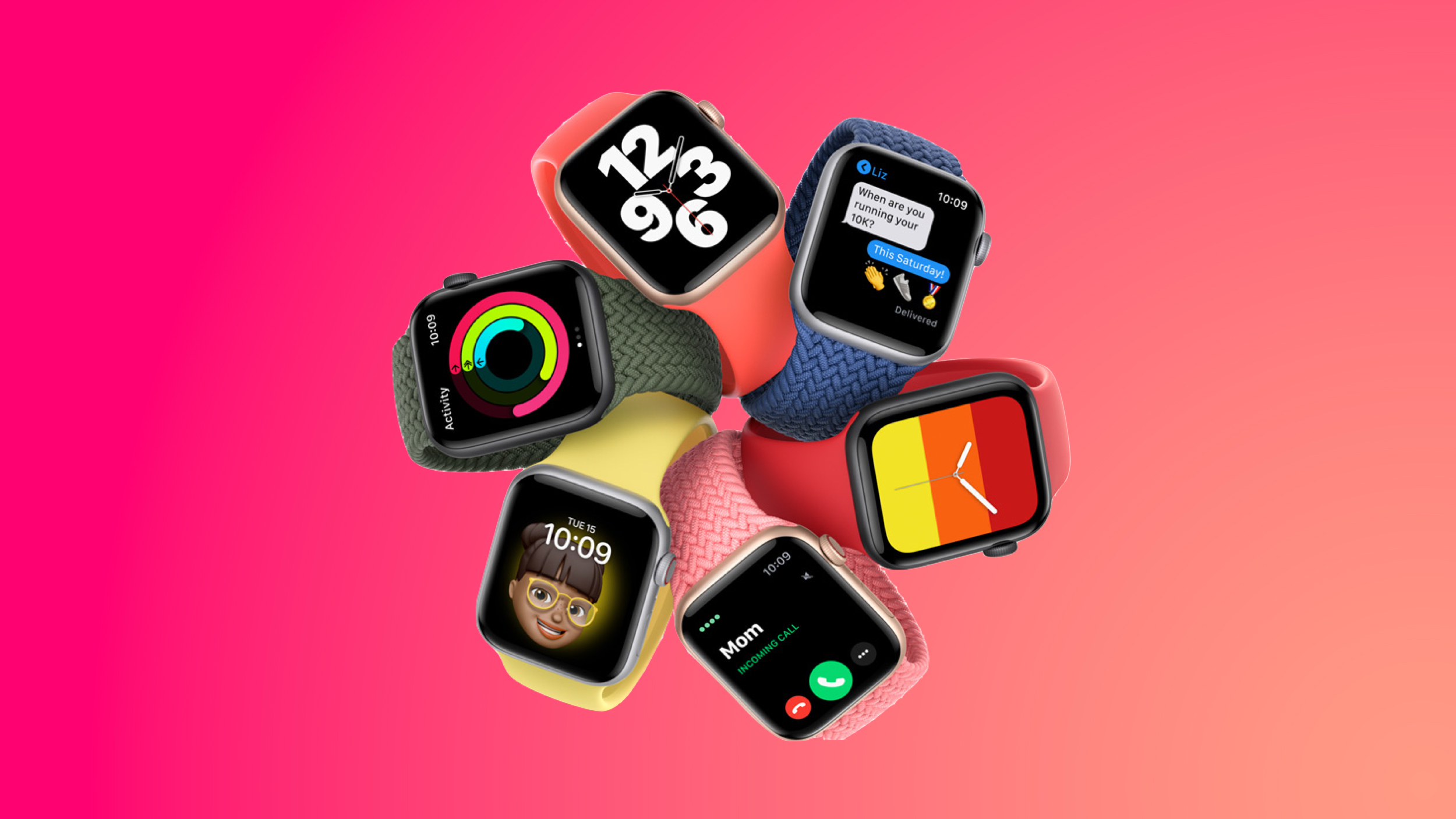
Apple's 40mm GPS Apple Watch SE is on sale for $189.00 today on Amazon, down from $249.00. This is just $10 higher compared to its all-time low price on the wearable. This deal is available in the Silver, Midnight, and Starlight Aluminum Case options, and only Amazon has the discount.
Note: MacRumors is an affiliate partner with Amazon. When you click a link and make a purchase, we may receive a small payment, which helps us keep the site running.
$219.00 on Amazon, down from $279.00. This is another near all-time low price that's just $10 away from the lowest price on the Apple Watch SE, and it's available in Midnight and Starlight Aluminum options.
$60 OFF
Apple Watch SE (40mm GPS) for $189.00
$60 OFF
Apple Watch SE (44mm GPS) for $219.00
$239.00, down from $299.00, and the 44mm cellular model is on sale for $269.00, down from $329.00. You can find these all-time low prices available in multiple colors right now on Amazon.
This model of the Apple Watch SE launched in September 2022 and remains Apple's most affordable Apple Watch. The Apple Watch SE lacks some of the upgraded features you'll find in some Series 9 or Ultra 2 models, like temperature sensing and ECG functionality, but it will otherwise provide you with all key Apple Watch features, and at the cheapest price possible.
Deals Roundup to shop for even more Apple-related products and accessories.
Related Roundup: Apple Deals
This article, "Amazon Takes $60 Off 2nd Gen Apple Watch SE, Starting at Just $189" first appeared on MacRumors.com
Discuss this article in our forums
https://www.macrumors.com/2024/04/16/amazon-apple-watch-se-189-2/
Apple Says 'Goodbye Leather' in New iPhone Ad Following Controversial Switch to 'FineWoven' Material
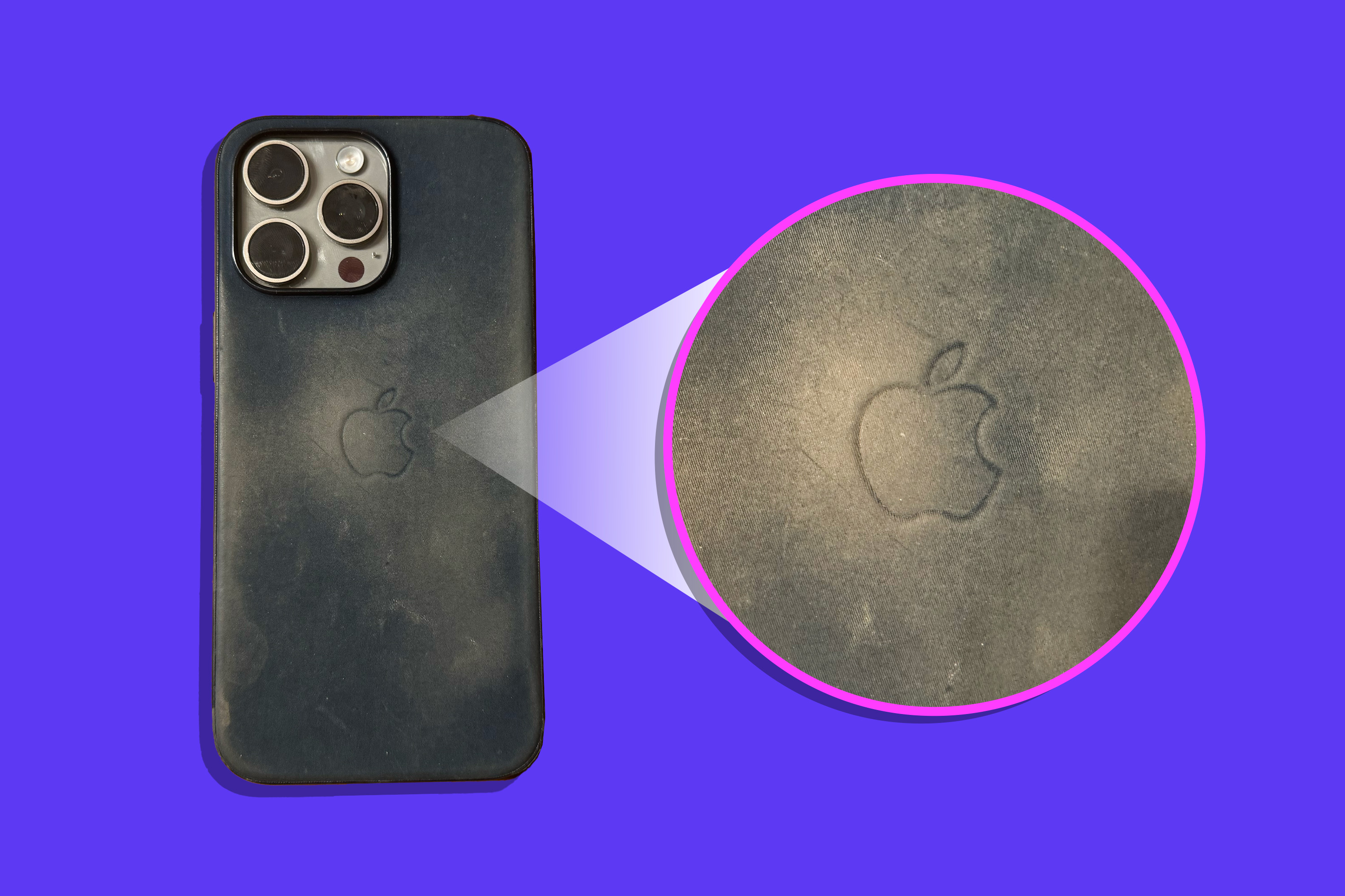
Apple today shared a new iPhone ad called "Goodbye Leather" on its YouTube channel in the U.K., months after the company controversially switched from leather to a much-criticized "FineWoven" fabric material for accessories.
Apple discontinuing leather accessories for environmental benefits was a noble aspiration, but FineWoven accessories have been very poorly received. Just days after the first FineWoven cases were released for the iPhone, some customers and media outlets complained about the fabric exterior being prone to scratches and stains. A photo also surfaced of a FineWoven case with a misaligned USB-C port cutout.
The Wall Street Journal's Joanna Stern said her FineWoven case was "browning like a rotten banana" after five months of usage.
Image Credit: Joanna Stern/The Wall Street Journal
"The edges are peeling, the fabric is scratched up like an old CD and it's browning like a rotten banana," she wrote, in her Tech Things newsletter. "I've been waiting for the CDC to show up at my house to declare it a biomedical concern."
Apple has yet to comment on FineWoven criticism, and it remains to be seen if the company discontinues the line or improves the material in any way.
Thanks, Dylan McDonald!
Tags: Apple Ads, FineWoven
This article, "Apple Says 'Goodbye Leather' in New iPhone Ad Following Controversial Switch to 'FineWoven' Material" first appeared on MacRumors.com
Discuss this article in our forums
https://www.macrumors.com/2024/04/16/apple-says-goodbye-leather-in-new-iphone-ad/
All iPhone 16 Models to Feature Action Button, But Usefulness Debated
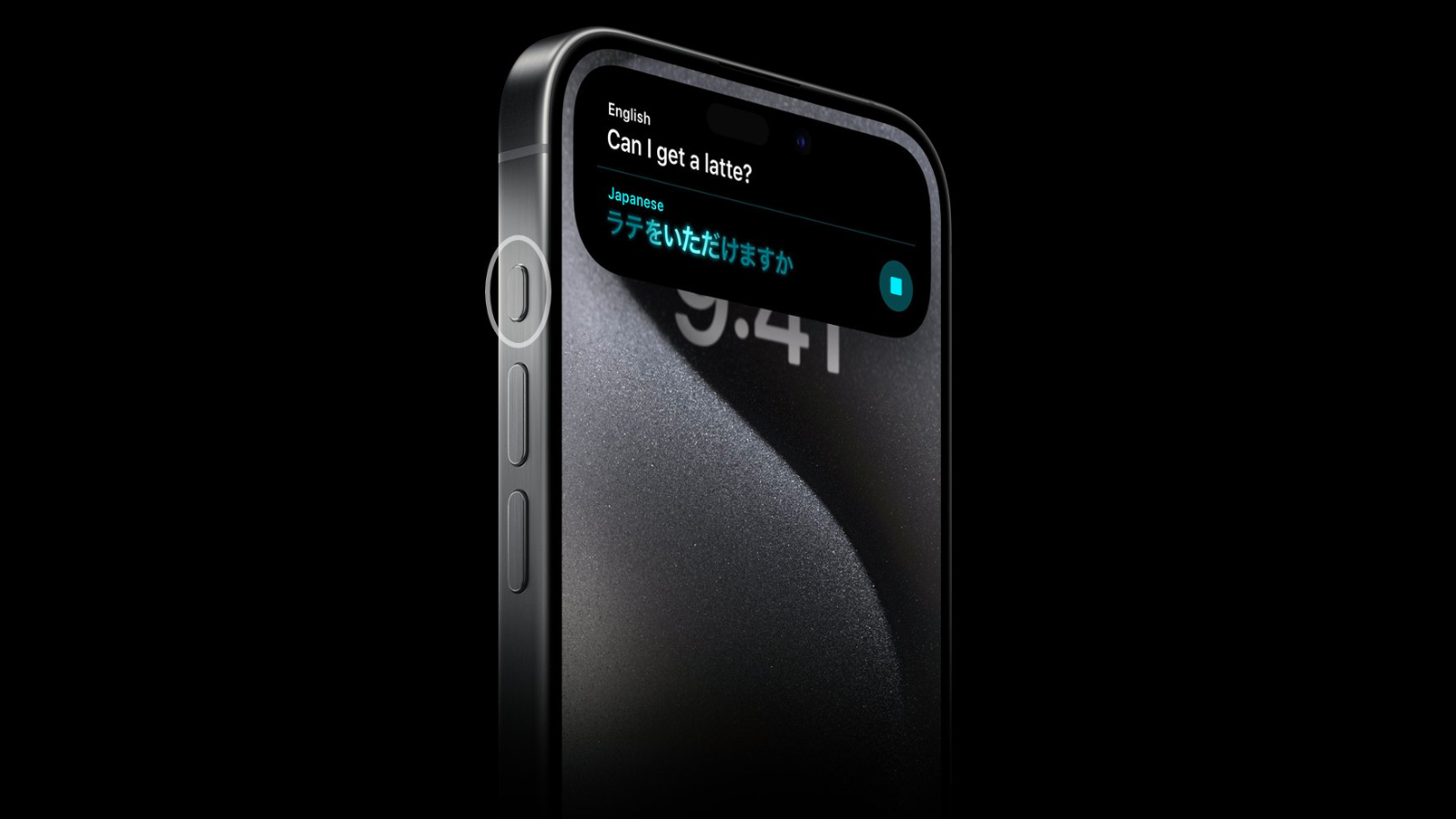
Last September, Apple's iPhone 15 Pro models debuted with a new customizable Action button, offering faster access to a handful of functions, as well as the ability to assign Shortcuts. Apple is poised to include the feature on all upcoming iPhone 16 models, so we asked iPhone 15 Pro users what their experience has been with the additional button so far.
The Action button replaces the switch that activates Ring and Silent on Apple's iPhone 15 Pro models, while the standard iPhone 15 and iPhone 15 Plus models retain the traditional Ring/Silent switch. By default, the Action button still activates these two functions via a long press, but users can also make it activate a range of other functions, including quickly opening the camera app or enabling the flashlight, activating Voice Memos, Focus modes, Translate, and accessibility features like Magnifier.
MacRumors readers who responded to our poll on social media, just over half (50.6%) said they often forgot the Action button is even there, while over a quarter of respondents (26.8%) said they use the Action button "occasionally." Based on readers who commented, most occasional users assigned the camera or flashlight to the Action button – functions that are also easily accessible via the Lock screen. A subsection of users in the same category said they have the Action button set to activate/deactivate Mute, to mimic the physical Mute switch it replaced.
iPhone 15 Pro: How to Customize the Action Button
Some respondents (12.6%) agreed with the description that the Action button is a "game changer." Most users in this category used it to activate custom Shortcuts, which allowed for novel uses like skipping forward in podcasts, adding to-dos, prompting ChatGPT, activating smart lights, or opening a folder. Some in this category simply appreciated the fact that it saved them time accessing more standard functions that would otherwise involve navigating through onscreen menus.
The rest of our poll respondents (10%) agreed that the Action button was something of a "volume decoy," implying that they often pressed it by accident when they intended to adjust audio levels via the volume buttons, usually when their iPhone was in a pocket or purse.
With the Action button introduced on the iPhone 15 Pro set to expand to all models later this year, we want to hear from current users: Does it make your iPhone life easier?
— MacRumors.com (@MacRumors) April 15, 2024
Our social media poll represents a small, self-selecting cohort of iPhone 15 Pro users. It is also an example of convenience sampling, and by no means statistically sound. Even so, it seems the case could be made that many people have had trouble finding a dedicated use case for the Action button.
Capture button" to the iPhone 16 for video recording, so the Action button might get less useful for those who use it for this purpose.
Meanwhile, anecdotal evidence suggests there is a fair amount of frustration among "power users" that Apple has not added more flexibility to the way the Action button works. Currently the button only responds to a long press, but more sophisticated iPhone users want a built-in ability to set different customizations for short presses, double-presses, and triple presses.
How to Assign Two Functions to the Action Button
Related Roundups: iPhone 15 Pro, iPhone 16, iPhone 16 Pro
Tag: Action Button
Buyer's Guide: iPhone 15 Pro (Neutral)
This article, "All iPhone 16 Models to Feature Action Button, But Usefulness Debated" first appeared on MacRumors.com
Discuss this article in our forums
https://www.macrumors.com/2024/04/16/iphone-16-action-button-useful-or-not/
Apple Promotes Recycling Your Devices 'For Free' Ahead of Earth Day
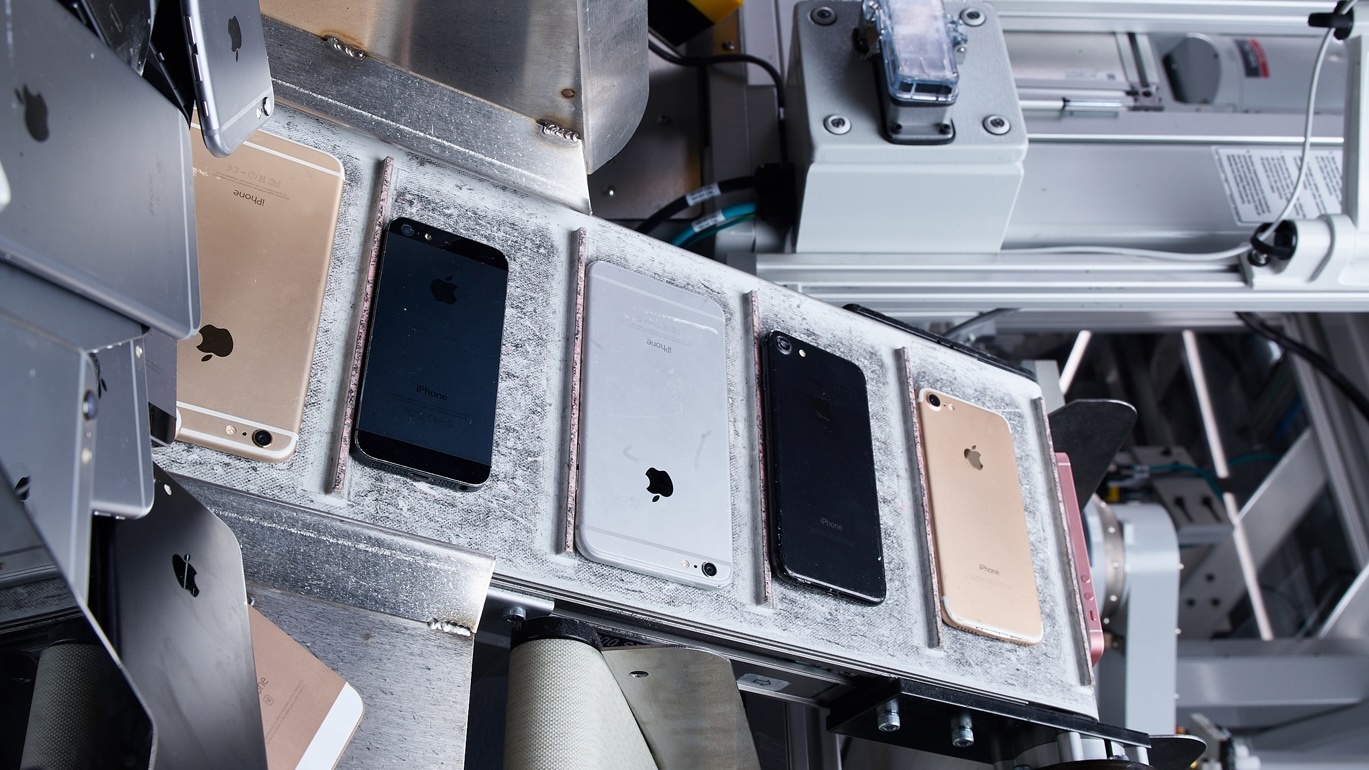
Ahead of Earth Day on April 22, Apple has added a banner to its website that reminds customers they can recycle their Apple devices "for free" with the company's recycling partners. The process can be initiated on Apple's trade-in page in many countries, with customers able to submit a form to receive a prepaid shipping label for their devices.
"We'll recycle your Apple devices, cables, cases, accessories, and other similar electronics for free," says Apple. "You'll help protect the earth's precious resources and reduce waste as we work toward a better future for the planet."
"Recycling Robots" video on its YouTube channel in the U.K. that says Apple's recycling robots are now able to recover recyclable materials from a total of 23 different iPhone models.
says Apple. "Robot Dave extracts tungsten from Taptic Engines, while robot Taz takes care of audio modules. Together, they're leading the way in recovering recycled materials for the next generation of products."
Tags: Apple Environment, Earth Day
This article, "Apple Promotes Recycling Your Devices 'For Free' Ahead of Earth Day" first appeared on MacRumors.com
Discuss this article in our forums
https://www.macrumors.com/2024/04/16/apple-promotes-free-recycling-ahead-of-earth-day/
Elusive Spotify Lossless Option May Arrive as Paid 'Music Pro' Add-on
Spotify's elusive lossless music experience is being teased again, this time based on code uncovered by The Verge in recent builds of the Spotify app for Android.
More than three years have elapsed since Spotify announced its intention to offer a "HiFi" premium option that would give users access to a catalog of CD-quality music tracks. Originally the company said the tier would go live by the end of 2021, but a shift in the wider streaming market upended that idea.
Apple Music has since rolled lossless listening into its standard subscription price, while Amazon stopped charging extra for its lossless music library. The moves effectively kiboshed Spotify's original strategy of marketing an exclusively lossless HiFi tier.
The Wall Street Journal.
Spotify will reportedly make basic versions of these remixing tools available as part of its Premium subscription (currently $10.99 a month, or $5.99 for students). Meanwhile, the more expansive offering will be part of a "Supremium" tier that will include its long-delayed lossless audio feature.
Tag: Spotify
This article, "Elusive Spotify Lossless Option May Arrive as Paid 'Music Pro' Add-on" first appeared on MacRumors.com
Discuss this article in our forums
https://www.macrumors.com/2024/04/16/spotify-lossless-option-music-pro-add-on/
Both iPhone 16 Pro Models to Feature 256GB Base Storage, Claims Sketchy Rumor
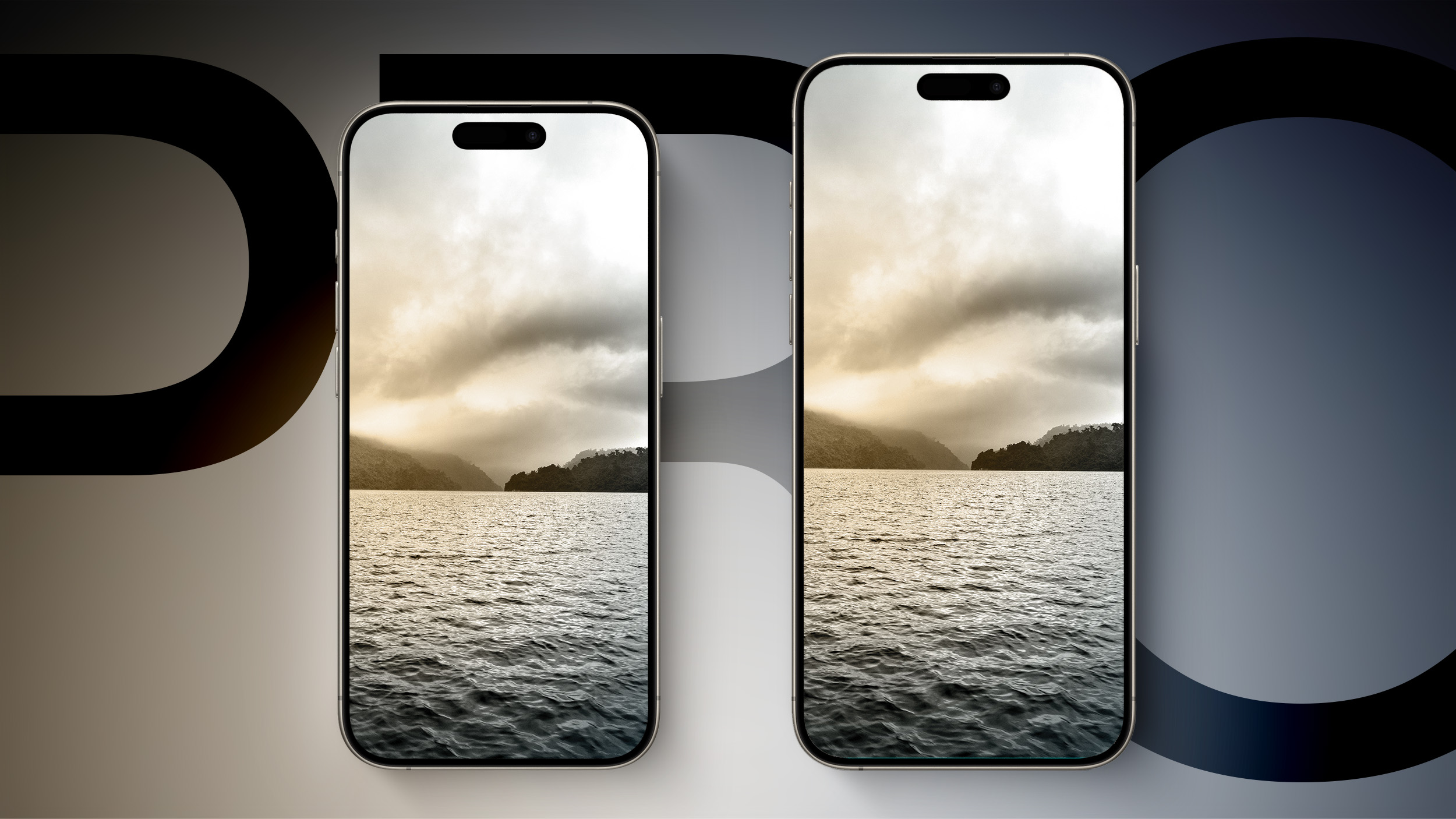
Apple will allegedly offer both the iPhone 16 Pro and iPhone 16 Pro Max with a minimum 256GB of storage, doing away with the 128GB starting option on its smaller Pro model for the first time.
Currently, Apple's 6.1-inch iPhone 15 Pro starts at $999 and comes with the minimum 128GB of storage, while the 6.7-inch iPhone 15 Pro Max starts at $1,199 with a minimum 256GB of storage.
LeaksApplePro, Apple will bump up the base storage of the upcoming iPhone 16 Pro to 256GB to match the minimum capacity of the larger iPhone 16 Pro Max, while the starting price of Apple's smaller Pro model will remain at $999.
The X account has no recent track record for accurate Apple leaks or rumors, so we are filing this one under sketchy. Having said that, the claim is not outside the realm of possibility.
Is 128GB Enough iPhone Storage?
If Apple drops 128GB as the base on the iPhone 16 Pro, that will leave three Pro storage options across the board: 256GB, 512GB, and 1TB.
It's also worth noting that in 2018, Apple's premium iPhone X came with 64GB, an entry-level storage tier that persisted in successive generations until the iPhone 13 in 2021, when Apple adopted 128GB as the new baseline. If Apple makes 256GB the new minimum across its premium devices, it could be settling into a pattern of doubling the minimum capacity every three years.
claimed that both iPhone 16 Pro models will be available with double the maximum storage capacity as the iPhone 15 Pro devices, increasing from 1TB to 2TB.
The maximum storage increase is said to be a result of Apple's switch to higher-density Quad-Level Cell (QLC) NAND flash for higher storage models. Apple's use of QLC NAND could allow Apple to fit more storage into a smaller space and it is less expensive than Triple-Level Cell (TLC) NAND, which current iPhones use.
Every iPhone 16 Rumor We've Covered So Far
bigger display sizes, increasing to 6.27- and 6.86-inches, respectively. For comparison, the iPhone 15 Pro and iPhone 15 Pro Max are equipped with 6.1-inch and 6.7-inch displays, respectively. The new display sizes will be the largest ever for the iPhone, and should also increase the physical space for internal components and parts.
Related Roundup: iPhone 16 Pro
This article, "Both iPhone 16 Pro Models to Feature 256GB Base Storage, Claims Sketchy Rumor" first appeared on MacRumors.com
Discuss this article in our forums
https://www.macrumors.com/2024/04/16/both-iphone-16-pro-models-256-base-storage/
Adobe Premiere Pro Gains AI Tools to Add and Remove Objects From Videos, Extend Clips and More
Adobe today debuted several new AI features for Premiere Pro, software designed for professional video editing. Adobe's Premiere Pro is set to gain useful editing functions powered by generative AI, which will let video editors do more with less work.
With a Generative Extend feature, Premiere Pro will be able to add frames to make video clips longer, allowing for properly timed edits and smooth transitions by extending a scene.
Objects in videos will also be able to be added or removed through smart selection and tracking tools. Adobe says that video editors can do things like remove an unwanted item, change an actor's wardrobe, or add set dressings like paintings on the wall or plants on a desk.
Perhaps the most interesting new feature is an option to create new video footage directly within Premiere Pro using a text to video feature. Users will be able to type text into a prompt or upload images to create video, and the resulting clips can be used for B-roll, creating storyboards, and more.
Adobe plans to introduce these generative AI tools later in 2024.
iOS 18 and macOS 15, we could perhaps see some new AI feature additions for Final Cut Pro.
Tag: Adobe
This article, "Adobe Premiere Pro Gains AI Tools to Add and Remove Objects From Videos, Extend Clips and More" first appeared on MacRumors.com
Discuss this article in our forums
https://www.macrumors.com/2024/04/15/adobe-premiere-pro-ai-tools/
Adobe Premiere Pro Gains AI Tools to Add and Remove Objects From Videos, Extend Clips and More
Adobe today debuted several new AI features for Premiere Pro, software designed for professional video editing. Adobe's Premiere Pro is set to gain useful editing functions powered by generative AI, which will let video editors do more with less work.
With a Generative Extend feature, Premiere Pro will be able to add frames to make video clips longer, allowing for properly timed edits and smooth transitions by extending a scene.
Objects in videos will also be able to be added or removed through smart selection and tracking tools. Adobe says that video editors can do things like remove an unwanted item, change an actor's wardrobe, or add set dressings like paintings on the wall or plants on a desk.
Perhaps the most interesting new feature is an option to create new video footage directly within Premiere Pro using a text to video feature. Users will be able to type text into a prompt or upload images to create video, and the resulting clips can be used for B-roll, creating storyboards, and more.
Adobe plans to introduce these generative AI tools later in 2024.
iOS 18 and macOS 15, we could perhaps see some new AI feature additions for Final Cut Pro.
Tag: Adobe
This article, "Adobe Premiere Pro Gains AI Tools to Add and Remove Objects From Videos, Extend Clips and More" first appeared on MacRumors.com
Discuss this article in our forums
https://www.macrumors.com/2024/04/15/adobe-premiere-pro-ai-tools/
X May Charge New Users a 'Small Fee' to Post, Like and Reply

Social media platform X (formerly Twitter) will soon begin charging new users "a small fee" for posting content and liking, replying, and bookmarking tweets, according to CEO Elon Musk.
X Daily News, a feed that posts X updates, today noticed that text strings on the website have been updated to mention a small annual fee that new users will need to pay in order to access the social network.
said in response that the fee for new users is "the only way to curb the relentless onslaught of bots."
The fee has previously been tested in New Zealand and the Philippines, and Musk says that it is applicable only to those who are new to Twitter. When a new user signs up, the user will need to pay the fee, or wait for three months to be able to engage on the network. The updated language on the Twitter site:
New accounts are required to pay a small annual fee before you're able to post, like, bookmark, and reply. This is to reduce spam and create a better experience for everyone. You can still follow accounts and browse X for free.
The text does not mention being able to post for free after three months, but Musk confirmed that "write actions" would be free after that time period.
It is unclear how the policy will stop spam accounts and bots, as spammers will be able to pay the fee or simply create multiple accounts and wait to be able to post. Regular users, meanwhile, could be discouraged from using X due to the extra step and the fact that other social networks are free.
The fee appears to be around $1, as it costs $1.75 NZD in New Zealand. The pay-for-access policy has not yet been implemented outside of New Zealand and the Philippines.
This article, "X May Charge New Users a 'Small Fee' to Post, Like and Reply" first appeared on MacRumors.com
Discuss this article in our forums
Review: iVANKY's FusionDock Max 1 Delivers Extreme Versatility With Dual Thunderbolt Connectivity
Dock accessory company iVANKY recently launched its most powerful Thunderbolt dock yet, the FusionDock Max 1, which takes advantage of dual Thunderbolt chips and connections to offer the greatest amount of versatility I've seen in a Mac-focused dock. I've spent some time testing out the FusionDock Max 1 in my daily workflow, and I think I've found my new daily driver.
What sets the FusionDock Max 1 apart from other Thunderbolt docks on the market is the inclusion of dual Thunderbolt 4 chips in the dock, which essentially doubles the capacity of the dock, allowing you to run all sorts of displays and other peripherals at maximum speed. We'll dig into what that means for connectivity in just a minute, but let's start with an overview of the design and setup. Note that the FusionDock Max 1 is only compatible with Apple silicon Macs, so it won't work with older Intel Macs, Windows PCs, or Chromebooks.
The FusionDock Max 1 offers an eye-catching design in something of a midnight-colored aluminum housing. Rather than just featuring a simple brick shape, the FusionDock Max 1 has a unique "floating" design with a thin metal frame on the left side and bottom of the dock and the main body of the dock elevated on small legs. The design might help ensure some airflow around the dock, though I'm not sure just how much it actually assists in that regard. The dock can definitely get fairly warm during use, but I've never found it to get so hot that it's uncomfortable to leave a hand on it.
recently reviewed, the FusionDock Max 1 uses a dual-cable connection to your Mac, but this is Thunderbolt rather than the slower USB, so the greater bandwidth opens up a lot more possibilities for connectivity. The custom cable includes rather bulky housing on each end with a fixed arrangement of the two Thunderbolt connectors to match the port spacing on the dock and Apple's laptops. This makes it super easy to plug in and unplug the cable in one motion with very little fiddling required to get the connectors lined up properly.
The dock measures in at around 6.7 inches (17 cm) wide, 3.7 inches (9.4 cm) deep, and a little under 2 inches (5 cm) high, and there's a separate 180-watt power brick. The brick does have a fairly bright green light on it that could be distracting in dark rooms, but most users should be able to tuck it away on the floor or elsewhere where it won't be bothersome.
The dock itself has smooth surfaces on all sides, and it can tend to slide around on surfaces if it's bumped or even just under any sort of tension from the attached cables. Fortunately, iVANKY includes some sticky rubber pads you can install for either horizontal or vertical orientation of your dock, and those go a long way toward making sure the dock stays where you want it.
The dock's 20 ports are clearly labeled, which is great simply because there are so many that it's tricky to keep track of all of them. Aside from the DC-in barrel plug connection for power, everything is driven through a pair of 40 Gbps Thunderbolt USB-C ports stacked vertically on the rear on panel of the dock. iVANKY provides a custom cable with a vertically arranged dual connector on one end to fit these ports and a horizontally arranged dual connector on the other end to fit the exact spacing of adjacent Thunderbolt ports on your Mac.
Once you've hooked the dock up to power and your computer, your Mac will recognize the dock and you'll need to grant a couple privacy-related permissions, and then you'll be ready to go. The dock can deliver up to 96 watts of power to a connected computer, so you won't need a separate power connection for your Mac.
In addition to the DC-in and upstream Thunderbolt ports, the rear of the dock features two additional 40 Gbps USB-C ports that can drive up to 6K displays at 60Hz, and they can each provide up to 15 watts of power. For other types of displays, there are two HDMI ports supporting up to 4K displays at 60Hz, and while the ports officially support HDMI 2.1, iVANKY is only advertising them as supporting HDMI 2.0 due to Apple's limitations on docking stations connecting over USB-C/Thunderbolt. There are also three 10 Gbps USB-A ports delivering up to 7.5 watts of power each, a 2.5 Gb Ethernet port, a 3.5 mm audio out port, and a Toslink optical audio out port. A Kensington lock slot is also included to help physically secure the dock if desired.
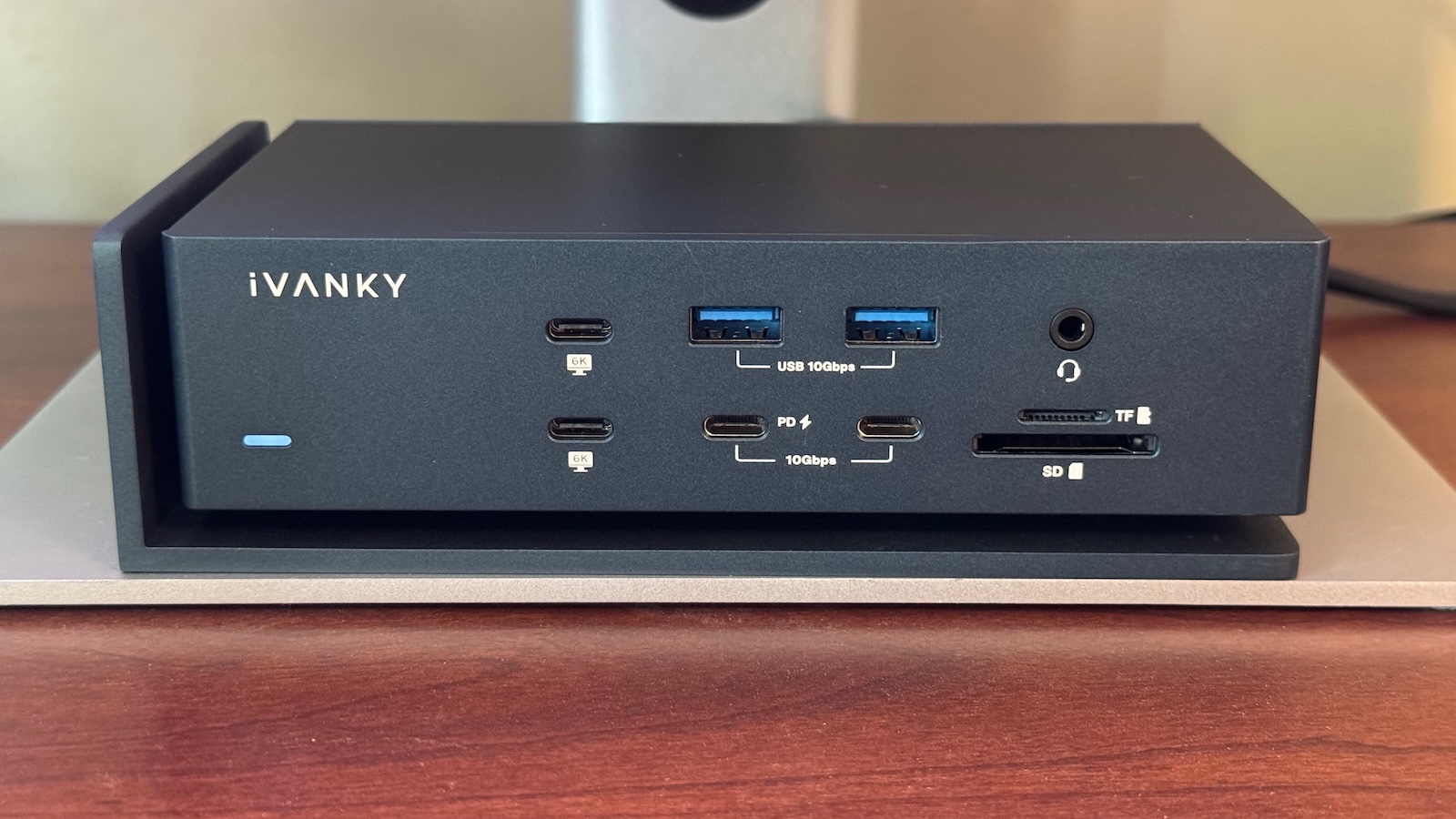
On the front of the dock, you'll find another pair of 40 Gbps Thunderbolt USB-C ports capable of driving up to 6K displays at 60Hz, a pair of 10 Gbps USB-C ports (one with 20-watt Power Delivery capabilities and one offering 7.5 watts), another pair of 10 Gbps USB-A ports with 7.5 watts of power, plus a 3.5 mm combo headphone/mic audio port and SD and TF/microSD slots supporting the UHS-II standard. There is a white LED on the front to indicate whether the dock has power, but it's dim enough that it's not bothersome in a dark room.
M1, or M2 chip such as a MacBook Air, Mac mini, or entry-level MacBook Pro, you can only drive a single external display at up to 6K resolution. M3-based machines like the latest MacBook Air and entry-level MacBook Pro models should be able to drive a pair of displays as long as your Mac is in clamshell mode with the display off.
M1 Pro, M2 Pro, or M3 Pro chip such as a higher-end Mac mini or a mid-level MacBook Pro, you'll be able to drive dual displays at up to 6K via the dock in additional to an internal display for the MacBook Pro, and if you've got a Max or Ultra chip from any of those families, you can drive a total of four external displays at up to 6K resolution.
It's important to keep in mind that only the USB-C ports support 6K resolution, but there are four downstream ones available for display connections, two on the front and two on the back. The HDMI ports on the back can only support a maximum of 4K resolution.
Alogic's 32-inch 4K display with touchscreen support, and everything worked without a hitch.
Other peripherals also worked well with the dock, from my USB-A Stream Deck to a fast external SSD that was able to achieve speeds of up to 2,800 MB/s read and 1,950 MB/s write when connected to one of the 40 Gbps USB-C ports. Connecting that drive directly to my MacBook Pro yields read speeds of around 3,000 MB/s and write speeds of around 3,100 MB/s, so there's only a small penalty to read speeds for going through the dock, while write speeds take a bit bigger hit but remain speedy. Read and write speeds will ultimately depend on what else is connected to the dock and thus what that SSD is sharing its connection with.
SD card speeds came in at around 90 MB/s read and 90–160 MB/s write depending on file size for the reasonably fast card I had available for testing, which is below both the theoretical specs of the card and the up to ~200 MB/s speeds I see in some testing when inserting it directly into my MacBook Pro, but still satisfactory in my opinion.
Wrap-up
I've been a loyal CalDigit TS3 Plus user for many years, but the iVANKY FusionDock Max 1 is likely to take its place in my permanent desk setup. With a single-cable connection (yes, it has dual connectors, but just one thing to plug and unplug), it's the most convenient way to quickly and easily convert my MacBook Pro from a large desk setup to a convenient on-the-go machine.
With the FusionDock Max 1's vast array of ports, everything from my dual 5K displays to external drives, a Stream Deck, and more can all be connected and disconnected with almost no effort, and there's essentially no compromise in performance or speed.
currently offering $150 off when you use our exclusive promo code MACRUMOURS on iVANKY's site, bringing the price to $399.99.
Note: iVANKY provided MacRumors with the FusionDock Max 1 for the purposes of this review. No other compensation was received. MacRumors is an affiliate partner with iVANKY and Amazon. When you click a link and make a purchase, we may receive a small payment, which helps us keep the site running.
Tag: iVANKY
This article, "Review: iVANKY's FusionDock Max 1 Delivers Extreme Versatility With Dual Thunderbolt Connectivity" first appeared on MacRumors.com
Discuss this article in our forums
Apple Further Explains Why Game Boy Emulator iGBA Was Removed From App Store
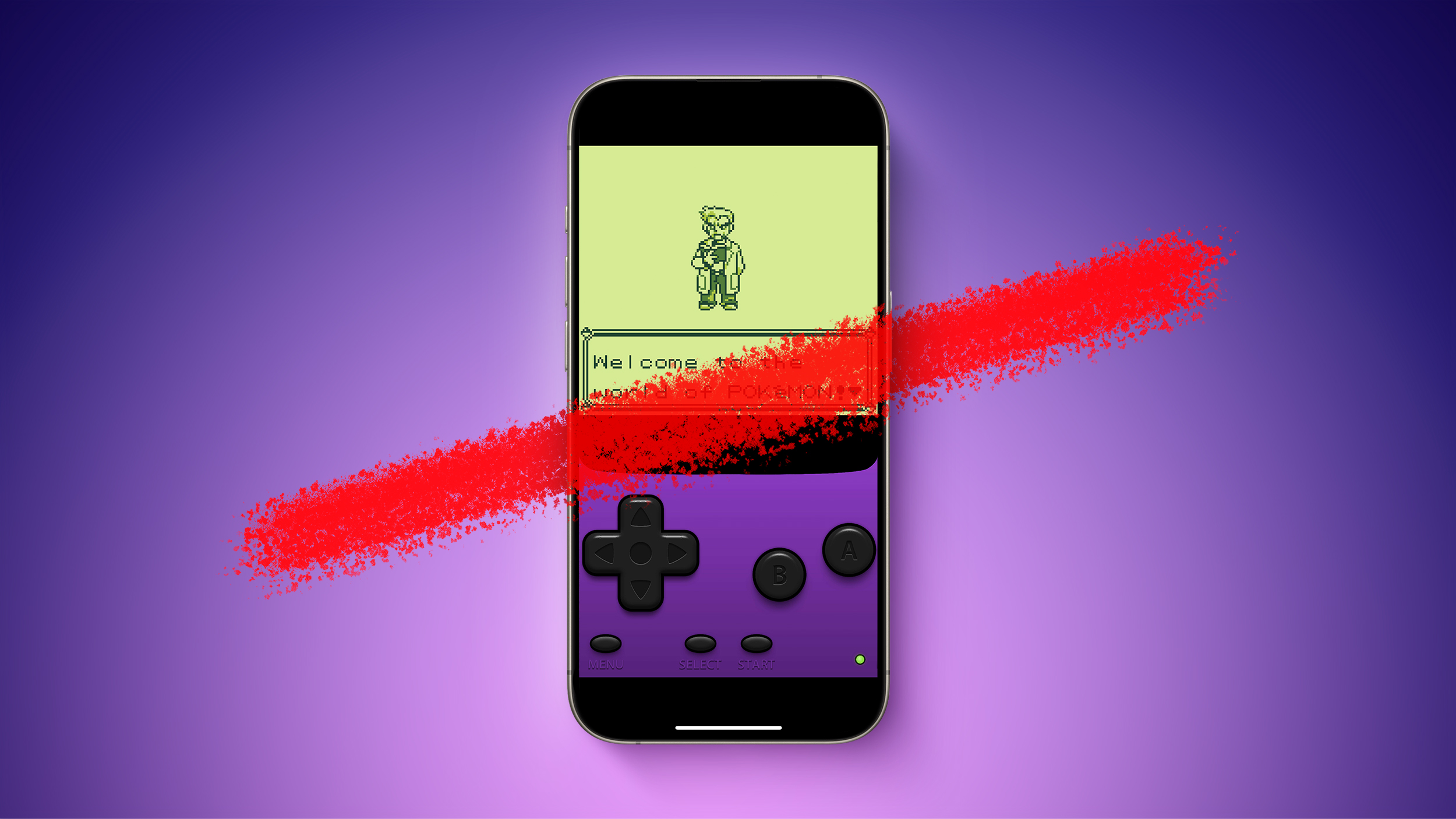
Over the weekend, a Game Boy emulator named iGBA appeared in the iPhone's App Store, but Apple quickly removed the app due to violations of the company's App Review Guidelines related to spam and copyright. Apple has since shared additional details about why it removed iGBA from the App Store, and it also clarified its guidelines for emulators.
iGBA was a copycat version of developer Riley Testut's open-source GBA4iOS app, with the addition of ads on top. While it did not explicitly name GBA4iOS, Apple told us it removed iGBA from the App Store after learning that it was a knockoff app that copied another developer's work and attempted to pass it off as its own.
Notably, Apple confirmed to us that emulators on the App Store are permitted to load ROMs downloaded from the web, so long as the app is emulating retro console games only. Apple also said it had approved iGBA's functionality, before learning that it was a knockoff app, suggesting that Game Boy emulation is permitted on the App Store, but the company has yet to share any other examples of retro game consoles.
All in all, it appears that iGBA was removed from the App Store entirely because it was a ripoff of GBA4iOS, rather than due to piracy concerns resulting from users being able to load any ROM downloaded from the web. However, exactly which consoles Apple considers to be retro, and if there will be any other restrictions, remains to be seen.
U.S. customer support website, Nintendo says downloading pirated copies of its games is illegal:
Pirate copies of game files are often referred to as "ROMs".
We have reached out to Nintendo for comment.
permit retro game console emulators earlier this month. Apple says developers of emulators are "responsible for all such software" offered in the app, including compliance with "all applicable laws."
Tags: App Store, Emulator
This article, "Apple Further Explains Why Game Boy Emulator iGBA Was Removed From App Store" first appeared on MacRumors.com
Discuss this article in our forums
https://www.macrumors.com/2024/04/15/apple-further-explains-igba-removal/
iPhone 15 Pro vs. iPhone 16 Pro: 30 Rumored Upgrades Compared
After over a year of rumors, there are now 30 changes and improvements expected to be offered by the iPhone 16 Pro models later this year.
Subscribe to the MacRumors YouTube channel for more videos.
All of the changes the iPhone 16 Pro models are expected to feature compared to their direct forerunners are listed below, using information from reliable sources that we have previously covered. We will update this article as more rumors emerge in the coming months.
Displays
Both iPhone 16 Pro models are expected to feature larger displays than their predecessors, pushing the iPhone 16 Pro Max to be the biggest iPhone ever offered. There are also reportedly improvements to the underlying OLED technology in store.
iPhone 15 Pro
iPhone 16 Pro
6.1- or 6.7-inch display
6.3- or 6.9-inch display
Thinner borders around the display
More efficient OLED display with brighter micro-lens technology
Chip, Thermals, and Connectivity
Under the hood, the iPhone 16 Pro models are rumored to bring notable improvements in processing power, thermal management, and connectivity. From a more powerful "A18 Pro" chip to advanced thermal designs and enhanced connectivity options including the latest Wi-Fi standards, these changes promise to further update the iPhone's basic specifications.
iPhone 15 Pro
iPhone 16 Pro
A17 Pro chip (TSMC's "N3B" 3nm process)
A18 Pro chip (TSMC's "N3E" enhanced 3nm process)
16-core Neural Engine
Enhanced neural Engine with "significantly" more cores to support new AI features
Thermal design with copper heatsink and black foil battery casing
New thermal design with graphene heatsink and metal battery casing
Snapdragon X70 5G modem
Snapdragon X75 5G modem
Wi-Fi 6E connectivity
Wi-Fi 7 connectivity
Cameras
The iPhone 16 Pro models are slated to receive a range of substantial camera enhancements, such as a larger main camera sensor, a 48-megapixel sensor on the ultra wide camera, and a dedicated hardware button for photography and videography on the side of the device.
iPhone 15 Pro
iPhone 16 Pro
"Capture Button" to trigger photography and videography features
1/1.28-inch main camera sensor
iPhone 16 Pro Max: 1/1.14-inch main camera sensor (12% larger)
Sony IMX-803 main camera sensor
iPhone 16 Pro Max: Sony IMX-903 main camera sensor with stacked design for better performance, a 14-bit Analog-to-Digital Converter (ADC) for high-quality image data conversion, and Digital Gain Control (DCG) for better dynamic range and noise control
7P main camera lens
8P main camera lens
iPhone 15 Pro: Telephoto camera with second-generation sensor-shift optical image stabilization
iPhone 15 Pro Max: Telephoto camera with larger sensor, folded tetraprism design, optical image stabilization, and autofocus 3D sensor-shift module
Telephoto camera with larger sensor, folded tetraprism design, optical image stabilization, and autofocus 3D sensor-shift module
iPhone 15 Pro: 77mm maximum focal length
iPhone 15 Pro Max: 120mm maximum focal length
iPhone 16 Pro: 120mm maximum focal length
iPhone 16 Pro Max: "Super" telephoto camera with focal length above 300mm
iPhone 15 Pro: 0.5x, 1x, 2x, and 3x optical zoom
iPhone 15 Pro Max: 0.5x, 1x, 2x, 3x, and 5x optical zoom (5x on Pro Max only)
0.5x, 1x, 2x, and 5x optical zoom
4P telephoto camera lens
5P telephoto camera lens
12-megapixel ultra wide camera
48-megapixel ultra wide camera
5P ultra wide camera lens
6P ultra wide camera lens
Batteries and Charging
The iPhone 16 Pro models could receive some major improvements in battery technology and charging, sporting bigger, denser batteries and faster charging capabilities.
iPhone 15 Pro
iPhone 16 Pro
Single-layer battery technology
Stacked battery technology for increased energy density and prolonged lifespan
iPhone 15 Pro: 3,274 mAh battery
iPhone 15 Pro Max: 4,422 mAh battery
iPhone 16 Pro: 3,355 mAh mAh battery (+2.5%)
iPhone 16 Pro Max: 4,676 mAh battery (+5%)
Up to 27W wired charging
Up to 40W wired charging
15W charging via MagSafe
20W charging via MagSafe
Other Features and Changes
While many of Apple's devices are rumored to receive a series of new AI-based features via software updates later this year, the iPhone 16 Pro models are expected to take these further with exclusive capabilities and an upgraded microphone.
iPhone 15 Pro
iPhone 16 Pro
Support for new AI features in iOS 18
Support for new AI features in iOS 18, plus a suite of device-exclusive AI features
Microphone
Upgraded microphone with improved signal-to-noise ratio and water resistance, designed to support new AI features
Up to 1TB of storage
Up to 2TB of storage
Black Titanium, White Titanium, Blue Titanium, and Natural Titanium color options
Black Titanium/Space Black, White Titanium, Desert Titanium, Titanium Gray, and potentially Rose Gold color options
Brushed titanium frame
Glossy titanium frame
Dimensions
To accommodate the devices' larger displays, both iPhone 16 Pro models are rumored to grow in height and width, but no changes to the depth are anticipated.
iPhone 15 Pro
iPhone 16 Pro
iPhone 15 Pro: 146.6mm height
iPhone 15 Pro Max: 159.9mm height
iPhone 16 Pro: 149.6mm height
iPhone 16 Pro Max: 163.0mm height
iPhone 15 Pro: 70.60mm width
iPhone 15 Pro Max: 76.70mm width
iPhone 16 Pro: 71.45mm width
iPhone 16 Pro Max: 77.58mm width
iPhone 15 Pro: 187g weight
iPhone 15 Pro Max: 221g weight
iPhone 16 Pro: 194g weight
iPhone 16 Pro Max: 225g weight
Release Date
The iPhone 16 Pro and iPhone 16 Pro Max are expected to launch in the fall. Apple usually hosts an event every September to unveil new iPhone models, with launch following just over a week later. For more information about the iPhone 16 Pro models, see our comprehensive roundup.
Will It Be Worth Upgrading?
The iPhone 15 Pro was a fairly significant upgrade over the iPhone 14 Pro in 2023, introducing a new design with a titanium frame, slimmer bezels, the Action button, a USB-C port, and more. The iPhone 16 Pro's upgrades will likely not be as substantial as those offered by its predecessor. As a result, most iPhone 15 Pro users will have little reason to upgrade, but some who would appreciate a larger display, better cameras, and a dedicated button for photography and videography features may find it worthwhile.
Related Roundups: iPhone 15 Pro, iPhone 16 Pro
Buyer's Guide: iPhone 15 Pro (Neutral)
This article, "iPhone 15 Pro vs. iPhone 16 Pro: 30 Rumored Upgrades Compared" first appeared on MacRumors.com
Discuss this article in our forums
https://www.macrumors.com/guide/iphone-15-pro-vs-iphone-16-pro/
Save on Anker's Best Portable Batteries and USB-C Accessories, Plus Jackery's Power Stations
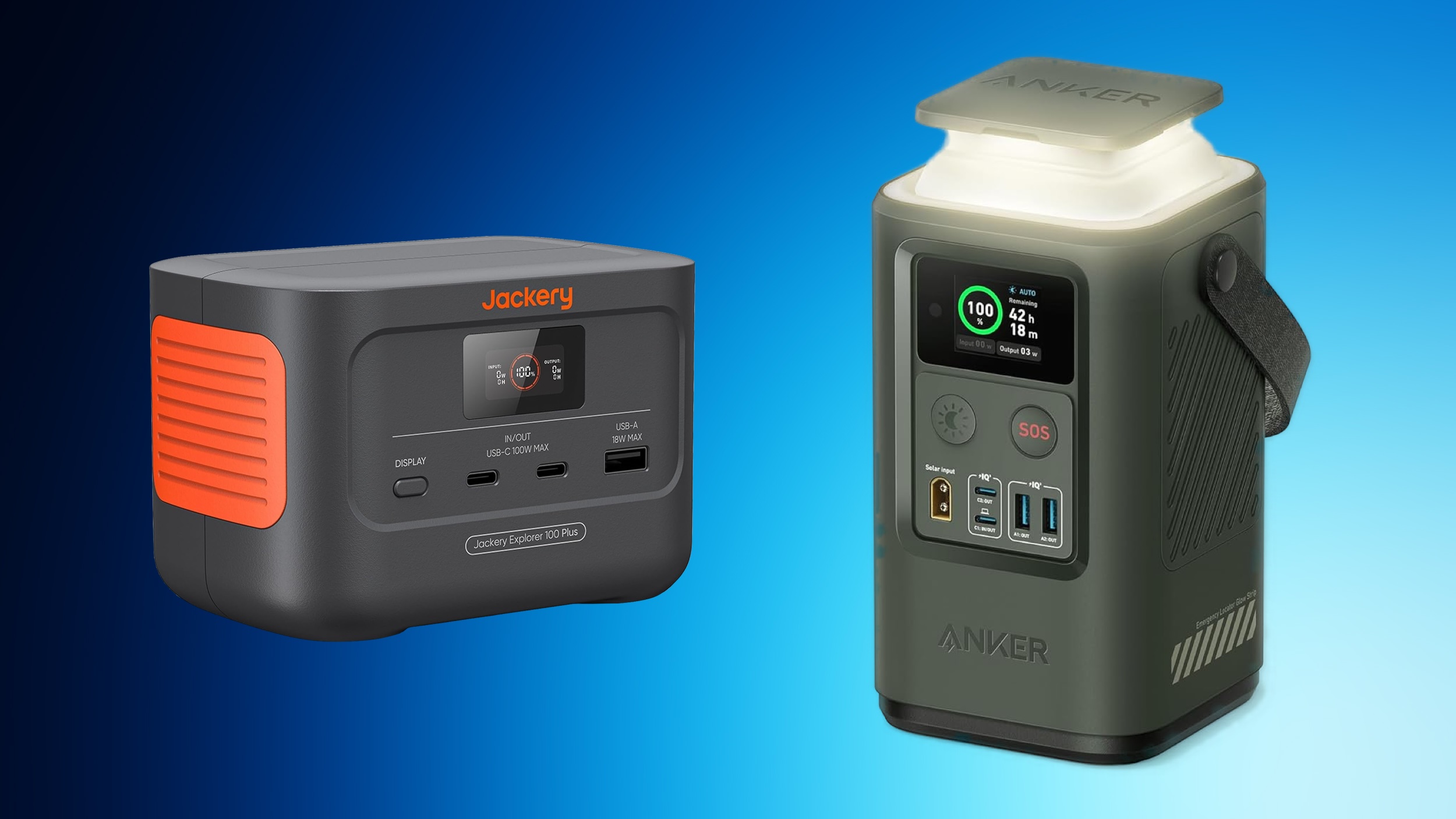
Today we're tracking a few deals offered by Anker and Jackery, including a wide array of wall chargers and other USB-C accessories. All of the products in this sale can be found on Amazon, and some will require you to clip an on-page coupon then head to the checkout screen before you see the final sale price.
Note: MacRumors is an affiliate partner with Amazon. When you click a link and make a purchase, we may receive a small payment, which helps us keep the site running.
Explorer 100 Plus Portable Power Station, available for just $99.99, down from $149.00. This is a miniature-sized portable power station that can fit in the palm of your hand and weighs just 2.13 lbs, while featuring a 31,000 mAh capacity and 128W output.
$49 OFF
Jackery Explorer 100 Plus for $99.99
20,000 mAh Prime Power Bank with Smart Digital Display for $104.99 with an on-page coupon, down from $129.99. If you need a bigger battery, you can get the Portable Power Station with Smart Display + Retractable Light for $109.99 with an on-page coupon, down from $149.99. Additionally, below you'll find more Anker accessories including speakers and USB-C products.
$25 OFF
20,000 mAh Prime Power Bank with Smart Digital Display for $104.99
$40 OFF
Portable Power Station with Smart Display + Retractable Light for $109.99
$37 OFF
Anker 3-in-1 MagSafe Charging Cube for $112.46
Jackery
Explorer 100 Plus Portable Power Station - $99.99, down from $149.00
Solar Generator 300 Plus Portable Power Station - $449.00, down from $579.00
Expansion Battery Pack for 1000 Plus - $509.00 with on-page coupon, down from $799.00
Explorer 2000 Pro Portable Power Station - $1,199.00, down from $1,899.00
Expansion Battery Pack for 2000 Plus - $1,199.00 with on-page coupon, down from $1,599.00
Anker
Audio
Soundcore Motion 300 Wireless Bluetooth Speaker - $63.99, down from $79.99
Soundcore Boom 2 Outdoor Speaker - $109.99 with code INFBOOM2, down from $129.99
Portable Batteries
Nano Power Bank with Built-In USB-C Cable - $34.99 for Prime members, down from $49.99
Prime Power Bank 20,000 mAh with 100W Charging Base - $159.99 with on-page coupon, down from $184.99
Power Stations
Portable Power Station with Smart Display + Retractable Light - $109.99 with on-page coupon, down from $149.99
3-in-1 MagSafe Charging Cube - $112.46 with on-page coupon, down from $149.99
SOLIX F1200 Portable Power Station - $749.00 with on-page coupon, down from $1,098.00
SOLIX F2000 Portable Power Station - $1,399.00 with on-page coupon, down from $1,999.00
Wall Chargers
20W USB-C Charger - $11.19 for Prime members, down from $16.99
100W 3-Port USB-C Charger - $53.95, down from $74.99
6-in-1 Nano Charging Station - $45.99, down from $65.99
Prime 67W 3-Port Charger - $44.99, down from $65.99
Hubs
4-Port USB-C Hub - $15.99, down from $19.99
10-in-1 USB-C Hub - $75.00, down from $149.99
If you're on the hunt for more discounts, be sure to visit our Apple Deals roundup where we recap the best Apple-related bargains of the past week.
Related Roundup: Apple Deals
This article, "Save on Anker's Best Portable Batteries and USB-C Accessories, Plus Jackery's Power Stations" first appeared on MacRumors.com
Discuss this article in our forums
https://www.macrumors.com/2024/04/15/anker-portable-batteries-jackery/
Apple Sports App Updated for NBA and NHL Playoffs
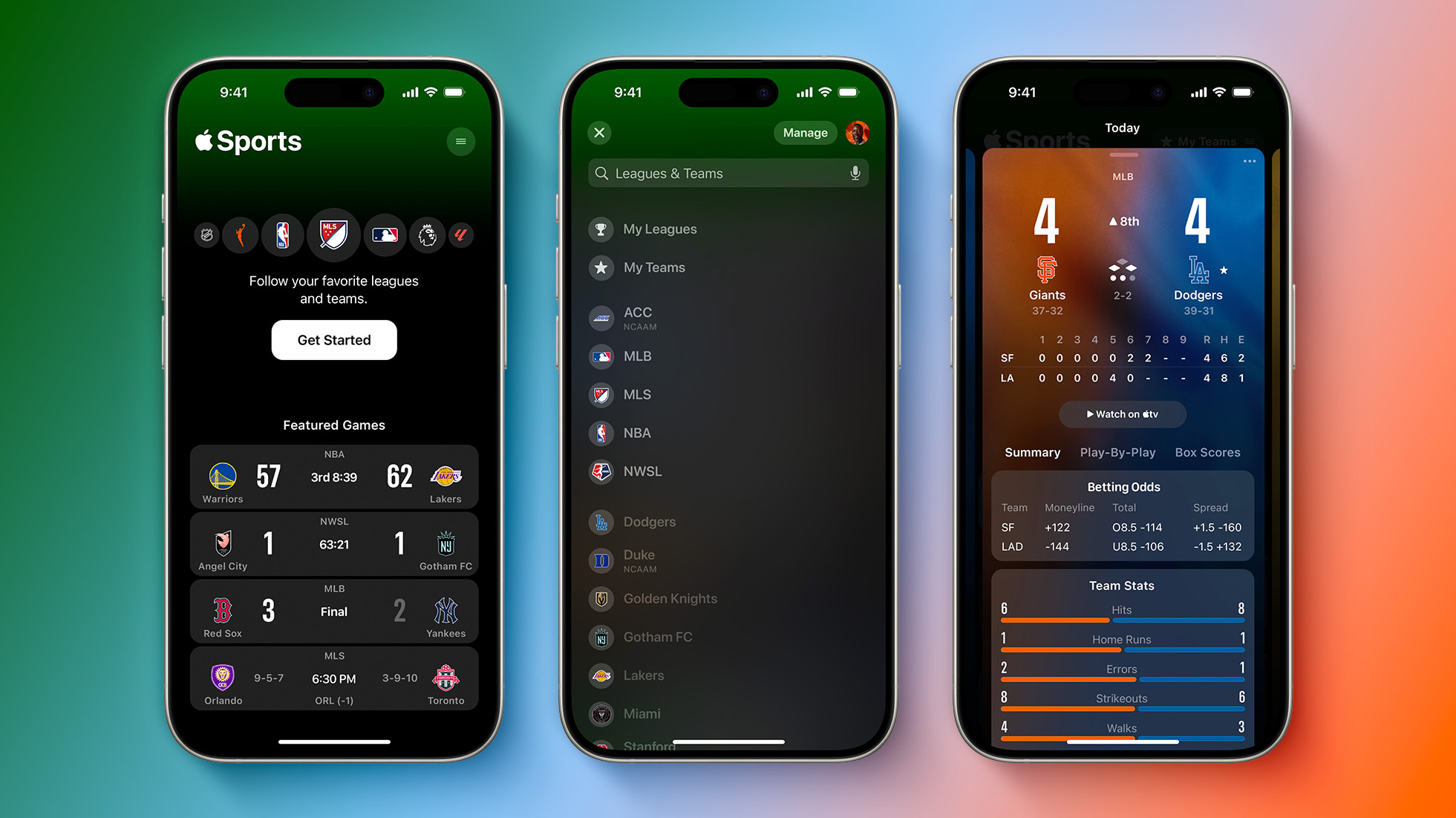
Apple's recently-launched Sports app for the iPhone was updated today ahead of the NBA and NHL playoffs, which both begin this weekend.
Apple says fans will be able to "follow every matchup with added details on each series and more," but we have not noticed any immediate changes in the app after updating to the new version. The first NBA and NHL playoff series begin on Saturday, April 20, so the extra details will presumably become visible then. Some info like playoff matchups and conference standings was already available in the previous version of the app.
Released in February, the Apple Sports app shows scores, schedules, stats, and more for a variety of leagues, such as the NBA, NHL, MLB, MLS, and Premier League. The app also displays real-time play-by-play information for ongoing games.
on the App Store.
Tag: Apple Sports
This article, "Apple Sports App Updated for NBA and NHL Playoffs" first appeared on MacRumors.com
Discuss this article in our forums
https://www.macrumors.com/2024/04/15/apple-sports-app-updated-for-nba-and-nhl-playoffs/
Samsung Regains Top Spot as Apple's iPhone Shipments Fall in Q1 2024
Apple's iPhone shipments decreased by nearly 10% globally in the first quarter of 2024, hit by rapid growth in shipments by rival Chinese vendors, based on data provided by the International Data Corporation (IDC).
According to the IDC report, Apple's shipments fell 9.6% to 50.1 million units in the first quarter, down from 55.4 million units in the same quarter the previous year. Apple experienced the most significant annual decline among the top five smartphone brands covered in the report.
lost to Apple the previous year, by capturing a 20.8% market share with shipments of about 60.1 million units, roughly the same as last year. Last year, its market share was 22.5% during the same period.
In contrast, after having last year overtaken Samsung to become the top smartphone manufacturer for the first time, Apple experienced a decline in market share from 20.7% to 17.3%.
"While IDC expects these two companies to maintain their hold on the high end of the market, the resurgence of Huawei in China, as well as notable gains from Xiaomi, Transsion, OPPO/OnePlus, and vivo will likely have both OEMs looking for areas to expand and diversify," said Ryan Reith, group vice president at IDC Worldwide Mobility and Consumer Device Trackers.
Apple has struggled to sustain interest in its flagship smartphone lineup in China since the company released its iPhone 15 series in September, which came after Huawei debuted its highly popular Mate 60 series. Interest in iPhones has also been impacted by a Beijing-backed ban from the offices of a huge number of state-owned enterprises in power generation, seaport construction, mining, manufacturing, education, and investment markets.
Apple's drop in shipments came during a time when global first-quarter smartphone shipments actually rose 7.8% year-on-year to 289.4 million units. It was the third consecutive quarter of shipment growth across the worldwide market, according to IDC.
Tags: IDC, China
This article, "Samsung Regains Top Spot as Apple's iPhone Shipments Fall in Q1 2024" first appeared on MacRumors.com
Discuss this article in our forums
https://www.macrumors.com/2024/04/15/apple-iphone-shipments-fall-globally-1q2024/
iPhone 16 Pro Camera May Be Less Prone to Lens Flare and Ghosting
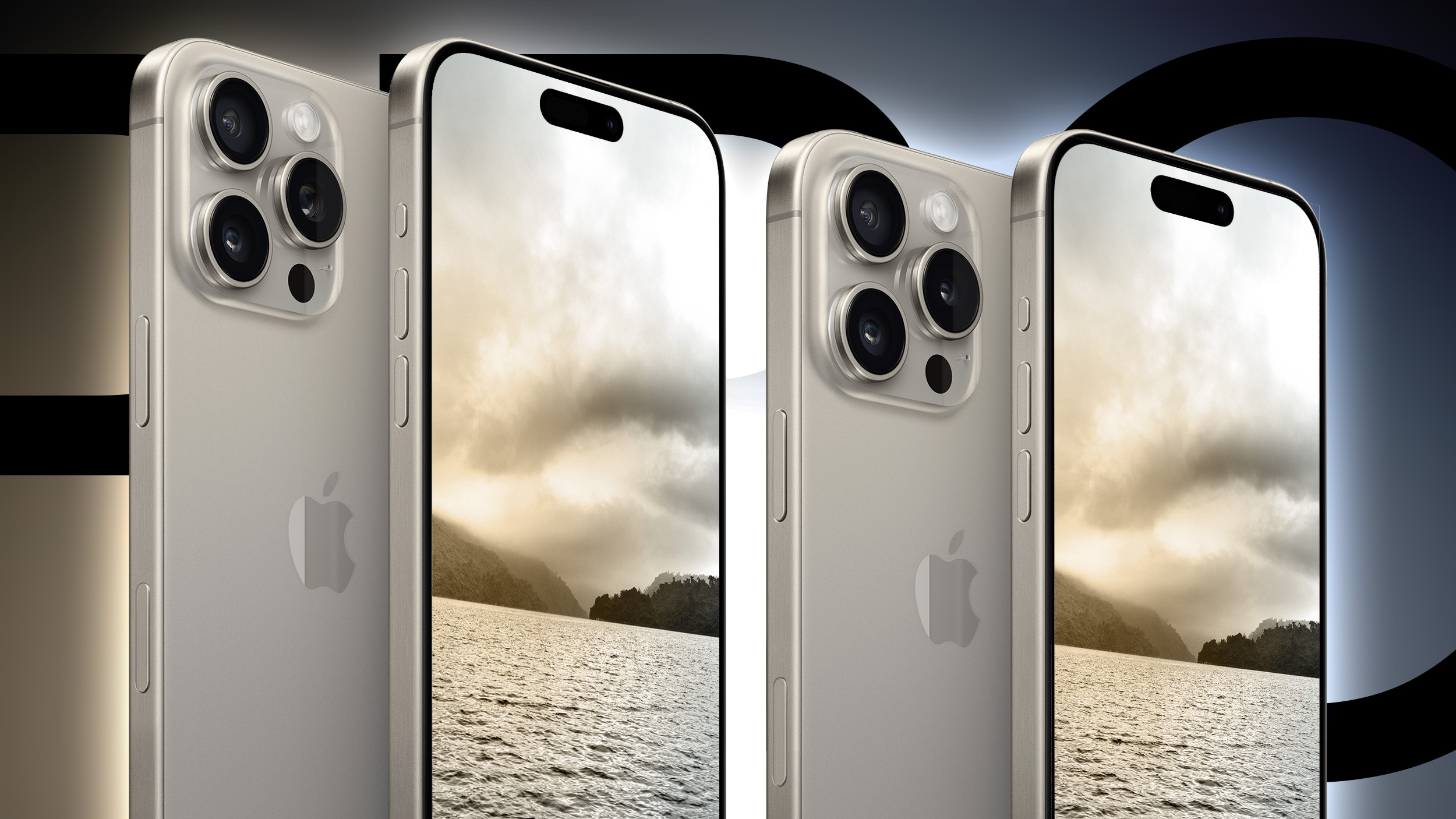
Apple is testing a new antireflective optical coating technology for future iPhone cameras that could improve the quality of photos by reducing artifacts like lens flare and ghosting, claims a rumor out of Korea.
According to the news aggregator account "yeux1122" on the Naver blog, citing a company source within Apple's supply chain, Apple is looking at introducing new atomic layer deposition (ALD) equipment into the iPhone camera lens manufacturing process.
ALD involves depositing materials one atomic layer at a time onto a substrate, allowing for extremely precise control over thickness and composition. Its use allows manufacturers to apply very thin layers of materials onto semiconductor devices, including camera components.
In terms of camera lenses, ALD can be used to apply anti-reflective coatings, which can help to reduce photographic artifacts like streaks of light and halos that can occur in the final image when a bright light source such as the sun shines directly into the lens.
iPhone 16 Pro Expected Later This Year With These 12 New Features
ALD can also reduce ghosting, a type of image distortion where faint, secondary images appear in the photo, typically opposite a bright light source. This happens when light reflects back and forth between the surfaces of the lens elements and the camera sensor.
In addition, ALD-applied materials can protect against environmental damage to the camera lens system without affecting the sensor's ability to capture light effectively.
The Naver blog claims that the manufacturing process will be applied to a "Pro model" in Apple's "next-generation" iPhone lineup, which sounds like a reference to one or both premium models in the iPhone 16 series, although given the timing of the rumor, the possibility that this method is being tested for next year's iPhone 17 Pro models should not be discounted.
Seven Reasons to Wait for Next Year's iPhone 17
tetraprism lens with up to 5x optical zoom – a feature that is currently exclusive to the iPhone 15 Pro Max in Apple's smartphone lineup. Apple usually launches its new-generation iPhone around mid-September.
Related Roundup: iPhone 16 Pro
Tag: Naver
This article, "iPhone 16 Pro Camera May Be Less Prone to Lens Flare and Ghosting" first appeared on MacRumors.com
Discuss this article in our forums
https://www.macrumors.com/2024/04/15/iphone-16-pro-camera-reduced-lens-flare/
Apple Removes Game Boy Emulator iGBA From App Store Due to Spam and Copyright Violations
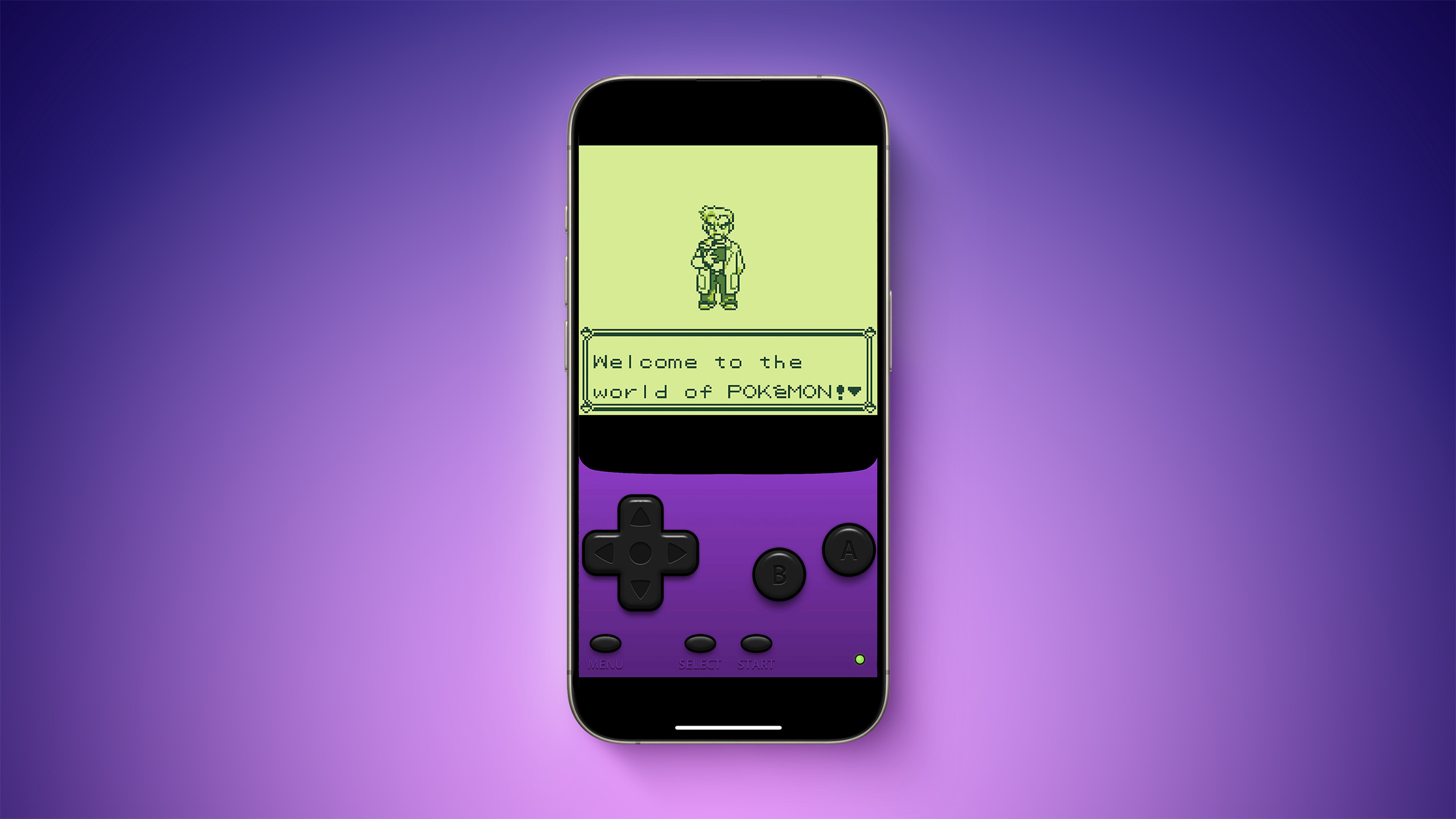
Apple today said it removed Game Boy emulator iGBA from the App Store for violating the company's App Review Guidelines related to spam (section 4.3) and copyright (section 5.2), but it did not provide any specific details.
iGBA was a copycat version of developer Riley Testut's open-source GBA4iOS app, which has long been distributed outside the App Store. The emulator rose towards the top of the App Store charts following its release this weekend, but users on social media complained that the app was a blatant ripoff overlaid with ads.
Threads post on Saturday. "I did not give anyone permission to do this, yet it's now sitting at the top of the charts (despite being filled with ads + tracking)." He quipped that he was "so glad App Review exists to protect consumers from scams and rip-offs like this."
It is unclear if Apple removed iGBA because it felt the app ripped off GBA4iOS. We have asked Apple for clarification about the app's removal, and we will update this article if we receive any additional information about the decision.
iGBA lets iPhone users play Game Boy games by loading free ROMs downloaded from the web. ROMs can be found online for a wide variety of games, including those from the popular Pokémon and The Legend of Zelda franchises. The emulator can still be used by those who installed it on their iPhones before it was removed from the App Store.
customer support website in the U.S., Nintendo says downloading pirated copies of its games is illegal. It is unclear if Nintendo sent a complaint to Apple about iGBA, and whether that may have been a factor in the app's removal.
Make sure your app only includes content that you created or that you have a license to use. Your app may be removed if you've stepped over the line and used content without permission. Of course, this also means someone else's app may be removed if they've "borrowed" from your work.
iGBA appeared in the App Store just over a week after Apple updated its App Review Guidelines to permit "retro game console emulators," but it is inevitably not yet certain what Apple will allow exactly following the app's prompt removal.
Delta, which is distributed outside of the App Store. Delta will also be available through Testut's alternative app marketplace AltStore on iPhones in the EU. It is not clear if he plans to make Delta available in the App Store following the rule change.
Tags: App Store, Emulator
This article, "Apple Removes Game Boy Emulator iGBA From App Store Due to Spam and Copyright Violations" first appeared on MacRumors.com
Discuss this article in our forums
https://www.macrumors.com/2024/04/15/apple-removes-igba-from-app-store/
M4 Macs Are Expected to Launch in This Order Starting Later This Year
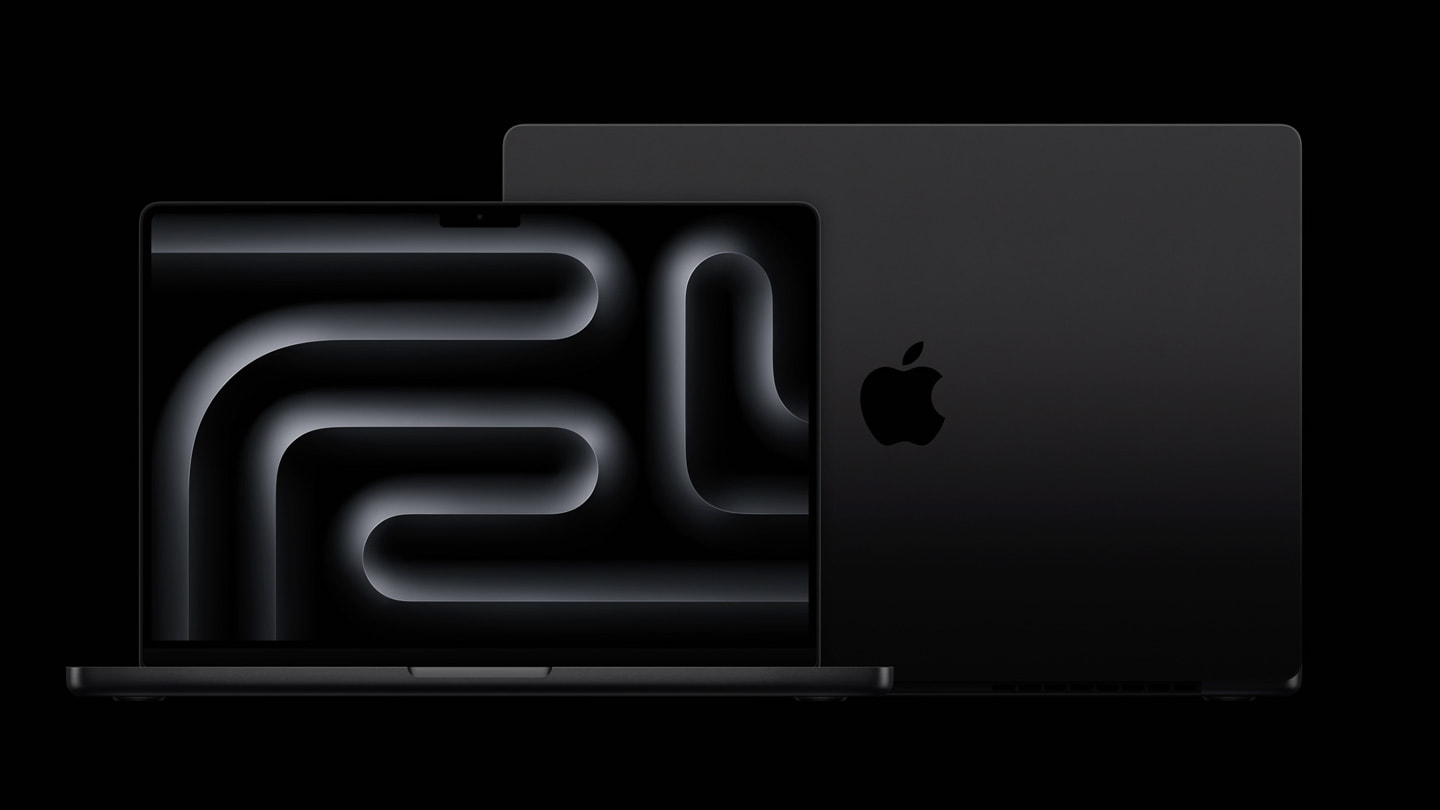
Bloomberg's Mark Gurman recently reported that the first Macs with M4 series chips will be released later this year, with more models to follow next year. In his Power On newsletter today, Gurman shared a more specific roadmap for these Macs.
Here is the order in which Gurman expects the Macs to launch:
1. A low-end 14-inch MacBook Pro with the M4, coming around the end of 2024.
2. A 24-inch iMac with the M4, also expected around the end of the year.
3. New 14-inch and 16-inch high-end MacBook Pros with M4 Pro/Max chips, due between the end of 2024 and early 2025.
4. A Mac mini in both M4 and M4 Pro configurations, coming between the end of 2024 and early 2025.
5. New 13-inch and 15-inch MacBook Airs, slated for around spring 2025.
6. A Mac Studio with a high-end M4 chip, coming around the middle of 2025.
Gurman reiterated that Apple has internally tested an M3 Ultra chip, which would be suitable for the Mac Studio and the Mac Pro, but he said it is "all but assured that at least some of Apple's high-end desktops" will skip the M3 chip series.
Tag: Mark Gurman
This article, "M4 Macs Are Expected to Launch in This Order Starting Later This Year" first appeared on MacRumors.com
Discuss this article in our forums
https://www.macrumors.com/2024/04/14/when-are-m4-macs-launching/
Apple's First AI Features in iOS 18 Reportedly Won't Use Cloud Servers
Apple's first set of new AI features planned for iOS 18 will not rely on cloud servers at all, according to Bloomberg's Mark Gurman.
"As the world awaits Apple's big AI unveiling on June 10, it looks like the initial wave of features will work entirely on device," said Gurman, in the Q&A section of his Power On newsletter today. "That means there's no cloud processing component to the company's large language model, the software that powers the new capabilities."
such as Google, OpenAI, and China's Baidu about potential generative AI partnerships. iOS 18 is not expected to include Apple's own ChatGPT-like chatbot, but it is unclear if Gemini or other chatbot will be directly integrated into iOS 18.
actively purchasing AI servers.
new generative AI features for the iPhone's Spotlight search tool, Siri, Safari, Shortcuts, Apple Music, Messages, Health, Numbers, Pages, Keynote, and more. Gurman previously reported that generative AI will improve Siri's ability to answer more complex questions, and allow the Messages app to auto-complete sentences.
runs from June 10 through June 14.
Related Roundup: iOS 18
Tag: Mark Gurman
This article, "Apple's First AI Features in iOS 18 Reportedly Won't Use Cloud Servers" first appeared on MacRumors.com
Discuss this article in our forums
https://www.macrumors.com/2024/04/14/apples-first-ios-18-ai-features-no-cloud/