
Apple Announces 'Tap to Pay on iPhone' Now Available in Canada

Apple has announced that "Tap to Pay on iPhone" is available in Canada starting today through select payment platforms in the country.
Tap to Pay on iPhone allows businesses to accept contactless payments on an iPhone, with no additional point-of-sale hardware like a Square Terminal required. The feature allows customers to pay by simply tapping their iPhone or Apple Watch, contactless credit card or debit card, or other contactless payment option on the merchant's iPhone. Payment is securely completed using the same NFC technology behind Apple Pay.
Businesses in Canada can offer Tap to Pay on iPhone through iPhone apps offered by Adyen, Moneris, Stripe, and Square. In the coming months, Apple said Aurus, Chase, Fiserv, and Helcim will also offer the feature in the country.
Apple said Tap to Pay on iPhone will be available at Apple Store locations across Canada, and at merchants such as Sephora, later this year.
also available in the U.S., Australia, Brazil, France, Japan, the Netherlands, Taiwan, the U.K., and Ukraine.
Tag: Tap to Pay on iPhone
This article, "Apple Announces 'Tap to Pay on iPhone' Now Available in Canada" first appeared on MacRumors.com
Discuss this article in our forums
https://www.macrumors.com/2024/05/23/tap-to-pay-on-iphone-launches-in-canada/
Amazon and Best Buy Take Up to $300 Off Apple's M3 MacBook Pro

Today we're tracking a few discounts on Apple's 14-inch and 16-inch MacBook Pro at Amazon and Best Buy, including multiple record low prices on the notebook. Shoppers should note that at Best Buy, you'll need a My Best Buy Plus or Total membership in order to see the final deal prices.
Note: MacRumors is an affiliate partner with some of these vendors. When you click a link and make a purchase, we may receive a small payment, which helps us keep the site running.
$1,799.00, down from $1,999.00 [matched at Best Buy]. There's also the 14-inch M3 MacBook Pro (8GB RAM/512GB) for $1,449.00, down from $1,599.00 [matched at Best Buy], which is a second-best price.
$200 OFF
14-inch M3 MacBook Pro (16GB/1TB) for $1,799.00
$2,899.00, down from $3,199.00. This is an all-time low price on the high-end MacBook Pro, and at $300 off it's one of the steepest discounts we've seen on the late 2023 lineup.
$300 OFF
14-inch M3 Max MacBook Pro (1TB) for $2,899.00
$2,599.00, down from $2,899.00. This one is only available in Silver, and it has a delivery estimate of May 25 for Prime members, or May 28 for regular shipping.
$300 OFF
16-inch M3 Pro MacBook Pro (36GB/512GB) for $2,599.00
Deals Roundup has more information on the latest Apple-related sales and bargains.
Related Roundup: Apple Deals
This article, "Amazon and Best Buy Take Up to $300 Off Apple's M3 MacBook Pro" first appeared on MacRumors.com
Discuss this article in our forums
https://www.macrumors.com/2024/05/23/300-off-m3-macbook-pro/
20-Inch MacBook With Nearly 'Crease-Free' Foldable Screen Rumored
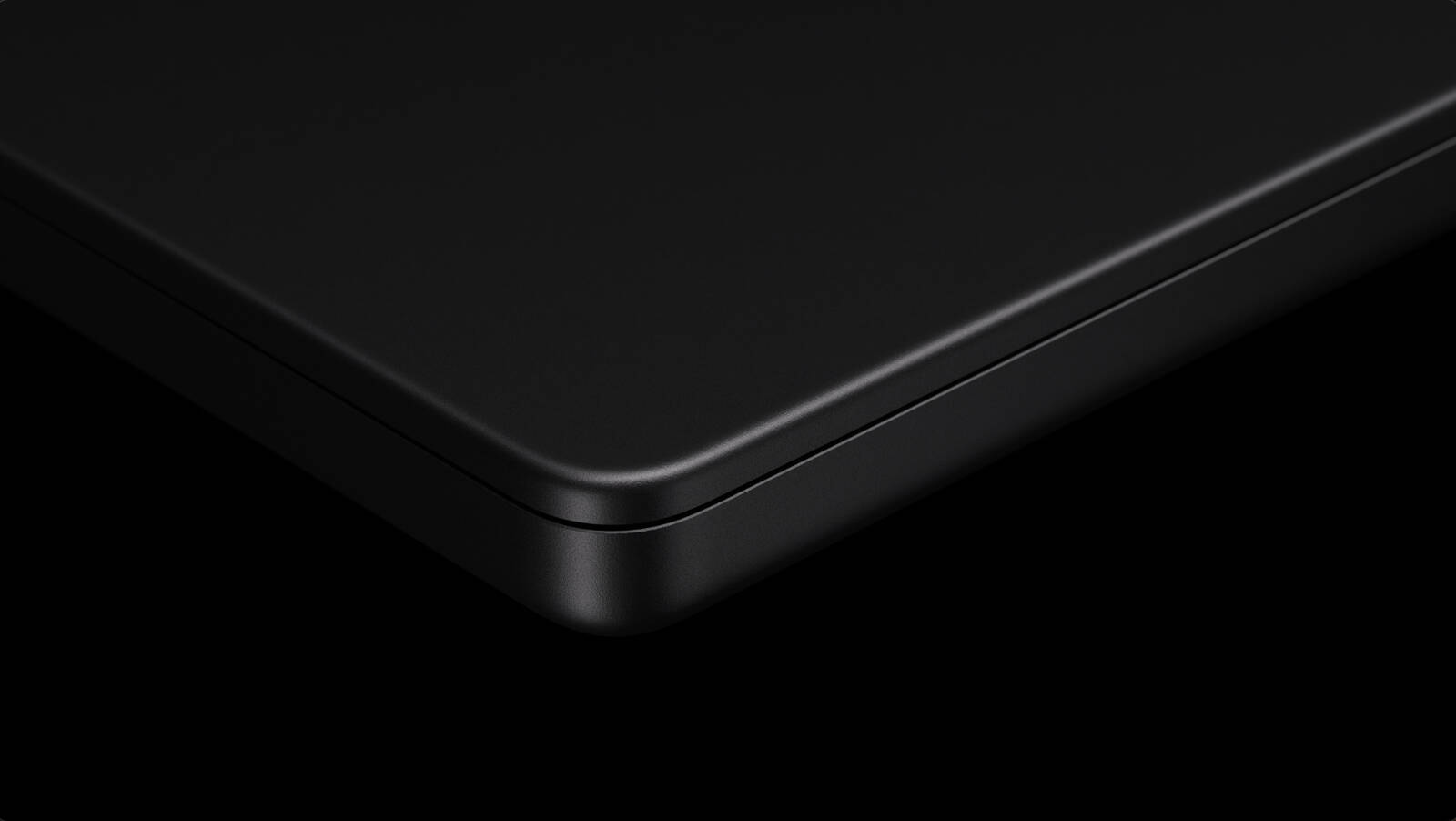
LG is aiming to begin mass production of display panels for a MacBook with an 18.8-inch or a 20.2-inch foldable screen in the fourth quarter of 2025, according to information shared today by Apple supply chain analyst Ming-Chi Kuo.
In a post on Medium, Kuo said Apple is aiming to make the foldable screen "as crease-free as possible," and he said the device is "likely to be expensive" as a result.
Kuo estimated that foldable MacBook shipments will exceed one million units in 2026, suggesting that the device will launch in around two years from now if development is successful. He expects the device to feature an M5 chip.
This story is being updated. Refresh for more details.
Tags: Ming-Chi Kuo, Foldable MacBook
This article, "20-Inch MacBook With Nearly 'Crease-Free' Foldable Screen Rumored" first appeared on MacRumors.com
Discuss this article in our forums
https://www.macrumors.com/2024/05/23/20-inch-foldable-macbook-crease-free-rumor/
Report: iPads Retained and Repurposed Much More Often Than iPhones
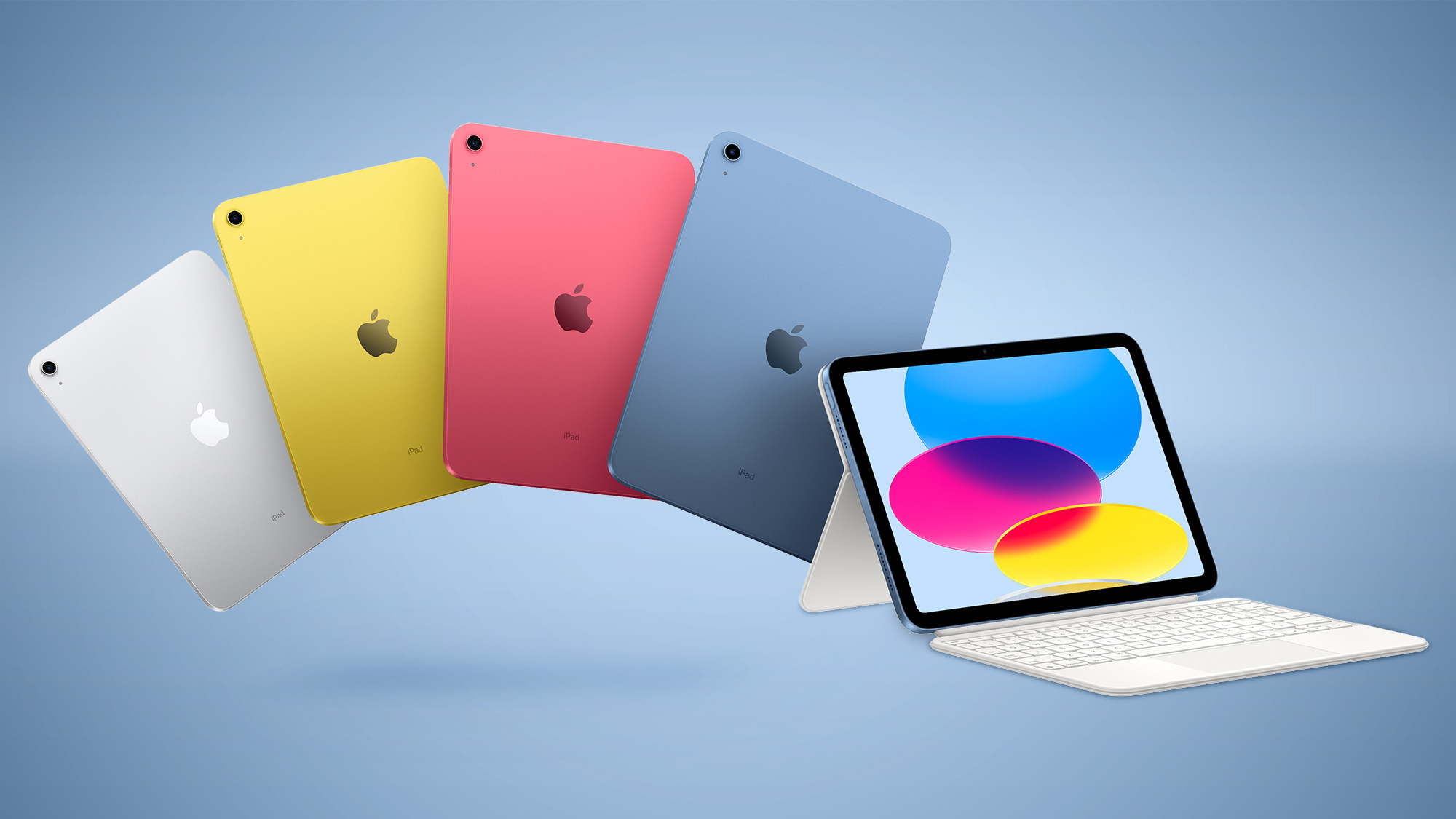
iPad owners are more likely to keep or repurpose their old devices compared to iPhones, according to data from Consumer Intelligence Research Partners (CIRP).
The data, covering the twelve months ending in March 2024, shows that 67 percent of repeat iPad buyers keep their old iPads or pass them on to family and friends. This is a notable contrast to iPhone users, where only 41 percent keep or hand down their previous phones. About one-third of old iPads are handed down to family members or friends, compared to about 10 percent of old iPhones.
This suggests that iPads, even when they are replaced, remain highly desirable and usable, which diminishes the urgency to upgrade to a newer model. This behavior contrasts with iPhone users, who are much more likely to trade in their old devices. Nearly half of iPhone upgraders trade in their previous phones, taking advantage of the secondary market and higher trade-in values. In contrast, fewer than 10 percent of iPad upgraders opt for trade-ins.
23 percent of iPad upgraders report replacing their old devices due to loss, theft, or damage, whereas only six percent of iPhone upgraders cite these reasons. This indicates that iPads are frequently replaced out of necessity rather than a desire to upgrade.
CIRP's report also sheds light on the upgrade cycles for these devices. Forty percent of iPad users wait three years or more before upgrading, a figure that has steadily increased over recent years. This is in stark contrast to iPhone users, who typically upgrade more frequently and are influenced by a much stronger trade-in market.
Tag: CIRP
This article, "Report: iPads Retained and Repurposed Much More Often Than iPhones" first appeared on MacRumors.com
Discuss this article in our forums
https://www.macrumors.com/2024/05/23/ipads-retained-more-often-than-iphones/
5 Reasons to Use OpenAI's ChatGPT App for Mac
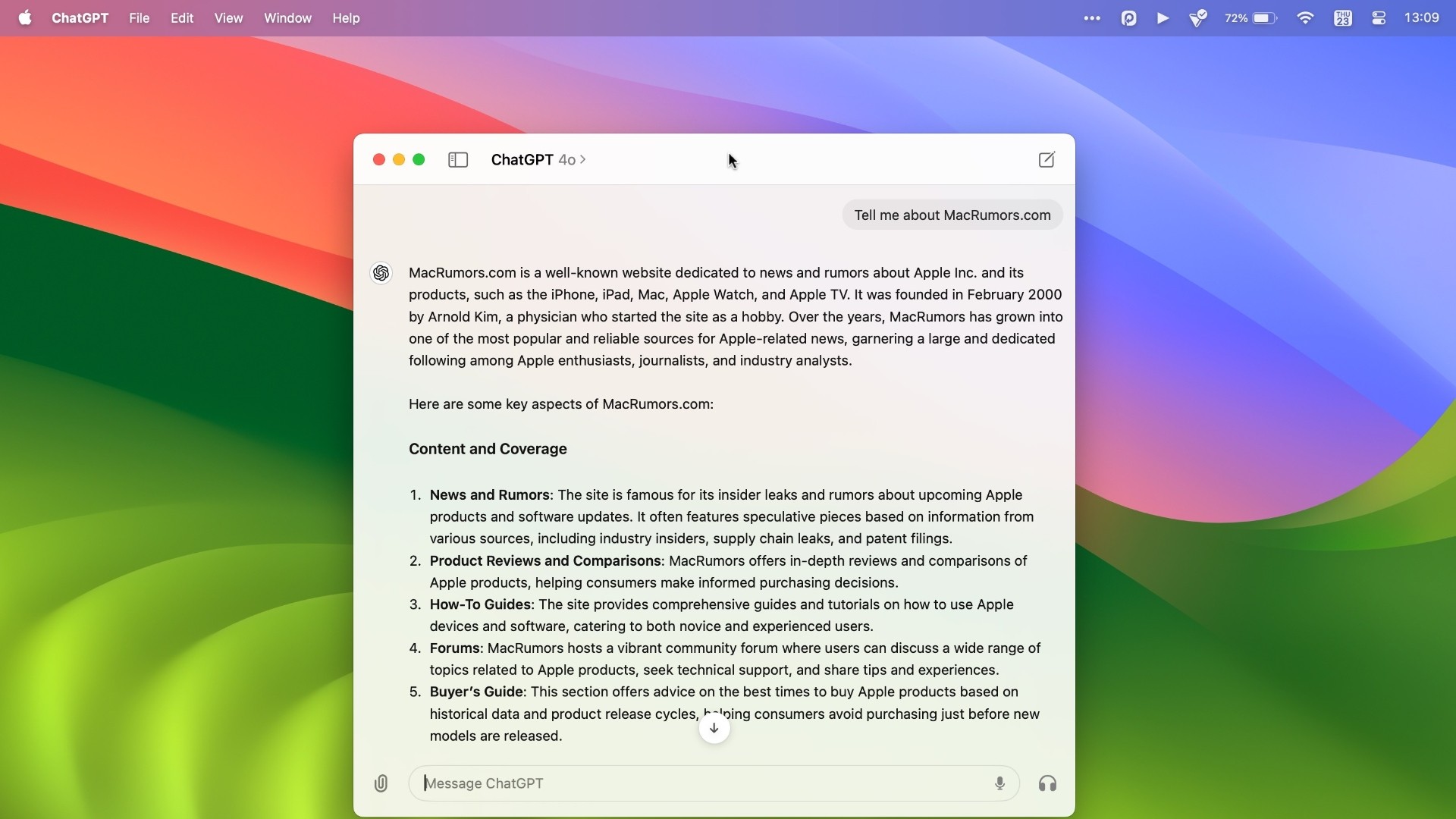
On May 13, OpenAI during its Spring Update announced that it would be releasing a desktop ChatGPT app for the Mac in the "coming weeks," and said that ahead of a wider launch it had started rolling out the app to some ChatGPT Plus subscribers.
After testing the app for a few days, we thought it was worth sharing some reasons why ChatGPT users may find that the Mac app is a useful addition to their AI-assisted workflow.
Access the ChatGPT Launcher
For a while now, it's been possible to use OpenAI's chatbot on iPhone via the official ChatGPT iOS app, but most desktop users have relied on visiting the website in a browser. Thanks to ChatGPT for Mac, things feel a lot more integrated. Using the keyboard shortcut Option + Space, you can instantly invoke the app's Launcher and ask the conversational AI to help you with some task or project, but you also get fast access to several other key features.
The small window that appears on your desktop feels similar to when you invoke Spotlight (Command + Space) in macOS: It floats above any windows or apps that you have open and feels just as convenient. A paperclip button lets you include a file or photo that you may want to get help with, and adding an attachment sends it to ChatGPT where you can ask follow-up questions in a dedicated app window.
Take a Screenshot
Clicking the paperclip icon also brings up some useful additional options, such as the ability to take a screenshot of any open app window (even if it's off-screen) or your entire desktop, and query it with ChatGPT. For example, we queried a screenshot of a recent MacRumors article covering Apple Music's Top 10 Albums of All Time, and asked ChatGPT to provide a summary of top critics' reviews for each album, which it duly did.
On another occasion, we got ChatGPT to extract the text from a dropdown selection menu on Apple's website and format it in HTML as an unordered list, which it did in seconds. From proofing an open document to getting troubleshooting help, it's easy to imagine all manner of scenarios where this feature could help save time and improve productivity.
Currently, it's not possible to directly query ChatGPT about what is shown on your Mac's screen, but OpenAI says this feature is coming in a future update.
Take a Photo
"Take a Photo" is another option that you can access via the paperclip button. Clicking it automatically brings up the current output of your Mac's FaceTime camera or an attached webcam.
This is useful if you just want to hold an object in front of your Mac that you'd like to query. However, you can also select the camera of your nearby iPhone, which gives you more freedom to move around and line up the subject of your photo more carefully.
The only problem right now is that the shutter button remains on the camera feed on your Mac's screen, rather than switching to your iPhone. This is probably an oversight that OpenAI will rectify soon.
Customize ChatGPT
In the app's settings (accessed via ChatPGT ➝ Settings… in the menu bar when the app's main window is active) there are several options that let you customize how ChatGPT works. You can control whether or not OpenAI uses your content to train its models, as well as change the desktop launcher keyboard shortcut and enable/disable GPT capabilities including web browsing, DALL·E image generator, and Code Interpreter.
You can also add custom instructions that influence how ChatGPT responds (also known as prompt engineering). So you can make responses more formal or more casual, or specify how long or short they should be. You can also personalize ChatGPT to cosplay a certain profession or character. If you want it to respond like an academic thesis advisor, or Samuel L Jackson, for example, you can specify that in settings.
The main app window also lets you access your conversation history and switch between any custom GPTs you have parked in your sidebar. Not only that, you can choose which version of ChatGPT you wish to query. For example, the introduction of the new multimodal GPT-4o model enhances response times, improves reasoning capabilities, and offers a better understanding of images and other content types.
Voice Chat
When interacting with ChatGPT in the app's main window, there are buttons to dictate your query or alternatively start a two-way voice chat with the bot. In theory it sounds great, but in practice there's a delay between responses, and you have to wait for ChatGPT to stop speaking before you can give it a follow-up query or command. It's also not possible to access other features like taking a photo via voice. Fortunately, there's more to come on this front.
At OpenAI's Spring Update, the company demoed ChatGPT's new real-time voice conversation feature, which includes the ability to interrupt the chatbot and redirect the conversation. As of writing, the ChatGPT Mac app does not support these features, but OpenAI says we should see them added to GPT-4o in the coming weeks.
Summing Up
If you are a regular user of ChatGPT on Mac, using OpenAI's official app should be your go-to method of interactig with the AI chatbot. For a first version, the client is surprisingly polished, and invoking the Launcher via a keyboard shortcut makes using ChatGPT quicker and easier than ever before. It also offers a peek into a possible future where ChatGPT is fully integrated with Apple's operating systems.
Apple Wrapping Up OpenAI Deal to Bring ChatGPT Features to iOS 18
Plus subscribers ($20 per month), and only a limited subset of those users have been offered the download so far. We will say that there are download links to the app floating around on social media, and there is a fairly reliable way for any Plus subscriber to bypass the waitlist and get it to work. But if you have the patience to wait in line, OpenAI says the ChatGPT Mac app will be available to both subscribers and free users in the near future.
Tags: ChatGPT, OpenAI
This article, "5 Reasons to Use OpenAI's ChatGPT App for Mac" first appeared on MacRumors.com
Discuss this article in our forums
https://www.macrumors.com/2024/05/23/5-reasons-to-use-openais-chatgpt-app-for-mac/
Bing, Copilot, DuckDuckGo, ChatGPT Search Down on Microsoft Outage
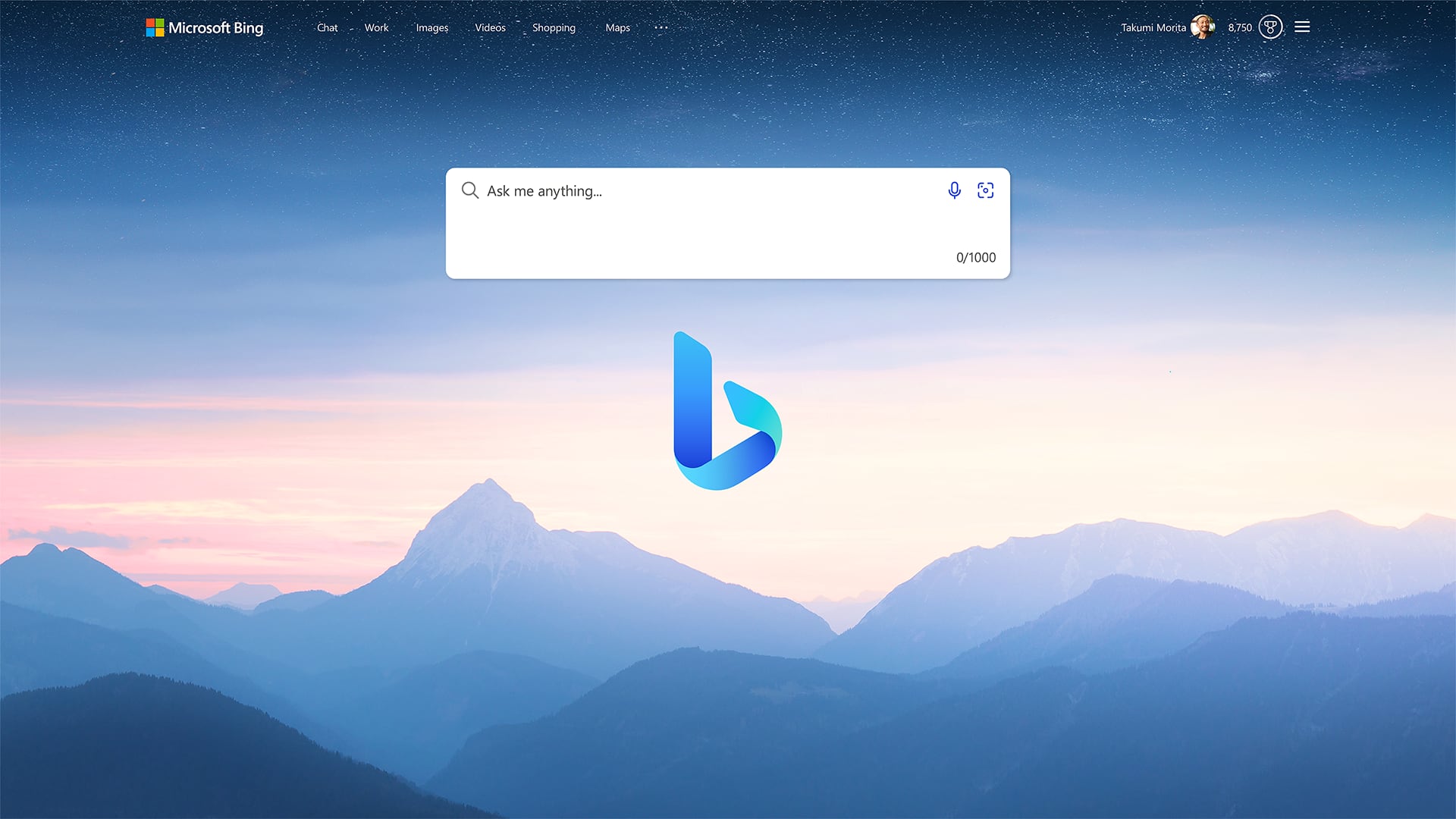
A significant Microsoft outage has affected several key services, including Bing.com, Copilot for web and mobile, Copilot in Windows, ChatGPT internet search, and DuckDuckGo. The disruption began around 3.00 a.m. Eastern Time, primarily impacting users in Asia and Europe.
User reports and MacRumors' tests indicate that attempts to access Bing.com result in either a blank page or a 429 HTTP code error. Notably, the Bing search functionality remains operational if accessed directly via a specific URL, though the homepage remains inaccessible.
For users needing to perform searches on Bing, accessing the search engine directly through the alternative URL is a workaround. However, Copilot services are entirely offline across all platforms, including the website, app, and Windows integration.
Bleeping Computer, ChatGPT internet search and DuckDuckGo are also experiencing disruptions due to their reliance on the Bing API. DuckDuckGo users encounter an error message stating, "There was an error displaying the search results. Please try again." Despite the widespread impact, Microsoft has not yet issued a statement, though OpenAI has acknowledged the ChatGPT internet search issues on its support page.
Tags: Microsoft, Bing
This article, "Bing, Copilot, DuckDuckGo, ChatGPT Search Down on Microsoft Outage" first appeared on MacRumors.com
Discuss this article in our forums
https://www.macrumors.com/2024/05/23/bing-copilot-duckduckgo-chatgpt-search-down/
X Confirms Plan to Make 'Likes' Private, Remove Likes Tab From Profiles

Social media platform X (formerly Twitter) will soon stop showing public "likes" on users' profile pages, the company has said. The plan was confirmed on Wedndesday by X engineers, after MacRumors contributor Aaron Perris uncovered a flag in X's iOS app revealing the coming change.
Perris found that turning off the flag completely removes the "Likes" tab from all user profiles. His discovery was shared on X, which was then reposted and subsequently confirmed by X engineers.
responded X's director of engineering Haofei Wang. "Public likes are incentivizing the wrong behavior. For example, many people feel discouraged from liking content that might be 'edgy' in fear of retaliation from trolls, or to protect their public image.
"Soon you'll be able to like without worrying who might see it," Wang continued. "Also a reminder that the more posts you like, the better your For you algorithm will become," he added.
Yeah, we are making likes private.
Public likes are incentivizing the wrong behavior. For example, many people feel discouraged from liking content that might be "edgy" in fear of retaliation from trolls, or to protect their public image.
Soon you’ll be able to like without… https://t.co/vPGllc4pB0
— Haofei (@wanghaofei) May 22, 2024
To clear up some confusion among users, X senior software engineer Enrique Barragan also responded with a post, saying that users will still be able to see who liked their posts, as well as the like count for all posts, replies, and so on. The change involves hiding which posts other people liked, which means removing the Liked tab on public profiles.
Tag: Twitter
This article, "X Confirms Plan to Make 'Likes' Private, Remove Likes Tab From Profiles" first appeared on MacRumors.com
Discuss this article in our forums
https://www.macrumors.com/2024/05/23/x-twitter-to-make-likes-private/
Apple's 2024 M4 Mac Mini: What We Know
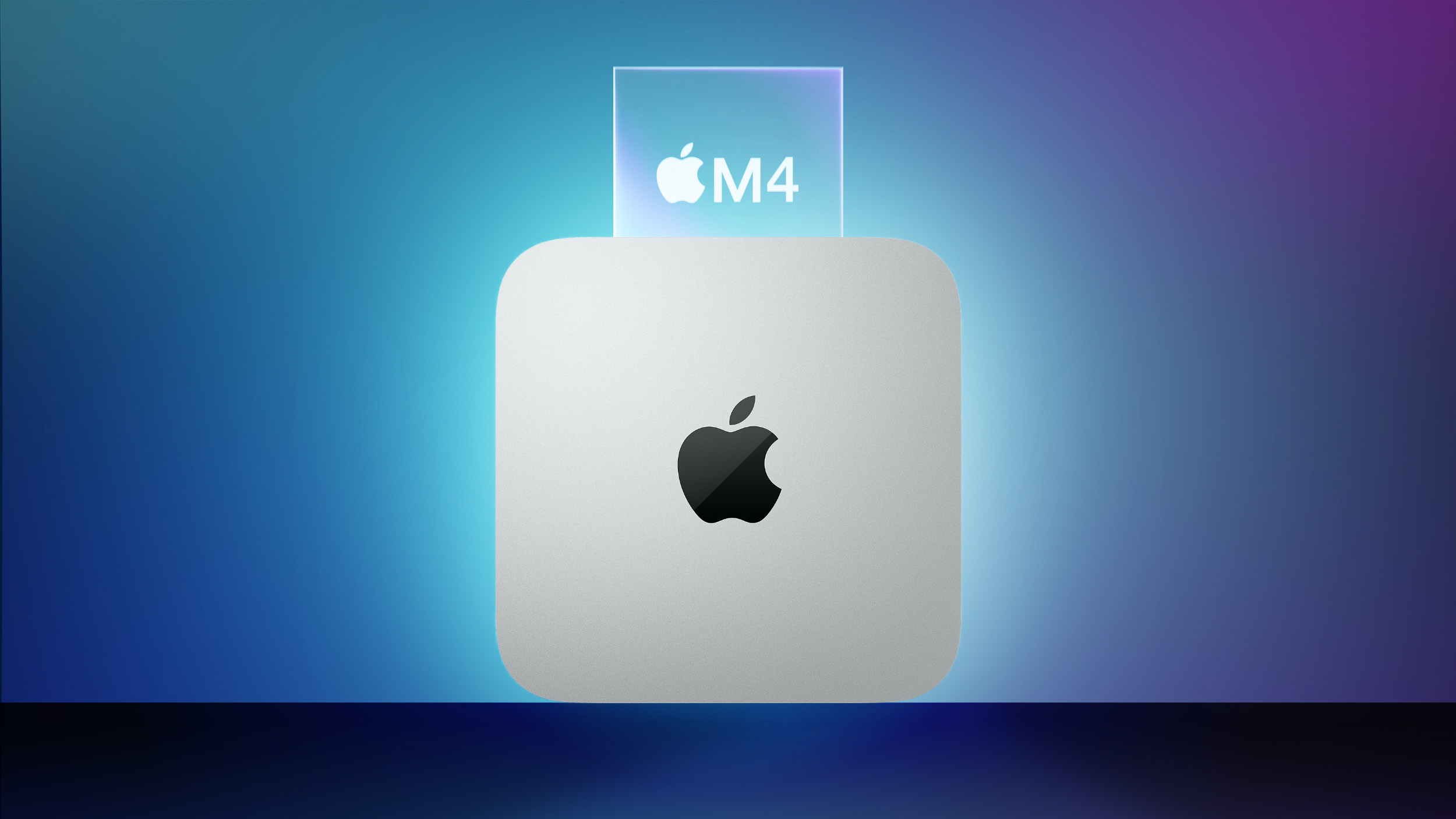
Apple is working to refresh the entire Mac lineup with chips in the M4 series, and the Mac mini could get an update as soon as late 2024. Apple is expected to skip the M3 chip, going straight from M2 to M4.
This guide highlights everything that we know about the Mac mini refresh so far.
Design
Apple hasn't changed the Mac mini design in many years, and there are no rumors of a design update coming in 2024. Apple did make the Mac mini a little bit thicker and lighter when it was refreshed in 2023, and that same design will likely be used for the 2024 model.
Ming-Chi Kuo said in January that the "next new Mac mini" will have the same "form factor design." Back in 2021, there were rumors that Apple was working on a Mac mini with a plexiglass top and other design changes, but that device never materialized.
The Mac mini is Apple's smallest, most portable desktop machine, measuring in at 7.75 inches square and 1.41 inches thick. The Mac mini is meant to be connected to a standalone display, keyboard, and mouse, and it does not ship with those accessories.
M4 Chip
The Mac mini will be equipped with Apple's M4 and M4 Pro chips, with Apple skipping the M3 line entirely and going from M2 to M4.
iPad Pro, and the chip is built on a second-generation 3-nanometer technology. Compared to the M2 chip, the M4 chip offers 50 percent faster CPU performance and up to 4x faster rendering performance.
MacBook Air.
There is also a more advanced 16-core Neural Engine and the GPU supports hardware-accelerated ray tracing, a feature not available with the M2. According to Apple, the Neural Engine in the M4 chip is an "absolute powerhouse for AI."
We don't yet know details on the M4 Pro because that chip is not expected to come out until later this year.
Release Date
According to Bloomberg's Mark Gurman, the Mac mini will be refreshed alongside the 14-inch and 16-inch MacBook Pro models in late 2024.
This article, "Apple's 2024 M4 Mac Mini: What We Know" first appeared on MacRumors.com
Discuss this article in our forums
Review: Anker's Latest 3-in-1 Power Bank is a Versatile On-the-Go Powerhouse
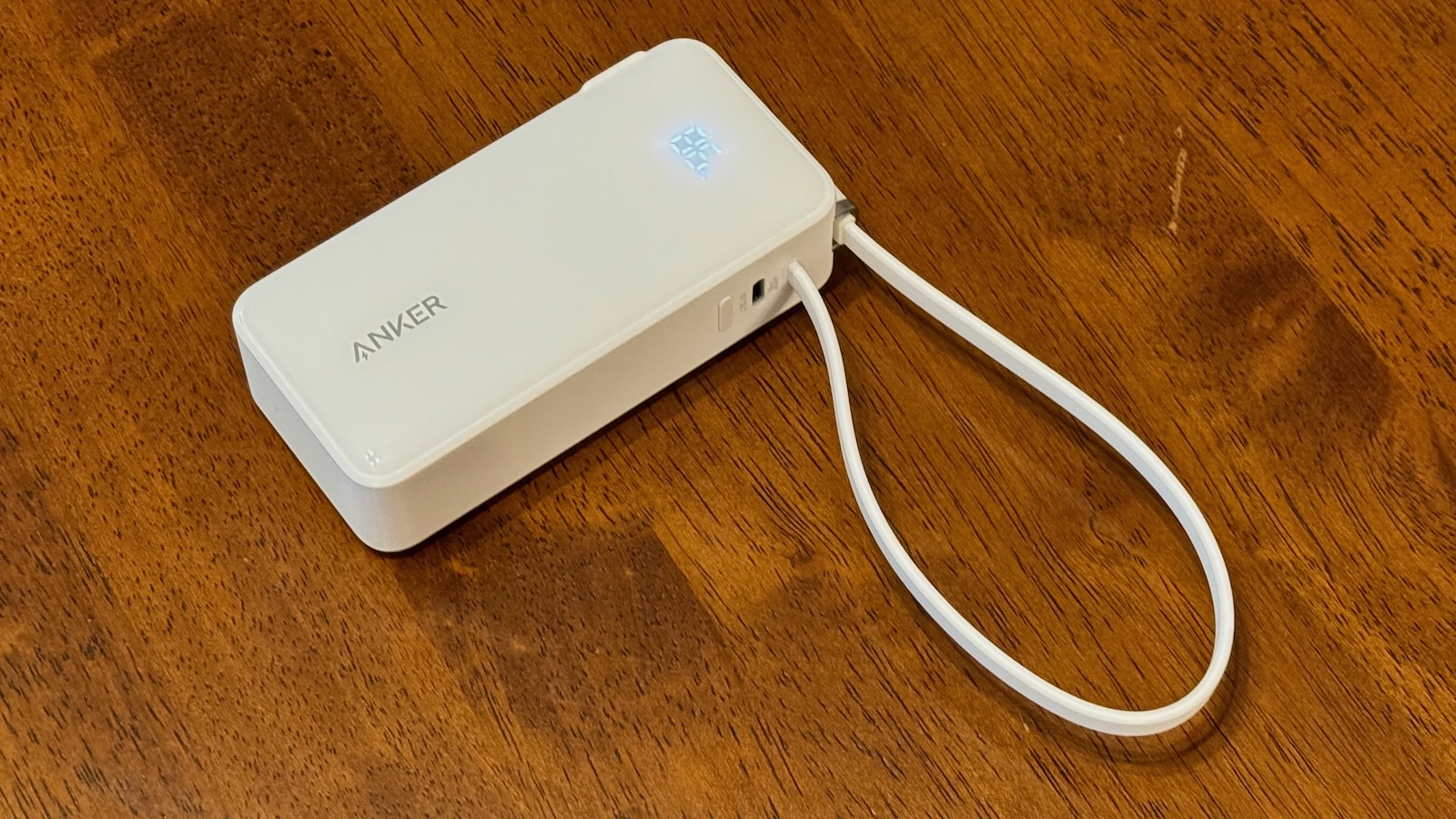
Popular accessory brand Anker has just launched a new 10K version of its 3-in-1 power bank that offers up to 30 watts of charging power, a convenient display to quickly view exact charge status, an integrated USB-C cable for both input and output, and built-in folding prongs to recharge directly from a power outlet. I've recently been testing one of these Anker power banks out, and it has become a must-have accessory for my gear bag.
Competitively priced at $44.99, the 10,000 mAh capacity means I can charge up my iPhone 15 Pro Max more than one and a half times while on the go, which is plenty for a long day out or even a weekend trip where easy access to power might be iffy. And the 30-watt charging speed means it'll charge my devices up quickly, meaning spending less time with my phone awkwardly tethered to a power bank while I'm out and about. A quick charge during a lunch or dinner is more than enough to keep my iPhone topped off for the remainder of the day.
The integrated USB-C cable is only 10 inches (0.25 meters) long, which feels just about right for hooking things up without having to deal with excess cable. And the fact it's integrated into the power bank means there's no chance of losing or forgetting the cable.
As with some other recent Anker power banks with integrated cables, the cable on this one also serves as a convenient lanyard for the power bank that cleverly uses the USB-C connector to hold things together. It will let you keep the power bank on your wrist if needed, or clipped to a bag or other item to help make it easier to find. While I do have some concerns over the long-term stress of using the USB-C cable in this way, so far in my testing on this bank and similar ones from Anker, the cable and connector have proven durable enough and Anker claims the cable has been tested to withstand at least 10,000 bends over its lifetime.
That integrated cable not only provides for rapid charging of a connected device, but it can also be used to quickly recharge the power bank itself, so if you've got a convenient USB-C power adapter or a laptop available, you can easily charge off of one of those. But even more conveniently, folding prongs allow the power bank to be recharged straight from most power outlets in the U.S., Canada, Japan, and anywhere else that uses Type A/B plugs and sockets. The folding prongs also allow the power bank to easily offer passthrough charging, recharging both the power bank and a connected device simultaneously.
In addition to the integrated USB-C cable and the folding prongs, there's a third power option on this power bank, and that's a dedicated USB-C port that can support both input and output. This of course requires you to bring along a separate cable, but it offers the ability to charge multiple devices simultaneously. Both the integrated cable and the USB-C port support up to 30 watts input and output, although that output will be split if you have multiple devices charging simultaneously.
In my testing, it took about two hours to charge the power bank to full from empty, regardless of whether I used the built-in prongs or a USB-C power source of at least 30 watts. Going in the opposite direction, the power bank took about two hours to charge my iPhone 15 Pro Max from 10% up to full, although it reached 80% within 50 minutes with the final 20% taking around 70 minutes at a slower rate to prevent overcharging. Anker's ActiveShield 2.0 temperature monitoring also helps protect devices from damage during charging.
After delivering that 90% charge to my iPhone, the power bank still had 47% of its own battery charge left, so I can get around 1.75 iPhone charges out of a fully charged power bank. With the iPhone 15 Pro Max carrying a 4,441 mAh battery and the power bank including a 10,000 mAh battery, you might think it could recharge the iPhone at least twice, but energy loss within the battery cells and circuitry and during the transfer process reduces that figure as is true of any power bank.
Anker has been integrating status displays into a number of recent charging products, and this 3-in-1 power bank is no exception. When it's off, the display is invisible below the glossy surface of the power bank, but while charging other devices, being charged itself, or at the press of a button on the side of the bank, it lights up to show the exact percentage of charge remaining in the power bank. When the power bank is charging, a green LED next to the display flashes, letting you know at a glance that power is flowing to the bank's battery. The display is easily readable indoors, but does get tougher to read outdoors in bright sunlight.
The power bank's overall design is a relatively simple plastic brick shape but with some visual interest in the form of a glossy front with some Anker branding and the display hidden beneath the surface, a matte back with a substantial amount of small regulatory and informational text, and ribbed sides.
Along those sides, you'll find the folding prongs on one side, the attachment point for the integrated cable, the USB-C port, and a button to manually activate the display on the opposite side, and a small bracket where the integrated cable loops through to create the lanyard on the top. The power bank measures approximately 4.25 x 2.0 x 1.2 inches (10.8 x 5.1 x 3.0 cm) and weighs approximately 8.8 ounces (250 grams), so it's reasonably pocketable but a bit on the thick side, so some may feel more comfortable carrying it in a bag rather than in a pocket.
Amazon and Anker's own site, with a promo currently offering 15% off the purchase of two select charging accessories. A smaller 5K version featuring a similar design but with a slightly different layout of the various features is available for $39.99.
Note: Anker provided MacRumors with the 3-in-1 Power Bank for the purpose of this review. No other compensation was received. MacRumors is an affiliate partner with Anker and Amazon. When you click a link and make a purchase, we may receive a small payment, which helps us keep the site running.
Tag: Anker
This article, "Review: Anker's Latest 3-in-1 Power Bank is a Versatile On-the-Go Powerhouse" first appeared on MacRumors.com
Discuss this article in our forums
Disney Shares Trailer for Immersive Vision Pro Marvel Story
Disney today shared a trailer for the hour-long interactive and immersive Disney+ Marvel story that is set to come to the Vision Pro on Thursday, May 30.
The Disney+ original from Marvel Studios is connected to the "What If...?" animated series and it will be released as a standalone app for the Vision Pro.
What If... You Were Chosen? Step into the Multiverse and harness the power of the Infinity Stones in this reality-bending story from Marvel Studios, ILM Immersive, and Disney+.
What If...? reimagines events from the Marvel Cinematic Universe in unexpected ways, and on the Vision Pro, fans will be able to step into the lead role of an immersive story that transforms the space around them.
There are multiversal variants of key Marvel characters, chances to learn mystic arts, and an opportunity to harness the power of the Infinity Stones. Marvel says that users will "cross between augmented and virtual reality" while going through the narrative adventure, interacting with the world using their hands and eyes.
The What If...? experience features new and iconic "breathtaking environments" from the Marvel Cinematic Universe, with impressive visuals and support for spatial audio.
Related Roundup: Apple Vision Pro
Tags: Disney, Disney Plus
Buyer's Guide: Vision Pro (Buy Now)
Related Forum: Apple Vision Pro
This article, "Disney Shares Trailer for Immersive Vision Pro Marvel Story" first appeared on MacRumors.com
Discuss this article in our forums
https://www.macrumors.com/2024/05/22/vision-pro-marvel-immersive-story/
What the Golf on Apple Vision Pro Gains New Levels
Popular Apple Arcade game What the Golf? for the Vision Pro is being updated with a slew of new content, with Apple adding 15 new areas with more than 100 spatial levels and 200 challenges to complete.
What the Golf? is, as the name suggests, a mini golf game aimed at people who hate golf. The goal is to get the ball to the hole, and every hole has a twist with different game mechanics to overcome.
The game has been around on iOS, iPadOS, and macOS since 2019, plus it launched on Vision Pro in February, but there is new content to play on the Vision Pro this week. Apple says players will experience more cowboys, portals, eggs, crabs, sneaky cardboard boxes, and more.
App Store on the Vision Pro headset.
Related Roundup: Apple Vision Pro
Tag: Apple Arcade
Buyer's Guide: Vision Pro (Buy Now)
Related Forum: Apple Vision Pro
This article, "What the Golf on Apple Vision Pro Gains New Levels" first appeared on MacRumors.com
Discuss this article in our forums
https://www.macrumors.com/2024/05/22/vision-pro-what-the-golf-levels/
Get the 2nd Gen Apple Watch SE for Just $189 on Amazon
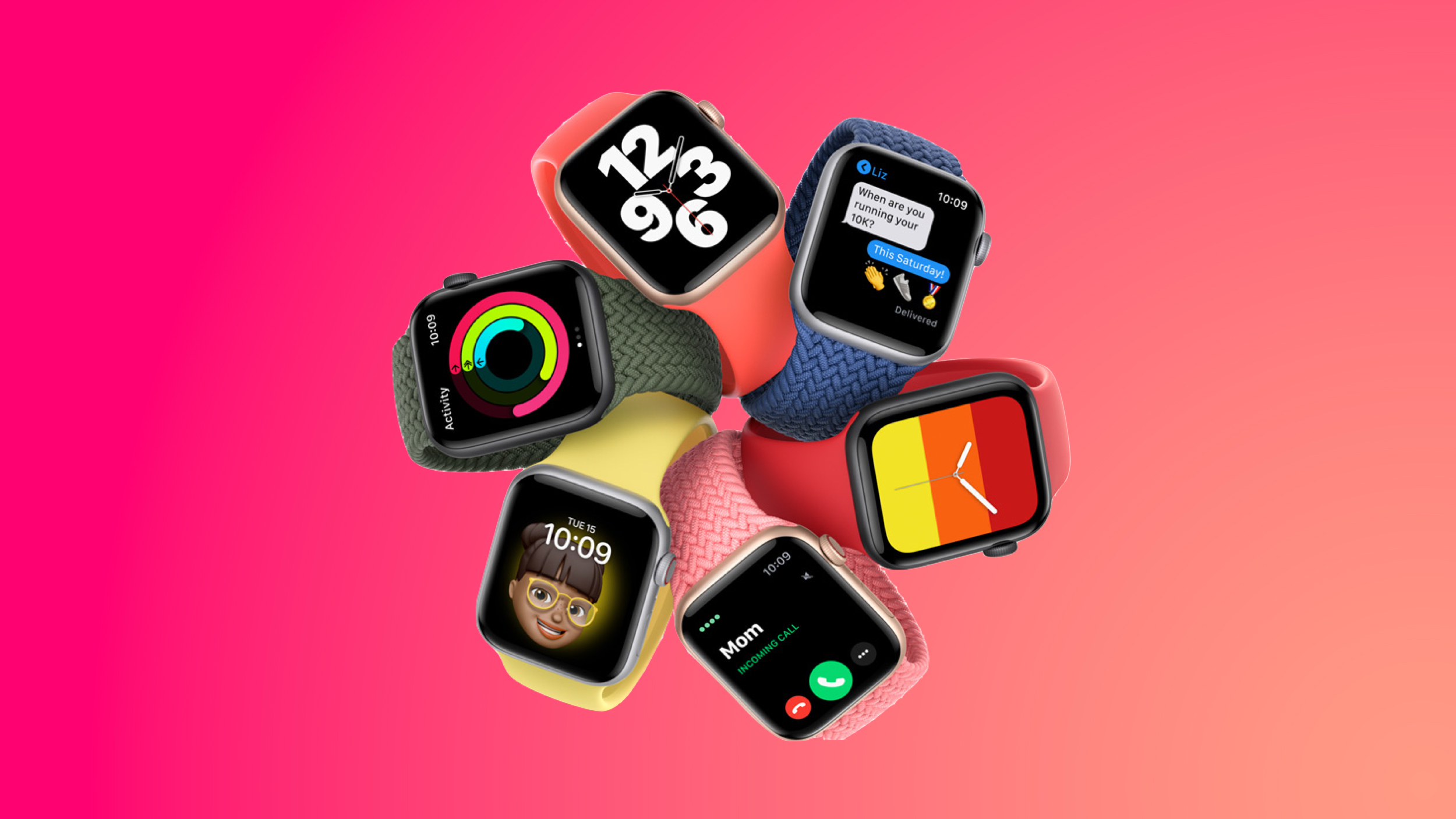
Apple's 40mm GPS Apple Watch SE is available for $189.00 today on Amazon, down from $249.00. This is just $10 higher compared to the all-time low price on the wearable. This deal is available in all three aluminum color options, and only Amazon has the discount.
Note: MacRumors is an affiliate partner with Amazon. When you click a link and make a purchase, we may receive a small payment, which helps us keep the site running.
$219.00 on Amazon, down from $279.00. This is another near all-time low price that's just $10 away from the lowest price on the Apple Watch SE, and it's also available in all three aluminum colors.
$60 OFF
Apple Watch SE (40mm GPS) for $189.00
$60 OFF
Apple Watch SE (44mm GPS) for $219.00
This model of the Apple Watch SE launched in September 2022 and remains Apple's most affordable Apple Watch. The Apple Watch SE lacks some of the upgraded features you'll find in some Series 9 or Ultra 2 models, like temperature sensing and ECG functionality, but it will otherwise provide you with all key Apple Watch features, and at the cheapest price possible.
$714.00 on Amazon, down from $799.00. Discounts on the Apple Watch Ultra 2 have been rare over the past few weeks, and this deal beats the average discounted price by about $15.
$85 OFF
Apple Watch Ultra 2 for $714.00
Deals Roundup to shop for even more Apple-related products and accessories.
Related Roundup: Apple Deals
This article, "Get the 2nd Gen Apple Watch SE for Just $189 on Amazon" first appeared on MacRumors.com
Discuss this article in our forums
https://www.macrumors.com/2024/05/22/apple-watch-se-for-just-189/
T-Mobile Announces Price Increases for Some Older Plans

T-Mobile today revealed that it will be increasing the monthly prices of some of its older plans in the U.S. by $2 to $5 per line.
Affected customers will receive a text message from T-Mobile if their plan will be receiving a price increase, which will take effect next month. Affected plans appear to include certain T-Mobile ONE, Simple Choice, and Magenta plans.
In its text message to customers, T-Mobile said this is the first time that it has changed the prices of some of its monthly plans in "nearly a decade."
said T-Mobile, in response to a customer inquiry on social media platform X. "We offer customers more for every dollar they spend than ever before, especially when you consider taxes & fees included."
alleged memo shared with T-Mobile employees today, the carrier said "costs and inflation have risen over the past decade," but touted that it still offers the "lowest prices versus AT&T and Verizon" after the price increases. T-Mobile also ensured that customers on these older plans will retain all of their "benefits and perks."
Tag: T-Mobile
This article, "T-Mobile Announces Price Increases for Some Older Plans" first appeared on MacRumors.com
Discuss this article in our forums
https://www.macrumors.com/2024/05/22/tmobile-raising-prices-of-some-older-plans/
Apple's M1 MacBook Air Drops to Low Price of $699 on Amazon

Amazon is selling the 13-inch M1 MacBook Air for $699.00, down from the original price of $999.00. This is an overall solid second-best price on this version of the MacBook Air, and it's the first time the computer has been in stock at a steep discount in weeks.
Note: MacRumors is an affiliate partner with Amazon. When you click a link and make a purchase, we may receive a small payment, which helps us keep the site running.
The model that Amazon has for $699.00 is the entry-level version with 8GB Unified Memory, an 8-core CPU, a 7-core GPU, and a 256GB SSD. You can get both the Gold and Silver colorways at this price, with delivery as soon as May 24 if you have Amazon Prime.
$300 OFF
13-inch M1 MacBook Air for $699.00
Apple discontinued the M1 MacBook Air back in March, which is why we're seeing such low prices on remaining inventory. The M1 MacBook Air first came out in 2020, so it is four years old at this point, but the Apple silicon chip is still more than adequate for day-to-day tasks. As the M1 MacBook Air is no longer being manufactured, available supply is likely to dry up soon.
Deals Roundup to get caught up with all of the latest deals and discounts that we've been tracking over the past week.
Related Roundup: Apple Deals
This article, "Apple's M1 MacBook Air Drops to Low Price of $699 on Amazon" first appeared on MacRumors.com
Discuss this article in our forums
https://www.macrumors.com/2024/05/22/apples-m1-macbook-air-drops/
Best M4 iPad Pro Cases Currently Available

Apple launched its new 11-inch and 13-inch iPad Pro models on May 15, and there's still a notable lack of cases available for the device. For new owners wanting to protect their pricey investment from scuffs or an accidental drop, we've shortlisted a handful of options.
Note: MacRumors is an affiliate partner with some of these vendors. When you click a link and make a purchase, we may receive a small payment, which helps us keep the site running.
Zugu brand in this shortlist, but the company says it is still working on new cases for the M4 iPad Pro and plans to make them available in June or July.
Burton Goods Magnetic Leather Case
11-inch model costs $169.95, while the 13-inch version comes in at $179.95. Burton Goods is the recent new venture of Brian Holmes, former Pad & Quill president.
Burton Goods 11" Magnetic Leather Case
Burton Goods 13" Magnetic Leather Case
Torro Leather Case
11-inch ($74.99) and 13-inch ($89.99) versions, and the cases ship by May 30.
Torro 11" Leather Case
Torro 13" Leather Case
Otterbox Statement Series Studio Case
11-inch model is $89.95, while the 13-inch version is $99.95. Color options are limited to Blue and Gray.
Otterbox 11" Studio Case
Otterbox 13" Studio Case
UAG Metropolis SE Series Folio
11-inch ($69.95) and 13-inch ($79.99) versions.
UAG 11" Metropolis SE Folio
UAG 13" Metropolis SE Folio
ESR Rebound Magnetic Case
11-inch ($19) and 13-inch ($24) versions are available.
ESR 11" Rebound Magnetic Case
ESR 13" Rebound Magnetic Case
Apple Smart Folio Case
additional magnets, the latest version boasts a wider range of viewing angles. The front cover offers sleep/wake functionality and can fold to create a convenient stand. It attaches magnetically to the back, eliminating the need for snaps and providing minimal edge protection. Available in three colors — black, white, and denim blue — the Smart Folio is available in both 11-inch ($79) and 13-inch ($99) variants.
Apple 11" Smart Folio
Apple 13" Smart Folio
Note: MacRumors is an affiliate partner with some of these vendors. When you click a link and make a purchase, we may receive a small payment, which helps us keep the site running.
This article, "Best M4 iPad Pro Cases Currently Available" first appeared on MacRumors.com
Discuss this article in our forums
https://www.macrumors.com/2024/05/22/m4-ipad-pro-cases-covers-available/
Speed Up Text Editing With iPhone's Hidden Trackpad

Navigating and editing text on your iPhone can sometimes feel cumbersome, especially when trying to precisely place the cursor. Fortunately, Apple has integrated a hidden feature in the virtual keyboard that can make this task much easier. Here's how to unlock and utilize this powerful tool to streamline your text editing.
The next time you are writing something a little more lengthy and need to go back and change something, simply long-press the space bar, and the on-screen keyboard will transform into a trackpad that you can use to control the cursor. This allows you to navigate quickly through your text, moving the cursor to any desired spot with ease.
But that's not all. If you tap the trackpad with another finger while in this mode, you can also select chunks of text. This dual-functionality makes editing and tweaking text on your iPhone a breeze. Give it a try next time you're typing a message or note.
If you're looking to cut down on the amount of time you spend performing certain actions on your iPhone, there's usually a solution hidden in Apple's mobile operating system. Check out our 20 quick iOS tips that once you start using will make you a lot more time-efficient in the long run.
This article, "Speed Up Text Editing With iPhone's Hidden Trackpad" first appeared on MacRumors.com
Discuss this article in our forums
https://www.macrumors.com/how-to/speed-up-text-navigation-iphone-hidden-trackpad/
Apple Music Reveals Top 10 Albums of All Time

Apple Music today unveiled its list of the top 10 albums of all time, with Lauryn Hill's "The Miseducation of Lauryn Hill" securing the number one spot.
The announcement is part of a 10-day countdown event culminating in a special finale featuring discussions with prominent artists and Apple Music hosts. "The Miseducation of Lauryn Hill," released in 1998, was praised for its impact and relevance. Hill was given an award made of blasted anodized aluminum sourced from recycled Apple products. The top 10 albums list is as follows:
1. The Miseducation of Lauryn Hill (1998), Lauryn Hill
2. Thriller (1982), Michael Jackson
3. Abbey Road (1969), The Beatles
4. Purple Rain (1984), Prince & The Revolution
5. Blonde (2016), Frank Ocean
6. Songs in the Key of Life (1976), Stevie Wonder
7. good kid, m.A.A.d city (2012), Kendrick Lamar
8. Back to Black (2006), Amy Winehouse
9. Nevermind (1991), Nirvana
10. Lemonade (2016), Beyoncé
The selection process involved Apple Music experts and a group of artists, songwriters, producers, and industry professionals. This ranking is described as a modern, 21st-century evaluation of the greatest records ever made, created independently of streaming statistics.
Apple Podcasts, and Apple Books.
Tag: Apple Music
This article, "Apple Music Reveals Top 10 Albums of All Time" first appeared on MacRumors.com
Discuss this article in our forums
https://www.macrumors.com/2024/05/22/apple-music-reveals-top-10-albums/
Little Snitch 6 Released for macOS Sonoma With DNS Encryption, Integrated Blocklists, New Traffic Chart, and More
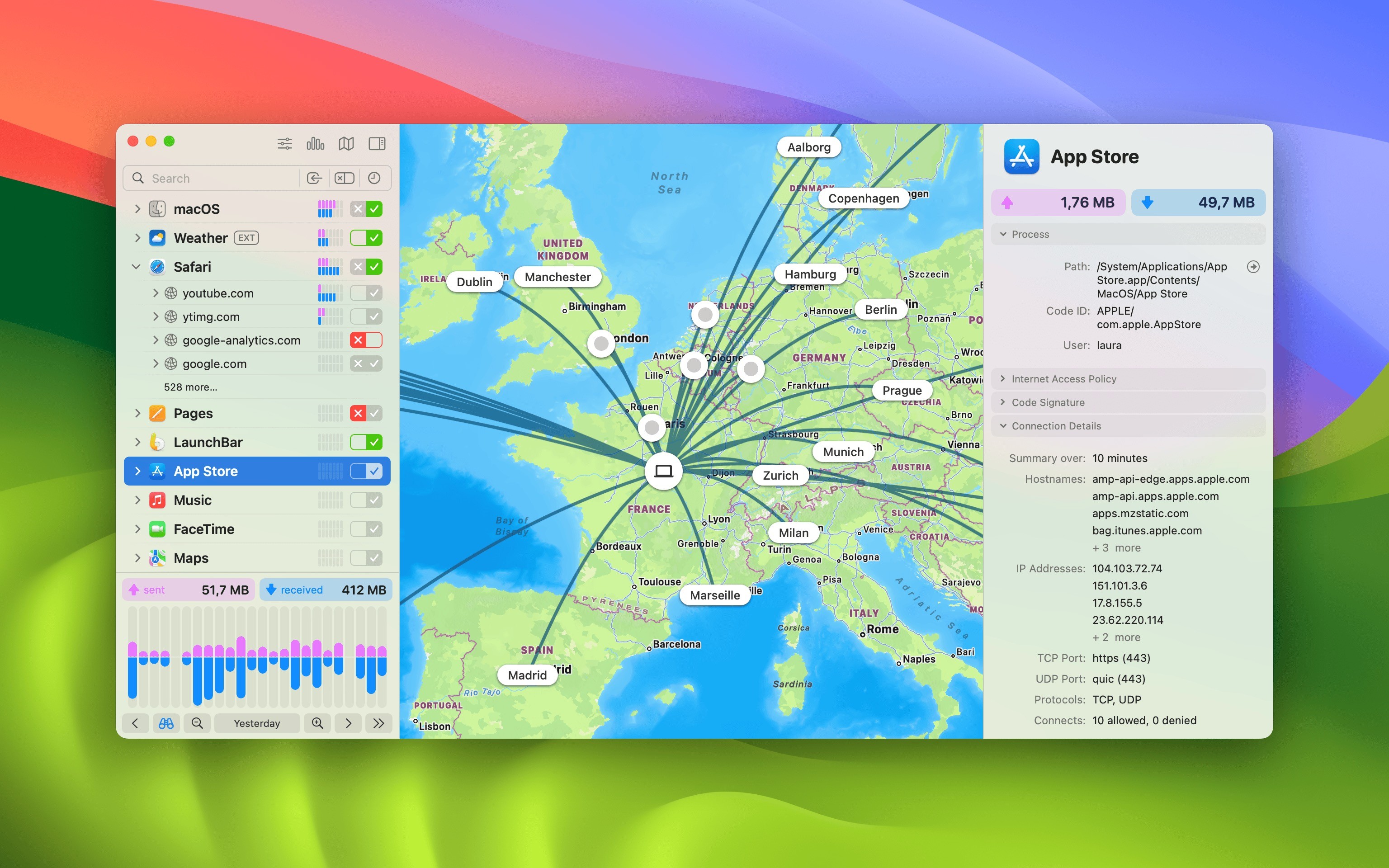
Austrian developer Objective Development has announced Little Snitch 6, the latest evolution of its popular firewall and network monitoring utility on the Mac. Whenever an app attempts to connect to a server on the internet, Little Snitch shows a connection alert, allowing you to decide whether to allow or deny the connection.
The key new features include DNS encryption, easier access to blocklists, a redesigned interactive traffic chart, a new Control Center in the menu bar, new hierarchical grouping options in the connection list, new sound notifications, and an overhauled user interface. The full advertised features list is as follows:
DNS Encryption: Let Little Snitch encrypt your server name queries to shield your online activities from prying eyes.
Integrated Blocklists: Effortlessly select from a curated list of blocklists. Install them with a single click to add an extra layer of protection against unwanted connections.
Control Center in Menu Bar: Quickly access essential network information, recent activity charts, and recently blocked connections at a glance, directly from the menu bar.
Interactive Traffic Chart: Enjoy a redesigned, intuitive real-time traffic chart for a clearer visualization and analysis of network activity.
Hierarchical Connection Grouping: Group connections by application, domain, server, or country to gain deeper insights into network traffic.
Advanced Search and Filters: Swiftly locate specific connections or firewall rules with enhanced search capabilities.
Usage Statistics: Track and optimize your firewall rules based on usage frequency.
Sound Notifications: Stay informed about network activities through customizable acoustic notifications, just by listening. Make connections not only visible but also audible!
Rule Groups: Organize firewall rules by topic to conveniently turn related rules on or off together.
Enhanced Web Application Support: Gain better and more precise control over external connections initiated by websites.
Improved Firewall Rules: Use of cryptographic code signing identifiers for better process identification, resistant to renaming or moving of apps.
Simplified Setup: Automatically create rules for installed applications to streamline initial configuration.
Enhanced Xcode Simulator Support: Enjoy smoother development experiences with improved handling of processes in Xcode's Simulator app.
Little Snitch 6 supports macOS Sonoma and is available from the Objective Development website for $59 per single license. Existing users can upgrade at a discounted price starting at $39.
This article, "Little Snitch 6 Released for macOS Sonoma With DNS Encryption, Integrated Blocklists, New Traffic Chart, and More" first appeared on MacRumors.com
Discuss this article in our forums
https://www.macrumors.com/2024/05/22/little-snitch-6-released-macos-sonoma/
Apple Adds Support for Live Activities to Shazam

Apple today added support for Live Activities in Shazam, its free music discovery and identification app.
Shazam's Live Activities keep the user updated when searching for music in the background, which is particularly useful when multitasking or identifying songs in other apps. The last significant update to Shazam arrived in January, allowing users to identify songs from other apps while listening with headphones.
acquired Shazam in 2018, and has been gradually bringing the app into closer alignment with Apple Music ever since, offering trials to the streaming service through the app and the ability to sync Shazams directly to Apple Music.
App Store for free. It can be accessed through the Control Center on iPhone and iPad, through Siri commands, or on the Mac, as well as via widgets. Version 17.11 of Shazam is now available.
since made good use of the feature.
Tag: Shazam
This article, "Apple Adds Support for Live Activities to Shazam" first appeared on MacRumors.com
Discuss this article in our forums
https://www.macrumors.com/2024/05/22/shazam-adds-support-for-live-activities/
Next Emoji Coming to iOS Could Include Face With Eye Bags, Shovel, Fingerprint, Splatter and More

Apple adds new emoji to the iPhone, iPad, Mac, and other devices regularly based on updates made to the emoji catalog by the Unicode Consortium, and the there are seven new emoji that we could see sometime in late 2024 or early 2025.
The next emoji characters being considered include face with bags under eyes, fingerprint, leafless tree, root vegetable, harp, shovel, and splatter.
the beta review period for Unicode 16, which includes the new emoji characters. The beta period lasts until July 2, and after that, Unicode 16 will see a release and the new characters will be officially approved.
iOS 18 launches. Apple will likely add the new characters sometime around March 2025, around when iOS 18.4 comes out.
with the iOS 17.4 update that was released in March 2024. Characters added in iOS 17.4 include lime, an edible brown mushroom, a phoenix, a broken chain, shaking head vertically (as in a "yes" nod), and shaking head horizontally (a "no" head shake).
Tag: Emoji
This article, "Next Emoji Coming to iOS Could Include Face With Eye Bags, Shovel, Fingerprint, Splatter and More" first appeared on MacRumors.com
Discuss this article in our forums
https://www.macrumors.com/2024/05/21/ios-18-emoji-characters/