
Top Stories: WWDC Next Week With iOS 18 Beta and More
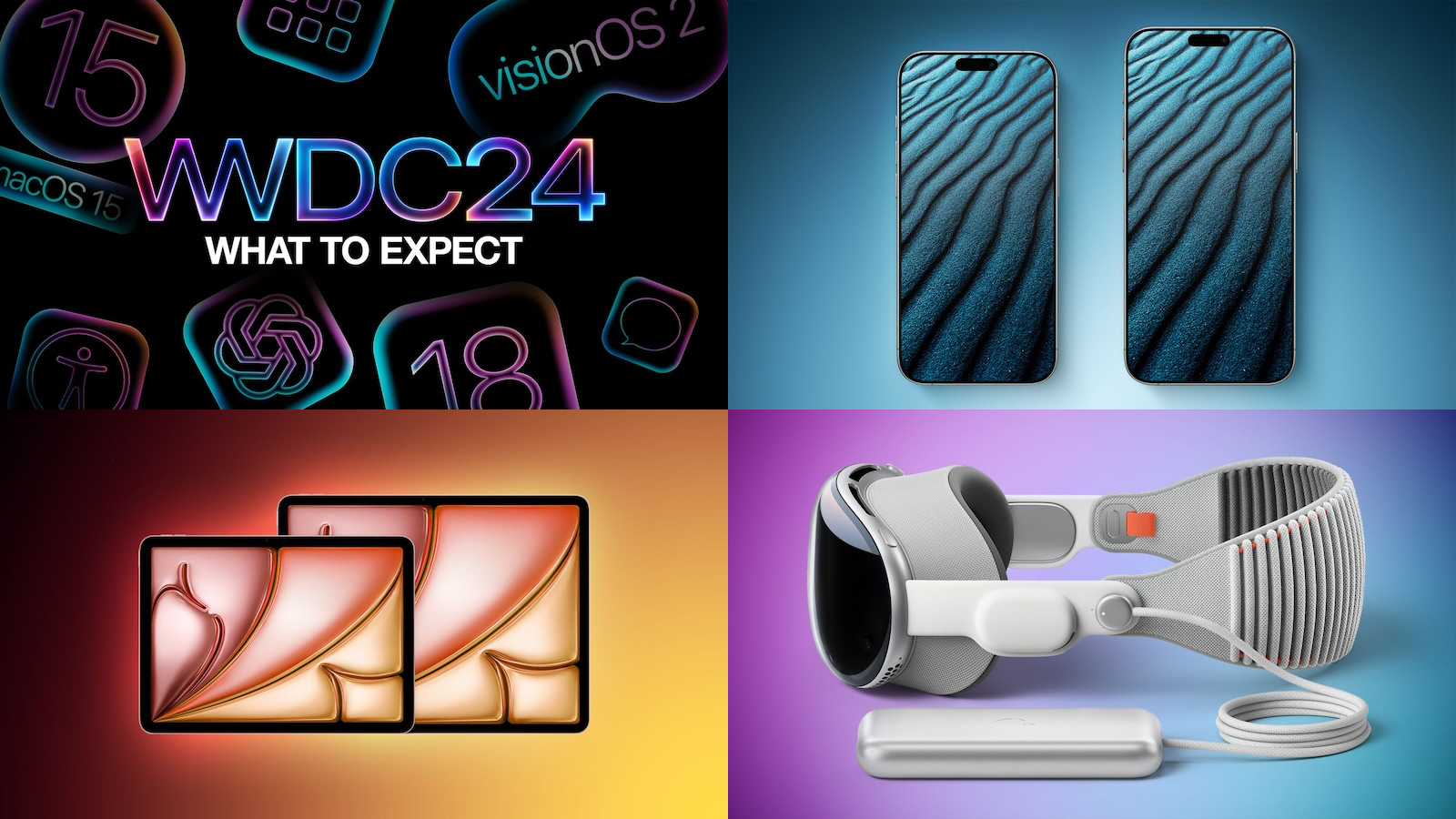
WWDC is right around the corner! All eyes will be on Cupertino next week as Apple takes the wraps off the next major updates to iOS, macOS, and other platforms.
Artificial intelligence is the hottest buzzword in technology these days, and Apple will be getting on that train with Monday's announcements, pushing beyond its existing machine learning features to deploy more sophisticated AI capabilities across its operating systems and apps.
In addition to the WWDC excitement, this week also saw some fresh news and rumors about the upcoming iPhone 16 lineup, the just-released iPad Air, and the Vision Pro, so read on below for all the details!
Everything We're Expecting to See at the WWDC 2024 Keynote
While we're not expecting any new hardware at Monday's keynote, it should still be a jam-packed affair with lots of software news to be discussed and a big focus on AI.
As is tradition, we've rounded up an extensive list of rumors about the software features that Apple will unveil at WWDC, but there will still be plenty of surprises given the scope of the updates.
How to Watch Apple's WWDC 2024 Keynote on June 10
There will be several ways to watch Apple's opening keynote at WWDC next week.
A live stream of the presentation will be available on the Apple Events website and YouTube, and in the Apple TV and Apple Developer apps, while MacRumors will also have live coverage of the event.
how to watch the WWDC keynote on the iPhone, iPad, Mac, and other devices.
iPhone 16 Pro Could Break Record for Thinnest Bezels on a Smartphone
The upcoming iPhone 16 Pro and iPhone 16 Pro Max models could have the thinnest bezels surrounding the display on any smartphones ever.
Leaked dimensions for the iPhone 16 Pro models this week revealed that the bezels on the devices could be 25% to 30% thinner than on the iPhone 15 Pro models. Apple will reportedly achieve this feat by using so-called "Border Reduction Structure" technology.
Apple Says iPad Air Performance Details Are Accurate Despite 9-Core GPU Mistake
An embarrassing mixup was revealed this week: Apple accidentally listed the new iPad Air models with the M2 chip as featuring a 10-core GPU, when they in fact have a 9-core GPU.
Apple has since corrected the mistake on its website, and it said that the performance claims that it made when announcing the new iPad Air models are still accurate, despite the error in the tech specs for the devices.
Apple Vision Pro Likely to Launch Internationally in July
After launching in the U.S. in early February, it appears that Apple's Vision Pro headset will soon be available in additional countries.
A source familiar with the matter told MacRumors that the Vision Pro is scheduled to launch internationally in July. This timeframe suggests that Apple might announce international availability details for the headset during its WWDC keynote on June 10.
MacRumors Newsletter
Each week, we publish an email newsletter like this highlighting the top Apple stories, making it a great way to get a bite-sized recap of the week hitting all of the major topics we've covered and tying together related stories for a big-picture view.
top stories like the above recap delivered to your email inbox each week, subscribe to our newsletter!
Tag: Top Stories
This article, "Top Stories: WWDC Next Week With iOS 18 Beta and More" first appeared on MacRumors.com
Discuss this article in our forums
https://www.macrumors.com/2024/06/08/top-stories-wwdc-2024-preview/
Apple Watch Double Tap Feature Highlighted in Latest Apple Ad
Apple today shared a funny new ad that focuses on the Double Tap feature available on the Apple Watch. In the spot, a man catches a giant fish and while he attempts to wrangle it, he is able to use Double Tap to trigger the Apple Watch to take a photo on a connected iPhone.
The Apple Watch has a dedicated Camera Remote app, and when opened, it activates the camera on the iPhone. Focusing can be done with a tap on the display, and an image can be captured with either the timer button in the Apple Watch app or the Double Tap gesture.
Apple Watch Series 9 and the Apple Watch Ultra 2. It allows several Apple Watch functions to be activated with one hand by tapping a thumb and index finger together twice. The feature uses sensors in the Apple Watch to detect minute movements and blood flow to recognize the gesture.
Tag: Apple Ads
This article, "Apple Watch Double Tap Feature Highlighted in Latest Apple Ad" first appeared on MacRumors.com
Discuss this article in our forums
https://www.macrumors.com/2024/06/07/apple-watch-double-tap/
Everything We're Expecting to See at the WWDC 2024 Keynote
Apple's 35th annual Worldwide Developers Conference is just a few days away, kicking off on Monday, June 10 with a keynote event at 10:00 a.m. Pacific Time. Apple plans to introduce iOS 18, iPadOS 18, macOS 15, tvOS 18, watchOS 11, visionOS 2, and HomePod Software 18. No hardware is expected this year, with the focus set to be on software.
Subscribe to the MacRumors YouTube channel for more videos.
We've rounded up all of the rumors about the software features that Apple will unveil at WWDC, but there will still be plenty of surprises given the scope of the updates.
iOS 18 and iPadOS 18
All of Apple's software updates will include a wide range of new features powered by artificial intelligence, but we've heard the most about iOS 18. The AI additions in iOS 18 are expected to make this the biggest software refresh that we've had in years, with Apple set to call its AI features "Apple Intelligence."
All of Apple's AI additions will be introduced in a beta capacity so that Apple can test them before revealing them as full features, and everything will be opt-in, so people can decide not to use AI. Some features will be handled on-device, while some will be handled in the cloud, with Apple set to tout the security and privacy of the hardware that it's using for its cloud servers.
Siri and Spotlight
Apple is expected to use large language models (LLMs) to train Siri, which will theoretically result in major improvements to the personal assistant. LLMs are the backbone of popular AI offerings like OpenAI's ChatGPT.
Rumors suggest that Siri will have a more casual, conversational feel, with a more natural voice. Siri will be able to do more than before, taking into account people, companies, calendar events, locations, and dates. Apple plans to give Siri control over individual features in apps, so Siri will be able to perform specific functions in apps that aren't possible today. Siri will, for example, be able to open specific documents, move files from one folder to another, delete an email, edit a photo, and summarize messages, notifications, and articles.
Bloomberg's Mark Gurman does not believe the updated Siri experience will launch with the first version of iOS 18 in September. Instead, it will come in a future version of iOS 18 in 2025.
The Siri update will be accompanied by a refreshed version of Spotlight search on iPhones and iPads, with more intelligent results and improved sorting.
OpenAI Deal
Apple has inked a deal with OpenAI to integrate ChatGPT technology into iOS 18, because Apple does not plan to build its own chatbot at this time. ChatGPT will be an opt-in feature for iOS 18 and iPadOS 18 users.
Some Apple executives have had reservations about integrating a chatbot into the operating system, but Apple moved forward with it because customers may be expecting that kind of AI technology given its prevalence. OpenAI technology will also power some of the other AI features that Apple plans to introduce.
New App Features
Apple is bringing AI features to many of its built-in apps, and the additions that we've heard about so far are listed below. There are likely to be other AI features that haven't made it to the rumor mill.
Safari - Safari will get an "Intelligent Search" option that will use AI to identify key topics and phrases on a web page, offering a summary. Apple will refresh the quick access menu, adding some features currently in the Share Sheet, and there may also be a "Web Eraser" tool that lets users hide unwanted portions of webpages that persist across visits.
Mail - The Mail app will be able to suggest replies to incoming emails through a "Smart Replies" feature, plus it will have improved search and an option for summarizing long email threads. Mail will also be reorganized and will automatically sort incoming messages into categories, similar to Gmail.
Apple Maps - The Maps app could gain support for custom routes, allowing users to input self-selected routes rather than being limited to the options that Apple provides. Apple could also add support for topographic maps, a feature introduced last year in watchOS 10.
Photos - There will be an AI-based feature for removing unwanted objects from images.
Apple Music - Auto-generated playlists created by AI may be an option, and Apple will improve song transitions with an adjustable crossfade duration.
Notes - Notes will support recording voice memos directly in the app, with a transcript available. Mathematical notation will be improved so more kinds of equations can be added to notes, and the app will also provide AI-generated summaries of key points in notes and audio recordings.
Voice Memos - As with the Notes app, the Voice Memos app will be able to provide transcripts and summaries of content that is recorded.
Calendar - The Calendar app is expected to get Reminders integration, allowing reminders to be viewed directly in the Calendar app.
Calculator - Apple will bring the Calculator app to the iPad with iPadOS 18.
iWork - Apple's iWork apps will include new AI features. Keynote will have an option for automatically generating slides, and Pages will get a feature for generating text.
Shortcuts - Shortcuts will better integrate with Siri, allowing for the automation of complex tasks with less effort.
Health - The Health app will get improved blood pressure data management ahead of when Apple Watch models gain hypertension detection, along with more tailored data, such as improved cycle tracking if a person is pregnant. Apple also plans to add a new hearing test feature linked to the AirPods.
Settings - Apple plans to streamline the Settings app, adding a reorganized UI with a cleaner layout to make it easier to navigate. Search in the Settings app is also set to improve.
Xcode - Xcode for the iPad and Mac will support an AI coding tool similar to GitHub's Copilot tool.
Home Screen and Control Center
iOS 18 isn't going to get a total design overhaul, but the Home Screen, Control Center, and some in-app elements will be refreshed.
Apple will introduce a more customizable Home Screen, with app icons that can be arranged in new ways. Apple plans to stick to an invisible grid, but blank spaces, rows, and columns will be able to be placed between app icons for organizational options not currently available.
Users will be able to change the colors of app icons in iOS 18, with icon color no longer restricted to the colors that developers choose.
Apple has tested a customizable Control Center layout for iOS 18, and if adopted, it will feature a drag-and-drop interface that lets some of the controls be reorganized. Apple is also planning to add a new Apple Music widget and improved controls for HomeKit products.
Apps overall could get a more visionOS-inspired design refresh, with more of a focus on translucency for buttons and other UI elements.
Passwords
iOS 18, iPadOS 18, and macOS 15 will include a standalone Passwords app that essentially offers all of the functionality that's currently available in the Passwords section of Settings, such as one-time passcodes and password generation.
Face ID or Touch ID to log into websites instead of a password. Data from the app can be automatically inserted into websites and apps when a user logs in, and it uses iCloud Keychain to sync across devices.
Apple plans to allow customers to import passwords from third-party apps, and there will be a way to access passwords on the Vision Pro and on PCs.
Messages
Multiple useful AI features are rumored to be coming to the Messages app. AI will be used to offer better suggested replies for quicker responses to incoming texts, and Siri will be able to summarize longer messages for you.
An auto-generated emoji feature will let users generate emojis based on the content of a message. The emoji will be created using AI, and will be all-new rather than pulled from the existing emoji catalog.
For Tapbacks, aka the reactions you can add to incoming messages, Apple is adding colorful new icons and support for emoji for the first time. Users will be able to press on a message and reply with an emoji character.
iMessages will support new text effects, allowing individual words to be animated in a message rather than the entire message as is possible now, and there will be a feature for scheduling a text message to be sent later.
RCS) as a standard to replace the current SMS/MMS standard. iMessage will be the method of communication for iPhone to iPhone conversations, but RCS will make it so "green bubbles" don't ruin chats.
RCS supports higher resolution photos and videos, larger file sizes and file sharing, audio messages, cross-platform emoji reactions, real-time typing indicators, improved group chats, and read receipts. All of these features will be available in iPhone-to-Android text messaging threads.
With RCS, messages can be sent over cellular or Wi-Fi, and there is no cost to send an RCS message over Wi-Fi. That will be an improvement over SMS, which only works over cellular connections.
Notifications
With iOS 18, Apple plans to add smarter recaps that will summarize the notifications that you've missed while in a Focus mode. The feature will make it easier to catch up with and skip over notifications that are not useful.
Accessibility
Apple already announced several new accessibility features that are coming to iOS 18.
Vehicle Motion Cues is meant to cut down on motion sickness when looking at an iPhone in a moving vehicle as the passenger. The feature adds animated dots on the edge of the display that indicate real-time changes in motion, cutting down on the sensory conflict between what a person sees and what they feel, which can be an issue in a moving vehicle.
Eye Tracking lets users navigate the iPhone with only their eyes. It uses AI and the front-facing camera to determine where a user is looking, and it can be used to activate buttons, swipes, and other gestures.
Music Haptics will let the Taptic Engine play taps, textures, and refined vibrations that correspond to the audio of the music. It works across millions of songs in Apple Music.
Hearing Aid Mode
With iOS 18, the AirPods Pro 2 could gain a hearing aid mode. Apple can't market the AirPods Pro as offering hearing help for those who are hearing impaired, but the FDA does allow for over-the-counter hearing aids designed for non-hearing impaired customers.
Compatibility
iOS 18 is expected to run on all iPhones that are capable of running iOS 17. Some on-device AI features might be limited to the iPhone 15 Pro models and later, however.
dedicated iOS 18 roundup.
macOS 15
macOS 15 will get many of the same AI features that are coming to iOS 18, given the feature parity that Apple introduces across its devices. The new additions in apps like Messages, Mail, Photos, Notes, Calendar, Calculator, and Apple Music will also be introduced on the Mac, and the Siri features will be in macOS 15 eventually as well.
We've heard a limited amount about Mac-specific features, but the Calculator is expected to get an overhaul inspired by the iPhone calculator app with rounded buttons and an enhanced unit conversion system, and System Settings will be reorganized in a way that puts the most used features at the top of the app.
will reference "old school icons and slogans."
Apple is expected to pick another California landmark name for macOS 15. Of the names that Apple has trademarked over the past decade, those yet to be used include Redwood, Grizzly, Sequoia, Mammoth, Pacific, Rincon, Farallon, Miramar, Condor, Diablo, and Shasta.
macOS 15 roundup.
watchOS 11
The improvements that Apple plans to make to Siri on iPhone will also trickle down to the Apple Watch. The Apple Watch is expected to get a version of Siri that is optimized for on-the-go tasks, resulting in a personal assistant that is able to do more from the wrist.
Bloomberg's Mark Gurman. Apple also plans to introduce changes to some apps, such as Fitness.
tvOS 18
AI Siri features will be cross platform, so we can expect some new Siri functionality on the Apple TV eventually. We haven't heard specific rumors about any of the features that are coming to tvOS 18, and tvOS updates are often much more minor in scale than other operating system updates.
visionOS 2
visionOS 2 will introduce dedicated Vision Pro versions of Apple apps that did not make it into the first version of the software, such as Home, Apple News, Reminders, Voice Memos, and Calendars. Bloomberg's Mark Gurman says that Apple will also add other "missing features," without specific details.
Apple in May said that it will bring Live Captions to FaceTime in visionOS, plus it will add an option for moving captions in Apple Immersive Video experiences.
MacRumors indicates that the Mindfulness app could get a respiration tracking feature, and the Apple Vision Pro may also gain support for the Apple Pencil Pro with visionOS 2.
How to Watch
Apple will live stream the WWDC keynote event at 10:00 a.m. Pacific Time. If you're curious what time that is in your local time zone, we have a dedicated guide.
The keynote will be available on YouTube, on Apple's website, in the Apple TV app, and in the Apple Developer app.
MacRumorsLive Twitter account.
Related Roundup: WWDC 2024
Related Forum: Apple, Inc and Tech Industry
This article, "Everything We're Expecting to See at the WWDC 2024 Keynote" first appeared on MacRumors.com
Discuss this article in our forums
Everything We're Expecting to See at the WWDC 2024 Keynote
Apple's 35th annual Worldwide Developers Conference is just a few days away, kicking off on Monday, June 10 with a keynote event at 10:00 a.m. Pacific Time. Apple plans to introduce iOS 18, iPadOS 18, macOS 15, tvOS 18, watchOS 11, visionOS 2, and HomePod Software 18. No hardware is expected this year, with the focus set to be on software.
Subscribe to the MacRumors YouTube channel for more videos.
We've rounded up all of the rumors about the software features that Apple will unveil at WWDC, but there will still be plenty of surprises given the scope of the updates.
iOS 18 and iPadOS 18
All of Apple's software updates will include a wide range of new features powered by artificial intelligence, but we've heard the most about iOS 18. The AI additions in iOS 18 are expected to make this the biggest software refresh that we've had in years, with Apple set to call its AI features "Apple Intelligence."
All of Apple's AI additions will be introduced in a beta capacity so that Apple can test them before revealing them as full features, and everything will be opt-in, so people can decide not to use AI. Some features will be handled on-device, while some will be handled in the cloud, with Apple set to tout the security and privacy of the hardware that it's using for its cloud servers.
Siri and Spotlight
Apple is expected to use large language models (LLMs) to train Siri, which will theoretically result in major improvements to the personal assistant. LLMs are the backbone of popular AI offerings like OpenAI's ChatGPT.
Rumors suggest that Siri will have a more casual, conversational feel, with a more natural voice. Siri will be able to do more than before, taking into account people, companies, calendar events, locations, and dates. Apple plans to give Siri control over individual features in apps, so Siri will be able to perform specific functions in apps that aren't possible today. Siri will, for example, be able to open specific documents, move files from one folder to another, delete an email, edit a photo, and summarize messages, notifications, and articles.
Bloomberg's Mark Gurman does not believe the updated Siri experience will launch with the first version of iOS 18 in September. Instead, it will come in a future version of iOS 18 in 2025.
The Siri update will be accompanied by a refreshed version of Spotlight search on iPhones and iPads, with more intelligent results and improved sorting.
OpenAI Deal
Apple has inked a deal with OpenAI to integrate ChatGPT technology into iOS 18, because Apple does not plan to build its own chatbot at this time. ChatGPT will be an opt-in feature for iOS 18 and iPadOS 18 users.
Some Apple executives have had reservations about integrating a chatbot into the operating system, but Apple moved forward with it because customers may be expecting that kind of AI technology given its prevalence. OpenAI technology will also power some of the other AI features that Apple plans to introduce.
New App Features
Apple is bringing AI features to many of its built-in apps, and the additions that we've heard about so far are listed below. There are likely to be other AI features that haven't made it to the rumor mill.
Safari - Safari will get an "Intelligent Search" option that will use AI to identify key topics and phrases on a web page, offering a summary. Apple will refresh the quick access menu, adding some features currently in the Share Sheet, and there may also be a "Web Eraser" tool that lets users hide unwanted portions of webpages that persist across visits.
Mail - The Mail app will be able to suggest replies to incoming emails through a "Smart Replies" feature, plus it will have improved search and an option for summarizing long email threads. Mail will also be reorganized and will automatically sort incoming messages into categories, similar to Gmail.
Apple Maps - The Maps app could gain support for custom routes, allowing users to input self-selected routes rather than being limited to the options that Apple provides. Apple could also add support for topographic maps, a feature introduced last year in watchOS 10.
Photos - There will be an AI-based feature for removing unwanted objects from images.
Apple Music - Auto-generated playlists created by AI may be an option, and Apple will improve song transitions with an adjustable crossfade duration.
Notes - Notes will support recording voice memos directly in the app, with a transcript available. Mathematical notation will be improved so more kinds of equations can be added to notes, and the app will also provide AI-generated summaries of key points in notes and audio recordings.
Voice Memos - As with the Notes app, the Voice Memos app will be able to provide transcripts and summaries of content that is recorded.
Calendar - The Calendar app is expected to get Reminders integration, allowing reminders to be viewed directly in the Calendar app.
Calculator - Apple will bring the Calculator app to the iPad with iPadOS 18.
iWork - Apple's iWork apps will include new AI features. Keynote will have an option for automatically generating slides, and Pages will get a feature for generating text.
Shortcuts - Shortcuts will better integrate with Siri, allowing for the automation of complex tasks with less effort.
Health - The Health app will get improved blood pressure data management ahead of when Apple Watch models gain hypertension detection, along with more tailored data, such as improved cycle tracking if a person is pregnant. Apple also plans to add a new hearing test feature linked to the AirPods.
Settings - Apple plans to streamline the Settings app, adding a reorganized UI with a cleaner layout to make it easier to navigate. Search in the Settings app is also set to improve.
Xcode - Xcode for the iPad and Mac will support an AI coding tool similar to GitHub's Copilot tool.
Home Screen and Control Center
iOS 18 isn't going to get a total design overhaul, but the Home Screen, Control Center, and some in-app elements will be refreshed.
Apple will introduce a more customizable Home Screen, with app icons that can be arranged in new ways. Apple plans to stick to an invisible grid, but blank spaces, rows, and columns will be able to be placed between app icons for organizational options not currently available.
Users will be able to change the colors of app icons in iOS 18, with icon color no longer restricted to the colors that developers choose.
Apple has tested a customizable Control Center layout for iOS 18, and if adopted, it will feature a drag-and-drop interface that lets some of the controls be reorganized. Apple is also planning to add a new Apple Music widget and improved controls for HomeKit products.
Apps overall could get a more visionOS-inspired design refresh, with more of a focus on translucency for buttons and other UI elements.
Passwords
iOS 18, iPadOS 18, and macOS 15 will include a standalone Passwords app that essentially offers all of the functionality that's currently available in the Passwords section of Settings, such as one-time passcodes and password generation.
Face ID or Touch ID to log into websites instead of a password. Data from the app can be automatically inserted into websites and apps when a user logs in, and it uses iCloud Keychain to sync across devices.
Apple plans to allow customers to import passwords from third-party apps, and there will be a way to access passwords on the Vision Pro and on PCs.
Messages
Multiple useful AI features are rumored to be coming to the Messages app. AI will be used to offer better suggested replies for quicker responses to incoming texts, and Siri will be able to summarize longer messages for you.
An auto-generated emoji feature will let users generate emojis based on the content of a message. The emoji will be created using AI, and will be all-new rather than pulled from the existing emoji catalog.
For Tapbacks, aka the reactions you can add to incoming messages, Apple is adding colorful new icons and support for emoji for the first time. Users will be able to press on a message and reply with an emoji character.
iMessages will support new text effects, allowing individual words to be animated in a message rather than the entire message as is possible now, and there will be a feature for scheduling a text message to be sent later.
RCS) as a standard to replace the current SMS/MMS standard. iMessage will be the method of communication for iPhone to iPhone conversations, but RCS will make it so "green bubbles" don't ruin chats.
RCS supports higher resolution photos and videos, larger file sizes and file sharing, audio messages, cross-platform emoji reactions, real-time typing indicators, improved group chats, and read receipts. All of these features will be available in iPhone-to-Android text messaging threads.
With RCS, messages can be sent over cellular or Wi-Fi, and there is no cost to send an RCS message over Wi-Fi. That will be an improvement over SMS, which only works over cellular connections.
Notifications
With iOS 18, Apple plans to add smarter recaps that will summarize the notifications that you've missed while in a Focus mode. The feature will make it easier to catch up with and skip over notifications that are not useful.
Accessibility
Apple already announced several new accessibility features that are coming to iOS 18.
Vehicle Motion Cues is meant to cut down on motion sickness when looking at an iPhone in a moving vehicle as the passenger. The feature adds animated dots on the edge of the display that indicate real-time changes in motion, cutting down on the sensory conflict between what a person sees and what they feel, which can be an issue in a moving vehicle.
Eye Tracking lets users navigate the iPhone with only their eyes. It uses AI and the front-facing camera to determine where a user is looking, and it can be used to activate buttons, swipes, and other gestures.
Music Haptics will let the Taptic Engine play taps, textures, and refined vibrations that correspond to the audio of the music. It works across millions of songs in Apple Music.
Hearing Aid Mode
With iOS 18, the AirPods Pro 2 could gain a hearing aid mode. Apple can't market the AirPods Pro as offering hearing help for those who are hearing impaired, but the FDA does allow for over-the-counter hearing aids designed for non-hearing impaired customers.
Compatibility
iOS 18 is expected to run on all iPhones that are capable of running iOS 17. Some on-device AI features might be limited to the iPhone 15 Pro models and later, however.
dedicated iOS 18 roundup.
macOS 15
macOS 15 will get many of the same AI features that are coming to iOS 18, given the feature parity that Apple introduces across its devices. The new additions in apps like Messages, Mail, Photos, Notes, Calendar, Calculator, and Apple Music will also be introduced on the Mac, and the Siri features will be in macOS 15 eventually as well.
We've heard a limited amount about Mac-specific features, but the Calculator is expected to get an overhaul inspired by the iPhone calculator app with rounded buttons and an enhanced unit conversion system, and System Settings will be reorganized in a way that puts the most used features at the top of the app.
will reference "old school icons and slogans."
Apple is expected to pick another California landmark name for macOS 15. Of the names that Apple has trademarked over the past decade, those yet to be used include Redwood, Grizzly, Sequoia, Mammoth, Pacific, Rincon, Farallon, Miramar, Condor, Diablo, and Shasta.
macOS 15 roundup.
watchOS 11
The improvements that Apple plans to make to Siri on iPhone will also trickle down to the Apple Watch. The Apple Watch is expected to get a version of Siri that is optimized for on-the-go tasks, resulting in a personal assistant that is able to do more from the wrist.
Bloomberg's Mark Gurman. Apple also plans to introduce changes to some apps, such as Fitness.
tvOS 18
AI Siri features will be cross platform, so we can expect some new Siri functionality on the Apple TV eventually. We haven't heard specific rumors about any of the features that are coming to tvOS 18, and tvOS updates are often much more minor in scale than other operating system updates.
visionOS 2
visionOS 2 will introduce dedicated Vision Pro versions of Apple apps that did not make it into the first version of the software, such as Home, Apple News, Reminders, Voice Memos, and Calendars. Bloomberg's Mark Gurman says that Apple will also add other "missing features," without specific details.
Apple in May said that it will bring Live Captions to FaceTime in visionOS, plus it will add an option for moving captions in Apple Immersive Video experiences.
MacRumors indicates that the Mindfulness app could get a respiration tracking feature, and the Apple Vision Pro may also gain support for the Apple Pencil Pro with visionOS 2.
How to Watch
Apple will live stream the WWDC keynote event at 10:00 a.m. Pacific Time. If you're curious what time that is in your local time zone, we have a dedicated guide.
The keynote will be available on YouTube, on Apple's website, in the Apple TV app, and in the Apple Developer app.
MacRumorsLive Twitter account.
Related Roundup: WWDC 2024
Related Forum: Apple, Inc and Tech Industry
This article, "Everything We're Expecting to See at the WWDC 2024 Keynote" first appeared on MacRumors.com
Discuss this article in our forums
Everything We're Expecting to See at the WWDC 2024 Keynote
Apple's 35th annual Worldwide Developers Conference is just a few days away, kicking off on Monday, June 10 with a keynote event at 10:00 a.m. Pacific Time. Apple plans to introduce iOS 18, iPadOS 18, macOS 15, tvOS 18, watchOS 11, visionOS 2, and HomePod Software 18. No hardware is expected this year, with the focus set to be on software.
Subscribe to the MacRumors YouTube channel for more videos.
We've rounded up all of the rumors about the software features that Apple will unveil at WWDC, but there will still be plenty of surprises given the scope of the updates.
iOS 18 and iPadOS 18
All of Apple's software updates will include a wide range of new features powered by artificial intelligence, but we've heard the most about iOS 18. The AI additions in iOS 18 are expected to make this the biggest software refresh that we've had in years, with Apple set to call its AI features "Apple Intelligence."
All of Apple's AI additions will be introduced in a beta capacity so that Apple can test them before revealing them as full features, and everything will be opt-in, so people can decide not to use AI. Some features will be handled on-device, while some will be handled in the cloud, with Apple set to tout the security and privacy of the hardware that it's using for its cloud servers.
Siri and Spotlight
Apple is expected to use large language models (LLMs) to train Siri, which will theoretically result in major improvements to the personal assistant. LLMs are the backbone of popular AI offerings like OpenAI's ChatGPT.
Rumors suggest that Siri will have a more casual, conversational feel, with a more natural voice. Siri will be able to do more than before, taking into account people, companies, calendar events, locations, and dates. Apple plans to give Siri control over individual features in apps, so Siri will be able to perform specific functions in apps that aren't possible today. Siri will, for example, be able to open specific documents, move files from one folder to another, delete an email, edit a photo, and summarize messages, notifications, and articles.
Bloomberg's Mark Gurman does not believe the updated Siri experience will launch with the first version of iOS 18 in September. Instead, it will come in a future version of iOS 18 in 2025.
The Siri update will be accompanied by a refreshed version of Spotlight search on iPhones and iPads, with more intelligent results and improved sorting.
OpenAI Deal
Apple has inked a deal with OpenAI to integrate ChatGPT technology into iOS 18, because Apple does not plan to build its own chatbot at this time. ChatGPT will be an opt-in feature for iOS 18 and iPadOS 18 users.
Some Apple executives have had reservations about integrating a chatbot into the operating system, but Apple moved forward with it because customers may be expecting that kind of AI technology given its prevalence. OpenAI technology will also power some of the other AI features that Apple plans to introduce.
New App Features
Apple is bringing AI features to many of its built-in apps, and the additions that we've heard about so far are listed below. There are likely to be other AI features that haven't made it to the rumor mill.
Safari - Safari will get an "Intelligent Search" option that will use AI to identify key topics and phrases on a web page, offering a summary. Apple will refresh the quick access menu, adding some features currently in the Share Sheet, and there may also be a "Web Eraser" tool that lets users hide unwanted portions of webpages that persist across visits.
Mail - The Mail app will be able to suggest replies to incoming emails through a "Smart Replies" feature, plus it will have improved search and an option for summarizing long email threads. Mail will also be reorganized and will automatically sort incoming messages into categories, similar to Gmail.
Apple Maps - The Maps app could gain support for custom routes, allowing users to input self-selected routes rather than being limited to the options that Apple provides. Apple could also add support for topographic maps, a feature introduced last year in watchOS 10.
Photos - There will be an AI-based feature for removing unwanted objects from images.
Apple Music - Auto-generated playlists created by AI may be an option, and Apple will improve song transitions with an adjustable crossfade duration.
Notes - Notes will support recording voice memos directly in the app, with a transcript available. Mathematical notation will be improved so more kinds of equations can be added to notes, and the app will also provide AI-generated summaries of key points in notes and audio recordings.
Voice Memos - As with the Notes app, the Voice Memos app will be able to provide transcripts and summaries of content that is recorded.
Calendar - The Calendar app is expected to get Reminders integration, allowing reminders to be viewed directly in the Calendar app.
Calculator - Apple will bring the Calculator app to the iPad with iPadOS 18.
iWork - Apple's iWork apps will include new AI features. Keynote will have an option for automatically generating slides, and Pages will get a feature for generating text.
Shortcuts - Shortcuts will better integrate with Siri, allowing for the automation of complex tasks with less effort.
Health - The Health app will get improved blood pressure data management ahead of when Apple Watch models gain hypertension detection, along with more tailored data, such as improved cycle tracking if a person is pregnant. Apple also plans to add a new hearing test feature linked to the AirPods.
Settings - Apple plans to streamline the Settings app, adding a reorganized UI with a cleaner layout to make it easier to navigate. Search in the Settings app is also set to improve.
Xcode - Xcode for the iPad and Mac will support an AI coding tool similar to GitHub's Copilot tool.
Home Screen and Control Center
iOS 18 isn't going to get a total design overhaul, but the Home Screen, Control Center, and some in-app elements will be refreshed.
Apple will introduce a more customizable Home Screen, with app icons that can be arranged in new ways. Apple plans to stick to an invisible grid, but blank spaces, rows, and columns will be able to be placed between app icons for organizational options not currently available.
Users will be able to change the colors of app icons in iOS 18, with icon color no longer restricted to the colors that developers choose.
Apple has tested a customizable Control Center layout for iOS 18, and if adopted, it will feature a drag-and-drop interface that lets some of the controls be reorganized. Apple is also planning to add a new Apple Music widget and improved controls for HomeKit products.
Apps overall could get a more visionOS-inspired design refresh, with more of a focus on translucency for buttons and other UI elements.
Passwords
iOS 18, iPadOS 18, and macOS 15 will include a standalone Passwords app that essentially offers all of the functionality that's currently available in the Passwords section of Settings, such as one-time passcodes and password generation.
Face ID or Touch ID to log into websites instead of a password. Data from the app can be automatically inserted into websites and apps when a user logs in, and it uses iCloud Keychain to sync across devices.
Apple plans to allow customers to import passwords from third-party apps, and there will be a way to access passwords on the Vision Pro and on PCs.
Messages
Multiple useful AI features are rumored to be coming to the Messages app. AI will be used to offer better suggested replies for quicker responses to incoming texts, and Siri will be able to summarize longer messages for you.
An auto-generated emoji feature will let users generate emojis based on the content of a message. The emoji will be created using AI, and will be all-new rather than pulled from the existing emoji catalog.
For Tapbacks, aka the reactions you can add to incoming messages, Apple is adding colorful new icons and support for emoji for the first time. Users will be able to press on a message and reply with an emoji character.
iMessages will support new text effects, allowing individual words to be animated in a message rather than the entire message as is possible now, and there will be a feature for scheduling a text message to be sent later.
RCS) as a standard to replace the current SMS/MMS standard. iMessage will be the method of communication for iPhone to iPhone conversations, but RCS will make it so "green bubbles" don't ruin chats.
RCS supports higher resolution photos and videos, larger file sizes and file sharing, audio messages, cross-platform emoji reactions, real-time typing indicators, improved group chats, and read receipts. All of these features will be available in iPhone-to-Android text messaging threads.
With RCS, messages can be sent over cellular or Wi-Fi, and there is no cost to send an RCS message over Wi-Fi. That will be an improvement over SMS, which only works over cellular connections.
Notifications
With iOS 18, Apple plans to add smarter recaps that will summarize the notifications that you've missed while in a Focus mode. The feature will make it easier to catch up with and skip over notifications that are not useful.
Accessibility
Apple already announced several new accessibility features that are coming to iOS 18.
Vehicle Motion Cues is meant to cut down on motion sickness when looking at an iPhone in a moving vehicle as the passenger. The feature adds animated dots on the edge of the display that indicate real-time changes in motion, cutting down on the sensory conflict between what a person sees and what they feel, which can be an issue in a moving vehicle.
Eye Tracking lets users navigate the iPhone with only their eyes. It uses AI and the front-facing camera to determine where a user is looking, and it can be used to activate buttons, swipes, and other gestures.
Music Haptics will let the Taptic Engine play taps, textures, and refined vibrations that correspond to the audio of the music. It works across millions of songs in Apple Music.
Hearing Aid Mode
With iOS 18, the AirPods Pro 2 could gain a hearing aid mode. Apple can't market the AirPods Pro as offering hearing help for those who are hearing impaired, but the FDA does allow for over-the-counter hearing aids designed for non-hearing impaired customers.
Compatibility
iOS 18 is expected to run on all iPhones that are capable of running iOS 17. Some on-device AI features might be limited to the iPhone 15 Pro models and later, however.
dedicated iOS 18 roundup.
macOS 15
macOS 15 will get many of the same AI features that are coming to iOS 18, given the feature parity that Apple introduces across its devices. The new additions in apps like Messages, Mail, Photos, Notes, Calendar, Calculator, and Apple Music will also be introduced on the Mac, and the Siri features will be in macOS 15 eventually as well.
We've heard a limited amount about Mac-specific features, but the Calculator is expected to get an overhaul inspired by the iPhone calculator app with rounded buttons and an enhanced unit conversion system, and System Settings will be reorganized in a way that puts the most used features at the top of the app.
will reference "old school icons and slogans."
Apple is expected to pick another California landmark name for macOS 15. Of the names that Apple has trademarked over the past decade, those yet to be used include Redwood, Grizzly, Sequoia, Mammoth, Pacific, Rincon, Farallon, Miramar, Condor, Diablo, and Shasta.
macOS 15 roundup.
watchOS 11
The improvements that Apple plans to make to Siri on iPhone will also trickle down to the Apple Watch. The Apple Watch is expected to get a version of Siri that is optimized for on-the-go tasks, resulting in a personal assistant that is able to do more from the wrist.
Bloomberg's Mark Gurman. Apple also plans to introduce changes to some apps, such as Fitness.
tvOS 18
AI Siri features will be cross platform, so we can expect some new Siri functionality on the Apple TV eventually. We haven't heard specific rumors about any of the features that are coming to tvOS 18, and tvOS updates are often much more minor in scale than other operating system updates.
visionOS 2
visionOS 2 will introduce dedicated Vision Pro versions of Apple apps that did not make it into the first version of the software, such as Home, Apple News, Reminders, Voice Memos, and Calendars. Bloomberg's Mark Gurman says that Apple will also add other "missing features," without specific details.
Apple in May said that it will bring Live Captions to FaceTime in visionOS, plus it will add an option for moving captions in Apple Immersive Video experiences.
MacRumors indicates that the Mindfulness app could get a respiration tracking feature, and the Apple Vision Pro may also gain support for the Apple Pencil Pro with visionOS 2.
How to Watch
Apple will live stream the WWDC keynote event at 10:00 a.m. Pacific Time. If you're curious what time that is in your local time zone, we have a dedicated guide.
The keynote will be available on YouTube, on Apple's website, in the Apple TV app, and in the Apple Developer app.
MacRumorsLive Twitter account.
Related Roundup: WWDC 2024
Related Forum: Apple, Inc and Tech Industry
This article, "Everything We're Expecting to See at the WWDC 2024 Keynote" first appeared on MacRumors.com
Discuss this article in our forums
Everything We're Expecting to See at the WWDC 2024 Keynote
Apple's 35th annual Worldwide Developers Conference is just a few days away, kicking off on Monday, June 10 with a keynote event at 10:00 a.m. Pacific Time. Apple plans to introduce iOS 18, iPadOS 18, macOS 15, tvOS 18, watchOS 11, visionOS 2, and HomePod Software 18. No hardware is expected this year, with the focus set to be on software.
Subscribe to the MacRumors YouTube channel for more videos.
We've rounded up all of the rumors about the software features that Apple will unveil at WWDC, but there will still be plenty of surprises given the scope of the updates.
iOS 18 and iPadOS 18
All of Apple's software updates will include a wide range of new features powered by artificial intelligence, but we've heard the most about iOS 18. The AI additions in iOS 18 are expected to make this the biggest software refresh that we've had in years, with Apple set to call its AI features "Apple Intelligence."
All of Apple's AI additions will be introduced in a beta capacity so that Apple can test them before revealing them as full features, and everything will be opt-in, so people can decide not to use AI. Some features will be handled on-device, while some will be handled in the cloud, with Apple set to tout the security and privacy of the hardware that it's using for its cloud servers.
Siri and Spotlight
Apple is expected to use large language models (LLMs) to train Siri, which will theoretically result in major improvements to the personal assistant. LLMs are the backbone of popular AI offerings like OpenAI's ChatGPT.
Rumors suggest that Siri will have a more casual, conversational feel, with a more natural voice. Siri will be able to do more than before, taking into account people, companies, calendar events, locations, and dates. Apple plans to give Siri control over individual features in apps, so Siri will be able to perform specific functions in apps that aren't possible today. Siri will, for example, be able to open specific documents, move files from one folder to another, delete an email, edit a photo, and summarize messages, notifications, and articles.
Bloomberg's Mark Gurman does not believe the updated Siri experience will launch with the first version of iOS 18 in September. Instead, it will come in a future version of iOS 18 in 2025.
The Siri update will be accompanied by a refreshed version of Spotlight search on iPhones and iPads, with more intelligent results and improved sorting.
OpenAI Deal
Apple has inked a deal with OpenAI to integrate ChatGPT technology into iOS 18, because Apple does not plan to build its own chatbot at this time. ChatGPT will be an opt-in feature for iOS 18 and iPadOS 18 users.
Some Apple executives have had reservations about integrating a chatbot into the operating system, but Apple moved forward with it because customers may be expecting that kind of AI technology given its prevalence. OpenAI technology will also power some of the other AI features that Apple plans to introduce.
New App Features
Apple is bringing AI features to many of its built-in apps, and the additions that we've heard about so far are listed below. There are likely to be other AI features that haven't made it to the rumor mill.
Safari - Safari will get an "Intelligent Search" option that will use AI to identify key topics and phrases on a web page, offering a summary. Apple will refresh the quick access menu, adding some features currently in the Share Sheet, and there may also be a "Web Eraser" tool that lets users hide unwanted portions of webpages that persist across visits.
Mail - The Mail app will be able to suggest replies to incoming emails through a "Smart Replies" feature, plus it will have improved search and an option for summarizing long email threads. Mail will also be reorganized and will automatically sort incoming messages into categories, similar to Gmail.
Apple Maps - The Maps app could gain support for custom routes, allowing users to input self-selected routes rather than being limited to the options that Apple provides. Apple could also add support for topographic maps, a feature introduced last year in watchOS 10.
Photos - There will be an AI-based feature for removing unwanted objects from images.
Apple Music - Auto-generated playlists created by AI may be an option, and Apple will improve song transitions with an adjustable crossfade duration.
Notes - Notes will support recording voice memos directly in the app, with a transcript available. Mathematical notation will be improved so more kinds of equations can be added to notes, and the app will also provide AI-generated summaries of key points in notes and audio recordings.
Voice Memos - As with the Notes app, the Voice Memos app will be able to provide transcripts and summaries of content that is recorded.
Calendar - The Calendar app is expected to get Reminders integration, allowing reminders to be viewed directly in the Calendar app.
Calculator - Apple will bring the Calculator app to the iPad with iPadOS 18.
iWork - Apple's iWork apps will include new AI features. Keynote will have an option for automatically generating slides, and Pages will get a feature for generating text.
Shortcuts - Shortcuts will better integrate with Siri, allowing for the automation of complex tasks with less effort.
Health - The Health app will get improved blood pressure data management ahead of when Apple Watch models gain hypertension detection, along with more tailored data, such as improved cycle tracking if a person is pregnant. Apple also plans to add a new hearing test feature linked to the AirPods.
Settings - Apple plans to streamline the Settings app, adding a reorganized UI with a cleaner layout to make it easier to navigate. Search in the Settings app is also set to improve.
Xcode - Xcode for the iPad and Mac will support an AI coding tool similar to GitHub's Copilot tool.
Home Screen and Control Center
iOS 18 isn't going to get a total design overhaul, but the Home Screen, Control Center, and some in-app elements will be refreshed.
Apple will introduce a more customizable Home Screen, with app icons that can be arranged in new ways. Apple plans to stick to an invisible grid, but blank spaces, rows, and columns will be able to be placed between app icons for organizational options not currently available.
Users will be able to change the colors of app icons in iOS 18, with icon color no longer restricted to the colors that developers choose.
Apple has tested a customizable Control Center layout for iOS 18, and if adopted, it will feature a drag-and-drop interface that lets some of the controls be reorganized. Apple is also planning to add a new Apple Music widget and improved controls for HomeKit products.
Apps overall could get a more visionOS-inspired design refresh, with more of a focus on translucency for buttons and other UI elements.
Passwords
iOS 18, iPadOS 18, and macOS 15 will include a standalone Passwords app that essentially offers all of the functionality that's currently available in the Passwords section of Settings, such as one-time passcodes and password generation.
Face ID or Touch ID to log into websites instead of a password. Data from the app can be automatically inserted into websites and apps when a user logs in, and it uses iCloud Keychain to sync across devices.
Apple plans to allow customers to import passwords from third-party apps, and there will be a way to access passwords on the Vision Pro and on PCs.
Messages
Multiple useful AI features are rumored to be coming to the Messages app. AI will be used to offer better suggested replies for quicker responses to incoming texts, and Siri will be able to summarize longer messages for you.
An auto-generated emoji feature will let users generate emojis based on the content of a message. The emoji will be created using AI, and will be all-new rather than pulled from the existing emoji catalog.
For Tapbacks, aka the reactions you can add to incoming messages, Apple is adding colorful new icons and support for emoji for the first time. Users will be able to press on a message and reply with an emoji character.
iMessages will support new text effects, allowing individual words to be animated in a message rather than the entire message as is possible now, and there will be a feature for scheduling a text message to be sent later.
RCS) as a standard to replace the current SMS/MMS standard. iMessage will be the method of communication for iPhone to iPhone conversations, but RCS will make it so "green bubbles" don't ruin chats.
RCS supports higher resolution photos and videos, larger file sizes and file sharing, audio messages, cross-platform emoji reactions, real-time typing indicators, improved group chats, and read receipts. All of these features will be available in iPhone-to-Android text messaging threads.
With RCS, messages can be sent over cellular or Wi-Fi, and there is no cost to send an RCS message over Wi-Fi. That will be an improvement over SMS, which only works over cellular connections.
Notifications
With iOS 18, Apple plans to add smarter recaps that will summarize the notifications that you've missed while in a Focus mode. The feature will make it easier to catch up with and skip over notifications that are not useful.
Accessibility
Apple already announced several new accessibility features that are coming to iOS 18.
Vehicle Motion Cues is meant to cut down on motion sickness when looking at an iPhone in a moving vehicle as the passenger. The feature adds animated dots on the edge of the display that indicate real-time changes in motion, cutting down on the sensory conflict between what a person sees and what they feel, which can be an issue in a moving vehicle.
Eye Tracking lets users navigate the iPhone with only their eyes. It uses AI and the front-facing camera to determine where a user is looking, and it can be used to activate buttons, swipes, and other gestures.
Music Haptics will let the Taptic Engine play taps, textures, and refined vibrations that correspond to the audio of the music. It works across millions of songs in Apple Music.
Hearing Aid Mode
With iOS 18, the AirPods Pro 2 could gain a hearing aid mode. Apple can't market the AirPods Pro as offering hearing help for those who are hearing impaired, but the FDA does allow for over-the-counter hearing aids designed for non-hearing impaired customers.
Compatibility
iOS 18 is expected to run on all iPhones that are capable of running iOS 17. Some on-device AI features might be limited to the iPhone 15 Pro models and later, however.
dedicated iOS 18 roundup.
macOS 15
macOS 15 will get many of the same AI features that are coming to iOS 18, given the feature parity that Apple introduces across its devices. The new additions in apps like Messages, Mail, Photos, Notes, Calendar, Calculator, and Apple Music will also be introduced on the Mac, and the Siri features will be in macOS 15 eventually as well.
We've heard a limited amount about Mac-specific features, but the Calculator is expected to get an overhaul inspired by the iPhone calculator app with rounded buttons and an enhanced unit conversion system, and System Settings will be reorganized in a way that puts the most used features at the top of the app.
will reference "old school icons and slogans."
Apple is expected to pick another California landmark name for macOS 15. Of the names that Apple has trademarked over the past decade, those yet to be used include Redwood, Grizzly, Sequoia, Mammoth, Pacific, Rincon, Farallon, Miramar, Condor, Diablo, and Shasta.
macOS 15 roundup.
watchOS 11
The improvements that Apple plans to make to Siri on iPhone will also trickle down to the Apple Watch. The Apple Watch is expected to get a version of Siri that is optimized for on-the-go tasks, resulting in a personal assistant that is able to do more from the wrist.
Bloomberg's Mark Gurman. Apple also plans to introduce changes to some apps, such as Fitness.
tvOS 18
AI Siri features will be cross platform, so we can expect some new Siri functionality on the Apple TV eventually. We haven't heard specific rumors about any of the features that are coming to tvOS 18, and tvOS updates are often much more minor in scale than other operating system updates.
visionOS 2
visionOS 2 will introduce dedicated Vision Pro versions of Apple apps that did not make it into the first version of the software, such as Home, Apple News, Reminders, Voice Memos, and Calendars. Bloomberg's Mark Gurman says that Apple will also add other "missing features," without specific details.
Apple in May said that it will bring Live Captions to FaceTime in visionOS, plus it will add an option for moving captions in Apple Immersive Video experiences.
MacRumors indicates that the Mindfulness app could get a respiration tracking feature, and the Apple Vision Pro may also gain support for the Apple Pencil Pro with visionOS 2.
How to Watch
Apple will live stream the WWDC keynote event at 10:00 a.m. Pacific Time. If you're curious what time that is in your local time zone, we have a dedicated guide.
The keynote will be available on YouTube, on Apple's website, in the Apple TV app, and in the Apple Developer app.
MacRumorsLive Twitter account.
Related Roundup: WWDC 2024
Related Forum: Apple, Inc and Tech Industry
This article, "Everything We're Expecting to See at the WWDC 2024 Keynote" first appeared on MacRumors.com
Discuss this article in our forums
Apple TV Go: iPad Pro Modded Into Portable tvOS Device
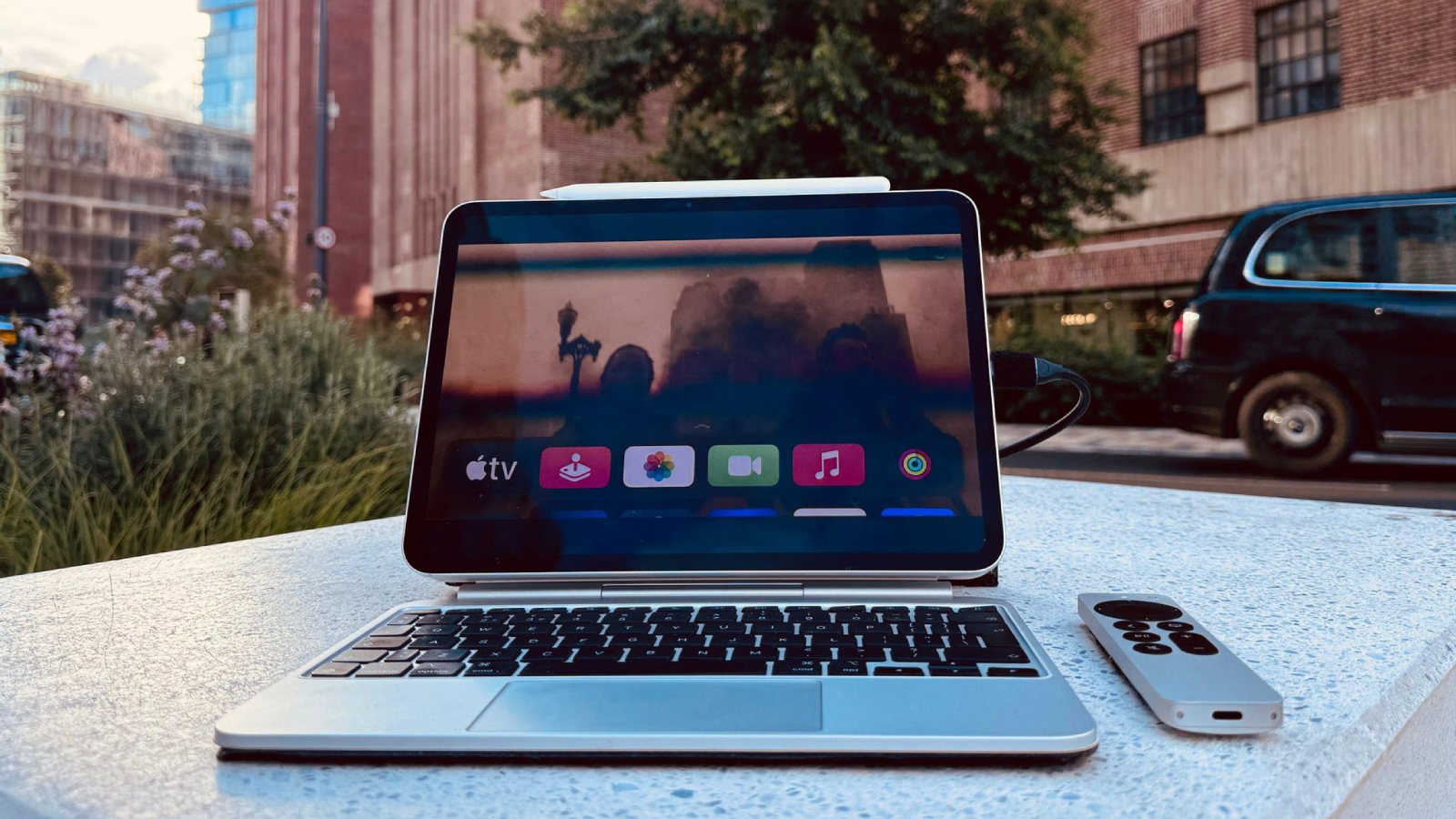
Apple TV enthusiast Sigmund Judge has modded an iPad Pro into a portable Apple TV. The project involved modifying an Apple TV for USB-C power, routing the Apple TV's HDMI signal onto the iPad with a USB video capture device, and more.
Judge even created a custom Magic Keyboard with a silver enclosure and black keys to match the design of the Apple TV's Siri Remote.
published a story on MacStories today with complete details about the project for those interested in learning more about the complex steps that were involved in building it.
This article, "Apple TV Go: iPad Pro Modded Into Portable tvOS Device" first appeared on MacRumors.com
Discuss this article in our forums
https://www.macrumors.com/2024/06/07/ipad-pro-modded-into-tvos-device/
MacRumors Giveaway: Win an M4 iPad Pro and Magnetic Stand From Lululook
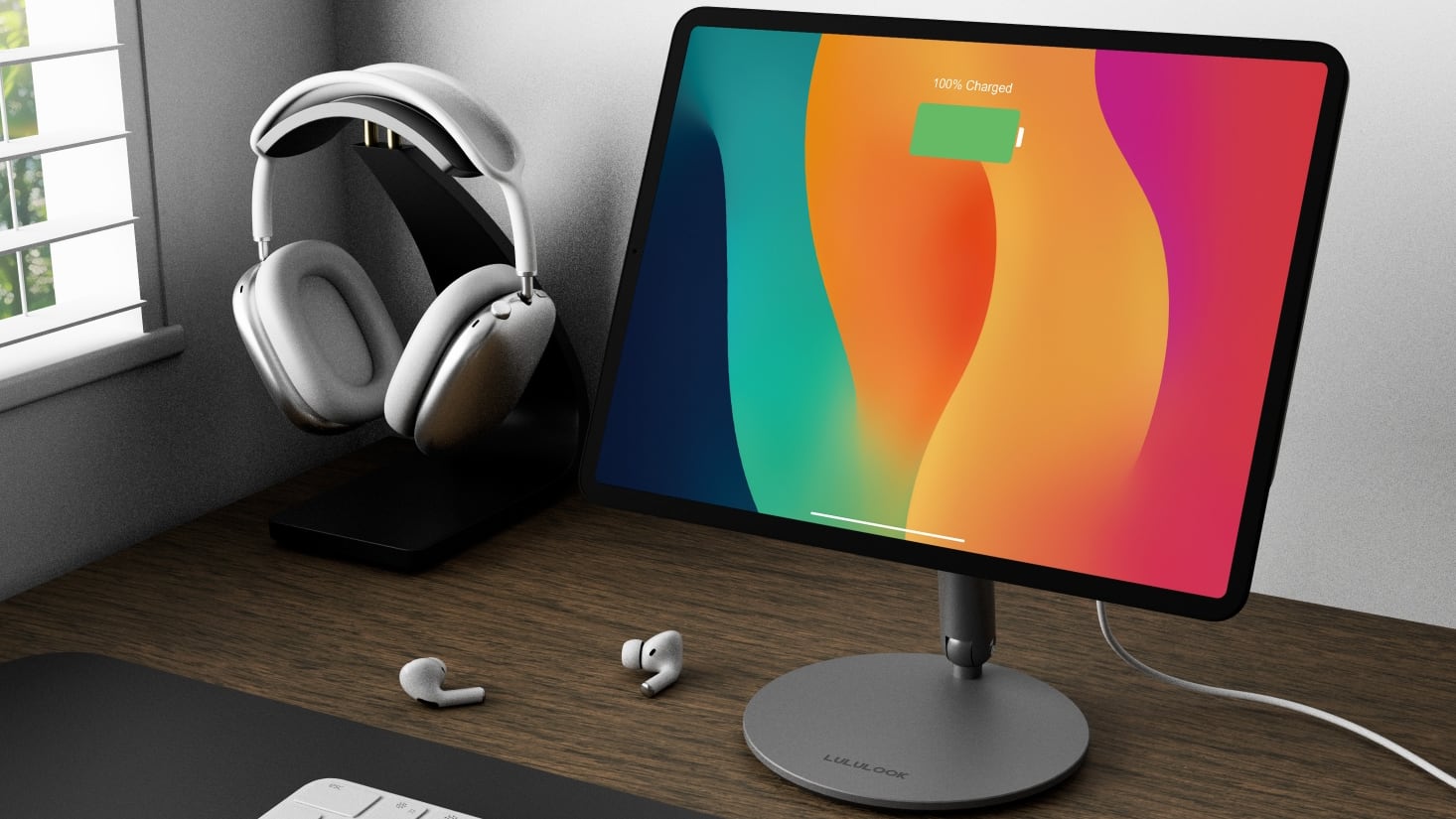
For this week's giveaway, we've teamed up with Lululook to offer MacRumors readers a chance to win one of Apple's new M4 iPad Pro models and a Lululook Magnetic Stand to go along with it.
Lululook has several quality stand options for Apple's latest iPads, including the $130 360 Rotating Foldable Magnetic iPad Charging Stand. This stand uses the Smart Connector on the back of the iPad for charging purposes, so it works a lot like a MagSafe charger for an iPhone. The stand is plugged in at the back, and then you can simply put your iPad on the magnetic surface to both charge it and have it at an ideal viewing angle for work, movies, and more.
The Smart Connector provides 18W of power, and it is able to fast charge an iPad. You can tilt the stand to any viewing angle, and rotate it around if you want to show your display to someone sitting at another desk. Both portrait and landscape mode are supported too, which means you get maximum versatility with this setup. Everything folds down, too, so you can bring it with you on the go.
You'll need to provide your own charger and cable for the Charging Stand, and Lululook has a range of options, including the 100W USB-C charger with four ports. It'll charge up your iPad, Mac, and other devices with power distributed logically depending on what you have plugged in.
360 Rotating Foldable Magnetic Stand has the same setup and feature set without the charging port at the back. It's $30 cheaper at $199, and it's available in Space Gray aluminum like the charging version.
Have a Mac and not an iPad? Lululook makes Mac stands as well. The $70 360 Rotating Foldable Laptop Stand can be adjusted to any angle and rotated around for screen sharing purposes. A ledge holds the MacBook safely in place, and it is able to work with any machine that's up to 16 inches in size. A heat vent at the bottom improves airflow to keep your laptop cool, and the aluminum design also dissipates heat.
Lululook also has a range of other accessories created for Apple products, including Apple Watch Bands, several other desk stands, and chargers for iPhones, iPads, and Macs.
We have an 11-inch 256GB iPad Pro and matching Lululook Stand for one MacRumors reader. To enter to win, use the widget below and enter an email address. Email addresses will be used solely for contact purposes to reach the winner(s) and send the prize(s). You can earn additional entries by subscribing to our weekly newsletter, subscribing to our YouTube channel, following us on Twitter, following us on Instagram, following us on Threads, or visiting the MacRumors Facebook page.
U.S. residents who are 18 years or older, UK residents who are 18 years or older, and Canadian residents (excluding Quebec) who have reached the age of majority in their province or territory are eligible to enter. All federal, state, provincial, and/or local taxes, fees, and surcharges are the sole responsibility of the prize winner. To offer feedback or get more information on the giveaway restrictions, please refer to our Site Feedback section, as that is where discussion of the rules will be redirected.
Lululook Giveaway
The contest will run from today (June 7) at 11:00 a.m. Pacific Time through 11:00 a.m. Pacific Time on June 14. The winner will be chosen randomly on or shortly after June 14 and will be contacted by email. The winner will have 48 hours to respond and provide a shipping address before a new winner is chosen.
Tag: Giveaway
This article, "MacRumors Giveaway: Win an M4 iPad Pro and Magnetic Stand From Lululook" first appeared on MacRumors.com
Discuss this article in our forums
https://www.macrumors.com/2024/06/07/macrumors-giveaway-lululook-ipad-pro/
Get Up to $300 Off Apple's M2 iPad Pro With Best Buy's New Sale
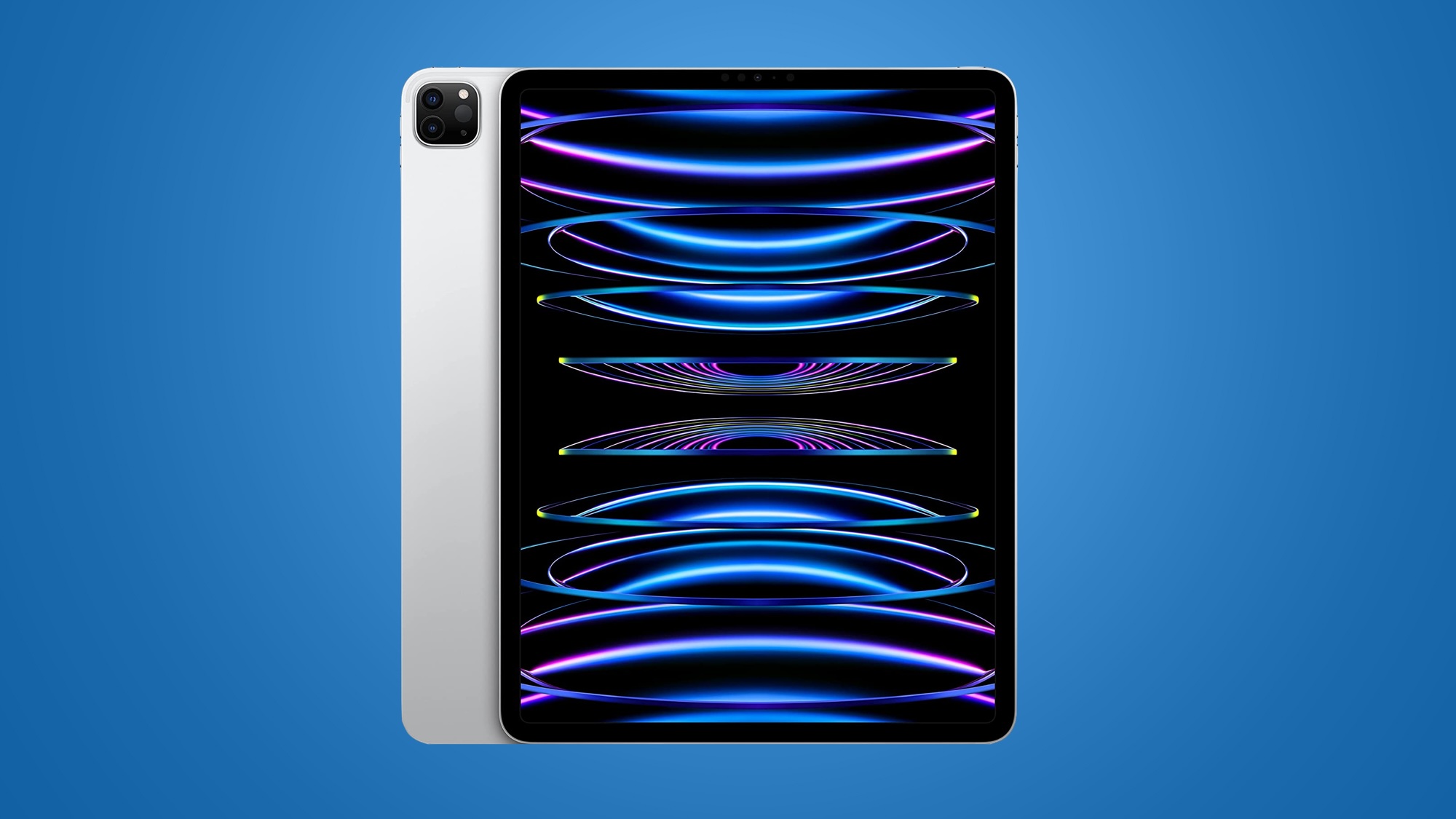
Best Buy today has introduced massive discounts on the previous generation M2 iPad Pro, including record low prices for both 11-inch and 12.9-inch models. These deals are mainly focused on Wi-Fi models, but you can find a few cellular tablets on sale as well.
Note: MacRumors is an affiliate partner with Best Buy. When you click a link and make a purchase, we may receive a small payment, which helps us keep the site running.
11-inch M2 iPad Pro
For 11-inch iPad Pro tablets, prices start at $599.00 for the 128GB Wi-Fi tablet, down from $799.00. In total, you can get up to $300 off these iPad Pros right now on Best Buy, and you don't need a My Best Buy Plus or Total membership to see these deals.
$200 OFF
128GB Wi-Fi iPad Pro for $599.00
$200 OFF
256GB Wi-Fi iPad Pro for $699.00
$300 OFF
512GB Wi-Fi iPad Pro for $799.00
12.9-inch M2 iPad Pro
If you're looking for a larger display model, Best Buy has the 12.9-inch iPad Pro from $799.00 for the 128GB Wi-Fi model, down from $1,099.00. Best Buy is taking up to $300 off the 12.9-inch iPad Pro, and just like the 11-inch models every one of these deals represents an all-time low price on the tablets.
$300 OFF
128GB Wi-Fi iPad Pro for $799.00
$300 OFF
256GB Wi-Fi iPad Pro for $899.00
Deals Roundup to get caught up with all of the latest deals and discounts that we've been tracking over the past week.
Related Roundup: Apple Deals
This article, "Get Up to $300 Off Apple's M2 iPad Pro With Best Buy's New Sale" first appeared on MacRumors.com
Discuss this article in our forums
Rumor: iOS 18's Revamped Control Center Will Allow for Multiple Pages
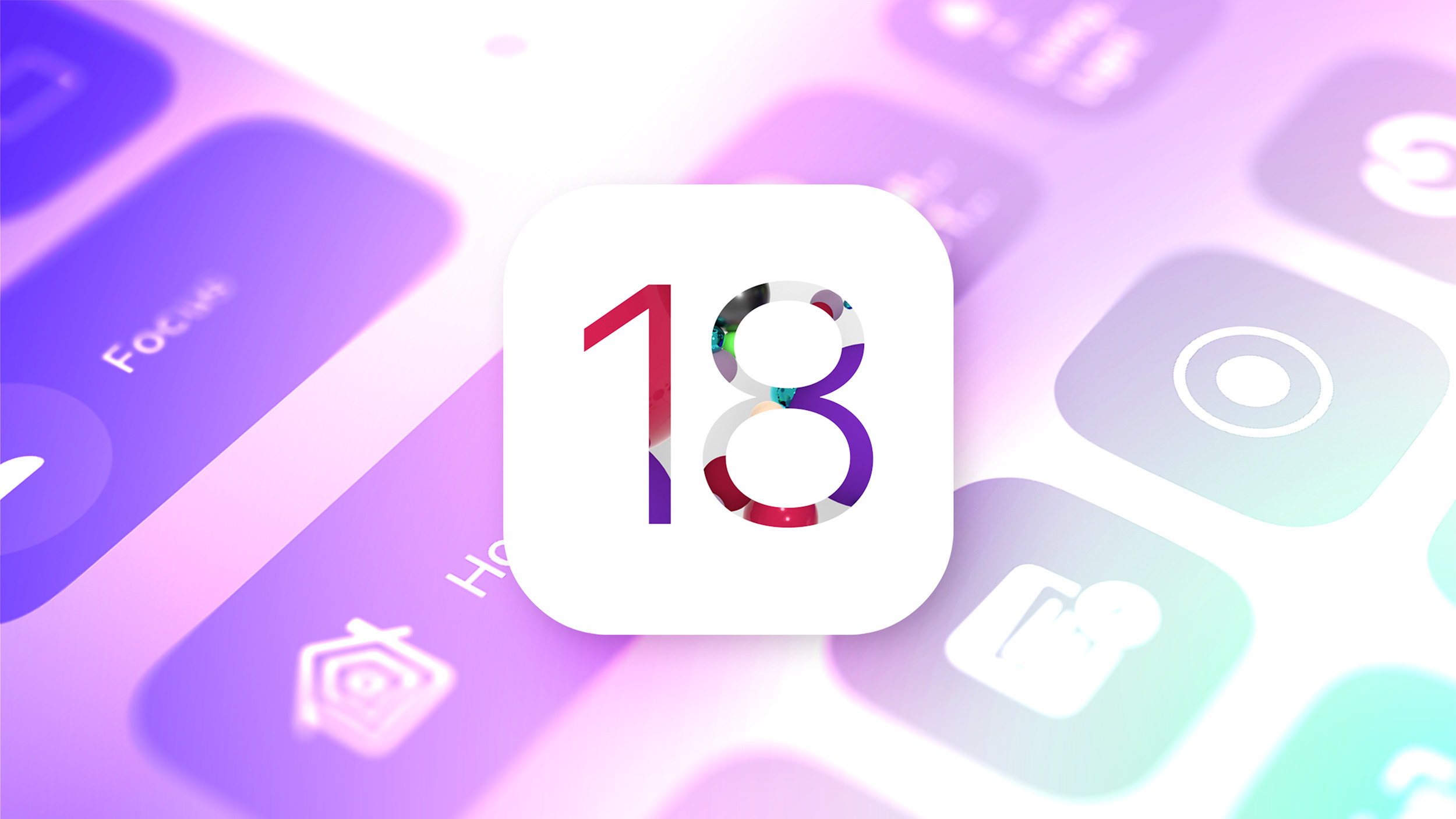
Rumors continue to surface about changes planned for Control Center on iOS 18, which Apple is set to unveil during its WWDC keynote on Monday.
The latest word comes from Bloomberg's Mark Gurman, who today confirmed our report from earlier this week that said users will be able to rearrange controls directly within Control Center. Gurman also revealed a new detail: the more customizable Control Center will allow for controls to be spread across multiple pages for the first time.
Gurman also reiterated that the revamped Control Center will include a new music widget. We have learned that the widget will likely span the full width of Control Center, and include more visual elements like album art in its default view.
ability to place icons anywhere on the Home Screen, and the option to change the color of app icons so that they all match. For example, Gurman said all finance-related app icons could be set to green. Hopefully black is also an option, which could allow for a Dark Mode of sorts on the Home Screen.
Related Roundup: iOS 18
Tags: Control Center, Mark Gurman
This article, "Rumor: iOS 18's Revamped Control Center Will Allow for Multiple Pages" first appeared on MacRumors.com
Discuss this article in our forums
https://www.macrumors.com/2024/06/07/ios-18-control-center-multiple-pages-rumor/
Apple Starts Selling Refurbished M3 MacBook Air Models
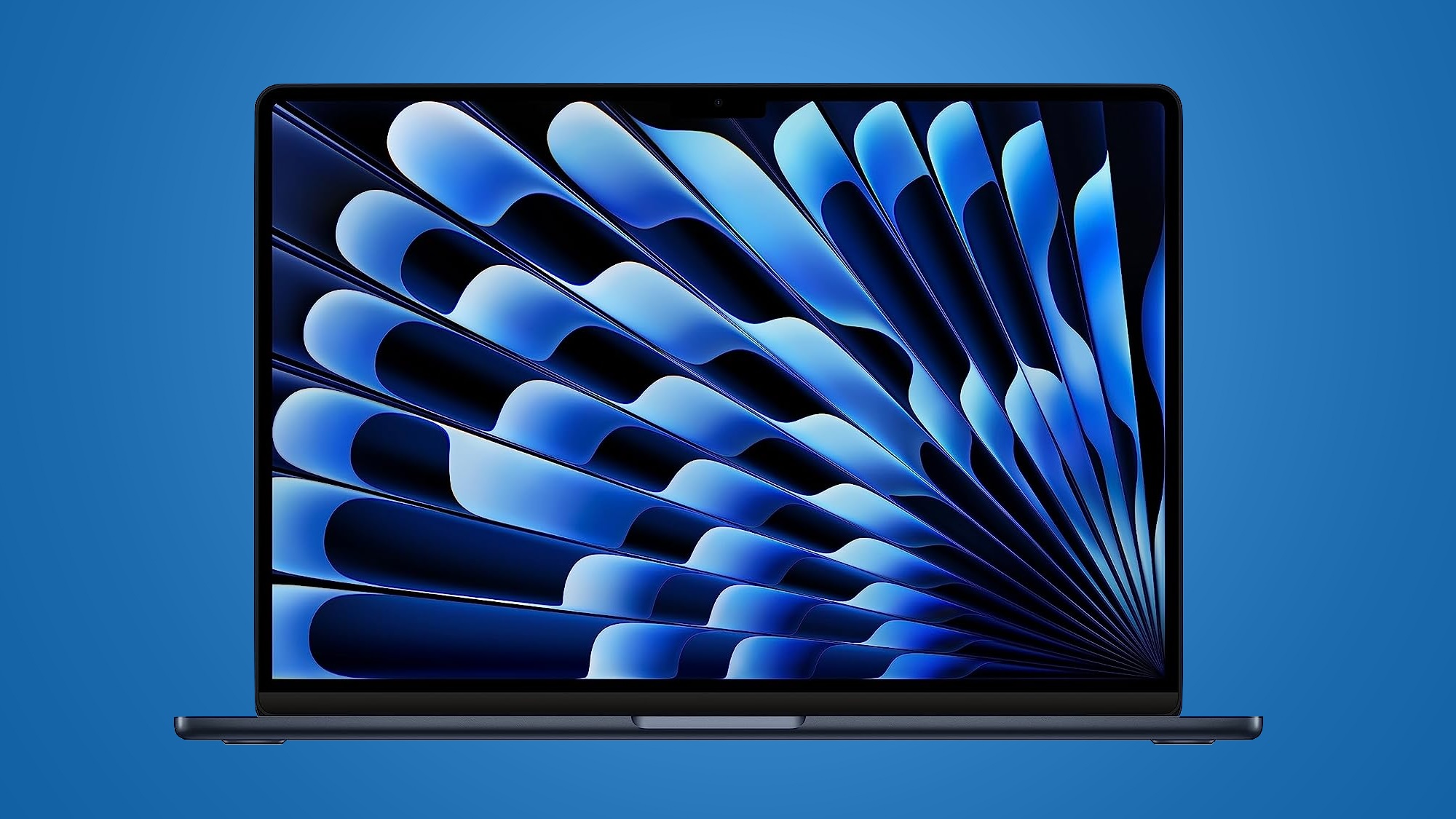
Apple today started selling refurbished versions of the M3 MacBook Air models that were initially released in March, providing discounts on the new machines for the first time.
Pricing on the refurbished 13-inch M3 MacBook Air starts at $929, down from $1,099, while pricing on the refurbished 15-inch M3 MacBook Air starts at $1,099, down from $1,299.
Apple has many MacBook Air configurations available in both sizes at the current time, with upgraded options for additional memory and storage. Stock will naturally fluctuate as Apple sells refurbished machines and restocks with new devices, but there are plenty to choose from if you've been holding out for a discounted M3 MacBook Air.
2024 MacBook Air models do not feature design updates, with the refresh focused on the improved M3 chip that is up to 30 percent faster than the prior-generation M2 chip.
AppleCare+ and have the same 14-day return period as new Apple devices.
Related Roundup: MacBook Air
Buyer's Guide: 15" MacBook Air (Buy Now), 13" MacBook Air (Buy Now)
Related Forum: MacBook Air
This article, "Apple Starts Selling Refurbished M3 MacBook Air Models" first appeared on MacRumors.com
Discuss this article in our forums
https://www.macrumors.com/2024/06/07/apple-refurbished-m3-macbook-air/
Amazon Takes Up to $200 Off New M3 MacBook Air, Starting at $899
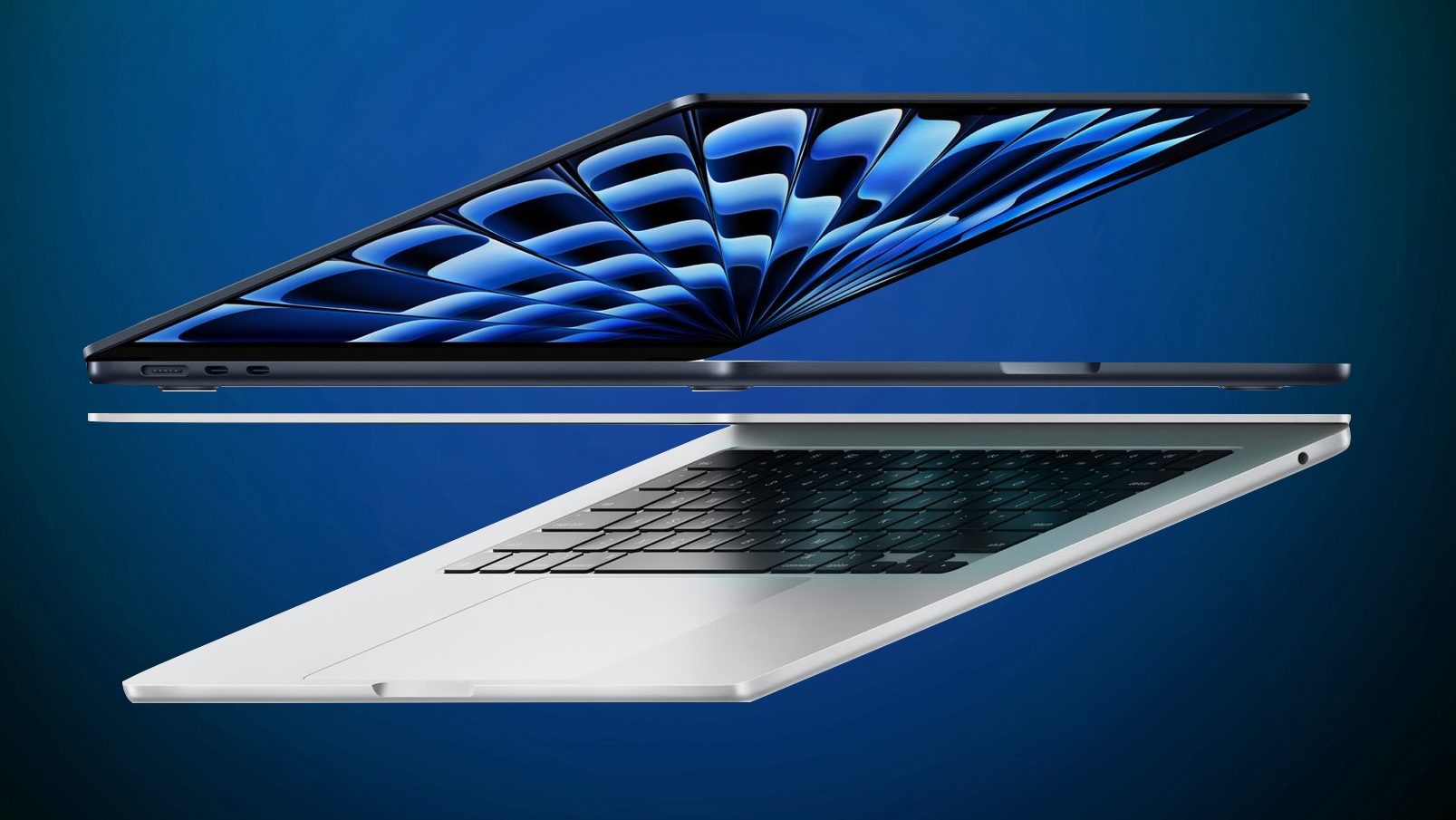
Amazon today has taken $200 off the 256GB 13-inch M3 MacBook Air, now available for $899.00 in Starlight, down from $1,099.00. Only Amazon has this deal, and it has an estimated delivery date of June 10 for most residences in the United States.
Note: MacRumors is an affiliate partner with some of these vendors. When you click a link and make a purchase, we may receive a small payment, which helps us keep the site running.
16GB RAM/512GB model on Amazon.
$200 OFF
13-inch M3 MacBook Air (256GB) for $899.00
$1,329.00 in Space Gray, down from $1,499.00. This is another new all-time low price on the notebook, and it's also only available in one color at this time.
$170 OFF
13-inch M3 MacBook Air (16GB/512GB) for $1,329.00
Apple Deals roundup.
Related Roundup: Apple Deals
This article, "Amazon Takes Up to $200 Off New M3 MacBook Air, Starting at $899" first appeared on MacRumors.com
Discuss this article in our forums
https://www.macrumors.com/2024/06/07/amazon-200-off-m3-macbook-air/
Rumor: iOS 18 Will Finally Let You React to iMessages With Any Emoji
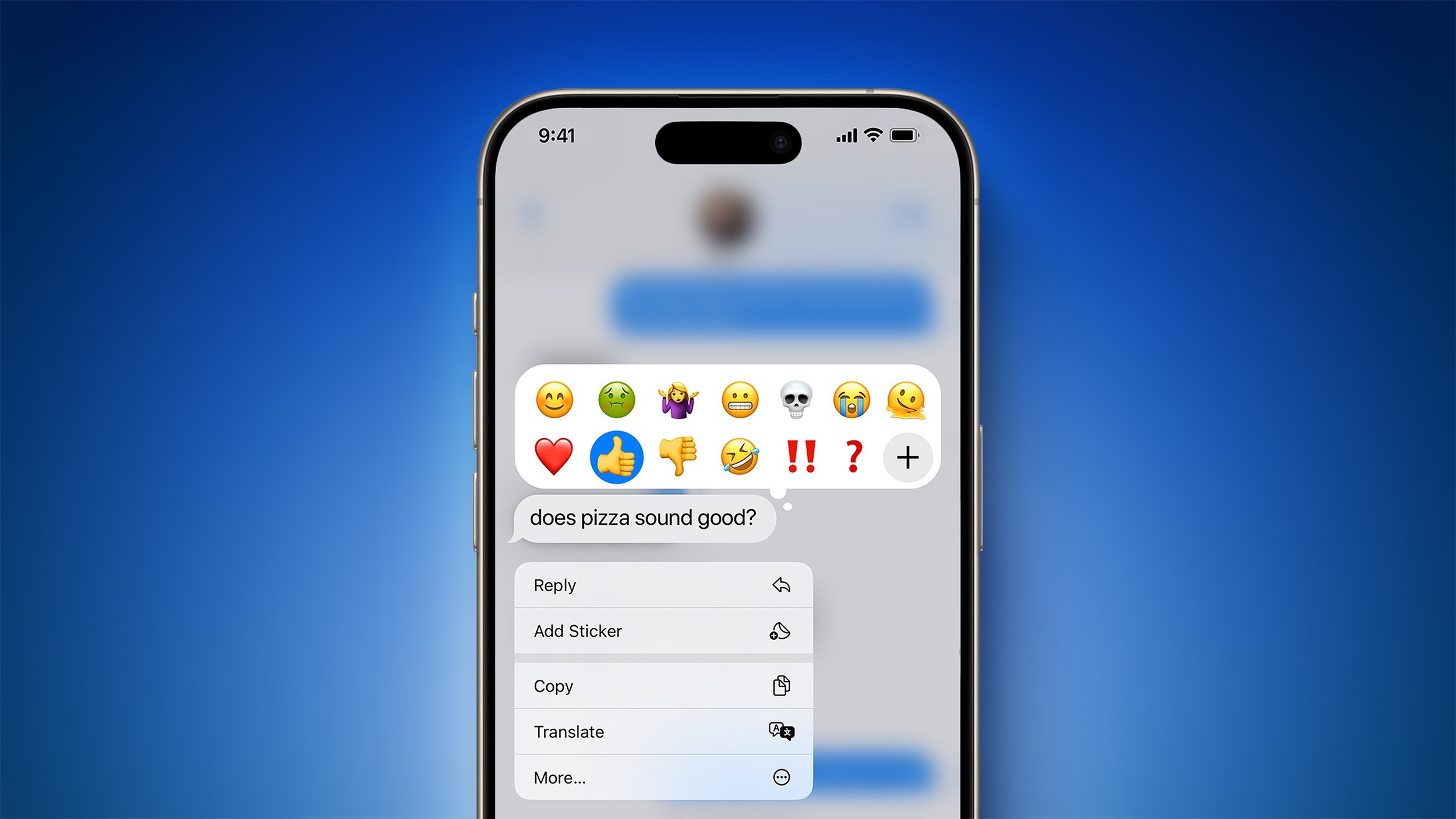
iOS 18 will introduce at least two changes to the Tapback feature in the Messages app on the iPhone, according to Bloomberg's Mark Gurman.
An emoji Tapback menu on iOS 18 (concept)
Introduced with iOS 10, Tapback icons are the heart, thumbs up, thumbs down, "HA HA" symbol, exclamation marks, and question mark that can be added to messages. In a report outlining his WWDC expectations, Gurman said these icons will look more colorful on iOS 18, whereas they currently have very basic designs.
More significantly, he said the Tapback system will work with any emoji starting on iOS 18, providing users with hundreds of new options to choose from. This means the Messages app would finally support in-line emoji reactions, a feature that other messaging apps like WhatsApp, Messenger, and Telegram have offered for a long time. Currently, the Messages app only allows emoji to be added to messages as stickers.
Another much-requested feature coming to the Messages app with iOS 18 is the ability to schedule a message to be sent later, according to Gurman.
WWDC keynote, which will be live streamed via the Apple Events website, YouTube, Apple TV app, and Apple Developer app on June 10 starting at 10 a.m. Pacific Time. The new Messages features would extend to the iPad and Mac.
Related Roundup: iOS 18
Tag: Messages
This article, "Rumor: iOS 18 Will Finally Let You React to iMessages With Any Emoji" first appeared on MacRumors.com
Discuss this article in our forums
https://www.macrumors.com/2024/06/07/ios-18-emoji-tapback-rumor/
How to Speak With ChatGPT in the Background on iPhone
Apple is rumored to be on the verge of integrating OpenAI's ChatGPT technology into iOS 18. We're expecting to learn more about the partnership at WWDC on June 10, but until then, here's a way to interact with ChatGPT on your iPhone, whatever you're doing on it.
Last year, OpenAI launched its free-to-use ChatGPT app for iPhone and iPad. Using the app, you can interact with the AI chatbot via text input and voice, allowing you to make the most of its generative artificial intelligence to get answers to questions and receive advice on all manner of subjects. OpenAI says that ChatGPT can help with all of the following:
Instant answers: Get precise information without sifting through ads or multiple results.
Tailored advice: Seek guidance on cooking, travel plans, or crafting thoughtful messages.
Creative inspiration: Generate gift ideas, outline presentations, or write the perfect poem.
Professional input: Boost productivity with idea feedback, note summarization, and technical topic assistance.
Learning opportunities: Explore new languages, modern history, and more at your own pace.
History is synced across devices, so you can see your ChatGPT interactions both on the web and on iOS devices, and it integrates the Whisper speech recognition system.
One of the lesser known features in the app is its Background Conversations feature. Basically, it allows ChatGPT to continue processing and responding to your queries even when the app is not actively open on the screen. This means you can switch to other apps or perform other tasks on your iPhone without interrupting the conversation. Here's how to fire it up.
Talk With ChatGPT in the Background on iPhone
Download the ChatGPT app for iPhone.
Launch the app, then log in to your OpenAI account or create a new one.
When the main screen appears, tap the headphones icon in the bottom-right corner to enter Voice Mode.
Allow ChatGPT to connect to Voice. After that, you can start interacting right away. There are manual controls which allow you to pause, resume, and exit the voice conversation. When you want to do something else on your iPhone, simply swipe out of the app to enable Background Conversations mode.
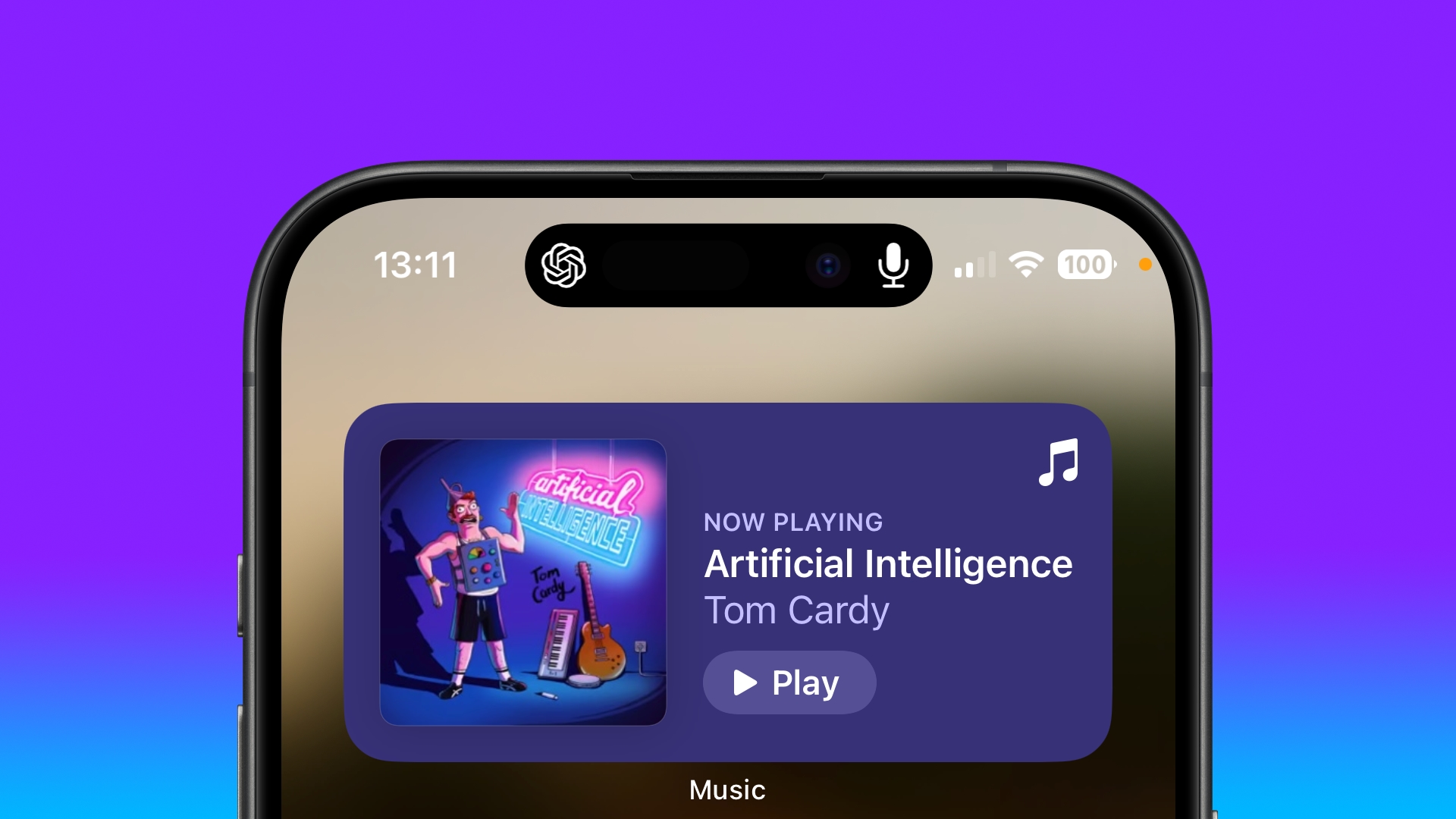
ChatGPT is now actively listening in the background, and all you need to do is start speaking to pick up where you left off. If you have an iPhone with Dynamic Island, you'll see the ChatGPT symbol and a microphone icon, indicating that it's listening and ready to chat.
If you lock your iPhone, Background Conversations mode will remain active, and it will appear as a Live Activity card on your Lock Screen. This means that you can continue to talk with ChatGPT while you're busy doing something else, as long as your iPhone is nearby. OpenAI says the Background Conversations feature is designed to be battery-efficient, and minimizes the impact on battery life by optimizing background processes and reducing unnecessary usage.
Change the Voice
Voice chat was created with a range of voice actors (perhaps you heard about the recent ScarJo controversy) and there are a handful to choose from if the current voice doesn't jibe with you.
Tap the sidebar icon in the top-left corner of the main ChatGPT window.
Tap your account profile to open Settings.
Under the "Voice Mode" section, tap Voice.
Choose from Breeze, Juniper, Ember, and Cove. You'll get a sample of the voice when you tap it.
Hit Confirm to confirm your voice choice.
Assign Voice Mode to iPhone Action Button
If you have an iPhone with an Action Button (iPhone 15 Pro models, for example) you can easily assign ChatGPT's Voice Mode to it for quick access.
Open the Settings app.
Tap Action Button.
Swipe to the Shortcut option, then tap the action selector.
Search for "ChatGPT," then select the Start voice conversation shortcut.
That's all there is to it. Now you can simply long press the Action button on your iPhone to begin a voice conversation, whether you're in another app or if your device is locked.
Settings under the "Voice Mode" section. You'll know that it's disabled because the orange dot indicating mic activity won't be visible in the top-right corner of your iPhone's screen.
Voice Mode Is About to Get Better
Some exciting features in GPT-4's voice mode are on the horizon but haven't gone live yet. These include advanced controls for changing the emotion and tone of responses, making interactions feel even more natural. While you can already customize voices to some extent, the full integration of voice and visual inputs, which promises richer and more interactive experiences, is still in the works.
Tag: ChatGPT
This article, "How to Speak With ChatGPT in the Background on iPhone" first appeared on MacRumors.com
Discuss this article in our forums
https://www.macrumors.com/how-to/use-chatgpt-mobile-app-background-chat/
Apple Updates Developer Forums Ahead of WWDC, Provides Insights Into Available Developer Tools
As the countdown to WWDC 2024 continues, Apple today highlighted the tools and programs that it makes available to developers, and announced an update to the Apple Developer Forums.
Apple says that the updated forums will connect developers with more experts and with other developers for timely responses to technical questions. Apple engineers will provide code-level support, plus the forums have been reorganized into a layout of topics, subtopics, and tags to make it easier to find information.
Apple Vision Pro developer labs in cities that include Cupertino, New York, London, Munich, Shanghai, Singapore, Sydney, and Tokyo, were attended by 6,000 developers who worked with Apple experts on visionOS apps.
"It's an honor and a privilege for our teams to work directly with developers at every stage of their journeys, from students and hobbyists, to budding entrepreneurs and coding professionals," said Susan Prescott, Apple's vice president of Worldwide Developer Relations. "We're always looking for new ways to support this amazing community as they bring their visions to life and push the boundaries of what is possible."
More than 1,900 students attended Apple Developer Academies, and more than 1,800 went through an Apple Foundation Program in 2023, plus Apple also hosted five Entrepreneur Camp sessions. Apple in May debuted Pathways, which are easy-to-navigate collections of videos, documentation, and resources for developers. Since launch, more than 40,000 developers have accessed content on Pathways.
new Apple Developer channel. Apple has always made WWDC videos available through the Developer app and website, but this is the first year the company will also be sharing the content on YouTube.
Tag: Apple Developer Program
This article, "Apple Updates Developer Forums Ahead of WWDC, Provides Insights Into Available Developer Tools" first appeared on MacRumors.com
Discuss this article in our forums
https://www.macrumors.com/2024/06/07/apple-developer-tools-insights/
Apple's Push Into AI Allegedly Happened After Craig Federighi Tried Microsoft AI Coding Tool
One of the major factors that contributed to Apple's heavy focus on artificial intelligence in iOS 18 was an experience that software chief Craig Federighi had with GitHub Copilot, according to The Wall Street Journal.
In a report on Apple's AI ambitions, WSJ says that Federighi became an AI "convert" after testing the Copilot coding tool introduced by Microsoft-owned GitHub. Copilot, which uses OpenAI technology, was created to help programmers write, troubleshoot, and translate code into different programming languages.
After "playing around" with GitHub Copilot in December of 2022, Federighi explained that he had "come to appreciate" generative AI, and he reportedly tasked engineering employees with creating new ways to integrate AI features into Apple's apps and features. Prior rumors have suggested that Apple is aiming to integrate AI into as many apps as possible with iOS 18 and future software updates.
Apple accelerated development on internal generative AI development, even recruiting some former Apple Car employees to work on the technology, but it has also held discussions with OpenAI and Google and is expected to rely on both its internal AI models and external partnerships.
Photos, and other key apps. Siri will also be overhauled with generative AI, making the personal assistant smarter and more capable.
can be found in our roundup.
Tag: Artificial Intelligence
This article, "Apple's Push Into AI Allegedly Happened After Craig Federighi Tried Microsoft AI Coding Tool" first appeared on MacRumors.com
Discuss this article in our forums
https://www.macrumors.com/2024/06/06/apple-federighi-microsoft-coding-tool/
Netflix Testing Major Apple TV App Redesign
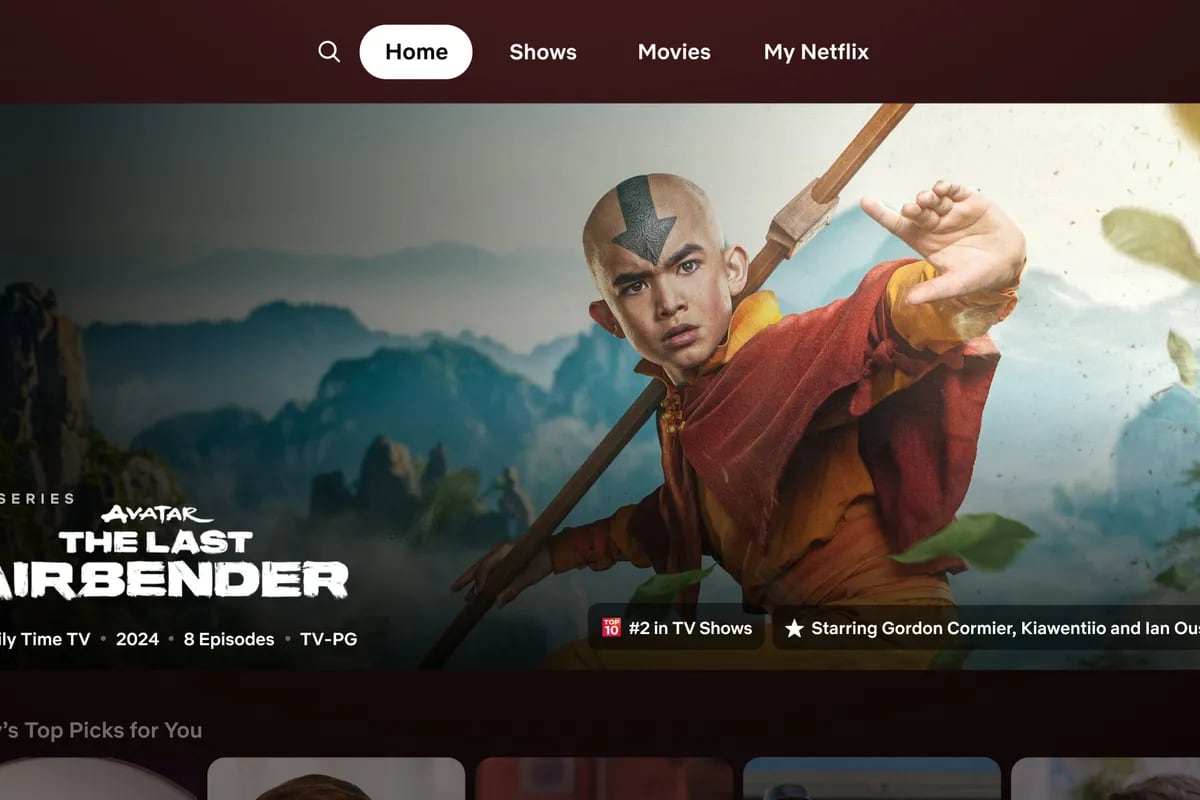
Netflix is testing a redesigned version of its TV app, reports The Verge, marking the first major overhaul to the app in the last decade. The new design is a notable departure from the current look, but it is more modern and puts more information about content front and center.
Customers were reportedly performing "eye gymnastics" looking around to different parts of the home screen in an attempt to find a show or movie to watch, so Netflix wanted to simplify the navigation experience. "We really wanted members to have an easier time figuring out if a title is right for them," Netflix senior director of product Pat Flemming told The Verge.
The static tiles for TV shows and movies are being replaced with tiles that extend when the remote lands on them, making information like the trailer and description more centralized. Right now, when scrolling through content, show or movie information is displayed at the top of the screen. With the updated interface, that information is shown in the middle of the display, and tiles for other shows are pushed to the side.
Hovering over a TV show or movie for an extended period of time will cause a short preview to automatically start playing.
Netflix plans to replace the left side navigation menu with a top bar menu that features search, home, shows, movies, and My Netflix, with the menu accessible by pressing the back button on the remote. The current Categories and New and Popular tabs will be removed, but New and Popular will be replaced with the My Netflix recommendations, and Categories will be available from the search tab.
Tag: Netflix
This article, "Netflix Testing Major Apple TV App Redesign" first appeared on MacRumors.com
Discuss this article in our forums
https://www.macrumors.com/2024/06/06/netflix-tv-app-redesign/
Google Adds RCS Feature for Texting 911

Google today announced that it is partnering with emergency technology company RapidSOS to allow U.S. Android users to text 911 in emergencies using its Rich Communication Services (RCS) protocol.
When it is not possible to call 911, Android users will be able to send a text instead to get emergency help. The texting feature will provide precise location information to emergency responders, and it will let users send high-resolution photos and videos.
iPhone. Later this year, Apple plans to adopt RCS to replace SMS/MMS.
The option to text 911 via RCS will roll out to emergency call centers across the United States starting this winter. In some places, it is already possible to text 911 over SMS, but not all emergency call centers support the technology. Google is aiming to bring texting to all call centers, and to improve the ability to send photos and videos with RCS. Google says RCS for emergency 911 texts will bring the following benefits:
Confirmation that an emergency request has been delivered and viewed.
The ability to see if an emergency responder is replying to a message.
Options for sending high-resolution photos and videos to more accurately relay what's going on in an emergency situation.
Precise location sharing, language settings, and opt-in medical information sharing.
Tags: Google, RCS
This article, "Google Adds RCS Feature for Texting 911" first appeared on MacRumors.com
Discuss this article in our forums
Apple to Launch Standalone 'Passwords' App in iOS 18 and macOS 15
Apple plans to introduce a new Passwords app in iOS 18, iPadOS 18, and macOS 15, reports Bloomberg's Mark Gurman. The Passwords app, which will serve as an alternative to third-party apps like 1Password and LastPass, will provide a simpler way for iPhone, iPad, and Mac users to access their stored login information.
There's already a Passwords feature built into Apple's operating systems, but it is hidden in the Settings app and it can be a little difficult to find for those who are not familiar with it. Apple has been gradually introducing new password features, such as storing logins and passwords, supporting one-time login codes, and offering password generation options directly in Safari.
iCloud Keychain, Apple's feature that is able to sync login and password details across Apple devices. It will support all of the features that Passwords in Settings supports, and it will also work on the Vision Pro and Windows PCs.
Face ID or Touch ID to log into websites instead of a password. Data from the app can be automatically inserted into websites and apps when a user logs in.
Apple's aim with the Passwords app is to encourage customers to use stronger passwords and avoid repeating passwords for multiple websites and services. Apple will be competing with longtime third-party password services like 1Password, and the company does plan to allow customers to import their passwords from other services.
Related Roundups: iOS 18, macOS 15
Tag: Bloomberg
This article, "Apple to Launch Standalone 'Passwords' App in iOS 18 and macOS 15" first appeared on MacRumors.com
Discuss this article in our forums
https://www.macrumors.com/2024/06/06/apple-standalone-passwords-app/
Review: Three Weeks With the M2 iPad Air
It's been three weeks since Apple introduced the new iPad Pro and iPad Air models, and after revisiting the iPad Pro last week, we thought we'd take a deeper look at the iPad Air now that it's been out long enough for day-to-day usage testing.
Subscribe to the MacRumors YouTube channel for more videos.
The iPad Air is the best iPad for people who want a powerful tablet that's also fairly affordable. The M2 chip is close to the same chip that Apple used in the prior-generation iPad Pro, and while it's a little older now, it's still more than powerful enough for anything you might want to do on a tablet.
It is worth noting that Apple recently admitted an error and clarified that the M2 chip in the iPad Air has a 9-core GPU instead of a 10-core GPU, but in comparing the M2 iPad Pro with 10-core GPU to the M2 iPad Air with 9-core GPU, there was basically no difference in performance for day-to-day tasks and even with more system intensive apps like those used for video editing.
As we said in our M4 iPad Pro review, there's nothing that can really tax the M4 chip, and that's also true of the M2. With iPadOS 18 and the AI capabilities that Apple is working on, chip performance might become much more important in the future, but as of now, the M2 iPad Air isn't going to really struggle with anything you throw at it.
The iPad Air doesn't have the OLED display technology of the iPad Pro, and it lacks features like ProMotion 120Hz refresh rates, but it otherwise offers a lot of the features you get with the iPad Pro at much more affordable prices. The iPad Pro starts at $999, while the iPad Air starts at $599.
Face ID is not available on the iPad Air, with Apple instead using a Touch ID power button. Touch ID isn't as reliable as Face ID because it can fail depending on finger placement, but it works fine for the most part. The iPad Pro has a Thunderbolt port, but the iPad Air is limited to USB-C, so you can't connect Thunderbolt devices.
Apple Pencil Pro and all of its features with the iPad Air, though.
One of the nice features about the iPad Air compared to prior-generation models is the relocated front-facing camera, which is now on the landscape edge instead of the portrait edge. That means the camera is in an upright orientation when it's in landscape mode, such as when connected to a keyboard, so it no longer looks funny if you're FaceTiming while holding the iPad horizontally.
Related Roundup: iPad Air
Buyer's Guide: iPad Air (Buy Now)
Related Forum: iPad
This article, "Review: Three Weeks With the M2 iPad Air" first appeared on MacRumors.com
Discuss this article in our forums