
Beats Solo Buds Available at Select Apple Stores Starting Today
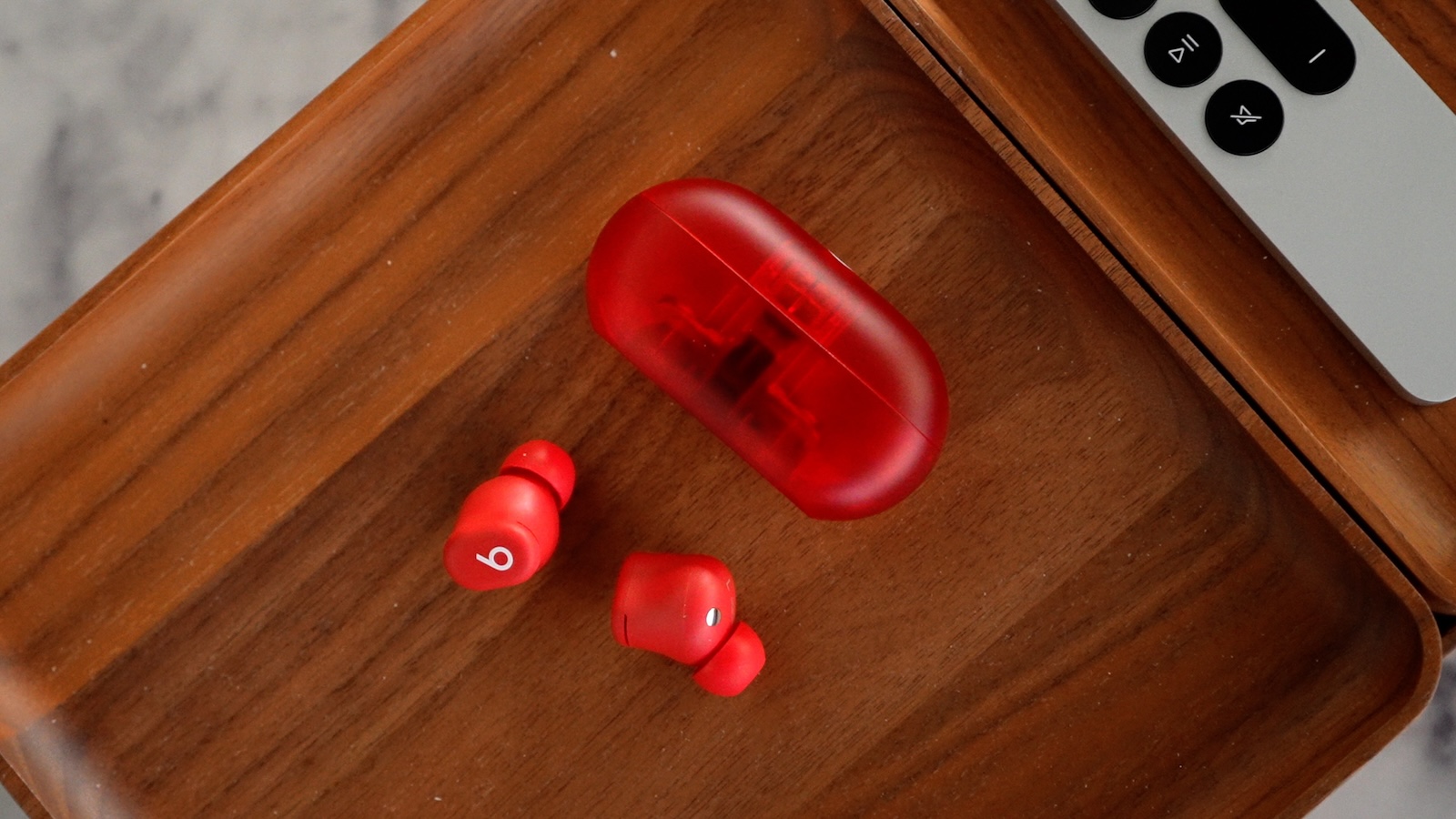
The new Beats Solo Buds wireless earbuds are available to purchase at select Apple retail stores and authorized resellers around the world starting today.
Beats Solo Buds feature a more affordable $79.99 price in the U.S., up to 18 hours of battery life, and a compact USB-C carrying case. However, they lack active noise cancellation, and the carrying case does not have a built-in battery. As a result, the earbuds can only be charged when the case is connected to an external power source.
began on Tuesday, ahead of today's launch. The earbuds can be purchased on Apple's online store for delivery, or in-store pickup where available. More details can be found in our coverage from a few months ago.
Beats Solo 4 on-ear headphones also launched this year, and a new version of the discontinued Beats Pill wireless speaker is expected to be announced next week.
Tags: Beats, Beats Solo Buds
This article, "Beats Solo Buds Available at Select Apple Stores Starting Today" first appeared on MacRumors.com
Discuss this article in our forums
https://www.macrumors.com/2024/06/20/beats-solo-buds-available-at-apple-stores-today/
Apple Unveils Stunning Kuala Lumpur Store

Apple has previewed its first store in Malaysia, Apple The Exchange TRX, located in Kuala Lumpur's Tun Razak Exchange business district.
The architectural design of Apple The Exchange TRX features a three-dimensional layered roof with horizontal glass panels and sun-shading blades. A central glazed oculus brings natural daylight into the interior and contains a dynamic artificial-lighting system that adjusts based on the time of day. The building connects the mall's central atrium to a rooftop park that wraps around the store's upper level.
Inside, a sculptural quartz and glass staircase connects the three levels. The main floor is a floating deck that sits above the primary display area. The Forum, where Today at Apple sessions take place, is located on this floating deck, providing a central location for workshops and events. The upper level, which connects directly to the rooftop park, brings natural light and greenery into the store through a continuous glass facade. The interior features high-quality materials such as natural stone walls, polished stainless-steel columns, light terrazzo floors, and a timber ceiling.
Apple The Exchange TRX runs on 100% renewable energy and is carbon neutral, in line with Apple's broader environmental goals. The store contains a Genius Bar, a dedicated Apple Pickup counter, and more than 160 retail employees to help customers.
iPhone photography with Jason smashpop, video editing on Mac with Adam Lobo, productivity on iPad with Iman Azman, and health and wellness sessions with Nana Mohd focusing on the Apple Watch.
Tags: Retail, Malaysia
This article, "Apple Unveils Stunning Kuala Lumpur Store" first appeared on MacRumors.com
Discuss this article in our forums
https://www.macrumors.com/2024/06/20/apple-unveils-stunning-kuala-lumpur-store/
Apple Unveils Stunning Kuala Lumpur Store
Apple has previewed its first store in Malaysia, Apple The Exchange TRX, located in Kuala Lumpur's Tun Razak Exchange business district.
The architectural design of Apple The Exchange TRX features a three-dimensional layered roof with horizontal glass panels and sun-shading blades. A central glazed oculus brings natural daylight into the interior and contains a dynamic artificial-lighting system that adjusts based on the time of day. The building connects the mall's central atrium to a rooftop park that wraps around the store's upper level.
Inside, a sculptural quartz and glass staircase connects the three levels. The main floor is a floating deck that sits above the primary display area. The Forum, where Today at Apple sessions take place, is located on this floating deck, providing a central location for workshops and events. The upper level, which connects directly to the rooftop park, brings natural light and greenery into the store through a continuous glass facade. The interior features high-quality materials such as natural stone walls, polished stainless-steel columns, light terrazzo floors, and a timber ceiling.
Apple The Exchange TRX runs on 100% renewable energy and is carbon neutral, in line with Apple's broader environmental goals. The store contains a Genius Bar, a dedicated Apple Pickup counter, and more than 160 retail employees to help customers.
iPhone photography with Jason smashpop, video editing on Mac with Adam Lobo, productivity on iPad with Iman Azman, and health and wellness sessions with Nana Mohd focusing on the Apple Watch.
Tags: Retail, Malaysia
This article, "Apple Unveils Stunning Kuala Lumpur Store" first appeared on MacRumors.com
Discuss this article in our forums
https://www.macrumors.com/2024/06/20/apple-unveils-stunning-kuala-lumpur-store/
Apple's 2024 Back to School Sale Launches, Up to $150 Gift Card With Mac or iPad
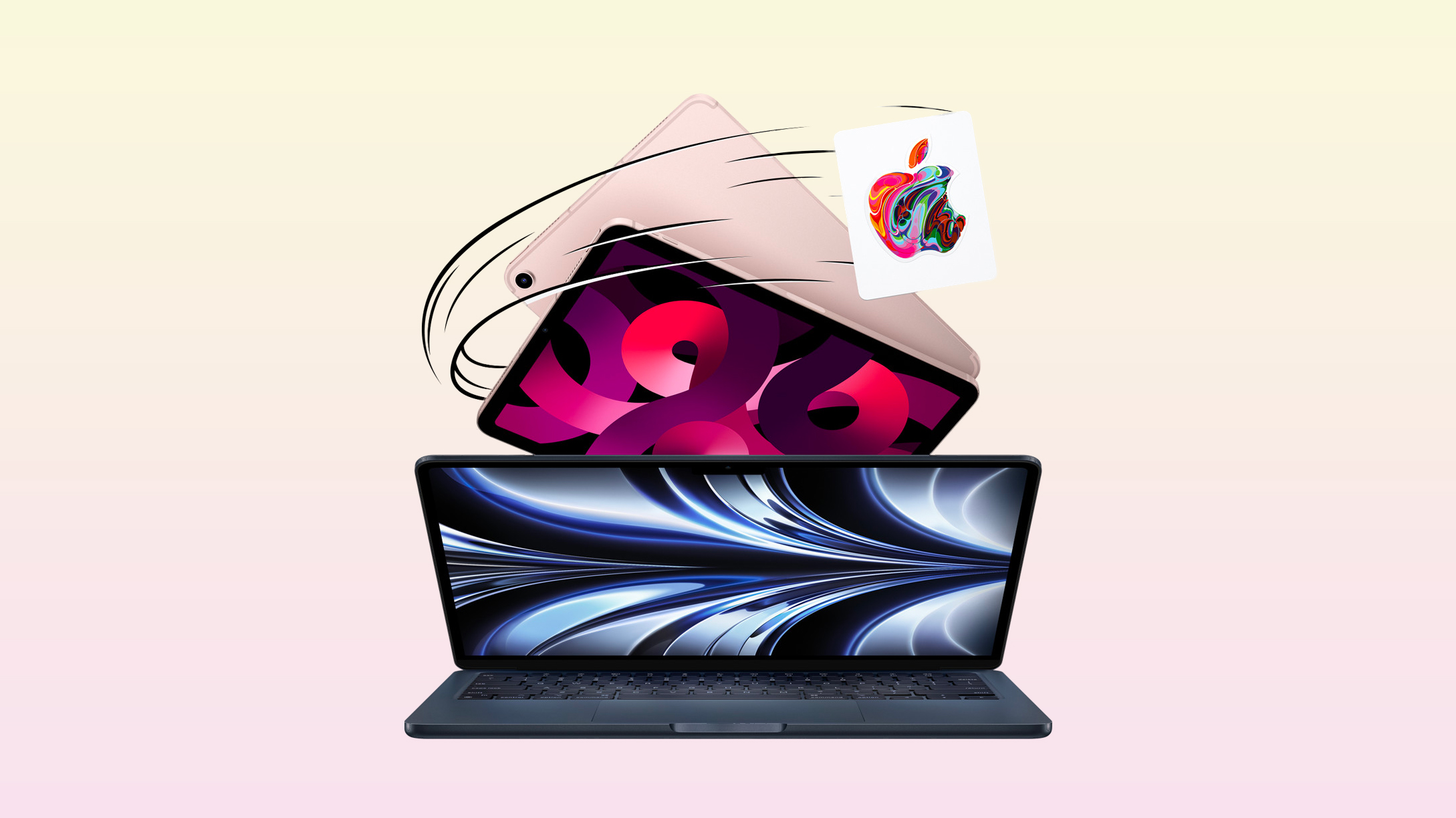
Apple has launched its annual Back to School promotion for college students in the U.S. and Canada. This year's promotion offers a free Apple gift card with the purchase of an eligible Mac or iPad. Apple is also offering students 20% off AppleCare+ plans.
Apple is offering a USD$150 gift card with any new MacBook Air, MacBook Pro, or iMac, and a USD$100 gift card with the purchase of any new M4 iPad Pro, M2 iPad Air, or Mac mini. The gift card can be used towards purchases of Apple products and accessories, App Store apps, subscriptions to services like Apple Music, iCloud+ storage, and more.
Apple Store locations for students attending or accepted to a higher-education institution, faculty and staff of higher-education institutions, parents purchasing on behalf of an eligible student, employees of a K-12 institution, and select others.
Tags: Education, Back to School Promotion
This article, "Apple's 2024 Back to School Sale Launches, Up to $150 Gift Card With Mac or iPad" first appeared on MacRumors.com
Discuss this article in our forums
https://www.macrumors.com/2024/06/20/apple-back-to-schoo-promotion-launches/
macOS Sequoia Adds iCloud Support for macOS 15 Virtual Machines
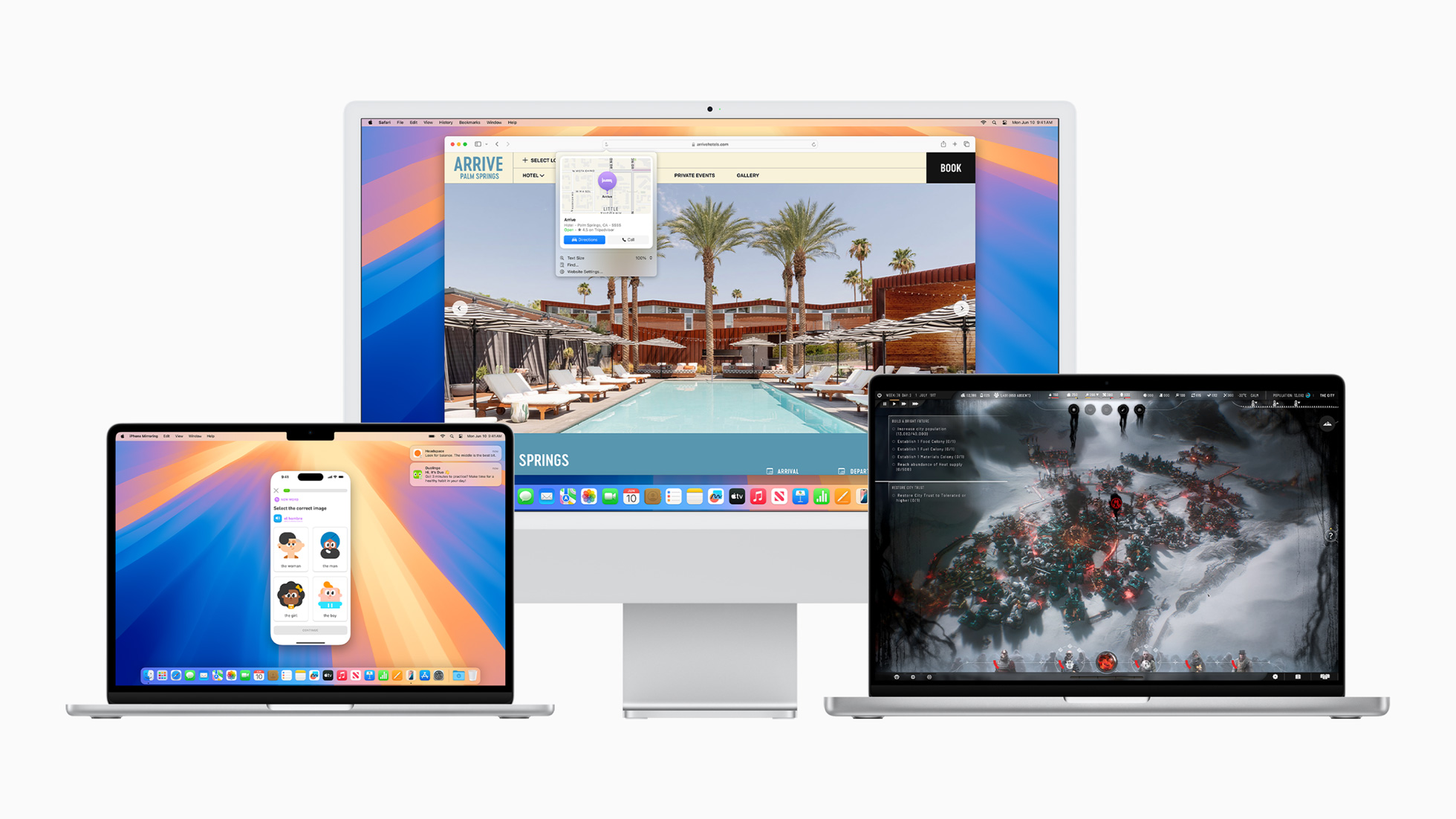
Apple is introducing a notable enhancement to its virtualization framework in macOS Sequoia by enabling Mac users to sign into iCloud within macOS virtual machines (VMs).
Previously, users could not sign into iCloud on macOS VMs, which limited the framework's utility for developers needing to test iCloud features and for users looking to sync their apps with iCloud. As spotted by ArsTechnica, macOS Sequoia removes that barrier, provided that both the host and guest operating systems are macOS 15 or newer.
Apple Account (formerly Apple ID).
virtualization framework documentation explains:
"When you create a VM in macOS 15 from a macOS 15 software image… Virtualization configures an identity for the VM that it derives from security information in the host's Secure Enclave. Just as individual physical devices have distinct identities based on their Secure Enclaves, this identity is distinct from other VMs."
Apple says that if someone moves a VM to a different Mac host and restarts it, the Virtualization framework automatically creates a new identity for the VM using the information from the Secure Enclave of the new Mac host. This identity change requires the person using the VM to re-authenticate to allow iCloud to restart syncing data to the VM.
free for personal use. macOS Sequoia is currently in developer beta, with a public beta set to arrive in July, followed by a general release in the fall.
Related Roundup: macOS Sequoia
Related Forum: macOS Sequoia
This article, "macOS Sequoia Adds iCloud Support for macOS 15 Virtual Machines" first appeared on MacRumors.com
Discuss this article in our forums
https://www.macrumors.com/2024/06/20/macos-sequoia-adds-icloud-support-vms/
iOS 18: How to Lock and Hide iPhone Apps
In iOS 17, Apple doesn't offer a system-level method for individually locking sensitive apps like Photos behind Face ID. There is a Shortcut action that provides rudimentary protection, but it's not infallible. Thankfully, iOS 18 includes a dedicated option to lock and even hide individual apps even when the iPhone itself is already unlocked.
This is useful because it means you can unlock your iPhone and hand it to someone for them to look at something, knowing they won't be able to open the apps you have locked. If someone using your iPhone tries to open an app that you have manually locked using the method described below, they will see a popup informing them that it can't be accessed without secondary authentication via Face ID (or Touch ID on the iPhone SE).
Stolen Device Protection enabled, entering a passcode to unlock an app is not an option, so even if your iPhone is stolen and the thief knows your passcode, they still won't be able to open the app. However, if Stolen Device Protection is not enabled, a passcode prompt appears that can be used to unlock the app after three failed Face ID attempts.
It's worth noting that not all apps can be locked. As things stand in the first iOS 18 and iPadOS 18 betas, Apple does not provide the lock option for non-sensitive apps like Maps, Clock, Calculator, and Stocks. Otherwise, almost every other app can be locked, including third-party apps. Here's how it's done.
On your Home Screen, press and hold on the icon for the app that you want to lock.
Tap Require Face ID (or Touch ID).
Tap Require Face ID (or Touch ID) to confirm.
Note that you can't use Siri with a locked app, and Spotlight search and any notification previews will not show content from the app.
How to Lock and Hide Apps
When you lock a third-party app using the above method, you have the option to hide it as well – but at present you cannot hide system apps like Safari or Photos. When enabled, the app icon and name is removed from the Home Screen, and it will not show up in searches, although it may still appear in the Settings app.
An obscured folder for hidden apps is also created in your App Library, which is accessed by swiping left to the end of your Home Screen pages. However, you will not get app notifications or incoming calls from a hidden third-party app.
How to Unlock and Unhide Apps
To unlock an app that you previously locked, simply long press on the app's icon and choose the "Don't Require Face ID" option. Turning the lock on and off requires a Face ID scan, so it can't be turned off without your knowledge.
Related Roundups: iOS 18, iPadOS 18
Related Forums: iOS 18, iPadOS 18
This article, "iOS 18: How to Lock and Hide iPhone Apps" first appeared on MacRumors.com
Discuss this article in our forums
https://www.macrumors.com/how-to/ios-18-how-to-lock-and-hide-iphone-apps/
Apple Pencil Pro Drops to $119 on Amazon Alongside Record Low Prices for M4 iPad Pro
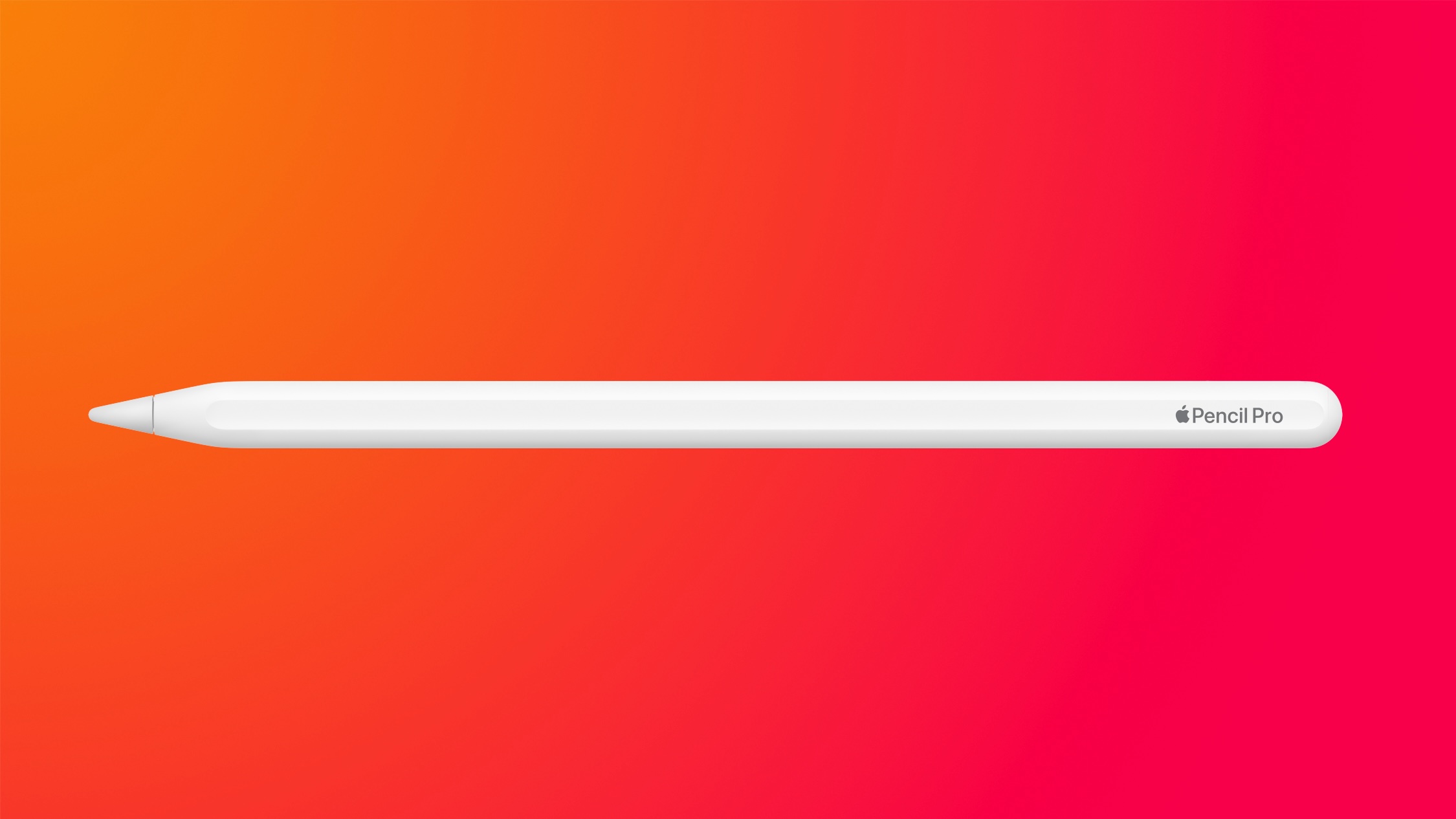
The Apple Pencil Pro has dropped to a new record low price today on Amazon, and we're also tracking a collection of discounts on the M4 iPad Pro.
Apple Pencil Pro
Note: MacRumors is an affiliate partner with Amazon. When you click a link and make a purchase, we may receive a small payment, which helps us keep the site running.
$119.00, down from the regular price of $129.00. Although this is only a $10 discount, it's now the lowest price we've tracked on the brand new Apple Pencil Pro among the major online retailers. The Apple Pencil 2 is also at an all-time low price of $79.00 right now on Amazon.
$10 OFF
Apple Pencil Pro for $119.00
new gestures and capabilities into the stylus. The Apple Pencil Pro is compatible with the M4 iPad Pro and the M2 iPad Air, and marks the first update to the Apple Pencil since the Apple Pencil 2 in 2018.
M4 iPad Pro
11-Inch
Moving to the iPads, Amazon has all-time low prices on a few models of the 11-inch M4 iPad Pro. Prices start at $944.00 for the 256GB Wi-Fi model, and also include one cellular tablet.
256GB Wi-Fi - $944.00, down from $999.00
512GB Wi-Fi - $1,124.00, down from $1,199.00
256GB Cellular - $1,139.00, down from $1,199.00
13-inch
Similar to the 11-inch models, there are three versions of the 13-inch M4 iPad Pro on sale today at Amazon. Prices for these start at $1,219.00 for the 256GB Wi-Fi tablet, but there aren't any cellular models on sale this time around.
256GB Wi-Fi - $1,219.00, down from $1,299.00
512GB Wi-Fi - $1,399.00, down from $1,499.00
2TB Wi-Fi - $2,144.00, down from $2,299.00
Be sure to visit our full Deals Roundup to shop for even more Apple-related products and accessories.
Related Roundup: Apple Deals
This article, "Apple Pencil Pro Drops to $119 on Amazon Alongside Record Low Prices for M4 iPad Pro" first appeared on MacRumors.com
Discuss this article in our forums
https://www.macrumors.com/2024/06/19/apple-pencil-pro-drops-to-119/
watchOS 11 Gets 'Check In' Feature That Supports Outdoor Workouts
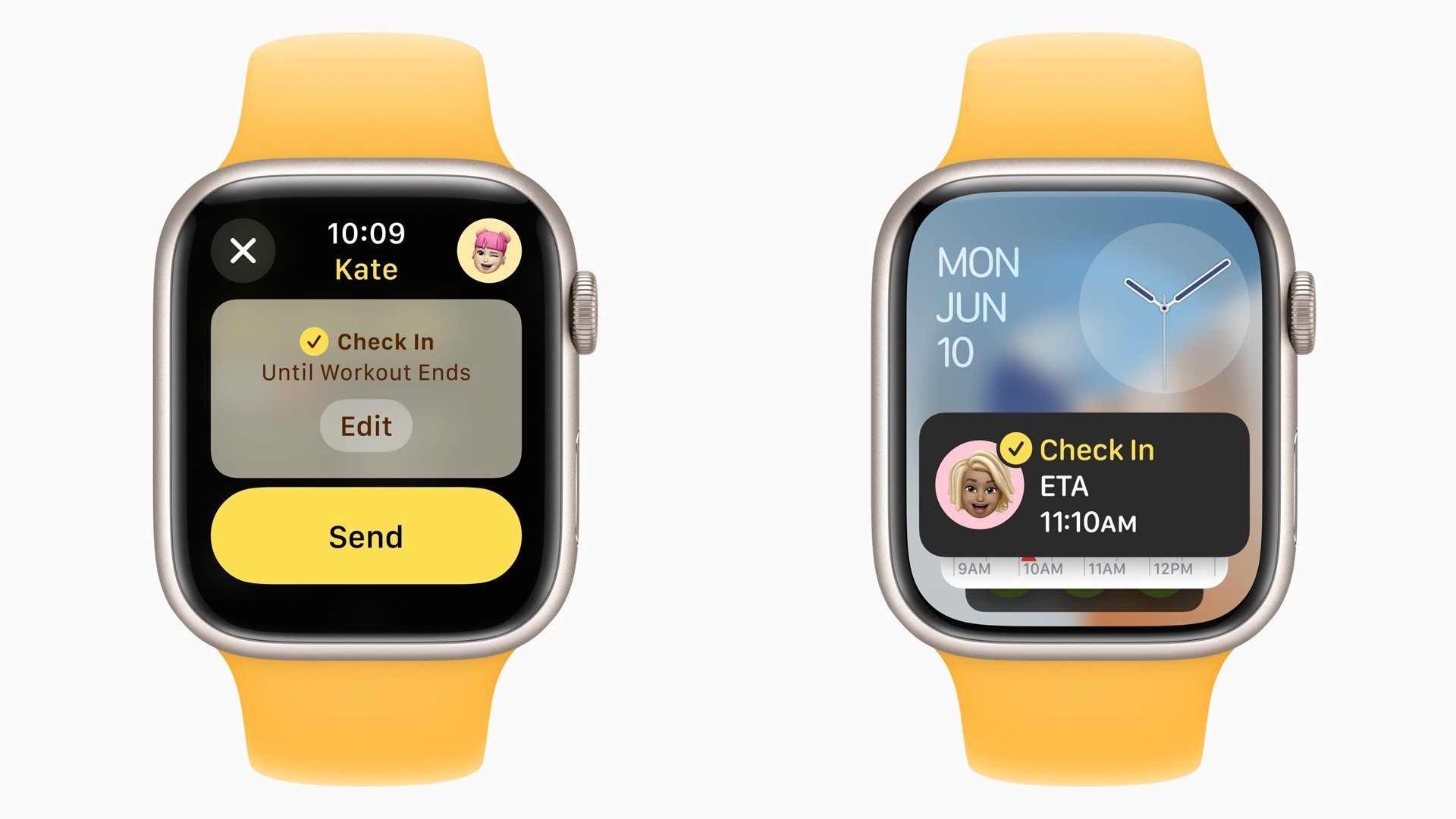
Apple in iOS 17 added a Check In feature to Messages that allows you to let a loved one know when you've made it back home safely. With watchOS 11, Check In is also coming to Apple Watch, but it's not just in the Messages app that you can activate it.
Anyone who has used a Garmin watch will probably be familiar with its LiveTrack feature, which creates a real-time view of your location during an activity, so friends and family can keep tabs on your progress. Strava Beacon offers similar functionality, and now with Check In integration, Apple Watch users can let loved ones know they have successfully completed their workout, too.
Like on iPhone, Apple Watch users can start a Check In from Messages in watchOS 11. But the feature also works within the Workout app. When you start a workout, a swipe right reveals a new Check In option. So if you're walking home after dark or heading out for an early morning run, you can notify someone that you've started out, and Check In will let them know when you return home.
If something unexpected happens and you get delayed, Check In will automatically notify your friend that you haven’t arrived as expected, and tell them your location (if available), the route you took, and your iPhone's battery level and cellular service in case they want to contact you.
There's also a new option in Settings ➝ Workout that lets you turn on Check In Reminders, so Apple Watch can remind you to send a Workout Check In whenever you start an outdoor workout.
Related Roundups: watchOS 10, watchOS 11
Related Forum: Apple Watch
This article, "watchOS 11 Gets 'Check In' Feature That Supports Outdoor Workouts" first appeared on MacRumors.com
Discuss this article in our forums
https://www.macrumors.com/2024/06/19/watchos-11-supports-workout-check-in/
Apple Explains iPhone 15 Pro Requirement for Apple Intelligence
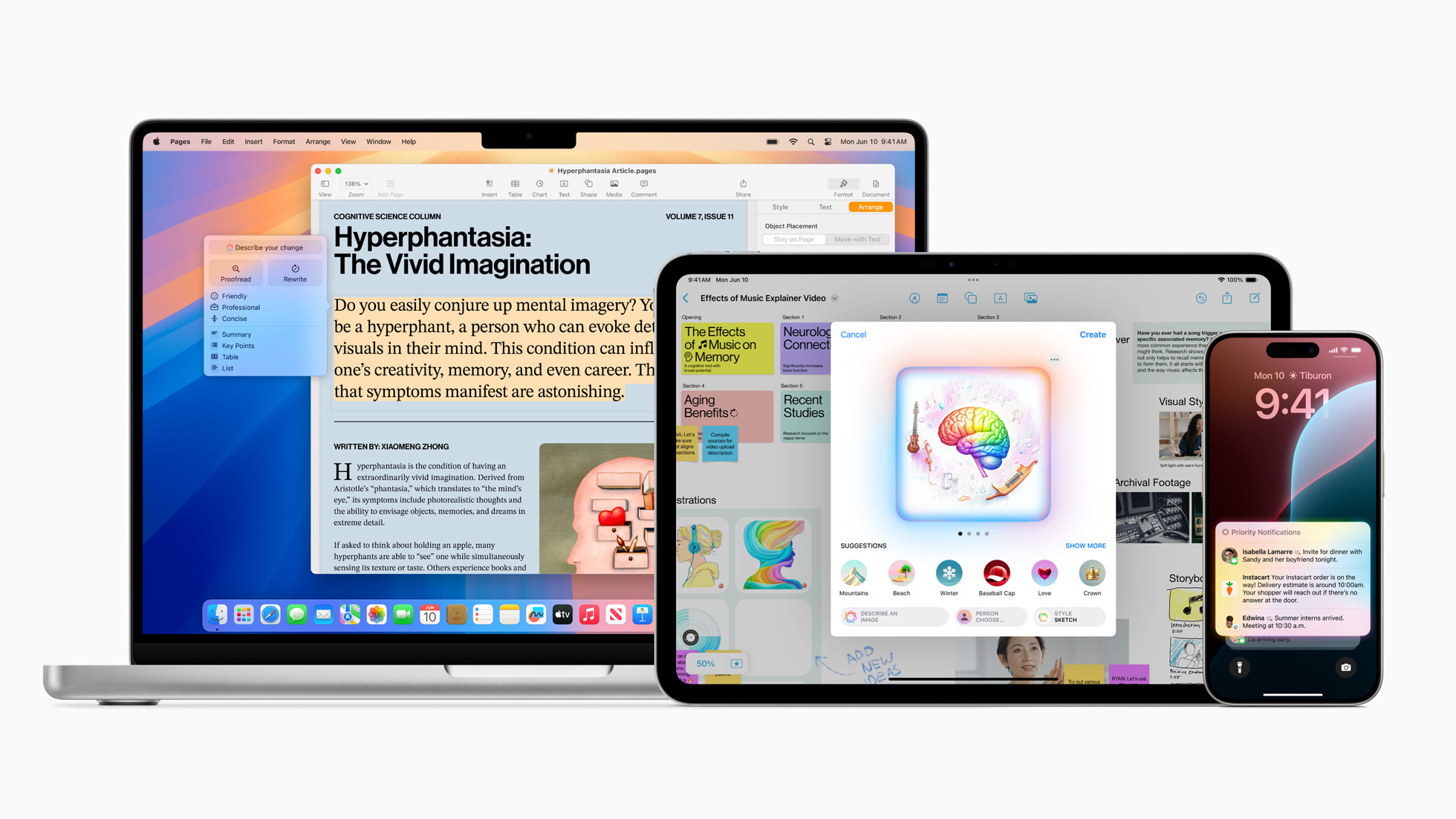
With iOS 18, iPadOS 18, and macOS Sequoia, Apple is introducing a new personalized AI experience called Apple Intelligence that uses on-device, generative large-language models to enhance the user experience across iPhone, iPad, and Mac.
These new AI features require Apple's latest iPhone 15 Pro and iPhone 15 Pro Max models to work, while only Macs and iPads with M1 or later chips will support Apple Intelligence. Since the news came to light, many users have been asking what the reason is for the cut-off.
Talk Show Live From WWDC 2024, Daring Fireball's John Gruber put the question to Apple's AI/machine learning head John Giannandrea, marketing chief Greg Joswiak, and software engineering chief Craig Federighi, and this was the response.
Giannandrea: "So these models, when you run them at run times, it's called inference, and the inference of large language models is incredibly computationally expensive. And so it's a combination of bandwidth in the device, it's the size of the Apple Neural Engine, it's the oomph in the device to actually do these models fast enough to be useful. You could, in theory, run these models on a very old device, but it would be so slow that it would not be useful.
Gruber: "So it's not a scheme to sell new iPhones?"
Apple's software engineering chief Craig Federighi said that the company's first move with any new feature is to work out how to bring it back to older devices as far as possible. But when it comes to Apple Intelligence, "This is the hardware that it takes... It's a pretty extraordinary thing to run models of this power on an iPhone," he added.
The iPhone 15 Pro models use the A17 Pro chip, which has a 16-core Neural Engine that's up to 2x faster than the A16 chip found in the iPhone 15 and iPhone 15 Plus, performing nearly 35 trillion operations per second. Federighi hinted that RAM is also another aspect of the system that the new AI features require, so it is perhaps no coincidence that all the devices compatible with Apple Intelligence have at least 8GB of RAM.
Despite the cutoff, owners of older iPhones still have plenty to look forward to in Apple's upcoming software update: iOS 18 boasts several new features besides Apple Intelligence, and every iPhone that can run iOS 17 is compatible iOS 18. That includes the iPhone XR from 2018.
Related Roundup: iPhone 15 Pro
Tags: Daring Fireball, Apple Intelligence
Buyer's Guide: iPhone 15 Pro (Caution)
This article, "Apple Explains iPhone 15 Pro Requirement for Apple Intelligence" first appeared on MacRumors.com
Discuss this article in our forums
https://www.macrumors.com/2024/06/19/apple-iphone-15-pro-requirement-apple-intelligence/
Select Multiple Items Faster With This Simple iPhone Gesture
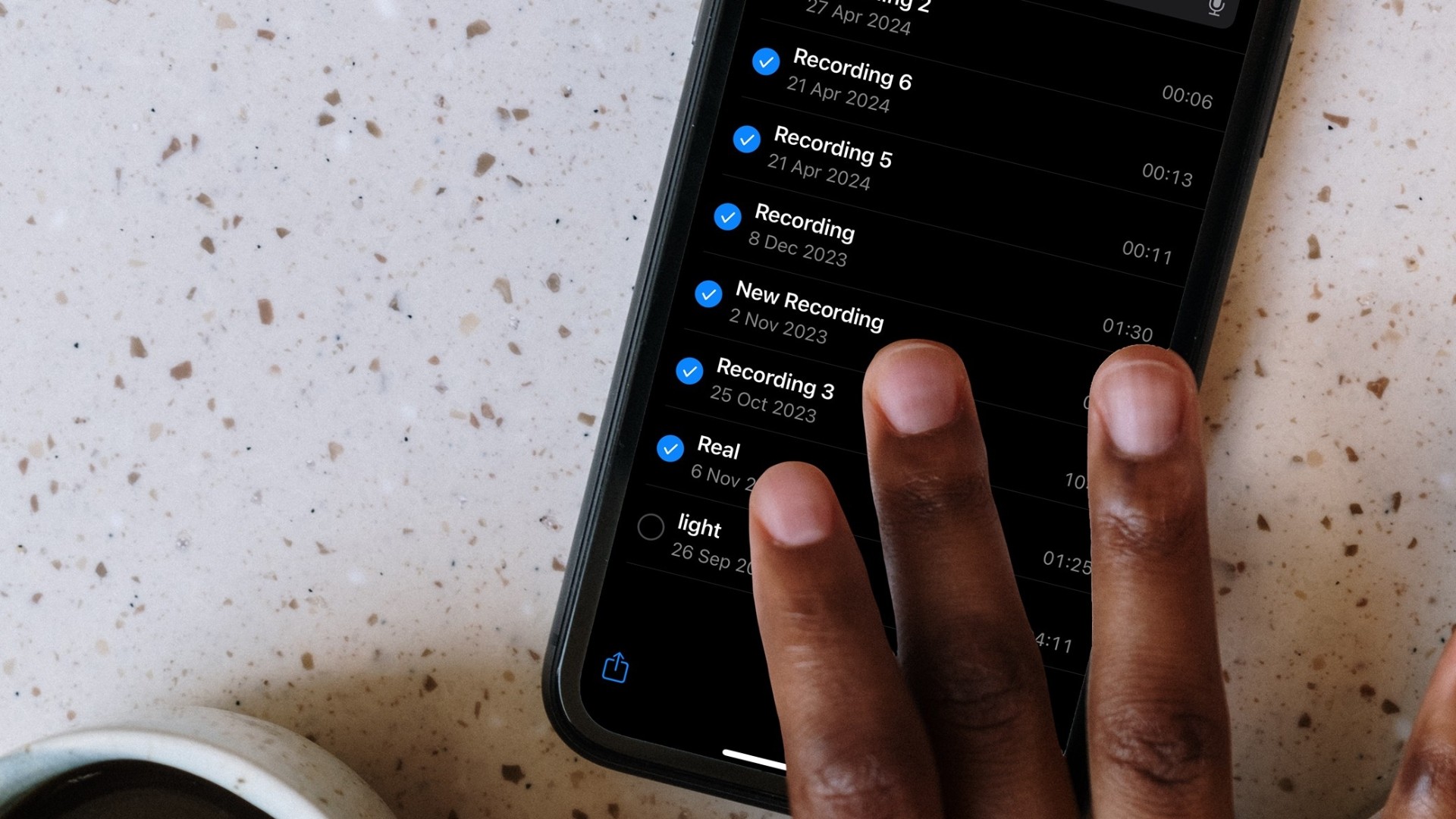
Your iPhone has multiple touch and gesture capabilities that can enhance how you interact with apps. Some, like pinch and zoom, are well known enough to be considered second nature, but others are less obvious, like the one we're about to explain.
Two-Finger Drag to Select Items
If have apps where you habitually tap on each individual item in a list to select them – emails in your Mail inbox, for example – it's time to dial in some efficiency and embrace this faster method.
This gestural feature allows you to easily select (or deselect) multiple items in apps like Contacts, Mail, Messages, Voice Memos, Notes, and indeed any Apple app that lists multiple items. Here's how it works.
Open an app where multiple item selection is supported.
Touch and hold the screen with two fingers at the same time.
While keeping both fingers on the screen, drag them down (or up) to select multiple items. As you drag, items will be highlighted to indicate they are selected.
Once the desired items are selected, you can perform actions such as moving, deleting, or organizing them.
favorite hidden trick by following the link.
This article, "Select Multiple Items Faster With This Simple iPhone Gesture" first appeared on MacRumors.com
Discuss this article in our forums
https://www.macrumors.com/how-to/select-multiple-items-faster-simple-iphone-gesture/
Apple Has 'Very Serious' DMA Issues, EU to Enforce Rules 'Soon'

Apple is facing a "number" of "very serious" issues with its Digital Markets Act compliance in Europe, EU competition commissioner Margrethe Vestager said in an interview with CNBC.
The European Commission opened an investigation into Apple in March to determine if Apple's EU app marketplace changes were complying with DMA regulations. The DMA requires Apple to provide developers with an option to distribute apps outside of the App Store and without App Store's fees. Apple implemented support for app marketplaces with iOS 17.4, but it charges an 0.50 euro Core Technology Fee for each download after the initial 1 million annual installs.
Vestager does not believe that Apple's changes meet the requirements of the DMA. "We have a number of Apple issues; I find them very serious," she said. "I was very surprised that we would have such suspicions of Apple being non-compliant."
She went on to say that this implementation "is not what was expected of such a company" and that the DMA rules will be enforced "exactly with the same top priority as with any other business."
The European Commission plans to reveal the conclusions of its probe "hopefully soon," and if Apple is found to be violating the terms of the DMA, the European Union could levy significant fines up to five percent of its average daily worldwide revenue (upwards of $1 billion).
Financial Times said that the European Commission is planning to charge Apple for violating the Digital Markets Act. The EC believes that Apple is not complying with its obligation to allow developers to "steer" users outside of the App Store without fees.
Tags: European Union, European Commission
This article, "Apple Has 'Very Serious' DMA Issues, EU to Enforce Rules 'Soon'" first appeared on MacRumors.com
Discuss this article in our forums
https://www.macrumors.com/2024/06/18/apple-dma-issues-eu-rule-enforcement-soon/
Logitech Launches 'Keys-To-Go 2' Portable Keyboard for Tablets
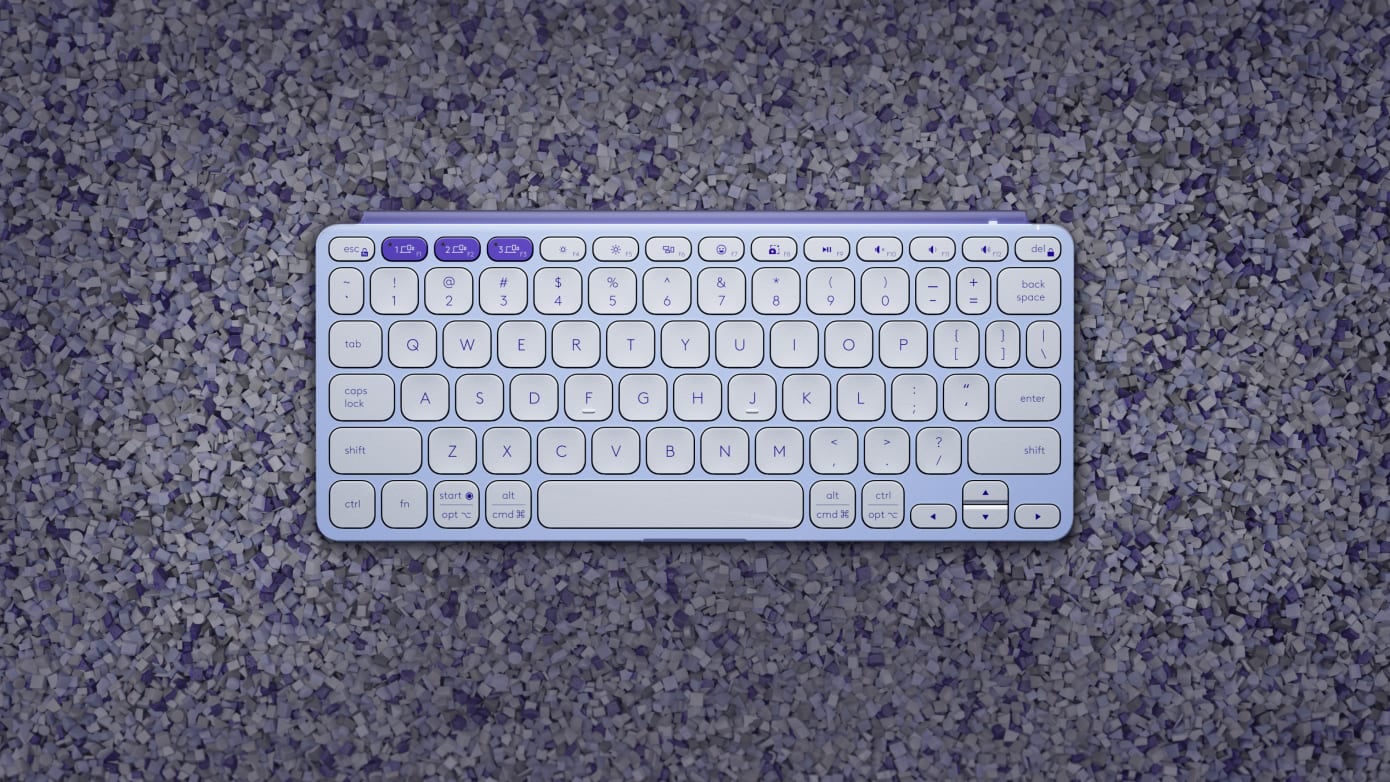
Logitech today announced the launch of the Keys-To-Go 2, a new portable wireless keyboard that's designed for tablets and mobile devices like the iPad, and it works as a lightweight alternative for those who do not want to invest in Apple's Magic Keyboard.
The keyboard is designed to work as a standalone device, so it does not attach to the iPad, and you will need to pair it with a stand or smart cover for a Mac-like experience. Available in lilac, pale gray, graphite colors, the Keys-To-Go 2 is just under 10 inches long, four inches wide, and it weighs 7.84 ounces.
There is a built-in cover that protects the keyboard during travel, keeping it safe from scratches and spills. It is equipped with scissor keys that have 1mm of travel for a comfortable typing experience, and there is an option to connect to up to three devices and swap between them quickly.
Logitech designed the keyboard with two layouts, including a Universal layout and a dedicated Apple layout for iPhones, iPads, and Macs. The top key row features several shortcut keys for adjusting volume, media playback, and screen brightness levels, as well as locking the iPad's display.
The keyboard pairs to an iPad using Bluetooth, and there are replaceable coin cell batteries that Logitech says will last up to three years depending on usage.
purchased from the Logitech website.
Tag: Logitech
This article, "Logitech Launches 'Keys-To-Go 2' Portable Keyboard for Tablets" first appeared on MacRumors.com
Discuss this article in our forums
Apple Launches 'Help Me Choose' Website for Finding the Right Mac
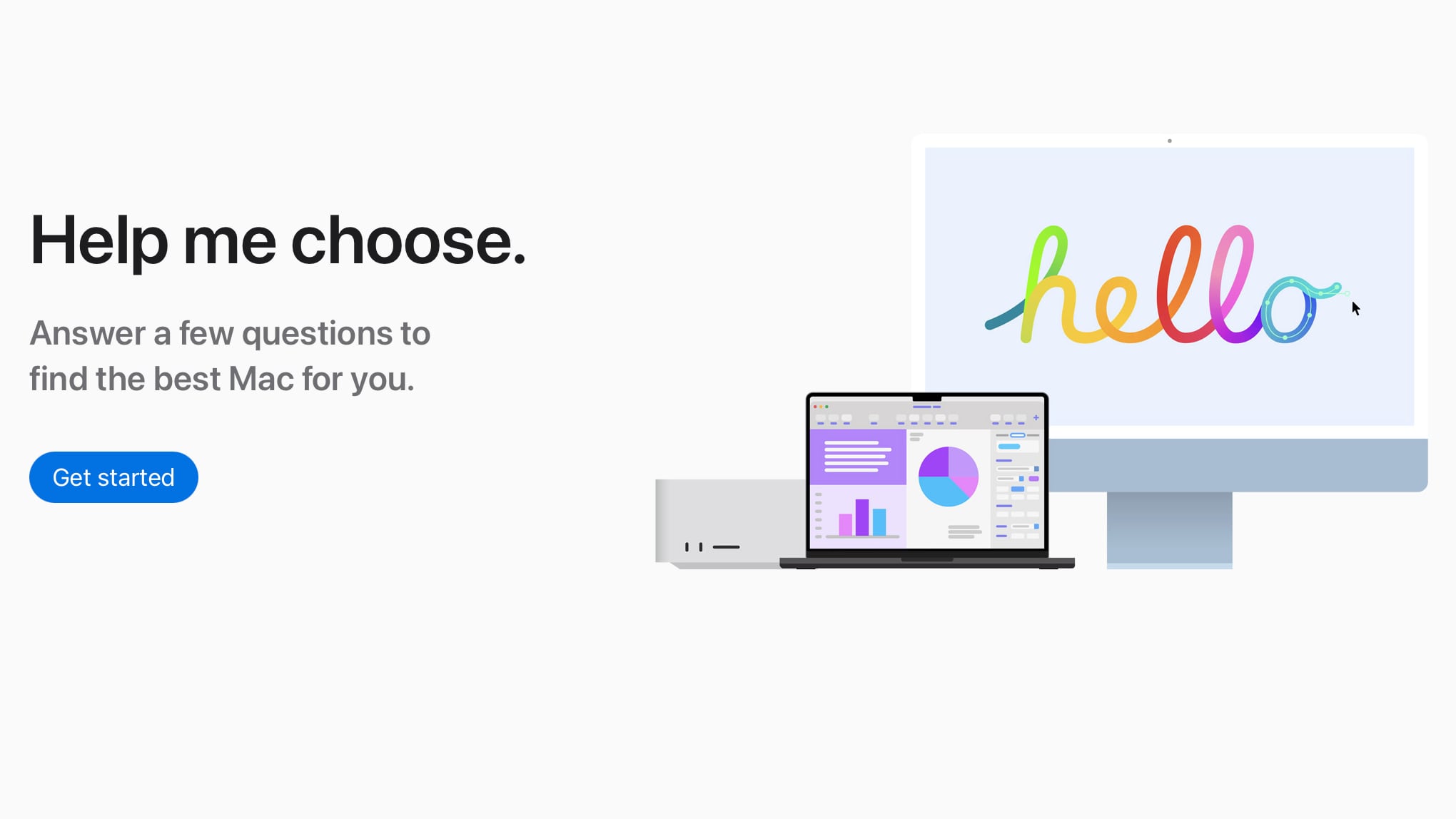
Apple today debuted a new Mac website that's designed to help potential customers find the ideal Mac. The "Help Me Choose" site asks users a few questions and then suggests the Mac that will best meet the user's needs.
Questions include what the Mac will be used for, necessary day-to-day essentials, info on the user's creative pursuits, the need for portability, which peripherals will be used, and budget.
Apple's algorithm for suggesting a Mac takes all of these factors into account, and it doesn't just present buyers with base configurations. It suggests upgrades to memory and storage that would be useful, and it will also present options if your selected budget is a little flexible.
Help Me Choose website can be found under the Mac section of Apple's website when selecting the "Compare" option or the "Shop Mac" and then "Shopping Guides" option.
This article, "Apple Launches 'Help Me Choose' Website for Finding the Right Mac" first appeared on MacRumors.com
Discuss this article in our forums
https://www.macrumors.com/2024/06/18/apple-help-me-choose-mac-website/
Habbo Launches Classic Version of Game on Mac in Throwback to 2005

If you were a kid who grew up using the internet in the early 2000s, there is a good chance that you heard of Habbo Hotel. Once a massively popular virtual world with millions of players, the game slowly died out over the years as the young teenagers who played it eventually became adults and moved on with life.
With the modern version of Habbo no longer offering the experience that older players remember, a classic version of the game has long been requested. And today, that wish finally became reality with the launch of Habbo Hotel Origins.
Habbo Hotel Origins is nearly a carbon copy of the game as it existed in 2005, complete with nostalgic features like the console for messaging friends, a purse for in-game credits, and a virtual hand that holds your in-game items (aka furni).
blog post announcing the launch of the game.
You'll need a new account to play Habbo Hotel Origins. To sign up, go to the origins.habbo.com website, click on the "check-in" link on the left side of the page, download the Habbo client for macOS or Windows, and create an account within the game. Yes, that means you have another chance to secure a rare username that you missed out on as a kid. I snagged the username iPod, so feel free to send me a friend request!
Once you have created an account, you can relive classic public rooms like the Welcome Lounge, Habbo Lido, and the Hallway. Many guest rooms have already popped up too, with players discussing their memories on the game.
This article, "Habbo Launches Classic Version of Game on Mac in Throwback to 2005" first appeared on MacRumors.com
Discuss this article in our forums
M4 MacBook Pro Models Expected to Launch in Late 2024

MacBook Pro models with an M4 chip are expected to launch in the fourth quarter of 2024, according to display analyst Ross Young. In a tweet for subscribers, Young said that panel shipments for new 14-inch and 16-inch MacBook Pro models are set to begin in the third quarter of 2024, which suggests a launch toward the end of the year.
Apple started its M4 chip refresh in May with the launch of the M4 iPad Pro, but the first Macs with M4 chips are also slated for a 2024 launch. According to Bloomberg's Mark Gurman, Apple will refresh both the MacBook Pro and Mac mini lineups this year.
MacBook Air, Mac Studio, and Mac Pro models won't be updated with M4 chips until 2025, and it is not yet clear when the iMac might see an update with the refreshed chip technology.
Apple's M4 chip is built on an upgraded 3-nanometer node, with Apple first introducing 3-nanometer technology with the M3 line. In Geekbench 6 benchmarks, the M4 chip is up to 25 percent faster than the M3 chip when it comes to multi-core performance, so we could see similar gains for the M4 Pro and M4 Max chips.
Related Roundup: MacBook Pro 14 & 16"
Buyer's Guide: 14" & 16" MacBook Pro (Neutral)
Related Forum: MacBook Pro
This article, "M4 MacBook Pro Models Expected to Launch in Late 2024" first appeared on MacRumors.com
Discuss this article in our forums
https://www.macrumors.com/2024/06/18/m4-macbook-pro-late-2024/
Apple Expands Vision Pro App Store to New Countries Ahead of Upcoming Launch
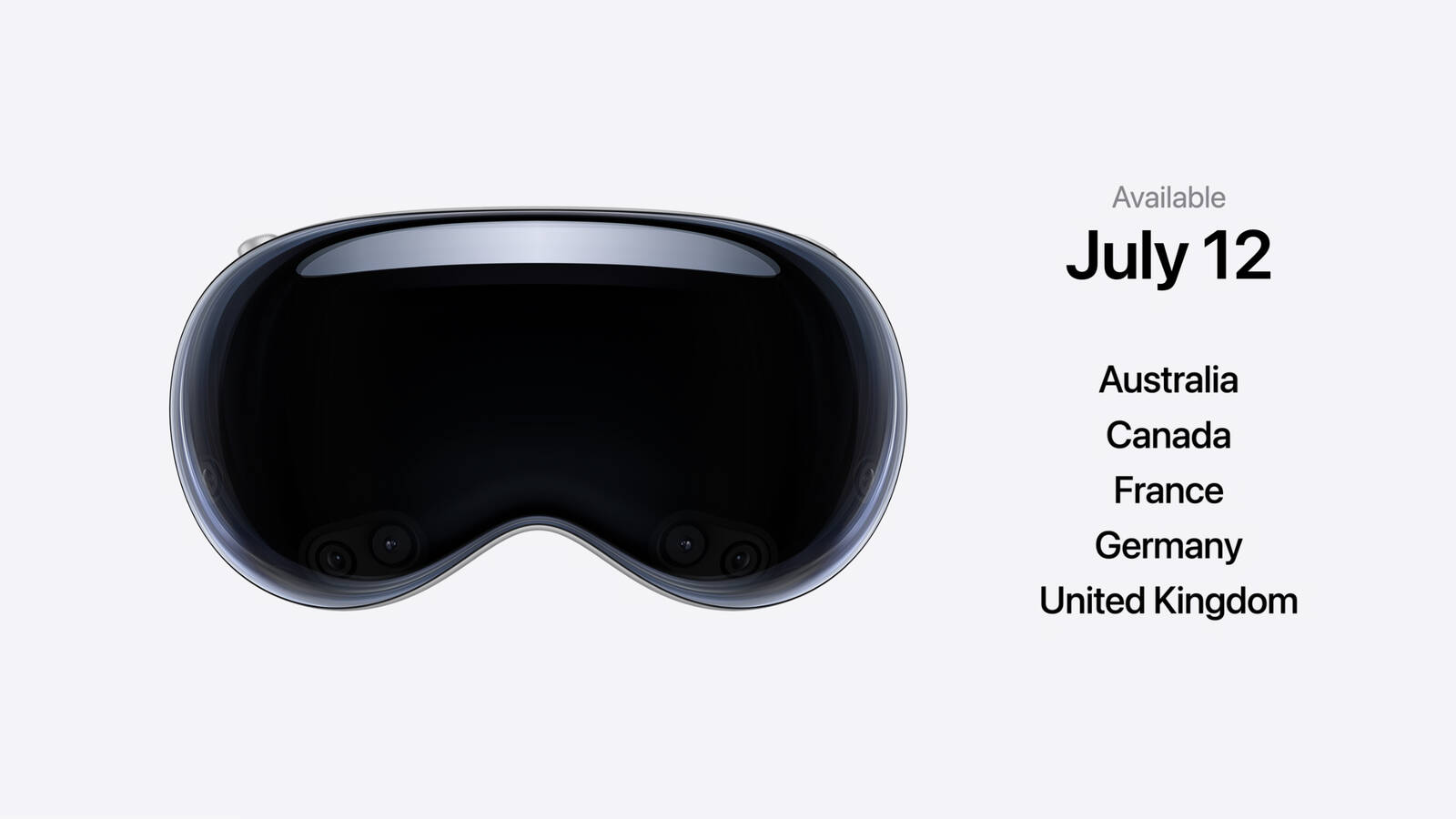
Apple today told developers that it is expanding the Vision Pro App Store to new markets ahead of when the device is set to launch in additional countries. Since its February launch, the Vision Pro has been limited to buyers in the United States, but at WWDC, Apple announced plans to bring it to eight new markets.
The Apple Vision Pro will launch in China, Hong Kong, Japan, and Singapore on Friday, June 28, and it will expand to Australia, Canada, France, Germany, and the United Kingdom on July 12. Pre-orders for the Vision Pro for the first wave launch countries started on June 13, while pre-orders for the second wave launch countries will begin on June 28.
visionOS app availability and the availability of iPad and iPhone apps on the headset can be managed through the App Store Connect interface.
This article, "Apple Expands Vision Pro App Store to New Countries Ahead of Upcoming Launch" first appeared on MacRumors.com
Discuss this article in our forums
https://www.macrumors.com/2024/06/18/apple-expands-vision-pro-app-store/
Amazon Takes Up to $350 Off M3 MacBook Pros, Starting at $1,399

Amazon today has a selection of M3 MacBook Pro models on sale at steep discounts, including both 14-inch and 16-inch devices. Most of these computers are in stock and ready to be delivered as soon as the end of this week, and none of the deals below require a coupon code in order to see the discounted price.
Note: MacRumors is an affiliate partner with Amazon. When you click a link and make a purchase, we may receive a small payment, which helps us keep the site running.
14-Inch MacBook Pro
Starting with the smaller display, Amazon has a pair of all-time low prices on the 14-inch MacBook Pro, starting at $1,399.00 for the M3 512GB model, down from $1,599.00. You can also get the M3 Pro 512GB model for $1,699.00, down from $1,999.00. Other than these two record low prices, you can find even more 14-inch MacBook Pro discounts on Amazon in the list below, including the M3 Max model.
$200 OFF
14-inch MacBook Pro (M3 512GB) for $1,399.00
$300 OFF
14-inch MacBook Pro (M3 Pro 512GB) for $1,699.00
M3 8GB RAM/1TB - $1,649.00, down from $1,799.00
M3 16GB RAM/1TB - $1,849.00, down from $1,999.00
M3 Pro 1TB - $2,199.00, down from $2,399.00
M3 Max 1TB - $2,949.00, down from $3,199.00
16-Inch MacBook Pro
For the bigger display, Amazon has another set of all-time low prices, starting at $2,199.00 for the M3 Pro 18GB RAM/512GB model, down from $2,499.00. Amazon also has the M3 Pro 36GB RAM/512GB model for $2,549.00, down from $2,899.00. These are the biggest discounts currently available on 16-inch MacBook Pro models on Amazon right now, but we've also listed a few M3 Max models below.
$300 OFF
16-inch MacBook Pro (M3 Pro 18GB/512GB) for $2,199.00
$350 OFF
16-inch MacBook Pro (M3 Pro 36GB/512GB) for $2,549.00
M3 Pro 36GB RAM/512GB - $2,699.00, down from $2,899.00
M3 Max 36GB RAM/1TB - $3,249.00, down from $3,499.00
M3 Max 48GB RAM/1TB - $3,699.00, down from $3,999.00
Our full Deals Roundup has more information on the latest Apple-related sales and bargains.
Related Roundup: Apple Deals
This article, "Amazon Takes Up to $350 Off M3 MacBook Pros, Starting at $1,399" first appeared on MacRumors.com
Discuss this article in our forums
Apple Reportedly Suspends Work on Vision Pro 2
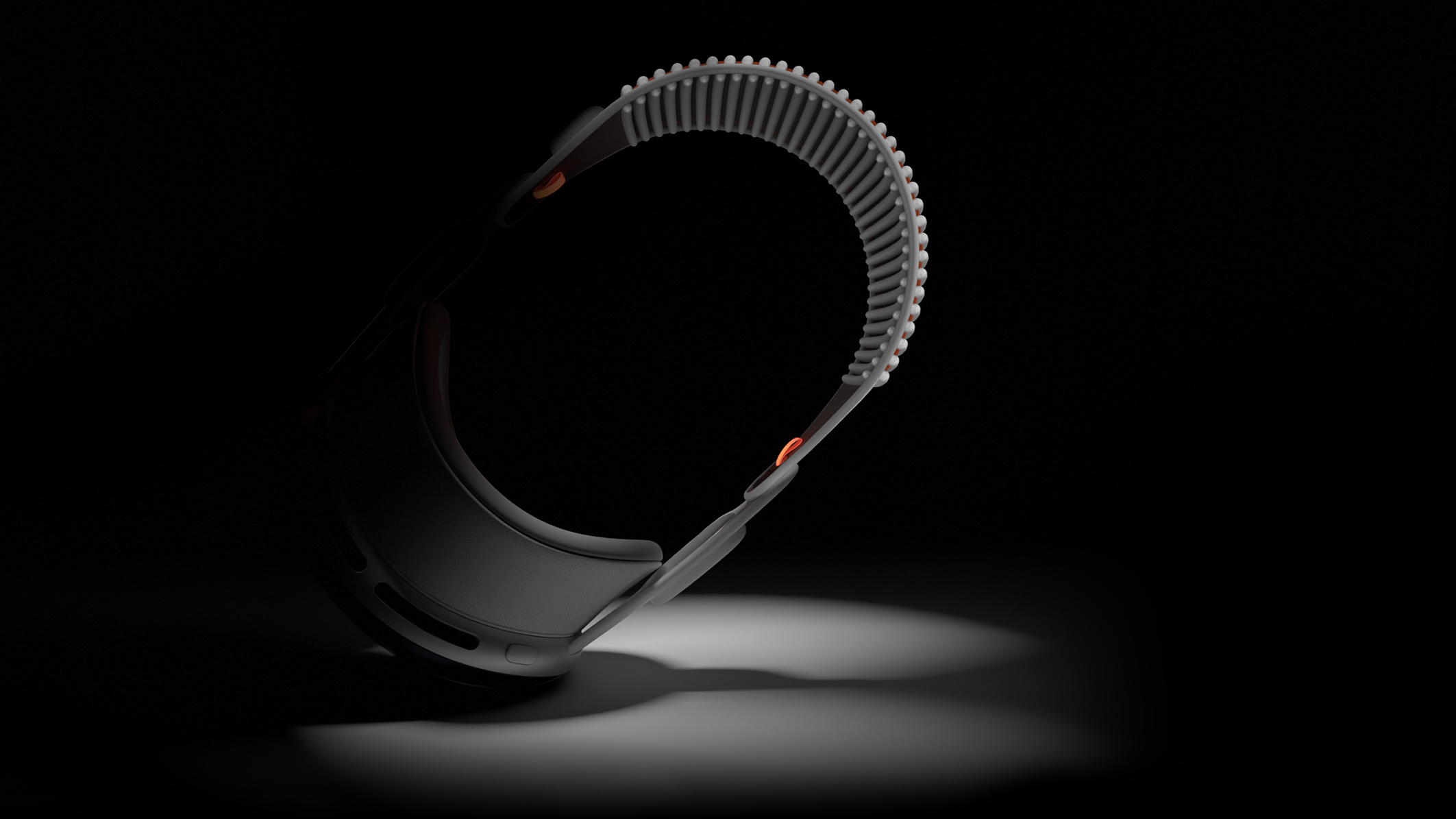
Apple has suspended work on the second-generation Vision Pro headset to singularly focus on a cheaper model, The Information reports.
Apple apparently told at least one of its suppliers that it has suspended work on the next-generation of its Vision Pro headset. The company is continuing work on a more affordable "Vision" product with fewer features.
Apple was widely believed to have plans to divide its Vision product line into two models, with one "Pro" model and one lower-cost standard model.
The Information claims.
One supplier that makes key components for the Vision Pro headset apparently cut production by 50% in Mat after receiving a forecast from Apple that predicted weaker demand than expected. Information from this supplier suggests that Apple has produced no more than 500,000 Vision Pro units this year, with no plans to make significantly more than this through August.
More to follow...
Related Roundup: Apple Vision Pro
Tag: The Information
Buyer's Guide: Vision Pro (Buy Now)
Related Forum: Apple Vision Pro
This article, "Apple Reportedly Suspends Work on Vision Pro 2" first appeared on MacRumors.com
Discuss this article in our forums
https://www.macrumors.com/2024/06/18/apple-suspends-work-on-vision-pro-2/
watchOS 11 Lets You Schedule Activity Goals for Each Day of the Week
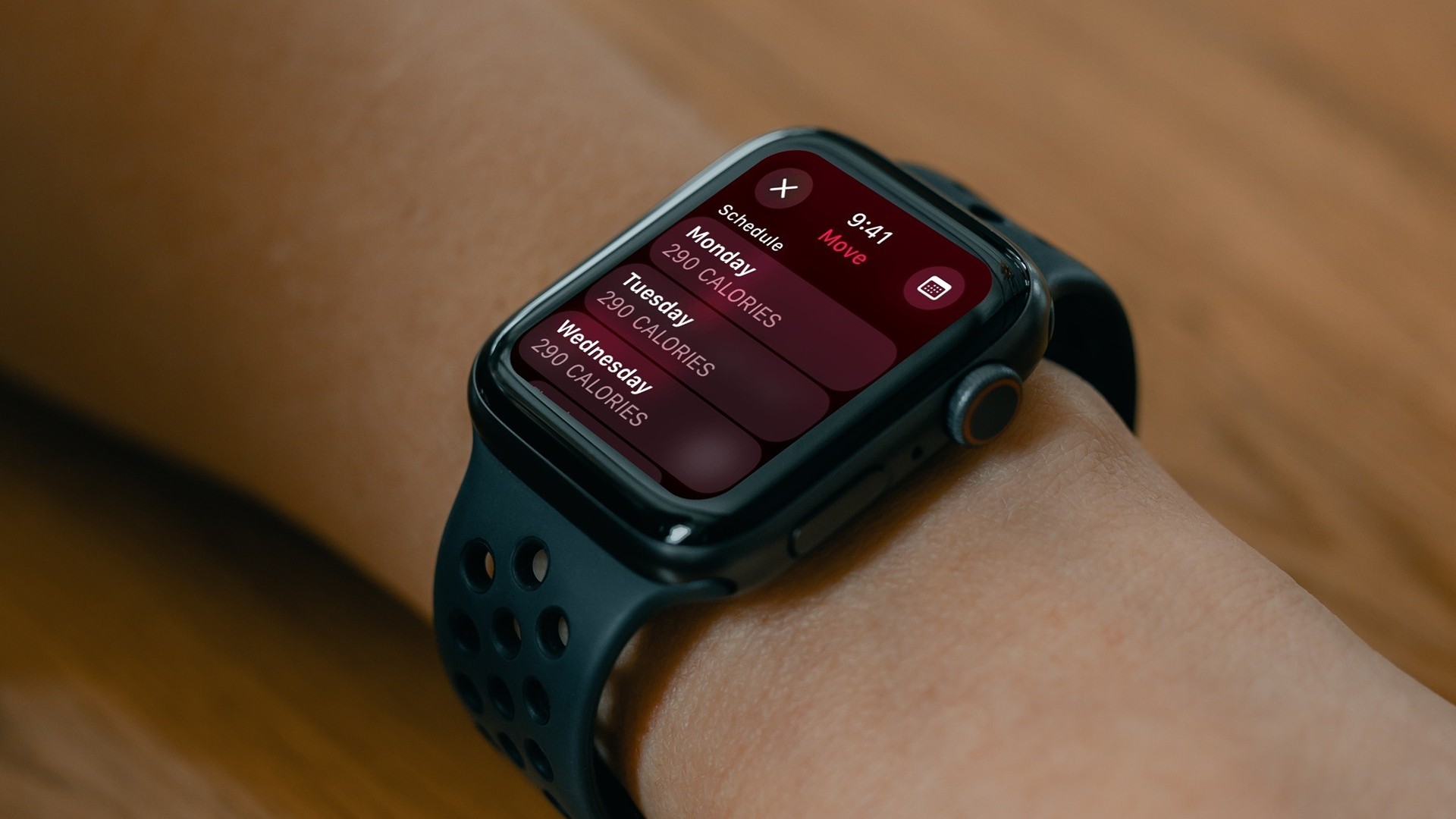
In the watchOS 11 beta, the Activity app for Apple Watch lets you schedule custom activity goals for different days of the week, and also lets you pause your goals if you need to rest up.
If you tap the +/- button when viewing your Move, Exercise, or Stand goals in the Activity app, a new Change Daily Goal option takes you to a schedule list for the days of the week, allowing you to set each one individually.
So if you want to set custom workout goals for, say, Monday, Wednesday, and Friday, with lower goals during the weekend, you'll soon be able to do that.
This schedule can also be managed through the Fitness app in iOS 18. The Move, Exercise, and Stand activity summaries include the same +/- button that lets you adjust the goal for just today, or adjust your schedule for each day of the week.
In addition, if you tap the main Activity Rings display on Apple Watch, there's also a new Pause Rings option that mutes coaching and goal tracking while maintaining your Move streak. So if you're aiming for a streak and something unexpected upends your efforts (if you fall ill, for example) you can pause tracking without losing out and having to start again.
You can initiate a pause for just today, until next week, for the whole month, or until a date of your choosing. Currently, you can pause your rings for up to 90 days and resume at any time.
Related Roundups: watchOS 10, watchOS 11
Related Forum: Apple Watch
This article, "watchOS 11 Lets You Schedule Activity Goals for Each Day of the Week" first appeared on MacRumors.com
Discuss this article in our forums
https://www.macrumors.com/2024/06/18/watchos-11-custom-activity-goals-different-days/
Beats Solo Buds Now Available to Order: 18-Hour Battery and a Tiny Case for $79.99
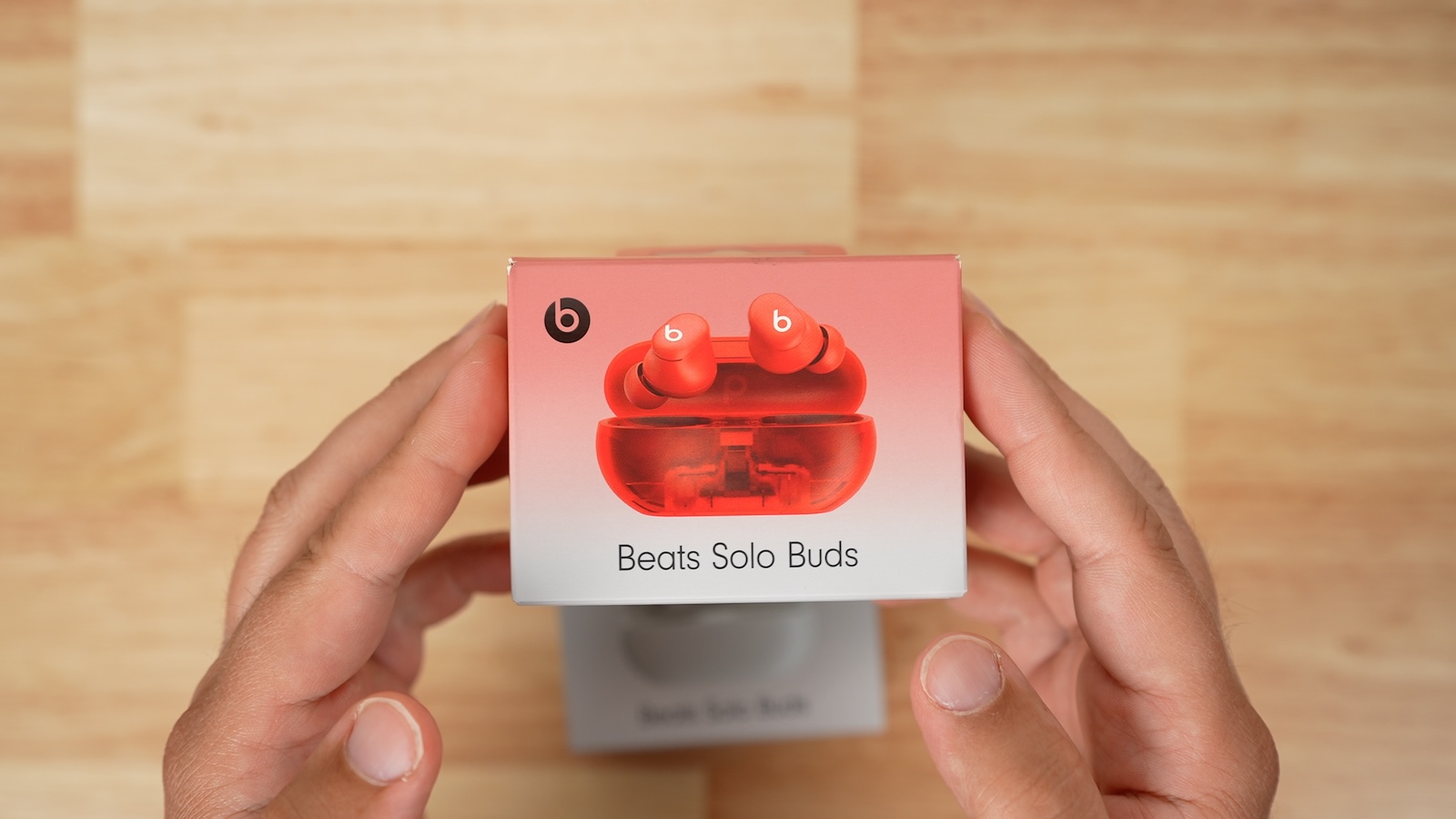
Following their announcement back in late April, the new Beats Solo Buds earbuds are now available to order ahead of their launch later this week. Priced at $79.99, the Solo Buds offer 18 hours of battery life right in the buds themselves and come in the smallest case ever for a Beats earphone product.
Subscribe to the MacRumors YouTube channel for more videos.
We've had a chance to spend a few days with the Beats Solo Buds, and we've been pretty impressed with what you get for that budget price point. These are true wireless earbuds with a similar design and fit as the more expensive Studio Buds +, but without some of the more advanced features like Active Noise Cancellation (ANC), Transparency, hands-free "Hey Siri" support, and auto play/pause ear detection. There's also no official sweat and water resistance rating, although they should still stand up pretty well to everyday usage.
Even without ANC, the in-ear fit of the Solo Buds does a pretty good job of blocking out exterior noise compared to the standard AirPods that don't seal in the ear canal, and the audio quality is surprisingly good though definitely a notch below higher-end options. Four ear tip sizes ranging from XS to L are included, so most users should be able to find a good fit and we thought they were reasonably comfortable even during extended usage sessions. Support for Spatial Audio is included, but head-tracking is not.
The tiny case for the Solo Buds is possible due to the fact that it carries no internal battery of its own, meaning it serves only as a storage case and mechanism for charging the buds themselves when they run out of battery. A USB-C port on the back of the case delivers the charge to the buds, but with 18 hours of battery in the buds, you should be good for multiple days of listening before you need to plug the case in to charge them back up.
With no battery on board the case, the whole package is extremely light, weighing under 35 grams with the buds inside. The case is slightly wider than an AirPods Pro case and about the same thickness, but it's significantly shorter, which makes it even more pocketable, and the flat bottom makes it easy to stand the case up for convenience.
The iconic "b" logo button is present on both buds, and the default functions include the usual press for play/pause, double press to skip forward, and triple press to skip backward. For phone calls, a single press answers a call, while a double tap either ends or rejects a call. A single press and hold on the button activates Siri, but you can customize that gesture in the Settings app so that the two earbuds control volume up and down if you prefer.
While there's no Apple W or H chip onboard, the proprietary Beats chip platform supports a number of native Apple features such as one-touch pairing with iCloud syncing across your devices, automatic audio handoff to your Apple Watch when you go out of range of your iPhone, Find My support for the last known connected location, and audio sharing. Android users get many of the same features including one-touch pairing with device syncing via your Google account, Find My Device support, and audio switching with multi-point pairing.
Overall, the Beats Solo Buds are shaping up to be a great budget earphone pick if you don't need the features present on more expensive options. The 18-hour battery life right in the buds is certainly convenient, and they're supremely portable with their light and tiny case.
available to order now for $79.99, with a launch following this Thursday, June 20.
Tag: Beats
This article, "Beats Solo Buds Now Available to Order: 18-Hour Battery and a Tiny Case for $79.99" first appeared on MacRumors.com
Discuss this article in our forums
https://www.macrumors.com/2024/06/18/beats-solo-buds-orders/