
Apple Vision Pro Launches in UK, Canada, France, Germany, and Australia
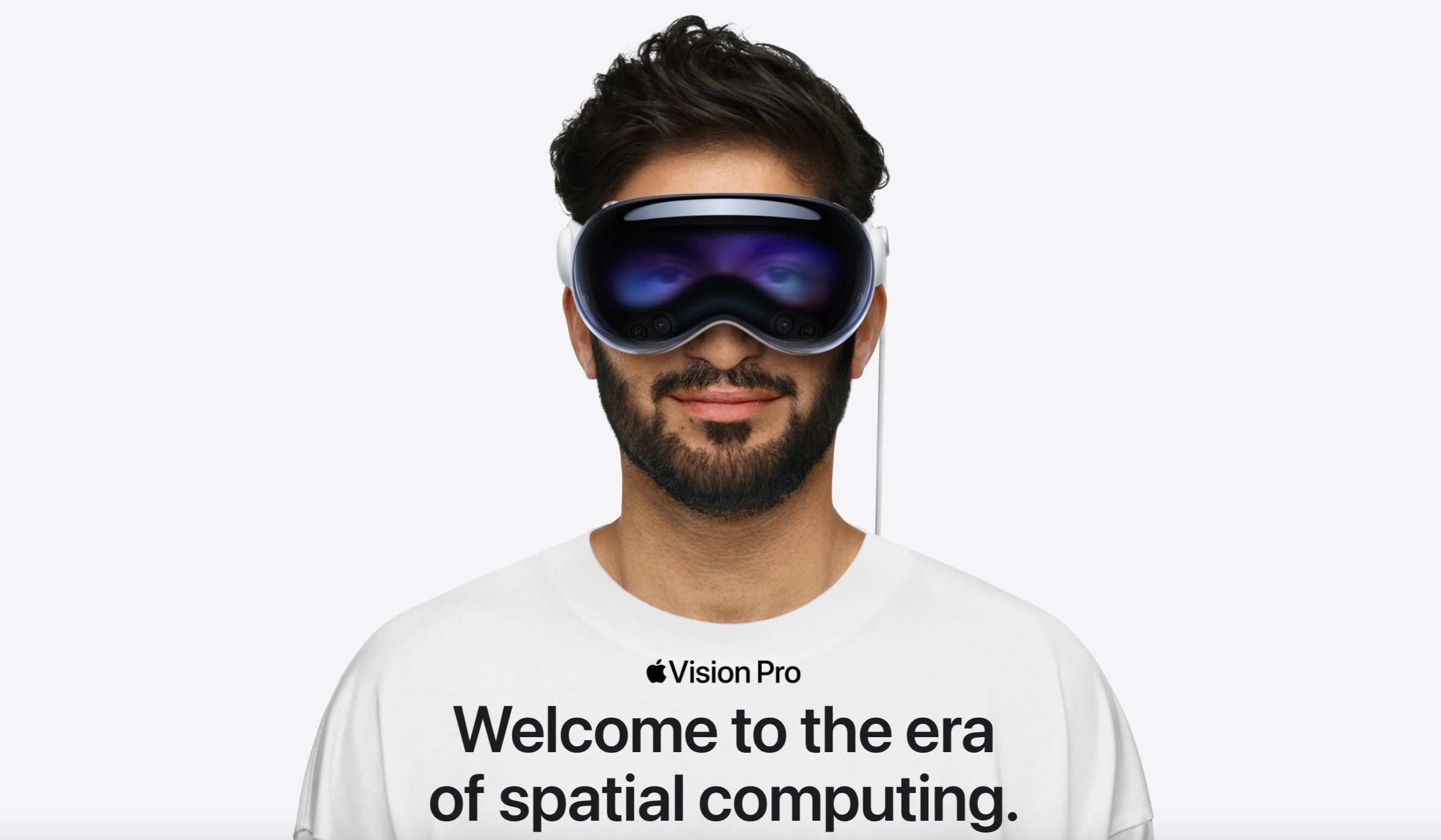
Apple's Vision Pro spatial computing headset today arrived at Apple Store locations in the United Kingdom, Canada, France, Germany, and Australia. The device was previously only available in Hong Kong, Japan, Singapore, mainland China, and the United States.
Consumer interest in the $3,499 headset has slowed at home, and Apple will be hoping its new availability in international markets will provide a shot in the arm for ailing sales. The headset has yet to sell 100,000 units in the quarter since it launched in the U.S. in February, according to market tracker IDC.
Apple's first-ever mixed reality headset offers both augmented and virtual reality features, and it is controlled with a combination of your eyes, hands, and voice. Overall, the feedback on the Vision Pro has been varied. Many users appreciate the device's advanced hardware and technology.
However, there are concerns regarding its functionality, the ease of use of the gesture-based controls, and the device's weight and comfort during extended use. Additionally, the general application of VR technology and the limited content available for the device have drawn criticism.
Vision Pro demo online, with slots available over the course of the next week.
Related Roundup: Apple Vision Pro
Buyer's Guide: Vision Pro (Buy Now)
Related Forum: Apple Vision Pro
This article, "Apple Vision Pro Launches in UK, Canada, France, Germany, and Australia" first appeared on MacRumors.com
Discuss this article in our forums
https://www.macrumors.com/2024/07/12/apple-vision-pro-launched-uk-canada-france-germany/
Refurbished USB-C Apple Pencil Now Available in U.S. and Canada
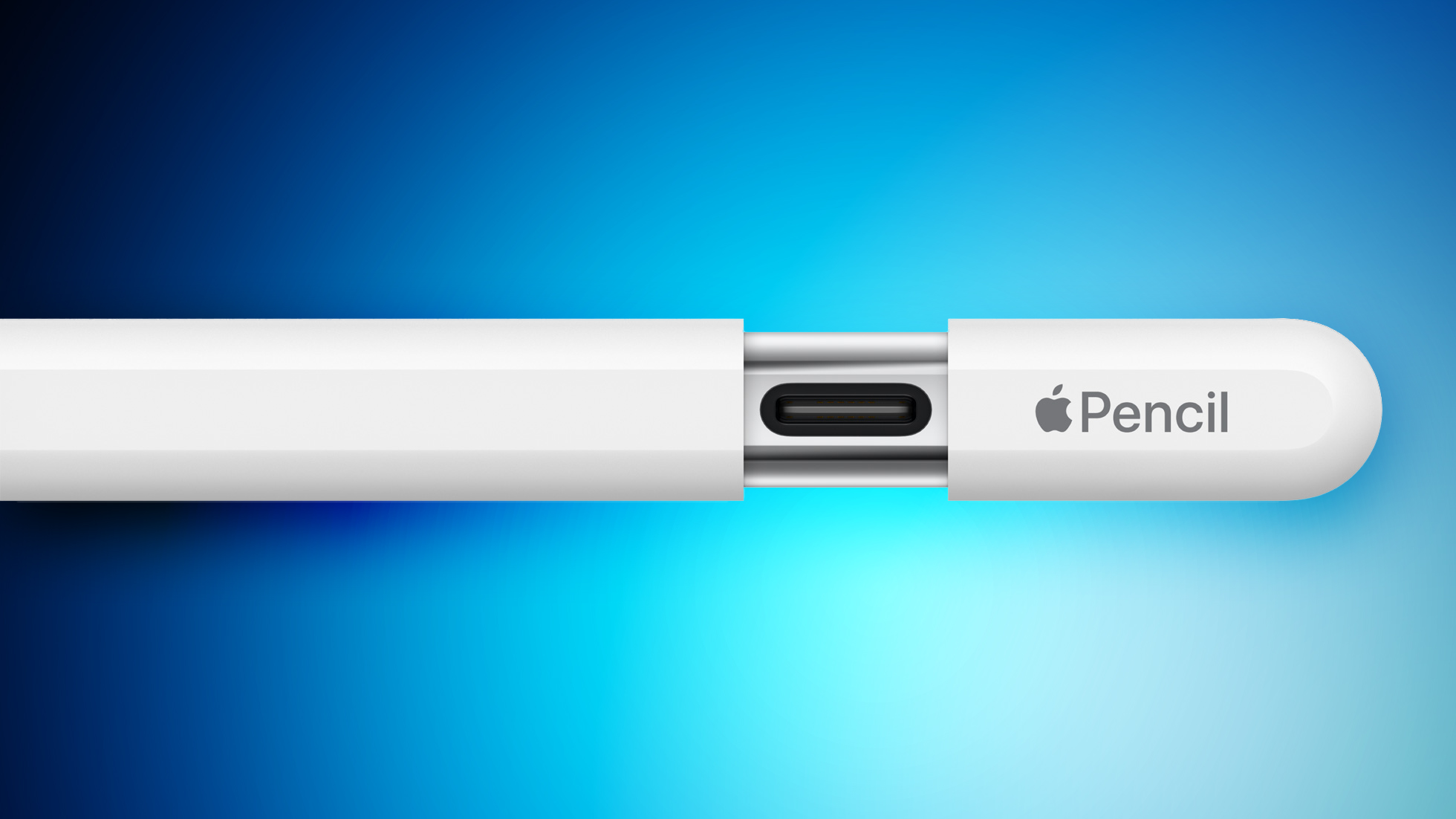
The USB-C Apple Pencil that was launched in November 2023 is now available from the Apple Refurbished Store in the United States and Canada at a discount. Refurbished USB-C Apple Pencil models are available for $69 in the U.S., which is $10 off of the standard $79 price. In Canada, the refurbished USB-C Apple Pencil is available for $89, down from $109.
Apple first began offering refurbished versions of the USB-C Apple Pencil earlier this week, but the discounted device was limited to European countries like Austria, Belgium, Germany, Ireland, Italy, the Netherlands, Poland, Spain, Switzerland, and the UK. It has now expanded to additional countries.
The USB-C Apple Pencil was introduced in October 2023, shipping out to customers in November. It is similar in design to the Apple Pencil 2, but it has a sliding cap with a USB-C port for charging because it is unable to charge magnetically.
To keep the price low, Apple did not include features like Double Tap and pressure sensitivity in the USB-C Apple Pencil, but it does support tilt functionality and Apple Pencil hover. As for compatibility, it works with USB-C iPads that run iOS 17.1 or later.
Tag: Apple Refurbished Products
This article, "Refurbished USB-C Apple Pencil Now Available in U.S. and Canada" first appeared on MacRumors.com
Discuss this article in our forums
https://www.macrumors.com/2024/07/11/refurbished-usb-c-apple-pencil-us/
Apple Blog TUAW Returns With Stolen Graphics and AI-Generated Content
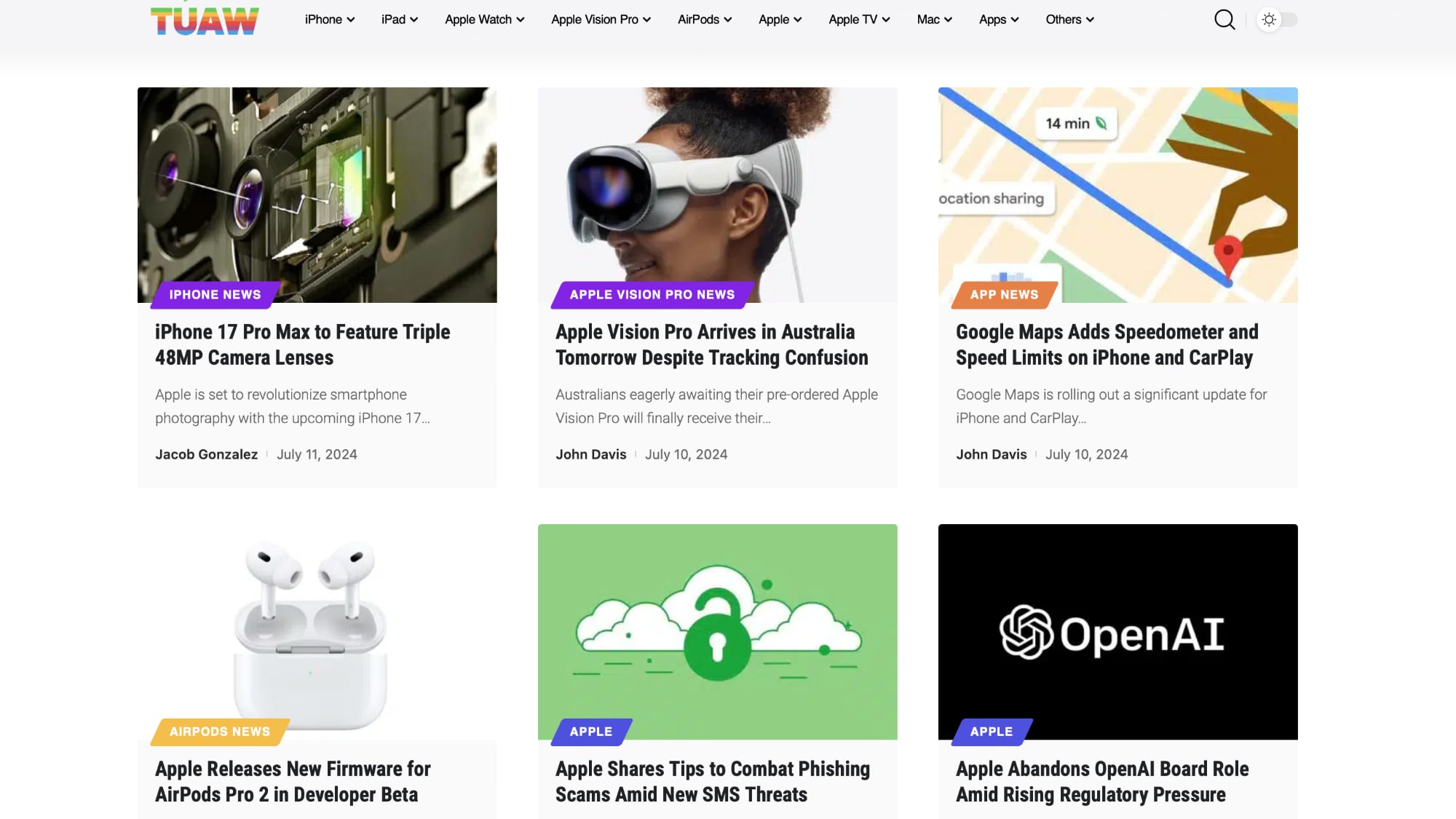
If you've been following Apple news and rumors for the last decade, you might remember The Unofficial Apple Weblog, or TUAW. TUAW was shut down and the site was folded into Engadget way back in 2015, but this month, a zombie TUAW website reappeared.
As it turns out, the TUAW domain name was purchased by a Hong Kong-based advertising agency, and it now hosts stolen content rewritten using AI. TUAW started posting AI-generated content earlier this week, with all of it stolen from sites like MacRumors and 9to5Mac.
MacRumors for these articles, with the graphics used created by our in-house graphic designer. Shortly after we published an iPhone 17 "Slim" overview, for example, TUAW published an almost identical article that uses our stolen imagery and reads like it was run through a thesaurus.
like Christina Warren and Brett Terpstra.
Warren was able to get her name and the names of other prominent writers removed after publicizing the zombie site on Mastodon, but the AI content remains. TUAW changed the Christina Warren byline on its site to Mary Brown, making other similar generic name changes. There are no actual writers at TUAW, just AI-generated images and biographies to go along with the AI content.
The advertising agency that purchased the TUAW domain name (Web Orange Limited) did not purchase any TUAW content, but went back and generated AI-rewritten versions of archived TUAW articles from archive.org. Thousands of these articles are on the site alongside newly generated AI stories.
It is worth noting that the company that bought the TUAW domain name also purchased the iLounge domain name several years ago and resurrected that site with low-quality content.
TidBITS, The Verge, Engadget, 404Media, and other sites have done deep dives into TUAW and the company behind it that are worth checking out. TUAW's owner does not appear to be based in the United States, and it's unclear if TUAW will be taken down even with legal complaints.
MacRumors, 9to5Mac, and other tech sites will want to avoid TUAW going forward. As TidBITS points out, Google is a major factor in what's going on with TUAW because it isn't de-incentivizing AI-generated content, even on a site where it's almost all AI content. TUAW articles are showing up on the first page of search results alongside legitimate tech sites.
This article, "Apple Blog TUAW Returns With Stolen Graphics and AI-Generated Content" first appeared on MacRumors.com
Discuss this article in our forums
https://www.macrumors.com/2024/07/11/tuaw-stolen-graphics-ai-content/
Apple CEO Tim Cook Uses Vision Pro Every Day
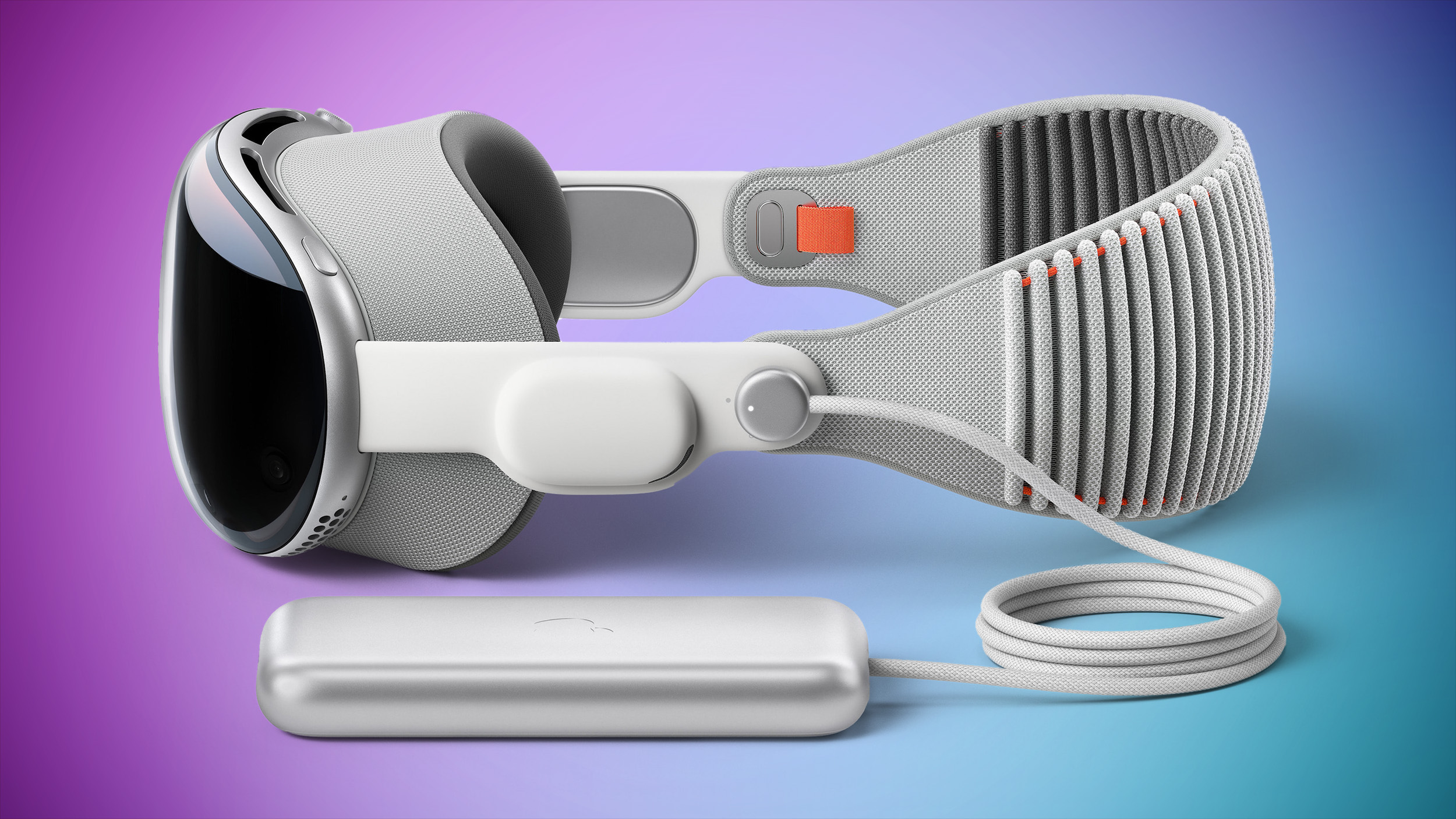
Apple CEO Tim Cook uses the Apple Vision Pro every day, according to an interview he did with The Sun to highlight the headset's launch in the UK. Cook said that he uses the Vision Pro "in all aspects of [his] daily life."
For specifics, Cook said he used the headset to watch Ted Lasso season three, and that he also watches other Apple TV+ content using the headset.
And so the ability for me to get in the position that I want to get in – including lying flat and putting the screen on the ceiling – is an incredible kind of experience. And of course, it's a 100ft screen. I mean, it's amazing the level of entertainment that it delivers.
Cook went on to say that he feels multitasking is "so much more efficient" on Vision Pro because of the support for multiple windows that can be placed in the wearer's physical space.
iPhone, you can "very easily" use Vision Pro, according to Cook.
According to Cook, some who go through the demo experience find it to be emotional, specifically in reference to viewing spatial photos and videos that allow users to relive memories. "It's interesting to watch people, the reaction that they have," he said. "You know many of them tear up."
Designing the Apple Vision Pro required Apple to file more than 5,000 patents, Cook explained, before lauding the Vision Pro team. "I'm so proud of the total, and the perseverance of the team because this was multiple years in the making."
can be read at The Sun's website. The Apple Vision Pro is launching in the UK, Canada, France, Germany, and Australia tomorrow, with demos set to be available in Apple retail stores.
Tags: Tim Cook, Cook
This article, "Apple CEO Tim Cook Uses Vision Pro Every Day" first appeared on MacRumors.com
Discuss this article in our forums
https://www.macrumors.com/2024/07/11/tim-cook-talks-vision-pro/
Review: Anker and Belkin 3-in-1 Chargers Offer New Qi2 Options for Desk and Nightstand Charging
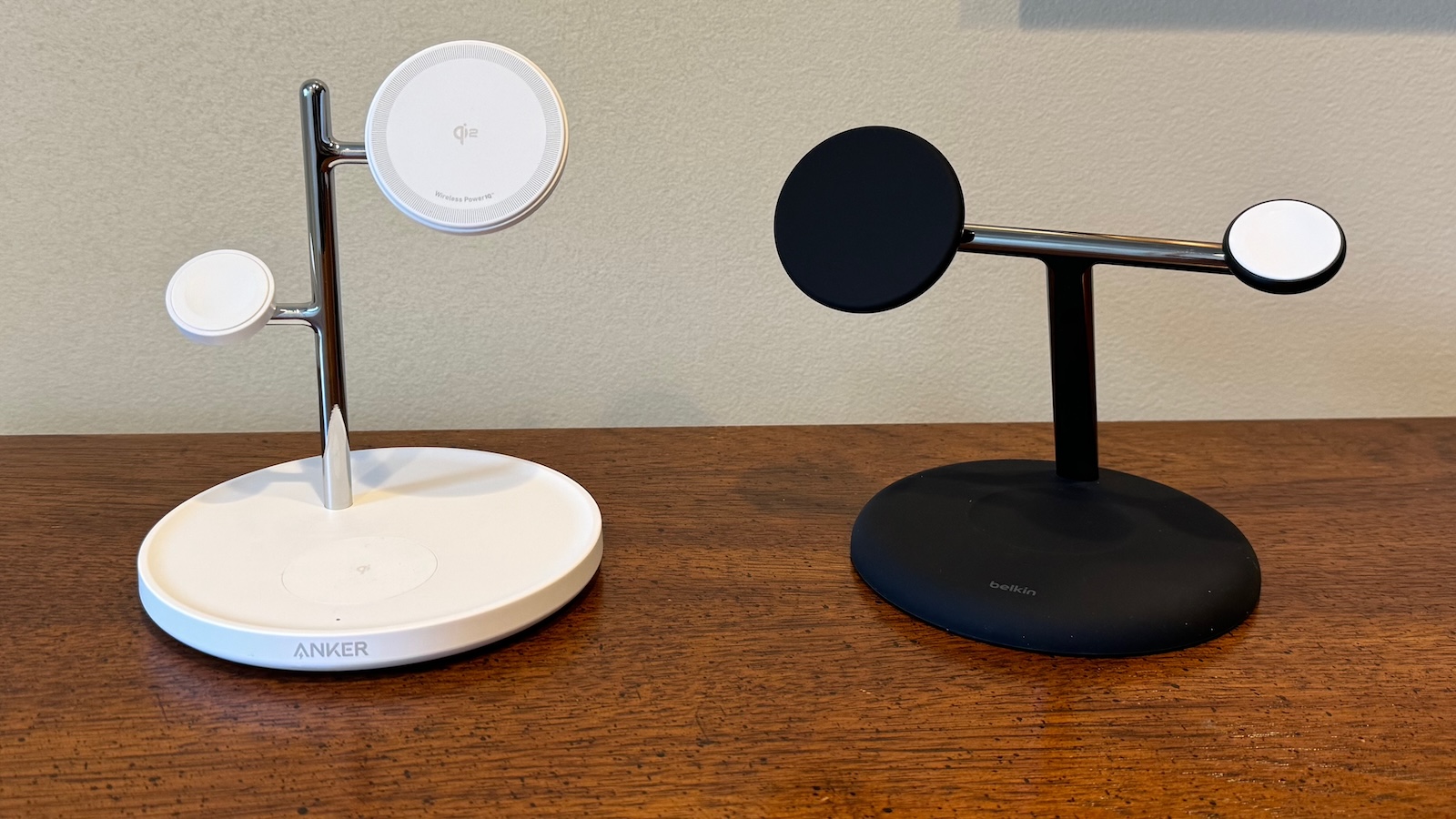
With Qi2 chargers hitting the market in increasing numbers, I've recently spent some time testing out two similar "tree-style" 3-in-1 desktop chargers from Anker and Belkin. 3-in-1 chargers like these, which are capable of charging an iPhone, and Apple Watch, and another device such as AirPods, all wirelessly, have been my go-to bedside charger style ever since the introduction of MagSafe and are very popular with users in general, so I thought it would be worthwhile to see how a couple of the latest options perform.
Anker (left) and Belkin (right) Qi2 3-in-1 chargers
Both the Anker MagGo Wireless Charging Station (3-in-1 Stand) and the Belkin BoostCharge Pro 3-in-1 Magnetic Wireless Charging Stand with Qi2 15W offer 15-watt Qi2 phone charging support that is equivalent to MagSafe without needing to license or source components from Apple, while official fast-charging pucks are used to ensure maximum Apple Watch charging performance. The base of each model includes a standard 5-watt Qi charging spot, which is plenty to charge up any AirPods model that includes a wireless charging case. Both the Anker and Belkin models are available in black or white with color-matched cables and power adapters. Anker uses a standard USB-C to USB-C cable while Belkin uses a fixed cable that ends in a USB-C connector, so that's potentially something to consider one way or the other for either aesthetics or product longevity.
While both chargers utilize a relatively heavy base for stability and as an AirPods charging spot, their "trunk and branches" with elevated charging pads for an iPhone and an Apple Watch differ slightly in design, with the Belkin model using a forward-angled main support topped by a single horizontal bar with the phone charging pad at one end and the Apple Watch charger at the other, while the Anker model uses an offset vertical trunk with separate phone and Apple Watch charging pads at different heights. The Anker design results in a bit narrower overall profile with an iPhone and Apple Watch mounted on the chargers, but the Apple Watch can end up somewhat hidden behind the phone in certain configurations such as with the phone in landscape StandBy mode.
The base on the Belkin model is sort of a flat mound with a small depression to help guide your AirPods to the proper charging spot, while the Anker base is more dish-like with a small rim surrounding a flat top. The AirPods charging spot is a separate component embedded in the surface of the base and it's made of a slightly different material, so you can see the outline of the charger to help guide placement, plus there's a light gray Qi logo in the middle of the charging spot. Neither model offers magnets in this charging spot to help make proper placement even easier.
Overall, the Belkin design offers significantly more stability for a mounted phone in my experience, as tapping the phone or generating vibrations on the desk surface will cause the phone to wiggle a fair amount while on the Anker charger, but it remains nearly rock steady while on the Belkin charger. If you're planning to use one of these chargers on a desk or other situation where you'll be interacting with the phone while it's charging, this difference alone is enough to argue for the Belkin in my opinion, as the amount of wobble on the Anker charger is significant.
Looking at the Qi2 phone charging pad itself, the Belkin version has the advantage of an adjustable angle anywhere between fully vertical and fully horizontal, letting you position it however you prefer. The phone pad on the Anker model is at a fixed angle that should work for most people, but the option of adjustments on the Belkin model is a nice feature. The Belkin phone charger also has an understated look with a plain black or white surface matching the base, while the Anker Qi2 charging surface is white on both the black and white model and it has Qi2 branding and "Wireless Power IQ" text on it that makes for a less clean look.
Both chargers were able to take an iPhone 15 Pro Max from 30% to ~80% in about an hour, pretty much exactly in line with what I see from Apple's official MagSafe charger. The charging rate starts to slow significantly beyond that to prevent overheating and overcharging, with all three chargers bringing the phone to around 95% after 90 minutes.
When it comes to the Apple Watch charging puck, the Anker and Belkin units are essentially identical, which makes sense considering these parts are sourced from Apple. On both models, the puck itself is white on both black and white color options. I'd love to see some other puck color options from Apple to help third-party manufacturers offer more flexibility in their own color offerings.
Given that these are official Apple Watch modules, they both suffer from one of the common issues some users have complained about with Apple Watch chargers, and that's the fact that the watch has a tendency to rotate while on the charger. While the watch attaches to the charger magnetically, there's nothing offering any rotational stability, so the weight of the watch or band can result in the watch twisting a bit while on the charger.
To its credit, Anker has tried to address this by including a sheet of round stickers that can be placed on the surface of the charging puck to increase friction and reduce the watch's tendency to rotate. This solution does work pretty well, but the sticker is a bit of an eyesore with a tab to facilitate removal hanging over the edge of the puck and a plus-shaped cut in the center of the sticker to allow it to conform to the slightly concave surface of the puck.
The tree-style designs of these chargers means neither one supports Nightstand Mode for the Apple Watch, as the support arms for the chargers get in the way of the band when trying to turn the watch horizontally, and even if they didn't, the weight of the band would cause the watch to rotate back to nearly vertical. This may not be a deal-breaker for many users, especially with the iPhone now offering its own landscape StandBy mode, but it's worth noting.
Both the Belkin and Anker models support Apple Watch fast charging, and I saw very similar charging speeds taking an Apple Watch Ultra 2 from 20% to 80% in under an hour, in line with what Apple's first-party fast charging cable delivers.
Anker MagGo Wireless Charging Station (3-in-1 Stand) (also available at Amazon) is pricing, with a regular price of $99.99 compared to the Belkin BoostCharge Pro 3-in-1 Magnetic Wireless Charging Stand with Qi2 15W (also available at Amazon) at a regular price of $149.99.
Both brands do occasionally offer sales, with Belkin running a Summer Travel Sale on its own site at the time of this writing that can save you some money. With a regular price of $149.99, the BoostCharge Pro qualifies for a $25 discount on its own, but if you throw in a cheap cable or other accessory to bump above the $150 level, you can save an additional $20 on your total purchase.
Both of these chargers are solid options for a desk or nightstand, as they allow you to charge multiple devices from Apple's ecosystem all in one spot with simple and convenient designs. I tend to prefer the overall design and functionality of the Belkin one, but the Anker one wins out on price, so it's definitely worth weighing those factors when making any purchasing decisions.
It's important to note that neither of these tree-style chargers folds up or disassembles, and as a result they both arrive in relatively large boxes, so these chargers are not very practical for travel. If it's important to be able to take your 3-in-1 charger with you, consider a more compact option such as the popular Anker 3-in-1 Cube or Anker Qi2 MagGo Foldable Charging Station.
Note: Anker and Belkin provided MacRumors with the Qi2 3-in-1 chargers for the purposes of this review. No other compensation was received. MacRumors is an affiliate partner with Anker, Belkin, and Amazon. When you click a link and make a purchase, we may receive a small payment, which helps us keep the site running.
Tags: Belkin, Anker
This article, "Review: Anker and Belkin 3-in-1 Chargers Offer New Qi2 Options for Desk and Nightstand Charging" first appeared on MacRumors.com
Discuss this article in our forums
https://www.macrumors.com/review/anker-belkin-3-in-1-qi2-chargers/
Samsung's New Smart Monitor M80D Gets First Discount at $150 Off, Plus More Savings
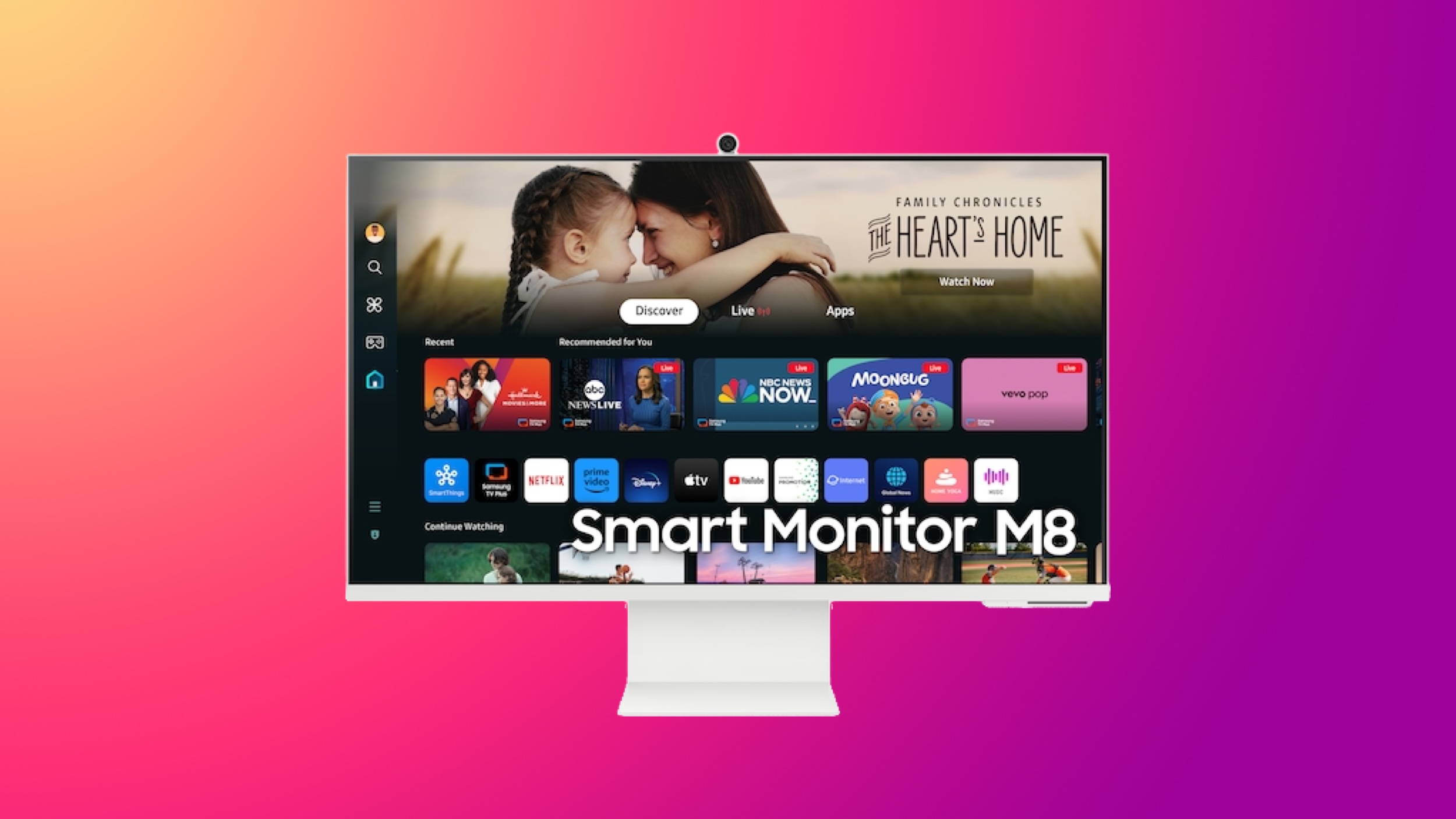
Samsung this week opened up a new sale on monitors and other devices, including one of the first discounts on the 32-inch Smart Monitor M80D, which just launched last month. You can get this brand new monitor for $549.99, down from $699.99.
Note: MacRumors is an affiliate partner with Samsung. When you click a link and make a purchase, we may receive a small payment, which helps us keep the site running.
The Smart Monitor M80D was announced at CES in January and launched in early June. It has much of the same hardware as last year's model and features 400 nits of brightness, a 60Hz refresh rate (non variable), 99% sRGB, and adaptive picture technology.
$150 OFF
32-inch Smart Monitor M80D for $549.99
The display also retains key features like USB-C charging connectivity, AirPlay 2 support, an integrated webcam, and several smart TV features that enable it to be used when not connected to a PC.
In terms of new features, the M80D includes a Multi Control feature that allows images and text to be moved between the display and a Galaxy Book, Tablet, or Phone. You can also pair Galaxy Buds to the monitor for a spatial audio experience with head tracking, as well as guided workouts when paired with a Galaxy Watch.
You can also get the 27-inch ViewFinity S9 5K Smart Monitor for $999.99, down from $1,599.99. At $600 off this is a solid second-best price on the 2023 display, which has a matte display, modular 4K SlimFit camera, and support for Thunderbolt 4.
$600 OFF
27-inch ViewFinity S9 5K Smart Monitor for $999.99
Additionally, we're tracking a large collection of discounts on Samsung monitors, TVs, and Samsung devices. This includes pre-order offers on the new line of Samsung smartphones, Galaxy Watch Ultra, and Galaxy Buds3 Pro.
Monitors
34-inch Odyssey HDR Gaming Monitor - $399.99, down from $549.99
34-inch ViewFinity HDR10 Curved Monitor - $549.99, down from $699.99
49-inch Odyssey G9 Curved Gaming Monitor - $899.99, down from $1,299.99
34-inch OLED Curved Smart Gaming Monitor - $849.99, down from $1,199.99
49-inch Odyssey OLED G9 Curved Gaming Monitor - $1,199.99, down from $1,799.99
TVs
70-inch QLED 4K QE1C TV - $989.99, down from $1,799.99
55-inch Neo QLED 4K Smart TV - $1,099.99, down from $1,499.99
55-inch Samsung Neo QLED 4K TV - $1,099.99, down from $1,999.99
65-inch OLED S90C TV - $1,599.99, down from $2,599.99
85-inch Samsung Neo QLED 4K Smart TV - $2,599.99, down from $4,799.99
Galaxy Products
Galaxy Z Fold6 - Save up to $1,500 with trade-in credit
Galaxy Z Flip6 - Save up to $1,000 with trade-in credit
Galaxy Watch Ultra - Save up to $480
Galaxy Buds3 Pro - Save up to $180
Be sure to visit our full Deals Roundup to shop for even more Apple-related products and accessories.
Related Roundup: Apple Deals
This article, "Samsung's New Smart Monitor M80D Gets First Discount at $150 Off, Plus More Savings" first appeared on MacRumors.com
Discuss this article in our forums
https://www.macrumors.com/2024/07/11/samsungs-smart-monitor-m80d-first-discount/
The Best Early Amazon Prime Day Deals on Apple Watch
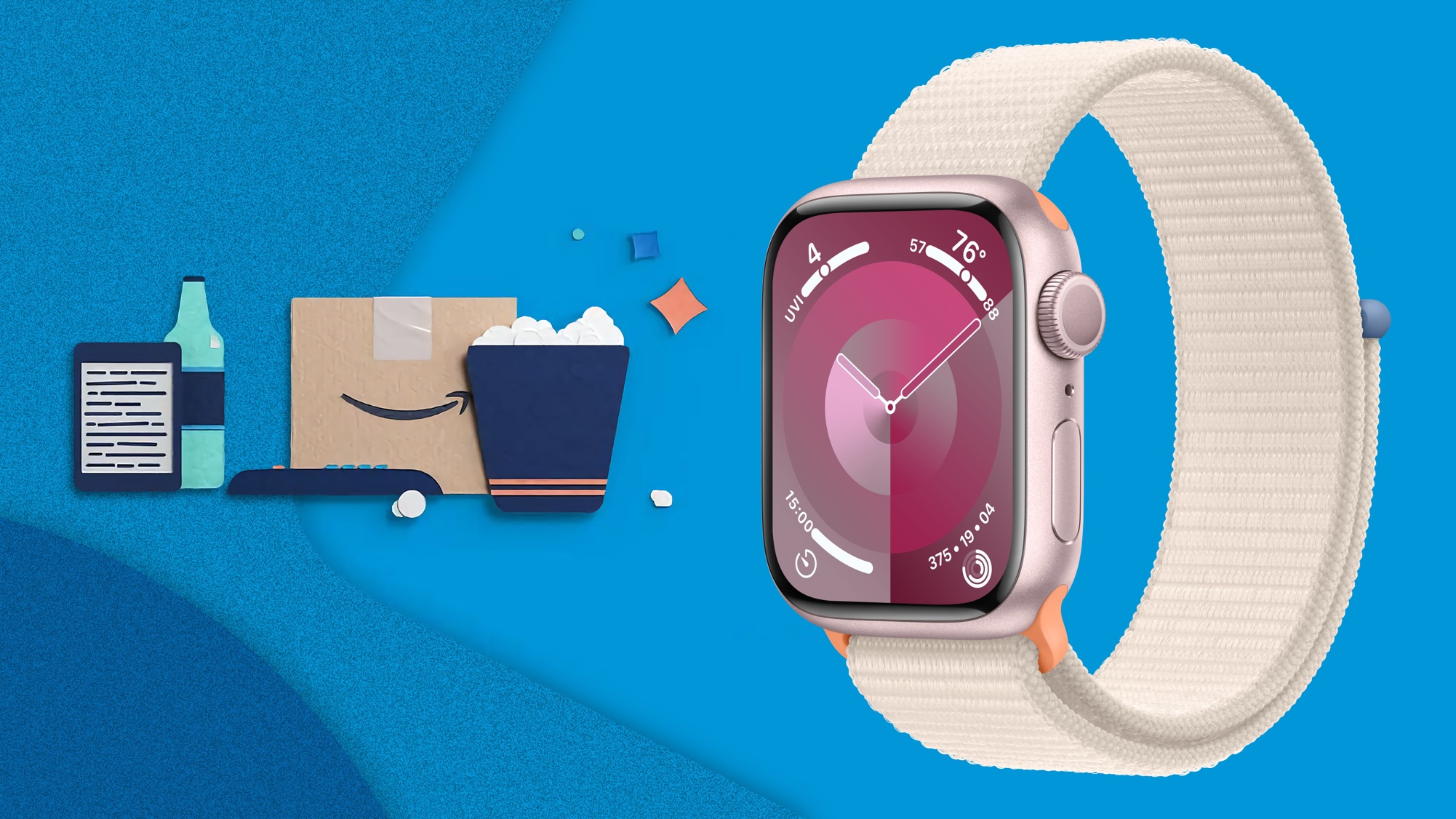
Amazon Prime Day is just a few days away, but you can already get all-time low prices on multiple Apple Watch models right now. As with all early deals, there is a chance that these Apple Watch discounts get even steeper when Prime Day officially kicks off on July 16, but for right now they're still great discounts on each model.
Note: MacRumors is an affiliate partner with Amazon. When you click a link and make a purchase, we may receive a small payment, which helps us keep the site running.
you can join Prime via a free 30-day trial to participate in this year's Prime Day. Once your trial is over, Prime membership will run for $14.99/month or $139/year. For students, that's $7.49/month or $69/year.
Apple Watch Series 9
You can get up to $100 off most Apple Watch Series 9 models right now on Amazon, starting at $299.00 for the 41mm GPS watches. We've rounded up all of the deals below, focusing on the aluminum devices, but you can also find $100 discounts on a few stainless steel models as well.
$100 OFF
Apple Watch Series 9 (41mm GPS) for $299.00
$100 OFF
Apple Watch Series 9 (45mm GPS) for $329.00
$100 OFF
Apple Watch Series 9 (41mm Cellular) for $399.00
$100 OFF
Apple Watch Series 9 (45mm Cellular) for $429.00
Apple Watch SE
Apple's 40mm GPS Apple Watch SE is available for $189.00 today on Amazon, down from $249.00. This is just $10 higher compared to the all-time low price on the wearable. This deal is available in all three aluminum color options, and only Amazon has the discount.
$60 OFF
Apple Watch SE (40mm GPS) for $189.00
$60 OFF
Apple Watch SE (44mm GPS) for $219.00
$219.00 on Amazon, down from $279.00. This is another near all-time low price that's just $10 away from the lowest price on the Apple Watch SE, and it's only available in Starlight.
Deals Roundup has more information on the latest Apple-related sales and bargains.
Related Roundup: Apple Deals
This article, "The Best Early Amazon Prime Day Deals on Apple Watch" first appeared on MacRumors.com
Discuss this article in our forums
https://www.macrumors.com/2024/07/11/best-prime-day-deals-apple-watch/
Apple Vision Pro Unlikely to Hit 500,000 Sales This Year, Says IDC
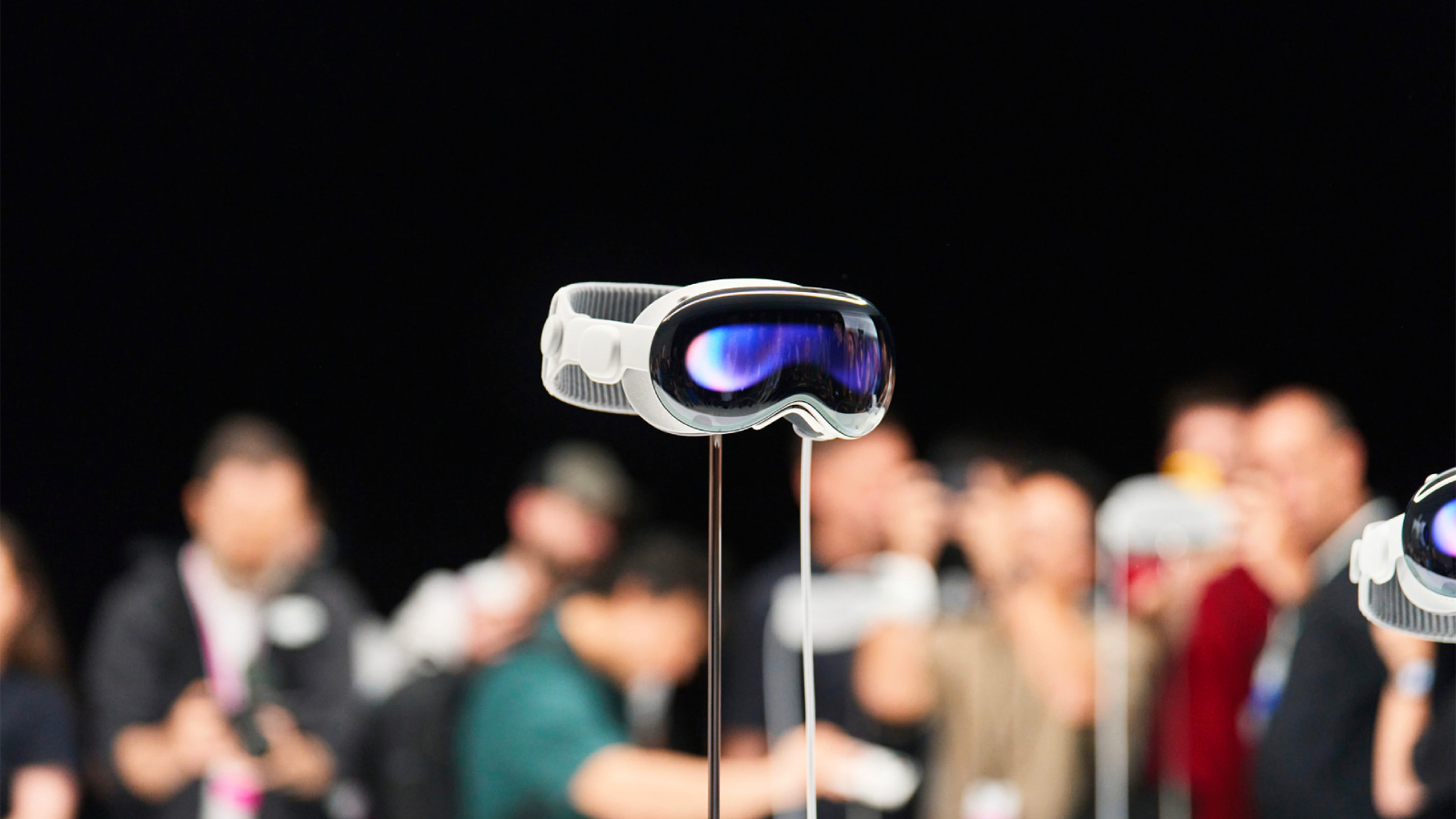
Apple's Vision Pro spatial computing headset has yet to sell 100,000 units in the quarter since it launched in the U.S. in February, according to market tracker IDC (via Bloomberg).
The device is projected to see a 75% drop in domestic sales in the current quarter, but the launch of Vision Pro internationally this month is expected to offset that decline.
Apple Vision Pro is set to launch in the United Kingdom, Canada, Australia, France, and Germany on Friday, July 12.
Reviews for the device have been mixed overall. For the most part, users have been impressed with the hardware and the technology introduced by the Vision Pro, but there are questions about the actual function of the device, the intuitiveness of the gesture-based control, the weight and comfort, and VR in general. Users have also been critical of the lack of content for the device.
"The Vision Pro's success, regardless of its price, will ultimately depend on the available content," said Francisco Jeronimo, vice president at IDC. "As Apple expands the product to international markets, it's crucial that local content is also made available."
Ming-Chi Kuo. However, Apple is said to be already working on a new version of the Apple Vision Pro for 2025 that will be priced more affordably. IDC's Jeronimo predicts that will more than double sales when it arrives in the latter half of 2025.
Related Roundup: Apple Vision Pro
Buyer's Guide: Vision Pro (Buy Now)
Related Forum: Apple Vision Pro
This article, "Apple Vision Pro Unlikely to Hit 500,000 Sales This Year, Says IDC" first appeared on MacRumors.com
Discuss this article in our forums
https://www.macrumors.com/2024/07/11/apple-vision-pro-under-500000-sales-this-year/
EU Regulators Accept Apple Commitments to Open NFC Access to Rivals
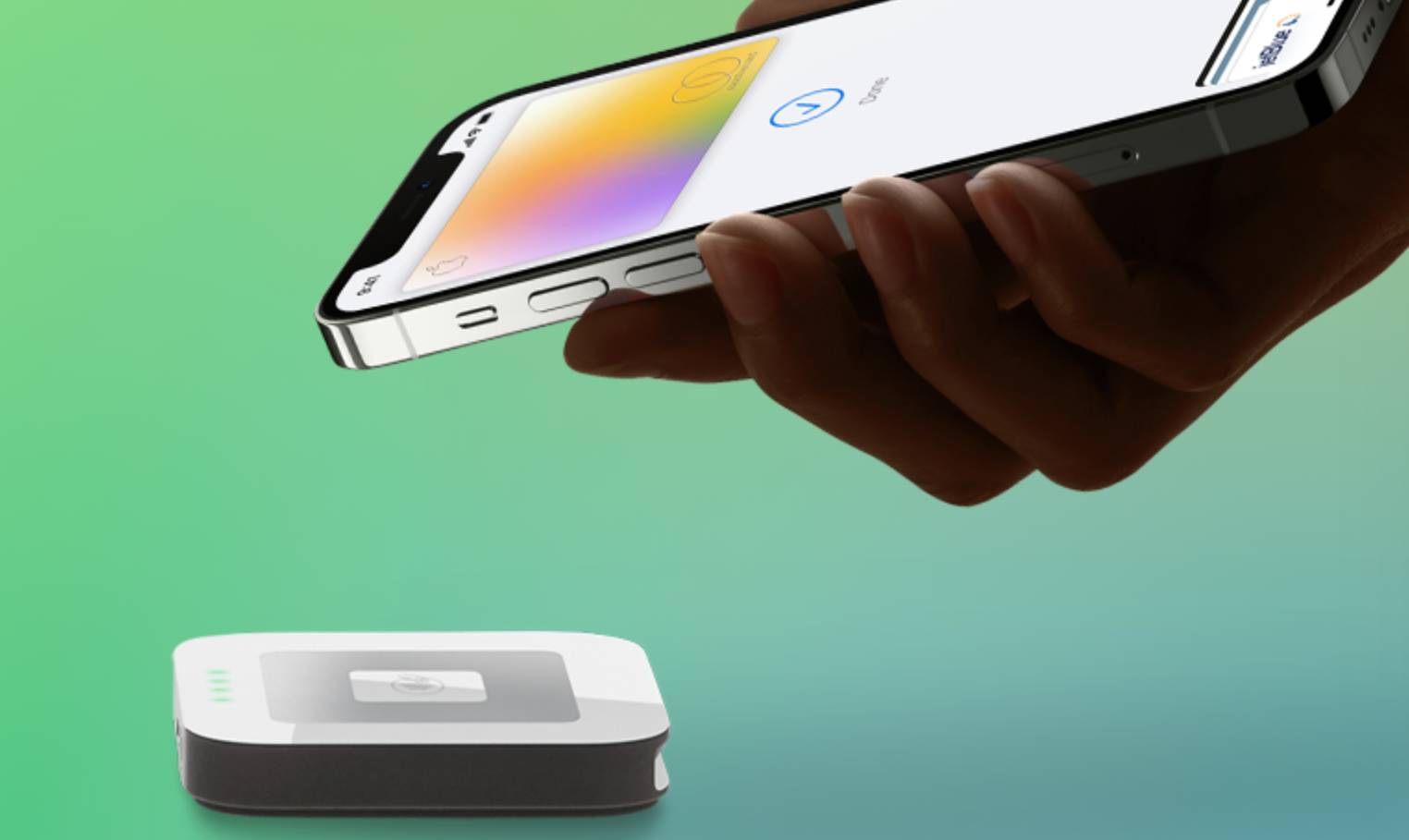
The European Union has accepted commitments from Apple to open its mobile payments system and give competitors access to the iPhone's NFC technology, bringing an end to a lengthy investigation by EU regulators into the technology.
According to the announcement, Apple has agreed to open up its payments system to other providers free of charge for a decade. Apple will let users set a third-party wallet app as their default, rather than its own Apple Wallet. It will also allow rivals full access to key iOS features, such as double click to launch wallet apps, along with Face ID, Touch ID, and passcodes for authentication. From the EU press release:
The commitments bring important changes to how Apple operates in Europe to the benefit of competitors and customers.
First, Apple commits to give access to NFC functionality to third-party mobile wallets. This access will be free of charge.
It will take place in what is called "Host Card Emulation mode". This is a software solution that allows rival wallets to make secure NFC payments. Apple Pay, on the other hand, relies on access to the hardware "secure element" in the iPhone. We accept Apple's commitment because it offers an equivalent solution in terms of security and user experience. And it is easier to implement both for Apple and wallet developers. Indeed, other wallets already use this solution in an Android environment.
Second, Apple committed to enable access to important functionalities available on iPhones. This includes Double-Click and Face ID. iPhone users will be able to double-click the side button of their iPhones to launch their preferred payment application. Competing wallets will also be able to use Face ID, Touch ID and passcode to verify users' identities.
Third, Apple will also enable users to make the wallet of their choice the standard option on their iPhones. This is also known as setting the default option.
These commitments are applicable to users registered in the European Economic Area, including when they travel abroad.
Apple has until July 25 to implement the changes. The company risks a fine if it violates the agreement, which will remain binding for 10 years.
2022 with violating competition law, contending that Apple was preventing competitors from accessing its near-field communication (NFC) technology to favor Apple Pay. In response to the charges, Apple made a commitment to the European Commission in January to open access to the iPhone's NFC, allowing competitors to create their own contactless payment solutions outside of the confines of Apple Pay and Apple Wallet.
Tags: European Union, European Commission, NFC
This article, "EU Regulators Accept Apple Commitments to Open NFC Access to Rivals" first appeared on MacRumors.com
Discuss this article in our forums
https://www.macrumors.com/2024/07/11/apple-opens-iphone-nfc-access-eu/
iPhone 17 Pro Max Will Be First to Feature Three 48MP Camera Lenses
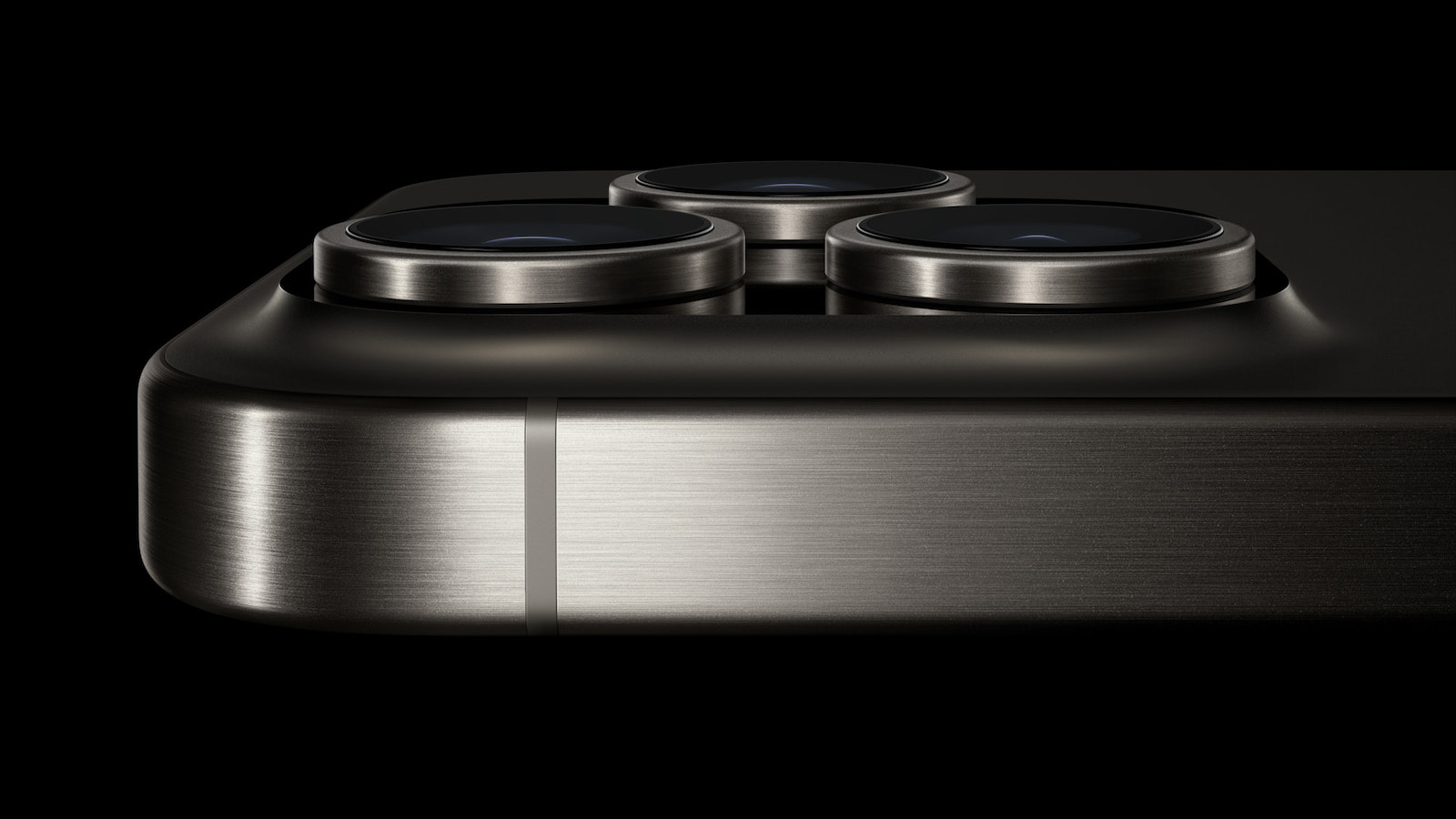
Next year's iPhone 17 Pro Max will feature an upgraded 48-megapixel Tetraprism camera for enhanced photo quality and zoom functionality, according to Apple analyst Ming-Chi Kuo.
In his latest investor note published to Medium, Kuo said the key specification change would be a 1/2.6" 48MP CIS sensor, up from the 1/3.1" 12MP sensor expected to be used in this year's iPhone 16 Pro models.
expected to get Tetraprism telephoto lenses in 2024, instead of the technology being limited to the larger Pro Max, as it is in the iPhone 15 series. (The iPhone 15 Pro has a 12-megapixel telephoto camera that offers 3x zoom, but the iPhone 15 Pro Max uses an upgraded telephoto system that allows for 5x zoom.) That means both iPhone 16 Pro models will feature at least 5x optical zoom and at least 25x digital zoom.
Kuo said he is currently uncertain whether only the iPhone 17 Pro Max will feature the upgraded Tetraprism camera. But if it is exclusive to the model, then both iPhone 18 Pro models will get it in 2026. The upgraded Tetraprism camera requires all-new designed prisms, which must have a shorter form factor to reduce the camera's height, added Kuo.
said the iPhone 17 Pro Max's upgraded 48MP telephoto lens will be optimized for use with Apple Vision Pro. Current iPhone 15 Pro models can record spatial video with 3D depth for playback on the Vision Pro – when held in landscape orientation, the main and ultra wide lenses combine to record spatial video with added depth.
48MP ultra wide lens, which would make the iPhone 17 Pro Max the first iPhone model to have a rear camera system entirely made up of 48-megapixel lenses. To put that into perspective, current iPhone 15 Pro models have 48MP main, 12MP ultra wide, and 12MP telephoto lenses.
Related Roundup: iPhone 17
Tag: Ming-Chi Kuo
This article, "iPhone 17 Pro Max Will Be First to Feature Three 48MP Camera Lenses" first appeared on MacRumors.com
Discuss this article in our forums
https://www.macrumors.com/2024/07/11/iphone-17-pro-max-48mp-telephoto/
iPhone 17 Pro Max Will Be First to Feature Three 48MP Camera Lenses
Next year's iPhone 17 Pro Max will feature an upgraded 48-megapixel Tetraprism camera for enhanced photo quality and zoom functionality, according to Apple analyst Ming-Chi Kuo.
In his latest investor note published to Medium, Kuo said the key specification change would be a 1/2.6" 48MP CIS sensor, up from the 1/3.1" 12MP sensor expected to be used in this year's iPhone 16 Pro models.
expected to get Tetraprism telephoto lenses in 2024, instead of the technology being limited to the larger Pro Max, as it is in the iPhone 15 series. (The iPhone 15 Pro has a 12-megapixel telephoto camera that offers 3x zoom, but the iPhone 15 Pro Max uses an upgraded telephoto system that allows for 5x zoom.) That means both iPhone 16 Pro models will feature at least 5x optical zoom and at least 25x digital zoom.
Kuo said he is currently uncertain whether only the iPhone 17 Pro Max will feature the upgraded tetraprism camera. But if it is exclusive to the model, then both iPhone 18 Pro models will get it in 2026. The upgraded tetraprism camera requires all-new designed prisms, which must have a shorter form factor to reduce the camera's height, added Kuo.
said the iPhone 17 Pro Max's upgraded 48MP telephoto lens will be optimized for use with Apple Vision Pro.
48MP Ultra Wide lens, which would make the iPhone 17 Pro Max the first iPhone model to have a rear camera system entirely made up of 48-megapixel lenses. To put that into perspective, current iPhone 15 Pro models have 48-megapixel main, 12-megapixel ultra wide, and 12-megapixel telephoto lenses.
Related Roundup: iPhone 17
Tag: Ming-Chi Kuo
This article, "iPhone 17 Pro Max Will Be First to Feature Three 48MP Camera Lenses" first appeared on MacRumors.com
Discuss this article in our forums
https://www.macrumors.com/2024/07/11/iphone-17-pro-max-48mp-telephoto/
10+ Changes to Control Center in iOS 18
Apple redid the Control Center in iOS 18, and it's one of the biggest changes to the iPhone and the iPad outside of Apple Intelligence. The interface is much more customizable, there are more Control Center options, and controls can be accessed from new places.
This guide highlights all of the new Control Center changes that Apple added in iOS 18 (and iPadOS 18).
Reorder Controls
With iOS 17, you could choose some of the controls that were available in Control Center, but in iOS 18, customization goes much further. For the first time, you can rearrange Control Center quick access buttons into a layout that best suits your needs.
Apple has designed a Home Screen-style grid for the Control Center, with an 8x4 arrangement of open circular spots where different controls can be placed. You can fill up all the empty circle spots, or choose to leave blank spaces between columns and rows.
None of the Control Center buttons are permanent, and every one that you opt to use can be moved, duplicated, deleted, and rearranged as needed. To move controls, follow these steps.
Swipe down from the right upper corner of your iPhone or iPad display to open up Control Center.
Long press on any empty space and hold until the grid shows up, or tap on the "+" button at the upper left of the display.
Use a finger to grab an icon and move it where you want it to be.
Tap at the top or the bottom of the display to exit the grid mode.
Resize and Delete Controls
Control Center controls can be resized, so you can make your most used buttons bigger and easier to press. Single button controls like Dark Mode, Flashlight, Timer, Low Power Mode, Voice Memo, and Remote can be up to four grid circles in size.
Options include a single grid circle, a two grid circle that's horizontal, which adds the control's name, and a four grid circle arranged in a square shape. The majority of controls are limited to these sizes.
Some modules like volume and brightness can only be two horizontal circles in size, with Apple not offering an option to modify the shape or size. The aggregated connectivity controls can take up four spots of the grid in a square shape, or the entire thing with no options in between.
Controls like those for multiple smart home accessories and scenes have more sizing options and can be four grid spaces long or four spaces in a grid, eight spaces, sixteen spaces, or 24 spaces at maximum. The Now Playing control has a similar set of options, but can take up the entire grid.
To resize controls, follow these steps:
Long press in an open space in the Control Center or tap the "+" button.
Grab the bottom right corner of an icon, which has a curved, highlighted marker to indicate that it can be manipulated.
Drag and pull outward to make a control bigger, or push up and over to make it smaller. There will be minimum and maximum sizes that vary for different controls.
Tap at the top or bottom of the display to exit the editing menu, or just wait and it will close automatically after a few seconds with no interaction.
To delete any Control Center control, follow the steps above to enter edit mode and tap on the "-" button.
Controls Gallery
Control Center controls are now organized into a gallery that can be accessed from the Control Center interface. To get to the Control Center gallery, long press on the display or use the "+" button to enter editing mode, and then tap on "Add a Control."
The main part of the gallery has a selection of suggested controls, and if you scroll down, you'll see options organized into the following categories: Accessibility, Capture, Clock, Connectivity, Display and Brightness, Focus, Hearing Accessibility, Home, Motor Accessibility, Notes, Now Playing, Remote, Shortcuts, Sounds, Translate, Utilities, Vision Accessibility, Voice Memos, Wallet, and Watch.
There is a search interface right at the top of the gallery so if you're looking for something specific, you can just search for it rather than having to swipe down to try to locate it manually.
Multiple Screens
Control Center has always been just a single screen, but that's changing in iOS 18. You can set up multiple screens for your controls, which means you can have dedicated pages for things like connectivity controls, HomeKit devices, and Accessibility options.
There are multiple pages by default when installing iOS 18, and you can customize them to your liking and add and delete pages. Control Center supports up to 15 separate screens.
Navigating through pages is done by swiping up and down through Control Center, tapping the small icons on the right side of the display, or holding a finger over the icons and scrubbing through them. As you add controls to different pages, Control Center automatically assigns an icon based on what's on the page. You can't customize the icons at this time.
Here's how to add pages:
Swipe down from the right hand side of the display to get into Control Center.
Tap on the circle icon at the bottom of the icon list, which denotes a blank page.
Tap on Add a Control to select the controls that you want to include on the page.
When finished, tap anywhere at the top or bottom of the display to exit editing mode.
If you add more controls than there are space for, or resize something to be larger than will fit, Control Center will automatically add another page and move the control to that page.
There are some limitations to what can be on a single page. Control Center won't allow you to add a single-sized icon to a page and then create another page - the create new page option won't show up while an existing page still has enough space to accommodate icons. It does offer the option when a page is about half full, which provides enough wiggle room to have spacing between icons.
To remove a page, you just need to delete all of the controls on it following the steps up above.
Power Button
At the top right of the Control Center, Apple added a Power Button to make it easier to turn your iPhone off. To prevent accidental activation, using the Power Button requires a press and hold.
Pressing and holding brings up the shut down interface where you need to swipe to turn your device off, and it locks your iPhone so Face ID or Touch ID will be needed to unlock it again (similar to multiple presses on the side button).
Third-Party Apps
In iOS 18, Control Center is no longer limited to built-in apps and features. Third-party app developers can create controls for their apps, and those can be added to Control Center through the Control Center gallery.
Lock Screen
iOS 18 brings Control Center to the Lock Screen, allowing you to swap out the default Flashlight and Camera icons for new quick access buttons. There's also an option to remove Lock Screen controls entirely.
At the Lock Screen, unlock and long press to get into the Lock Screen editing interface.
Tap on Customize to customize an existing Lock Screen or tap on the "+" button to create a new Lock Screen.
Tap on Lock Screen.
Tap on the "-" buttons on the Flashlight and Camera icons to remove them. Stop here if you don't want to add new controls.
To swap in something else, tap on the "+" button to open up the Control Center gallery.
Choose a control from the list or use the search interface.
When you're finished, tap on Done and then tap on the Lock Screen to exit out of editing mode.
Many of the Control Center options can be put on the Lock Screen, including those from third-party apps. You can activate everything from Dark Mode to Airplane Mode, or open up apps like Notes or Home. There is an option to set any Shortcut to the Lock Screen, or add a control to open any app you have on your device.
With this option in particular, you have a lot of customization options. You can, for example, set a third-party camera app to open instead of the main Camera app, giving you quick access to a non-default camera.
There are some Control Center controls that are not available, such as volume and brightness adjustment, Low Power mode, Bluetooth and Wi-Fi, Focus, and Screen Recording.
For some actions, such as opening an app or activating a Shortcut, Face ID or Touch ID authentication is required for privacy purposes.
Action Button
Control Center controls can also be assigned to the Action Button on devices that support it, which includes the iPhone 15 Pro and iPhone 15 Pro Max.
Open up the Settings app.
Tap on Action Button.
Swipe until you get to the Controls option.
Tap on Choose a Control.
Scroll down to select a control or use the search interface to find what you're looking for.
Swipe up to exit the Settings app.
After setup, when you press the Action Button, you'll activate the control that you've set.
There are a limited number of options for the Controls Action Button.
Calculator
Stopwatch
Alarm
Home
Timer
Dark Mode
Airplane Mode
Cellular Data
Personal Hotspot
Open Music
Quick Note
Remote
Scan Code
Wallet
Tap to Cash
Ping My Watch
Some other features that you would normally find in Control Center, such as the Camera, can be added through other Action Button options.
New Control Center Options
With these changes, there are Control Center options that were not previously available.
Open Music
Activate a Shortcut
Open any app
Third-party app controls
Translate
Print Center
Tap to Cash
There are also a number of new hearing, motor, and vision accessibility options that can be added. Apple had broader categories for these before, but now there are specifics for things like Voice Control, Assistive Touch, Background Sounds, Live Listen, Headphone Levels, Live Speech, Reduce Motion, Invert, and more.
Settings
There were a number of Control Center settings in the Settings app in iOS 17, but Apple has eliminated almost all of them because these capabilities are now in the controls gallery. The only option you'll find in the Settings app is Access Within Apps, a toggle for determining whether swiping down on the display brings up Control Center when you're using an app.
Read More
For more on all of the new features that are coming in iOS 18, we have a dedicated iOS 18 roundup.
Related Roundups: iOS 18, iPadOS 18
Related Forums: iOS 18, iPadOS 18
This article, "10+ Changes to Control Center in iOS 18" first appeared on MacRumors.com
Discuss this article in our forums
Apple Seeds Third Beta of macOS Sequoia to Developers

Apple today seeded the third beta of upcoming an upcoming macOS 15 Sequoia update to developers for testing purposes, with the software coming two weeks after the release of the second beta, which added iPhone Mirroring support.
Registered developers can opt-in to the beta through the Software Update section of the System Settings app. Note that an Apple ID associated with an Apple Developer account is required to get the beta.
macOS Sequoia includes iPhone Mirroring, which allows you to control your locked iPhone from your Mac. You can open and use iPhone apps, interact with notifications, and drag and drop files between your iPhone and Mac and vice versa.
There are new options for window tiling, and dragging a window to the edge of the display will suggest a tiled location to make it easier to use multiple apps at once. Apple is adding a Passwords app for managing passwords, Safari can summarize websites and surface key information, and Notes has support for live audio transcription and math equations.
iOS 18 will also be available in macOS Sequoia, but Apple does not plan to add these until later in the beta testing process. Apple Intelligence includes Writing Tools for editing, proofreading, and summarizing text in apps, and an Image Playground allows for AI images to be created from prompts.
Siri is getting much smarter. Siri will be able to do more in apps and will better understand requests, especially those made in regard to on-screen content.
Related Roundup: macOS Sequoia
Related Forum: macOS Sequoia
This article, "Apple Seeds Third Beta of macOS Sequoia to Developers" first appeared on MacRumors.com
Discuss this article in our forums
https://www.macrumors.com/2024/07/10/apple-seeds-macos-sequoia-beta-3/
Easily Switch From Google Photos to iCloud Photos With This New Tool
Google today released a tool that allows you to transfer photos and videos from Google Photos to iCloud Photos, complete with albums and descriptions.
Apple released an equivalent tool for moving from iCloud Photos to Google Photos three years ago, so this was a reciprocal move by Google. The companies released the tools as part of the Data Transfer Initiative, which is focused on ensuring that customers can download their data from one online service and upload it to another.
Google's tool merely creates a copy of your photos and videos for another service. The original photos and videos will remain in your Google Photos account following the transfer process, unless they are manually deleted afterwards.
Google and Apple support documents for each tool, and on the Data Transfer Initiative blog.
Tags: Google Photos, iCloud Photos
This article, "Easily Switch From Google Photos to iCloud Photos With This New Tool" first appeared on MacRumors.com
Discuss this article in our forums
https://www.macrumors.com/2024/07/10/google-photos-to-icloud-photos-transfer-tool/
Apple's Cutesy New Website Pushes Apple Watch for Kids
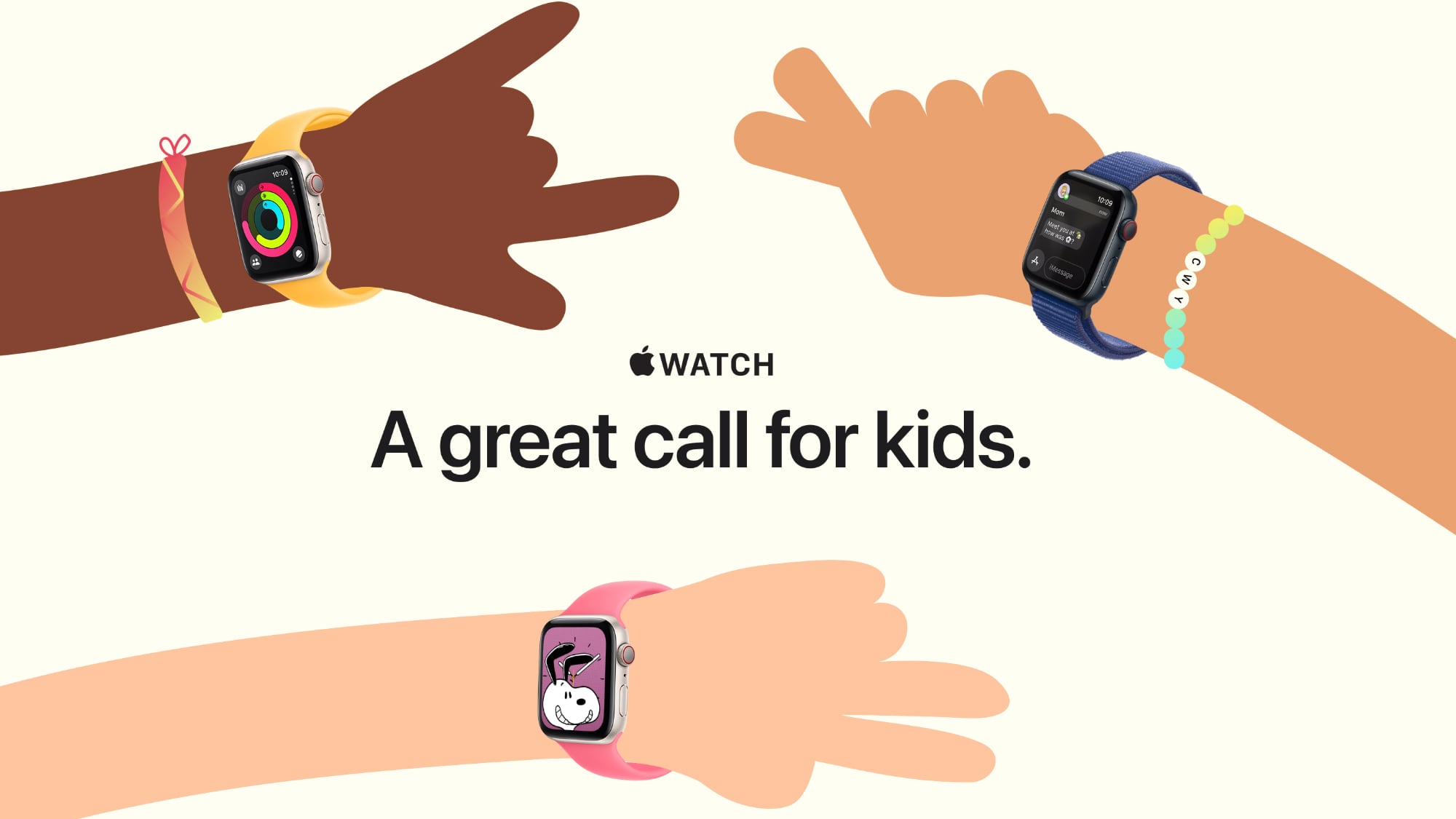
Apple is encouraging parents to purchase a cellular Apple Watch for their children with a new "Apple Watch For Your Kids" campaign, which appears to be a more informative rebranding of the Apple Watch Family Setup feature that's been around since 2020.
The Apple Watch For Your Kids website walks through how the feature works and the perks. An Apple Watch with cellular can be added to and managed by an adult's iPhone, providing kids with a wrist-worn device for phone calls, text messaging, and location tracking.
Apple touts Schooltime, an option that restrictions notifications and apps during school hours through Do Not Disturb. The Schooltime schedule is set by parents and adds a visible yellow circle to an Apple Watch so teachers are aware the device is not usable during classtime.
Apple also promotes Apple Watch durability and water resistance, as well as the built-in activity tracking options that include workouts for children and activity awards.
support document that walks parents through setup.
This article, "Apple's Cutesy New Website Pushes Apple Watch for Kids" first appeared on MacRumors.com
Discuss this article in our forums
https://www.macrumors.com/2024/07/10/apple-watch-for-kids-website/
Apple Intelligence Settings Visible in iOS 18 Beta 3 Simulator, But Features Still Not Available
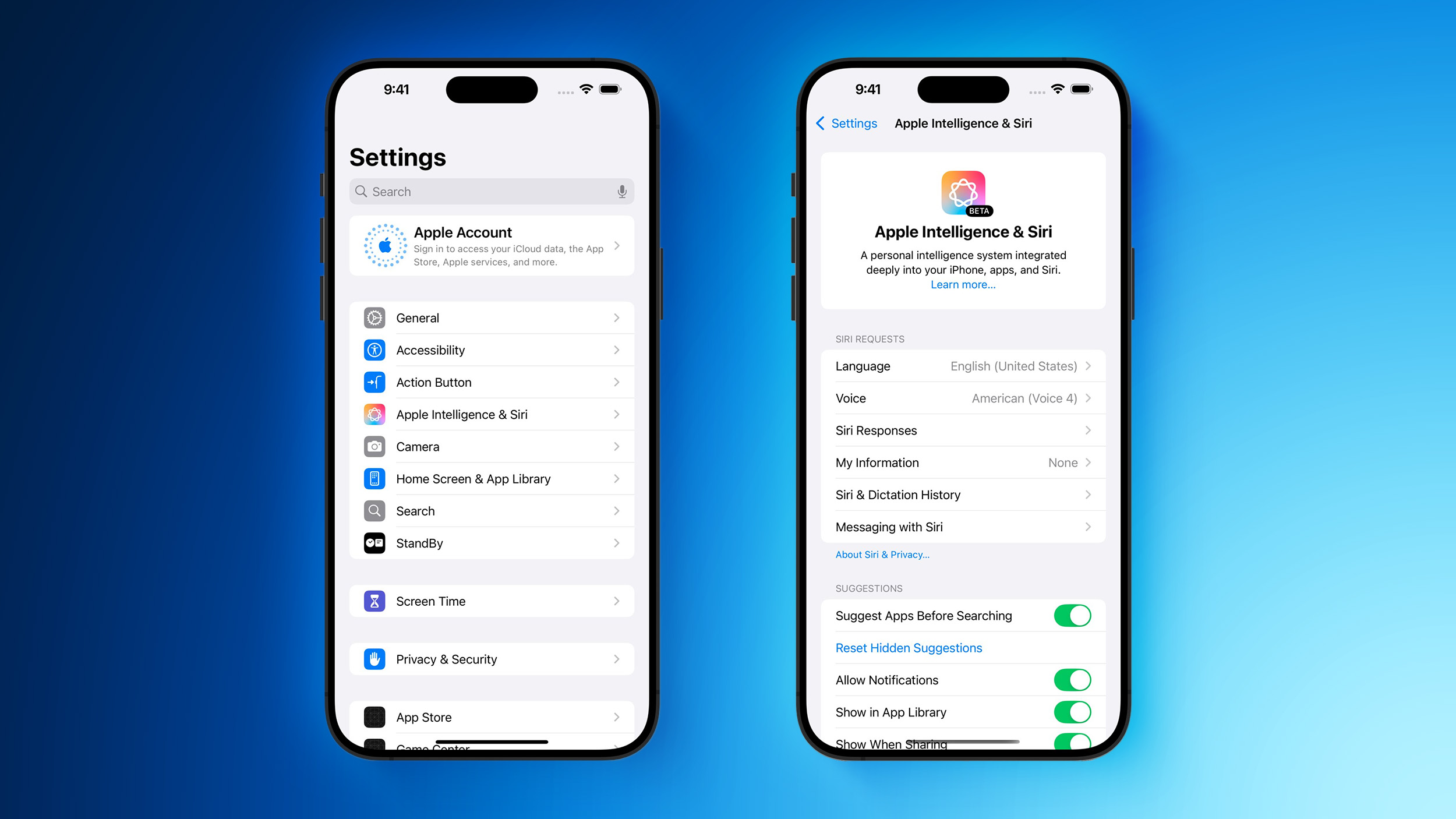
The latest beta of Apple's app development tool Xcode allows developers to simulate an iPhone running the third beta of iOS 18, and this has led to the discovery of some Apple Intelligence settings that are not yet available.
Aaron Perris and Matthew Rodarmel are among those who spotted the settings, which can be seen in the screenshots above. However, Apple Intelligence features are still not available for testing in the third beta of iOS 18, released this week.
During its WWDC keynote last month, Apple said that some Apple Intelligence features would be available to try "this summer," but it did not provide a specific timeframe. The features will be available in U.S. English only at launch, and they require an iPhone 15 Pro or iPhone 15 Pro Max, or a Mac or iPad equipped with an M1 chip or newer.
Apple Intelligence will be able to summarize text, prioritize notifications and emails, and generate custom emoji and images, while the technology will also power a smarter version of Siri with richer language understanding, deeper per-app controls, on-screen awareness, and more. Apple said some of the features, along with support for additional languages and software platforms, will be added "over the course of the next year."
Related Roundups: iOS 18, iPadOS 18
Tag: Apple Intelligence
Related Forums: iOS 18, iPadOS 18
This article, "Apple Intelligence Settings Visible in iOS 18 Beta 3 Simulator, But Features Still Not Available" first appeared on MacRumors.com
Discuss this article in our forums
https://www.macrumors.com/2024/07/10/ios-18-beta-3-simulator-apple-intelligence/
Early Prime Day Discounts Hit M2 iPad Air Models at Up to $90 Off

Apple's M2 iPad Air models are just a few months old, and Amazon has up to $90 off select models this week. We're tracking all-time low prices across the entire Wi-Fi M2 iPad Air lineup, although the steepest discounts will be found on 13-inch models.
Note: MacRumors is an affiliate partner with Amazon. When you click a link and make a purchase, we may receive a small payment, which helps us keep the site running.
$564.00, down from $599.00. You'll also find deals on the 256GB, 512GB, and 1TB models below, all of which are in stock on Amazon with delivery dates as soon as the end of the week for Prime members.
$35 OFF
M2 11-inch iPad Air (128GB Wi-Fi) for $564.00
$45 OFF
M2 11-inch iPad Air (256GB Wi-Fi) for $654.00
$55 OFF
M2 11-inch iPad Air (512GB Wi-Fi) for $844.00
$75 OFF
M2 11-inch iPad Air (1TB Wi-Fi) for $1,024.00
$738.00 for the 128GB Wi-Fi tablet, down from $799.00. Similar to the 11-inch devices, all Wi-Fi models are on sale this week, and for the larger display iPad Airs these discounts reach up to $90 off original prices.
$61 OFF
M2 13-inch iPad Air (128GB Wi-Fi) for $738.00
$60 OFF
M2 13-inch iPad Air (256GB Wi-Fi) for $839.00
$75 OFF
M2 13-inch iPad Air (512GB Wi-Fi) for $1,024.00
$90 OFF
M2 13-inch iPad Air (1TB Wi-Fi) for $1,209.00
The iPad Air is Apple's middle-tier iPad model, equipped with an LCD Liquid Retina display, True Tone support, four unique color options, Touch ID, relocated front-facing camera, and two new size options with the 11-inch and 13-inch sizes.
Deals Roundup has more information on the latest Apple-related sales and bargains.
Related Roundup: Apple Deals
This article, "Early Prime Day Discounts Hit M2 iPad Air Models at Up to $90 Off" first appeared on MacRumors.com
Discuss this article in our forums
https://www.macrumors.com/2024/07/10/early-prime-day-m2-ipad-air/
Apple Leads Global PC Growth With 21% Shipment Increase
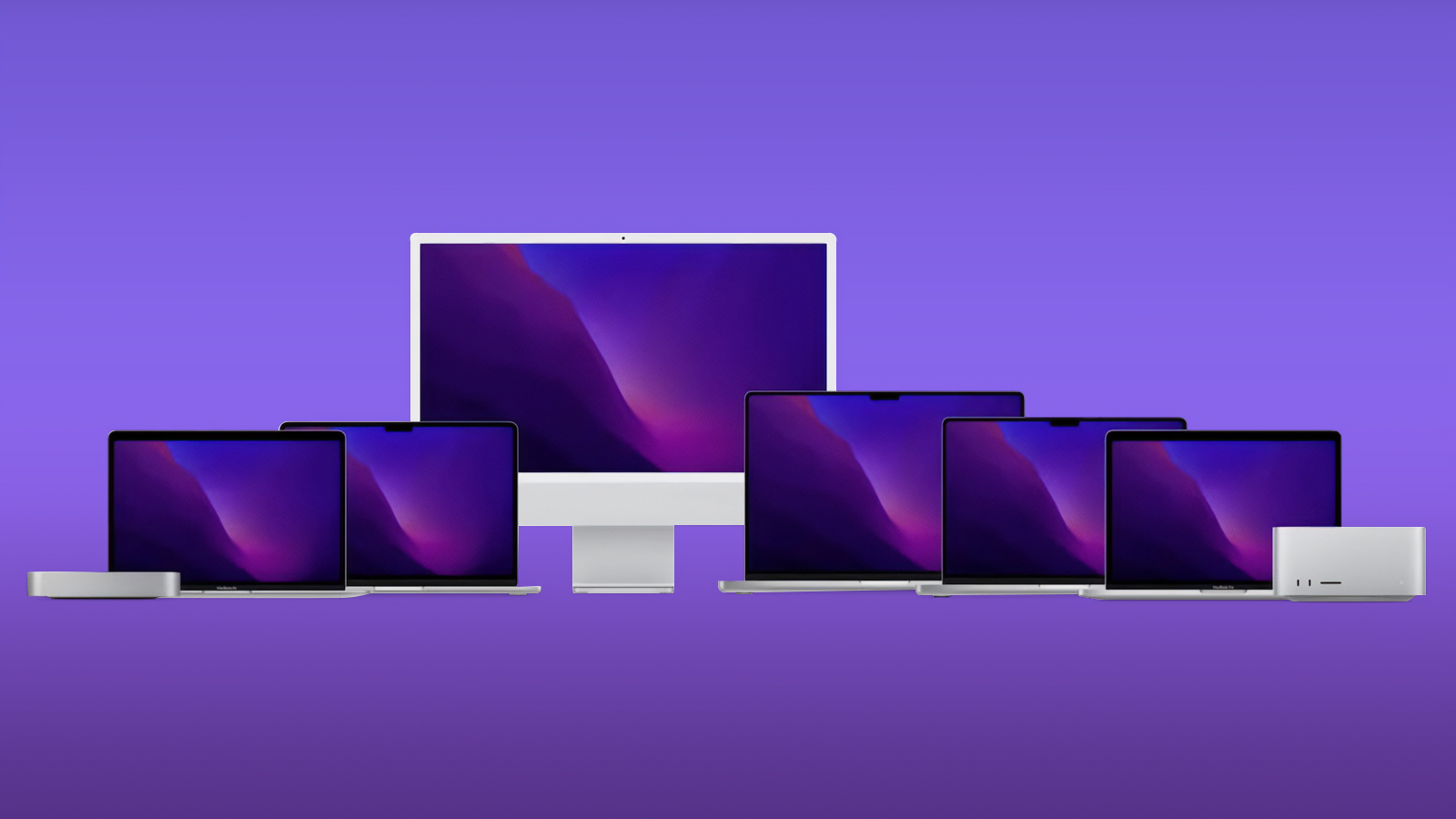
Apple is believed to have seen a significant 21% increase in Mac shipments for the second quarter of 2024, the largest growth among global PC manufacturers during this period, as part of an industry-wide recovery.
According to a report by IDC, an industry research firm, worldwide shipments of desktops and laptops increased by 3% year-over-year for the quarter ending in June 2024. Apple and Acer led the growth among major manufacturers, with Acer showing a 14% increase in shipments. This marked the second consecutive quarter of growth for the PC industry, following a period of decline after the pandemic-driven surge in purchases during 2020 and 2021.
Ryan Reith, group vice president at IDC, noted that the combination of two consecutive quarters of growth, market excitement around AI-focused PCs, and a commercial refresh cycle, provided a much-needed boost to the PC market. AI-focused PCs are anticipated to drive a new wave of upgrades, though IDC reports that only about 3% of PCs shipped this year are said to be optimized for AI tasks. Apple's Mac lineup is likely to see further traction with the integration of Apple Intelligence, which positions the company to capitalize on the growing demand for AI-optimized PCs.
Gartner shows similar figures.
Despite weak demand in China, which held back overall results, excluding China, global shipments grew by more than 5%, according to IDC. Lenovo maintained the highest market share at nearly 23%, while HP saw a 1.8% increase from the previous year, holding 21% of the market.
reported a slightly higher global PC market growth of 3.4% year-over-year, with total shipments reaching 62.8 million units in the second quarter of 2024. Apple secured the fourth position with 5.5 million units shipped, translating to a 9% market share, and marking a 6% increase from the same period last year. Lenovo led the market with 14.7 million units shipped, followed by HP with 13.7 million units, and Dell with 10.1 million units.
Tags: IDC, Canalys
This article, "Apple Leads Global PC Growth With 21% Shipment Increase" first appeared on MacRumors.com
Discuss this article in our forums
https://www.macrumors.com/2024/07/10/apple-leads-global-pc-growth/
MacStadium Releases Free Orka Desktop macOS Virtualization Software
Mac cloud services provider MacStadium today unveiled Orka Desktop, a free virtualization tool that allows Mac users to create and manage macOS virtual machines locally via an easy-to-use admin panel.
Orka users can create or download custom macOS images locally for their own personal use, or to collaborate with team members using a familiar workflow, versioning, audit, and review controls. The tool has been designed for iOS/macOS Developers, DevOps Engineers, and IT Admins, as well as students, hobbyists, technologists, and others.
MacStadium claims it is the "ideal tool" for those who want to learn more about Mac virtualization and learn how an image can be built and tested locally, then uploaded to the cloud.
"Orka Desktop provides the tools to allow developers to create many different macOS image versions locally, commit those into a shared repository, and pass them around for collaboration. Developers can also scale further by pulling those resources into an Orka Cluster at MacStadium where you can orchestrate workloads with cloud resources," said Chris Chapman, MacStadium's chief technology officer."
MacStadium says Orka Desktop achieves near-native performance on Apple Silicon, with virtualization overhead as low as 5% in most cases. Orka Desktop also wraps and compresses macOS images with an Open Container Initiative (OCI)-compliant specification, which allows it to reduce a 90GB image by as much as 80%, shrinking it to nearly 15GB, making it much easier to move around.
The new VM application requires macOS Ventura or macOS Sonoma running on an Apple silicon Mac with at least 8GB of RAM and more than 50GB of free disk space. Orka Desktop can be downloaded for free from the MacStadium website.
Tag: Orka
This article, "MacStadium Releases Free Orka Desktop macOS Virtualization Software" first appeared on MacRumors.com
Discuss this article in our forums
https://www.macrumors.com/2024/07/10/macstadium-free-orka-desktop-macos-vm-software/
Samsung Launches New Galaxy Z Fold6 and Z Flip6 Smartphones, Earbuds, and More
Samsung today announced the launch of its latest flagship foldable smartphones, the Galaxy Z Fold6 and the Galaxy Z Flip6, plus it introduced new Galaxy earbuds, new smart watches, and more.
Subscribe to the MacRumors YouTube channel for more videos.
The Galaxy Z Fold6 is Samsung's larger foldable device, featuring a 6.3-inch cover display when folded and a 7.6-inch display when opened up. The new model is the slimmest and lightest to date, with a slightly larger cover screen. Samsung designed a new dual rail hinge that is more durable, and there is a strengthened folding edge that better distributes the shock of external impacts. Enhanced layers on the main display improve the crease while boosting strength, and Samsung says it is using Gorilla Glass Victus 2, all of which make this the most durable Galaxy foldable device to date.
There's a 10-megapixel selfie camera, a 4-megapixel under-display camera, and a triple rear camera setup with a 12-megapixel ultra-wide lens, a 50-megapixel wide-angle lens, and a 10-megapixel telephoto lens. Other features include 12GB memory, up to 256GB internal storage, a 4,400mAh battery, a fingerprint sensor, and Qualcomm's Snapdragon 8 Gen 3 mobile chip, which is optimized for AI processing.
iPad.
Samsung partnered with Google to integrate the Google Gemini app into its new smartphones, and accessing Gemini can be done by swiping from the corner of the display. AI photo tools include Portrait Studio for creating a variety of portrait styles for images, and Instant Slow-mo for slowing a video by generating additional frames.
Galaxy Z Flip6 also has a thinner, more durable display, and the same Snapdragon 8 Gen 3 chip. It features a 3.4-inch FlexWindow that unfolds into a 6.7-inch smartphone. There's a 10-megapixel selfie camera, a 12-megapixel ultra-wide camera, and a 50-megapixel wide-angle camera.
An AI-based suggested replies feature can be used on the Z Flip6 to respond to texts from the cover screen. The feature analyzes your latest text messages to suggest tailored responses. The FlexWindow can take advantage of many Galaxy AI features such as Samsung Health, and there's support for additional widgets. An AI-powered Photo Ambient wallpaper is able to change in real-time based on the time and weather, and the FlexCam has a new Auto Zoom feature for finding the best framing for a shot.
Other Galaxy AI features on the new smartphones include instant translation for PDFs, equation solving much like Apple's Math Notes, browsing assist for providing translations and summaries of webpages, interpreter for one-way or continuous transcription, and real-time phone call translation.
Galaxy Buds3 and the Galaxy Buds3 Pro, which have been redesigned to be more comfortable and more AirPods-like. The Buds3 have an open design, while the Buds3 Pro are in-ear with silicone tips and block out ambient noise.
AirPods Pro. Samsung says the Buds3 Pro continually identify surrounding sound and adjust the optimal level of noise and sound. Samsung added Blade Lights LED to the Galaxy Buds3 Pro for swipe-based music and volume control.
Galaxy Watch7 and the Galaxy Watch Ultra. The Watch7 is available in 40mm and 44mm sizes, while the Ultra model is larger at 47mm. The Ultra model is equipped with a titanium casing. With the Galaxy Watch7 and Galaxy Watch Ultra, Samsung beat Apple to a rumored Apple Watch feature, sleep apnea detection. The feature is able to check for potential sides of moderate to severe sleep apnea.
Sleep apnea detection, ECG functionality, and heart rate monitoring use a new BioActive Sensor that Samsung says is more accurate. The Galaxy Watches includes a feature for measuring the production of glycation end products (AGEs) from the wrist using light sensors. Samsung explains that AGEs are a reflection of the overall biological aging process and an indication of metabolic health.
Galaxy Ring, which was first introduced earlier this year. The Galaxy ring is a smart ring that can be used alongside a Galaxy smartphone in lieu of a smart watch. It is made from titanium, comes in black, silver, or gold colors, and is available in nine sizes starting at size five. The ring has a seven day battery life and 10ATM water resistance, so Samsung says it is durable enough to wear anywhere without worry.
The ring tracks several sleep metrics, including movement during sleep, sleep latency, heart rate, and respiratory rate to provide a nightly sleep score, plus it is able to use Galaxy AI to generate an energy score. The energy score uses sleep, activity, sleeping heart rate, and sleeping heart rate variability to provide health insights. Samsung is not charging a subscription fee for the Galaxy Ring, and it has access to all data and insights from the Samsung Health app.
Samsung's new product lineup will be available on July 24, with preorders available starting today. The Galaxy Z Fold6 is priced starting at $1,900, while the Galaxy Z Flip6 is priced starting at $1,100. The Galaxy Ring is priced starting at $400, the Galaxy Watch7 is priced starting at $300, and the Galaxy Watch Ultra is priced starting at $650. Samsung's Galaxy Buds3 are priced starting at $180, and the Galaxy Buds3 Pro are priced starting at $250.
As part of the launch, Samsung is offering significant discounts with up to $1,200 in enhanced trade-in credit when purchasing a Z Fold6 or up to $650 when purchasing a Z Flip6, free storage upgrades on both models, a free band with either the Galaxy Watch Ultra or the Galaxy Watch7
Note: MacRumors is an affiliate partner with Samsung. When you click a link and make a purchase, we may receive a small payment, which helps us keep the site running.
Tag: Samsung
This article, "Samsung Launches New Galaxy Z Fold6 and Z Flip6 Smartphones, Earbuds, and More" first appeared on MacRumors.com
Discuss this article in our forums
https://www.macrumors.com/2024/07/10/samsung-galaxy-z-fold6-flip6/