
Emergency SOS via Satellite Launches in Japan
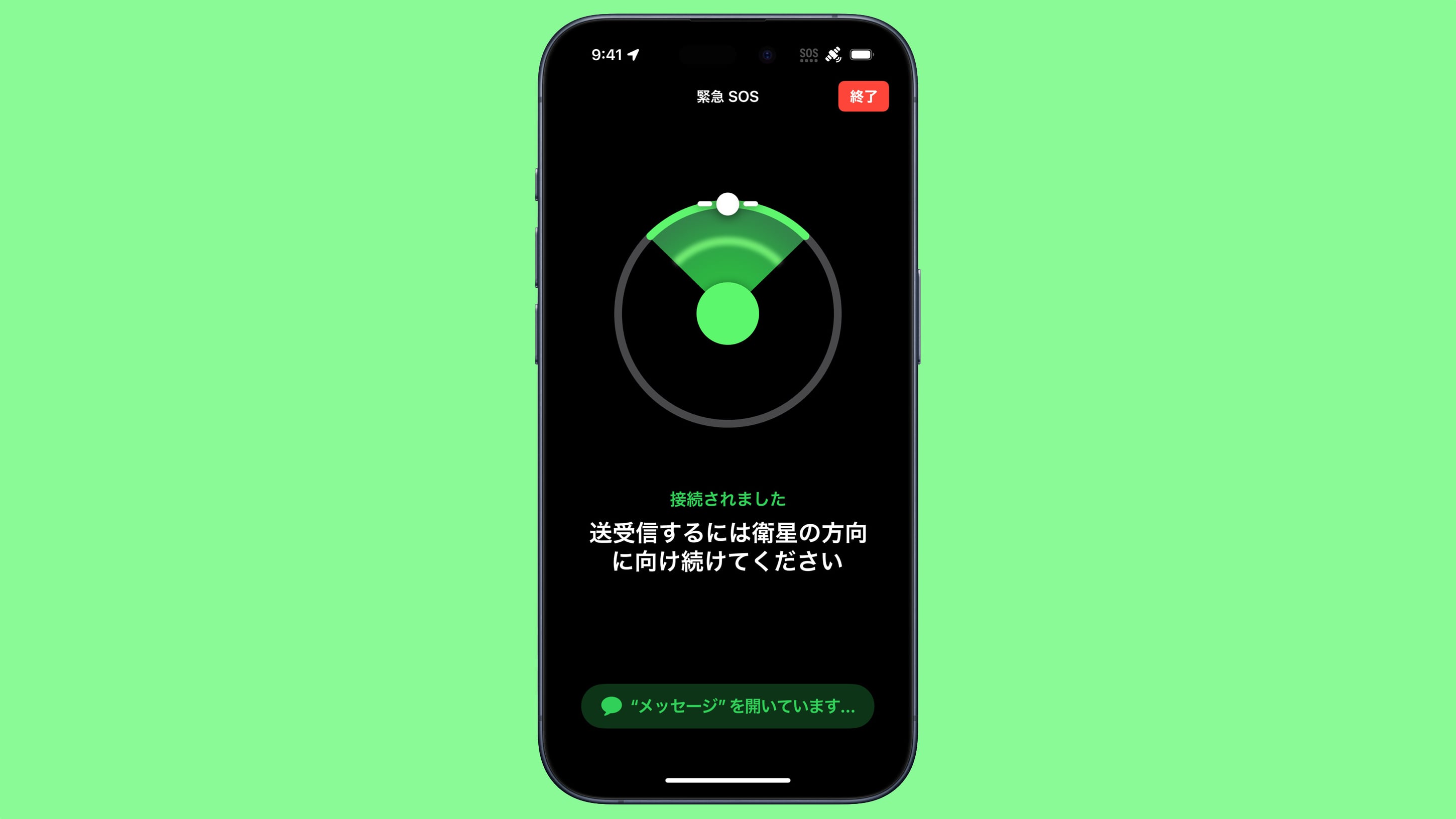
Emergency SOS via satellite expanded to Japan with the iOS 17.6 update that was released yesterday, according to Apple. Japanese customers with an iPhone 14 or an iPhone 15 can use Emergency SOS via satellite to get in touch with emergency services even when a Wi-Fi or cellular connection is unavailable.
Apple first introduced Emergency SOS via satellite in 2022 alongside the iPhone 14 models, but it was initially limited to the United States and Canada. Apple has been working to bring it to additional countries since then.
Find My location when out of range of cellular or Wi-Fi connectivity. The feature works for people living in Japan, as well as visitors to the country.
Emergency SOS via satellite works through a partnership with Globalstar, with iPhone 14 and iPhone 15 models able to connect to Globalstar satellites in countries where the feature has launched. The service is free for two years after activating an iPhone 14 or iPhone 15. Apple has not announced pricing for Emergency SOS via satellite after the two-year period expires.
Tags: Japan, Emergency SOS via Satellite
This article, "Emergency SOS via Satellite Launches in Japan" first appeared on MacRumors.com
Discuss this article in our forums
https://www.macrumors.com/2024/07/30/emergency-sos-via-satellite-japan/
Emergency SOS via Satellite Launches in Japan
Emergency SOS via satellite expanded to Japan with the iOS 17.6 update that was released yesterday, according to Apple. Japanese customers with an iPhone 14 or an iPhone 15 can use Emergency SOS via satellite to get in touch with emergency services even when a Wi-Fi or cellular connection is unavailable.
Apple first introduced Emergency SOS via satellite in 2022 alongside the iPhone 14 models, but it was initially limited to the United States and Canada. Apple has been working to bring it to additional countries since then.
Find My location when out of range of cellular or Wi-Fi connectivity. The feature works for people living in Japan, as well as visitors to the country.
Emergency SOS via satellite works through a partnership with Globalstar, with iPhone 14 and iPhone 15 models able to connect to Globalstar satellites in countries where the feature has launched. The service is free for two years after activating an iPhone 14 or iPhone 15. Apple has not announced pricing for Emergency SOS via satellite after the two-year period expires.
Tags: Japan, Emergency SOS via Satellite
This article, "Emergency SOS via Satellite Launches in Japan" first appeared on MacRumors.com
Discuss this article in our forums
https://www.macrumors.com/2024/07/30/emergency-sos-via-satellite-japan/
Emergency SOS via Satellite Launches in Japan
Emergency SOS via satellite expanded to Japan with the iOS 17.6 update that was released yesterday, according to Apple. Japanese customers with an iPhone 14 or an iPhone 15 can use Emergency SOS via satellite to get in touch with emergency services even when a Wi-Fi or cellular connection is unavailable.
Apple first introduced Emergency SOS via satellite in 2022 alongside the iPhone 14 models, but it was initially limited to the United States and Canada. Apple has been working to bring it to additional countries since then.
Find My location when out of range of cellular or Wi-Fi connectivity. The feature works for people living in Japan, as well as visitors to the country.
Emergency SOS via satellite works through a partnership with Globalstar, with iPhone 14 and iPhone 15 models able to connect to Globalstar satellites in countries where the feature has launched. The service is free for two years after activating an iPhone 14 or iPhone 15. Apple has not announced pricing for Emergency SOS via satellite after the two-year period expires.
Tags: Japan, Emergency SOS via Satellite
This article, "Emergency SOS via Satellite Launches in Japan" first appeared on MacRumors.com
Discuss this article in our forums
https://www.macrumors.com/2024/07/30/emergency-sos-via-satellite-japan/
Emergency SOS via Satellite Launches in Japan
Emergency SOS via satellite expanded to Japan with the iOS 17.6 update that was released yesterday, according to Apple. Japanese customers with an iPhone 14 or an iPhone 15 can use Emergency SOS via satellite to get in touch with emergency services even when a Wi-Fi or cellular connection is unavailable.
Apple first introduced Emergency SOS via satellite in 2022 alongside the iPhone 14 models, but it was initially limited to the United States and Canada. Apple has been working to bring it to additional countries since then.
Find My location when out of range of cellular or Wi-Fi connectivity. The feature works for people living in Japan, as well as visitors to the country.
Emergency SOS via satellite works through a partnership with Globalstar, with iPhone 14 and iPhone 15 models able to connect to Globalstar satellites in countries where the feature has launched. The service is free for two years after activating an iPhone 14 or iPhone 15. Apple has not announced pricing for Emergency SOS via satellite after the two-year period expires.
Tags: Japan, Emergency SOS via Satellite
This article, "Emergency SOS via Satellite Launches in Japan" first appeared on MacRumors.com
Discuss this article in our forums
https://www.macrumors.com/2024/07/30/emergency-sos-via-satellite-japan/
Emergency SOS via Satellite Launches in Japan
Emergency SOS via satellite expanded to Japan with the iOS 17.6 update that was released yesterday, according to Apple. Japanese customers with an iPhone 14 or an iPhone 15 can use Emergency SOS via satellite to get in touch with emergency services even when a Wi-Fi or cellular connection is unavailable.
Apple first introduced Emergency SOS via satellite in 2022 alongside the iPhone 14 models, but it was initially limited to the United States and Canada. Apple has been working to bring it to additional countries since then.
Find My location when out of range of cellular or Wi-Fi connectivity. The feature works for people living in Japan, as well as visitors to the country.
Emergency SOS via satellite works through a partnership with Globalstar, with iPhone 14 and iPhone 15 models able to connect to Globalstar satellites in countries where the feature has launched. The service is free for two years after activating an iPhone 14 or iPhone 15. Apple has not announced pricing for Emergency SOS via satellite after the two-year period expires.
Tags: Japan, Emergency SOS via Satellite
This article, "Emergency SOS via Satellite Launches in Japan" first appeared on MacRumors.com
Discuss this article in our forums
https://www.macrumors.com/2024/07/30/emergency-sos-via-satellite-japan/
See Apple Intelligence in Action
Apple released iOS 18.1, iPadOS 18.1, and macOS Sequoia 15.1 betas for developers yesterday, introducing an early version of Apple Intelligence. Not all of the Apple Intelligence features are implemented yet, but we thought we'd go through what's available and see just what kind of changes AI will bring to the iPhone, iPad, and Mac.
Subscribe to the MacRumors YouTube channel for more videos.
With Apple Intelligence, you can use Writing Tools to proofread text for spelling and grammar errors, or rewrite what you've written to change the tone. There are also options for summarizing any text, and Writing Tools are available across the operating system. You can use them anywhere you can write text.
Siri has a new design with a glow around the edges of the display when active, and there is a Type to Siri option so you don't need to talk to Siri. Siri is able to maintain context between requests and follow along if you stumble over words, plus Siri can answer all kinds of questions about your devices thanks to the integration of Apple's product knowledge and support database.
Photos has a Memory Maker feature, and there's a Reduce Interruptions Focus Mode that intelligently filters out notifications you don't need to see right away.
we have a dedicated guide that highlights what's in the beta now. There are several Apple Intelligence features coming later, including Image Playground, Genmoji, ChatGPT integration, and the smarter version of Siri that has onscreen awareness and can do more in and across apps. You won't find these features in the current iOS 18.1 beta, but Apple plans to roll them out across 2024 and 2025.
iOS 18, iPadOS 18, and macOS Sequoia launch. You will need an iPhone 15 Pro/Pro Max or later or an Apple silicon Mac or iPad to use Apple Intelligence due to the processor requirements.
Related Roundups: iOS 18, iPadOS 18, macOS Sequoia
Related Forums: iOS 18, iPadOS 18, macOS Sequoia
This article, "See Apple Intelligence in Action" first appeared on MacRumors.com
Discuss this article in our forums
https://www.macrumors.com/2024/07/30/apple-intelligence-hands-on/
See Apple Intelligence in Action
Apple released iOS 18.1, iPadOS 18.1, and macOS Sequoia 15.1 betas for developers yesterday, introducing an early version of Apple Intelligence. Not all of the Apple Intelligence features are implemented yet, but we thought we'd go through what's available and see just what kind of changes AI will bring to the iPhone, iPad, and Mac.
Subscribe to the MacRumors YouTube channel for more videos.
With Apple Intelligence, you can use Writing Tools to proofread text for spelling and grammar errors, or rewrite what you've written to change the tone. There are also options for summarizing any text, and Writing Tools are available across the operating system. You can use them anywhere you can write text.
Siri has a new design with a glow around the edges of the display when active, and there is a Type to Siri option so you don't need to talk to Siri. Siri is able to maintain context between requests and follow along if you stumble over words, plus Siri can answer all kinds of questions about your devices thanks to the integration of Apple's product knowledge and support database.
Photos has a Memory Maker feature, and there's a Reduce Interruptions Focus Mode that intelligently filters out notifications you don't need to see right away.
we have a dedicated guide that highlights what's in the beta now. There are several Apple Intelligence features coming later, including Image Playground, Genmoji, ChatGPT integration, and the smarter version of Siri that has onscreen awareness and can do more in and across apps. You won't find these features in the current iOS 18.1 beta, but Apple plans to roll them out across 2024 and 2025.
iOS 18, iPadOS 18, and macOS Sequoia launch. You will need an iPhone 15 Pro/Pro Max or later or an Apple silicon Mac or iPad to use Apple Intelligence due to the processor requirements.
Related Roundups: iOS 18, iPadOS 18, macOS Sequoia
Related Forums: iOS 18, iPadOS 18, macOS Sequoia
This article, "See Apple Intelligence in Action" first appeared on MacRumors.com
Discuss this article in our forums
https://www.macrumors.com/2024/07/30/apple-intelligence-hands-on/
See Apple Intelligence in Action
Apple released iOS 18.1, iPadOS 18.1, and macOS Sequoia 15.1 betas for developers yesterday, introducing an early version of Apple Intelligence. Not all of the Apple Intelligence features are implemented yet, but we thought we'd go through what's available and see just what kind of changes AI will bring to the iPhone, iPad, and Mac.
Subscribe to the MacRumors YouTube channel for more videos.
With Apple Intelligence, you can use Writing Tools to proofread text for spelling and grammar errors, or rewrite what you've written to change the tone. There are also options for summarizing any text, and Writing Tools are available across the operating system. You can use them anywhere you can write text.
Siri has a new design with a glow around the edges of the display when active, and there is a Type to Siri option so you don't need to talk to Siri. Siri is able to maintain context between requests and follow along if you stumble over words, plus Siri can answer all kinds of questions about your devices thanks to the integration of Apple's product knowledge and support database.
Photos has a Memory Maker feature, and there's a Reduce Interruptions Focus Mode that intelligently filters out notifications you don't need to see right away.
we have a dedicated guide that highlights what's in the beta now. There are several Apple Intelligence features coming later, including Image Playground, Genmoji, ChatGPT integration, and the smarter version of Siri that has onscreen awareness and can do more in and across apps. You won't find these features in the current iOS 18.1 beta, but Apple plans to roll them out across 2024 and 2025.
iOS 18, iPadOS 18, and macOS Sequoia launch. You will need an iPhone 15 Pro/Pro Max or later or an Apple silicon Mac or iPad to use Apple Intelligence due to the processor requirements.
Related Roundups: iOS 18, iPadOS 18, macOS Sequoia
Related Forums: iOS 18, iPadOS 18, macOS Sequoia
This article, "See Apple Intelligence in Action" first appeared on MacRumors.com
Discuss this article in our forums
https://www.macrumors.com/2024/07/30/apple-intelligence-hands-on/
See Apple Intelligence in Action
Apple released iOS 18.1, iPadOS 18.1, and macOS Sequoia 15.1 betas for developers yesterday, introducing an early version of Apple Intelligence. Not all of the Apple Intelligence features are implemented yet, but we thought we'd go through what's available and see just what kind of changes AI will bring to the iPhone, iPad, and Mac.
Subscribe to the MacRumors YouTube channel for more videos.
With Apple Intelligence, you can use Writing Tools to proofread text for spelling and grammar errors, or rewrite what you've written to change the tone. There are also options for summarizing any text, and Writing Tools are available across the operating system. You can use them anywhere you can write text.
Siri has a new design with a glow around the edges of the display when active, and there is a Type to Siri option so you don't need to talk to Siri. Siri is able to maintain context between requests and follow along if you stumble over words, plus Siri can answer all kinds of questions about your devices thanks to the integration of Apple's product knowledge and support database.
Photos has a Memory Maker feature, and there's a Reduce Interruptions Focus Mode that intelligently filters out notifications you don't need to see right away.
we have a dedicated guide that highlights what's in the beta now. There are several Apple Intelligence features coming later, including Image Playground, Genmoji, ChatGPT integration, and the smarter version of Siri that has onscreen awareness and can do more in and across apps. You won't find these features in the current iOS 18.1 beta, but Apple plans to roll them out across 2024 and 2025.
iOS 18, iPadOS 18, and macOS Sequoia launch. You will need an iPhone 15 Pro/Pro Max or later or an Apple silicon Mac or iPad to use Apple Intelligence due to the processor requirements.
Related Roundups: iOS 18, iPadOS 18, macOS Sequoia
Related Forums: iOS 18, iPadOS 18, macOS Sequoia
This article, "See Apple Intelligence in Action" first appeared on MacRumors.com
Discuss this article in our forums
https://www.macrumors.com/2024/07/30/apple-intelligence-hands-on/
AirPods 2 Hit All-Time Low $69.99 Price on Amazon, Plus Discounts on AirPods 3 and Pro 2

Amazon today is discounting a collection of Apple's AirPods, including the AirPods 2, AirPods 3, and AirPods Pro 2 with USB-C. All of these deals represent the best prices we've tracked since Prime Day, and are overall solid second-best prices on most models.
Note: MacRumors is an affiliate partner with Amazon. When you click a link and make a purchase, we may receive a small payment, which helps us keep the site running.
$69.99, down from $129.00, and the AirPods 3 is on sale for $129.99, down from $169.00. Amazon also has the AirPods Pro 2 with USB-C for $179.99, down from $249.00. The AirPods 2 deal is a match for the all-time low price, while the other two are just about $10 higher than their previous record low prices.
$59 OFF
AirPods 2 for $69.99
$39 OFF
AirPods 3 for $129.99
$69 OFF
AirPods Pro 2 (USB-C) for $179.99
Deals Roundup has more information on the latest Apple-related sales and bargains.
Related Roundup: Apple Deals
This article, "AirPods 2 Hit All-Time Low $69.99 Price on Amazon, Plus Discounts on AirPods 3 and Pro 2" first appeared on MacRumors.com
Discuss this article in our forums
https://www.macrumors.com/2024/07/30/airpods-2-hit-all-time-low/
iPhone 16 Pro Models 'Widely Expected' to Support Wi-Fi 7
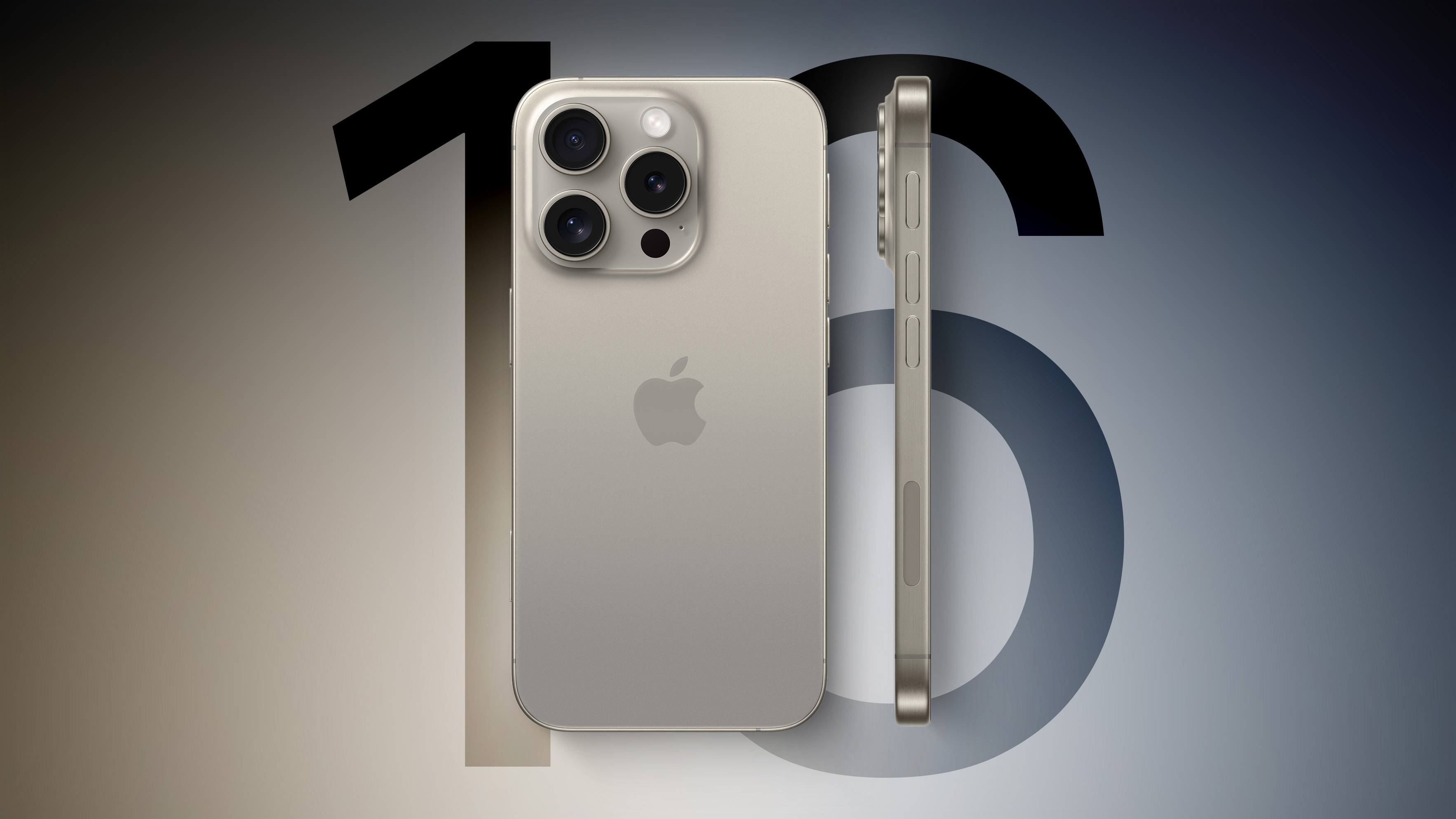
The upcoming iPhone 16 Pro and iPhone 16 Pro Max are "widely expected" to support Wi-Fi 7, according to Taiwanese supply chain publication DigiTimes.
Wi-Fi 7 support would enable the devices to send and receive data over the 2.4GHz, 5GHz, and 6GHz bands simultaneously, resulting in faster Wi-Fi speeds, lower latency, and more reliable connectivity. Wi-Fi 7 is expected to offer peak theoretical data transfer speeds of over 40 Gbps, a 4× increase over Wi-Fi 6E.
previously rumored by supply chain analyst Jeff Pu. The devices should be released in September.
Related Roundup: iPhone 16 Pro
Tag: DigiTimes
This article, "iPhone 16 Pro Models 'Widely Expected' to Support Wi-Fi 7" first appeared on MacRumors.com
Discuss this article in our forums
https://www.macrumors.com/2024/07/30/iphone-16-pro-wi-fi-7-rumor/
Apple Vision Pro Can Now Be Controlled With Brain-Computer Interface
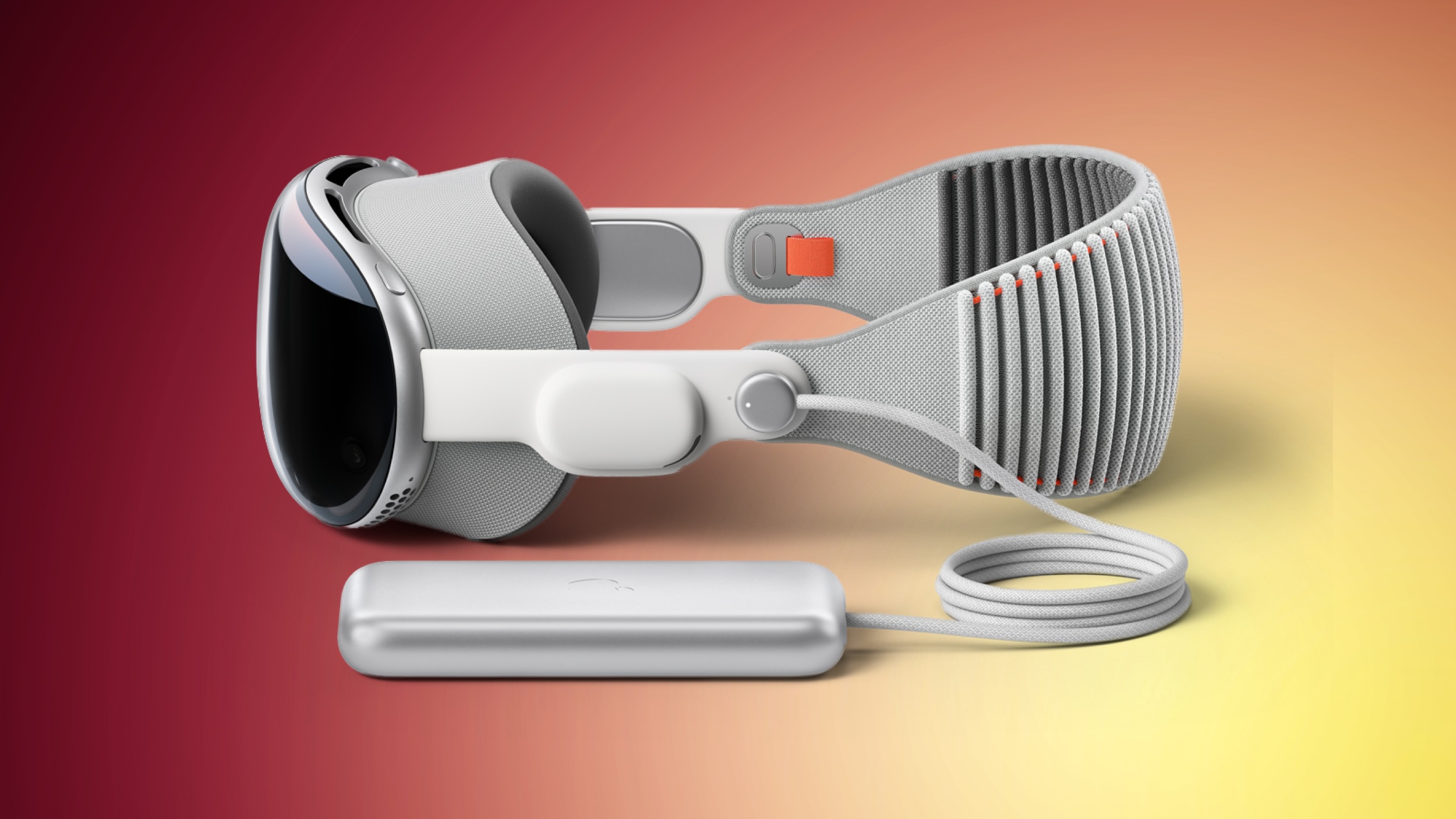
Apple's Vision Pro headset can now be controlled using only thoughts, thanks to integration with neurotechnology startup Synchron's brain-computer interface (BCI).
The company today announced that Apple Vision Pro has been successfully used by a patient through direct brain control facilitated by Synchron's brain-computer interface technology. Mark, a 64-year-old man suffering from amyotrophic lateral sclerosis (ALS), demonstrated the integration.
Apple TV, and send text messages without using his hands, which he can no longer move due to his condition. The Vision Pro's reliance on hand gestures would otherwise pose a barrier for users like Mark who have lost upper limb functionality.
iPhone, iPad, and computer. Apple's suite of accessibility features across its platforms has been recognized for its excellence, which is why Synchron initially focused on integrating its BCI with Apple devices.
BCI is a platform to re-connect people with injury or disease back to the fast-moving consumer technology landscape. Vision Pro is a powerful system, but it relies on the use of hand gestures to exert control over the UI. We are sending control signals directly from the brain to replace the need for hand gestures. We are moving towards a new Bluetooth standard for Human Computer Interactions that do not require touch or speech. This is a critical unmet need for millions of people with paralysis.
Related Roundup: Apple Vision Pro
Buyer's Guide: Vision Pro (Buy Now)
Related Forum: Apple Vision Pro
This article, "Apple Vision Pro Can Now Be Controlled With Brain-Computer Interface" first appeared on MacRumors.com
Discuss this article in our forums
https://www.macrumors.com/2024/07/30/vision-pro-can-now-be-controlled-with-brain/
Apple Used Google Tensor Chips to Develop Apple Intelligence
Apple used Tensor Processing Units (TPUs) developed by Google instead of Nvidia's widely-used graphics processing units (GPUs) to construct two critical components of Apple Intelligence.
The decision is detailed in a new research paper published by Apple that highlights its reliance on Google's cloud hardware (via CNBC). The paper reveals that Apple utilized 2,048 of Google's TPUv5p chips to build AI models and 8,192 TPUv4 processors for server AI models. The research paper does not mention Nvidia explicitly, but the absence of any reference to Nvidia's hardware in the description of Apple's AI infrastructure is telling and this omission suggests a deliberate choice to favor Google's technology.
The decision is noteworthy given Nvidia's dominance in the AI processor market and since Apple very rarely discloses its hardware choices for development purposes. Nvidia's GPUs are highly sought after for AI applications due to their performance and efficiency. Unlike Nvidia, which sells its chips and systems as standalone products, Google provides access to its TPUs through cloud services. Customers using Google's TPUs have to develop their software within Google's ecosystem, which offers integrated tools and services to streamline the development and deployment of AI models.
In the paper, Apple's engineers explain that the TPUs allowed them to train large, sophisticated AI models efficiently. They describe how Google's TPUs are organized into large clusters, enabling the processing power necessary for training Apple's AI models. Apple has announced plans to invest over $5 billion in AI server enhancements over the next two years, which should bolster its AI capabilities and reduce its dependence on external hardware providers.
Tags: Google, Artificial Intelligence, Nvidia, Apple Intelligence
This article, "Apple Used Google Tensor Chips to Develop Apple Intelligence" first appeared on MacRumors.com
Discuss this article in our forums
https://www.macrumors.com/2024/07/30/google-chips-used-to-develop-apple-intelligence/
Some iPhone SE 4 OLED Panels to Be Supplied by LG Display
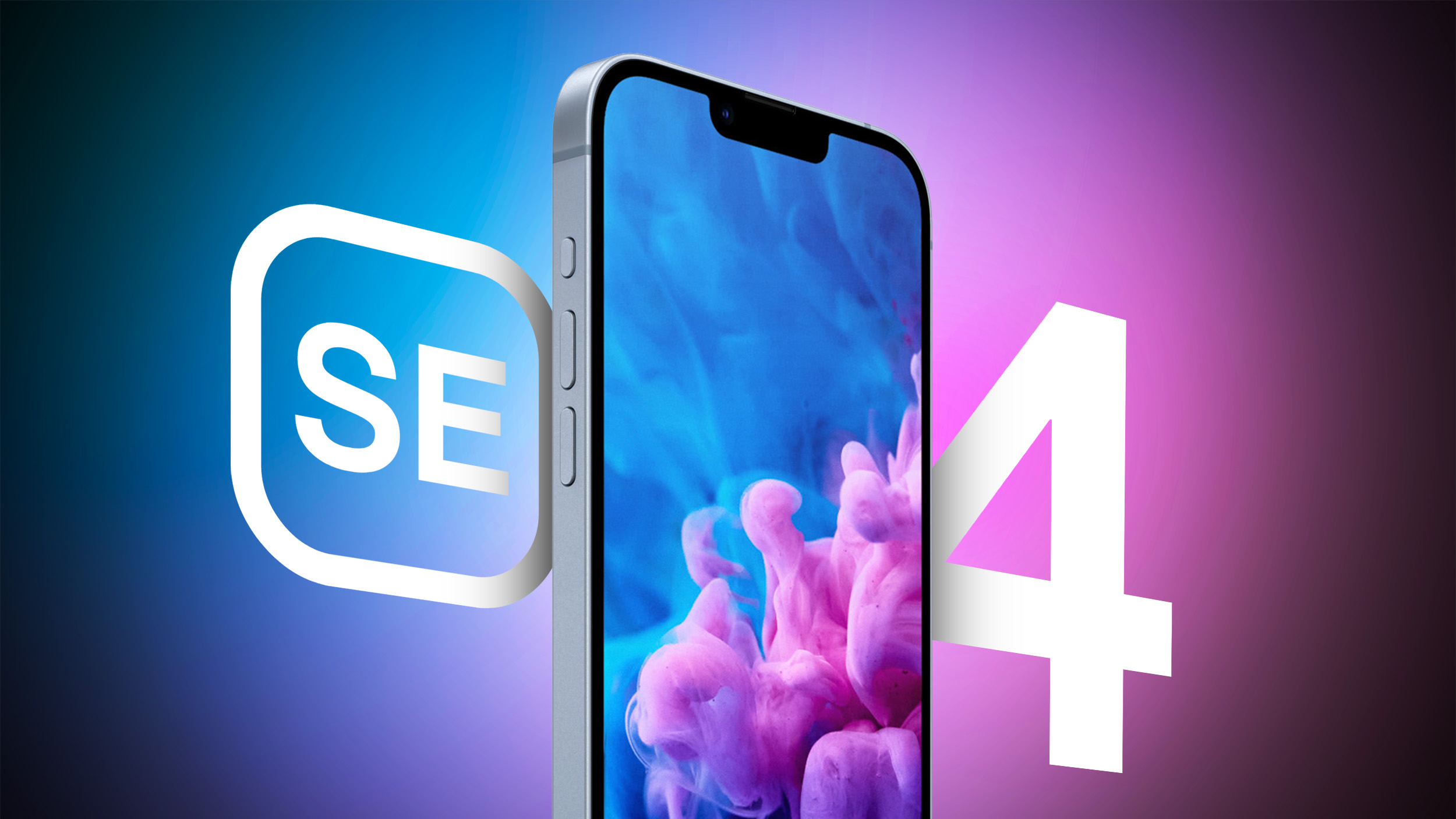
Apple supplier LG Display is expected to be the secondary vendor for the OLED panels that will feature on next year's fourth-generation iPhone SE models, reports The Elec.
The fourth-generation iPhone SE is rumored to feature an iPhone 14-like design with an OLED display, Face ID instead of Touch ID, a USB-C port, an Action button, and an all-screen look that does away with the Home Button. The device's display is expected to grow in size from 4.7 inches to 6.06 inches and use OLED for the first time.
BOE will be the primary supplier of the OLED panels, with LG Display providing backup, according to today's report. In previous years, Apple has solely tasked China-based BOE to supply LCD-based iPhone SE panels. But BOE has struggled before with yield issues for OLED iPhone panels, so bringing LG Display into the picture as a secondary supplier could be Apple's way of having a security blanket in case of future problems.
Related Roundup: iPhone SE
Buyer's Guide: iPhone SE (Don't Buy)
Related Forum: iPhone
This article, "Some iPhone SE 4 OLED Panels to Be Supplied by LG Display" first appeared on MacRumors.com
Discuss this article in our forums
https://www.macrumors.com/2024/07/30/iphone-se-4-oled-panels-lg-display/
All of the Apple Intelligence Features Not Included in the iOS 18.1 Beta
Apple introduced the first version of Apple Intelligence in the iOS 18.1, iPadOS 18.1, and macOS Sequoia 15.1 developer betas. While the betas include some useful Apple Intelligence features like Writing Tools, some of the Apple Intelligence additions won't be coming until later.
We've rounded up everything that's not yet been added to the betas, with Apple planning to introduce these features at a later date.
Image Playground - Both the standalone app and the functionality built into apps like Notes and Messages are missing from the current beta.
Genmoji - Genmoji is based on Image Playground, and it is unavailable.
Image Wand - Image Wand, the feature that inserts images into your Notes based on context, is also based on Image Playground so it won't be available until Image Playground is added to the beta.
Priority Notifications - Priority notifications show up at the top of the notification stack, so you can get to what's most important first. The feature also summarizes your incoming notifications so you can sort through them more quickly.
Mail - Mail categories that sort your incoming messages are not yet available.
Photos - While the Memory Maker feature is active in Photos, the Clean Up tool that removes unwanted objects from images with a tap is not available.
Siri - Functionality that includes onscreen awareness, personal context, and the ability to take more actions in and across apps is not yet available.
ChatGPT - ChatGPT integration with Siri has not yet been implemented.
Additional Languages - Apple Intelligence is available in U.S. English only as of now, but support for additional languages will be coming in the future.
Additional Platforms - As Apple said in its WWDC coverage of Apple Intelligence, the Apple Intelligence feature set will eventually expand to additional platforms.
iOS 18, iPadOS 18, and macOS Sequoia releases.
This article, "All of the Apple Intelligence Features Not Included in the iOS 18.1 Beta" first appeared on MacRumors.com
Discuss this article in our forums
https://www.macrumors.com/2024/07/29/ios-18-1-apple-intelligence-unavailable-features/
macOS Sonoma 14.6 Adds Dual External Display Support to M3 14-Inch MacBook Pro
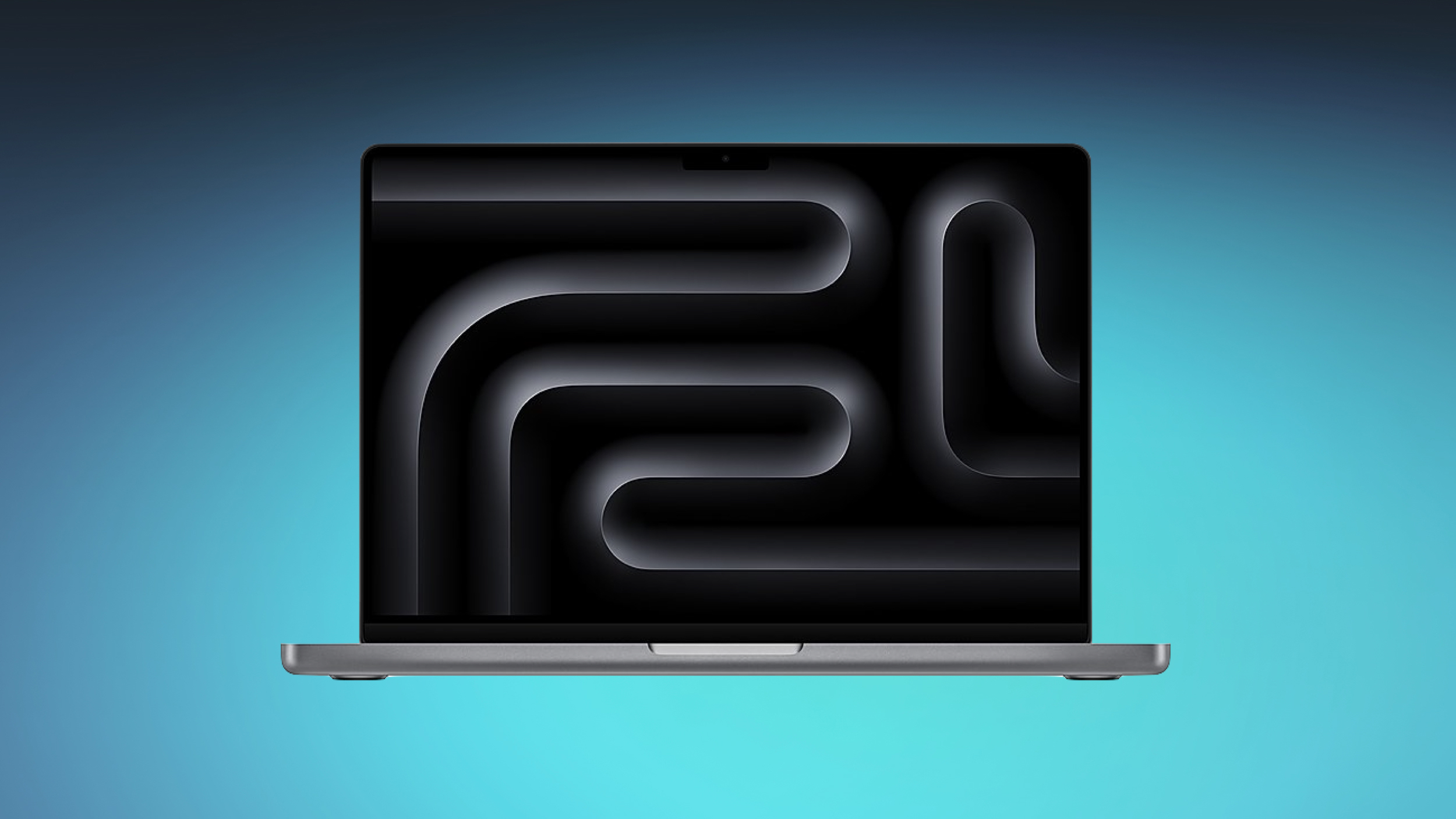
The macOS Sonoma 14.6 update that Apple released today includes dual display support, an important feature specifically for the 14-inch M3 MacBook Pro. With the new software, the 14-inch MacBook Pro with M3 chip is able to run two external displays in clamshell mode, aka when the lid is closed.
Apple introduced dual display support in clamshell mode for the M3 MacBook Air models when they were released in March 2024, but at the time, the option was not available for the M3 14-inch MacBook Pro released back in October 2023. Apple said at the time that it was planning to release a software update that would add multi-display support to the M3 MacBook Pro.
macOS Sonoma update support document and in a support document on using dual monitors with the M3 MacBook Air and MacBook Pro.
The 13-inch M3 MacBook Pro now supports one external display at 6K resolution when the lid is open, or two external displays at 5K resolution at up to 60Hz when the lid is closed.
Higher-end MacBook Pro models with M3 Pro and M3 Max chips were already able to support multiple displays, so today's change only applies to the 14-inch M3 MacBook Pro model.
Apple's security support document. None of the vulnerabilities are known to have been actively exploited in the wild, but it is still a good idea to update as soon as possible.
Related Roundup: macOS Sonoma
Related Forum: macOS Sonoma
This article, "macOS Sonoma 14.6 Adds Dual External Display Support to M3 14-Inch MacBook Pro" first appeared on MacRumors.com
Discuss this article in our forums
https://www.macrumors.com/2024/07/29/macos-sonoma-14-6-dual-display-support/
Apple Releases macOS Sonoma 14.6 With Security Updates
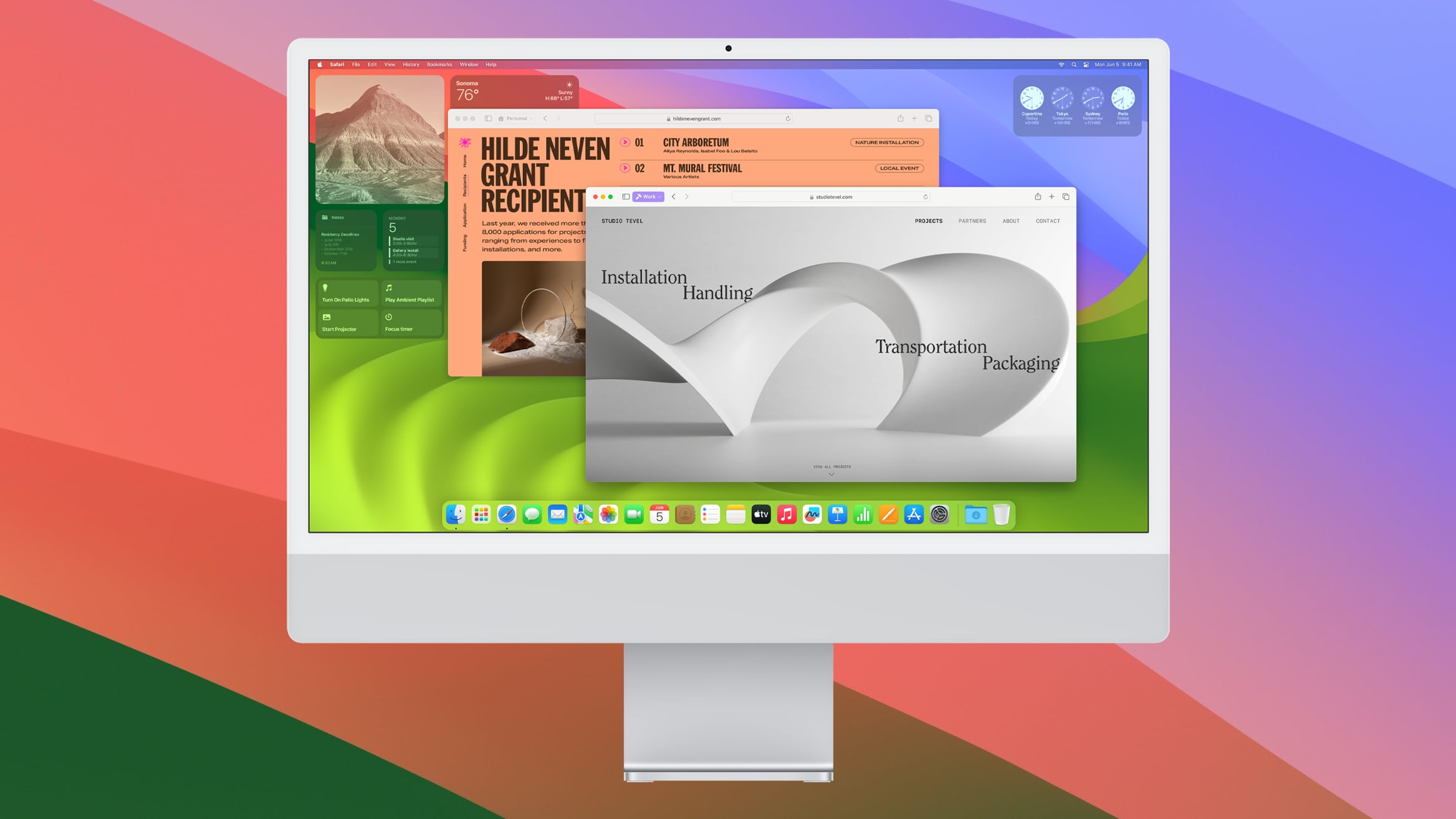
Apple today released macOS Sonoma 14.6, the sixth update to the macOS Sonoma operating system that launched last year. macOS Sonoma 14.6 comes a little over two months after the release of macOS Sonoma 14.5.
The macOS Sonoma 14.6 update can be downloaded for free on all eligible Macs using the Software Update section of System Settings.
Related Roundup: macOS Sonoma
Related Forum: macOS Sonoma
This article, "Apple Releases macOS Sonoma 14.6 With Security Updates" first appeared on MacRumors.com
Discuss this article in our forums
https://www.macrumors.com/2024/07/29/apple-releases-macos-sonoma-14-6/
Apple Releases macOS Sonoma 14.6 With Security Updates
Apple today released macOS Sonoma 14.6, the sixth update to the macOS Sonoma operating system that launched last year. macOS Sonoma 14.6 comes a little over two months after the release of macOS Sonoma 14.5.
The macOS Sonoma 14.6 update can be downloaded for free on all eligible Macs using the Software Update section of System Settings.
Related Roundup: macOS Sonoma
Related Forum: macOS Sonoma
This article, "Apple Releases macOS Sonoma 14.6 With Security Updates" first appeared on MacRumors.com
Discuss this article in our forums
https://www.macrumors.com/2024/07/29/apple-releases-macos-sonoma-14-6/
Apple Releases macOS Sonoma 14.6 With Security Updates
Apple today released macOS Sonoma 14.6, the sixth update to the macOS Sonoma operating system that launched last year. macOS Sonoma 14.6 comes a little over two months after the release of macOS Sonoma 14.5.
The macOS Sonoma 14.6 update can be downloaded for free on all eligible Macs using the Software Update section of System Settings.
Related Roundup: macOS Sonoma
Related Forum: macOS Sonoma
This article, "Apple Releases macOS Sonoma 14.6 With Security Updates" first appeared on MacRumors.com
Discuss this article in our forums
https://www.macrumors.com/2024/07/29/apple-releases-macos-sonoma-14-6/
Apple Releases iOS 17.6 With Bug Fixes and Security Improvements
Apple today released iOS 17.6 and iPadOS 17.6, the sixth point updates to the iOS 17 and iPadOS 17 operating system updates that came out last year. The iOS and iPadOS 17.6 updates come two months after the debut of iOS 17.5 and iPadOS 17.5.
iOS 17.6 and iPadOS 17.6 can be downloaded on eligible iPhones and iPads over-the-air by going to Settings > General > Software Update. Apple has also released iOS 15.8.3 and iOS 16.7.9 security updates for devices not able to run iOS 17.
There are no notable features in the iOS 17.6 and iPadOS 17.6 updates, with Apple adding unspecified bug fixes and security updates. Nothing new was discovered during the beta testing process.
This update provides important bug fixes and security updates and is recommended for all users.
iOS 17.6 and iPadOS 17.6 will likely be some of the last updates that we'll see to iOS 17 and iPadOS 17 aside from ongoing security fixes. Apple is set to release iOS 18 and iPadOS 18 in September.
Related Roundups: iOS 17, iPadOS 17
Related Forums: iOS 17, iPadOS 17
This article, "Apple Releases iOS 17.6 With Bug Fixes and Security Improvements" first appeared on MacRumors.com
Discuss this article in our forums
https://www.macrumors.com/2024/07/29/apple-releases-ios-17-6/