
Opera One Browser Launches on iOS With Aria AI Integration, Voice Input, Image Generation, and More
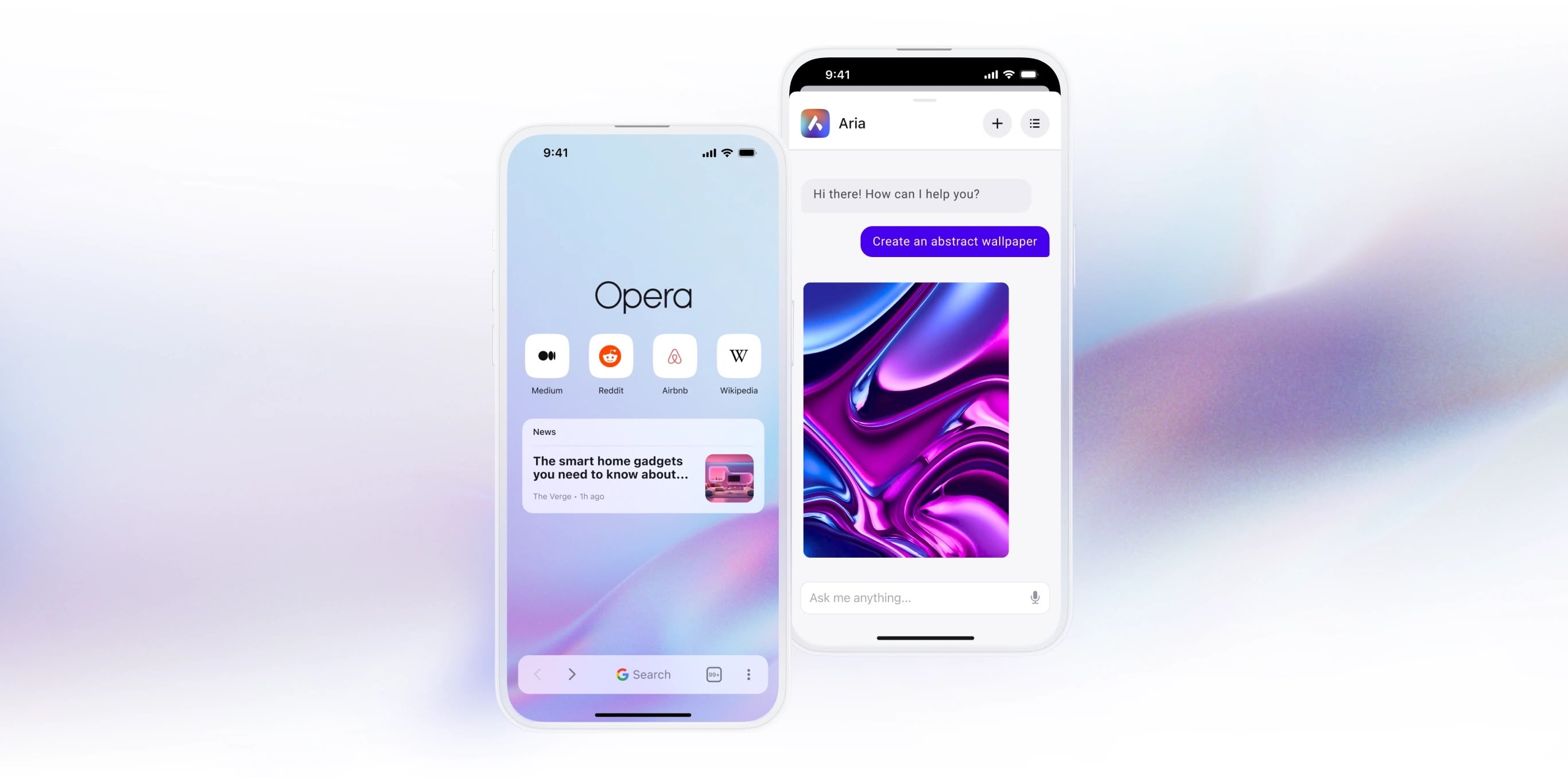
Opera has released its artificial intelligence-powered Opera One browser for iOS, following several weeks in beta testing.
The iPhone app mimics the minimalist aesthetic of the company's desktop browser, and "intelligently hides unnecessary elements" to make the browsing experience free from distractions. When scrolling on a page, for example, the browser hides the bottom and the top bar for a full-screen view.
Home Screen via Spotlight. The placed search bar is the default option, but users can alternatively choose Standard Navigation or Fast Action Button style.
Aria can assist with a wide range of tasks, from web searches to generating text and images, according to Opera. With Voice Input, Aria allows users to speak queries instead of typing them, making it convenient when on the move or in need of hands-free operation. Aria can also create images using Google's Imagen2 model, enabling users to generate visuals simply by providing a prompt.
Additionally, there's a new start page carousel that is designed to keep users informed without cluttering up the interface, integrating news, live scores, and product tips into the wallpaper background. Opera also includes a built-in ad blocker, a free VPN service, and several theme customization options.
Opera One for iOS comes just over a year after its debut on desktop, and can be downloaded from the App Store for free [Direct Link].
Tag: Opera Browser
This article, "Opera One Browser Launches on iOS With Aria AI Integration, Voice Input, Image Generation, and More" first appeared on MacRumors.com
Discuss this article in our forums
https://www.macrumors.com/2024/08/13/opera-one-browser-launches-ios-aria-ai-integration/
Apple Likely Won't Charge for Apple Intelligence Features Until At Least 2027
It will likely be years before Apple Intelligence has a compelling enough feature set that people will pay for, Bloomberg's Mark Gurman said in this week's Power On newsletter. Apple Intelligence is still so new that Gurman expects it will "take three years" for Apple to create a product that's worth charging for, and even that "may be the best-case scenario."
Gurman suggested last month that Apple's long-term plan is to develop something like Apple Intelligence+, with add-on features that users would pay a monthly fee to access. Apple already has a tiered subscription setup for iCloud, so Apple Intelligence could work similar to that.
iCloud provides 5GB of free storage to all users, but for a fee, iCloud+ subscription plans include more storage and also access to features like iCloud Private Relay. In the future, basic Apple Intelligence access could continue to be free, with more advanced features requiring a subscription. OpenAI and other companies charge for AI queries and image generation after a set free limit due to the computing power and costs associated with AI.
are only partially available in the iOS 18.1, iPadOS 18.1, and macOS Sequoia 15.1 betas. Apple has added Writing Tools, some basic Siri improvements, smart replies in Messages and Mail, and a few other features like a Memory Maker option in Photos, but Image Playground, Genmoji, and the bulk of the Siri upgrades won't be coming until later in 2024 and 2025.
In addition to fully rolling out the first Apple Intelligence features that were announced at WWDC 2024, Apple still needs to work to expand the functionality to more countries, including China and the European Union. The features that Apple showed off in June likely won't all be available until 2025, and there's no word yet on when it might expand to more countries (including other languages), so it's not hard to see how it could take until 2027 or beyond to have a robust product.
iPhone 14 in 2022, a feature that the company plans to eventually charge a fee to use, but it will be at least 2025 before the first iPhone owners have to pay for it. Apple's fee for Emergency SOS has not yet been announced.
Apple One, Apple's subscription bundle. Counterpoint Research analyst Neil Shah recently speculated that Apple could charge between $10 and $20 for Apple Intelligence, with the fee rolled into an Apple One plan. The basic Apple One plan is priced at $19.95 per month right now, and it includes 50GB iCloud+ storage, Apple TV+, Apple Music, and Apple Arcade.
Related Roundups: iOS 18, iPadOS 18
Tag: Apple Intelligence
Related Forums: iOS 18, iPadOS 18
This article, "Apple Likely Won't Charge for Apple Intelligence Features Until At Least 2027" first appeared on MacRumors.com
Discuss this article in our forums
https://www.macrumors.com/2024/08/12/apple-intelligence-fees-2027/
Everything New in iOS 18.1 Beta 2 and iOS 18 Beta 6
Apple is beta testing iOS 18 and the first update to iOS 18 concurrently, and we got the second betas of iOS 18.1, iPadOS 18.1, and macOS Sequoia 15.1 today alongside the sixth betas of iOS 18, iPadOS 18, and macOS Sequoia 15.
Many of the changes in iOS 18.1 are focused on bringing the .1 betas in line with the standard betas, which recently received updates to Photos and Safari, while updates in iOS 18 are to finalize features and prepare it for launch.
Photos Redesign (iOS 18.1)
The redesigned Photos app in iOS 18 has proven to be not so popular with some users, so Apple streamlined it ahead of launch. The all-in-one design remains, but Apple removed the carousel to make the app less confusing and less repetitive. Apple introduced these design changes in the standard iOS 18 update last week, and has now brought them to iOS 18.1.
With prior versions of iOS 18, you could swipe left to right to get to various Collections, but now Collections are accessed solely by scrolling down from the main library view. Collections include your custom albums and content that was previously in the For You section, such as featured images, videos, favorites, memories, and more.
The Photo Library now displays more images at once in the photos grid, and Apple moved albums higher by default to make it easier for users to get to them. Recently Saved content has been integrated into Recent Days, so it's simpler to find too.
Distraction Control in Safari (iOS 18.1)
Distraction Control is a new Safari option that lets you hide distracting elements from webpages and articles. You can use the feature to get rid of sign-in windows, cookie preference popups, newsletter signup videos, GDPR banners, and autoplay videos, among other things.
What you can't use Distraction Control for is hiding ads. Apple has been clear that Distraction Control is not an ad removing tool, and while you can temporarily hide an ad, it pops right back when the ad or webpage refreshes. Distraction Control is designed for static content, not dynamic content, so anything that refreshes can't be hidden from view.
You can get to Distraction Control by opening up Safari, selecting the page settings, and tapping on Hide Distracting Items. From there, you can tap on an element on the page that you want to hide from view. If you're not seeing the Hide Distracting Items option, tap on the three dots in the settings and then choose Edit and you'll be able to add it to your quick access options.
What you've hidden will remain blocked from view as long as it's not dynamic content, but you can restore a webpage to default by going into the same options and tapping on Show Hidden Items.
Note that if you hide a cookie banner or GDPR popup, it is the same as closing the banner without submitting your website preferences. Distraction Control settings are on-device and will not sync from one device to another, so you will need to set it up on each of your devices.
Distraction Control was added to iOS 18 and iPadOS 18 last week, and now the feature is also in the .1 betas.
Photo App Collection (iOS 18 Beta 6)
Apple has further tweaked the Photos app in iOS 18 beta 6, introducing a redesigned look for the Albums Collection. Each album has a separate card, with a main thumbnail on the left. Prior versions had the album name on the left and a collection of small thumbnails.
Control Center (All Betas)
In Control Center, there is a new toggle for turning Bluetooth on and off. It is separate from the general communication controls that are all lumped together, and it can be added to any Control Center page.
You can also add the Bluetooth toggle to the Lock Screen in place of the Camera or the Flashlight or assign it to the Action Button on the iPhone 15 Pro and Pro Max.
There have been some tweaks to the way Control Center icons are organized in the gallery. A "Capture" section, for example, has Camera, Scan QR Code, and Magnifier options, and Silent Mode has been added under Sounds.
Dark Mode Notification Icons (iOS 18 Beta 6)
When you have Dark Mode icons turned on, notifications that you receive from apps with a Dark Mode icon will show with that icon properly rather than showing with the Light Mode icon.
Splash Screens (All Betas)
As Apple prepares for the launch of iOS 18, there are new splash screens for Photos, Translate, Podcasts, Home, Apple TV, Calculator, and Notes. The addition of splash screens suggests that we are nearing the end of planned changes for the base version of iOS 18, which will be installed on iPhone 16 models.
Apple Intelligence Localization (iOS 18.1)
Apple Intelligence includes new localized versions of English in the second 18.1 beta. Options include Canada, Ireland, New Zealand, South Africa, India, and Singapore, which are in addition to the previous U.S., UK, and Australia localization options.
No support for non-English languages has been added at this time, and Apple says that support for other languages will come later this year and in 2025.
Apple Intelligence in EU (iOS 18.1)
Multiple people located in the European Union have been able to turn on and use Apple Intelligence by setting their region to the United States and language to U.S. English.
Icon Tints (All Betas)
Tints that you apply to your icons to match wallpapers are now linked to that wallpaper rather than the system. When you change your wallpaper, your icons will change as well if you've tailored them to be tinted to a wallpaper color.
Apple Music (All Betas)
The Browse tab in Apple Music is now the "New" tab.
Lock Screen (iOS 18.1)
There is no longer an option to get to Spotlight search by swiping down from the Lock Screen in iOS 18.1 beta 2, but this may be a bug.
Mail - Upgrade Warning
Apple says that developers who have iOS 18 beta 5 and who are thinking of upgrading to the iOS 18.1 beta might have all their mail redownloaded.
More Features
Know of something that we left out? Let us know in the comments below.
Related Roundups: iOS 18, iPadOS 18
Related Forums: iOS 18, iPadOS 18
This article, "Everything New in iOS 18.1 Beta 2 and iOS 18 Beta 6" first appeared on MacRumors.com
Discuss this article in our forums
https://www.macrumors.com/2024/08/12/ios-18-beta-6-everything-new/
Latest macOS Sequoia Betas Add New Wallpapers

The macOS Sequoia 15 and 15.1 betas that Apple provided to developers today officially introduce new macOS Sequoia wallpapers that first popped up last week.
The wallpapers feature the sequoia trees that macOS Sequoia is named for. The imagery likely comes from Sequoia National Park, located in the southern Sierra Nevada mountains of California. There are three separate versions of the wallpaper for different times of day: Sequoia Sunrise, Sequoia Morning, and Sequoia Night.
Each wallpaper is animated and will shift slightly at the Lock Screen when you unlock your Mac, plus there is an option to set it as a screen saver.
downloadable versions are available on other machines. The Sequoia wallpapers will be available to all macOS Sequoia users when the operating system is released this fall.
Related Roundup: macOS Sequoia
Related Forum: macOS Sequoia
This article, "Latest macOS Sequoia Betas Add New Wallpapers" first appeared on MacRumors.com
Discuss this article in our forums
https://www.macrumors.com/2024/08/12/macos-sequoia-beta-new-wallpapers/
Latest macOS Sequoia Betas Add New Wallpapers
The macOS Sequoia 15 and 15.1 betas that Apple provided to developers today officially introduce new macOS Sequoia wallpapers that first popped up last week.
The wallpapers feature the sequoia trees that macOS Sequoia is named for. The imagery likely comes from Sequoia National Park, located in the southern Sierra Nevada mountains of California. There are three separate versions of the wallpaper for different times of day: Sequoia Sunrise, Sequoia Morning, and Sequoia Night.
Each wallpaper is animated and will shift slightly at the Lock Screen when you unlock your Mac, plus there is an option to set it as a screen saver.
downloadable versions are available on other machines. The Sequoia wallpapers will be available to all macOS Sequoia users when the operating system is released this fall.
Related Roundup: macOS Sequoia
Related Forum: macOS Sequoia
This article, "Latest macOS Sequoia Betas Add New Wallpapers" first appeared on MacRumors.com
Discuss this article in our forums
https://www.macrumors.com/2024/08/12/macos-sequoia-beta-new-wallpapers/
Apple Releases New AirPods Pro 2 Beta Firmware With Support for iOS 18 Features
Apple today released a third beta firmware for the AirPods Pro 2, including both the Lightning and USB-C versions. The updated firmware has a build number of 7A5266c, up from 7A5244b, and it is available to developers at the current time. This is the third firmware update that Apple has released since announcing new AirPods Pro 2 features in June.
There are multiple features that are coming to the AirPods Pro 2 as part of iOS 18, and these features are included in the firmware update.
Siri on the AirPods Pro with a shake or a nod of the head. If you get a phone call, for example, you can shake your head no if you don't want to answer it, or nod to accept the call. Siri interactions can be used for responding to incoming messages, calls, and notifications.
Apple is adding Voice Isolation to the AirPods Pro to cut down on loud background sounds to make you easier to hear, and there is a new Personalized Spatial Audio feature specific to gaming. Game developers will be able to incorporate spatial audio into their games for a more immersive audio experience.
Related Roundup: AirPods Pro
Buyer's Guide: AirPods Pro (Neutral)
Related Forum: AirPods
This article, "Apple Releases New AirPods Pro 2 Beta Firmware With Support for iOS 18 Features" first appeared on MacRumors.com
Discuss this article in our forums
https://www.macrumors.com/2024/08/12/airpods-pro-beta-firmware-3-ios-18/
Apple Seeds Second Developer Betas of iOS 18.1 and iPadOS 18.1 With Apple Intelligence
Apple today provided developers with the second betas of iOS 18.1 and iPadOS 18.1 to continue testing Apple Intelligence features. The second betas come two weeks after Apple seeded the first iOS 18.1, iPadOS 18.1, and macOS Sequoia 15.1 betas.
A device capable of supporting Apple Intelligence is required to download the updates, which includes the iPhone 15 Pro and Pro Max, Apple silicon iPads, and Apple silicon Macs. The updates can be downloaded from the Settings app on a compatible device, with developers able to choose between the standard iOS 18/iPadOS 18/macOS Sequoia 15 betas or the .1 betas with Apple Intelligence functionality.
Apple Intelligence includes Writing Tools that are available wherever text can be selected and edited, and it can be used for spell checking, fixing grammar, rewriting with a new tone, and summarizing text.
Siri has a new design with a subtle glow around the display, and there is a Type to Siri feature so you don't have to speak to Siri. Siri can follow along if you stumble over your words, and can maintain context between requests. Safari can summarize articles, and there's a new Reduce Interruptions Focus Mode.
Photos has a Memory Movie feature for creating slideshows based on text descriptions, and you can record, transcribe, and summarize phone calls. Transcription and summarization are also available for any audio recording.
found in our Apple Intelligence guide. Image Playground, Genmoji, and other new Siri features have not yet been implemented.
Related Roundups: iOS 18, iPadOS 18, macOS Sequoia
Related Forums: iOS 18, iPadOS 18, macOS Sequoia
This article, "Apple Seeds Second Developer Betas of iOS 18.1 and iPadOS 18.1 With Apple Intelligence" first appeared on MacRumors.com
Discuss this article in our forums
https://www.macrumors.com/2024/08/12/apple-seeds-ios-18-1-beta-2-to-developers/
Apple Planning to Expand Maps App's 'Look Around' Feature
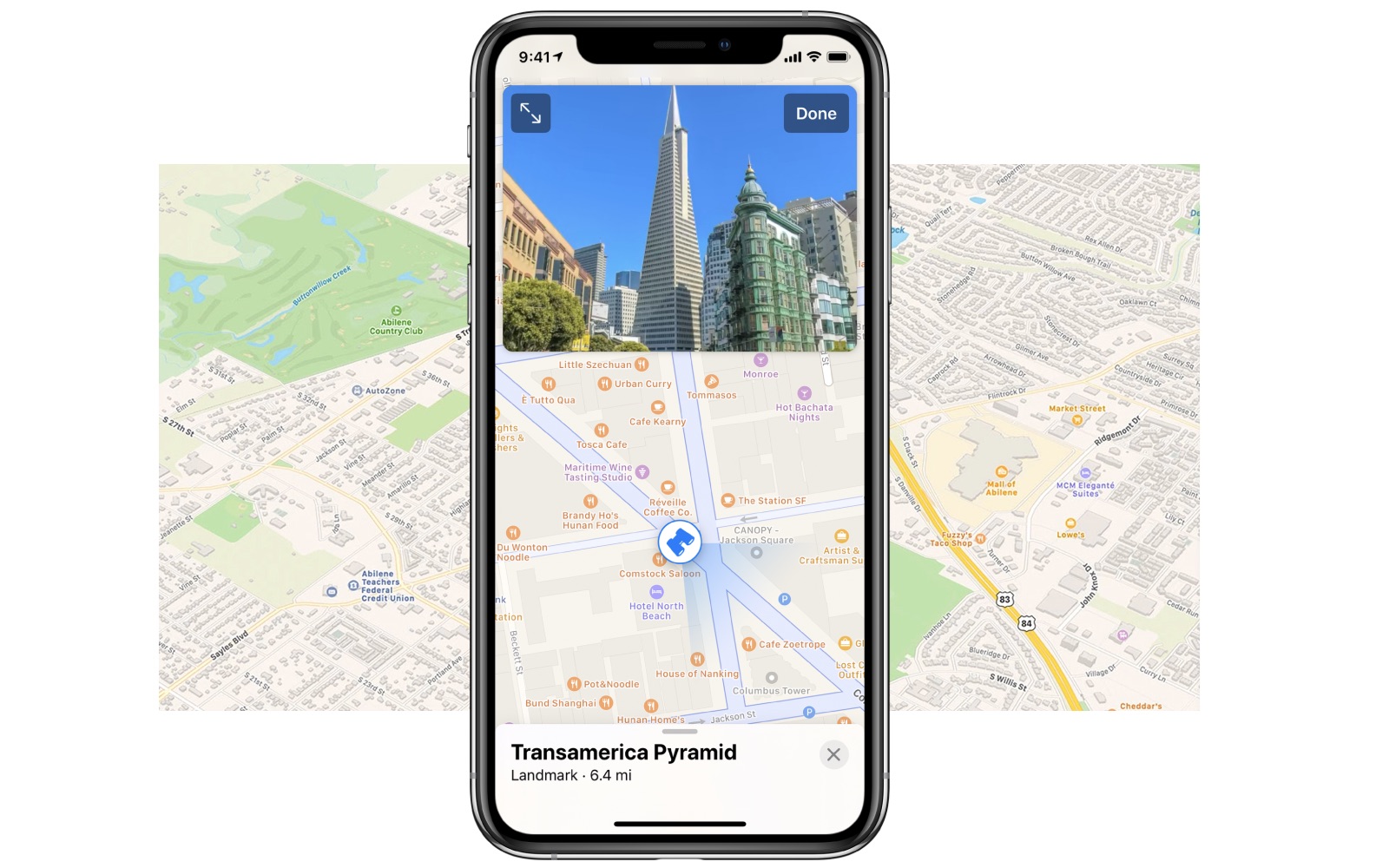
Apple Maps is seemingly preparing for a significant expansion of its "Look Around" feature to compete more aggressively with Google's Street View.
Apple's "Look Around" feature offers high-resolution, interactive street-level imagery in the Maps app. To date, its scope has been relatively limited, mainly concentrated in major metropolitan areas and a few select regions worldwide.
recent discovery by X user Ryan Fae, shared with MacRumors, reveals that Apple Maps' vector tile format, used in the beta version of the web-based platform, leaks information about future Look Around coverage areas. This information, found within the Maps app's underlying code, outlines a more extensive network of planned coverage that's far beyond what is currently available.
Tag: Apple Maps
This article, "Apple Planning to Expand Maps App's 'Look Around' Feature" first appeared on MacRumors.com
Discuss this article in our forums
https://www.macrumors.com/2024/08/12/apple-planning-to-expand-look-around/
Apple Watch Series 9 Gets $100 Discounts on Amazon, Available From $299
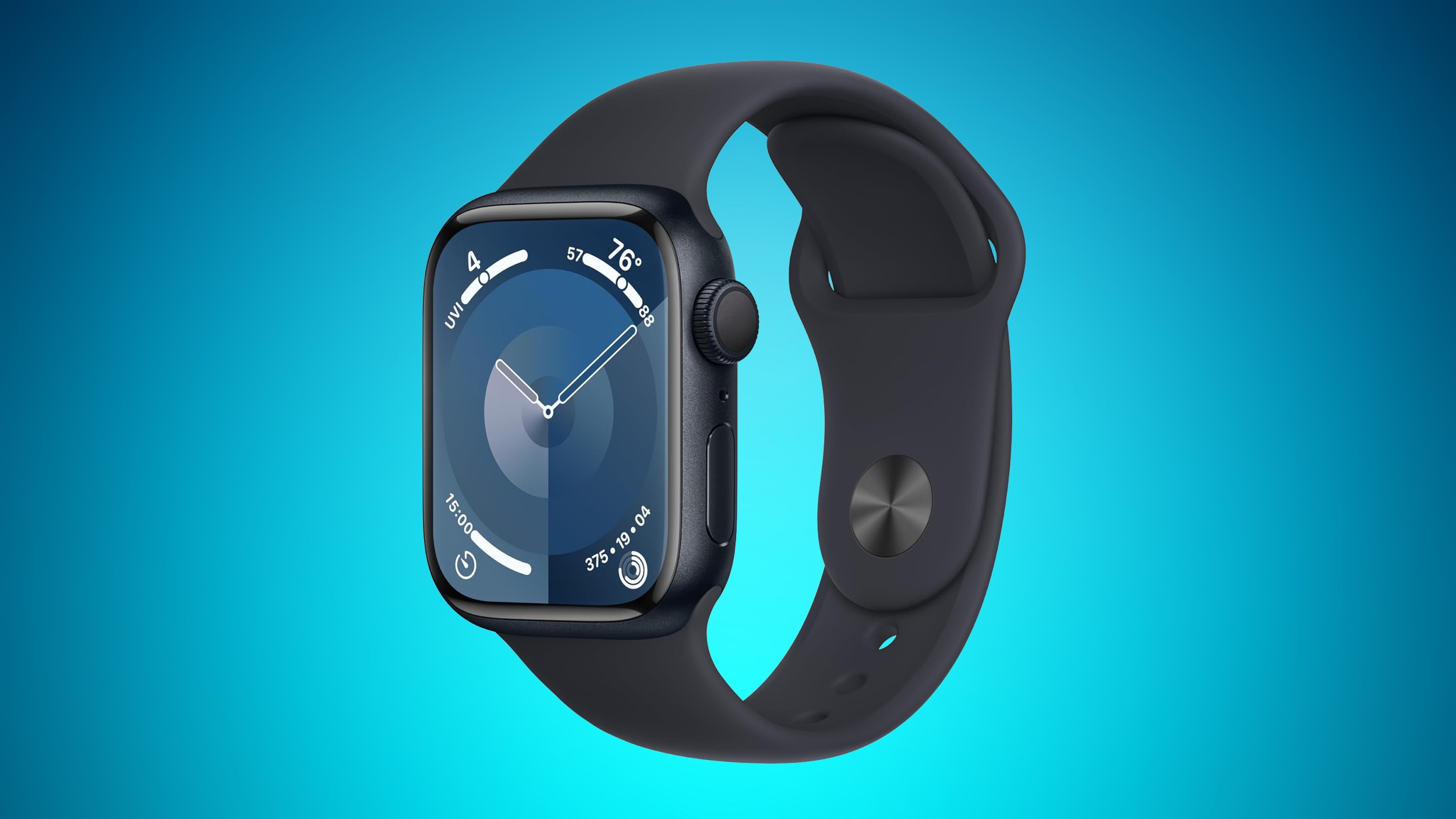
Amazon today has a large collection of Apple Watch Series 9 models on sale at solid second-best prices, including both GPS and cellular devices. It's been a few weeks since we last tracked any notable markdowns on the Series 9, so if you've been waiting for a deal now is definitely the time to buy the wearable.
Note: MacRumors is an affiliate partner with Amazon. When you click a link and make a purchase, we may receive a small payment, which helps us keep the site running.
$299.00 for the 41mm GPS watches. We've rounded up all of the deals in lists below, focusing on the aluminum devices, but you can also find $100 discounts on a few stainless steel models as well.
$100 OFF
Apple Watch Series 9 Discounts at Amazon
The only versions of the Apple Watch Series 9 that aren't seeing any discounts this week are the 41mm cellular devices. Otherwise, you can get $100 off every other model of the wearable on Amazon. Most can be delivered as soon as the end of this week for Prime members.
41mm GPS
(PRODUCT)RED Aluminum with (PRODUCT)RED Sport Band - $299.00, down from $399.00
Midnight Aluminum Case with Midnight Sport Band - $299.00, down from $399.00
Silver Aluminum Case with Storm Blue Sport Band - $299.00, down from $399.00
Starlight Aluminum Case with Starlight Sport Band - $299.00, down from $399.00
Midnight Aluminum Case with Midnight Sport Loop - $299.00, down from $399.00
Silver Aluminum Case with Winter Blue Sport Loop - $299.00, down from $399.00
45mm GPS
(PRODUCT)RED Aluminum with (PRODUCT)RED Sport Band - $329.00, down from $429.00
Midnight Aluminum Case with Midnight Sport Band - $329.00, down from $429.00
Pink Aluminum Case with Light Pink Sport Band - $329.00, down from $429.00
Silver Aluminum Case with Storm Blue Sport Band - $329.00, down from $429.00
Starlight Aluminum Case with Starlight Sport Band - $329.00, down from $429.00
Midnight Aluminum Case with Midnight Sport Loop - $329.00, down from $429.00
Pink Aluminum Case with Light Pink Sport Loop - $329.00, down from $429.00
Starlight Aluminum Case with Starlight Sport Loop - $329.00, down from $429.00
45mm Cellular
(PRODUCT)RED Aluminum with (PRODUCT)RED Sport Band - $429.00, down from $529.00
Pink Aluminum Case with Light Pink Sport Band - $429.00, down from $529.00
Starlight Aluminum Case with Starlight Sport Loop - $429.00, down from $529.00
Our full Deals Roundup has more information on the latest Apple-related sales and bargains.
Related Roundup: Apple Deals
This article, "Apple Watch Series 9 Gets $100 Discounts on Amazon, Available From $299" first appeared on MacRumors.com
Discuss this article in our forums
https://www.macrumors.com/2024/08/12/apple-watch-series-9-100-discounts/
LG Seeking Compensation From Apple Over Canceled MicroLED Apple Watch Project
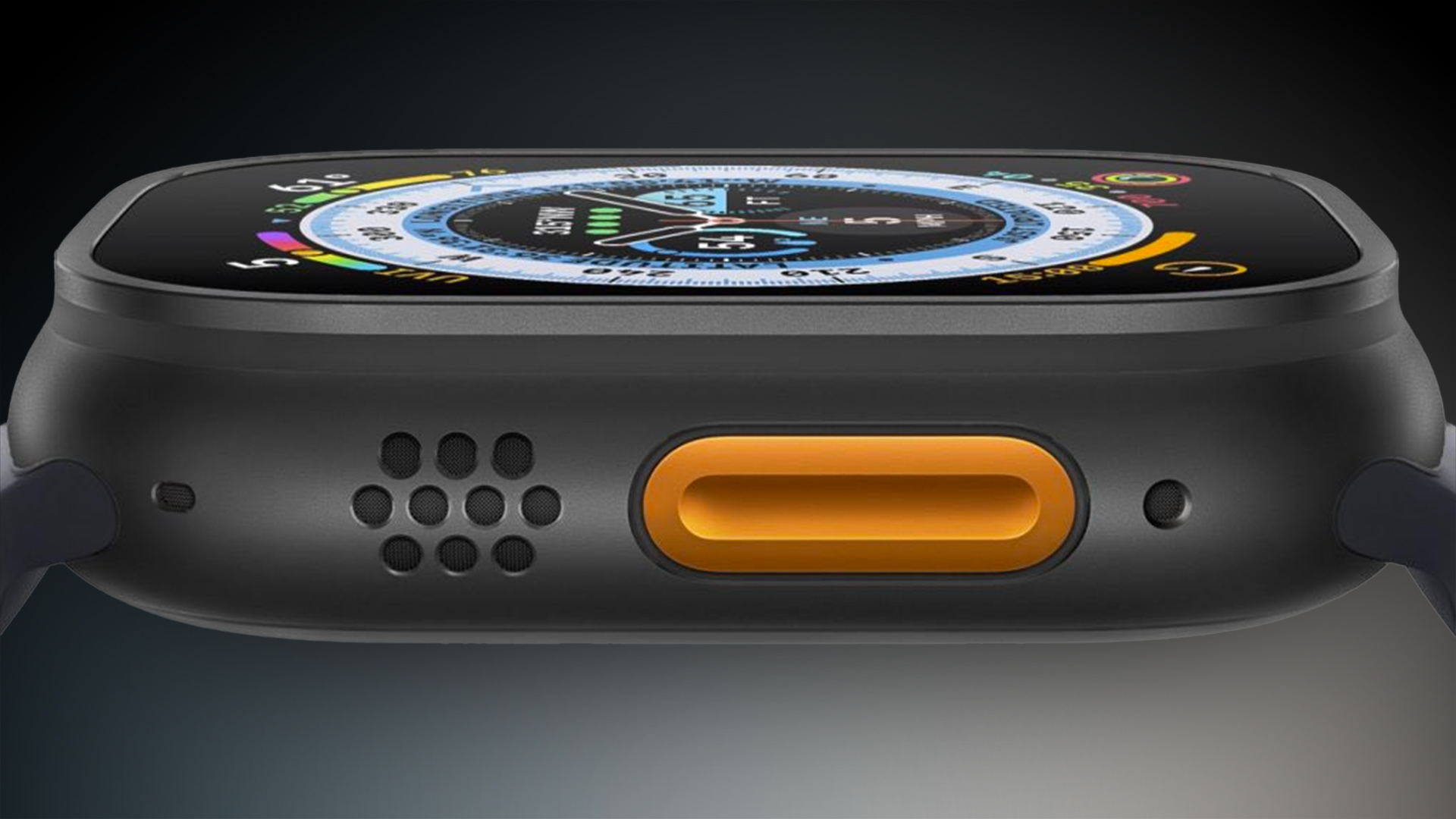
LG is seeking compensation from Apple following the abrupt cancelation of the microLED Apple Watch due to the substantial investments it made in preparation of the project, The Elec reports.
As a result of the device's cancelation, LG Display has apparently been left with substantial sunk costs, including the expense of purchasing 14 U.S. patents related to microLED technology from Taiwan's Ultra Display. The company now faces potential claims from its equipment partners, some of whom had also invested in the project without formal contracts in place. LG also moved equipment from Gumi in Gyeongsangbuk-do to Paju in Gyeonggi-do, secured space for the microLED backplane process, and recruited specialized personnel to form a task force dedicated to the project. Overall, LG reportedly spent hundreds of billions of won to prepare for the microLED Apple Watch.
Tags: LG Display, microLED Apple Watch, The Elec
This article, "LG Seeking Compensation From Apple Over Canceled MicroLED Apple Watch Project" first appeared on MacRumors.com
Discuss this article in our forums
https://www.macrumors.com/2024/08/12/lg-seeking-compensation-from-apple-over-microled/
Record Low Prices Hit Apple's AirTag and Anker's Bluetooth Trackers
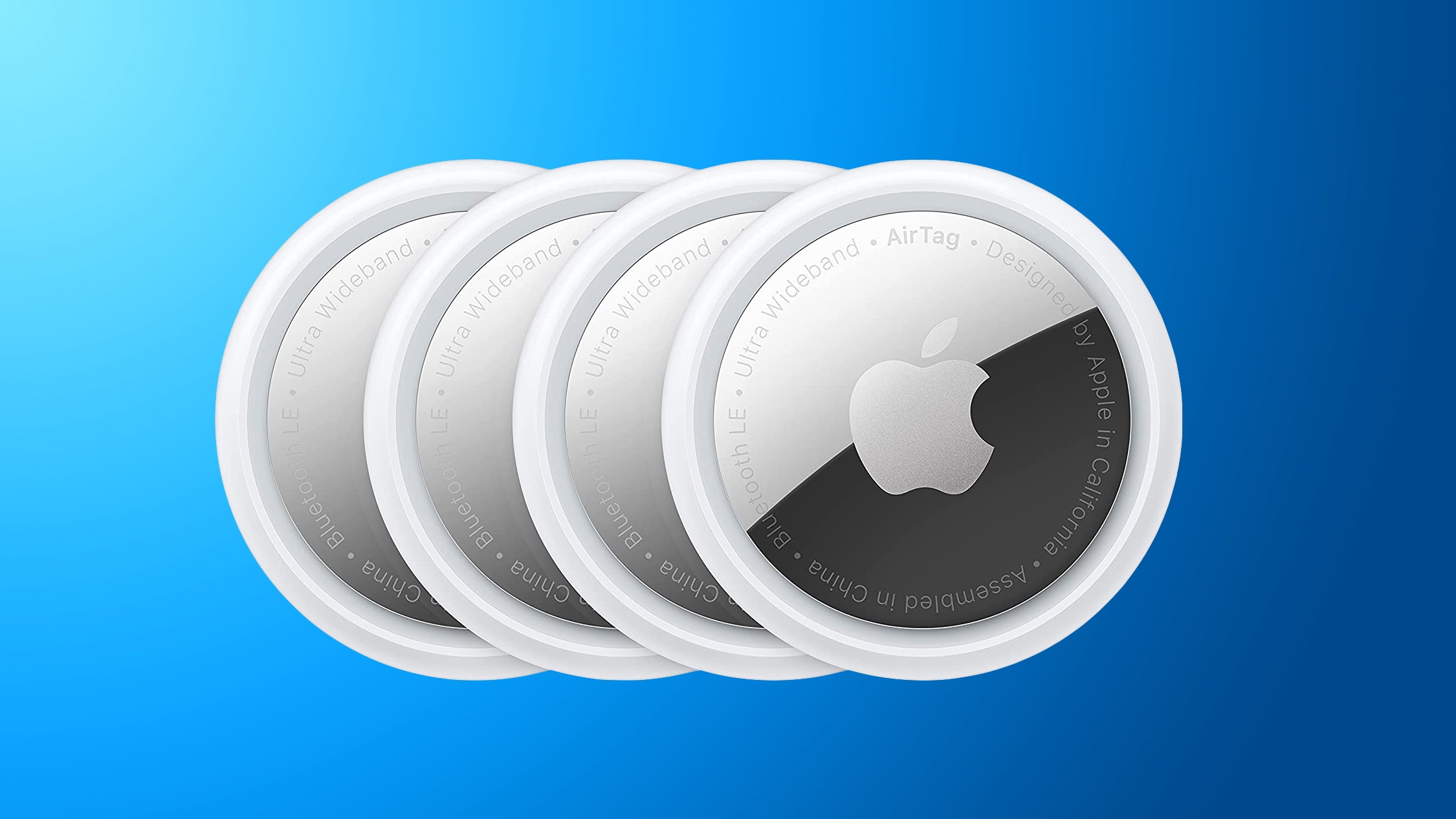
This weekend we're tracking a big collection of discounts on Bluetooth trackers, including Apple's own AirTag as well as Anker's more affordable brand of Eufy SmartTrack accessories. All of these deals can be found on Amazon.
AirTag
Note: MacRumors is an affiliate partner with some of these vendors. When you click a link and make a purchase, we may receive a small payment, which helps us keep the site running.
$22.99 and the 4 Pack of trackers for $74.99 on Amazon, down from $99.00. Both of these are matches for the all-time low prices on the accessory, and they're deals we haven't tracked in about a month.
$6 OFF
AirTag 1 Pack for $22.99
$24 OFF
AirTag 4 Pack for $74.99
Eufy
Anyone who needs a Bluetooth tracker but wants to save a bit of money should look at Anker's Eufy brand of trackers, which are on sale on Amazon right now and compatible with Find My on Apple devices. These start at just $13.99 for one tracker and raise to $48.99 for a 4 Pack.
$6 OFF
SmartTrack Link 1 Pack for $13.99
$6 OFF
SmartTrack Link 2 Pack for $29.88
$21 OFF
SmartTrack Link 4 Pack for $48.99 (Prime members only)
If you want a tracker that you can fit in a wallet, Eufy's SmartTrack Card is a great solution at $16.95, down from $29.99. Most of Eufy's trackers can be delivered between August 11 and August 15, and none of these deals require a coupon code in order to see the final sale prices.
$13 OFF
SmartTrack Card for $16.95
Apple Deals roundup.
Related Roundup: Apple Deals
This article, "Record Low Prices Hit Apple's AirTag and Anker's Bluetooth Trackers" first appeared on MacRumors.com
Discuss this article in our forums
https://www.macrumors.com/2024/08/10/airtag-anker-bluetooth-trackers/
iOS 18 Photos App: All the New Features and Design Updates
The Photos app redesign has been one of the most controversial changes that Apple made in iOS 18, and Apple has made several updates during the beta testing process. There is an entirely new unified look for the Photos app compared to iOS 17, along with some neat new features.
This guide aggregates everything different with the iOS 18 Photos app, and it is up to date with Apple's latest changes.
Unified Design
iOS 18 does away with separate tabs in the Photos app, introducing an all-in-one view. The Photo Library is still the main focus of the app and what you'll see when you open up Photos, but you'll now scroll down to get to additional content rather than tapping on the separate For You and Albums tabs.
The Photo Library grid displays approximately 30 images at one time, and to use the swipe gestures to display fewer or more images on the screen, you need to swipe down to get to the full Photo Library view. From here, you can pinch in or out to adjust the view.
This is also where the Years and Months organizational options are for navigating through your past images. The Days option has been removed, and is instead accessible in a Recent Days Collection if you scroll down.
There is a quick access search icon in blue on every view in the Photos app, along with a Select button that lets you select multiple images for sharing, deleting, adding to an album, and more. Tap on Search to get into the Search interface, and Done when you're finished, or tap on Select and tap images to choose them.
You'll need to get used to swiping down to get to the full Photo Library view, and swiping back up to get to the other views in the app.
Below the main Photos grid, you can swipe to see different collections of images that previously would have been listed under the For You tab, along with your Albums, which were also previously located in a separate app section.
Much of what was in the prior version of the Photos app is still in the new one, but with a different all-in-one screen organizational structure.
Filters and Sorting
In the full Library View, which is accessible by swiping down, you can get to the filter and sort options. You can sort the Photo Library by either recently added or date captured.
The icon with two arrows houses filters, which include Favorites, Edited, Photos, Videos, and Screenshots. If you tap on one of these, you can filter out everything else to see just that category.
With the separate View Options tab, you can remove Screenshots and Shared With You images from your Photo Library. View Options also has Zoom In, Zoom Out, and Aspect Ratio Grid tools, all of which were in the prior version of the Photos app.
Collections and Customization
The iOS 18 Photos app is focused on Collections, which are basically different albums that aggregate photos based on subject, location, type, and other parameters. Everything outside of the photo grid is considered a "Collection."
Recent Days - Displays your recent images by date. You can scroll through or tap on the Collection name to see your entire Photo library organized by day. It's essentially equivalent to the Days view from the iOS 17 Photo Library design.
Albums - A collection of all of the albums you've created, including Shared albums you're in.
People and Pets - Albums organized by person or pet, with Apple using machine learning to detect the people in the images. The People and Pets album now supports Groups, so if you have many images featuring the same people, you'll see them grouped together. Groups are auto-generated if there are enough images, but you can also create them.
Memories - Houses the auto-generated slideshows that Apple creates, along with the new Apple Intelligence Memory Maker slideshows.
Trips - Shows your photos from different locations. Tapping into this Collection and then tapping the dates lets you see your trips by year.
Shared Albums - Albums that you share with others.
Pinned Collections - A selection of your favorite collections or albums.
Featured Photos - A rotating collection of your best images surfaced by the Photos app.
Media Types - Lets you see images recorded with different camera settings. Options include Videos, Selfies, Live Photos, Portrait, Panoramas, Slo-mo, Screenshots, Screen Recordings, Spatial, and RAW. This section used to be under the Albums tab.
Utilities - Essentially offers filters for different types of images, letting you quickly get to images with handwriting, receipts, and more.
Wallpaper Suggestions - Images that the Photos app thinks would make ideal wallpapers, complete with different tints, colors for the time, and fonts.
Customization
You can change the order that Collections are displayed under the Photos grid, so you can get to your most used features first. To do this, scroll down to the bottom of the Photos app and then tap on the Customize and Reorder option.
You can deselect a checkmark to remove a Collection, or tap and drag the three bars next to each Collection to rearrange the order. Tapping on X exits out of the menu and goes back to the main Photos view.
Pinned Collections
Pinned Collections is a collection of your other Collections and albums. You can add anything you want to the Pinned Collections section, including albums, media types, other collections, and Utilities. It's basically a way to get one-tap access to any Photos app category.
This is a good section for adding content you like to access that isn't already included in one of the default Collections, such as the Map that lets you see where all of your photos were taken.
If you often need to access your screenshots or your videos, those make good pinned collection options. You can also choose any person or pet from the People and Pets Collection, specific trips, and specific memories.
Customizing this section can be done by tapping on one of Apple's suggestions, which are in green, or tapping on the Any Collection or Album option to select something custom. To remove a Pinned Collection, tap on the red "-" button, and to rearrange, tap and drag on the three bar icon.
Pinned Collections stay in the Pinned Collections section, so you can't do something like turn a specific pet album into a separate Collection of its own.
Photo Editing
The interface for editing one of your images hasn't changed too much, but there are some updates. Rather than tapping on the "Edit" button at the top right of the app, you'll now need to tap on the icon that looks like three slider bars to get into the editing interface.
The Share Sheet icon and Delete icon are in the same spots, and there's still a heart for favoriting images and an info button that also transforms with a sparkle icon when there's something in the image that can be identified, like a plant or animal.
All of the same photo management features like Copy, Duplicate, Hide, Slideshow, and Add to Album can be accessed by tapping the three dots in the upper right corner. Tapping the X there now exits the editing view, which is a departure from the prior back arrow on the left side of the app.
Apple hasn't changed the actual editing tools, and they're all still in the same spots.
Utilities
In iOS 17, the Utilities album was limited to Imports, Duplicates, Hidden, and Recently Deleted, but in iOS 18, the new Utilities Collection houses a lot more image types.
Hidden - Images you've hidden from view in the photo grid. Requires a Face ID scan to access.
Recently Deleted - Images you've deleted in the last 30 days. Requires a Face ID scan to access.
Duplicates - If you have duplicate images, you can use this to merge them. This section doesn't show up if you don't have duplicate images.
Receipts - Shows pictures of receipts, or images your device thinks are receipts.
Handwriting - Displays all images that have handwriting in them.
Illustrations - Shows paintings and drawings.
QR Codes - Surfaces images that have QR codes in them.
Recently Saved - All images recently saved to your library.
Recently Viewed - All images you've looked at recently.
Recently Edited - All images you've edited recently.
Documents - Features images that have documents in them.
Imports - Shows imported images.
Map - Opens up the map where you can see all of your images based on location.
Recovered - This album only shows up if you have a missing image after an update, such as an image taken with a third-party app that didn't make it into your library.
Search Improvements
Apple made several improvements to the Search function in the Photos app. You can search using natural language, and get a lot more specific than before.
Not only can you search for a specific person, for example, you can find photos where they're only wearing blue, or were holding an ice cream. Some example search terms:
Me with food
Cats outside
Bugs on plants
Pancakes with banana
Flowers from last year
Cat in a box
You can essentially describe any photo that you remember and the Photos app might be able to find it based on your description. You can also now search for specific parts of videos that you've captured and the Photos app will go right to the scene in the video if it recognizes what you've typed.
For all of the search features, the Photos app needs to index your library because this is done on-device, and indexing can take quite a long time.
Memory Maker (Apple Intelligence)
Memory Maker is a feature that lets you create a custom Memory Movie from your photos and videos using a text prompt. You can get to the Memory Maker in the Memories Collection in the Photos app.
Tap on the "Create" option to start a new memory based on a phrase. You can type in something like "My cat over the years" "exploring Ireland," "yummy food," or "happy photos with Eric." The Photos app will search through your library for the best images, creating a mini narrative with a beginning, middle, and end.
Apple Music subscription, it will use Apple Music songs. You can also edit the timeline and the title for further customization.
Memory Movies can be shared on social networks or in messages, added to your Favorites, or AirPlayed to an Apple device.
Clean Up (Apple Intelligence)
Part of Apple Intelligence, Clean Up can be used to intelligently identify background objects in your photos so you can remove them with a tap. It's designed to help you quickly and easily eliminate distractions from your photos, but it's not coming until later this year.
Image Playground Integration (Apple Intelligence)
Image Playground, the app that will let you generate images based on text prompts, will integrate with the Photos app to create images that feature your friends and family members.
Image Playground is also an Apple Intelligence feature that will be coming in the future.
Read More
Additional information on new features that Apple has added in iOS 18 can be found in our iOS 18 roundup.
Related Roundups: iOS 18, iPadOS 18
Related Forums: iOS 18, iPadOS 18
This article, "iOS 18 Photos App: All the New Features and Design Updates" first appeared on MacRumors.com
Discuss this article in our forums
Apple TV 4K vs. Google TV Streamer Buyer's Guide: All Differences Compared

Google this week announced the Google TV Streamer as a replacement for the Chromecast, setting its sights on directly rivalling the Apple TV 4K, so how do the two devices compare?
Fundamentally, the Google TV Streamer is designed with a focus on deep integration with Google's ecosystem including services like Google Photos, YouTube, and Google Assistant. It is also positioned as a smart home hub, supporting Matter and Thread protocols to control a wide range of smart home devices.
Apple Arcade and Apple Music, with support for features like HomeKit and AirPlay. Its compact, black puck design allows it to blend effortlessly into most home entertainment setups, while offering powerful performance with the A15 Bionic chip.
While both devices support 4K resolution and advanced HDR formats, they differ in their storage options, connectivity features, and additional functionalities. The Google TV Streamer emphasizes an AI-powered user experience with personalized content recommendations and generative AI screensavers, whereas the Apple TV 4K offers ecosystem advantages like Apple Arcade and Fitness+ for a more integrated Apple experience. All of the key differences between the two devices are listed below:
Google TV Streamer
Apple TV 4K
Designed to sit in front of the TV, with a noticeable design intended to blend with home decor
Compact, black puck design that can be easily hidden or integrated into a home entertainment system
6.4" x 3.0" x 1.0"
3.66" x 3.66" x 1.2"
Weighs 5.7 ounces
Weighs 7.3 ounces (Wi-Fi)
Google TV (Android TV)
tvOS
Google Assistant
Siri
Google Home, Thread, and Matter
HomeKit, Thread (Wi-Fi + Ethernet), and Matter
SDR video, Dolby Vision, HDR10+, HDR10, HLG
SDR video, Dolby Vision, HDR10+, HDR10, HLG, HEVC, H.264, MPEG-4, HDMI Quick Media Switching
Dolby Digital, Dolby Digital Plus, Dolby Atmos
HE-AAC, AAC, Protected AAC, MP3, Apple Lossless, FLAC, AIFF, WAV, AC-3 Dolby Digital 5.1, E-AC-3 Dolby Digital Plus 7.1, Dolby Atmos
Aggregates content from various streaming services and presents personalized recommendations
Apple TV app aggregates content from various services and provides a unified watchlist
AI-powered content suggestions and generative AI screensavers
Deep integration with Google services like Google Photos, YouTube, and Google Assistant. Supports casting from Android devices
Deep integration with Apple ecosystem, including Apple TV+, Apple Arcade, Apple Music, and AirPlay for casting from iOS devices
Improved processor, 22% faster than previous Chromecast
A15 Bionic chip
HDMI 2.1, Bluetooth 5.1, Gigabit Ethernet, Thread, USB-C
HDMI 2.1, Bluetooth 5.0, Infrared, Gigabit Ethernet (Wi-Fi + Ethernet), Thread (Wi-Fi + Ethernet)
32GB storage
64GB storage (Wi-Fi)
Support for external storage and flash drives
Voice Remote with customizable button, textured back, and remote finder
Siri Remote with touch surface, volume control on face, and remote finder
Available in Hazel (Google Store exclusive) and Porcelain
Available in Black only
$99.99
$129 (Wi-Fi)
Releases September 24, 2024
Released November 4, 2022
Choosing between the Google TV Streamer and the Apple TV 4K ultimately depends on your specific needs and the ecosystem you are already invested in. For those deeply integrated into the Google ecosystem, the Google TV Streamer is clearly the best choice. It is designed to work seamlessly with Google services like Google Photos, YouTube, and Google Assistant, making it ideal for users who rely on these platforms. It also supports playback from external storage devices. The device's support for Matter and Thread protocols also makes it a strong contender for those with a smart home setup. Additionally, its AI-powered content recommendations and generative AI screensavers provide a personalized and modern user experience.
FaceTime, and AirPlay, this device is tailored for those who use Apple devices and services. The A15 Bionic chip ensures excellent performance, making it suitable for users who require a particularly robust device for streaming and light gaming. The Apple TV 4K's compact design allows it to fit discreetly into any home entertainment setup, and its integration with HomeKit, Matter, and Thread makes it a strong choice for those looking to manage their smart home devices through Apple's ecosystem.
Related Roundup: Apple TV
Buyer's Guide: Apple TV (Don't Buy)
Related Forum: Apple TV and Home Theater
This article, "Apple TV 4K vs. Google TV Streamer Buyer's Guide: All Differences Compared" first appeared on MacRumors.com
Discuss this article in our forums
https://www.macrumors.com/guide/apple-tv-4k-vs-google-tv-streamer/
Best Apple Deals of the Week: Record Low Discounts Hit Every MacBook Air Alongside AirPods Max and iPad Sales

This week's best Apple-related deals are headlined by massive discounts across the M2 and M3 MacBook Air family, with as much as $249 off these computers. You'll also find great deals on AirPods Max, iPad, and iPad mini, plus savings on third-party accessories including Samsung's Smart Monitor M80D and Anker's new products.
Note: MacRumors is an affiliate partner with some of these vendors. When you click a link and make a purchase, we may receive a small payment, which helps us keep the site running.
MacBook Air
What's the deal? Take up to $249 off M2 and M3 MacBook Air
Where can I get it? Amazon
Where can I find the original deal? Right here
$200 OFF
13-inch M2 MacBook Air (256GB) for $799.00
$249 OFF
13-inch M3 MacBook Air (256GB) for $849.98
$249 OFF
15-inch M3 MacBook Air (256GB) for $1,049.98
The star deals of the week focused on both the M2 and M3 MacBook Air, with up to $249 off these computers on Amazon. In regards to the newer M3 models, you can get the 256GB 13-inch M3 MacBook Air for $849.98, and the 256GB 15-inch M3 MacBook Air for $1,049.98, both of which are best-ever prices on the computer.
Samsung Monitor
What's the deal? Take $251 off Samsung's Smart Monitor M80D
Where can I get it? Amazon
Where can I find the original deal? Right here
$251 OFF
Samsung 32-Inch Smart Monitor M80D for $447.90
Amazon this week also introduced a new record low price on Samsung's 32-inch Smart Monitor M80D, which is the newest version of the monitor. It's available for $447.90 right now on Amazon, down from $699.99.
AirPods
What's the deal? Take $149 off AirPods Max
Where can I get it? Amazon
Where can I find the original deal? Right here
$149 OFF
AirPods Max for $399.99
The best AirPods discount this week was on the AirPods Max, which hit $399.99 and is still available at this price in every color on Amazon. This is only about $5 higher compared to the low price we tracked during Prime Day in July.
Anker
What's the deal? Buy 2, get 15% off Anker's new Prime accessories
Where can I get it? Anker
Where can I find the original deal? Right here
BUY 2, GET 15% OFF
Anker Prime Launch Sale
in our original post.
iPad Mini
What's the deal? Take $119 off iPad mini 6
Where can I get it? Amazon
Where can I find the original deal? Right here
$119 OFF
iPad mini (64GB Wi-Fi) for $379.99
$119 OFF
iPad mini (256GB Wi-Fi) for $529.99
Apple's 64GB Wi-Fi iPad mini 6 returned to its all-time low price of $379.99 this week on Amazon. This isn't the only model on sale either, you can also get the 256GB Wi-Fi tablet and both cellular models on sale for record low prices right now on Amazon.
9th Gen iPad
What's the deal? Take $100 off 9th gen iPad
Where can I get it? Amazon
Where can I find the original deal? Right here
$105 OFF
9th Gen iPad (64GB Wi-Fi) for $224.00
$100 OFF
9th Gen iPad (256GB Wi-Fi) for $379.00
Earlier in the week, Amazon discounted the 64GB Wi-Fi 9th generation iPad to $229.00, and this price has dropped even further as we head into the weekend. You can now get the iPad for $224.00, down from $329.00, making a new all-time low price.
Deals Roundup to shop for even more Apple-related products and accessories.
Related Roundup: Apple Deals
This article, "Best Apple Deals of the Week: Record Low Discounts Hit Every MacBook Air Alongside AirPods Max and iPad Sales" first appeared on MacRumors.com
Discuss this article in our forums
https://www.macrumors.com/2024/08/09/best-apple-deals-of-the-week-8-9-24/
Amazon Introduces Massive $349 Discount on the 512GB 13-inch M4 iPad Pro
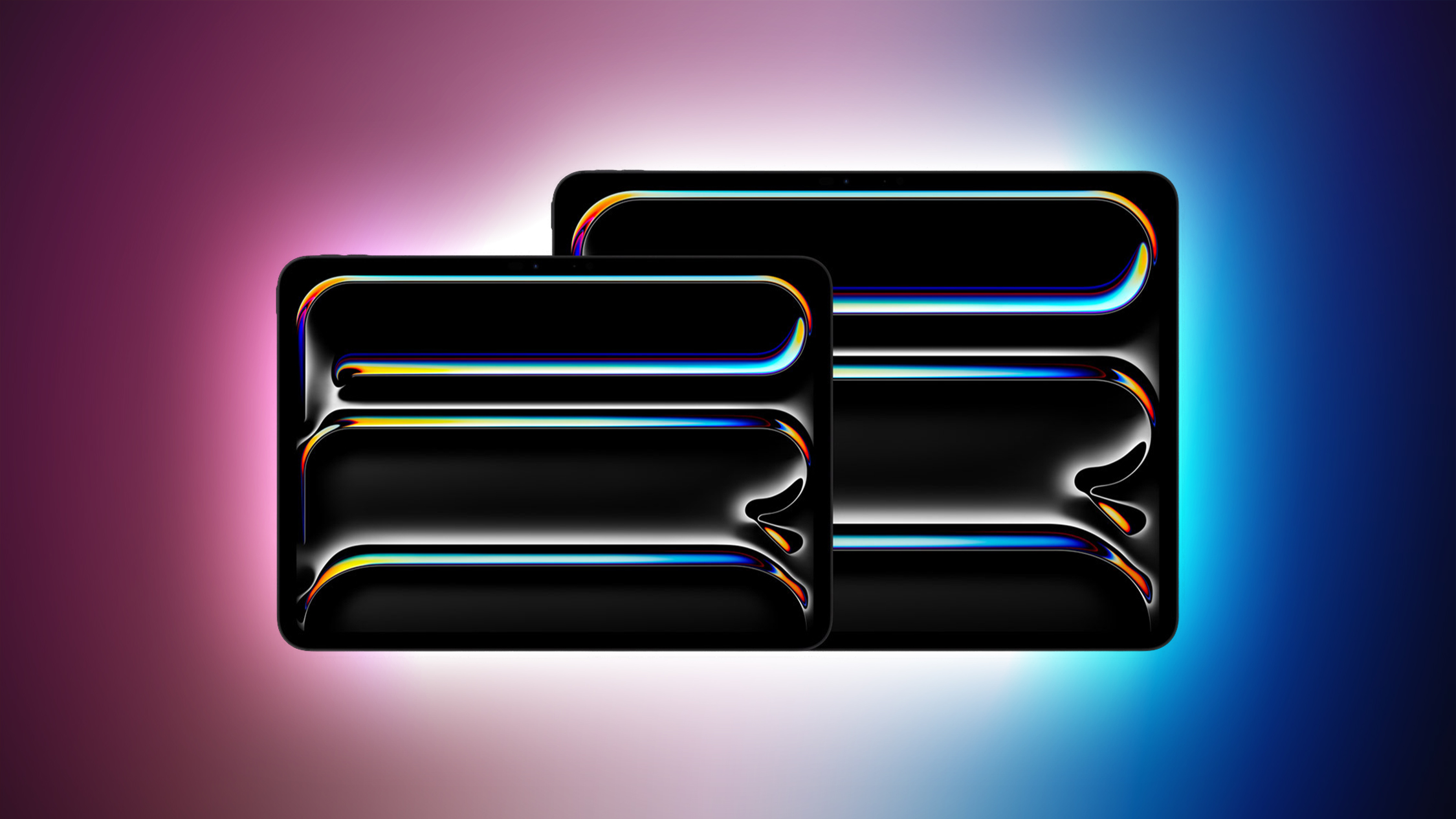
Amazon is discounting Apple's 512GB Wi-Fi 13-inch M4 iPad Pro to a new all-time low price of $1,149.99, down from $1,499.00. This steep $349 discount is only available in Space Black and on Amazon, with an estimated delivery between August 11 and August 15.
Note: MacRumors is an affiliate partner with Amazon. When you click a link and make a purchase, we may receive a small payment, which helps us keep the site running.
This is one of the biggest discounts we've tracked to date on any M4 iPad Pro model, and it currently beats the sale price of the 256GB Wi-Fi 13-inch iPad Pro. We aren't sure how long this one will last, so anyone interested should place an order soon.
$349 OFF
13-inch M4 iPad Pro (512GB Wi-Fi) for $1,149.99
Deals Roundup has more information on the latest Apple-related sales and bargains.
Related Roundup: Apple Deals
This article, "Amazon Introduces Massive $349 Discount on the 512GB 13-inch M4 iPad Pro" first appeared on MacRumors.com
Discuss this article in our forums
https://www.macrumors.com/2024/08/09/amazon-massive-discount-ipad-pro/
Apple Maps on Web Now Supports Firefox Browser
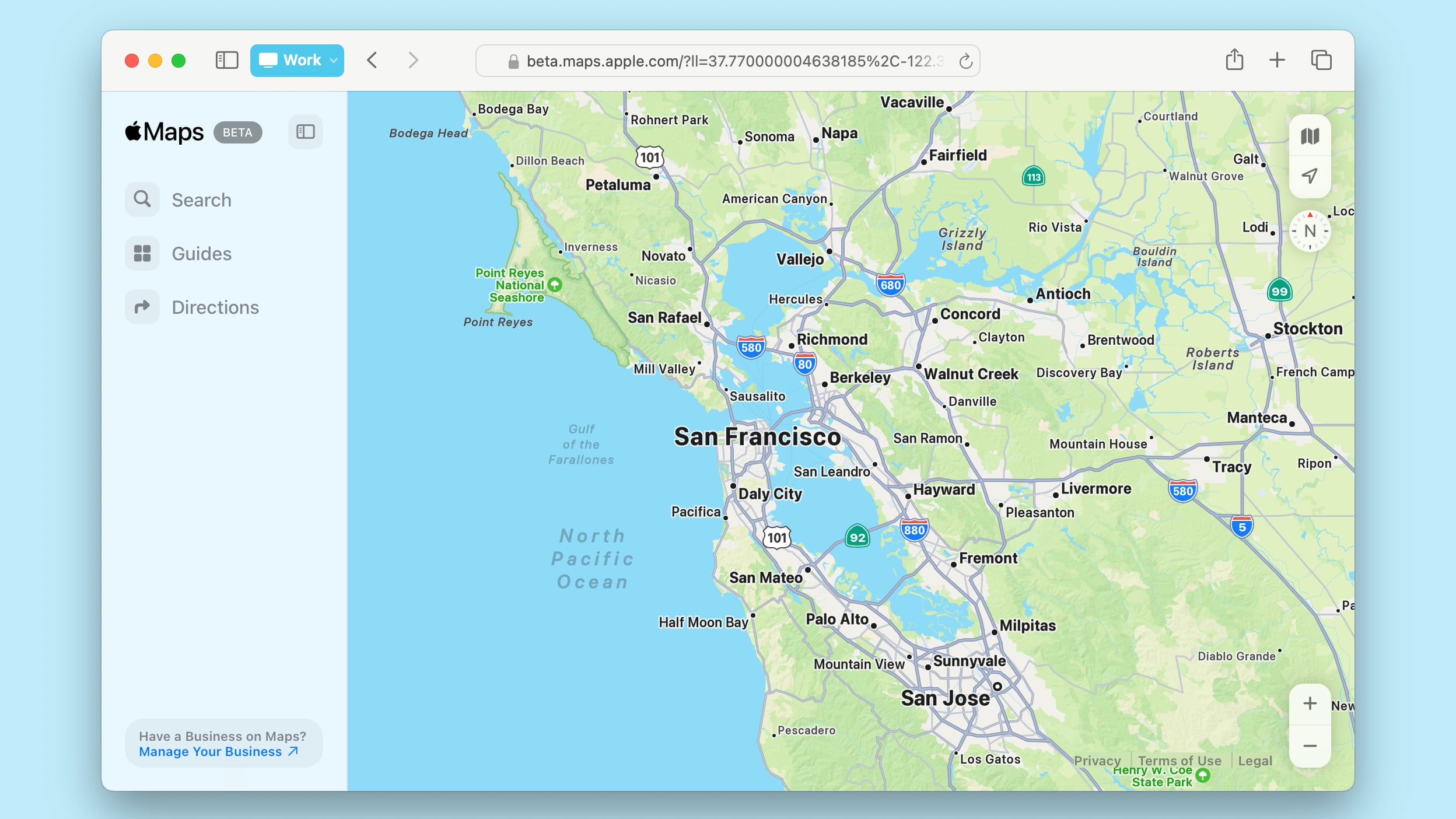
Apple updated its Apple Maps on the web feature to add support for the Firefox browser this week. Firefox users on Mac, PC, and iPad can now visit Apple Maps on the web, and the site works as intended.
Prior to yesterday, attempting to visit the Apple Maps website popped up an error message that the Firefox browser was not supported. Apple's support document for its web-based Maps feature now lists Safari, Edge, Chrome, and Firefox as supported browsers on Mac and iPad, and Edge, Chrome, and Firefox on Windows PCs.
Apple rolled out support for Apple Maps on the web in July, and it is available in a public beta capacity. The web interface can be used to get walking and driving directions, search for locations, find places to visit, view ratings and hours, and browse through a curated collection of Guides.
Apple has also added support for ordering food directly from the Maps app from supported restaurants, and discovering places to eat, shop, and explore in cities worldwide. Apple is working to introduce Look Around for street level location viewing in the coming months, and developers are able to link out to maps on the web in their apps.
found on the Apple Maps website.
Tags: Apple Maps, Firefox
This article, "Apple Maps on Web Now Supports Firefox Browser" first appeared on MacRumors.com
Discuss this article in our forums
https://www.macrumors.com/2024/08/09/apple-maps-on-web-firefox-support/
ChatGPT Now Lets You Generate Two Images Per Day For Free
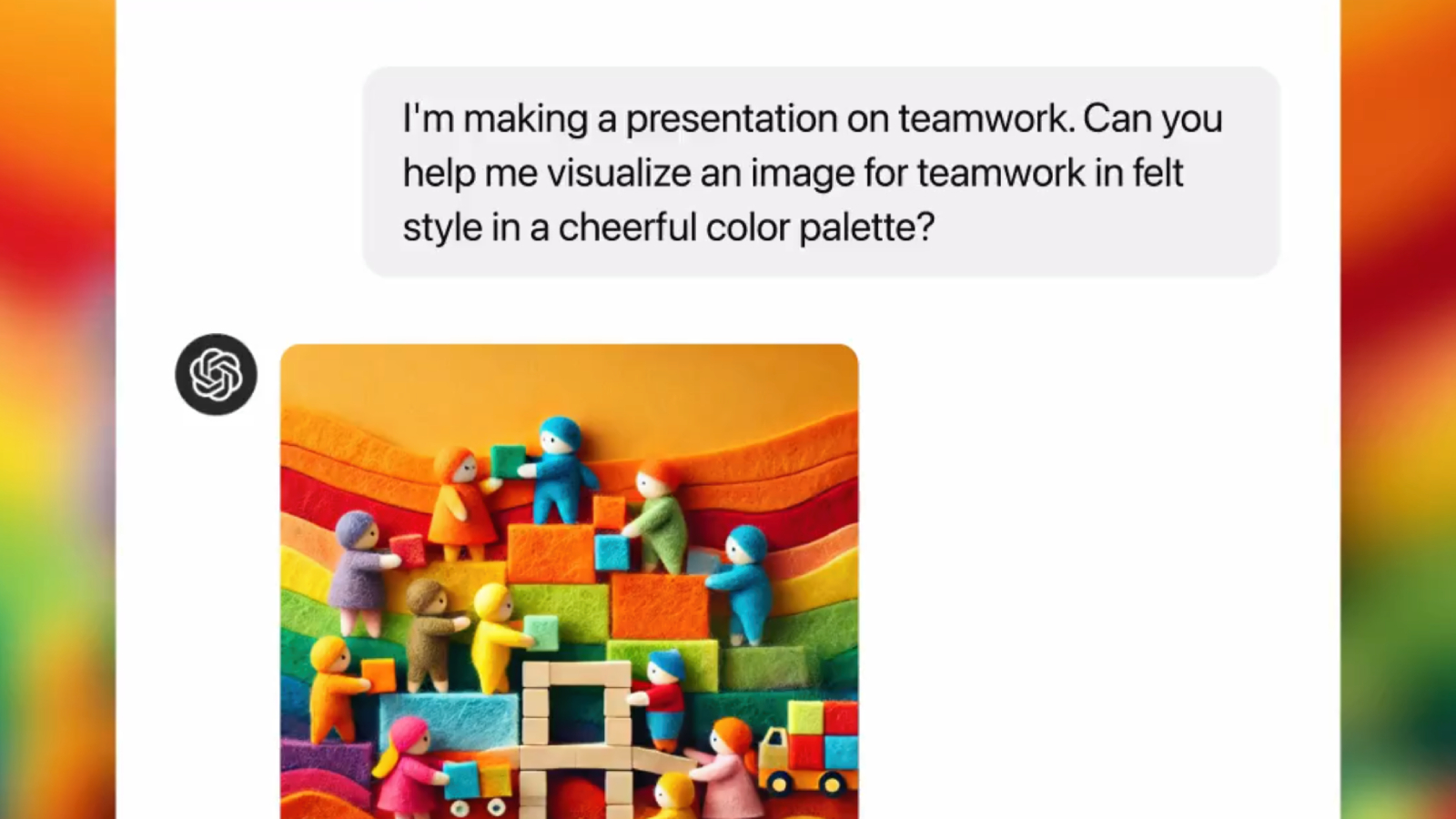
OpenAI on Thursday announced that ChatGPT now allows users to create up to two images per day for free, with no subscription required. The images are generated by OpenAI's image generation model DALL-E 3.
"Just ask ChatGPT to create an image for a slide deck, personalize a card for a friend, or show you what something looks like," said OpenAI, in a post shared on X.
Additional image generation with DALL-E 3 continues to require a ChatGPT Plus subscription, priced at $20 per month.
later this year. Siri will be able to show ChatGPT answers directly in response to questions and other prompts, but the user will have to grant permission every single time they want to use ChatGPT via Siri.
ChatGPT will also be available within Apple's system-wide Writing Tools feature, allowing users to quickly generate text and images. Apple said ChatGPT will be powered by OpenAI's latest GPT-4o model on its software platforms.
iPhone, iPad, and Mac users will be able to use ChatGPT without creating an account, and this will presumably now include the ability to generate up to two images per day for free. ChatGPT Plus subscribers will be able to connect their accounts to access paid features on these devices, including additional image generation.
Tags: ChatGPT, OpenAI
This article, "ChatGPT Now Lets You Generate Two Images Per Day For Free" first appeared on MacRumors.com
Discuss this article in our forums
https://www.macrumors.com/2024/08/09/chatgpt-two-images-per-day-for-free/
iOS 18 Brings Adaptive Lighting to Matter Smart Lights
iOS 18 expands Adaptive Lighting support to Matter-compatible smart lights, The Verge reports.
Adaptive Lighting was introduced in iOS 14, providing a way to automatically adjust the color temperature of smart lights throughout the day. The feature currently only works with HomeKit-enabled devices, but it will be extended to smart lights that are compatible with the Matter standard with iOS 18.
Matter, a smart home interoperability protocol developed collaboratively by Apple, Google, Amazon, and other smart home brands, seeks to create a unified, platform-agnostic ecosystem for smart devices. Adaptive Lighting is an exclusive feature of the Apple Home ecosystem, meaning it is not included in the Matter specification itself.
The expansion of Adaptive Lighting to Matter devices was discovered in the latest beta version of iOS 18. Users running the beta reported seeing a new toggle for Adaptive Lighting in the settings of their Matter-compatible smart lights within the Home app.
Confirmation of the feature's development also came from Nanoleaf, whose CEO Gimmy Chu stated that the company is "one of the partners that are part of the launch of Adaptive Lighting on Matter products." It is highly likely that other major smart lighting brands, such as Philips Hue, will also support the feature in due course.
Related Roundups: iOS 18, iPadOS 18
Tags: HomeKit, Home, Nanoleaf, Matter
Related Forums: iOS 18, iPadOS 18
This article, "iOS 18 Brings Adaptive Lighting to Matter Smart Lights" first appeared on MacRumors.com
Discuss this article in our forums
https://www.macrumors.com/2024/08/09/ios-18-brings-adaptive-lighting-to-matter/
Foxconn Hires 50,000 More Workers as Apple Boosts iPhone 16 Production
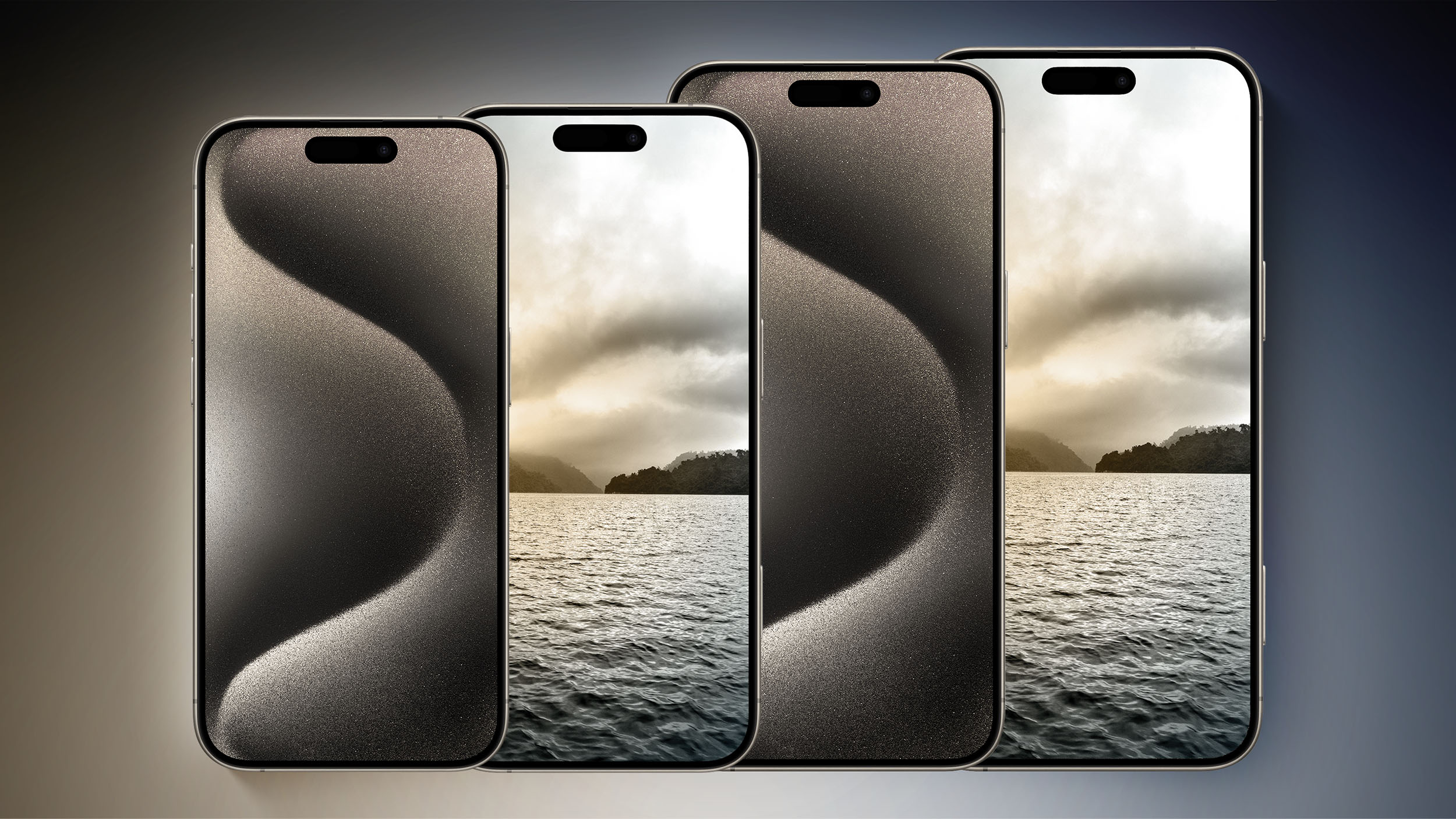
Apple has ramped up iPhone 16 production in expectation of high demand, leading Foxconn to hire 50,000 new workers in just two weeks, BusinessKorea reports.
Apple apparently decided to boost production by 10% this year, aiming for a total output of 90 million iPhone 16 models, in expectation of strong sales. The company has intensified production efforts with its primary manufacturing partner, Foxconn, in Zhengzhou, China. The factory, known as the world's largest iPhone production base, is now operating at full capacity, having brought in 50,000 additional workers within the last two weeks.
Foxconn's Zhengzhou facility is central to Apple's global supply chain, responsible for approximately 80% of the company's iPhone production. As the peak season for iPhone production typically begins in August and extends through December, Foxconn's recruitment drive is crucial in meeting the increased output required during this period. Local media outlets have reported that Foxconn has significantly raised wages and bonuses to attract the necessary labor force. In late July, the company advertised an increased hourly wage of up to 25 yuan and raised the hiring bonus from 6,000 yuan to 7,500 yuan as of August.
larger variety of iPhone models in India starting with the iPhone 16 lineup. The new devices are expected to launch next month.
Related Roundups: iPhone 16, iPhone 16 Pro
Tags: Foxconn, BusinessKorea
This article, "Foxconn Hires 50,000 More Workers as Apple Boosts iPhone 16 Production" first appeared on MacRumors.com
Discuss this article in our forums
https://www.macrumors.com/2024/08/09/foxconn-hires-50000-more-workers/
iOS 18 vs. iOS 18.1: New Features, Release Timing, and More
As a result of the first Apple Intelligence features being delayed, iOS 18 and iOS 18.1 are currently in beta testing simultaneously.
Below, we explain the differences between the two upcoming software updates, including new features and estimated release timing.
New Features
iOS 18.0
iOS 18 introduces new customization options for the Home Screen and Control Center, a redesigned Photos app, numerous enhancements to the Messages app, an option to lock apps behind Face ID or Touch ID, and much more.
The highlight of iOS 18 is Apple Intelligence, but the rollout of these artificial intelligence features was pushed back to iOS 18.1.
includes some changes that are not yet available in the first iOS 18.1 developer beta, including the new Distraction Control tool in Safari for erasing distracting elements from a web page. That feature and the other changes should be added to later iOS 18.1 beta versions.
iOS 18 roundup to learn more about the update.
iOS 18.1
The first Apple Intelligence features are now available to test in the iOS 18.1 developer beta, which is only available for the iPhone 15 Pro and iPhone 15 Pro Max currently. The features available to try so far include new writing tools, suggested replies in the Messages app, email summarization, phone call recording, and more.
Apple Intelligence features that are not yet available to try include Image Playground for custom-generated images, Genmoji for custom-generated emoji, and several enhancements to Siri, including ChatGPT integration, richer language understanding, deeper per-app controls, on-screen awareness, personalized context, and more.
Release Timing
iOS 18.0
iOS 18 will likely be released in mid-September, based on the timing of previous major releases:
iOS 17: September 18, 2023
iOS 16: September 12, 2022
iOS 15: September 20, 2021
iOS 14: September 16, 2020
iOS 18.1
iOS 18.1 will likely be released in late October, based on the timing of previous similar updates:
iOS 17.1: October 25, 2023
iOS 16.1: October 24, 2022
iOS 15.1: October 25, 2021
iOS 14.1: October 20, 2020
Latest Versions
As of August 9, the latest iOS 18 and iOS 18.1 betas are as follows:
iOS 18 Developer Beta 5
iOS 18 Public Beta 3
iOS 18.1 Developer Beta 1
iOS 18.1 Public Beta not currently available
How to Install Betas
Developer Betas
iOS 18 and iOS 18.1 are both available as developer betas.
developer.apple.com, sign in to your Apple ID, and accept the terms and conditions of the Apple Developer Agreement.
Since 2023, installing iOS developer betas no longer requires being enrolled in the Apple Developer Program for $99/year. Anyone with an Apple ID can accept the Apple Developer Agreement and access the betas for free.
After accepting the agreement, open the Settings app on your iPhone and tap General → Software Update → Beta Updates. This is where the iOS 18 and iOS 18.1 developer betas are listed, and you can tap on one to begin the installation process. Note that the iPhone must be signed in to the same Apple ID set up as a developer account.
backing up your iPhone to your Mac before installing beta software on the device, to prevent data loss in the event something goes wrong.
Step-by-step guide: How to Get the iOS 18 Developer Beta on Your iPhone
Public Betas
iOS 18 is available as a public beta, but iOS 18.1 is not currently.
beta.apple.com, sign in to your Apple ID, and accept the terms and conditions.
After signing up, open the Settings app on your iPhone and tap General → Software Update → Beta Updates. This is where the iOS 18 public beta is listed, and you can tap on it to begin the installation process. Note that the iPhone must be signed in to the same Apple ID enrolled in the public beta program.
backing up your iPhone to your Mac before installing beta software on the device, to prevent data loss in the event something goes wrong.
Step-by-step guide: How to Install the iOS 18 Public Beta
Compatible iPhones
iOS 18 is compatible with the same iPhone models as iOS 17 is:
iPhone 15
iPhone 15 Plus
iPhone 15 Pro
iPhone 15 Pro Max
iPhone 14
iPhone 14 Plus
iPhone 14 Pro
iPhone 14 Pro Max
iPhone 13 mini
iPhone 13
iPhone 13 Pro
iPhone 13 Pro Max
iPhone 12 mini
iPhone 12
iPhone 12 Pro
iPhone 12 Pro Max
iPhone 11
iPhone 11 Pro
iPhone 11 Pro Max
iPhone XS
iPhone XS Max
iPhone XR
iPhone SE (2nd generation or later)
While the iOS 18.1 beta is currently limited to the iPhone 15 Pro models, the update should be released for all of the iPhones listed above eventually. However, Apple Intelligence features will remain exclusive to the iPhone 15 Pro models and newer.
Related Roundups: iOS 18, iPadOS 18
Related Forums: iOS 18, iPadOS 18
This article, "iOS 18 vs. iOS 18.1: New Features, Release Timing, and More" first appeared on MacRumors.com
Discuss this article in our forums