
Mac OS X Snow Leopard Launched 15 Years Ago Today With '0 New Features'

Today marks the 15th anniversary of Apple releasing Mac OS X Snow Leopard, which became available to purchase for $29 on August 28, 2009.
After advertising Mac OS X Leopard as having "over 300 new features," Apple previewed Snow Leopard at WWDC 2008. Notably, during that year's "State of the Union" session, Apple showed a presentation slide that said the update had "0 new features," as Apple opted to focus on under-the-hood performance and stability improvements.
"We've built on the success of Leopard and created an even better experience for our users from installation to shutdown," said Apple's former software engineering chief Bertrand Serlet. "Apple engineers have made hundreds of improvements so with Snow Leopard your system is going to feel faster, more responsive and even more reliable than before."
With Snow Leopard, Apple said it refined 90 percent of the foundational "projects" that were built into Mac OS X. Apple pitched the update as offering a more responsive Finder app, an improved Mail app that loaded emails up to twice as fast, up to 80% faster Time Machine backups, and a 64-bit version of Safari that was up to 50% faster than the previous version. Snow Leopard also took up around half as much disk space as Leopard.
You can watch Serlet speak more about Snow Leopard at WWDC 2009 below.
This article, "Mac OS X Snow Leopard Launched 15 Years Ago Today With '0 New Features'" first appeared on MacRumors.com
Discuss this article in our forums
https://www.macrumors.com/2024/08/28/mac-os-x-snow-leopard-15-years/
Apple Releases Safari Technology Preview 202 With Bug Fixes and Performance Improvements
Apple today released a new update for Safari Technology Preview, the experimental browser that was first introduced in March 2016. Apple designed Safari Technology Preview to allow users to test features that are planned for future release versions of the Safari browser.
Safari Technology Preview 202 includes fixes and updates for Accessibility, CSS, Editing, JavaScript, Media, Rendering, SVG, Web Animations, Web API, Web Assembly, and WebDriver.
macOS Sonoma and the macOS Sequoia beta. Set to launch this fall, macOS Sequoia is the newest version of macOS that Apple is working on.
downloaded the browser from Apple's website. Complete release notes for the update are available on the Safari Technology Preview website.
Tag: Safari Technology Preview
This article, "Apple Releases Safari Technology Preview 202 With Bug Fixes and Performance Improvements" first appeared on MacRumors.com
Discuss this article in our forums
https://www.macrumors.com/2024/08/28/apple-releases-safari-technology-preview-202/
See the Apple Intelligence Photos App 'Clean Up' Tool in Action
Apple today provided developers with the third beta of iOS 18.1, and it adds Clean Up, a new Apple Intelligence tool created for the Photos app. With Clean Up, you can remove unwanted objects from your photos, but its performance is hit or miss right now.
Subscribe to the MacRumors YouTube channel for more videos.
When you tap into any of your photos and then tap on the edit button, you'll see a new "Clean Up" tool that has an eraser icon. Tap on that, and if there's something obvious that can be removed from the image, it'll be automatically highlighted.
You can tap on the highlighted object to remove it, and it works like magic. If there isn't something automatically highlighted, don't worry, you can circle or scribble on any object in the photo to use Clean Up on it.
With the automatically highlighted objects, Clean Up works well. Apple has already done all the work in the background to find depth information and to calculate the fill the object should be replaced with. When you're selecting your own objects, it can be a little more difficult to get a clean look.
Clean Up works best when there's a clear, uncluttered background behind the object that you want to remove, and the smaller the object the better. Trying to remove a whole person from the foreground of image (such as in a group shot) with a lot going on in the background doesn't work super well, but it's really more designed for small, unwanted objects in the background of images anyway.
You can go through multiple iterations of Clean Up to try to get it to look better, and to remove small areas, just zoom in and then circle.
Live Photos, and when you use Clean Up, it turns off Live Photos. You can turn Live Photos back on, but then you lose the Clean Up edit. You also can't use Clean Up on videos, but it does work on all other kinds of images, including screenshots, old photos, and photos you didn't take with your iPhone.
For quick edits on an iPhone, Clean Up works well. It's not on par with some other desktop tools at this time, but Apple will undoubtedly make improvements going forward. Also, when you use Clean Up, a note is added to the metadata that lets you know that an AI edit has been made, so people will be able to see that it's been modified.
All Clean Up edits are reversible, so if you want to get back to your original image, you can revert at any time.
Other New Features in iOS 18.1 Beta 3
Along with Cleanup, iOS 18.1 beta 3 adds a couple of other features. The notification summary feature that was previously working for Mail and Messages now works for all of your apps, so you can see summaries of both multiple incoming messages and single notifications, giving you more information at a glance.
This article, "See the Apple Intelligence Photos App 'Clean Up' Tool in Action" first appeared on MacRumors.com
Discuss this article in our forums
https://www.macrumors.com/2024/08/28/apple-intelligence-clean-up-hands-on/
iOS 18.1 Beta Now Offers Notification Summaries for All Apps
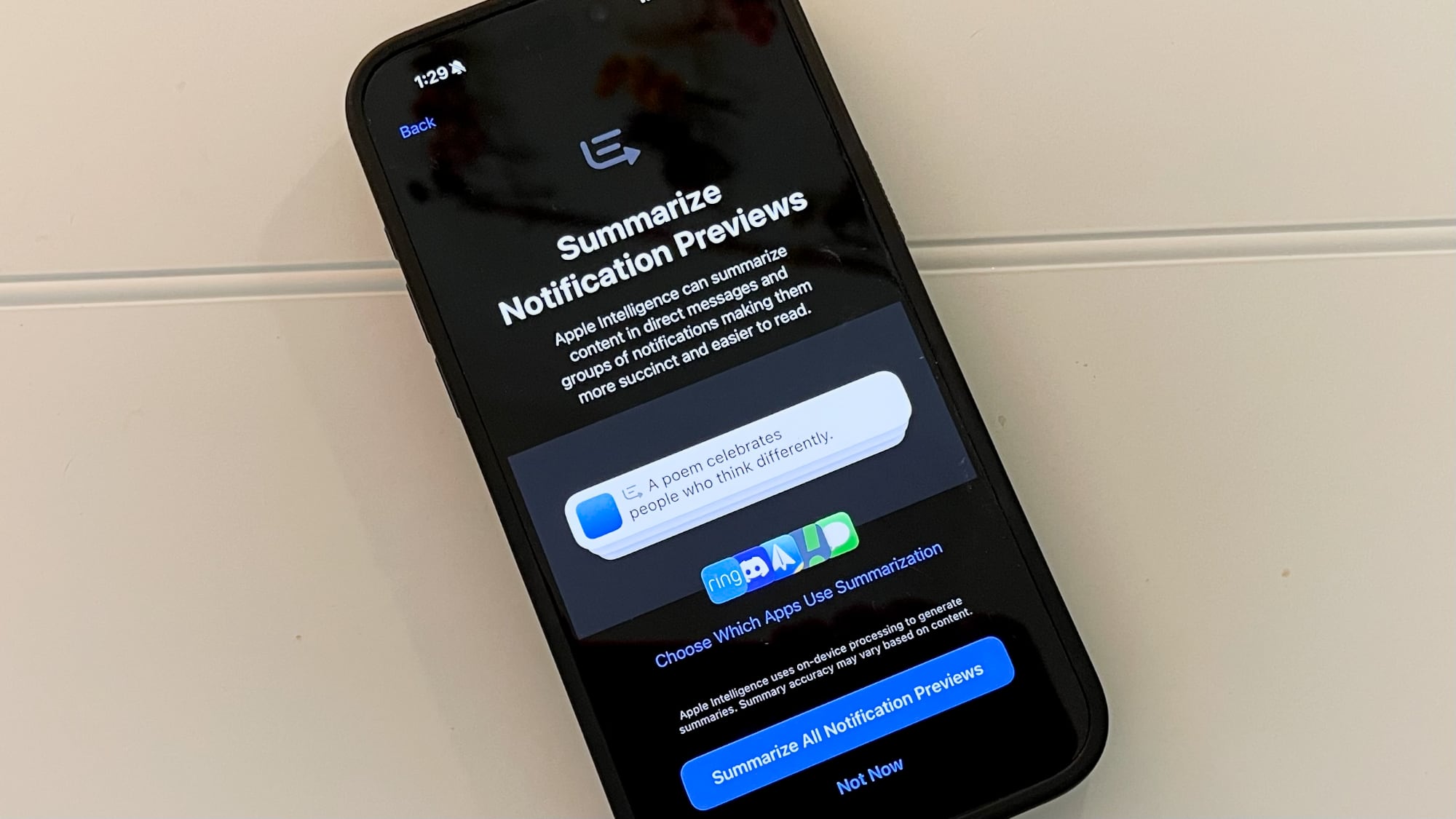
With the third beta of iOS 18.1, Apple has introduced new Apple Intelligence features for notifications. The notification summarization option that was previously available for the Mail and Messages apps now works with all of your apps.
After updating to the latest beta, there is an Apple Intelligence setup flow that walks through some of the new features and includes settings for the Summarize Notification Previews section.
During setup, you can opt to summarize all of your notification previews or choose which apps should use the summarization feature. After setup, these preferences can be tweaked in the Summarize Previews of the Settings app under the Notifications heading.
Notification summarization allows Apple Intelligence to glean key details from groups of notifications from an app, making them more succinct so you can see what's important at a glance. From the Settings app:
Summarize content in direct messages and groups of notifications making them more succinct and easier to read. Summary accuracy may vary based on content.
There are individual toggles to enable or disable summarization on a per-app basis, and it can also be entirely disabled for those who do not want to use the feature.
You will see notification summaries on the Lock Screen, and it is a feature that pairs well with the new Reduce Interruptions Focus Mode.
iPhone 15 Pro models or an iPad or Mac with an M-series chip. The functionality is limited to developers who have installed the third beta of iOS 18.1 at the current time, but Apple Intelligence will see a public release later this year.
adds the Clean Up object removal tool to the Photos app.
This article, "iOS 18.1 Beta Now Offers Notification Summaries for All Apps" first appeared on MacRumors.com
Discuss this article in our forums
https://www.macrumors.com/2024/08/28/ios-18-1-notification-summaries/
New iOS 18.1 Beta Adds 'Clean Up' Apple Intelligence Photos Feature
The third beta of iOS 18.1 that Apple provided to developers today includes a new Apple Intelligence feature for the Photos app. Clean Up can be used to remove distracting objects from the background of a photo while leaving the subject of the image intact.
The Clean Up tool in the Photos app is able to automatically detect objects in an image that might not be wanted, but users can also tap, circle, or brush over an unwanted object to remove it.
Zooming in on an image can help with using a finger as a brush to remove smaller blemishes and issues with an image, and it is intelligent enough not to remove part of a person even if a person or main subject is selected.
Clean Up works on all images in the Photos library, including older images and images captured by other devices like a point and shoot camera or a DSLR.
Apple says that Clean Up works using multiple machine learning models to detect distractions, determine the where the edges of an object are, and then fill in the area seamlessly to replace the unwanted object, even filling in the object's shadow or reflection.
This article, "New iOS 18.1 Beta Adds 'Clean Up' Apple Intelligence Photos Feature" first appeared on MacRumors.com
Discuss this article in our forums
https://www.macrumors.com/2024/08/28/ios-18-1-beta-3-clean-up/
Apple Seeds Third Developer Betas of iOS 18.1, iPadOS 18.1 and macOS Sequoia 15.1 With Apple Intelligence
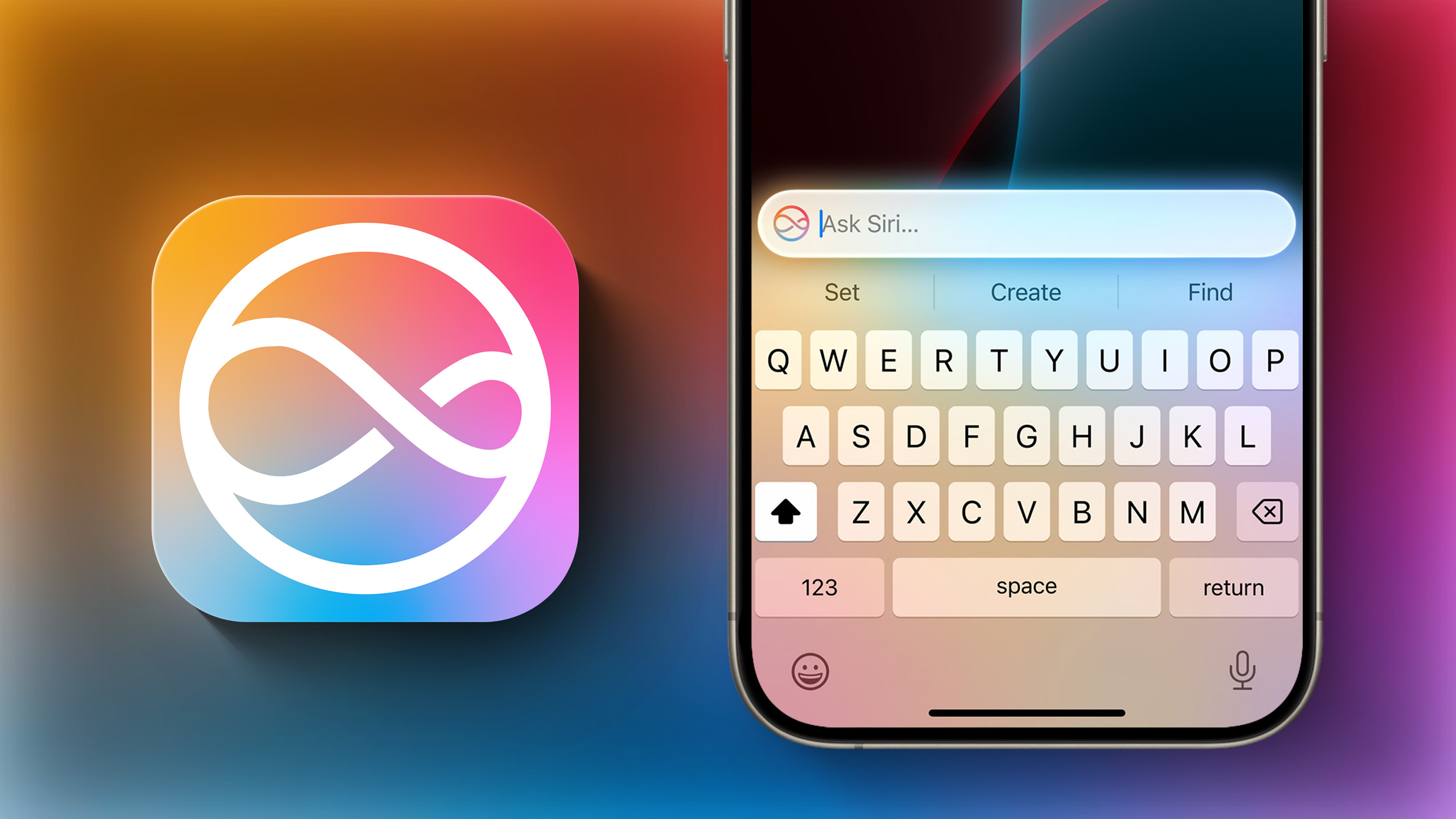
Apple today provided developers with the third betas of iOS 18.1, iPadOS 18.1, and macOS Sequoia 15.1 to continue testing Apple Intelligence features. The third betas come two weeks after Apple seeded the second iOS 18.1, iPadOS 18.1, and macOS Sequoia 15.1 betas.
A device capable of supporting Apple Intelligence is required to download the updates, which includes the iPhone 15 Pro and Pro Max, Apple silicon iPads, and Apple silicon Macs. The updates can be downloaded from the Settings app on a compatible device, with developers able to choose between the standard iOS 18/iPadOS 18/macOS Sequoia 15 betas or the .1 betas with Apple Intelligence functionality.
Apple Intelligence includes Writing Tools that are available wherever text can be selected and edited, and it can be used for spell checking, fixing grammar, rewriting with a new tone, and summarizing text.
Siri has a new design with a subtle glow around the display, and there is a Type to Siri feature so you don't have to speak to Siri. Siri can follow along if you stumble over your words, and can maintain context between requests. Safari can summarize articles, and there's a new Reduce Interruptions Focus Mode.
Photos has a Memory Movie feature for creating slideshows based on text descriptions, and you can record, transcribe, and summarize phone calls. Transcription and summarization are also available for any audio recording.
found in our Apple Intelligence guide. Image Playground, Genmoji, and other new Siri features have not yet been implemented.
Apple has split Apple Intelligence into a separate set of betas because these features will not be available in the initial launch versions of iOS 18, iPadOS 18, and macOS Sequoia. Apple Intelligence will be available to the public later in the fall after a developer testing period.
Related Roundups: iOS 18, iPadOS 18, macOS Sequoia
Related Forums: iOS 18, iPadOS 18, macOS Sequoia
This article, "Apple Seeds Third Developer Betas of iOS 18.1, iPadOS 18.1 and macOS Sequoia 15.1 With Apple Intelligence" first appeared on MacRumors.com
Discuss this article in our forums
https://www.macrumors.com/2024/08/28/apple-seeds-ios-18-1-beta-3/
iPhone Driver's Licenses in Wallet App Rolling Out in Seventh U.S. State
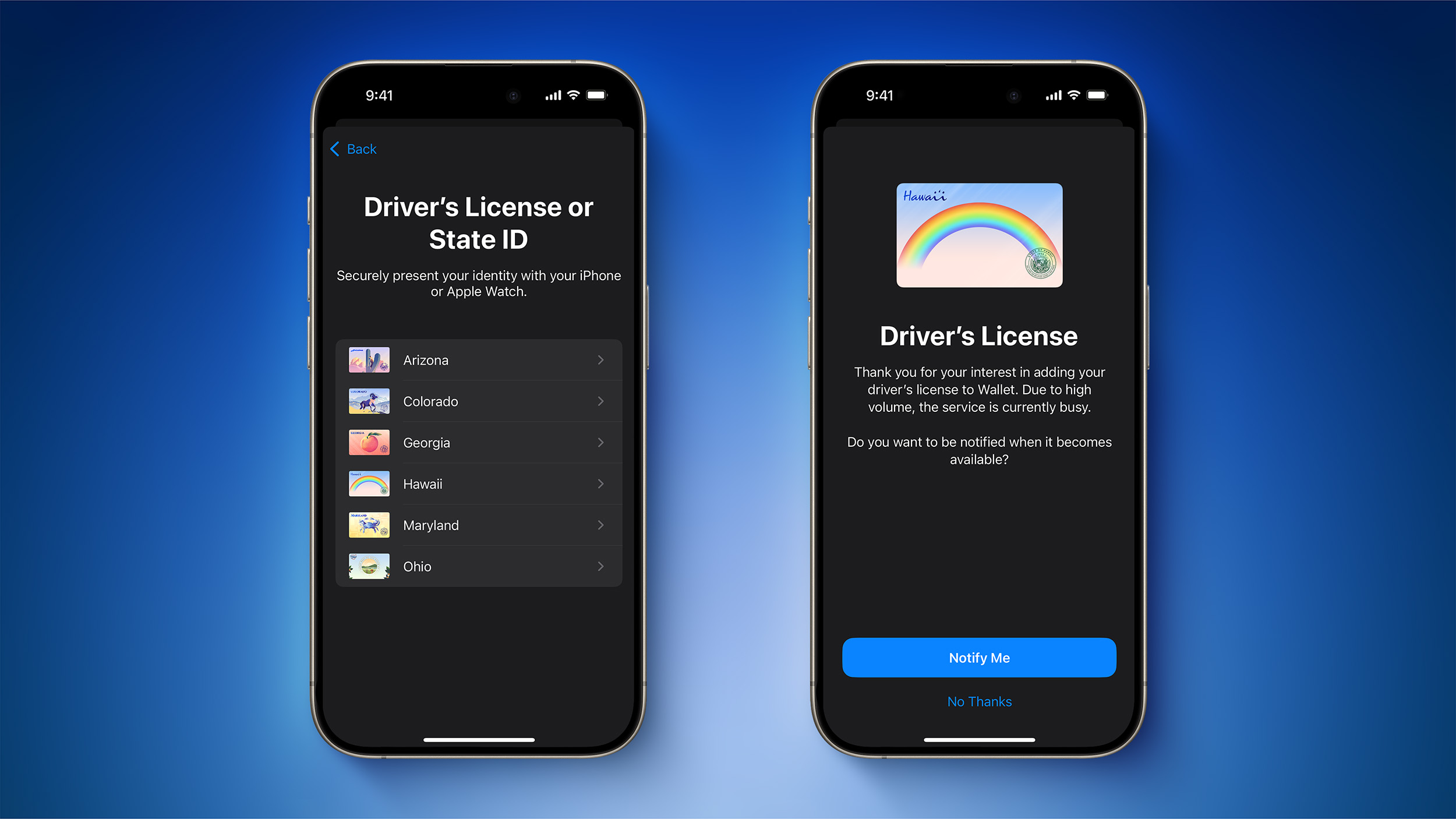
As noted by 9to5Mac, Apple recently started rolling out the ability for Hawaii residents to add a digital version of their driver's license or state ID to the Wallet app on the iPhone and Apple Watch, providing a convenient and contactless way to display proof of identity or age at select airports, businesses, and venues.
Hawaii is the seventh U.S. state to support this feature so far, joining Arizona, Maryland, Colorado, Georgia, Ohio, and recently California.
To add a driver's license or state ID to the Wallet app, tap on the plus sign in the top-right corner, select Driver's License or State ID, and follow the on-screen steps. Hawaii is not yet showing up as an option for all iPhone users.
Apple first announced this feature in September 2021, but it has been slow to roll out, and the digital IDs can only be used at a very limited number of locations.
Baltimore/Washington International Thurgood Marshall Airport (BWI)
Ronald Reagan Washington National Airport (DCA)
Phoenix Sky Harbor International Airport (PHX)
Denver International Airport (DEN)
Hartsfield–Jackson Atlanta International Airport (ATL)
Cincinnati/Northern Kentucky Airport (CVG)
John Glenn Columbus International Airport (CMH)
Apple says travelers should refer to TSA checkpoint signage to confirm availability of the feature, and the TSA's website offers more details.
Apple's website says that the digital IDs in the Wallet app can also be used to show proof of age or identity at "select bars, concerts, festivals, and more," but the company does not list any specific locations, and adoption is far from widespread.
In a press release earlier this month, Apple reiterated that iPhone users "do not need to unlock, show, or hand over their device to present their ID."
In 2022, Apple said the six additional states listed below would "soon" allow residents to add their driver's license or state ID to the Wallet app, but over two years have passed and none of these states support the feature yet.
Connecticut
Iowa
Kentucky
Mississippi
Oklahoma
Utah
Apple's website has a page with more details about the digital IDs.
Tag: Apple Wallet
This article, "iPhone Driver's Licenses in Wallet App Rolling Out in Seventh U.S. State" first appeared on MacRumors.com
Discuss this article in our forums
https://www.macrumors.com/2024/08/28/iphone-wallet-app-ids-seventh-state/
'Relay FM' Podcast Network Launches Annual Fundraiser for St. Jude Children's Research Hospital

September is Childhood Cancer Awareness Month. To support this important cause, well-known podcast network Relay FM has launched its annual fundraiser for St. Jude Children's Research Hospital, located in Memphis, Tennessee. Since 2019, the Relay FM community has raised nearly $3 million for the hospital.
St. Jude's mission statement is that no child is denied treatment:
The mission of St. Jude Children's Research Hospital is to advance cures, and means of prevention, for pediatric catastrophic diseases through research and treatment. Consistent with the vision of our founder Danny Thomas, no child is denied treatment based on race, religion or a family's ability to pay.
Relay FM has multiple Apple-related podcasts, such as Connected, hosted by Stephen Hackett, Myke Hurley, and Federico Viticci. Hackett's son received treatment at St. Jude as an infant, so this initiative is near and dear to him and his family.
Relay FM for St. Jude website, with rewards such as Relay FM stickers, wallpapers, and a macOS screensaver available above certain dollar amounts. The page outlines other ways you can get involved, such as starting your own fundraising campaign, and sharing the page also greatly helps.
Tag: Relay FM
This article, "'Relay FM' Podcast Network Launches Annual Fundraiser for St. Jude Children's Research Hospital" first appeared on MacRumors.com
Discuss this article in our forums
https://www.macrumors.com/2024/08/28/relay-fm-2024-st-jude-fundraiser/
iPhone 15 Pro Max vs. Google's New Pixel 9 Pro XL
Apple is planning to unveil its new iPhone 16 models in September, but Google decided to move its usual October smartphone announcement to August, beating Apple to new AI-powered devices. We picked up Google's new Pixel 9 Pro XL and thought we'd compare it to the iPhone 15 Pro Max since we don't have an iPhone 16 to pit against it just yet.
Subscribe to the MacRumors YouTube channel for more videos.
Design wise, the Pixel 9 Pro XL has an iPhone look and feel, and Google has done a lot better matching software with a high-end smartphone design. The Pixel 9 Pro XL has a more premium design than prior Pixel models, and this is the first time that Google has done two "Pro" models like Apple. Google didn't use titanium and instead opted for stainless steel for the chassis, so the Pixel 9 Pro is bulkier and heavier than the iPhone 15 Pro Max.
Google has adopted a unique camera design for the Pixel series, and the Pixel 9 Pro XL has a camera bar with a triple-lens setup. There's a 50-megapixel wide-angle lens, a 48-megapixel telephoto lens (with 5x zoom like the iPhone 15 Pro Max), and a 48-megapixel ultra wide lens, pixel binned to 12-megapixels.
iPhone 16 Pro models, with Apple planning to adopt a 48-megapixel Ultra Wide camera that does better in low light. Right now, the iPhone 15 Pro models only have a 12-megapixel Ultra Wide camera. Pixel binning means that multiple pixels are combined to create a better image without a larger image size.
We're going to save a full camera comparison for when the iPhone 16 Pro Max launches, but the Pixel 9 Pro XL is taking incredible photos, which is to be expected from any premium smartphone these days.
All of the Pixel 9 smartphones have a whole host of AI features, some of which Apple can't yet match with Apple Intelligence. There's a "Reimagine" feature for adding AI objects into existing photos, which Apple has no plan to adopt. When the new Pixel phones first came out, reviewers were able to do things like add dead bodies, bombs, and blood into their images, but Google has shut that down. Google also tweaked its Pixel Studio image generation app to prevent people from using it to do things like create Nazi versions of Elmo.
Other image capabilities include "Add Me" for putting an extra person into an image (AI artifacts included), Video Boost for improving video content, and Zoom Enhance for digital zooming in further than the 5x optical zoom with enhanced clarity.
Google added Call Notes, which is essentially identical to the call recording option Apple introduced in the iOS 18.1 beta. You can record a phone call and get a transcription of what was said. The Pixel Weather app offers an AI roundup of local current and upcoming conditions, which is useful, and there's a surprisingly nice Screenshots app.
If you screenshot an article or a website, the Pixel 9 will remember where the screenshot came from and it can bring you back to that website later. It doesn't work within apps, unfortunately, but it's still nice to have.
Siri that Apple is working on.
Tag: Google Pixel
This article, "iPhone 15 Pro Max vs. Google's New Pixel 9 Pro XL" first appeared on MacRumors.com
Discuss this article in our forums
https://www.macrumors.com/2024/08/28/iphone-15-pro-max-vs-pixel-9-pro-xl/
Sketchy Rumor Claims iPhone 16 Pre-Orders Could Begin on a Thursday Instead of Usual Friday
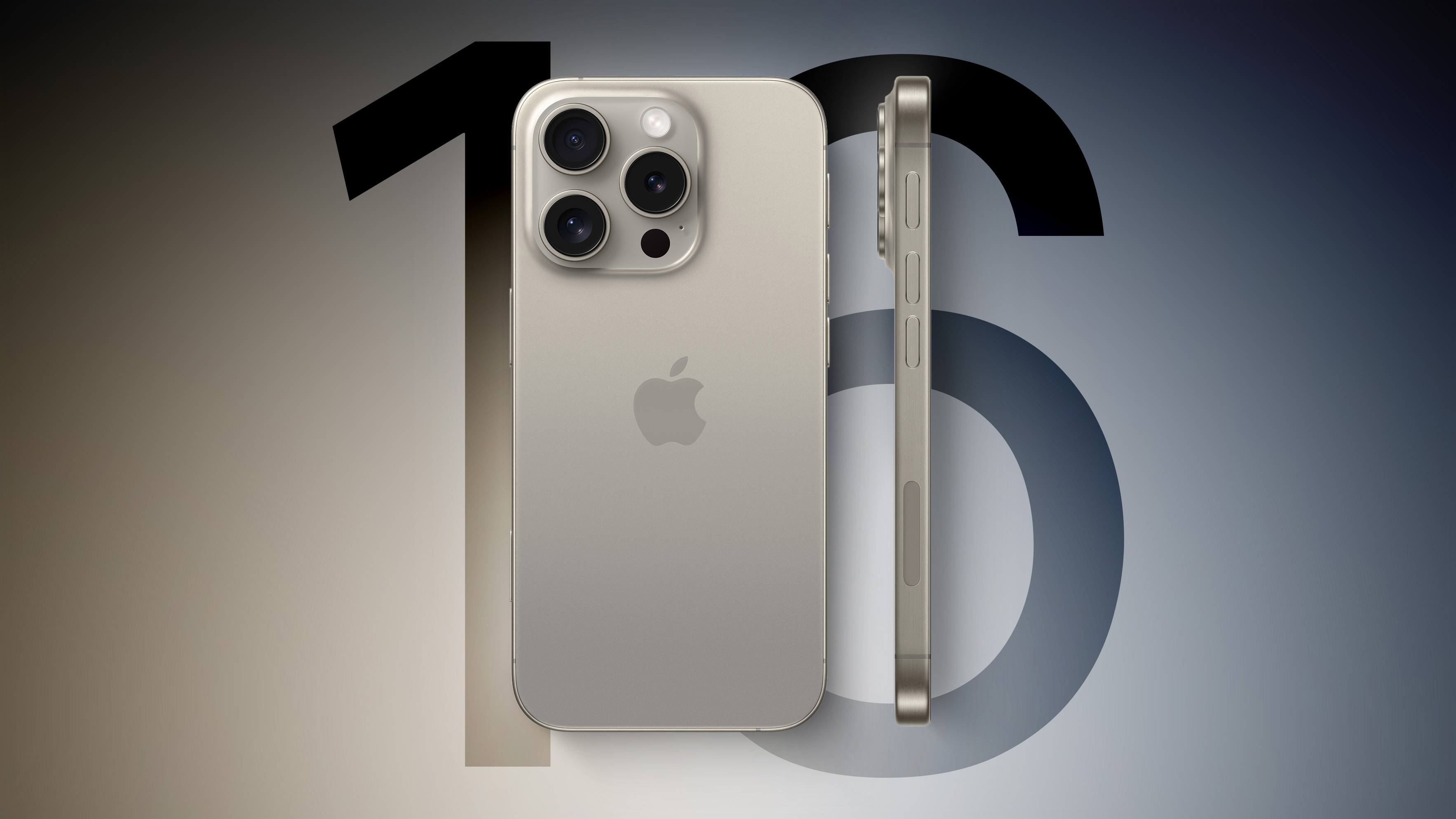
Apple's annual iPhone event is scheduled to take place on Monday, September 9. Typically, this would suggest that iPhone 16 pre-orders would begin on Friday, September 13, but German blog Macerkopf this week claimed it heard that the pre-orders could instead begin on Thursday, September 12. The report did not elaborate on the source of this information, nor did it provide a reason for this potential change, so skepticism is warranted.
It is worth noting that Apple's annual iPhone event most often takes place on a Tuesday, but the upcoming event on September 9 will be the first-ever iPhone event to be held on a Monday. It is unclear if the event being held one day earlier than expected has any relation to pre-orders potentially starting one day earlier as well.
Related Roundups: iPhone 16, iPhone 16 Pro
Tag: Macerkopf
This article, "Sketchy Rumor Claims iPhone 16 Pre-Orders Could Begin on a Thursday Instead of Usual Friday" first appeared on MacRumors.com
Discuss this article in our forums
https://www.macrumors.com/2024/08/28/iphone-16-pre-orders-thursday-rumor/
iOS 18: Add Multiple Pages to Control Center
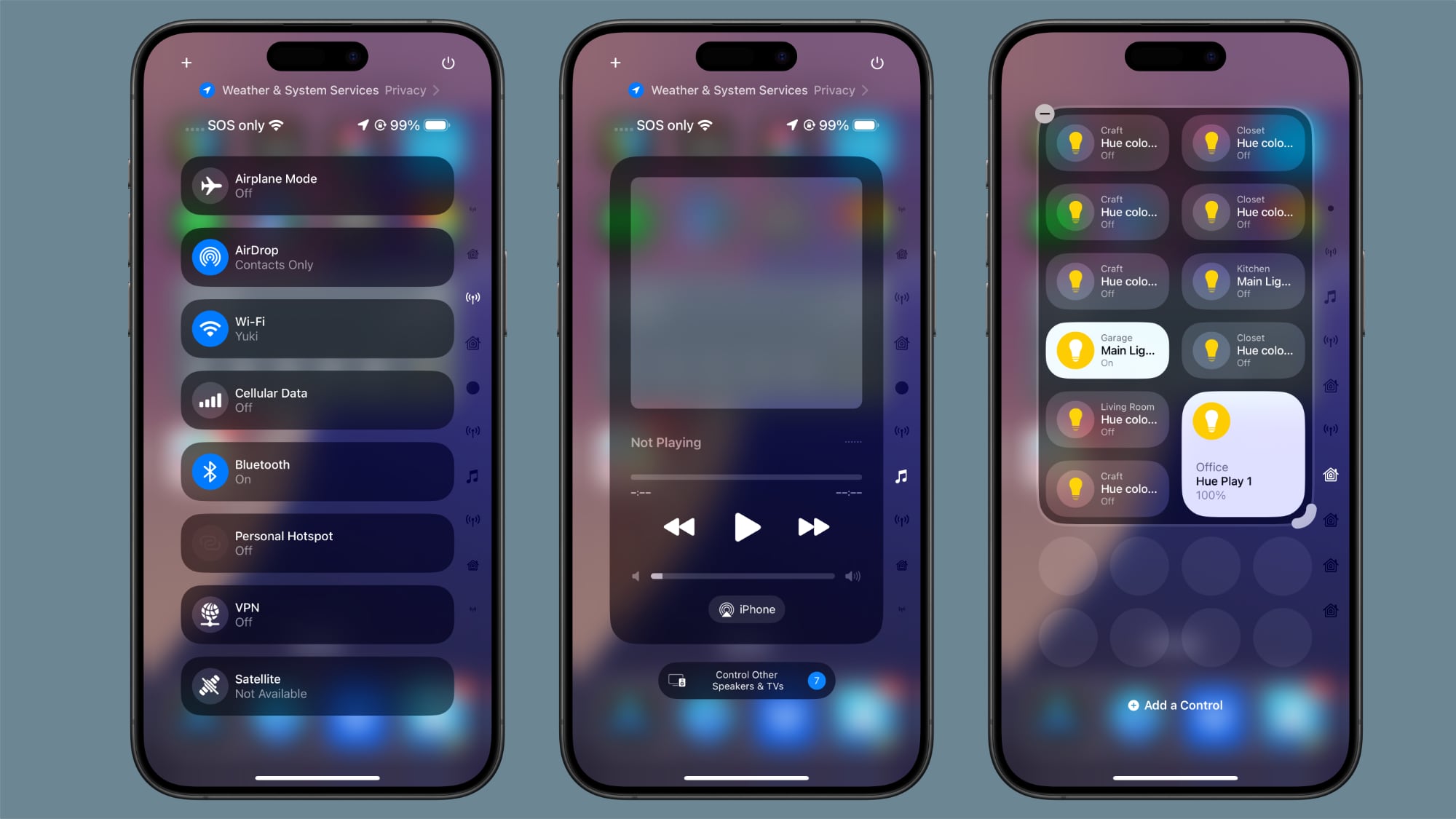
iOS 18 overhauls the Control Center by letting you reorder, resize, and remove buttons, access a controls gallery, and add multiple screens, moving away from the single-screen layout of recent years. In this article we are going to show you how you can create dedicated pages for various control types, such as connectivity, HomeKit devices, and Accessibility options.
The new Control Center comes pre-configured with multiple default pages, which you can freely customize, add to, or remove. The system accommodates up to 15 separate screens, offering unprecedented flexibility when compared to previous versions of iOS.
Navigation between these pages is easy. You can swipe up and down through Control Center, tap small icons on the right side of the display, or hold and scrub through these icons for quick access. The following steps explain how to add additional pages to your Control Center.
Swipe down from the top-right corner of the screen to launch Control Center.
Tap the circle icon at the bottom of the icon list, which indicates a new blank page.
Tap Add a Control to open the Controls Gallery.
Use the search field at the top, or browse the controls with a finger scroll to find the control that you want to include on the page, then tap it.
Using the corner anchor, drag with your finger to expand the control if you wish.
When finished, tap a space on the page to exit editing mode.
Control Center intelligently assigns icons to each page based on its content. When controls exceed the available space on a page, or if a resized control becomes too large, Control Center automatically creates a new page and relocates the excess controls. Bear in mind that the option to create a new page only appears when an existing page is approximately half full, ensuring adequate spacing between icons and maintaining a clean, organized layout.
How to Install the Fifth iOS 18 Public Beta
iPadOS 18 are currently in beta and expected to go on general release around mid-September.
Tag: Control Center
This article, "iOS 18: Add Multiple Pages to Control Center" first appeared on MacRumors.com
Discuss this article in our forums
https://www.macrumors.com/how-to/ios-add-multiple-pages-control-center/
MacBook Pros With M4 Pro and M4 Max Chips Reportedly Being Mass Produced This Month
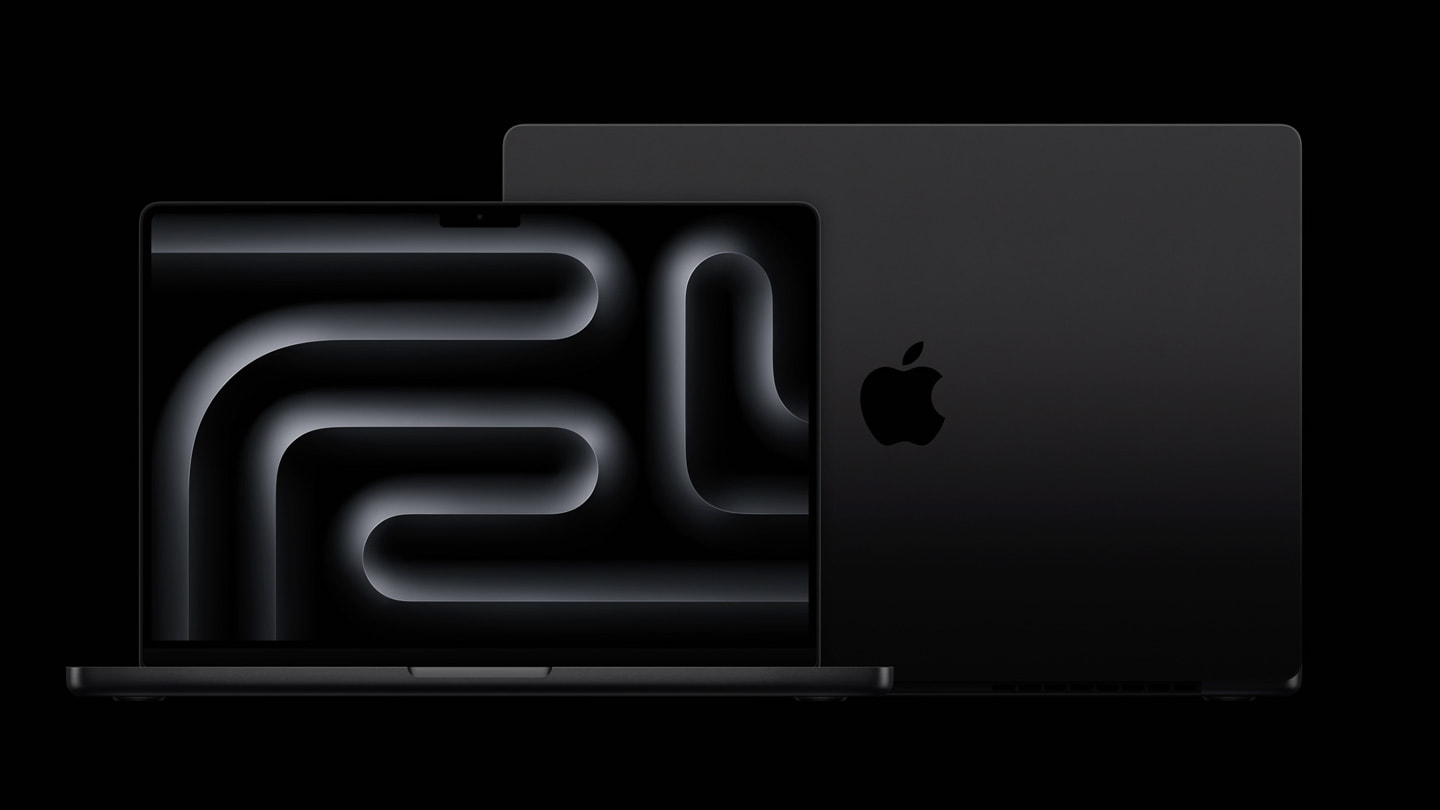
Apple's supply chain is beginning mass production of next-generation 14-inch and 16-inch MacBook Pro models with M4 Pro and M4 Max chips in August, according to Taiwanese industry publication DigiTimes. With only a few days remaining in the month, that means that assembly of the laptops has more likely than not already begun.
This information aligns with display industry analyst Ross Young claiming that display shipments for the next 14-inch and 16-inch MacBook Pro models are underway.
Power On newsletter, Bloomberg's Mark Gurman said "you should expect M4 Pro and M4 Max chips later this year as part of the high-end MacBook Pro." He also expects Apple to release three new Macs with the standard M4 chip later this year, including a lower-end 14-inch MacBook Pro, iMac, and Mac mini.
October is a common month for Apple to announce new Macs, including the 14-inch and 16-inch MacBook Pro models with M3, M3 Pro, and M3 Max chips last October. If that pattern repeats itself, the next 14-inch and 16-inch MacBook Pro models with M4, M4 Pro, and M4 Max chips are likely around two months away from launching.
up to 25% faster multi-core CPU performance compared to the M3 chip. Likewise, moderate year-over-year performance and power efficiency improvements can be expected from the M4 Pro and M4 Max chips.
planning to make the MacBook Pro thinner at some point "over the next couple of years."
Related Roundup: MacBook Pro 14 & 16"
Tag: DigiTimes
Buyer's Guide: 14" & 16" MacBook Pro (Caution)
Related Forum: MacBook Pro
This article, "MacBook Pros With M4 Pro and M4 Max Chips Reportedly Being Mass Produced This Month" first appeared on MacRumors.com
Discuss this article in our forums
https://www.macrumors.com/2024/08/28/macbook-pro-m4-pro-m4-max-production-report/
Apple Lays Off Around 100 Services Staff Across Apple Books and News

As part of a "shift in priorities," Apple has made cuts to its workforce across senior VP Eddy Cue's Services division, Bloomberg reports. Employees impacted by the cuts were reportedly given a 60-day window to secure another position within Apple before their termination becomes effective.
The scope of the layoffs extended beyond a single team, with some employees working across multiple departments feeling the ripple effects of Apple's apparent cost-optimization effort. The layoffs primarily affected the Apple Books app and Apple Bookstore teams, but also impacted the Apple News team, marking the fourth round of staff reductions for the company in 2024.
According to the report, the layoffs signal that Apple Books has become less of a priority for the company, which doesn't see it as a major part of its services lineup. However, the Books app is still expected to get new features over time. As for Apple News, the layoffs were said to be an indication that it is less of a focus for Apple.
The Services division has been a key growth driver for the company in recent years. Services now account for over 22% of Apple's sales, a significant increase from less than 10% a decade ago.
The importance of the Services segment has been particularly evident during periods of slower device sales, helping to bolster Apple's financial performance. However, this latest move suggests that even high-performing divisions are not immune to restructuring efforts.
These layoffs follow earlier staff reductions at Apple this year, including the closure of its ambitious self-driving car project and the shutdown of a microLED display initiative. The company also dismantled a team based in San Diego.
Tags: Apple News, Apple Books
This article, "Apple Lays Off Around 100 Services Staff Across Apple Books and News" first appeared on MacRumors.com
Discuss this article in our forums
https://www.macrumors.com/2024/08/28/apple-lays-off-services-staff-apple-books/
iPhone 17 Models to Feature 12GB RAM, Up From 8GB in the iPhone 16
Next year's iPhone 17 models will come with 12GB of RAM, up from the 8GB of RAM expected across Apple's upcoming iPhone 16 models, a reputable source of accurate predictions about Apple's plans has claimed.
Onboard memory in the existing iPhone 15 lineup is different between non-Pro and Pro models: The iPhone 15 and iPhone 15 Plus feature 6GB of RAM, while the iPhone 15 Pro and iPhone 15 Pro Max come with 8GB of RAM. This difference is said to be the reason why Apple Intelligence – Apple's AI suite of on-device features – is only currently supported by the iPhone 15 Pro models.
Apple Explains iPhone 15 Pro Requirement for Apple Intelligence
expected to feature 8GB of RAM, as is the rumored iPhone SE 4, which is likely to launch in the spring. However, in a Weibo post on Wednesday, Chinese-language user "Phone Chip Expert" said next year's iPhone 17 models will have 12GB of RAM for more advanced on-device AI applications.
"If you're planning to switch to an AI-powered iPhone, the iPhone 17 in 2025 might be a better choice, said the leaker. "This year's iPhone 16 only has 8GB of RAM, with most of the AI processing done in the cloud. Next year's iPhone 17 will have 12GB of RAM and more edge AI applications. This is something to consider for those with a limited budget who want to upgrade their iPhone."
Edge AI applications refer to AI processing that occurs directly on the local device, rather than relying on cloud servers. "Edge" refers to the edge of the network, meaning the data processing happens close to the data source (the device itself), rather than in a centralized location like a cloud data center.
May 2024 research note with investment firm Haitong, analyst Jeff Pu claimed that the iPhone 17 Pro and Pro Max will be equipped with 12GB of RAM, while the iPhone 17 and even the rumored iPhone 17 "Slim" or "Air" with an all-new design would stick with 8GB of RAM. However, today's leaker appears to be suggesting that all iPhone 17 models will be equipped with the additional RAM, bringing AI-capable continuity to the lineup.
iPhone 17 'Air': Everything We Know About Apple's Slim iPhone
iPhone 7 would be water-resistant and that the standard iPhone 14 models would continue to use the A15 Bionic chip, while the more advanced A16 chip would be exclusive to the iPhone 14 Pro models. These forecasts were later confirmed by multiple credible sources and were proven correct when the products were released.
10 Reasons to Wait for Next Year's iPhone 17
developing its own AI server processor using TSMC's 3nm process, targeting mass production by the second half of 2025.
Related Roundups: iPhone 16, iPhone 16 Pro, iPhone 17
Tag: Phone Chip Expert
This article, "iPhone 17 Models to Feature 12GB RAM, Up From 8GB in the iPhone 16" first appeared on MacRumors.com
Discuss this article in our forums
https://www.macrumors.com/2024/08/28/iphone-17-feature-12gb-ram-up-from-8gb/
PSA: YouTube Videos Really Can Get Some Water Out of Your iPhone
YouTube videos that play a low sound to vibrate water out of the speakers do, in fact, work, according to a deep dive done by The Verge's David Pierce and iFixit.
There are a number of YouTube videos that promise to be able to remove water from an iPhone using sound, and Pierce wanted to find out if they do what they claimed, so he asked iFixit for some help. iFixit dunked an iPhone 13 into water with UV dye, played the video, and then left it overnight to dry out.
Playing one of the YouTube videos during this process clearly expelled water from the iPhone's speaker, and the speakers of other smartphones that were tested from Google and Nokia. The water came out in an initial burst from the sound, but it is worth noting that the video was only able to remove water from the speaker area.
UV dye stained other areas of the iPhone when it was opened up, so the water wasn't draining from the entire phone. The oscillating tone in the YouTube videos is able to push water out of the speaker grille, but it is not a complete fix for a water-saturated device.
Water coming out of an iPhone's speaker when a low-toned sound is played, via The Verge and iFixit
On the Apple Watch, Apple has a built-in feature that uses sound to expel water from the device, but that is more effective because it is a smaller object with fewer nooks and crannies than an iPhone.
iPhone 15 can withstand splashes, rain, and accidental dunks up to six meters in depth for 30 minutes. iPhone waterproofing does deteriorate over time with wear and tear, and Apple does not cover water damage, so it is best to avoid water exposure when possible.
The Verge's full look at how these YouTube videos work is well worth checking out.
This article, "PSA: YouTube Videos Really Can Get Some Water Out of Your iPhone" first appeared on MacRumors.com
Discuss this article in our forums
https://www.macrumors.com/2024/08/27/youtube-videos-water-iphone/
Apple Immersive Series 'Elevated' Coming to Vision Pro on September 6

Apple's latest immersive video series for the Vision Pro is set to launch in early September. "Elevated," a new 3D experience, will be available starting on September 6. A teaser for the show with an upcoming date is listed in the Apple Immersive Video section of the Vision Pro.
Apple first announced Elevated in July, but did not provide launch timing for the show. According to Apple, the aerial travel series "whisks viewers around iconic vistas from staggering heights" that include volcanoes, waterfalls, and more in Hawaii.
Gain an all-new perspective as you take aerial tours of the world's most remarkable landscapes, led by well-known guides with a special connection to each place.
While the first episode is set in Hawaii, the second episode, coming at a later date, will feature an autumn scene in New England. Apple is working on multiple new immersive video experiences that are rolling out this year.
Boundless, a series that launched in July, features a first episode with a hot air balloon ride. A second upcoming episode will focus on Arctic Surfing. Apple is planning to release a new immersive performance from The Weeknd, a big wave surfing sports series, a behind-the-scenes view of the 2024 NBA All-Star Weekend, and its first immersive short film called "Submerged."
Apple TV app in Australia, Canada, Hong Kong, France, Germany, Japan, Singapore, the U.K., and the U.S. Users in China can watch the content through the Migu Video and Tencent Video apps.
Related Roundups: visionOS, visionOS 2
Related Forum: Apple Vision Pro
This article, "Apple Immersive Series 'Elevated' Coming to Vision Pro on September 6" first appeared on MacRumors.com
Discuss this article in our forums
https://www.macrumors.com/2024/08/27/vision-pro-immersive-series-elevated/
Apple Now Lets Users Transfer Apple Music Playlists to YouTube Music

Apple Music subscribers who want to transfer their playlists over to YouTube Music can now use Apple's Data and Privacy page to do so, Apple says in a new support document.
After logging in on the Data and Privacy page, Apple Music users can select the "Transfer a copy of your data" option to move playlists from Apple Music to YouTube Music. YouTube Music is the only supported music service for playlist transfers, and Apple does not offer options to transfer to services like Spotify at this time.
To make a transfer, an active Apple Music subscription or iTunes Match subscription and an active YouTube Music account are required. Playlists that are transferred are not deleted from Apple Music, and the transfer process can take anywhere from a few minutes to a few hours depending on how many playlists are being transferred.
Apple has details on what can be transferred and what can't:
Only the playlists that you've created (including collaborative playlists that you own) are transferred
Music files aren't transferred
Non-collaborative shared playlists and curated playlists aren't transferred
Folders in which you've organized your Apple Music playlists aren't transferred
Playlists can include only songs available on YouTube Music. If your playlists contains other audio files -- such as podcasts, audio books, or user-uploaded audio files -- they won't be transferred.
This article, "Apple Now Lets Users Transfer Apple Music Playlists to YouTube Music" first appeared on MacRumors.com
Discuss this article in our forums
https://www.macrumors.com/2024/08/27/apple-music-youtube-music-playlist-transfer/
Nomad Debuts New Rocky Point Band for Apple Watch Ultra
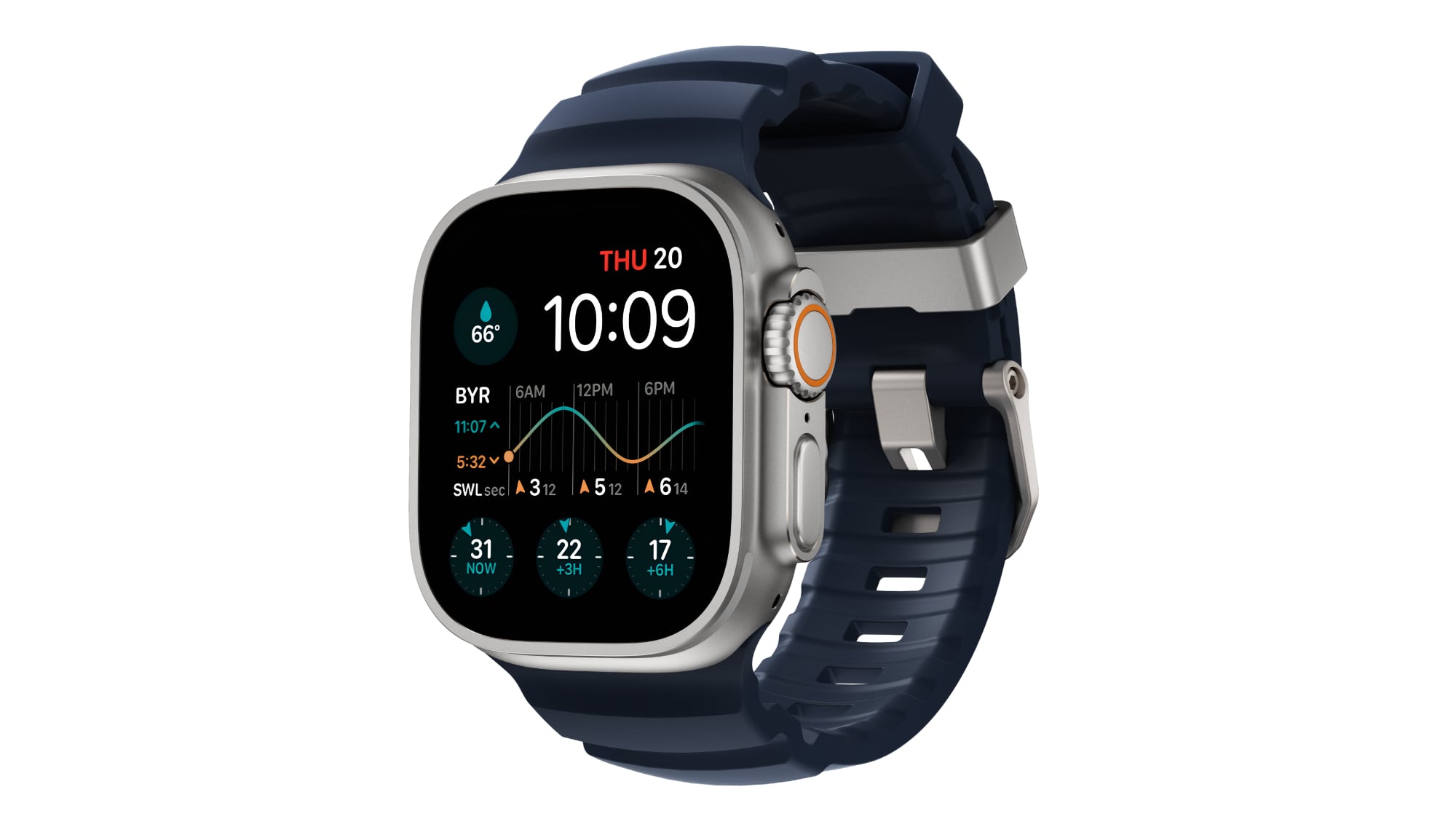
Nomad today announced the launch of its latest Apple Watch accessory, the Rocky Point Band. The Rocky Point Band was created with the Apple Watch Ultra in mind, and it has a rugged look that matches well with Apple's watch for outdoor enthusiasts.
According to Nomad, the Rocky Point Band is made from "ultra-touch, compression-molded FKM" fluoroelastomer rubber, and it is equipped with grade 2 lightweight titanium hardware to match the Apple Watch Ultra. The company used metal injection molding titanium to create the components for the band.
The design includes ventilation grooves for breathability, and it is entirely waterproof. While designed for the Apple Watch Ultra and Ultra 2, it is also compatible with all Apple Watch models.
purchased from the Nomad website for $80.
This article, "Nomad Debuts New Rocky Point Band for Apple Watch Ultra" first appeared on MacRumors.com
Discuss this article in our forums
https://www.macrumors.com/2024/08/27/nomad-apple-watch-ultra-band/
iCloud Mail and iCloud Web Apps Experiencing Outage

Apple's iCloud Mail service and its iCloud Web Apps are currently experiencing an outage, according to Apple's System Status page.
Impacted users are unable to use iCloud Mail or iCloud Web Apps, and the services have been down since 4:29 p.m. Eastern Time.
This article, "iCloud Mail and iCloud Web Apps Experiencing Outage" first appeared on MacRumors.com
Discuss this article in our forums
https://www.macrumors.com/2024/08/27/icloud-mail-web-apps-outage/
Instagram Now Supports Adding Text and Stickers to Photos
Instagram today announced support for adding text and additional images to photo and carousel posts, a new feature that will let Instagram users do more with still photos.
There is a new text button that can be used after selecting a photo to upload, and additional images can be added in sticker form by tapping on the gallery button at the top right of the screen. Stickers can be added in several shapes, including rectangle, square, circle, heart, or star.
There are new fonts, animations, and effects that can be used for reels and stories, plus a simplified text tool. Users can open the text tool and tap on the text button to see the new font options. Once a font is chosen, separate animations and effects can be added. The new font options that Instagram is adopting can also be used with photos and carousels.
added support for putting up to 20 photos and videos in a carousel post, plus it introduced a feature for adding a song to an Instagram profile.
Tag: Instagram
This article, "Instagram Now Supports Adding Text and Stickers to Photos" first appeared on MacRumors.com
Discuss this article in our forums
https://www.macrumors.com/2024/08/27/instagram-text-stickers-photos/