
Apple Fixes Vision Pro Security Flaw That Could Expose What You Typed
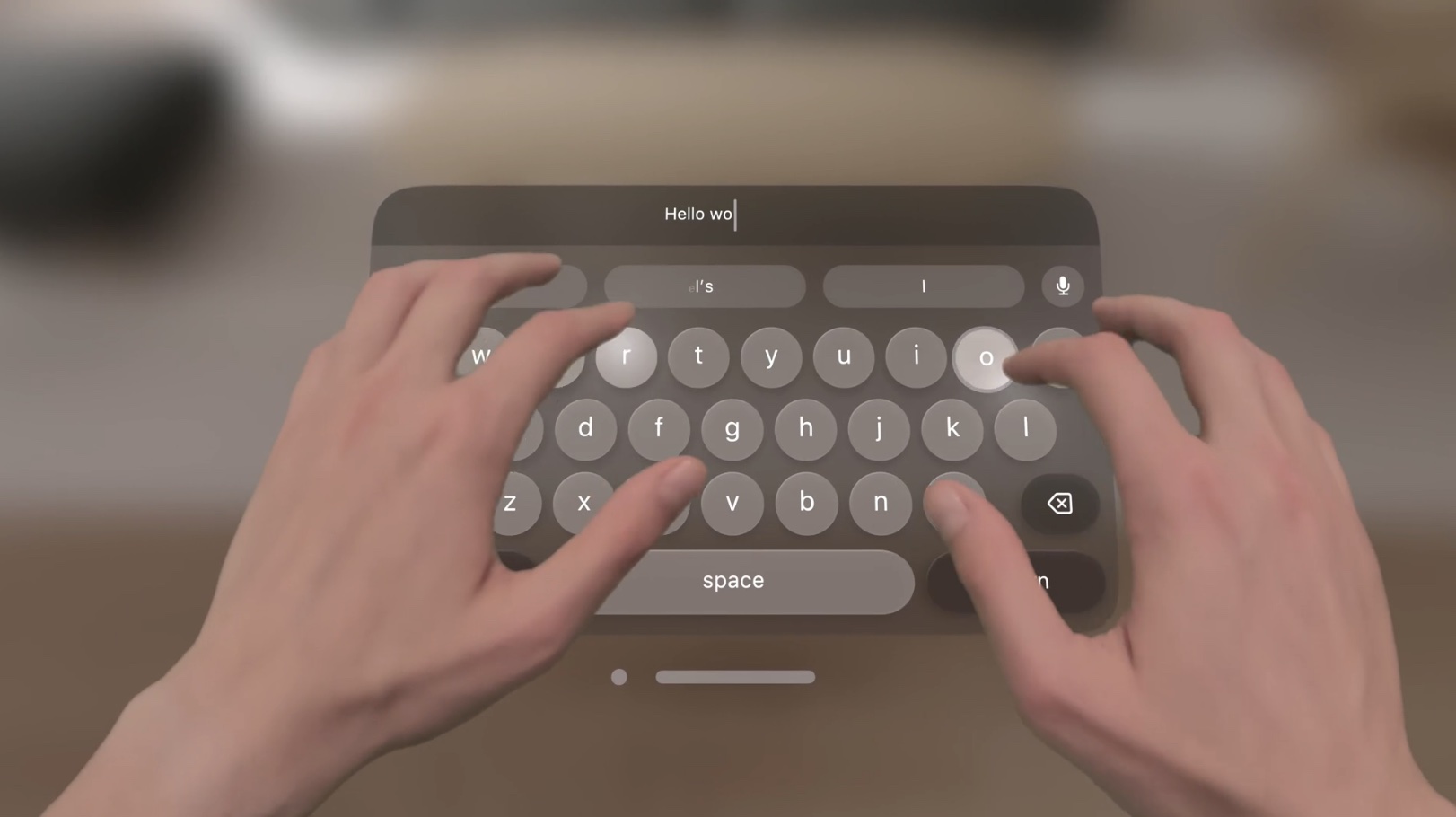
As reported by WIRED today, a group of six computer scientists this year discovered a security vulnerability with the Apple Vision Pro that allowed them to reconstruct what people were typing, including passwords, PINs, and messages.
When a Vision Pro user was using a virtual Persona avatar, such as during a FaceTime call, the researchers were able to analyze the Persona's eye movement or "gaze" to determine what the user was typing on the headset's virtual keyboard. The researchers created a website with technical details about the so-called "GAZEploit" vulnerability.
In short, the researchers said that a person's gaze typically fixates on a key they are likely to press next, and this can reveal some common patterns. As a result, the researchers said they were able to identify the correct letters people typed in messages 92% of the time within five guesses, and 77% of the time for passwords.
The researchers disclosed the vulnerability to Apple in April, according to the report, and the company addressed the issue in visionOS 1.3 in July. The update suspends Personas when the Vision Pro's virtual keyboard is active.
visionOS 1.3 security notes on September 5:
Presence
Available for: Apple Vision Pro
Impact: Inputs to the virtual keyboard may be inferred from Persona
Description: The issue was addressed by suspending Persona when the virtual keyboard is active.
The proof-of-concept attack was not exploited in the wild, according to the report. Nonetheless, Vision Pro users should immediately update the headset to visionOS 1.3 or later to ensure they are protected, now that the findings have been shared publicly.
Related Roundups: Apple Vision Pro, visionOS, visionOS 2
Buyer's Guide: Vision Pro (Buy Now)
Related Forum: Apple Vision Pro
This article, "Apple Fixes Vision Pro Security Flaw That Could Expose What You Typed" first appeared on MacRumors.com
Discuss this article in our forums
https://www.macrumors.com/2024/09/12/vision-pro-persona-typing-security-vulnerability/
Amazon Takes Up to $119 Off iPad Mini and 10th Gen iPad With All-Time Low Prices
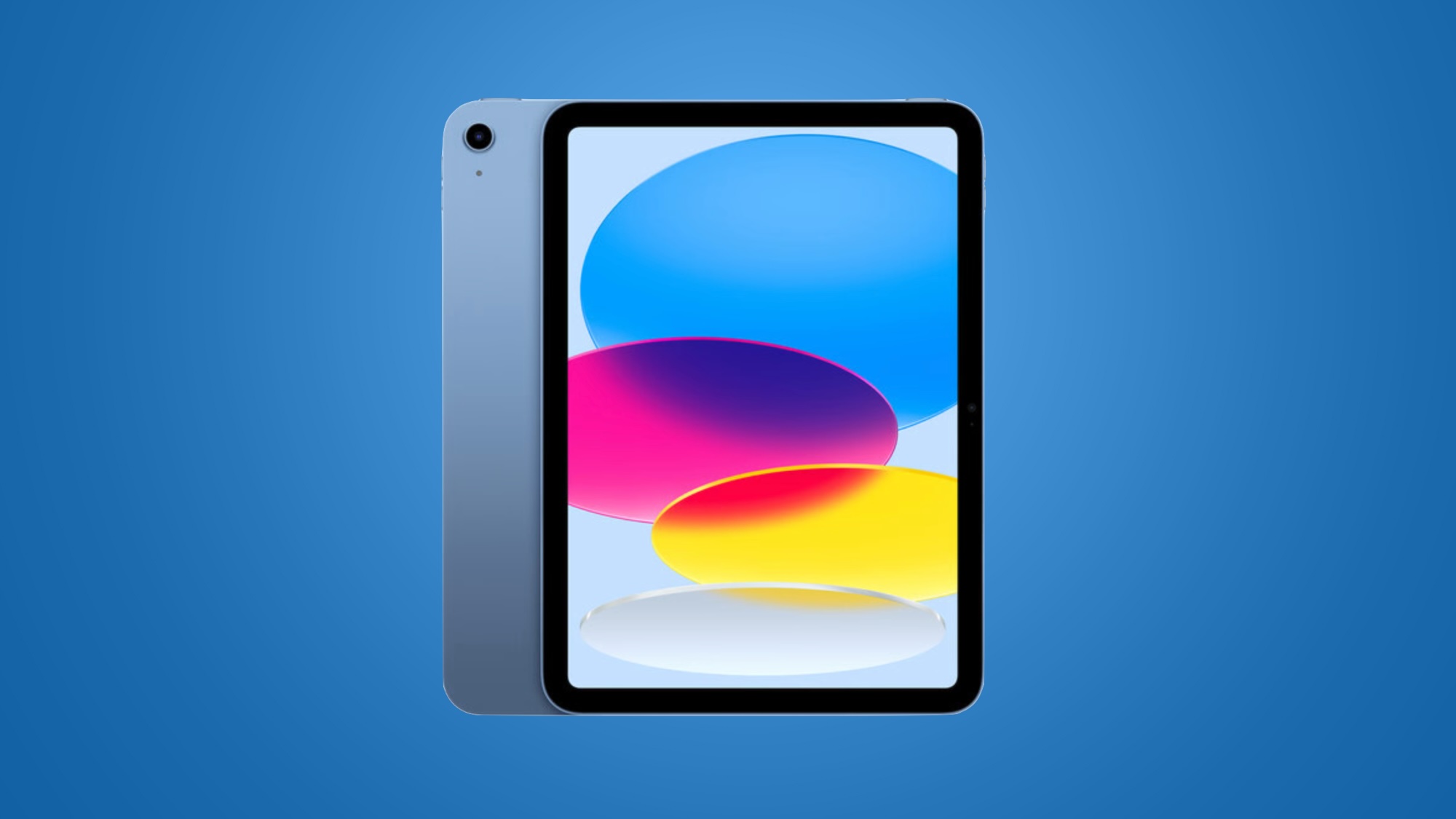
Amazon today has a few all-time low prices on the 10th generation iPad and 6th generation iPad mini. Both of these discounts represent all-time low prices on each tablet, and prices start at $299.00 for the 64GB Wi-Fi iPad, down from $349.00.
iPad
Note: MacRumors is an affiliate partner with Amazon. When you click a link and make a purchase, we may receive a small payment, which helps us keep the site running.
For the 10th generation iPad, Amazon provides an estimated September 14 - 17 delivery estimate for most orders placed in the United States. Right now we're only tracking record low prices on the 64GB Wi-Fi model, but you can find a few solid second-best prices on the other configurations as well.
$50 OFF
iPad (64GB Wi-Fi) for $299.00
This iPad launched in October 2022 and was completely redesigned compared to the 9th generation model. It features a larger 10.9-inch display, USB-C port, A14 Bionic chip, 12-megapixel camera, Touch ID, and more.
iPad Mini
$379.99 for the 64GB Wi-Fi model, down from $499.00. Similar to the iPad, only the 64GB Wi-Fi iPad mini is seeing a match of its record low price, but you can still find a few second-best prices on other models.
$119 OFF
iPad mini (64GB Wi-Fi) for $379.99
$119 OFF
iPad mini (256GB Wi-Fi) for $529.99
possibly during an event next month. The iPad mini is Apple's smallest tablet device and this model features a slim-bezeled design, the A15 Bionic chip, a USB-C port, and Apple Pencil 2 support.
Deals Roundup to shop for even more Apple-related products and accessories.
Related Roundup: Apple Deals
This article, "Amazon Takes Up to $119 Off iPad Mini and 10th Gen iPad With All-Time Low Prices" first appeared on MacRumors.com
Discuss this article in our forums
https://www.macrumors.com/2024/09/12/amazon-ipad-mini-ipad-low-prices/
Siri Not Working for Some iOS 18.1 Beta Users
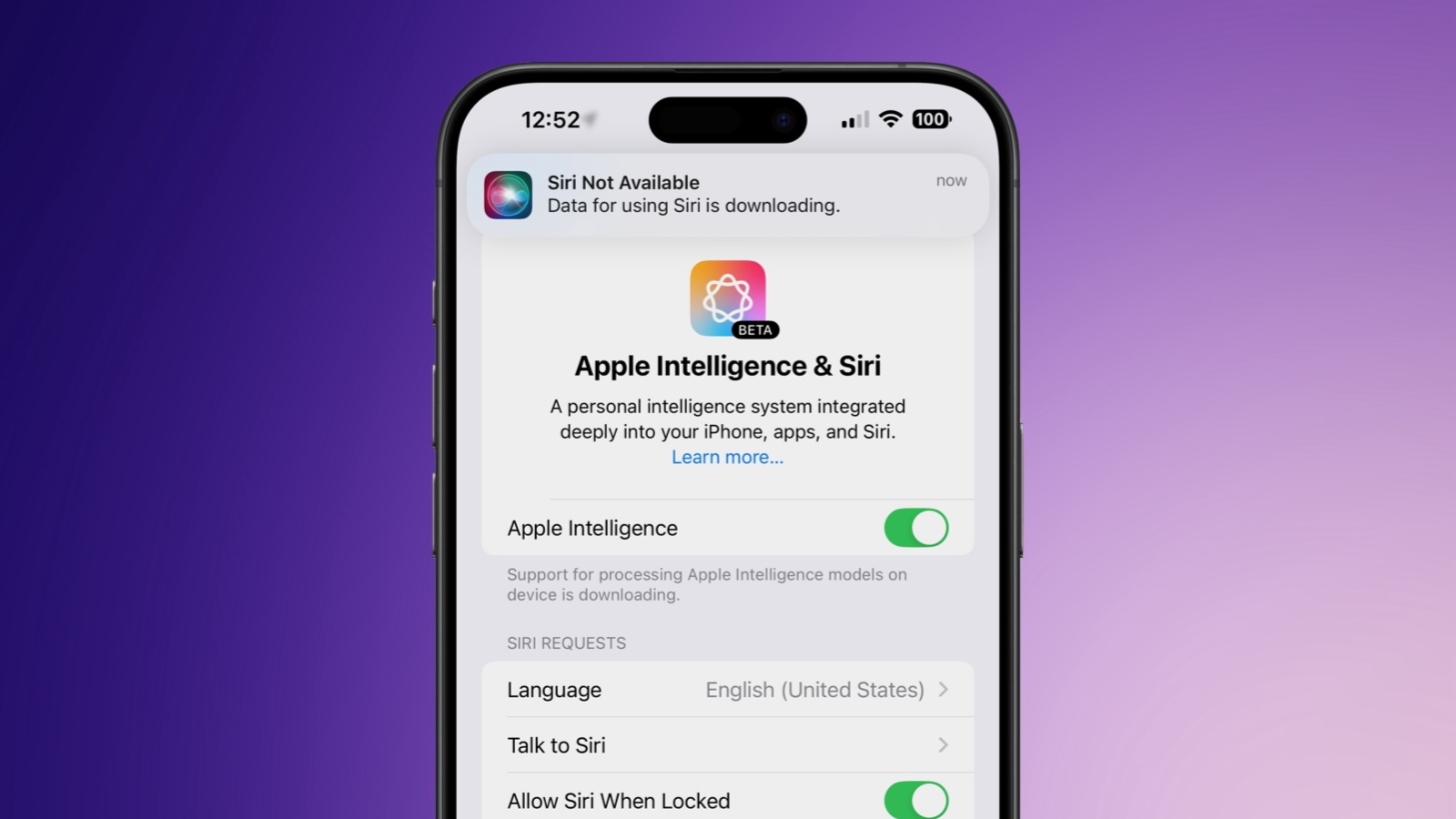
Some iPhone owners who have the iOS 18.1 beta installed appear to be experiencing issues with the Siri personal assistant, which has stopped working sometime over the course of the last couple of days.
There are multiple reports from people experiencing issues on social media, as noted by 9to5Mac, as well as complaints on Reddit and the MacRumors forums. Impacted users are seeing a "Siri Not Available" banner when attempting to use Siri.
The banner says that "Data for Siri is downloading" or that users need to "Connect to Wi-Fi to complete Siri download." Either way, no download completes as it seems to get stuck at 99 percent, and Siri remains unavailable.
Not all users who are running iOS 18.1 are impacted, and restarting does not fix the problem. Turning off Apple Intelligence allows the old version of Siri to work, but toggling it off and on again also does not address the issue.
It is not clear what happened with Siri, but it is worth noting that iOS 18.1 is a beta and there are often bugs in betas, which is why caution should be used when installing beta software. Apple will likely push out a fix for the problem in the near future.
Related Roundups: iOS 18, iPadOS 18
Related Forums: iOS 18, iPadOS 18
This article, "Siri Not Working for Some iOS 18.1 Beta Users" first appeared on MacRumors.com
Discuss this article in our forums
https://www.macrumors.com/2024/09/12/ios-18-1-siri-not-working-for-some/
Apple Gets FDA Authorization for AirPods Pro 2 Hearing Aid Feature
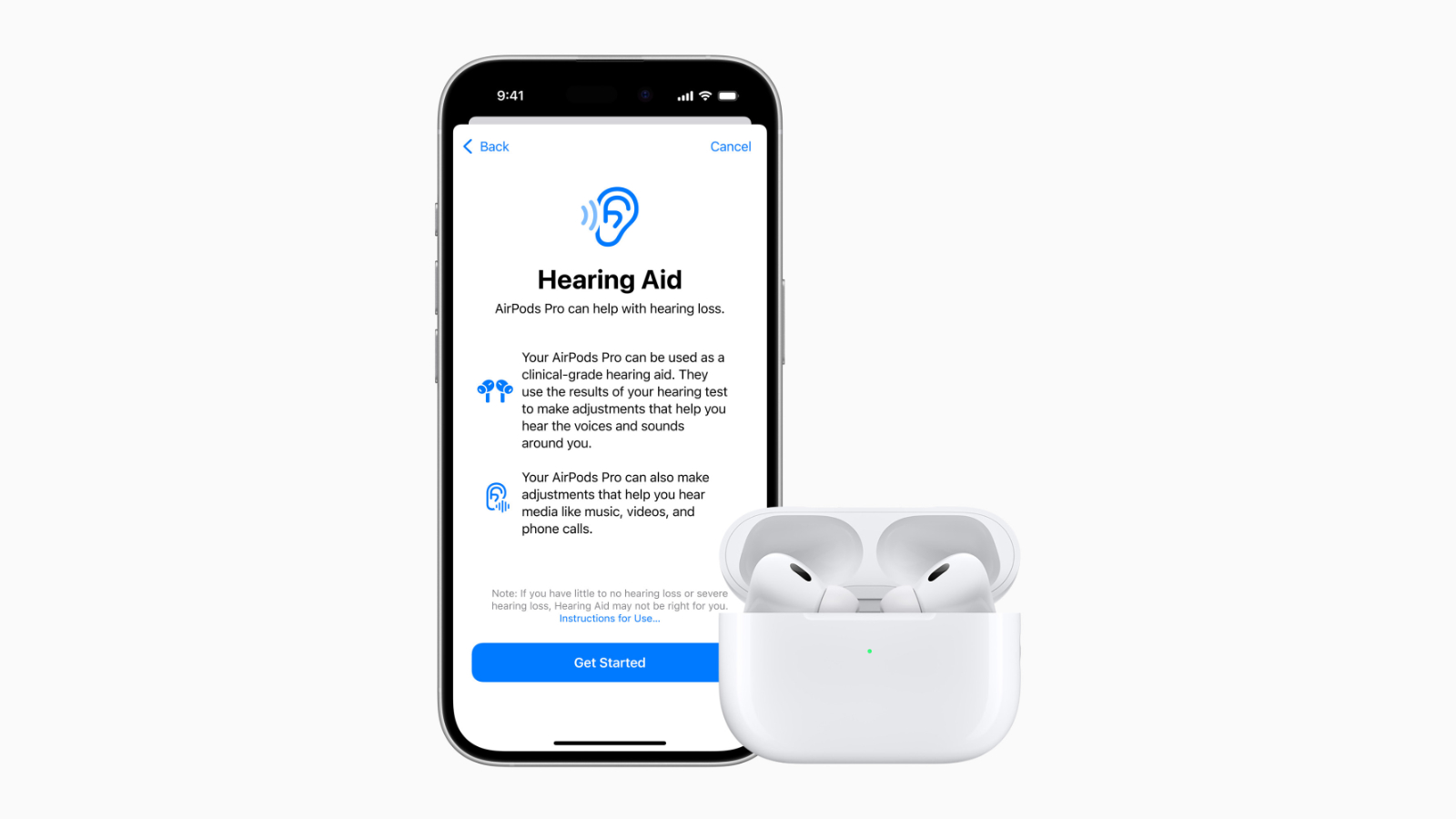
Apple will soon allow the AirPods Pro 2 to serve as an over-the-counter hearing aid, and the company has now received FDA approval for the feature.
As noted by TechCrunch, the FDA today announced that it has authorized Apple to add OTC hearing aid functionality to the AirPods Pro 2, and it marks the first product that the FDA has allowed to serve as an over-the-counter hearing aid software device.
iPhone, and if hearing loss is detected, a personalized sound profile is created that allows the AirPods Pro 2 to make dynamic sound adjustments to increase sound as needed.
Apple says that the clinical-grade hearing aid feature will help people better engage in conversation and stay connected to the people and environment around them.
Personalized hearing profiles are automatically applied to music, movies, games, and phone calls without the need to adjust any settings. For those with little to no hearing loss, the Hearing Test will also help with specific adjustments at individual frequencies.
Related Roundup: AirPods Pro
Buyer's Guide: AirPods Pro (Neutral)
Related Forum: AirPods
This article, "Apple Gets FDA Authorization for AirPods Pro 2 Hearing Aid Feature" first appeared on MacRumors.com
Discuss this article in our forums
https://www.macrumors.com/2024/09/12/airpods-pro-2-hearing-aid-fda-authorization/
iPhone 16 Rumor Report Card: Here's Which Leaks Were Right or Wrong
Apple this week unveiled the iPhone 16, iPhone 16 Plus, iPhone 16 Pro, and iPhone 16 Pro Max. As always, there were many rumors leading up to the event that gave us an idea of what to expect from the devices, with some proving accurate and others not.
Below, we have recapped some of the bigger hits and misses from the iPhone 16 rumor mill.
Hits
Larger 6.3-inch and 6.9-inch display sizes for the iPhone 16 Pro and iPhone 16 Pro Max
A camera button with swipe controls and pressure sensitivity for all iPhone 16 models
8GB of RAM for Apple Intelligence in all iPhone 16 models
An upgraded 48-megapixel Ultra Wide camera for the iPhone 16 Pro models
5x optical zoom for the iPhone 16 Pro
A18 and A18 Pro chips manufactured with TSMC's second-generation 3nm process for the iPhone 16 series
Internal design changes with improved heat dissipation for iPhone 16 models
Vertically-aligned rear cameras on the iPhone 16 and iPhone 16 Plus
Action button expanded to iPhone 16 and iPhone 16 Plus
Anti-reflective lens coating for iPhone 16 cameras
Ultra-thin display bezels on the iPhone 16 Pro models
Color-infused rear glass continuing to be used for iPhone 16 and iPhone 16 Plus
Easier battery replacements in response to EU law
40W USB-C charging, which seems to be roughly accurate in real-world testing
4K video recording at up to 120 FPS on iPhone 16 Pro models
Mixed
Wi-Fi 7 support was rumored for the iPhone 16 Pro models only, but the iPhone 16 and iPhone 16 Plus also support Wi-Fi 7.
Improved microphones for iPhone 16 Pro models, but Apple did not mention this upgrade being aimed at Apple Intelligence and Siri as rumored.
The new "Desert Titanium" color name for the iPhone 16 Pro models leaked, but an additional color rumored at the time failed to materialize.
iPhone 16 models have larger batteries for longer battery life, but the exact battery capacities have yet to be confirmed.
Some of the leaked dimensions and weights for iPhone 16 Pro models were accurate, including the devices having the same thickness as iPhone 15 Pro models, but some of the figures were slightly off.
Misses
"Dramatically increased optical zoom" for the Telephoto camera on the iPhone 16 Pro Max
Increased display brightness, twice rumored for iPhone 16 models
2TB storage rumor proved to be wrong yet again
Polished titanium frame for iPhone 16 Pro models
256GB of base storage and $1,099 starting price in U.S. for iPhone 16 Pro
iPhone 16 pre-orders start on a Friday as usual, not Thursday
Related Roundups: iPhone 16, iPhone 16 Pro
Buyer's Guide: iPhone 16 (Buy Now), iPhone 16 Pro (Buy Now)
This article, "iPhone 16 Rumor Report Card: Here's Which Leaks Were Right or Wrong" first appeared on MacRumors.com
Discuss this article in our forums
https://www.macrumors.com/2024/09/12/iphone-16-rumor-report-card/
How to Get Your iPhone Ready for iOS 18
Apple officially releases iOS 18 and iPadOS 18 on Monday, September 16, bringing a host of new features to existing iPhones and iPads, such as new Home Screen customization options, an overhauled Control Center, a revamped Photos app, Mail improvements, and more.
This article covers some of the things you can do to prepare your iPhone or iPad for Apple's latest mobile operating system, including storage maintenance tips, backup advice, and a few other useful tidbits to consider before upgrading. First though, you'll need to make sure your device is compatible with the new software.
Is My iPhone Compatible With iOS 18?
iOS 18 is compatible with the iPhone XR, and therefore also the iPhone XS and iPhone XS Max models with the same A12 Bionic chip.
In other words, iOS 18 is compatible with the same iPhone models as iOS 17:
iPhone 15
iPhone 15 Plus
iPhone 15 Pro
iPhone 15 Pro Max
iPhone 14
iPhone 14 Plus
iPhone 14 Pro
iPhone 14 Pro Max
iPhone 13
iPhone 13 mini
iPhone 13 Pro
iPhone 13 Pro Max
iPhone 12
iPhone 12 mini
iPhone 12 Pro
iPhone 12 Pro Max
iPhone 11
iPhone 11 Pro
iPhone 11 Pro Max
iPhone XS
iPhone XS Max
iPhone XR
iPhone SE (2nd generation)
iPhone SE (3rd generation)
iPadOS 18 drops support for iPad models with the A10X Fusion chip, therefore iPadOS 18 is compatible with the following iPad models:
iPad Pro: 2018 and later
iPad Air: 2019 and later
iPad mini: 2019 and later
iPad: 2020 and later
Note that iOS 18 will come pre-installed on new iPhone 16 models when they launch on Friday, September 20.
Reclaim Device Storage Space
Before you attempt to make the leap to iOS 18, you'll first want to make sure your device has adequate space to download and install the new operating system over the air.
With that in mind, it's worth looking at what apps you currently have installed on your devices and whether you really need them. Swipe through your home screen and check inside your folders to root out any long-forgotten apps that are taking up precious storage space.
You can delete apps by holding a finger on them and tapping the X that appears at the corner of their icon. Alternatively, go to Settings ➝ General ➝ iPhone/iPad Storage, tap any apps you don't use, and select Delete App. Note that this action can't be undone, but be ruthless – you can always re-install removed apps at a later date if you change your mind.
Check on the size of any social media or messaging apps you have installed, such as Facebook and WhatsApp. These apps can often balloon in size after long periods of activity because of chat history, media caching and the like, so you might want to delete and reinstall them to start afresh.
Also, be sure to heed any personal recommendations on the iPhone Storage screen, like keeping high-resolution photos in iCloud and smaller-size versions on your device, or letting iOS automatically offload any apps you don't use often.
Make an Archived Backup of Your Device on Mac
It's best practice to have a local backup of your device stored on your computer in case something goes awry, or the worst happens and installation of iOS 18 fails. If you need to downgrade shortly after installing a new iOS update, making an archived local backup beforehand is necessary, otherwise you won't be able to revert back to iOS 17/iPadOS 17 if things go wrong.
Plug your iPhone into your Mac using the supplied cable.
Allow the accessory to connect by clicking Allow in the dialog prompt.
Open a Finder window by clicking the Finder icon in the Dock.
Click your iOS device's name in the sidebar.
If this is the first time connecting your device to your Mac, click Trust in the Finder window.
Tap Trust on your device when prompted, then enter your passcode to confirm.
In the General tab, click the circle next to where it says Back up all of the data on your iPad to this Mac.
If you want to encrypt the backup, check the box next to Encrypt local backup, then enter a password to protect your data.
If you don't want to create an encrypted backup, or you've already set up encrypted backups, click Back Up Now. When the backup is finished, you can find the date and time of the last backup in the General tab, just above the Manage Backups button.
Lastly, archive the backup: Select Manage Backups ➝ Select Backup, then right-click the backup and choose Archive. This protects it from being overwritten by the next local backup or automatically deleted if your Mac is low on storage space.
Restore Backup... option in the same Finder screen.
Make an Archived Backup of Your Device on Windows
The iTunes app is still the main tool for managing a connected iPhone on Windows.
Plug the iPhone into your Windows PC.
In iTunes, click the iPhone button at the top left.
Click Summary.
If you want to encrypt the data, select the Encrypt local backup option and set a password.
Click Back Up Now.
Click Manage Backups.
Right-click the backup you created and choose Archive. This extra step prevents the backup from being overwritten by the next local backup or automatically deleted if the computer runs low on storage space.
Installing iOS 18
When iOS 18 and iPadOS 18 becomes available (likely around 10:00 a.m. Pacific Time/1:00 p.m. Eastern Time on the official release day, based on past releases) as an over-the-air update, make sure your device is fully charged before you start the process over Wi-Fi, as it may take some time to complete.
Settings ➝ General ➝ Software Update, and wait a moment for your device to contact Apple's servers. If you're in no rush, you can wait for iOS 18 to be delivered to your iPhone when you next plug it into your computer.
Related Roundups: iOS 18, iPadOS 18
Related Forums: iOS 18, iPadOS 18
This article, "How to Get Your iPhone Ready for iOS 18" first appeared on MacRumors.com
Discuss this article in our forums
https://www.macrumors.com/how-to/get-your-iphone-ready-for-ios-18/
The Smash-Hit Game 'Flappy Bird' is Coming Back to the iPhone

The iconic side-scrolling game Flappy Bird will apparently be returning to the iPhone soon, according to a website dedicated to the project.
Flappy Bird was released in 2013 and quickly received tens of millions of downloads. However, the game was abruptly removed from the App Store in 2014 after its creator Dong Nguyen decided that the game was too addictive. Nguyen also disliked the excessive fame and attention that he started to receive as a result of the game's popularity.
Flappy Bird was a simple game in which players tapped on the screen to navigate a small bird through columns of green pipes without hitting them, in an attempt to set a new high score. The website for the upcoming reboot of the game promises new characters and game modes, such as shooting the bird through basketball hoops.
Flappy Bird will return to a variety of platforms, including the web, with native iOS and Android apps planned to be released in 2025.
The game's revival is being led by the so-called "Flappy Bird Foundation," which describes itself as a "new team of passionate fans committed to sharing the game with the world." The group says it has acquired the official Flappy Bird trademark rights.
Tags: App Store, Flappy Bird
This article, "The Smash-Hit Game 'Flappy Bird' is Coming Back to the iPhone" first appeared on MacRumors.com
Discuss this article in our forums
https://www.macrumors.com/2024/09/12/flappy-bird-returning-to-iphone/
Here's When You Can Pre-Order the iPhone 16, iPhone 16 Plus, iPhone 16 Pro and iPhone 16 Pro Max in Every Time Zone
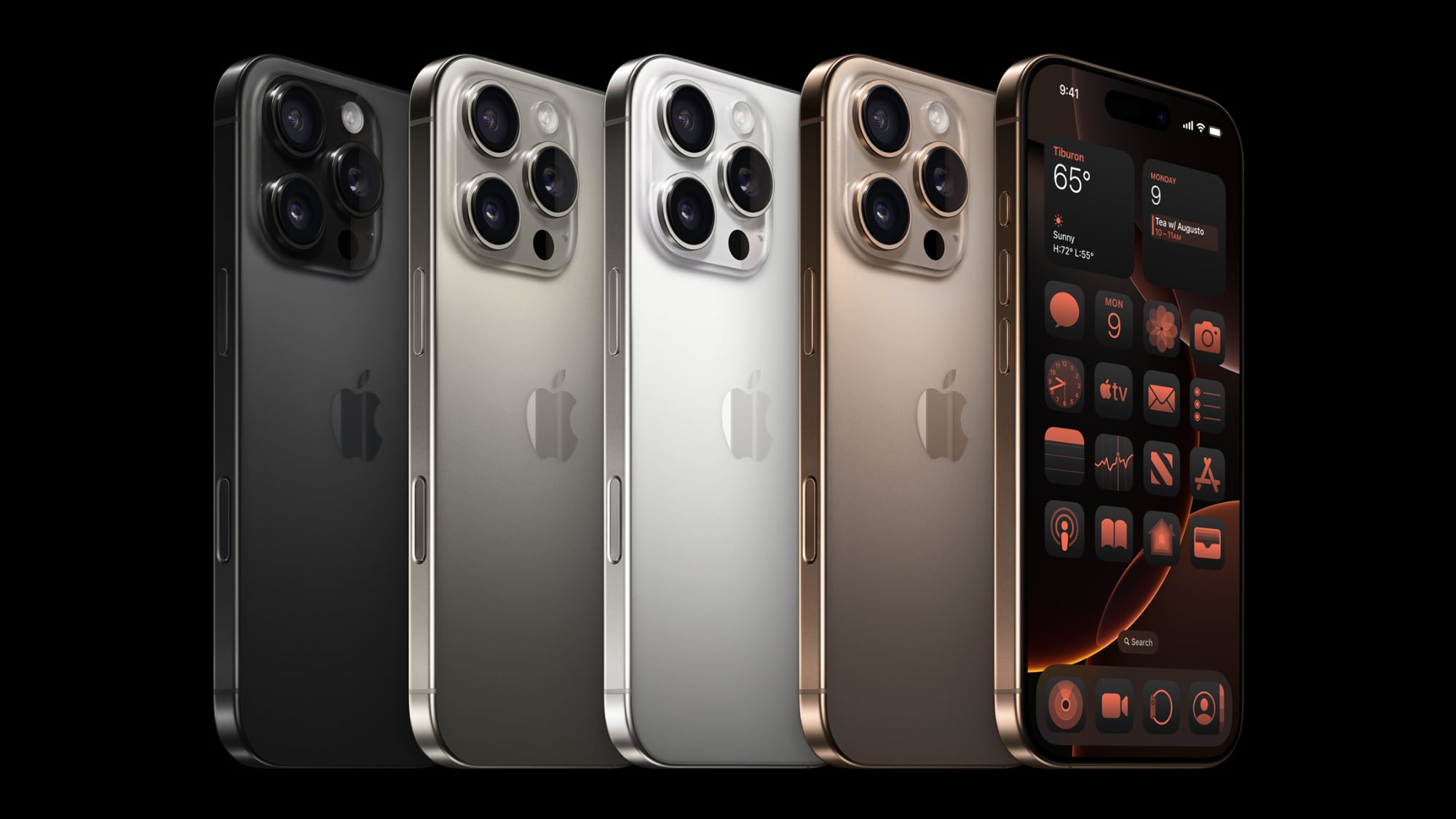
Pre-orders for the iPhone 16, iPhone 16 Plus, iPhone 16 Pro, and iPhone 16 Pro Max are set to begin on Friday, September 13 at 5:00 a.m. Pacific Time, with the new devices set to become available in multiple countries around the world simultaneously.
We've compiled pre-order times for various countries to help MacRumors readers be among the first to order. This list isn't exhaustive, so please verify the exact time for your specific location.
Australia West - 8:00 p.m. AWST
Australia East - 10:00 p.m. AEST
Austria - 2:00 p.m. CEST
Belgium - 2:00 p.m. CEST
Canada West - 5:00 a.m. PDT
Canada East - 8:00 a.m. EDT
China - 8:00 p.m. CST
Denmark - 2:00 p.m. CEST
Finland - 3:00 p.m. EEST
France - 2:00 p.m. CEST
Germany - 2:00 p.m. CEST
Guernsey - 1:00 p.m. BST
Hong Kong - 8:00 p.m. HKT
Ireland - 1:00 p.m. IST
Isle of Man - 1:00 p.m. BST
Italy - 2:00 p.m. CEST
Japan - 9:00 p.m. JST
Jersey - 1:00 p.m. BST
Luxembourg - 2:00 p.m. CEST
Netherlands - 2:00 p.m. CEST
New Zealand - midnight NZST next day
Norway - 2:00 p.m. CEST
Portugal - 1:00 p.m. WEST
Puerto Rico - 8:00 a.m. AST
Saudi Arabia - 3:00 p.m. AST
Singapore - 8:00 p.m. SGT
Spain - 2:00 p.m. CEST
Sweden - 2:00 p.m. CEST
Switzerland - 2:00 p.m. CEST
Taiwan - 8:00 p.m. CST
UAE - 4:00 p.m GST
United Kingdom - 1:00 p.m. BST
United States West - 5:00 a.m. PDT
United States Mountain - 6:00 a.m. MDT
United States Central - 7:00 a.m. CDT
United States East - 8:00 a.m. EDT
US Virgin Islands - 8:00 a.m. AST
U.S. customers can prepare for the iPhone 16 launch using the "Get Ready" pre-order setup. This process allows you to select your iPhone model, confirm your carrier, and enter payment and shipping details in advance.
For those wanting a device on launch day, immediate pre-ordering is recommended. Supply availability is uncertain, and popular models or colors may sell out within minutes or hours.
The iPhone 16 starts at $799, while the iPhone 16 Pro begins at $999, matching the iPhone 15 series pricing when they debuted last September. U.S. carriers are offering various discounts. Apple also provides the iPhone Upgrade Program and trade-in options to reduce costs.
Related Roundups: iPhone 16, iPhone 16 Pro
Buyer's Guide: iPhone 16 (Buy Now), iPhone 16 Pro (Buy Now)
This article, "Here's When You Can Pre-Order the iPhone 16, iPhone 16 Plus, iPhone 16 Pro and iPhone 16 Pro Max in Every Time Zone" first appeared on MacRumors.com
Discuss this article in our forums
https://www.macrumors.com/2024/09/12/iphone-16-pre-orders-every-time-zone/
Apple Shares First Example of Image Playground in Action, and It's Based on Craig Federighi's Dog

Apple has shared its first "real-world example" of Image Playground, the upcoming Apple Intelligence feature that generates cartoon-like illustrations based on a text prompt. The picture was apparently made by Apple's senior VP of software engineering Craig Federighi for his wife, in honor of his dog Bailey's recent birthday.
The picture shows a cute dog wearing a party hat and smiling behind a birthday cake. Apple shared the picture with Wired, which includes a watermark on all AI-generated images that appear in its publications as a matter of policy. Pictures made with Image Playground include EXIF metadata in the file that also indicates it was made with AI, similar to images edited with Apple's new Clean Up tool in the Photos app in iOS 18.1.
Apple describes Image Playground as a "fun" feature that can produce original images in seconds right within apps. Users can create an entirely new image based on a description, suggested concepts, or a person from their Photos library. From there, users can adjust the style and make changes to match a Messages thread, a Freeform board, or a slide in Keynote, for example.
Bloomberg's Mark Gurman, Apple plans to make the Image Playground feature for generating images and the Genmoji feature for generating custom emoji available in iOS 18.2, which will likely be released in December.
Here Are All the Devices That Support Apple Intelligence
first Apple Intelligence features with the release of iOS 18.1, which is expected to launch in October. Among the new capabilities are writing tools for generating and summarizing text, as well as a feature that provides concise summaries of notifications. The Messages app will gain the ability to suggest replies, while a new function will allow users to record and transcribe phone calls. Lastly, the Photos app will benefit from the aforementioned "Clean Up" tool, which is designed to swiftly remove unwanted objects from images.
Tag: Apple Intelligence
This article, "Apple Shares First Example of Image Playground in Action, and It's Based on Craig Federighi's Dog" first appeared on MacRumors.com
Discuss this article in our forums
https://www.macrumors.com/2024/09/12/apple-shares-image-playground-example/
iPhone 16 Pro Models Reportedly Boast Up to 26% Faster 5G Speeds
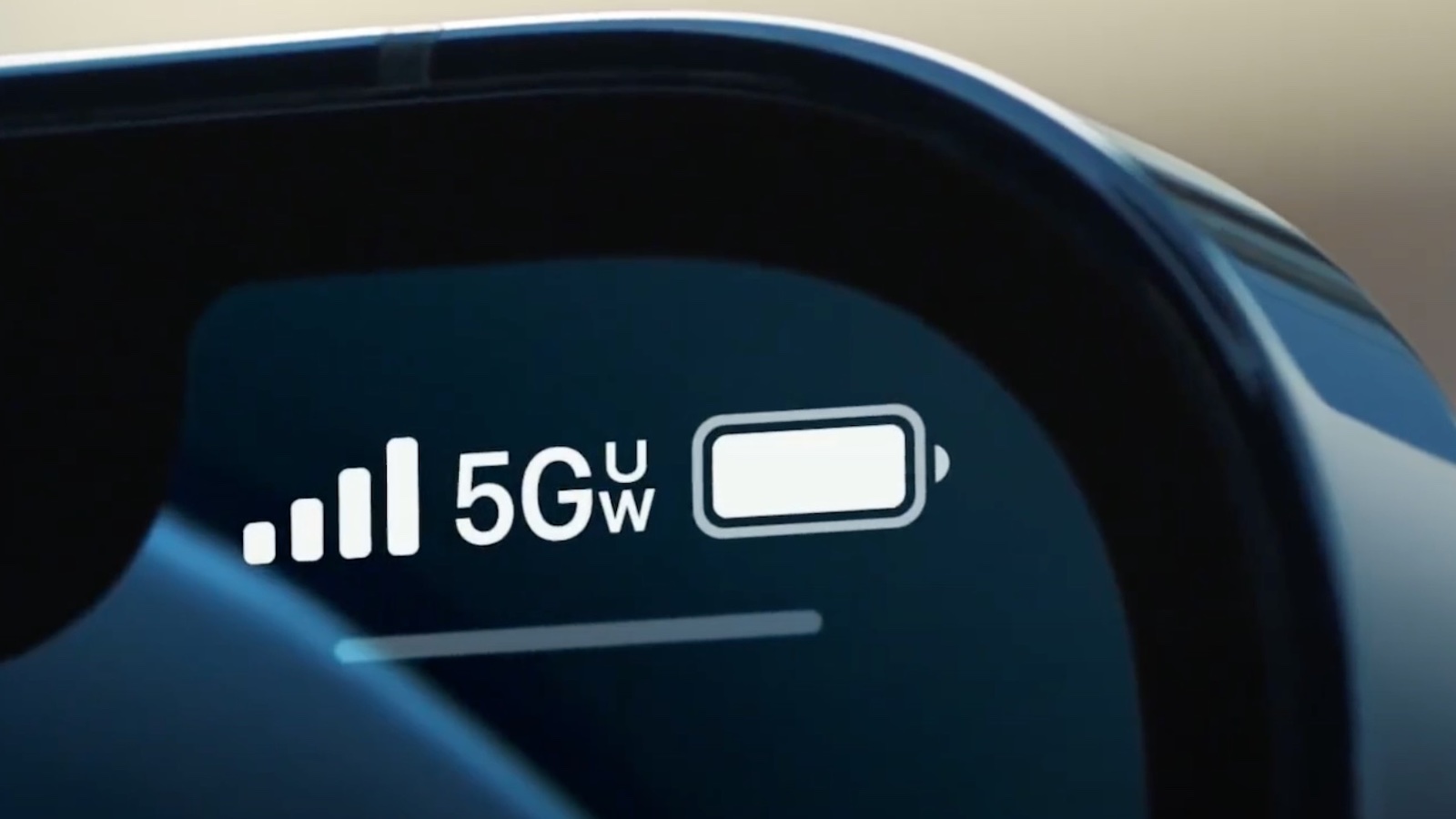
Apple's latest iPhone 16 Pro and iPhone 16 Pro Max are delivering significantly faster 5G speeds compared to their predecessors, according to new data from SpeedSmart. The speed boost comes courtesy of the new Qualcomm Snapdragon X75 modem integrated into the Pro models.
SpeedSmart's testing revealed an average 23.7% increase in 5G download speeds for the iPhone 16 Pro and Pro Max across the three major U.S. carriers. Verizon customers saw the most substantial improvement, with a 26.4% speed increase, followed by AT&T and T-Mobile.
The data shows impressive performance for both T-Mobile and Verizon, with average download speeds exceeding 400 Mbps on the new iPhones. T-Mobile led the pack at 447.50 Mbps, while Verizon clocked in at 409.88 Mbps. AT&T users experienced a respectable 269.48 Mbps, marking a 25.7% improvement over the previous generation.
Upload speeds also saw a significant bump, with an average increase of 22.1% across all three networks. Users can now expect upload speeds to comfortably achieve over 30 Mbps, an often overlooked but crucial metric for mobile performance.
The Snapdragon X75 modem brings several enhancements beyond raw speed. It also supports 5G Advanced technology, offers lower power consumption, and comes with improved 5G carrier aggregation for those aforementioned upload speeds.
While the iPhone 16 Pro models benefit from the X75, the standard iPhone 16 models are believed to use the older Snapdragon X70 modem, although that has not yet been officially confirmed.
In addition to cellular improvements, all iPhone 16 models now support Wi-Fi 7. This latest Wi-Fi standard promises greater leaps in performance, with theoretical speeds of up to 46 Gbps and significantly reduced latency.
select iPhone models as early as 2025, perhaps first in the upcoming iPhone SE 4, potentially reducing the company's reliance on Qualcomm.
Related Roundup: iPhone 16 Pro
Buyer's Guide: iPhone 16 Pro (Buy Now)
This article, "iPhone 16 Pro Models Reportedly Boast Up to 26% Faster 5G Speeds" first appeared on MacRumors.com
Discuss this article in our forums
https://www.macrumors.com/2024/09/12/iphone-16-pro-faster-5g-speeds/
Netflix App to End Support for iOS 16, Require iPhone XS or Later to Work

The Netlix app is set to end support for iOS 16 and iPadOS 16, requiring all users to be running iOS 17 or later or iPadOS 17 or later in order to receive new updates, features, and bug fixes.
That means iOS 16 users – who will mainly be iPhone X owners as well as those still holding onto iPhone 8 and iPhone 8 Plus models – will not be able to update to the version of the app that introduces the change.
iPad Pro (1st generation) and the iPad (5th generation), who will still be running versions of iPadOS 16, since iPadOS 17 dropped support for these models.
Owners of these devices will still be able to use their current version of the Netflix app until it is deprecated, but again, there will be no more features or bug fixes forthcoming. Owners of these older models will of course continue to be able to access Netflix through a browser.
In summary, the iPhone and iPad models set to lose support for the Netflix app are as follows:
iPhone 8
iPhone 8 Plus
iPhone X
iPad Pro (1st generation)
iPad (5th generation)
MacRumors contributor Aaron Perris. It is not known which update will end support for the above Apple devices, but given that the code strings are present in the latest version, the update is likely to be released fairly soon.
Tag: Netflix
This article, "Netflix App to End Support for iOS 16, Require iPhone XS or Later to Work" first appeared on MacRumors.com
Discuss this article in our forums
https://www.macrumors.com/2024/09/12/netflix-app-to-end-support-for-ios-16/
All iPhone 16 Models Support Up to 45W Fast Charging via USB-C
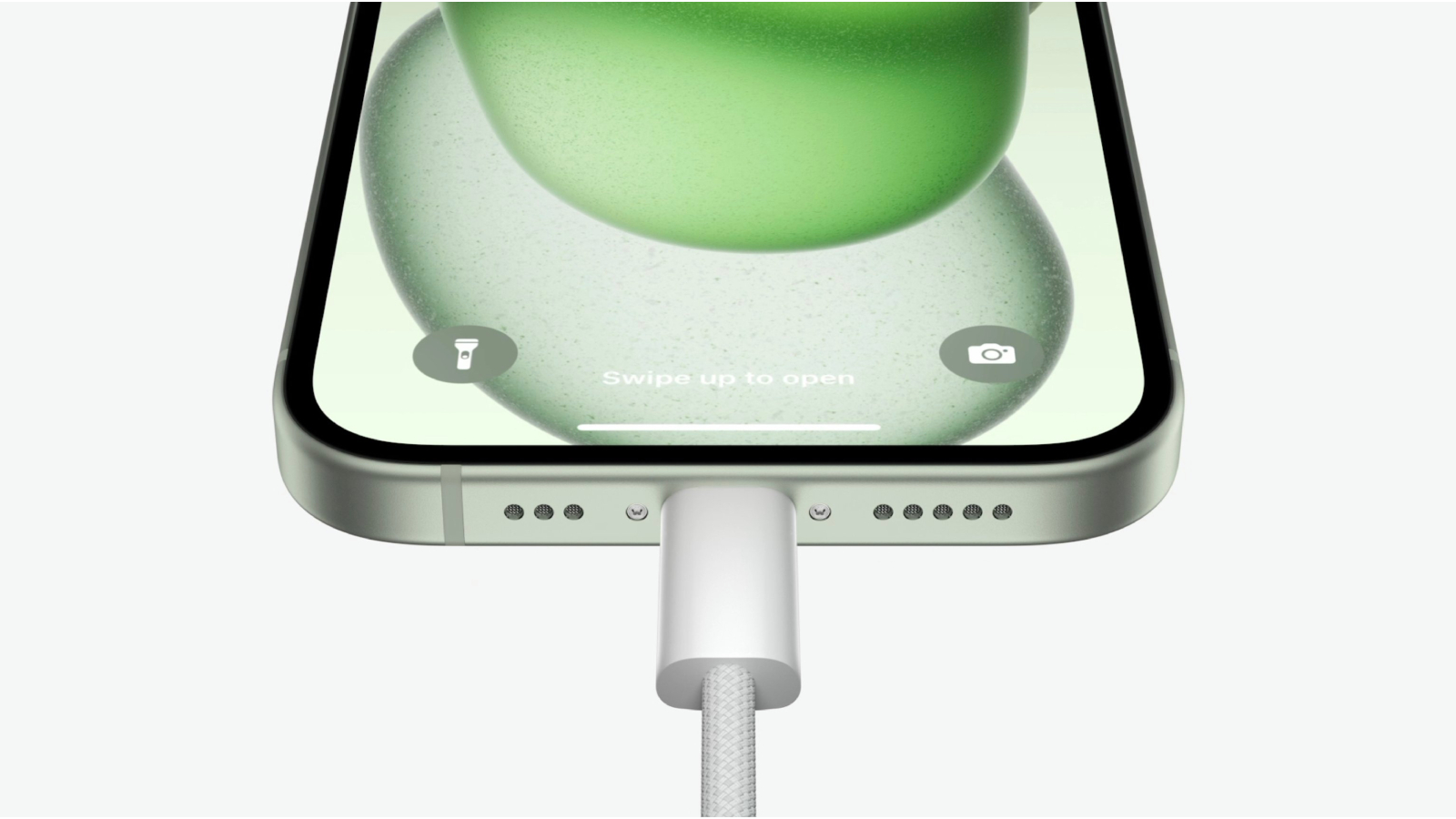
All iPhone 16 models support up to 45W of wired fast charging via the USB-C port, up from 29W on the iPhone 15, according to a new certification shared by leaker ShrimpApplePro.
Details submitted to the China Quality Certification Center (CQC) and posted to Weibo confirm that all iPhone 16 models tested at 5-15V and 3 amps, which indicates an ability to charge at up to 45 watts.
recurring rumor that the iPhone 16 Pro and iPhone 16 Pro Max will support 40W wired fast charging, but it was not previously thought that this would apply to the standard iPhone 16 models, too.
support upgraded MagSafe charging, but it didn't mention changes to wired fast charging. With a 30W charger, the new iPhones can charge at up to 25W via MagSafe, which is an improvement over the prior 15W limit.
Related Roundups: iPhone 16, iPhone 16 Pro
Tag: ShrimpApplePro
Buyer's Guide: iPhone 16 (Buy Now), iPhone 16 Pro (Buy Now)
This article, "All iPhone 16 Models Support Up to 45W Fast Charging via USB-C" first appeared on MacRumors.com
Discuss this article in our forums
https://www.macrumors.com/2024/09/12/all-iphone-16-models-45w-fast-charging-wired/
All iPhone 16 Models Support Up to 45W Fast Charging via USB-C
All iPhone 16 models support up to 45W of wired fast charging via the USB-C port, up from 29W on the iPhone 15, according to a new certification shared by leaker ShrimpApplePro.
Details submitted to the China Quality Certification Center (CQC) and posted to Weibo confirm that all iPhone 16 models tested at 5-15V and 3 amps, which indicates an ability to charge at up to 45 watts.
recurring rumor that the iPhone 16 Pro and iPhone 16 Pro Max will support 40W wired fast charging, but it was not previously thought that this would apply to the standard iPhone 16 models, too.
support upgraded MagSafe charging, but it didn't mention changes to wired fast charging. With a 30W charger, the new iPhones can charge at up to 25W via MagSafe, which is an improvement over the prior 15W limit.
Related Roundups: iPhone 16, iPhone 16 Pro
Tag: ShrimpApplePro
Buyer's Guide: iPhone 16 (Buy Now), iPhone 16 Pro (Buy Now)
This article, "All iPhone 16 Models Support Up to 45W Fast Charging via USB-C" first appeared on MacRumors.com
Discuss this article in our forums
https://www.macrumors.com/2024/09/12/all-iphone-16-models-45w-fast-charging-wired/
iOS 18 Includes 'Repair Assistant' For Configuring Genuine Apple Replacement Parts
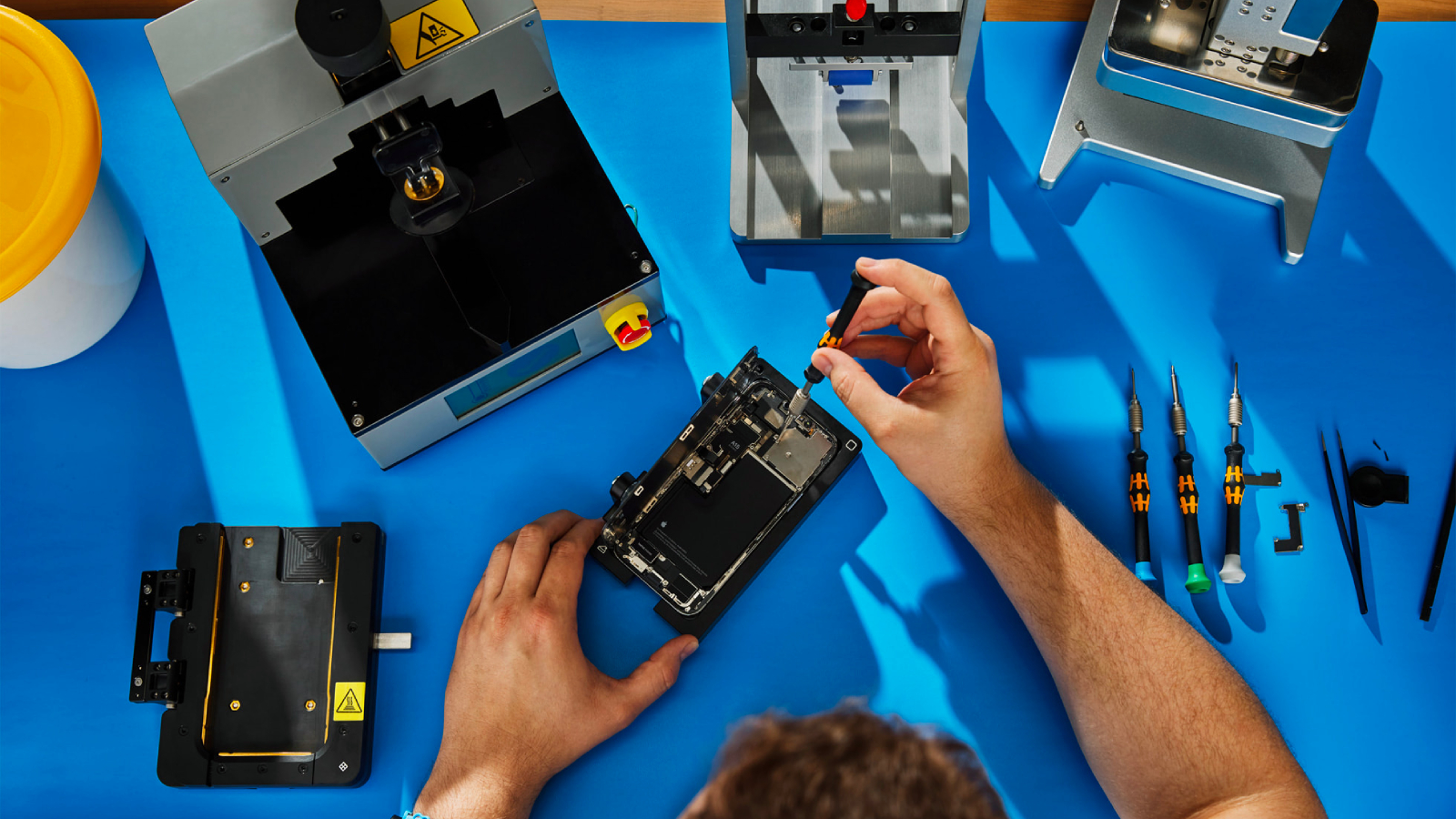
Apple added a "Repair Assistant" feature in iOS 18 that is designed to allow iPhone users to configure replacement parts after a repair. The Repair Assistant works with genuine Apple components, and it makes sure that an iPhone is functional and working as intended if it's been repaired with an Apple part.
A replacement display, for example, can be configured with the Repair Assistant to make sure that True Tone, auto brightness options, and other features are accessible. For the battery, the configuration process ensures Battery Health reporting works properly.
The feature is able to be used to configure parts that were installed prior to iOS 18's release. Users who have had a third-party battery replacement that used an Apple battery, for example, can configure it as a genuine Apple component.
After installing iOS 18, if you have a part that is able to be configured, it will show up under Parts and Service in the About section of the Settings app. Users who have not had a repair will not see this section.
New in iOS 18
If u have replaced an original battery from a third party, you can now configure it as a Genuine Apple battery.
Part should be original@aaronp613 @zollotech @BrandonButch pic.twitter.com/Cc3KOVRtxR
— JT 26 (@AbbasCfcJT26) September 9, 2024
Apple says that Repair Assistant is able to be used with iPhone 12 and later models. Batteries, cameras, displays, and more can be configured using the tool.
was first highlighted by Apple back in April. At the time, Apple said that it would be introduced in the fall, and would provide a way for used genuine Apple parts to be employed for fully functional repairs.
This article, "iOS 18 Includes 'Repair Assistant' For Configuring Genuine Apple Replacement Parts" first appeared on MacRumors.com
Discuss this article in our forums
https://www.macrumors.com/2024/09/11/ios-18-repair-assistant/
iOS 18 Includes 'Repair Assistant' For Configuring Genuine Apple Replacement Parts
Apple added a "Repair Assistant" feature in iOS 18 that is designed to allow iPhone users to configure replacement parts after a repair. The Repair Assistant works with genuine Apple components, and it makes sure that an iPhone is functional and working as intended if it's been repaired with an Apple part.
A replacement display, for example, can be configured with the Repair Assistant to make sure that True Tone, auto brightness options, and other features are accessible. For the battery, the configuration process ensures Battery Health reporting works properly.
The feature is able to be used to configure parts that were installed prior to iOS 18's release. Users who have had a third-party battery replacement that used an Apple battery, for example, can configure it as a genuine Apple component.
After installing iOS 18, if you have a part that is able to be configured, it will show up under Parts and Service in the About section of the Settings app. Users who have not had a repair will not see this section.
New in iOS 18
If u have replaced an original battery from a third party, you can now configure it as a Genuine Apple battery.
Part should be original@aaronp613 @zollotech @BrandonButch pic.twitter.com/Cc3KOVRtxR
— JT 26 (@AbbasCfcJT26) September 9, 2024
Apple says that Repair Assistant is able to be used with iPhone 12 and later models. Batteries, cameras, displays, and more can be configured using the tool.
was first highlighted by Apple back in April. At the time, Apple said that it would be introduced in the fall, and would provide a way for used genuine Apple parts to be employed for fully functional repairs.
This article, "iOS 18 Includes 'Repair Assistant' For Configuring Genuine Apple Replacement Parts" first appeared on MacRumors.com
Discuss this article in our forums
https://www.macrumors.com/2024/09/11/ios-18-repair-assistant/
iOS 18 Adds New iCloud Mail Features
For iCloud Mail users, there are several features coming in iOS 18 that make email management easier. Apple outlined the new functionality in its recently released iOS 18 features list, which covers more than 250 additions to the operating system update.
iCloud Mail Cleanup
There are new cleanup tools that can be accessed for iCloud Mail from the Mail app, iCloud.com, and iCloud Mail settings.
Manage Old Emails
Time-based rules can be added for removing emails that are no longer needed to save storage. The rules use the Mail categories that will be coming in a later iOS 18 update for cleanup actions like automatically deleting or archiving promotional emails that are unread and over a year old.
Unsubscribe and Delete
iCloud Mail can help you unsubscribe from senders in bulk, sending future emails from those senders to Trash.
Related Roundups: iOS 18, iPadOS 18
Related Forums: iOS 18, iPadOS 18
This article, "iOS 18 Adds New iCloud Mail Features" first appeared on MacRumors.com
Discuss this article in our forums
What's New With the Camera App in iOS 18
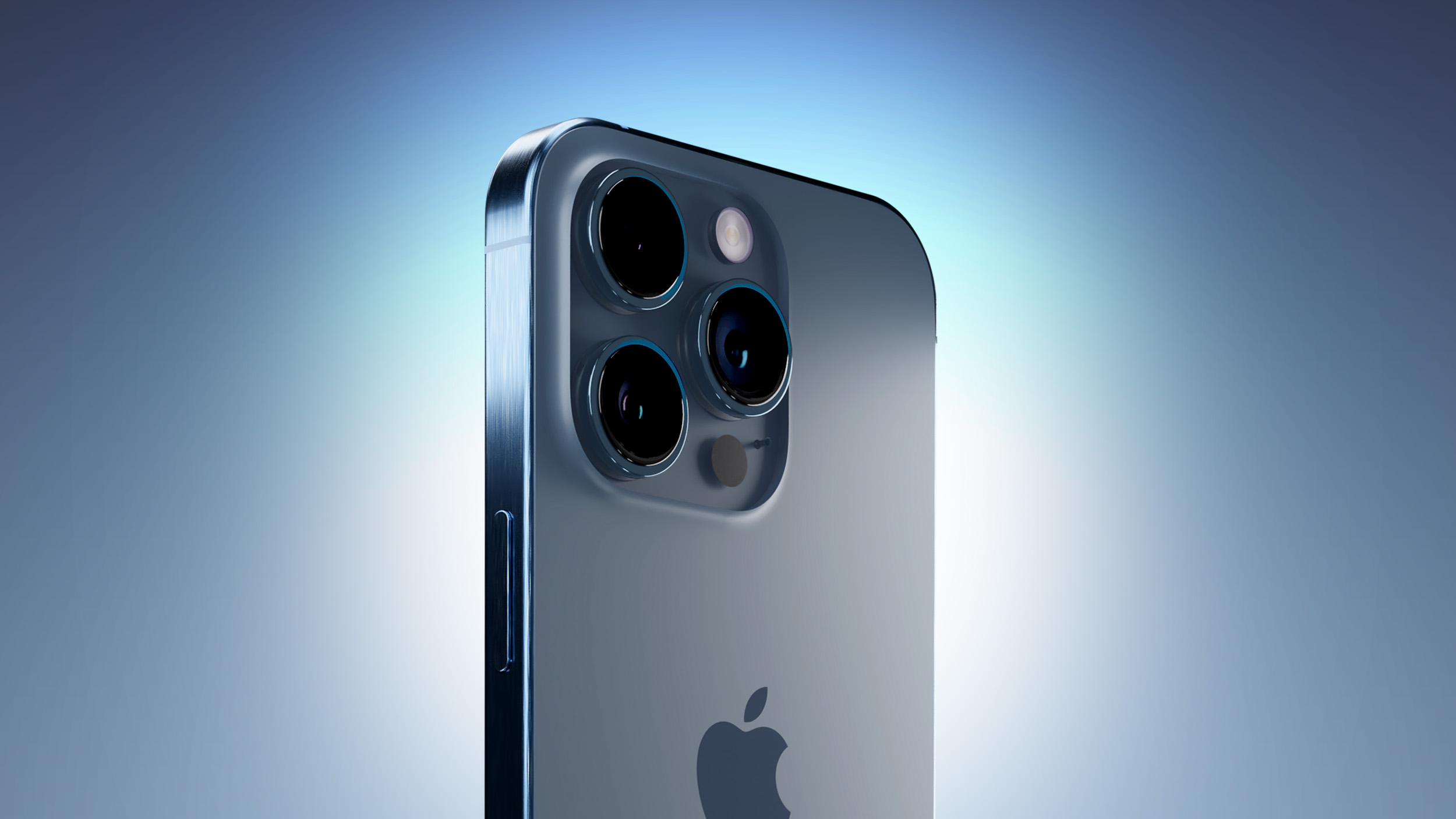
With the iOS 18 update, Apple added new features to almost all of its built-in apps, including the Camera app. The iOS 18 Camera app includes a few small but useful improvements for timed photos, portraits, and more.
Timers
Along with the existing 3-second and 10-second timers, there's now an added 5-second timer that provides more flexibility.
Flash Settings
Flash settings can be adjusted by touching and holding on the flash button in the Camera app. It brings up Auto, On, and Off options.
These settings could be accessed in the flash options when tapping on the carrot to get to different photo controls, but a long press is quicker. A tap still turns flash off and on.
Music When Taking Photos and Videos
When you're taking a video music playing on your iPhone will no longer be paused and will continue playing. In the Settings app, there's an "Allow Audio Playback" toggle that you can turn on that ensures music will continue playing on the iPhone's speaker when a video is recording.
In prior versions of iOS, using the Camera app to capture video automatically paused any audio playing.
Apple also says that music will continue to play via Bluetooth connections when capturing a photo or video.
Next-Generation Portrait Enhancements
On the iPhone 15 and later models, iOS 18 adds Portrait Lighting controls and support for Night mode portraits when in Photos mode.
For context, Apple last year added next-generation Portraits functionality that automatically captures portrait information when using the standard photo taking mode. Previously, you needed to use the specific Portrait mode to get a Portrait shot, but that's no longer the case.
The new feature lets you take a photo without changing modes, and then choose to add depth of field Portrait effects afterward.
Read More
Additional information on new features that Apple has added in iOS 18 can be found in our iOS 18 roundup.
Related Roundups: iOS 18, iPadOS 18
Related Forums: iOS 18, iPadOS 18
This article, "What's New With the Camera App in iOS 18" first appeared on MacRumors.com
Discuss this article in our forums
AirPods 4 Have Hidden Capacitive Button for Pairing
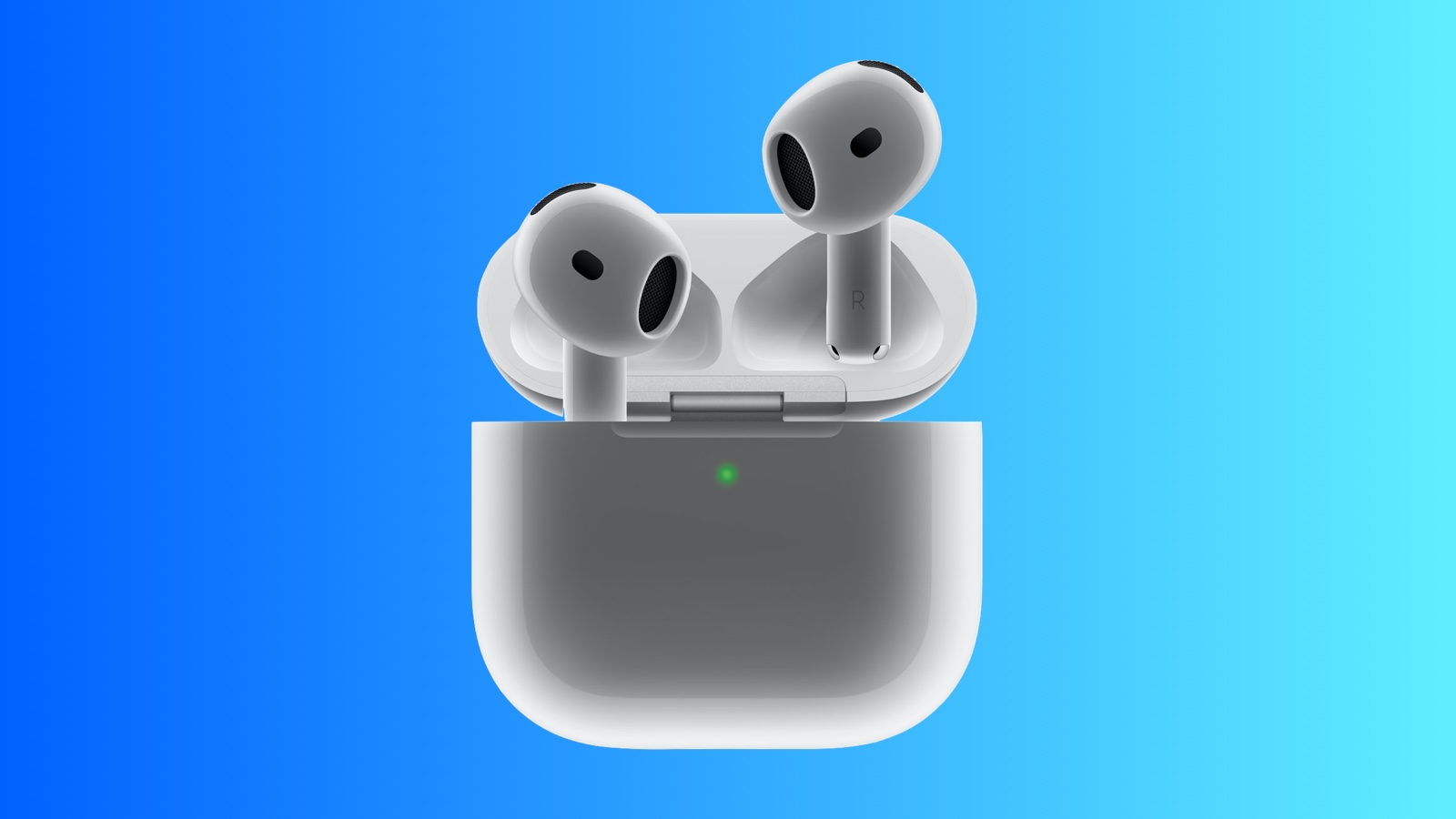
With the fourth-generation AirPods, Apple has eliminated the Setup Button located on the back of the Charging Case in other AirPods models. Rather than using a physical button, Apple has instead opted for a hidden capacitive button.
The hidden button for pairing and resetting the AirPods 4 is located at the front of the Charging Case, according to Gear Patrol. To initiate pairing mode, the AirPods 4 Charging Case can be opened up and then double tapped at the front where the hidden control is located. This hidden button is also used for factory resetting, and Gear Patrol said that either a triple tap or long press and hold gesture initiates a reset.
The status light on the AirPods 4 Charging Case is also more discreet. There is no obvious LED dot when the case is not charging or closed, and the light simply appears under the white plastic when the case is opened up or placed on a charger.
Related Roundup: AirPods 4
Buyer's Guide: AirPods (Buy Now)
Related Forum: AirPods
This article, "AirPods 4 Have Hidden Capacitive Button for Pairing" first appeared on MacRumors.com
Discuss this article in our forums
https://www.macrumors.com/2024/09/11/airpods-4-hidden-button/
Apple Releases iOS 18.1 Beta 3 for Upcoming iPhone 16 Models
Ahead of the release of the new iPhone 16 models, Apple has seeded the third beta of iOS 18.1 for the devices. iOS 18.1 beta 3 was actually released in late August for the iPhone 15 Pro models, but now there's a version for the iPhone 16 models. iOS 18.1 beta 3 for the iPhone 16 has a build number of 22B5034o, up from the 2B5034e version released for other devices.
iOS 18.1 introduces the first Apple Intelligence features, such as Writing Tools, Reduce Interruptions Focus Mode, notification summaries, and more, and it is expected to see a public launch in October. The initial launch version of iOS 18 will not include any Apple Intelligence features.
iCloud backups when the iPhone 16, 16 Plus, 16 Pro, and 16 Pro Max launch next Friday. Transferring data from one iPhone to another requires that both devices run the same version of iOS, which can be a hassle when betas are involved.
Apple has likely provided iPhone 16 review models to media sites, so the early release of the beta will allow reviewers running iOS 18.1 to set up their test iPhone 16 devices.
Related Roundups: iOS 18, iPadOS 18, iPhone 16, iPhone 16 Pro
Buyer's Guide: iPhone 16 (Buy Now), iPhone 16 Pro (Buy Now)
Related Forums: iOS 18, iPadOS 18
This article, "Apple Releases iOS 18.1 Beta 3 for Upcoming iPhone 16 Models" first appeared on MacRumors.com
Discuss this article in our forums
https://www.macrumors.com/2024/09/11/ios-18-1-beta-3-iphone-16/
iOS 18 Lets You Edit Video Speed With the Photos App
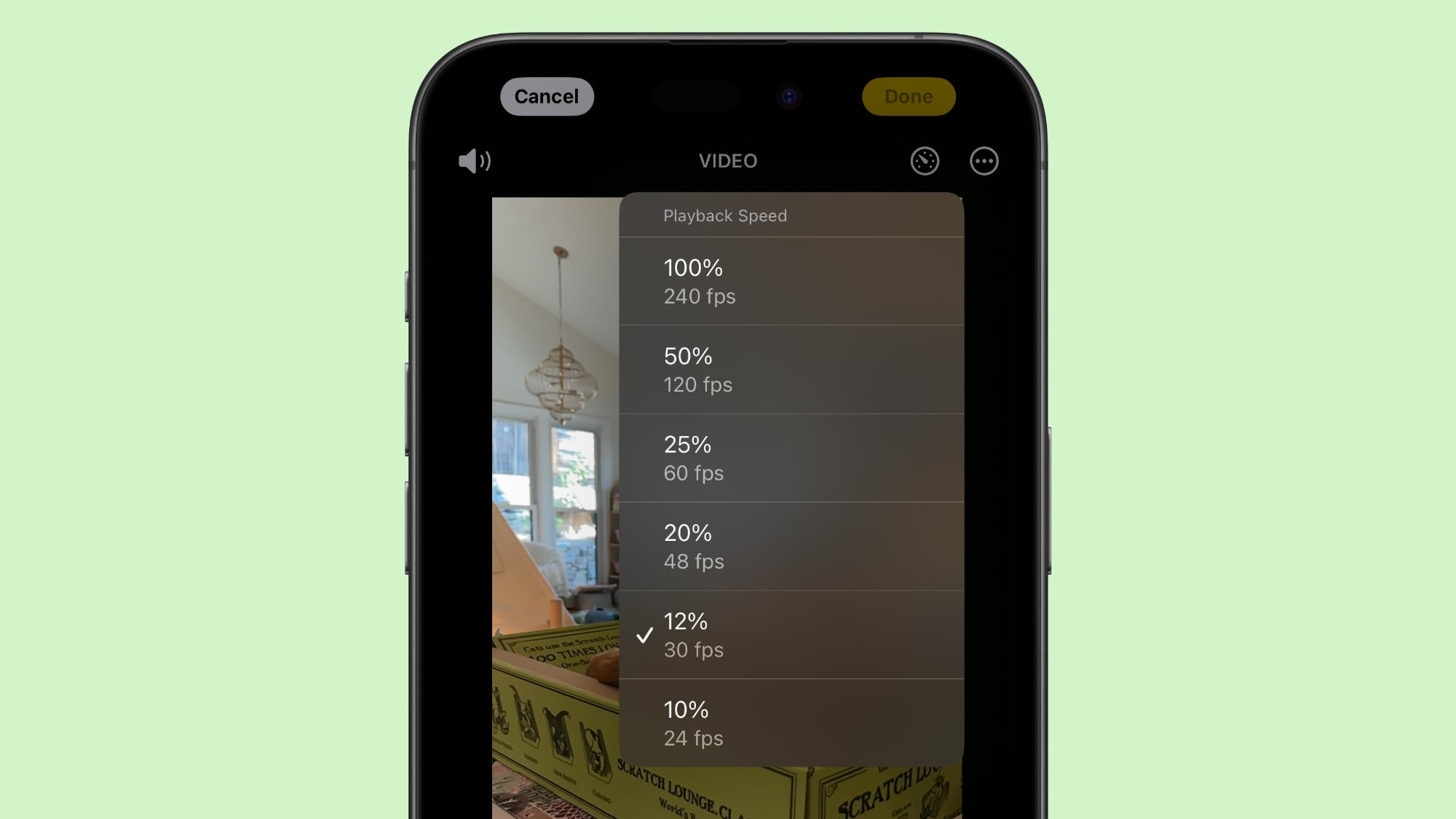
The iOS 18 Photos app features a new video speed control option that can be used to change the frame rate of your videos after they're captured.
Apple mentioned the option to change video speed in post processing when it introduced the new iPhone 16 models, but it turns out it's a feature that's available for older iPhones running iOS 18.
Added in the iOS 18 Release Candidate, the Playback Speed editor can be used to slow down playback speed of a high frame rate video. There are 240, 120, 60, 48, 30, and 24 frames per second options to choose from.
There's always been a feature for adjusting the speed of select parts of Slo-mo videos, but Playback Speed is a separate control. You can get to it by opening up the editing interface for a video, and then tapping on the timer icon at the top right.
iPhone 16 Pro models support 4K 120fps video in Slo-mo and Video modes, and the Playback Speed feature can be used for making adjustments after you shoot a video. From Apple's keynote event:
You can use 4k 120, in Slo-mo or Video mode, and now you don't have to make that upfront decision on frame rate. You can adjust the playback speed after capture. In the new Photos app, there's a quarter speed playback, a new half speed option that really adds a wonderful, dreamy effect, or you can bring it back to normal speed. There's also a 1/5 speed option that corresponds to 24 frames per second playback. These playback speeds are great for easy on the go editing.
iOS 18 with the Playback Speed feature is set to be released to the public on Monday, September 16.
Related Roundups: iOS 18, iPadOS 18
Related Forums: iOS 18, iPadOS 18
This article, "iOS 18 Lets You Edit Video Speed With the Photos App" first appeared on MacRumors.com
Discuss this article in our forums
https://www.macrumors.com/2024/09/11/ios-18-edit-video-playback-speed/