
Spotify Launches Offline Backup Feature for Premium Users
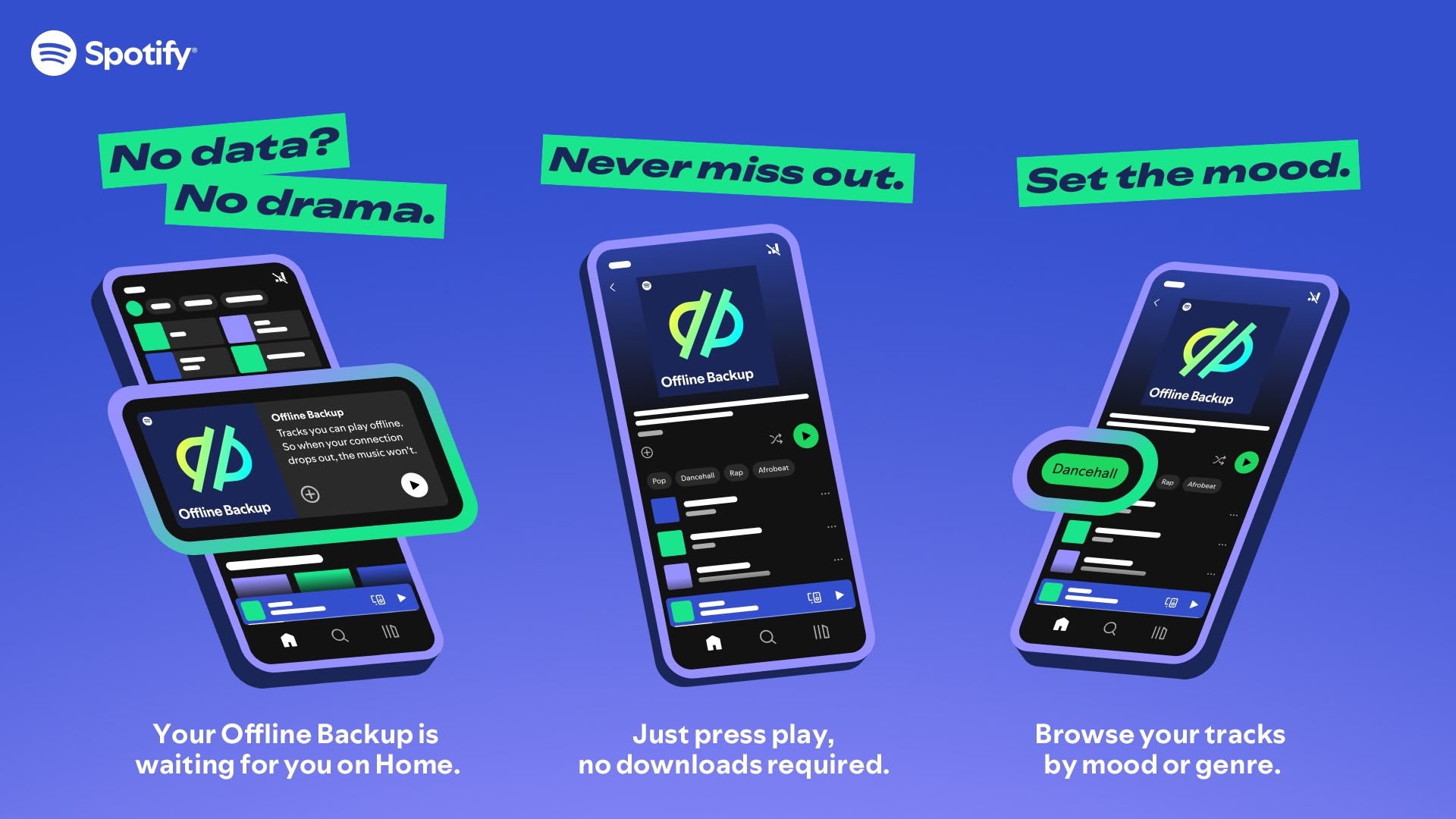
Spotify has announced a new feature called Offline Backup, designed to give Premium subscribers an additional way to listen to music offline without manually downloading playlists. Rolling out globally this week, the feature aims to address situations where users find themselves without an internet connection and haven't prepared their offline music library in advance.
Offline Backup works by automatically creating a personalized playlist using tracks that have been recently streamed or queued, leveraging the cached content already stored on the user's device. Spotify says this approach allows listeners to access a selection of their favorite music without consuming extra data or storage space.
The new feature promises flexibility by allowing users to filter and sort songs within the Offline Backup playlist by artist, mood, and genre. Spotify says the playlist will evolve over time based on listening habits, ensuring fresh content is always available.
The development of Offline Backup followed successful user testing conducted last year, and the feature is now being made available to Premium subscribers on both Android and iOS platforms, including compatibility with Android Auto and Apple CarPlay.
To access Offline Backup, users need to ensure they have listened to more than five songs recently and have enabled offline listening in their Spotify app settings. The playlist will appear automatically in the Home feed when the device is offline.
Tag: Spotify
This article, "Spotify Launches Offline Backup Feature for Premium Users" first appeared on MacRumors.com
Discuss this article in our forums
https://www.macrumors.com/2024/10/04/spotify-launches-offline-backup-feature/
Trick or Treat? Apple's First Earnings Call Since iPhone 16 Launch Scheduled for Halloween
Apple today announced that its next quarterly earnings conference call will be held on Thursday, October 31 at 2 p.m. Pacific Time/5 p.m. Eastern Time.
On the call, Apple's CEO Tim Cook and CFO Luca Maestri will discuss the company's earnings results for the fourth quarter of the 2024 fiscal year. It will likely be Maestri's final earnings call at Apple, as he will be succeeded by Kevan Parekh on January 1, 2025. Maestri will continue to lead the Corporate Services teams at Apple.
streamed live on Apple's website, and it should run approximately 60 minutes.
Apple released these products in the quarter, which ran from June 30 through September 28:
HomePod mini (Midnight)
iPhone 16
iPhone 16 Plus
iPhone 16 Pro
iPhone 16 Pro Max
Apple Watch Series 10
Apple Watch Ultra 2 (Black)
AirPods 4
AirPods 4 with Active Noise Cancellation
AirPods Max (USB-C)
Various accessories, including a 25W MagSafe Charger
reported $89.5 billion revenue in the year-ago quarter, so a 5% increase to that would equal around $94 billion, which would be a fourth-quarter record for Apple.
Tags: AAPL, Earnings
This article, "Trick or Treat? Apple's First Earnings Call Since iPhone 16 Launch Scheduled for Halloween" first appeared on MacRumors.com
Discuss this article in our forums
https://www.macrumors.com/2024/10/03/apple-earnings-on-halloween/
2025 iPad Air: All the Rumors So Far

Apple is planning to refresh the iPad Air in early 2025, about a year after the 2024 refresh. We don't have a full picture of what to expect just yet, but rumors point toward an updated chip and new accessories.
Design
Apple refreshed the design of the iPad Air in 2024, introducing two size options to match the iPad Pro models. In 2025, we are again expecting 11-inch and 13-inch sizes, but so far, we haven't heard word of any design changes.
The 2025 iPad Air models are expected to continue to feature the same design as the 2024 iPad Air models, with an aluminum chassis that has flat sides and rounded edges that wrap around the LCD display. Apple is expected to continue to include a Touch ID power button for biometric authentication, and a USB-C port.
There could be additional color options even if we don't get design changes. The current iPad Air comes in Space Gray, Purple, Blue, and Starlight, a soft gold shade.
A-Series Chip
Even though Apple added the M4 to the iPad Pro and will bring the chip to the newest Mac models this year, the iPad Air is expected to get the M3, an upgrade to the current M2 chip.
The M3 chip is built on Apple's newer 3-nanometer process, and while it's not as fast as the M4, it's a notable upgrade over the M2. The M3's CPU performance is up to 30 percent faster than the M2 CPU performance, and GPU performance is 15 percent faster. The M3 is more efficient than the M2 for better battery life, and there is an all-new GPU architecture that uses Dynamic Caching to boost graphics performance for GPU intensive apps and games. There is support for hardware-based ray tracing for an improvement in gaming on the iPad.
Rumors suggest the iPad Air will get the M3 instead of the newer M4 that's in the iPad Pro models to differentiate between the two tablets. Apple plans to keep the iPad Air a step behind the iPad Pro.
Apple Intelligence
Current iPad Air models with an M2 chip support Apple Intelligence in iPadOS 18, and the M3 chips will also work with Apple Intelligence.
Display
A major differentiator between the iPad Pro and iPad Air is OLED display technology and support for 120Hz ProMotion refresh rates. We don't expect notable updates to the display in 2025, and so far, it doesn't sound like Apple plans to bring ProMotion to the iPad Air.
Other Features
Apple brought Wi-Fi 7 support to its latest iPhone models, so we could start to see more products updated to the latest Wi-Fi protocol. Wi-Fi 7 brings faster speeds and lower latency, and if Wi-Fi 7 doesn't come to the new iPad Air, it'll continue to use Wi-Fi 6E.
Magic Keyboard
Apple is working on a new version of the Magic Keyboard for the iPad Air, and it's supposed to come out in the same time frame as the next-generation iPad Air. It won't have an aluminum top case like the Magic Keyboard for the iPad Pro, but it could get the same function row of keys.
Release Date
According to Bloomberg's Mark Gurman, the next-generation iPad Air is set to come out sometime "early next year."
This article, "2025 iPad Air: All the Rumors So Far" first appeared on MacRumors.com
Discuss this article in our forums
Duo That Cost Apple $2.5 Million in Fraudulent iPhone Repair Scheme Get Prison Sentences
Two Maryland residents who defrauded Apple out of 6,000 iPhones worth over $2.5 million were sentenced to prison today, according to the United States Department of Justice. The duo devised a repair scheme where they sent in counterfeit iPhones in order to get genuine iPhones in exchange.
Chinese nationals Haotian Sun and Pengfei Xue will each spend more than four years in prison. Sun was sentenced to 57 months in prison, while Xue was given 54 months. Both will serve three years of supervised release after their prison terms, and will need to pay restitution to Apple. Sun has been ordered to pay $1,072,000, while Xue has been ordered to pay $397,800.
Between May 2017 and September 2019, Sun and Xue received shipments of inauthentic iPhones from Hong Kong, and used spoofed serial numbers and/or IMEI numbers to return them to Apple retail stores and Apple Authorized Service Providers. Over 6,000 iPhones were submitted to Apple during that two-year period, according to trial evidence. The intended loss was approximately $3.8 million, and actual loss exceeded $2.5 million.
were found guilty of mail fraud and conspiracy to commit mail fraud, charges that carried a maximum sentence of 20 years in prison.
This article, "Duo That Cost Apple $2.5 Million in Fraudulent iPhone Repair Scheme Get Prison Sentences" first appeared on MacRumors.com
Discuss this article in our forums
https://www.macrumors.com/2024/10/03/apple-repair-iphone-fraud-prison/
Apple Releases macOS Sequoia 15.0.1 With Bug Fixes

Apple today released macOS Sequoia 15.0.1, the first update for the macOS Sequoia operating system. The 15.0.1 update comes a week after Apple first released macOS Sequoia 15.
Mac users can download the macOS Sequoia update by using the Software Update section of System Settings.
According to Apple's release notes, macOS Sequoia 15.0.1 fixes a bug that could cause the Messages app to crash when a message with a shared Apple Watch face was sent, and it improves third-party software compatibility. Apple's release notes for the update are below.
macOS 15.0.1 release (24A348) This update provides important bug fixes for your Mac including:
- Messages may unexpectedly quit when replying to a message with a shared Apple Watch face
- Improves compatibility with third-party security software
Details on the features that are included in macOS Sequoia can be found in our roundup.
Related Roundup: macOS Sequoia
Related Forum: macOS Sequoia
This article, "Apple Releases macOS Sequoia 15.0.1 With Bug Fixes" first appeared on MacRumors.com
Discuss this article in our forums
https://www.macrumors.com/2024/10/03/apple-releases-macos-sequoia-15-0-1-with-bug-fixes/
iPhone SE 4 Could Include A18 Chip, All-in-One Apple-Designed 5G Modem With Wi-Fi, Bluetooth and GPS
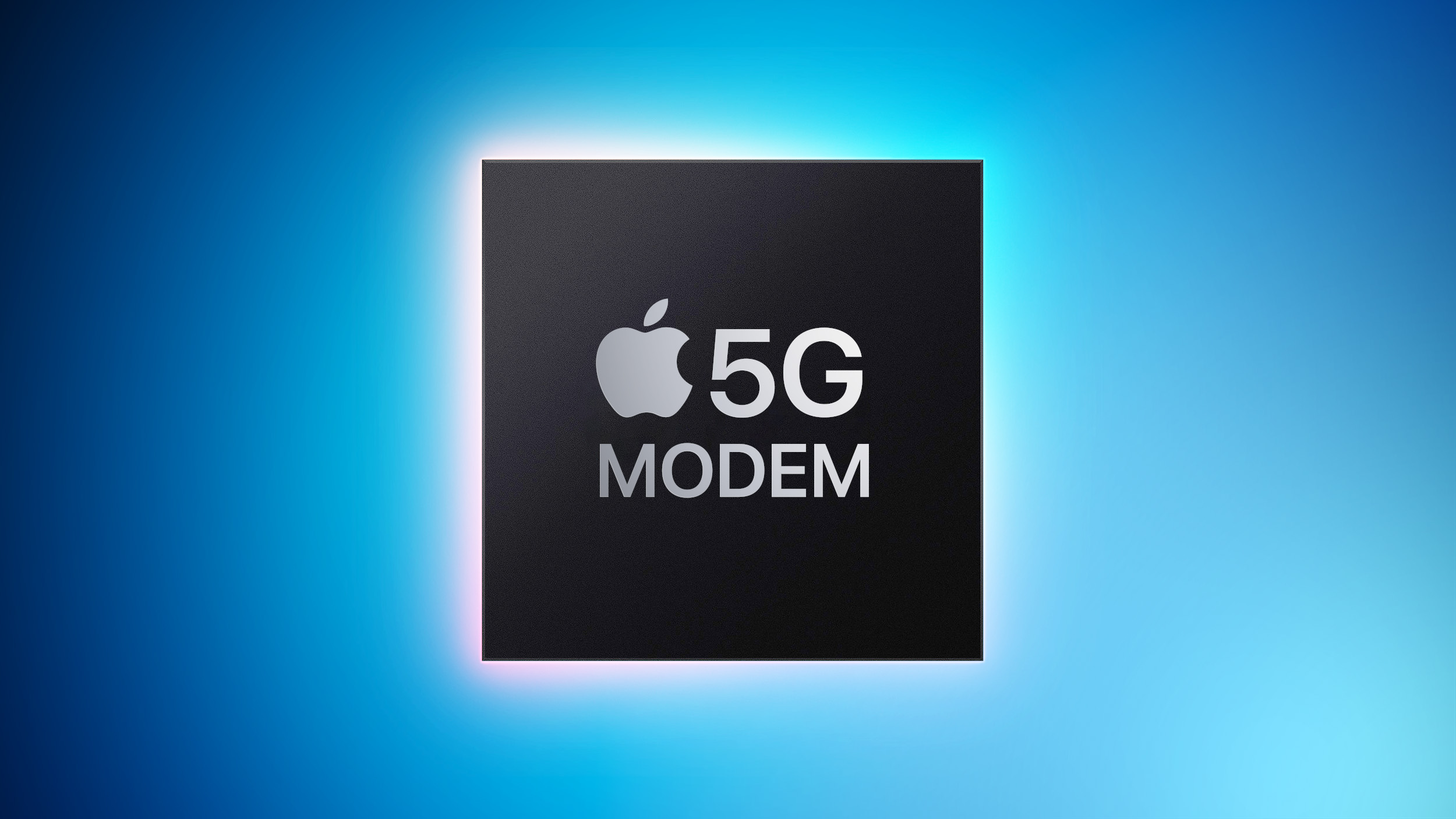
The iPhone SE 4 that's set to come out next year could include a "quite ambitious" Apple-designed 5G modem that will incorporate Wi-Fi, Bluetooth, and GPS, according to a report from 9to5Mac. The next-generation iPhone SE is also expected to get the same A18 chip as the current iPhone 16 models, which would allow it to support Apple Intelligence.
Apple has been working on its own 5G modem technology for quite some time, and multiple prior rumors have suggested that the new hardware will first come to the iPhone SE, giving Apple a chance to test it out with a lower volume product.
Bloomberg's Mark Gurman said earlier this year that while Apple was working on a modem that was part of a new wireless chip that also included Wi-Fi and Bluetooth, such a product would not be coming until a later date, so it is not clear which report is accurate.
iPhone's chipset.
will get Apple Intelligence, a claim echoed in 9to5Mac's report. The next-generation iPhone SE will reportedly include an A18 chip, which is the chip used in the iPhone 16 and iPhone 16 Plus. It is also expected to get 8GB RAM, the minimum for Apple Intelligence.
iPhone 14, with a 6.1-inch OLED all-display design and support for Face ID. When Apple introduces the iPhone SE 4, it will officially be the end for the Touch ID fingerprint sensor in the iPhone lineup.
iPhone 15.
Dynamic Island), an Action Button, and a USB-C port.
Related Roundup: iPhone SE
Buyer's Guide: iPhone SE (Don't Buy)
Related Forum: iPhone
This article, "iPhone SE 4 Could Include A18 Chip, All-in-One Apple-Designed 5G Modem With Wi-Fi, Bluetooth and GPS" first appeared on MacRumors.com
Discuss this article in our forums
https://www.macrumors.com/2024/10/03/iphone-se-4-a18-apple-modem/
Google Lens Now Supports Video Search and Voice Input
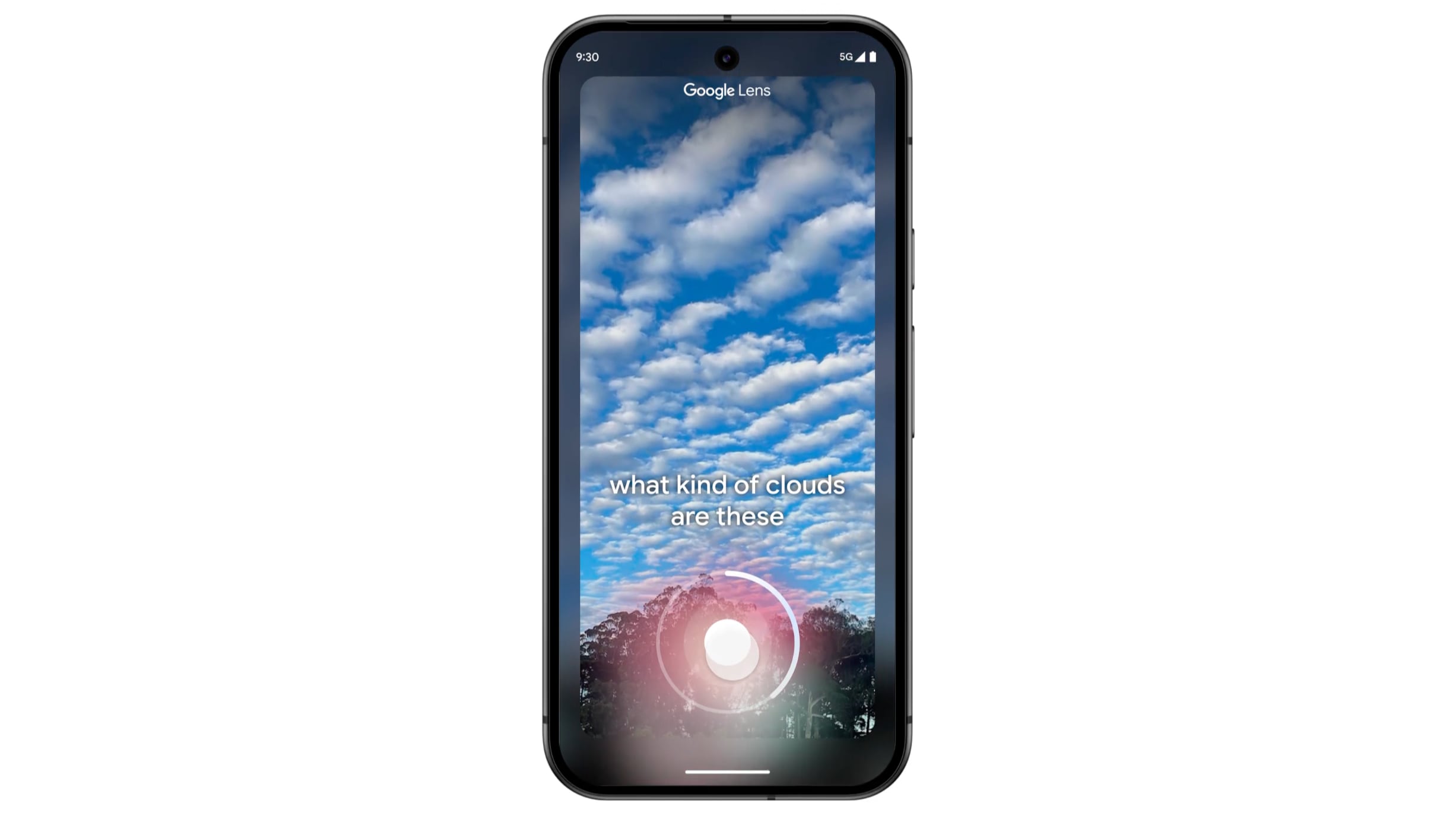
Google today shared several updates to the Google Lens search feature that's available in the Google app for iOS. Google is adding support for asking questions about videos, so that users can get information about moving objects.
For example, if you're at an aquarium and want to learn more, you can use Google Lens to capture a short video of a fish and get details about it. According to Google, Lens can interpret the video and the question, using the information to provide an AI Overview with additional web links to learn more.
The video feature can be used by opening Lens in the Google app and holding down the shutter button to record a video while also asking a question out loud.
Google has also added support for asking a voice-based question when taking an image with Lens. Users can point the camera, hold the shutter button, and ask a question.
For those who use Google Lens to find visually similar images for shopping purposes, Google says results will be "dramatically more helpful" with information about the product you want to buy, including price info across retailers and where to get it.
In addition to these Google Lens changes, Google is rolling out search results pages organized by AI in the United States. AI results will show first for recipes and meal inspiration on mobile devices, with research results showing relevant results organized by different recipe options, ingredients, and more.
A new look for AI Overviews is rolling out, with the updated design showing prominent links to supporting webpages within the text of an AI Overview. Google says that this layout better drives traffic to supporting websites. Google is also adding ads to AI Overviews, and the company says that people find ads in AI Overviews helpful because "they can quickly connect with relevant businesses, products and services."
Tag: Google
This article, "Google Lens Now Supports Video Search and Voice Input" first appeared on MacRumors.com
Discuss this article in our forums
https://www.macrumors.com/2024/10/03/google-lens-video-search-voice-input/
Mac Mini Expected to Receive First Major Redesign Since 2010 Very Soon
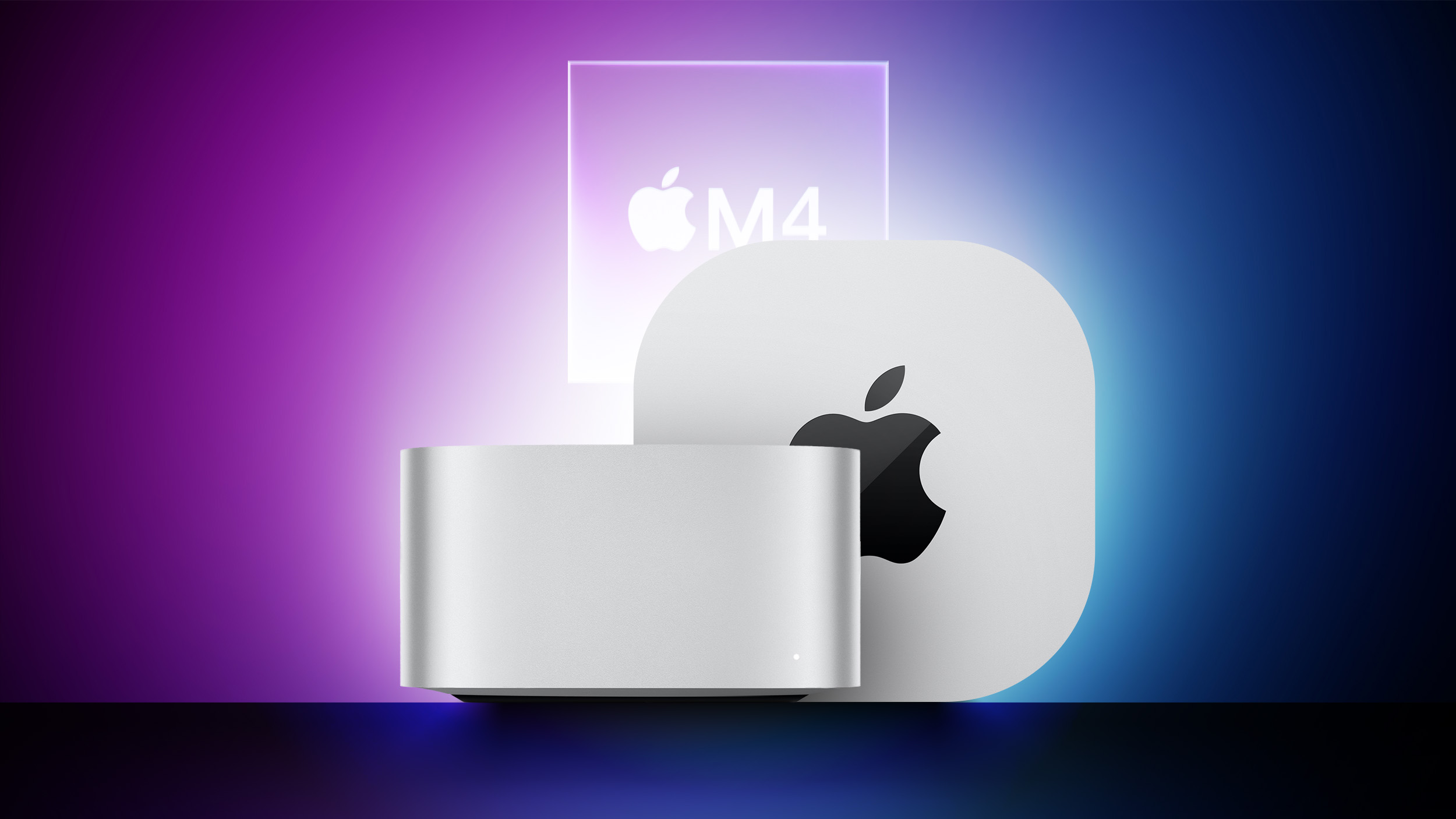
Rumors suggest that Apple plans to introduce a redesigned Mac mini this month, alongside updated MacBook Pro and iMac models. Most notably, the portable desktop computer is expected to receive its first major redesign since 2010.
A concept of a smaller Mac mini that is closer in size to an Apple TV
Below, we recap rumors about the next-generation Mac mini.
Rumored Features
Smaller Design: Bloomberg's Mark Gurman expects the next Mac mini to be nearly as small as an Apple TV.
M4 and M4 Pro Chips: The next Mac mini will be available with faster M4 and M4 Pro chip options, according to Gurman.
Front USB-C Ports: Both an Apple software leak and Gurman have pointed to the next Mac mini being equipped with five USB-C ports. Similar to the Mac Studio, Gurman said two of the ports will be located on the front of the new Mac mini. Technically speaking, at least some of these ports will likely be Thunderbolt 4 ports, which use the USB-C connector design. Note: It is possible that only M4 Pro configurations of the Mac mini will have all five USB-C ports.
Launch Timing
The new Mac mini is currently expected to be announced at an Apple event this October, alongside new MacBook Pro and iMac models with the M4 series of chips.
This article, "Mac Mini Expected to Receive First Major Redesign Since 2010 Very Soon" first appeared on MacRumors.com
Discuss this article in our forums
https://www.macrumors.com/2024/10/03/mac-mini-redesign-rumor/
Apple Offers Limited-Edition Beats Solo Buds With iPhone 15 or 15 Plus Purchase in India
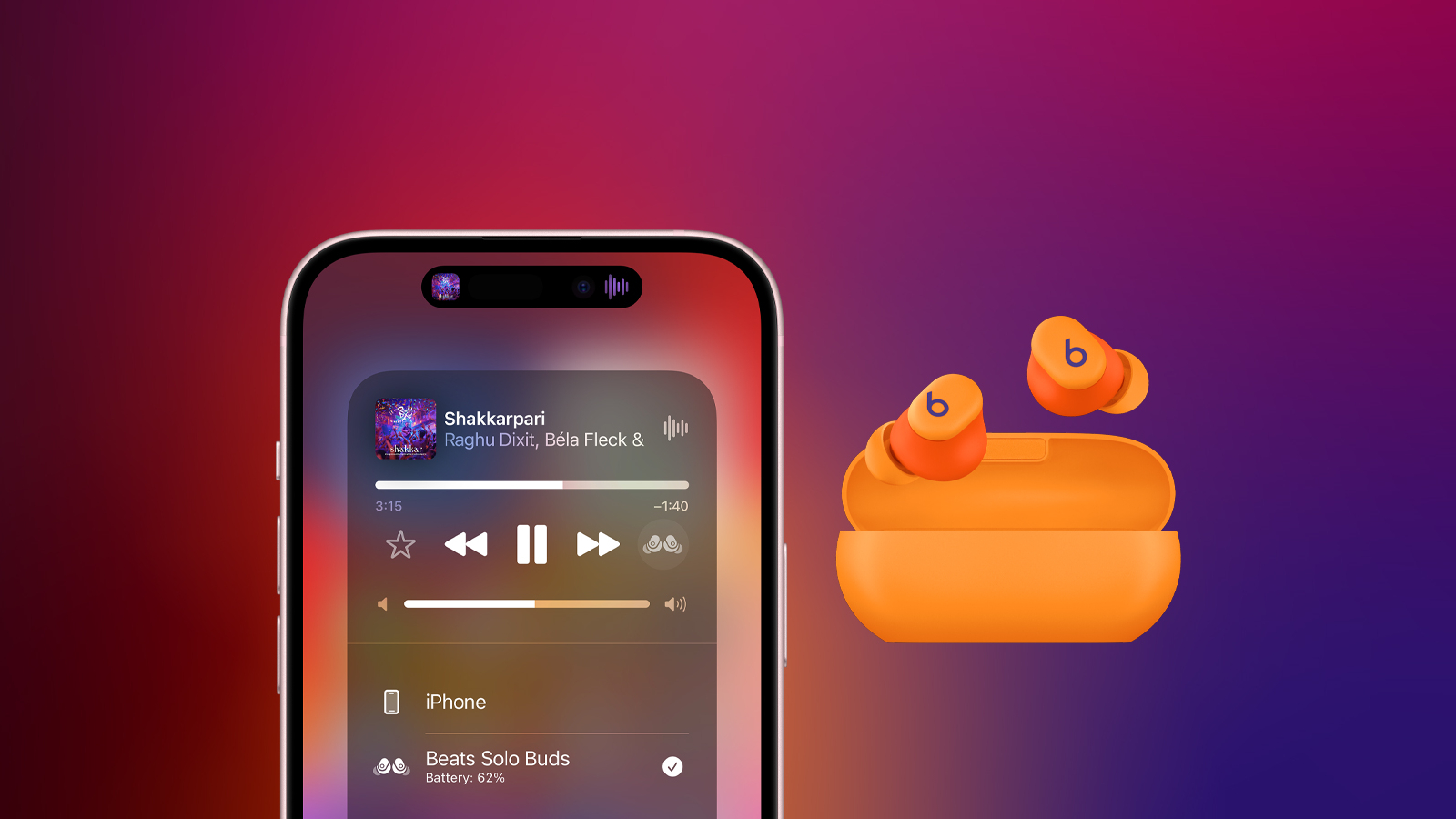
In celebration of Diwali, Apple is offering free limited-edition Beats Solo Buds to customers who purchase a new iPhone 15 or iPhone 15 Plus in India.
The special Beats Solo Buds and their carrying case come in an orange color that has never been available before, and the earbuds come in custom packaging designed by Indian art director Aaquib Wani. The offer runs through October 4 at Apple Store locations in India, and on Apple's online store at apple.com/in, while supplies last.
launched in June, and the original color options include black, gray, purple, and a transparent red. The in-ear buds feature up to 18 hours of battery life, but they lack active noise cancellation, and the carrying case does not have a battery. As a result, the earbuds can only be charged when the case is connected to a power source.
The earbuds are priced at ₹6900 on Apple's online store in India.
on Apple's website.
Tags: Beats, Beats Solo Buds
This article, "Apple Offers Limited-Edition Beats Solo Buds With iPhone 15 or 15 Plus Purchase in India" first appeared on MacRumors.com
Discuss this article in our forums
https://www.macrumors.com/2024/10/03/special-beats-solo-buds-in-india/
'Ted Lasso' to Return to Apple TV+ as Season Four Allegedly 'Confirmed'

Ted Lasso will be returning for a fourth season, according to Sigmund Judge, a writer at MacStories and co-host of the Magic Rays of Light podcast.
In a social media post today, Judge said he has confirmed that pre-production of the smash-hit Apple TV+ comedy series will begin in January in London, England. Apple has yet to confirm the fourth season, and there is no set release date yet.
Ted Lasso ran from March through May of 2023.
Ted Lasso, played by Jason Sudeikis, is a small-time football coach from Kansas who is hired to coach a professional soccer team in England, despite having no experience coaching soccer. The series has won several major awards since it debuted in 2020, with its overall positive tone proving especially comforting during the COVID-19 pandemic.
Ted Lasso is, its long-rumored fourth season apparently being confirmed is a huge win for Apple TV+.
Exclusive: #TedLasso S4 is set to begin pre-production in January. According to my sources, the football drama is now confirmed to return next year with a fourth instalment, with London shoots beginning in early 2025! pic.twitter.com/3tZszHy7w1
— Sigmund Judge (@sigjudge) October 3, 2024
Tags: Apple TV Plus, Apple TV Shows
This article, "'Ted Lasso' to Return to Apple TV+ as Season Four Allegedly 'Confirmed'" first appeared on MacRumors.com
Discuss this article in our forums
https://www.macrumors.com/2024/10/03/ted-lasso-season-four-allegedly-confirmed/
Apple Reportedly Begins Sourcing OLED Displays for Next iPhone SE
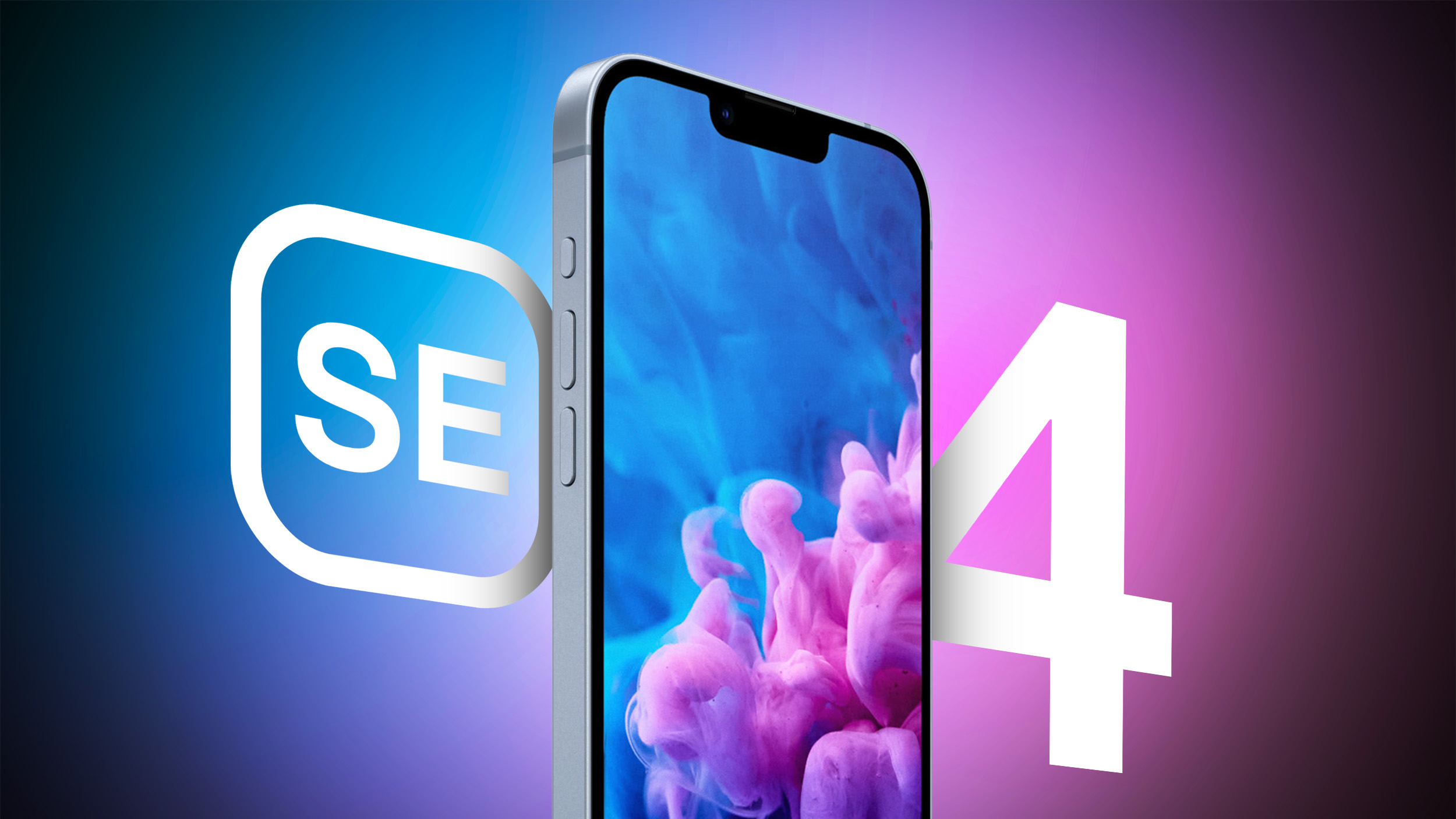
Apple has started to source OLED displays for its next-generation iPhone SE, according to Taiwanese supply chain publication DigiTimes.
"Apple has begun to source OLED panels for its next-generation iPhone SE series from BOE and other Chinese manufacturers, according to industry sources," the publication said today, in the "Tomorrow's Headlines" section of its website. The full report has yet to be published, so there are no additional details at this time.
previous reports that indicated BOE would supply OLED displays for the next iPhone SE.
Bloomberg's Mark Gurman earlier this week reported that the fourth-generation iPhone SE will be released "early next year." He expects the device to have a similar design as the iPhone 14, including an edge-to-edge screen with a notch, which suggests that it will support Face ID. He also expects the new iPhone SE to support Apple Intelligence, and this means the device would likely have an increased 8GB of RAM. Apple Intelligence is currently limited to the iPhone 15 Pro, iPhone 15 Pro Max, and all iPhone 16 models.
If the new iPhone SE is based on the iPhone 14, it would have a 6.1-inch OLED display, whereas the current model has a 4.7-inch LCD. Other features previously rumored for the next iPhone SE include a USB-C port and the Action button.
Related Roundup: iPhone SE
Tag: DigiTimes
Buyer's Guide: iPhone SE (Don't Buy)
Related Forum: iPhone
This article, "Apple Reportedly Begins Sourcing OLED Displays for Next iPhone SE" first appeared on MacRumors.com
Discuss this article in our forums
https://www.macrumors.com/2024/10/03/apple-sourcing-iphone-se-oled-displays-report/
Apple Reportedly Begins Sourcing OLED Displays for Next iPhone SE
Apple has started to source OLED displays for its next-generation iPhone SE, according to Taiwanese supply chain publication DigiTimes.
"Apple has begun to source OLED panels for its next-generation iPhone SE series from BOE and other Chinese manufacturers, according to industry sources," the publication said today, in the "Tomorrow's Headlines" section of its website. The full report has yet to be published, so there are no additional details at this time.
previous reports that indicated BOE would supply OLED displays for the next iPhone SE.
Bloomberg's Mark Gurman earlier this week reported that the fourth-generation iPhone SE will be released "early next year." He expects the device to have a similar design as the iPhone 14, including an edge-to-edge screen with a notch, which suggests that it will support Face ID. He also expects the new iPhone SE to support Apple Intelligence, and this means the device would likely have an increased 8GB of RAM. Apple Intelligence is currently limited to the iPhone 15 Pro, iPhone 15 Pro Max, and all iPhone 16 models.
If the new iPhone SE is based on the iPhone 14, it would have a 6.1-inch OLED display, whereas the current model has a 4.7-inch LCD. Other features previously rumored for the next iPhone SE include a USB-C port and the Action button.
Related Roundup: iPhone SE
Tag: DigiTimes
Buyer's Guide: iPhone SE (Don't Buy)
Related Forum: iPhone
This article, "Apple Reportedly Begins Sourcing OLED Displays for Next iPhone SE" first appeared on MacRumors.com
Discuss this article in our forums
https://www.macrumors.com/2024/10/03/apple-sourcing-iphone-se-oled-displays-report/
Rare Apple Macintosh Prototype From 1983 Could Break Auction Records
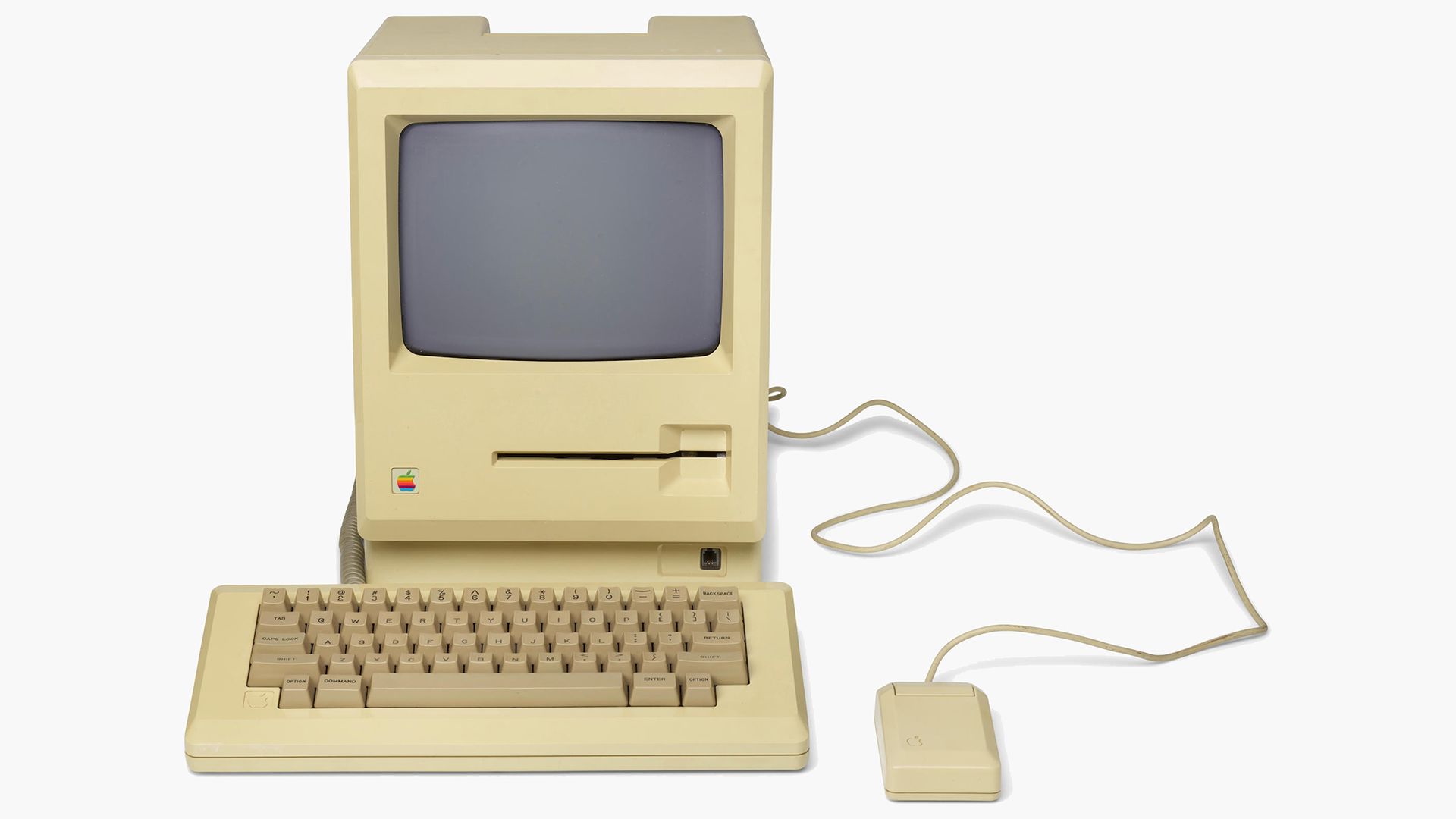
A rare Apple Macintosh prototype from 1983, featuring the "Twiggy disk" drive, is expected to sell for over $100,000 at auction (via New Atlas).
The piece of Apple history is set to go under the hammer at Bonhams in New York. The Macintosh prototype, model #M0001, is one of the few surviving pre-production units from 1983.
This version of the Macintosh originally used a 5.25-inch floppy disk drive known internally as the "Twiggy" drive. It proved to be unreliable, leading Apple co-founder Steve Jobs to order the destruction of the remaining pre-production units before the final commercial release. The use of this drive sets it apart from the first commercially available Macs, which would ultimately ship in 1984 with the more compact 3.5-inch floppy disk system.
This particular prototype not only survived Jobs's directive but remains in very good condition. Included with the unit are several other prototype accessories, including a keyboard with a handwritten serial number, a prototype version of Apple's M01000 mouse featuring a unique connector, and a dual-density Twiggy diskette labeled "Mac Word." The prototype's software adds further intrigue to the lot; it runs early, unfinished versions of key Macintosh applications, and some of the notifications and instructions in the system are attributed to Steve Jobs himself.
Tag: Macintosh
This article, "Rare Apple Macintosh Prototype From 1983 Could Break Auction Records" first appeared on MacRumors.com
Discuss this article in our forums
https://www.macrumors.com/2024/10/03/rare-apple-macintosh-prototype-from-1983/
Apple Pulls Third Software Update in Past Month Due to Issues
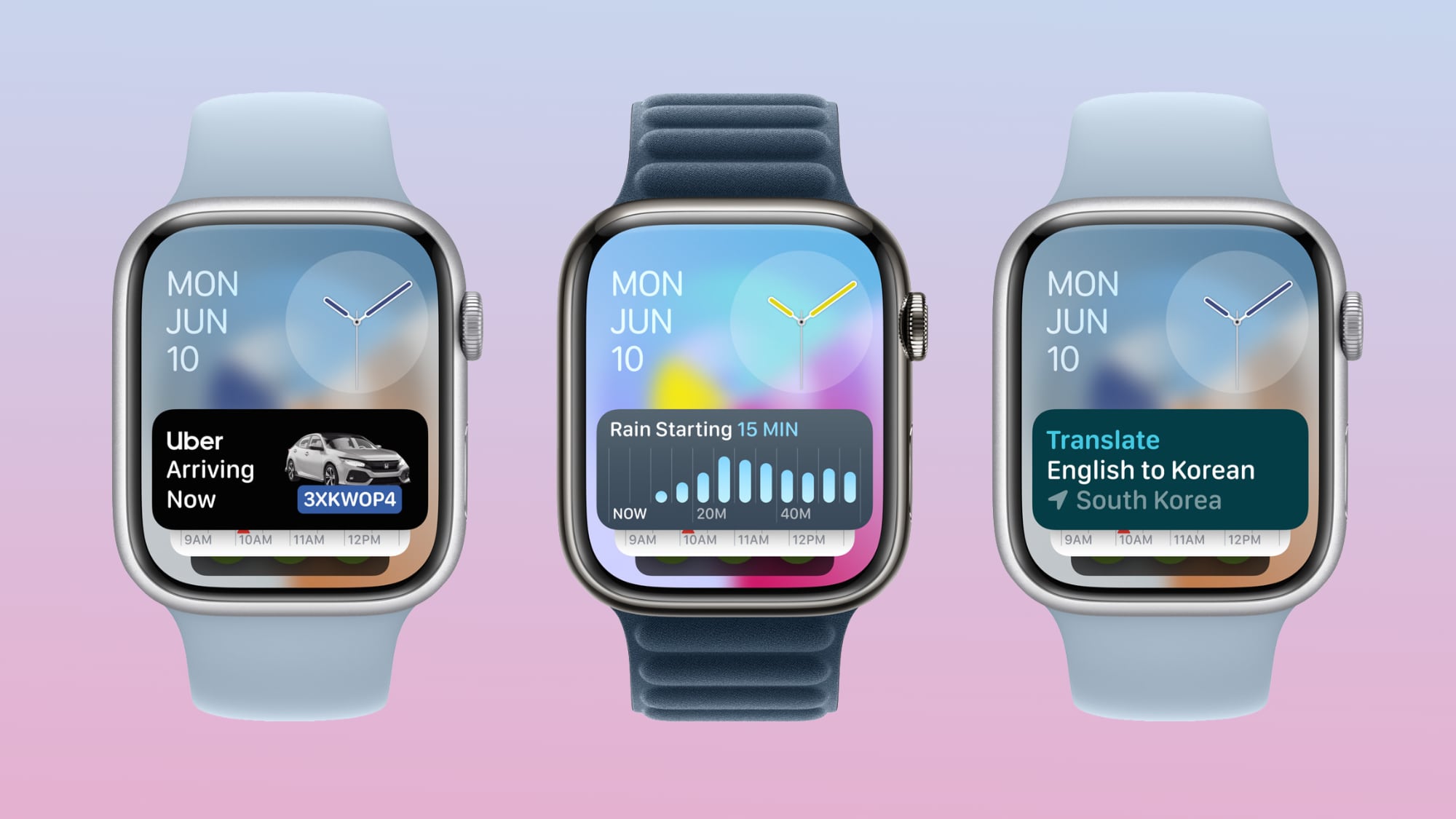
Apple on Wednesday pulled watchOS 11.1 beta 3 after some users complained that the update caused their Apple Watch to freeze or lock up until they restarted the device, according to MacRumors contributor Aaron Perris.
This is the third software version that Apple has pulled over the past month. In September, Apple pulled iPadOS 18 for iPad Pro models with the M4 chip after the update prevented some of those devices from working, and it also pulled HomePod software 18.1 beta 2 after that beta caused some HomePod speakers to stop working.
While two out of three of these problematic releases were betas, which are meant to catch these sort of issues, this is still an unfortunate stretch for Apple.
Related Roundup: Apple Watch 10
Buyer's Guide: Apple Watch (Buy Now)
This article, "Apple Pulls Third Software Update in Past Month Due to Issues" first appeared on MacRumors.com
Discuss this article in our forums
https://www.macrumors.com/2024/10/03/apple-pulls-third-software-update-in-past-month/
Here Are All the New Features Coming to macOS Sequoia This Month
Apple in October will release macOS Sequoia 15.1, bringing to Macs the first Apple Intelligence features such as Writing Tools, new Siri features, Smart Replies, and more. In addition, macOS 15.1 adds a handful of welcome tweaks and improvements to existing Mac capabilities.
Here's what we can expect from the first major update to macOS Sequoia later this month. Note that Apple Intelligence features require Macs powered by Apple silicon.
iPhone Mirroring Drag and Drop Support
One of the most anticipated iPhone Mirroring features coming in macOS 15.1 is support for drag and drop. After updating to the new software, you will be able to drag files from an iPhone to a Mac and vice versa.
iPhone Mirroring makes file transfers between devices effortless, even when the iPhone is locked and charging. With an iPhone running iOS 18.1, you can drag files, such as photos, from your Mac directly to the open Photos app on your iPhone, and they'll transfer instantly. For PDFs, open the Files app and drag the document from your Mac to the iPhone. Transferring files from iPhone to Mac follows the same process — simply drag the file to your desired location on the Mac.
New Low Power Mode Toggle
Low Power Mode is a long-standing iPhone feature for conserving battery, and was introduced to the Mac with macOS Monterey. Since then, it has remained hidden in System Settings, but in macOS 15.1, Apple is simplifying access by adding a Low Power Mode toggle to the Battery menu for MacBook users, allowing it to be enabled or disabled in just two clicks.
The battery icon also now turns yellow when Low Power Mode is active, similar to iOS. It's worth noting that some advanced settings, like automatically enabling Low Power Mode when unplugged, remain within System Settings. When enabled, Low Power Mode optimizes the system to conserve energy by slightly reducing performance, suspending background tasks, lowering screen brightness, and capping ProMotion display refresh rates at 60Hz where applicable.
Writing Tools
Apple Intelligence
You can select any text on your Mac and use Apple Intelligence to access Writing Tools for summaries and other features. The proofreading feature scans your text for spelling and grammar errors, providing suggestions for word choice and sentence structure improvements. You can quickly accept all recommendations or review them individually with accompanying explanations.
If you're looking to refine your writing style, the rewrite function allows for tone adjustment without altering the core content. You can choose from options such as Friendly, Professional, or Concise to tailor your message to your intended audience.
Additionally, the update introduces versatile summarization capabilities. You can select text and generate concise summaries in various formats, including paragraphs, key points, lists, or tables. This feature seamlessly integrates with apps like Mail and Messages, making it easier to distill and share written information.
Enhanced Siri
Apple Intelligence
The Siri window now offers greater flexibility, allowing you to position it anywhere on their screen. A new responsive glow animation provides visual feedback, indicating when Siri is actively listening without disrupting ongoing tasks.
If you prefer typing, the Type to Siri feature can be quickly accessed by double-pressing the Command key, and it now includes suggested requests. Siri's improved contextual awareness also lets you ask follow-up questions without repeating previously established information.
The update also brings more natural language processing capabilities. Siri can now better understand and interpret you if you stumble over your words or change direction mid-sentence, making interactions feel more conversational and less rigid.
Lastly, Siri's knowledge base has been expanded to include comprehensive information about Apple products and support, so you can inquire about device features and settings. Siri can even locate specific settings even if you're unsure of their exact names.
Smart Replies and Mail Summaries
Apple Intelligence
To facilitate faster responses, Mail and Messages now include a Smart Reply feature. This intelligent system offers contextual quick-tap responses based on the content of received messages, allowing you to reply promptly with minimal effort.
In Mail, a new summarize button allows you to quickly distill the content of incoming emails, providing concise overviews at a glance. This feature also extends to multiple Messages notifications and your Mail inbox, where brief summaries replace the first few lines of each message. Mail also prioritizes time-sensitive communications by automatically elevating them to the top of your inbox.
Photos Cleanup Tool
Apple Intelligence
With macOS Sequoia 15.1, Apple is bringing a powerful new feature to the Photos app called Clean Up. Thanks to advanced object detection algorithms, this editing tool can automatically identify potentially unwanted objects in your images, allowing you to effortlessly remove them.
At the same time, users retain full control over the editing process, with the ability to manually select objects for removal by clicking, circling, or brushing over them.
You can zoom in on images to meticulously remove smaller blemishes or imperfections using brush strokes. Notably, Clean Up is designed to preserve the integrity of main subjects like people, even if they are inadvertently selected during the editing process.
Transcription Summaries
Apple Intelligence
In macOS Sequoia, Apple added a transcription feature to Notes that lets you capture audio recordings and automatically generates a verbatim transcript of the content.
In macOS Sequoia 15.1, the feature also provides a concise summary of the transcribed text, offering a quick overview of the recorded material. The transcript is useful for recording lectures and meetings as it ensures that no important details are missed, while the addition of a summary provides a quick reference for key topics, action items, or main discussion points.
Focus Modes
Apple Intelligence
A dedicated new Reduce Interruptions Focus Mode filters out all but the most important notifications, ensuring you only see those that require your attention.
When customizing or creating a new Focus mode, there's a new option to enable Intelligent Breakthrough and Silencing. This feature lets critical notifications come through while muting less important ones, similar to how the Reduce Notifications Focus works.
Related Roundup: macOS Sequoia
Tag: Apple Intelligence
Related Forum: macOS Sequoia
This article, "Here Are All the New Features Coming to macOS Sequoia This Month" first appeared on MacRumors.com
Discuss this article in our forums
https://www.macrumors.com/2024/10/03/new-features-apple-intelligence-macos-sequoia-15-1/
Aqara Debuts U300 Lever Smart Lock

Aqara today announced the launch of the Aqara Smart Lock U300, which is a smart lock that's designed for doors that have a lever or knob but no deadbolt.
Many homes have non-deadbolt doors for side entries, garage doors, home offices, basements, and storage rooms, and these kind of door setups do not work with traditional smart locks that require a deadbolt. The U300 lever lock is one of the first smart locks created for these types of doors.
The U300 replaces a traditional lever or knob, offering smart functionality and the ability to keep an eye on who is coming or going.
HomeKit setup. It can be used alongside other smart home products in the Home app, or it can be used with additional features in the Aqara app.
iPhone or Apple Watch for unlocking the door over NFC with a tap.
Along with Apple Home Keys and the Home app, the U300 can be unlocked using a fingerprint reader or a PIN with the included number pad. Aqara also offers NFC cards that can be used to unlock the door, and mechanical keys are provided in case of emergency like a power outage.
Digital keys can be provided for guests, and the U300 has a built-in feature that automatically locks the door behind you after a short period of time. Available in black or silver, the Aqara U300 has an IPX4 water resistance rating and is suitable for use indoors and outdoors.
The battery in the U300 lasts for up to 10 months before it needs to be swapped out, and it takes 4AA batteries. There's also a USB-C Emergency Port. While no hub is required to use the U300, the Aqara M3 Hub is recommended because it enables automations and remote access.
purchased from Amazon and other Aqara retailers.
Tags: Aqara, HomeKit
This article, "Aqara Debuts U300 Lever Smart Lock" first appeared on MacRumors.com
Discuss this article in our forums
Apple Maps Cycling Directions Expand to New Zealand
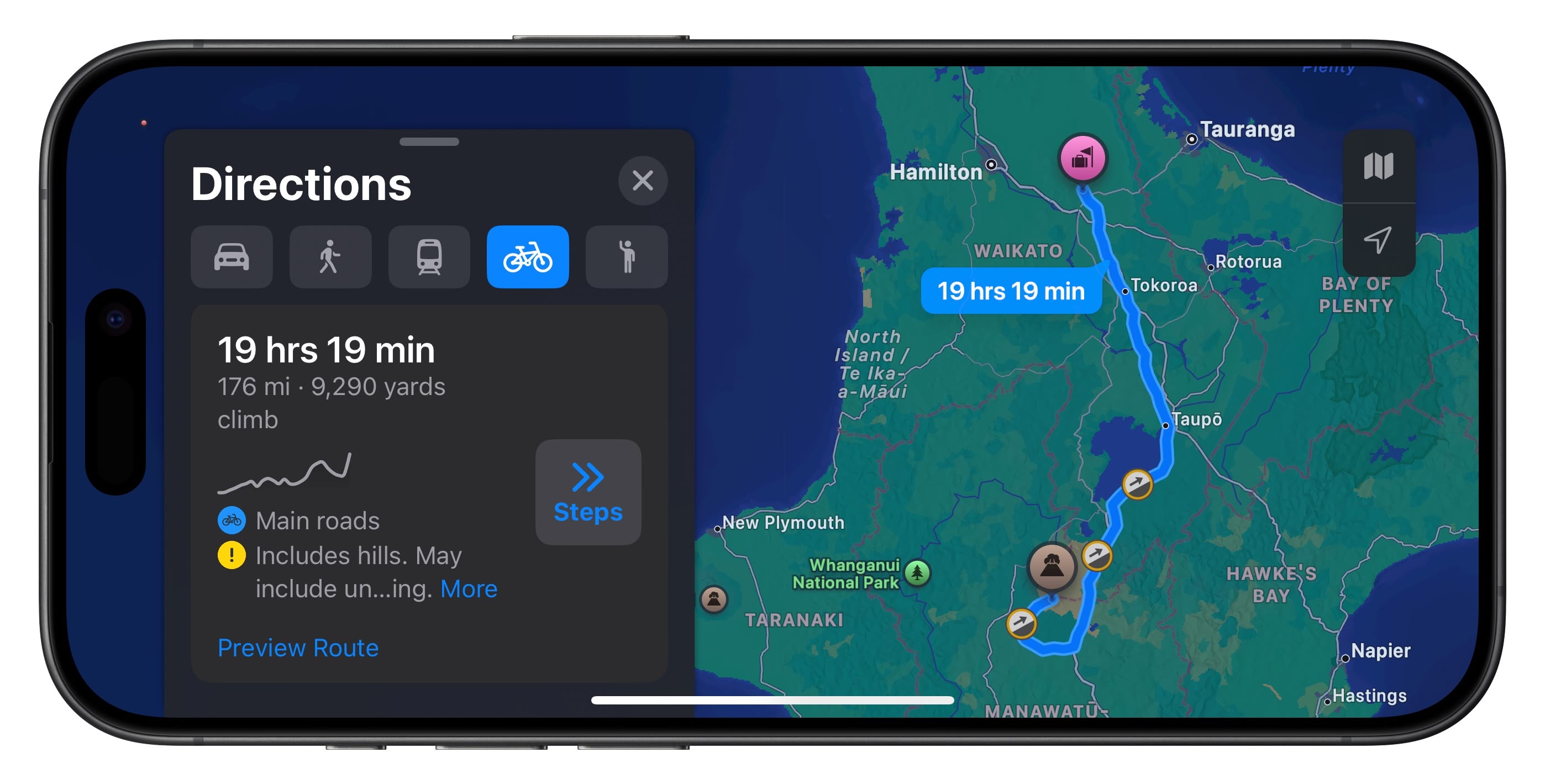
Apple Maps has expanded the availability of cycling routes in the southern hemisphere by adding support for New Zealand.
Apple first added cycling directions to Apple Maps in iOS 14, providing specific directions for bike riders with bike lanes, bike paths, and bike-friendly routes that highlight steep inclines, stairs, and other obstacles.
Prior to this expansion, cycling directions in Apple Maps were primarily available in select countries and major cities across North America, Europe, and parts of Asia. As for Oceania, the feature was previously limited to Australia, so the addition of New Zealand significantly enhances its coverage in the region.
maintains a list of all of the areas where cycling directions are available on its website, but New Zealand has not yet been added.
(Thanks, Josh!)
Tags: Apple Maps, New Zealand
This article, "Apple Maps Cycling Directions Expand to New Zealand" first appeared on MacRumors.com
Discuss this article in our forums
https://www.macrumors.com/2024/10/03/apple-maps-cycling-directions-new-zealand/
New Oura Ring 4 Features Slimmer Sensors and Improved Accuracy
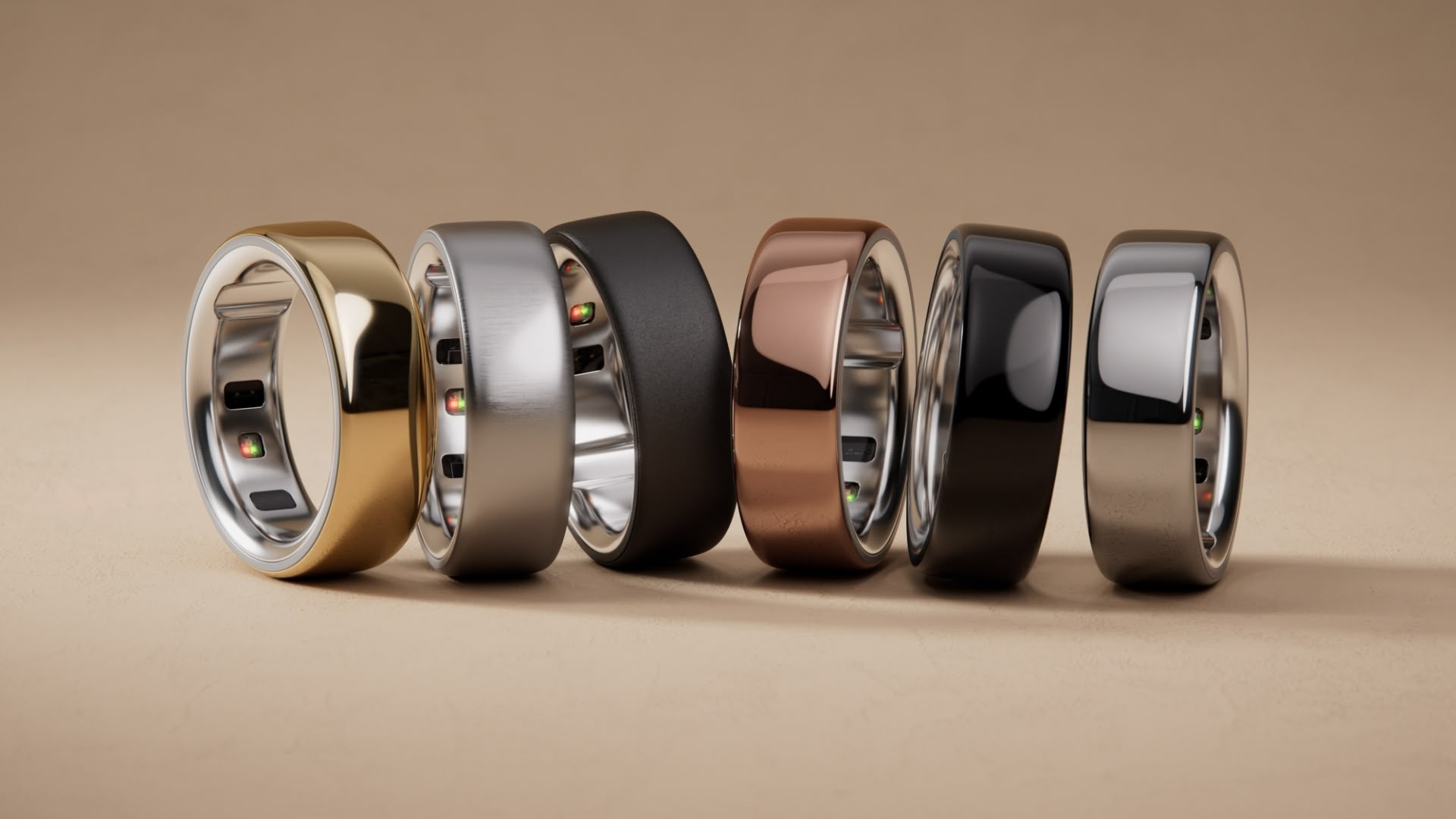
Oura today announced its latest smart ring, the all-titanium Oura Ring 4, featuring improved accuracy and a redesigned companion app.
The Oura Ring 4 introduces "Smart Sensing" technology, which the company claims enhances data accuracy by adapting to the specific contours of an individual's finger. This new algorithm reportedly improves blood oxygen sensing accuracy by 30% over the Oura Ring 3, and reduces gaps in heart rate tracking. The ring's sensors are also now recessed, which is said to provide a more comfortable fit for all-day wear.
The new wearable boasts a slimmer profile and expanded size options to cater to a wider range of users. There are now twelve sizes, ranging from 4 to 15. (Oura Ring 3 was limited to sizes 6 to 13.) The expanded size range comes as Oura reports a shift in its user demographics, with women in their 20s now representing its fastest-growing segment. The company says battery life has also been extended to up to eight days, depending on the size of the ring.
Alongside the hardware update, Oura has also overhauled its companion app with a new three-tab interface: Today, Vitals, and My Health. The redesign aims to simplify navigation and provide clearer insights into both daily and long-term health metrics. New features include automatic activity detection for over 40 activities, enhanced stress tracking, and a "Fertile Window" prediction tool for users trying to conceive.
Priced at $349, the Oura Ring 4 will be available in six colors: Gold, Rose Gold, Brushed Silver, Stealth, Black, and Silver. Shipping starts from October 15, but it's worth noting that Oura Ring 4 continues to be available via the company's controversial subscription model, with membership priced at $5.99 per month or $69.99 annually after the included one-month trial.
Apple Ring Rumors
Earlier this year when the first reports of Samsung's Galaxy Ring began to circulate, rumors about Apple's potential entry into the wearable ring market also started swirling. Several patents suggest Apple has explored the concept, and recent reports indicate that the company's industrial design team has presented a health-focused smart ring idea to executives.
Bloomberg's Mark Gurman in February said the ring could be a lower-cost alternative to the Apple Watch that could sync health and fitness data with a paired iPhone. However, Gurman at the time also said that active development was not underway, so it currently remains unclear if it will be released in the near-term, if indeed ever.
Tag: Apple Ring
This article, "New Oura Ring 4 Features Slimmer Sensors and Improved Accuracy" first appeared on MacRumors.com
Discuss this article in our forums
https://www.macrumors.com/2024/10/03/oura-ring-4-slimmer-sensors-improved-accuracy/
Here's What You Need for iPhone 16 Fast Charging via MagSafe or USB-C
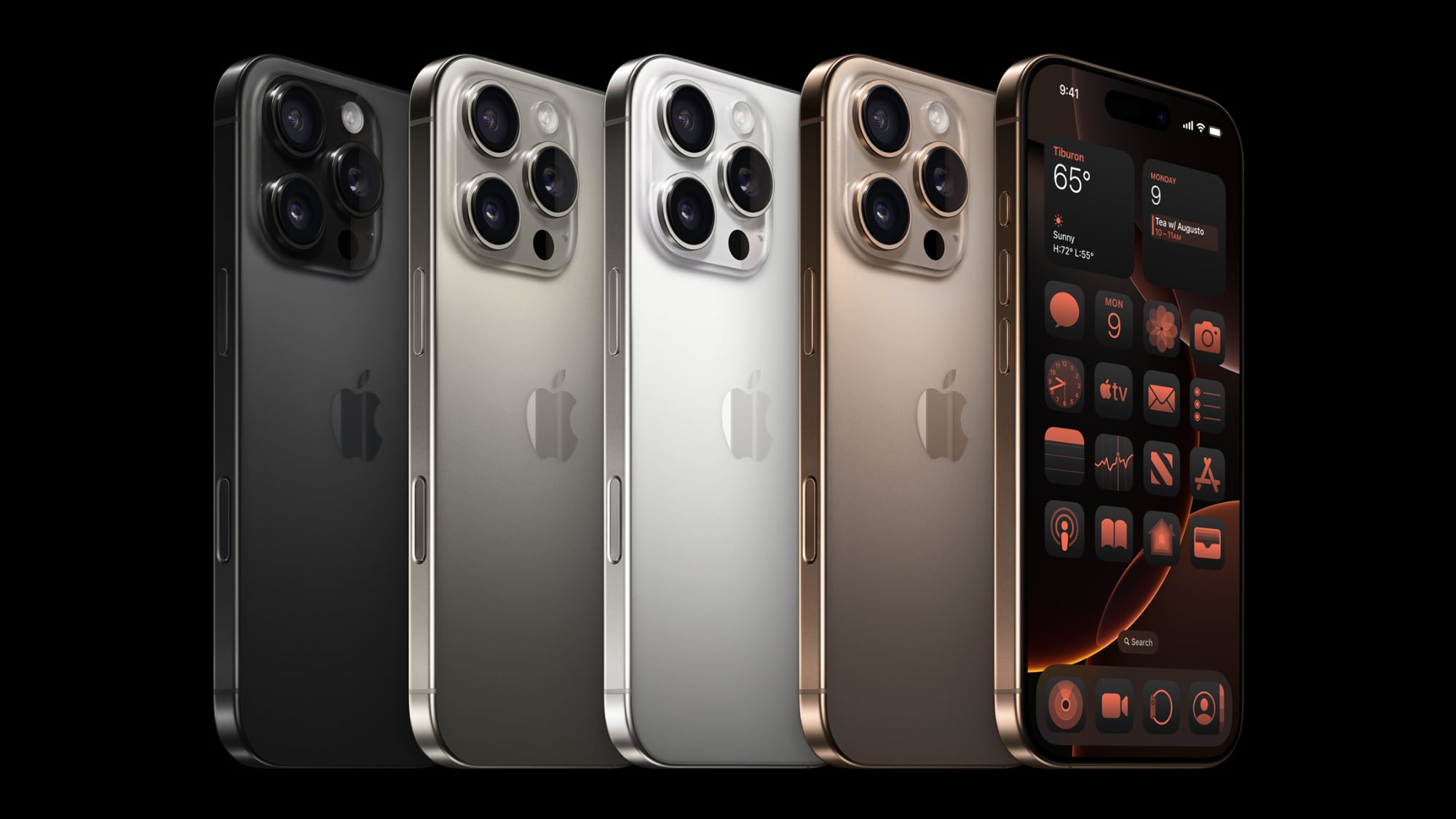
Now that Apple doesn't include power adapters with new iPhones, you have to supply your own, and it can be a little confusing figuring out what you need specifically to get the fastest charging speeds. Apple added another layer of complexity this year with upgraded MagSafe charging for the iPhone 16 models, a feature that also requires specific hardware.
USB-C
All of the iPhone 16 models can charge from 0 to 50 percent in approximately 30 minutes. You need Apple's $19 20W adapter or better for fast charging, and if you already had an iPhone that could fast charge, you probably have the hardware you need.
iPhones charge fastest when the battery is low, and then charging slows down, so you'll see the most rapid charging at lower battery levels.
support up to 45W charging, but testing from ChargerLAB has proven that to be inaccurate. Charging maxes out at 30W, which is similar to last year's iPhone 15 Pro charging speeds.
Some people have seen sporadic higher maximum charge levels over 30W, but that seems to happen only when you're playing a game or doing something else that drains battery quickly. The extra power boost seems to be aimed at making sure the iPhone 16 is able to maintain its fast charging speed even when it's using extra power. With prior iPhone models, charging would slow down if you were doing something that used up a lot of battery.
PhoneArena did a charging test and when playing a game, the iPhone 16 was able to charge at up to 39W for a short period of time while it had under 50 percent battery. In other tests where the iPhone wasn't in use, PhoneArena did not see charging speeds over 20W for the iPhone 16 or 27W for the iPhone 16 Pro.
PhoneArena and ChargerLAB didn't test charging speeds, so we did a quick test. An iPhone 16 Pro Max charged from 0 to 55 percent in 30 minutes with a 30W charger, and from 0 to 45 percent in 30 minutes with a 20W charger. A third test with a 140W charger saw the 16 Pro Max charge from 0 to 56 percent in 30 minutes. Tests all used the USB-C to USB-C cable that comes with the iPhone and Apple's power adapters.
For the iPhone 16 Pro models, it looks like you can get slightly faster charging speeds with a 30W or better charger, even though Apple only recommends a 20W or better charger for fast charging. Going over 30W doesn't seem to make much of a difference. The standard iPhone 16 models seem to max out at around 20W, so they don't need a 30W+ charger.
If you've already got a 20W charger and have an iPhone 16 Pro or Pro Max, there's no real reason to upgrade. You'll still hit close to 50 percent in 30 minutes with a 20W charger. If you're often charging while also playing games, or want to optimize you might want to consider investing in a 30W+ charger for faster sustained charging speeds.
Note that you can also use higher-watt chargers -- 20W is just the minimum for "fast" charging.
MagSafe
The iPhone 16 models can charge at up to 25W over MagSafe, up from 15W. 25W charging via MagSafe is also fast charging, so for the first time, the new iPhones can fast charge wirelessly.
To take advantage of the faster MagSafe charging, you need a 30W or higher power adapter, which Apple sells for $39. Of course, you can use a higher powered power source or a third-party power adapter as long as it delivers at least 30W.
You also need one of Apple's new MagSafe chargers, which were released alongside the new iPhone models.
$39 1m MagSafe Charger
$49 2m MagSafe Charter
Older MagSafe Chargers from Apple will not charge your iPhone 16 model at above 15W, nor will older third-party MagSafe chargers. If you have a MagSafe stand or multi-device charger from a company like Mophie or Belkin, it's now outdated and can't charge your new iPhone at its maximum wireless charging speed.
The new MagSafe Chargers from Apple will only charge the iPhone 16 models at 25W, and while you can use them with your older iPhones, charging will be limited to 15W.
Qi2 chargers are equivalent to the prior 15W MagSafe Charger and can only charge iPhone 16 models at 15W.
At a Glance
If you don't want to read the accessory explanation, here's what to buy for iPhone 16 fast charging:
USB-C for iPhone 16: 20W or better power adapter paired with the charging cable the iPhone came with. 30W is better for the fastest speeds, especially if you charge while using your iPhone.
USB-C for iPhone 16 Pro: A 30W or better power adapter will get you the best fast charging speed.
MagSafe: 30W or better power adapter paired with Apple's new $39 MagSafe Charger.
Bonus: Faster Data Transfers
If you want to transfer files from your iPhone 16 Pro to another device quickly, you're going to want to pick up a USB 3 cable for 10Gb/s transfer speeds.
Related Roundups: iPhone 16, iPhone 16 Pro
Buyer's Guide: iPhone 16 (Buy Now), iPhone 16 Pro (Buy Now)
This article, "Here's What You Need for iPhone 16 Fast Charging via MagSafe or USB-C" first appeared on MacRumors.com
Discuss this article in our forums
Gmail Gets Revamped Summary Cards for Events, Travel, Tracking Purchases and More
Google today announced an update for the summary card feature in Gmail, which is designed to provide helpful information at the top of incoming emails.
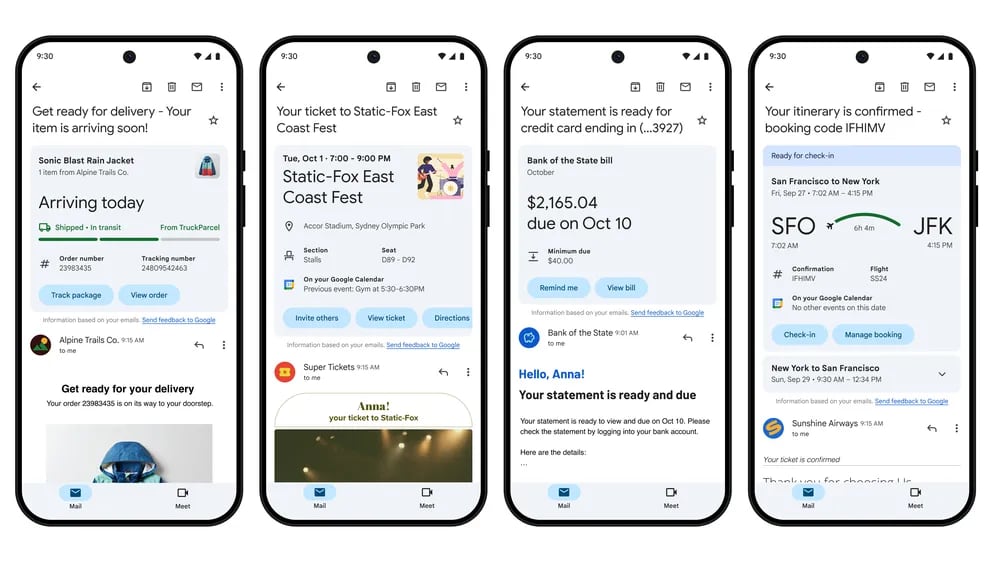
Summary cards have a new look for purchases, events, bill, and travel emails, with Google adding new action buttons. With these action buttons, Gmail users can do things like add an event to the calendar, or set a reminder to pay a bill.
Purchases - Summary cards will show tracking information for purchases and order details.
Events - Dinner reservations, concert tickets, and more will be highlighted, and there are options to add events to the calendar, invite others, and get directions.
Bills - Summary cards can show bills, with an option to get a reminder to pay or to add a due date in Google Tasks.
Travel - Users can manage reservations, check in for flights, and see important details like hotel checkout times.
Google says that it updated the summary card backend, so key information will be organized across all related emails and updated in real-time. Users can expect to see updates on incoming package deliveries, for example, thanks to the new dynamic version of summary cards.
Summary cards will be shown in additional places in Gmail, such as search and a new "Happening Soon" section. Happening Soon shows the estimated delivery date of incoming packages, and users will only see the section when there are deliveries. In the future, more types of summary cards will be shown in this section.
Tags: Gmail, Google
This article, "Gmail Gets Revamped Summary Cards for Events, Travel, Tracking Purchases and More" first appeared on MacRumors.com
Discuss this article in our forums
https://www.macrumors.com/2024/10/02/gmail-revamped-summary-cards/