
Apple Announces Swift Student Challenge Returns in February Ahead of WWDC 2025
Apple today announced that it will begin accepting submissions for the 2025 Swift Student Challenge in February for three weeks.
The annual Swift Student Challenge gives students the opportunity to showcase their coding skills and creativity by developing app playgrounds with Swift. Apple will once again select 350 winners based on "innovation, creativity, social impact, or inclusivity," and it said that 50 of those winners will be invited to spend three days at Apple Park in Cupertino, California next summer, with travel and lodging included.
This early announcement allows students to prepare for the Swift Student Challenge, which will be part of WWDC 2025 next year.
Swift Student Challenge page.
Related Forum: Apple, Inc and Tech Industry
This article, "Apple Announces Swift Student Challenge Returns in February Ahead of WWDC 2025" first appeared on MacRumors.com
Discuss this article in our forums
https://www.macrumors.com/2024/10/08/apple-announces-2025-swift-student-challenge/
Prime Day Introduces Best Prices We've Ever Seen on AirPods Pro 2, USB-C AirPods Max, and More
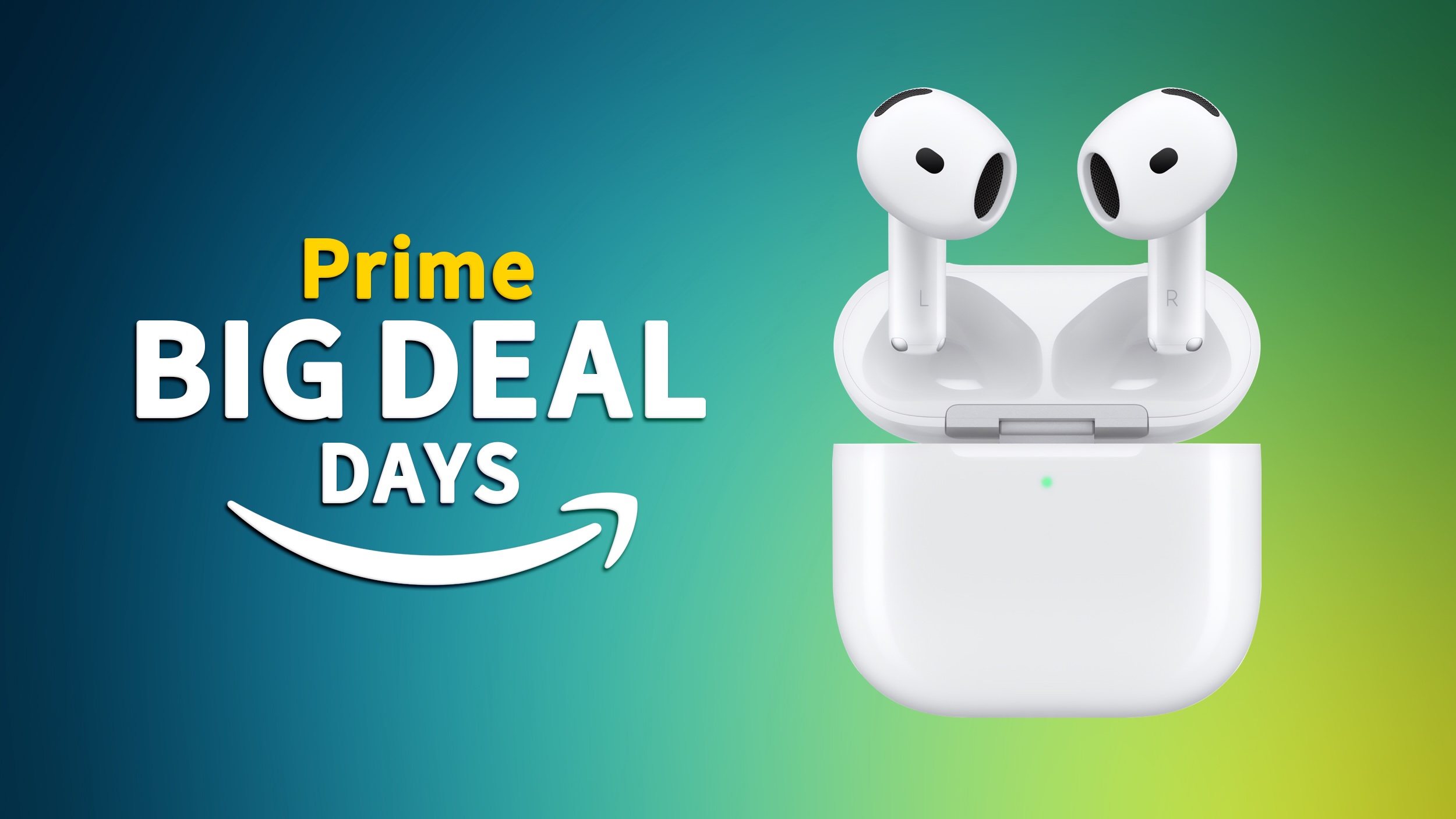
Prime Day kicked off earlier today, and it includes some of the best prices we've ever seen on multiple AirPods models. There's also a new record low price on the USB-C AirPods Max among the deals.
Note: MacRumors is an affiliate partner with Amazon. When you click a link and make a purchase, we may receive a small payment, which helps us keep the site running.
$168.99 today, down from $249.00. It's been a few months since we last tracked this deal for the AirPods Pro 2, and it's a great deal for the Pro-model AirPods.
$80 OFF
AirPods Pro 2 for $168.99
$394.99 and the brand new 2024 USB-C models for $499.99, both down from $549.00.
$155 OFF
AirPods Max (Lightning) for $394.99
$49 OFF
AirPods Max (USB-C) for $499.99
$129.99 ($39 off) and AirPods 4 for $119.00 ($10 off). In regards to the AirPods 3, this is a second-best price on the model.
$39 OFF
AirPods 3 for $129.99
$10 OFF
AirPods 4 for $119.00
Prime Day article has more information about the discounts on MacBooks, iPads, and more. If you're on the hunt for more discounts, be sure to visit our Apple Deals roundup where we recap the best Apple-related bargains of the past week.
Related Roundup: Apple Deals
Tag: Prime Day
This article, "Prime Day Introduces Best Prices We've Ever Seen on AirPods Pro 2, USB-C AirPods Max, and More" first appeared on MacRumors.com
Discuss this article in our forums
https://www.macrumors.com/2024/10/08/airpods-prime-day-best-prices/
The Best Prime Day Deals on AirPods, Apple Watch, and More
Amazon's Prime Big Deal Days event is in full swing today, offering customers the first chance to get some holiday shopping done early. Similar to the first Prime Day, it will last for two days (October 8-9) and you can find a large selection of deals across Amazon's storefront, covering savings on tech, clothing, video games, groceries, and much, much more.
Note: MacRumors is an affiliate partner with Amazon. When you click a link and make a purchase, we may receive a small payment, which helps us keep the site running.
For our coverage, we're focusing entirely on Apple and Apple-related discounts that can be purchased during this 48-hour event on Amazon. As of today, this includes deals on AirPods, Apple Watch, iPad, and MacBook Air.
As is typical for Prime Day deals, these markdowns are very time sensitive, so sales listed below may disappear fast, and new ones may appear even faster. With this in mind, we'll keep this article updated throughout the event, and keep an eye on the MacRumors front page as we'll be posting particularly great deals in separate articles this week.
Amazon Prime membership to take advantage of the discounts. Amazon Prime offers a one month free trial, and otherwise costs $14.99 per month or $139.00 per year.
AirPods
$119.00, as well as an all-time price of $168.99 price on the AirPods Pro 2.
$10 OFF
AirPods 4 for $119.00
$39 OFF
AirPods 3 for $129.99
$80 OFF
AirPods Pro 2 for $168.99
$155 OFF
AirPods Max (Lightning) for $394.99
$49 OFF
AirPods Max (USB-C) for $499.99
Apple Watch
SE
Apple's 40mm GPS Apple Watch SE is available for $169.99 today on Amazon, down from $249.00. This is an all-time low price on the wearable. This deal is available in all three aluminum color options, and only Amazon has the discount.
$79 OFF
Apple Watch SE (40mm GPS) for $169.99
$79 OFF
Apple Watch SE (44mm GPS) for $199.99
$199.99 on Amazon, down from $279.00. This is another best-ever price on the Apple Watch SE for Prime Day.
Ultra 2
Amazon has further discounted the Apple Watch Ultra 2 in Black this week. You can get a few models of the Black Titanium watch for $734.89, down from $799.00. This beats the sale price we tracked last week by about $15, and marks a new all-time low price for the Black Apple Watch Ultra 2.
$64 OFF
Apple Watch Ultra 2 (Black) for $734.89
Black Titanium Case with Dark Green Alpine Loop (S) and the Black Titanium Case with Dark Green Alpine Loop (M).
9th Gen iPad
$199.99 in both colors, down from $329.00. This is a match of the record low price on this version of the 2021 tablet, and it's a deal we haven't seen in a few weeks.
$129 OFF
9th Gen iPad (64GB Wi-Fi) for $199.99
10th Gen iPad
$299.00 in every color, down from $349.00. You can also get the 256GB Wi-Fi iPad for $447.00, down from $499.00. Both of these deals represent best-ever prices on the 10th generation iPad.
$50 OFF
10th Gen iPad (64GB Wi-Fi) for $299.00
$449.00 ($50 off), while the 256GB Cellular model is available for $598.00 ($51 off).
M4 iPad Pro
For the newest M4 iPad Pros, Amazon is offering up to $200 off select models of both the 11-inch and 13-inch iPad Pro. Deals are primarily focused on Wi-Fi models, but you can find a few cellular tablets on sale at this time as well. Many of these deals also require you to clip an on-page coupon to see the final deal price.
11-Inch
256GB Wi-Fi - $849.00 ($150 off)
512GB Wi-Fi - $1,049.00 ($150 off)
1TB Wi-Fi - $1,449.00 ($150 off)
1TB Wi-Fi with Nano-Texture Glass - $1,589.00 ($110 off)
2TB Wi-Fi - $1,840.00 ($156 off)
2TB Wi-Fi with Nano-Texture Glass - $1,949.00 ($150 off)
13-Inch
256GB Wi-Fi - $1,149.00 ($150 off)
512GB Wi-Fi - $1,349.00 ($150 off)
1TB Wi-Fi - $1,749.00 ($150 off)
1TB Wi-Fi with Nano-Texture Glass - $1,844.00 ($156 off)
2TB Wi-Fi - $2,099.00 ($200 off)
M2 MacBook Air
$749.00 in three colors, down from $999.00. For more storage, Amazon has the 512GB model of the same computer for $949.00, down from $1,199.00.
$250 OFF
13-inch M2 MacBook Air (256GB) for $749.00
$250 OFF
13-inch M2 MacBook Air (512GB) for $949.00
Although Apple updated the MacBook Air back in March, it kept these 13-inch M2 models around as a low-cost option for customers. This means that the M2 MacBook Air should be perfect for anyone who doesn't care about owning newest generation notebook, but would rather save money while still getting a reliable computer.
M3 MacBook Pro
$1,299.00. That's a $300 discount and the best price we've ever tracked, but you can also find a few other solid markdowns on more 14-inch MacBook Pros and 16-inch MacBook Pros at Amazon.
14-inch
M3 512GB - $1,299.00 ($300 off)
M3 1TB - $1,499.00 ($300 off)
M3 Pro 512GB - $1,699.00 ($300 off)
M3 Max 1TB - $2,899.00 ($300 off)
16-inch
M3 Max, 36GB RAM, 1TB - $2,999.00 ($500 off)
Apple Pencil
$99.00 and Apple Pencil Pro at $116.00.
$11 OFF
Apple Pencil USB-C for $67.00
$39 OFF
Apple Pencil 2 for $89.99
$31 OFF
Apple Pencil Pro for $98.00
Magic Keyboard
$273.99, down from $299.00. This is an all-time low price on the accessory.
$25 OFF
11-inch M4 iPad Pro Magic Keyboard for $273.99
$319.00 in Black and White, down from $349.00. These are also record low prices on the Magic Keyboard, and you'll find similar delivery estimates of mid October for these models.
$30 OFF
13-inch M4 iPad Pro Magic Keyboard for $319.00
MagSafe Charger
$32.78 and 2-meter model for $44.00. Although these discounts represent just a few dollars in savings, they are the first notable sales on the 2024 MagSafe Chargers and the best deals you'll find online right now.
$6 OFF
1-meter MagSafe Charger for $32.78
$5 OFF
2-meter MagSafe Charger for $44.00
The new MagSafe Chargers provide overall faster charging speeds with compatible iPhone models. When paired with a 30W power adapter, iPhone 16 models can charge at up to 25W wirelessly over MagSafe, which is 10W faster than a regular non-MagSafe Qi2 wireless charger.
Apple Studio Display
Amazon has $249 off the Apple Studio Display for Prime Day, starting at $1,347.00 for the standard glass option. For this model, this is a solid second-best price on the monitor.
$250 OFF
Apple Studio Display (standard glass) for $1,347.00
Deals Roundup has more information on the latest Apple-related sales and bargains.
Related Roundup: Apple Deals
Tag: Prime Day
This article, "The Best Prime Day Deals on AirPods, Apple Watch, and More" first appeared on MacRumors.com
Discuss this article in our forums
https://www.macrumors.com/2024/10/08/the-best-prime-day-deals-october-2024/
iOS 18: Send Messages Without a Wi-Fi or Cellular Connection
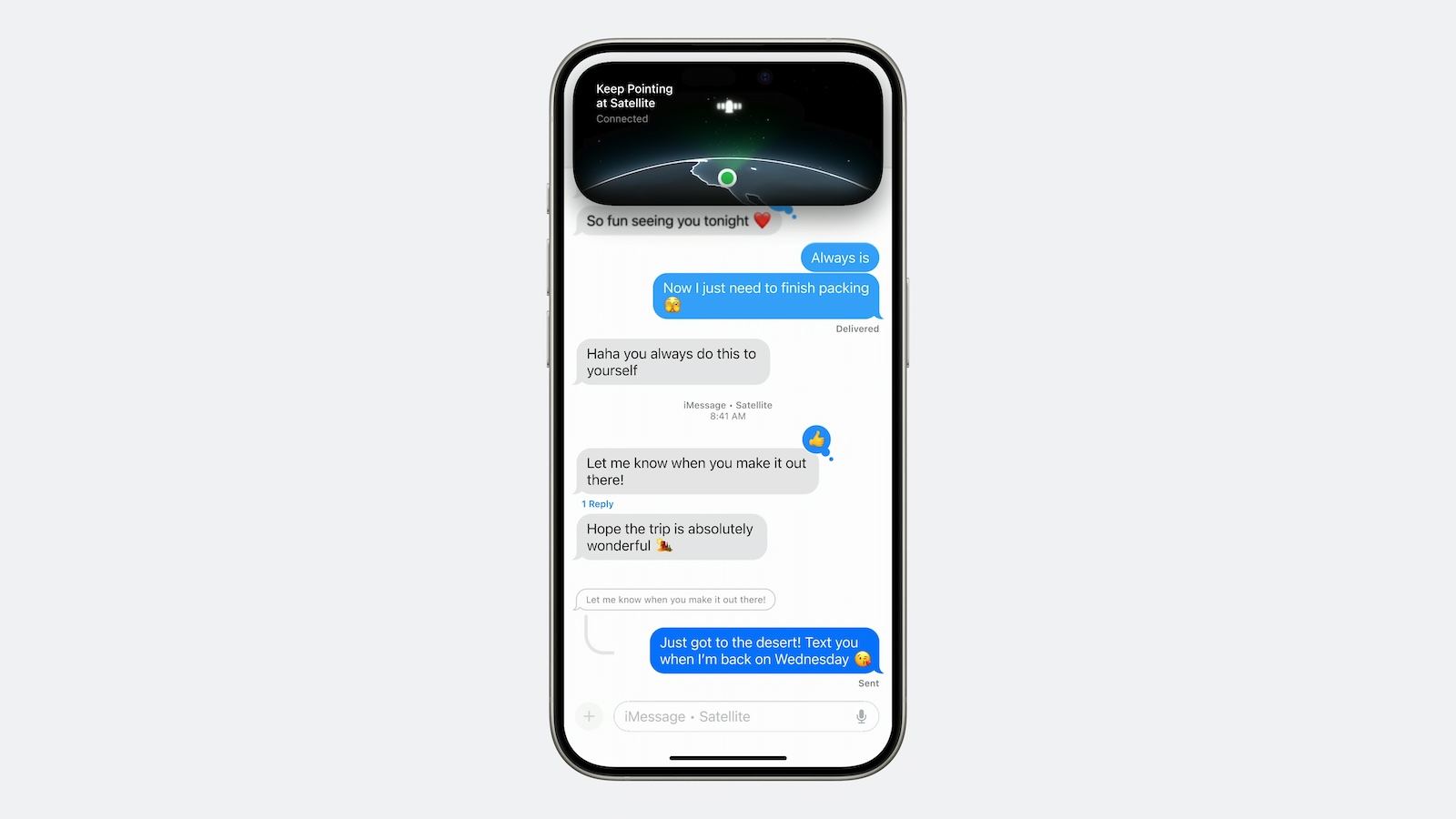
In iOS 18, Apple further enhanced its satellite connectivity features for iPhone users with the introduction of Messages via satellite. Keep reading to learn how it works.
Available to users in the United States using iPhone 14 models and newer, Messages via satellite enables users to exchange iMessages and SMS texts, including emoji and Tapbacks, through satellite connections when traditional networks are unavailable.
Apple is using the infrastructure that it set up for Emergency SOS via satellite for this feature, but you don't need to be in an emergency situation to use it, and the service is currently offered at no additional charge.
When an iPhone detects it's out of cellular or Wi-Fi range, it prompts users with an alert offering quick access to satellite-enabled services. These include Emergency SOS, Roadside Assistance, Find My, and Messages. Users can also access the feature directly from the Messages app when off the grid, with iOS providing on-screen guidance to help point the iPhone toward an available satellite.
iMessages sent via satellite are end-to-end encrypted. However, it's worth noting that while iMessage functionality is fully supported, SMS capabilities are more limited to prevent abuse from automated systems. Emergency contacts and designated family members can initiate SMS contact at any time, but for other contacts, the iPhone user must send the first satellite SMS to enable responses.
To familiarize yourself with this potentially life-saving feature, Apple has included a demo mode in iOS 18. You can access this demonstration by following these steps:
Open the Settings app on your iPhone.
Scroll down and tap Apps, then tap Messages.
Scroll down and tap Satellite Connection Demo.
This demo guides you through the process of establishing a satellite connection and sending messages, providing valuable practice for real-world scenarios and emergencies where the feature might be crucial.
Tags: Emergency SOS via Satellite, Messages
This article, "iOS 18: Send Messages Without a Wi-Fi or Cellular Connection" first appeared on MacRumors.com
Discuss this article in our forums
https://www.macrumors.com/how-to/send-messages-without-wi-fi-cellular-iphone/
MacBook Pro With M4 Chip May Support Up to Two External Displays
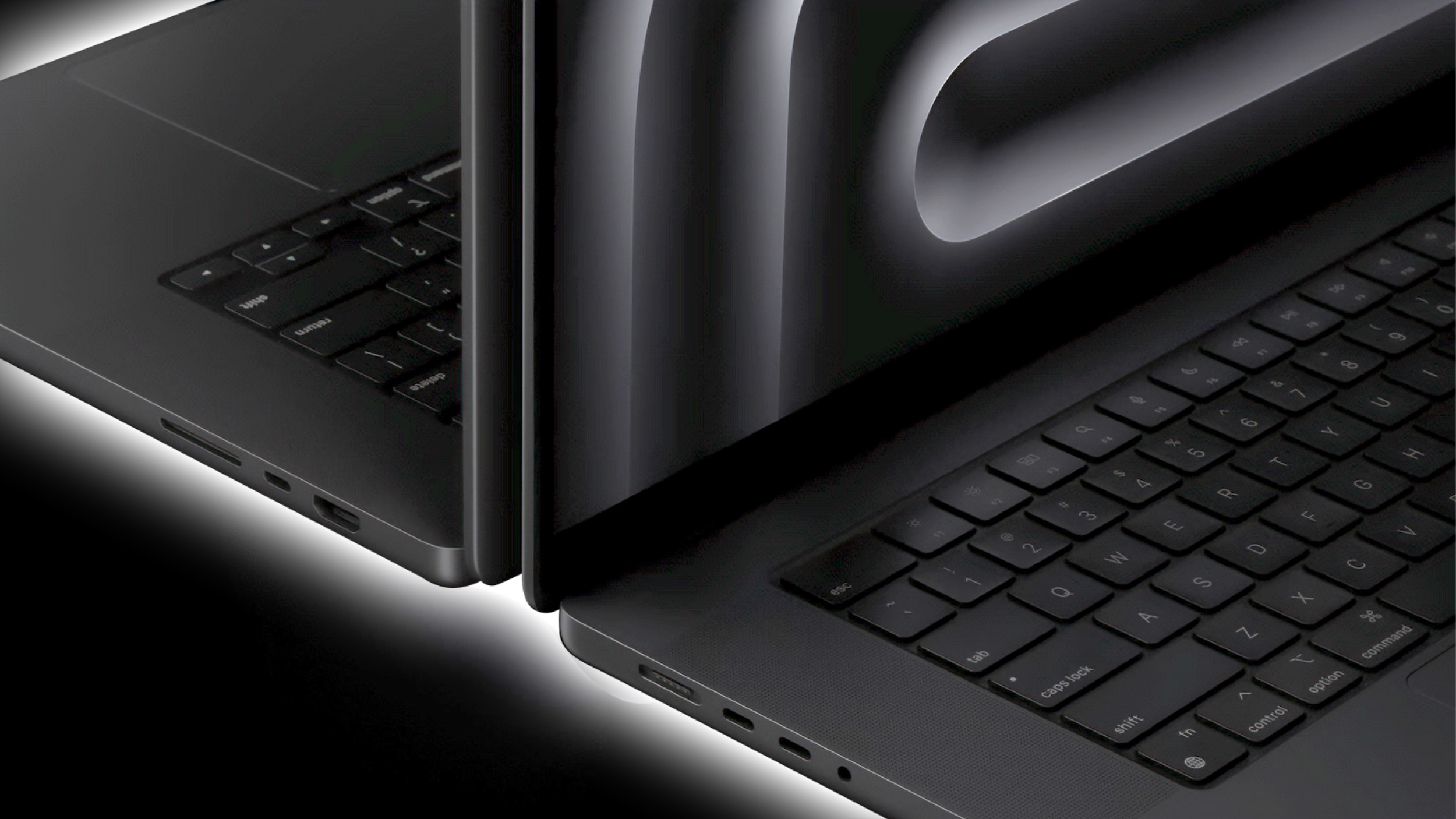
Apple's upcoming entry-level M4 14-inch MacBook Pro may be capable of supporting up to two external displays, up from one display supported in the current M3 model, if recent leaks are anything to go by.
Apple's existing M3 14-inch MacBook Pro comes with two Thunderbolt 3 USB-C ports, not three Thunderbolt 4 ports like the 14-inch and 16-inch MacBook Pro models powered by M3 Pro and M3 Max chips.
Apart from fewer USB-C ports, the lack of Thunderbolt 4 support on the 14-inch MacBook Pro with the base M3 chip means it only supports one display with up to 6K resolution at 60Hz (or one display with up to 4K resolution at 120Hz over HDMI).
alleged Russian leaks of Apple's unannounced 14-inch MacBook Pro with an M4 chip are reliable, the new M4 variant of Apple's entry-level 14-inch MacBook Pro will come with three Thunderbolt 4 ports, as opposed to the two Thunderbolt 3 / USB4 ports found on the current model. This would mean it can support two external displays instead of one.
While the upgrade from two TB3 ports to three TB4 ports has yet to be confirmed, such a change would better align the entry-level machine's capabilities with Apple's more powerful MacBook Pro models.
As a reminder, M3 Pro supports up to two external displays with up to 6K resolution at 60Hz over Thunderbolt. The M3 Pro-powered MacBook Pro models also support one external display with up to 6K resolution at 60Hz over Thunderbolt and one external display with up to 4K resolution at 144Hz over HDMI.
Meanwhile, the M3 Max supports up to four external displays in the following configuration: Up to three external displays with 6K resolution at 60Hz over Thunderbolt and one external display with up to 4K resolution at 144Hz over HDMI.
Alternatively, M3 Max MacBook Pro models can support up to three external displays by connecting two displays with 6K resolution at 60Hz over Thunderbolt and one display with up to 8K resolution at 60Hz, or one display with 4K resolution at 240Hz over HDMI.
Lastly, both the M3 Pro and M3 Max also support native DisplayPort over USB-C, and one display with up to 8K resolution at 60Hz or 4K resolution at 240Hz over HDMI.
rumored to be released on November 1.
Related Roundup: MacBook Pro 14 & 16"
Tag: Thunderbolt 4
Buyer's Guide: 14" & 16" MacBook Pro (Don't Buy)
Related Forum: MacBook Pro
This article, "MacBook Pro With M4 Chip May Support Up to Two External Displays" first appeared on MacRumors.com
Discuss this article in our forums
https://www.macrumors.com/2024/10/08/macbook-pro-m4-two-external-displays/
Need a Halloween Costume Idea? Ask Siri!
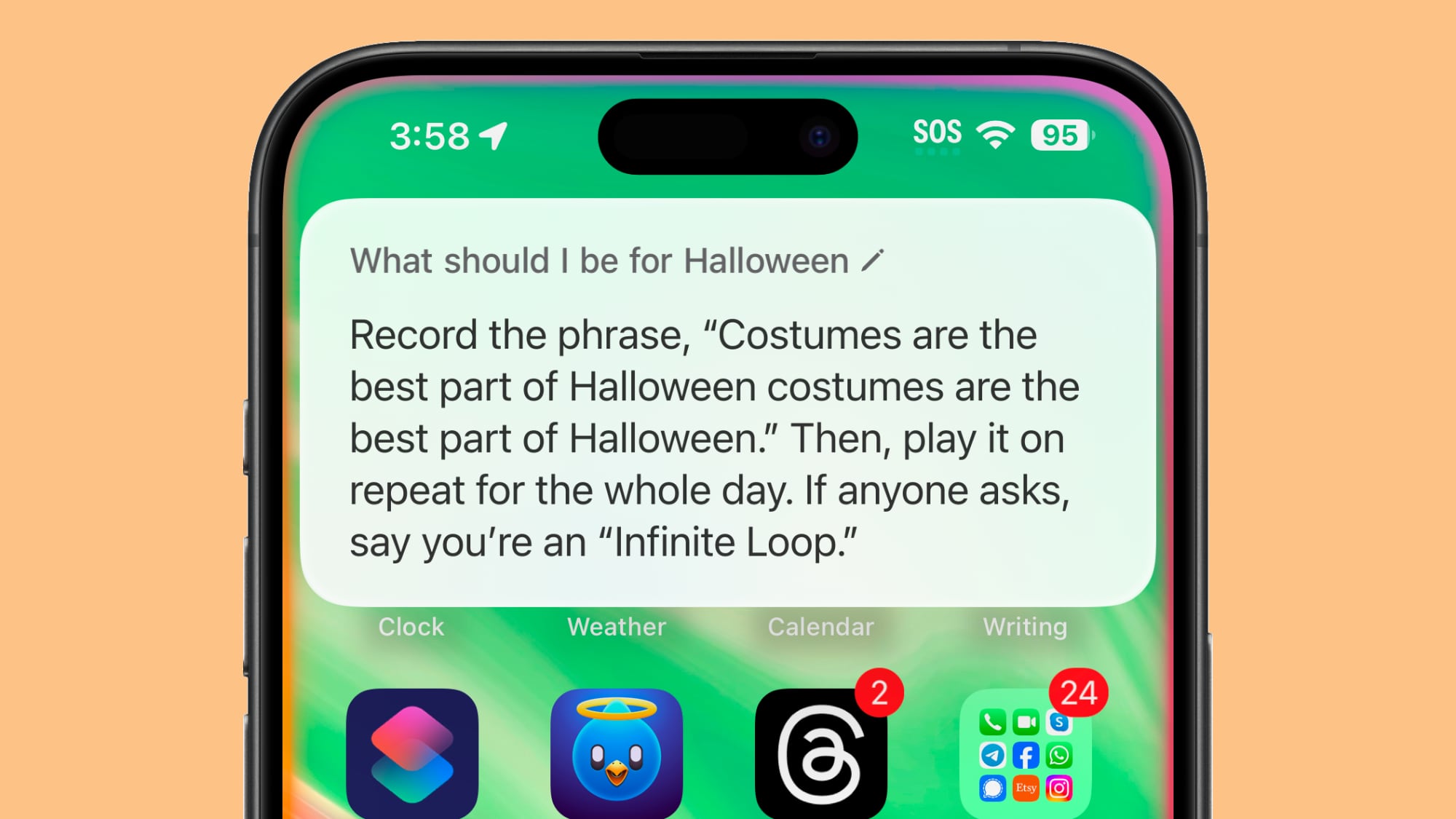
If you're looking for a silly Halloween costume idea, Siri has some suggestions for you. Apple's personal assistant is equipped with a long list of costume suggestions that are updated on a yearly basis.
Siri's suggestions often involve puns, some of which are clever and some of which are downright silly. Some of Siri's costume ideas:
Dress up like a cat, put on an eyepatch, and be Nick Furry.
If you wear a white sheet and draw tattoos all over your face, you'd be Ghost Malone.
You could be a disembodied voice. Oh no wait. That's kind of my thing.
Dress in yellow and white, then put on some little red horns, and be a deviled egg.
Jump up and down, over and over, and shake your fist. You can tell people you're antigravity.
Asking Siri for a Halloween costume idea is a feature that's been around for almost a decade now, but it's easy to forget the option exists, and there are also typically new costume suggestions to see each year.
In addition to suggesting Halloween costumes, Siri can also read a selection of Halloween poems to you.
Siri can give costume suggestions on iOS 17, iOS 18, and earlier versions of iOS, as well as macOS and Apple Watch.
Tag: Siri
This article, "Need a Halloween Costume Idea? Ask Siri!" first appeared on MacRumors.com
Discuss this article in our forums
https://www.macrumors.com/2024/10/07/siri-halloween-costume-ideas-2024/
Everything New in iOS 18.1 Beta 6
We're nearing the end of the iOS 18.1 beta testing process, but Apple is continuing to make tweaks to refine built-in features ahead of when the software launches. With testing winding down, there are fewer new additions, but Apple has made changes worth noting. The new beta is available for both developers and public beta testers.
Control Center
In the Control Center, Apple has added new separate toggles for Satellite and AirDrop, so these can be added to Control Center setups as individual buttons for the first time.
Prior to now, Satellite and AirDrop were only accessible through the all-in-one Connectivity control. With these additions, there are separate Control Center options for all of the following connectivity features:
Airplane Mode
Cellular Data
Personal Hotspot
AirDrop
Bluetooth
Satellite
VPN
Wi-Fi
Apple has also added new Measure and Level controls to the Control Center. Measure opens up the Measure app, while Level opens up the Measure app to the included Level feature.
Notification Summaries
The Notification Summary feature that is part of Apple Intelligence includes a minor update in the latest beta. When you have a notification stack with a count on it on the Lock Screen, the number now takes on the color of your wallpaper.
Apple Music
Apple Music now has an option to share Apple Music songs directly on TikTok. To do so, tap on Share Song and then choose TikTok from the list of apps.
Sleep Apnea Detection
If you've been running iOS 18.1 since before the Apple Watch Series 10 models came out, the sixth beta of iOS 18.1 finally adds support for sleep apnea detection and breathing disturbances readings.
After updating to iOS 18.1, you can go to the Health app and search for Breathing Disturbances to find the setting to turn on sleep apnea alerts. Sleep apnea notifications won't be sent until the Apple Watch has collected at least 10 days of Breathing Disturbance information, according to Apple. Data is analyzed every 30 days, and an alert is sent at that point.
Data for sleep apnea detection and Breathing Disturbance information is not collected until the update is installed and sleep apnea alerts are turned on.
iOS 18 update, but people who were running the betas were never able to download the software that added alerts back in September.
Wallet App
In the Wallet app, if you have an Apple Card and your Daily Cash goes to a savings account, you'll no longer see the savings account balance on the main Apple Card screen. Instead, you can tap on the savings button to get your current account balance.
Camera Control
On the iPhone 16 models, if you hold down the Camera Control button with a light press, you will now see a bar underneath the adjustment options. It's not clear what the bar is for, but perhaps it's meant to let users know that more options are available with a swipe.
Apple Intelligence Splash Screens
With the launch of iOS 18.1 creeping closer, there are now splash screens introducing the new Apple Intelligence features in many apps. In Mail, for example, Apple highlights Message Summaries, Priority Messages, and Smart Replies. In the App Store app, the splash screen lets users know that natural language search is available in the App Store and Apple Arcade.
Release Date
According to Bloomberg's Mark Gurman, Apple plans to release iOS 18.1 on Monday, October 28.
Related Roundups: iOS 18, iPadOS 18
Related Forums: iOS 18, iPadOS 18
This article, "Everything New in iOS 18.1 Beta 6" first appeared on MacRumors.com
Discuss this article in our forums
https://www.macrumors.com/2024/10/07/everything-new-in-ios-18-1-beta-6/
Mac M4 Chip Performance Unveiled in First Benchmarks
Apple is planning to launch the first M4 Macs in early November, and new benchmarks for one of the upcoming models surfaced on Geekbench, giving us some insight into how the M4 Mac will perform compared to the M4 iPad Pro and prior-generation M3 Macs.
The "Mac16,1" that was benchmarked features a 10-core CPU and it earned a single-core score of 3864 and a multi-core score of 15288.
Comparatively, the base M4 iPad Pro with 9-core CPU has an aggregate single-core score of 3647, and a multi-core score of 13135. The iPad Pro models have either a 9-core CPU or a 10-core CPU depending on storage capacity, and 10-core models have higher multi-core scores of around 14500 on Geekbench.
iMac, for example, has a single-core score of 3048, and a multi-core score of 11708.
In the iPad Pro, Apple said the M4 was up to 25 percent faster than the M3, and M4 performance in Macs will be the same or better. Note that this is just one benchmark, so there will be some variability in scores when the machines are actually released.
Metal score of 57603. The M4 iPad Pro has a Metal score of 53374. The M4 Macs will likely perform a little bit better due to thermal differences, but again, there is variance in scores.
Mac mini and 14-inch MacBook Pro models. We are also expecting to see M4 Pro and M4 Max chips for the higher-end MacBook Pro and Mac mini models, and benchmark results for those machines have not yet surfaced. The M3 chip had a Metal score of 47414, suggesting GPU performance will improve around 20 percent year-over-year.
Tag: M4
This article, "Mac M4 Chip Performance Unveiled in First Benchmarks" first appeared on MacRumors.com
Discuss this article in our forums
https://www.macrumors.com/2024/10/07/m4-mac-chip-benchmarks/
Apple Potentially Facing Worst Leak Since iPhone 4 Was Left in a Bar
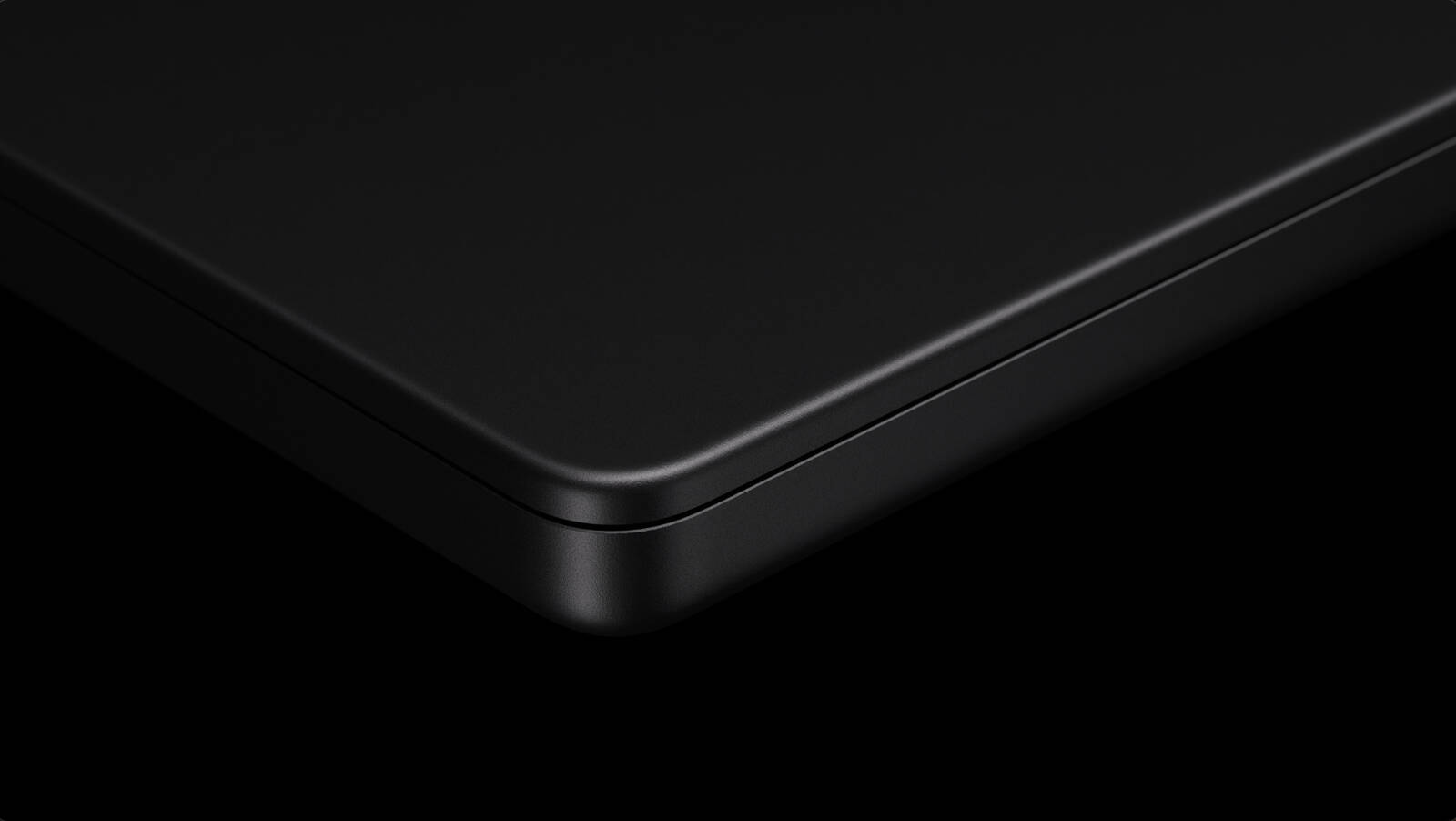
Alleged photos and videos of an unannounced 14-inch MacBook Pro with an M4 chip continue to surface on social media, in what could be the worst product leak for Apple since an employee accidentally left an iPhone 4 prototype at a bar in California in 2010.
The latest video of what could be a next-generation MacBook Pro was shared on YouTube Shorts today by Russian channel Romancev768, just one day after another Russian channel shared a similar video. The clip shows a box for a 14-inch MacBook Pro that is apparently configured with an M4 chip with a 10-core CPU and a 10-core GPU, 16GB of RAM, 512GB of storage, three Thunderbolt 4 ports, and a Space Black finish.
According to the "About This Mac" software menu shown in the video, the MacBook Pro in the video is allegedly an unreleased November 2024 model.
previously rumored. A third Thunderbolt 4 port would also be an upgrade for the base model, as the current entry-level 14-inch MacBook Pro is equipped with only two Thunderbolt 3 ports. Last, Space Black would be a new color option for the entry-level 14-inch MacBook Pro, as the base model is currently only offered in Space Gray and Silver.
All other specifications listed on the box are familiar, including the display size and resolution, and other ports like MagSafe 3, HDMI, and an SD card slot. In addition, the 14-inch MacBook Pro does not appear to have any noticeable design changes.
Alleged box for 14-inch MacBook Pro with M4 chip
Photos of this alleged MacBook Pro box were first shared by the leaker "ShrimpApplePro" on social media platform X last week. At the time, the authenticity of the photos was debated, particularly because the box reuses the same MacBook Pro graphic that appears on the current-generation MacBook Pro boxes. The two unboxing videos increase the likelihood of these leaks being legitimate, but there is no definitive proof.
claimed that at least one of the unannounced 14-inch MacBook Pro units was apparently being offered for sale in a private Facebook group. In a follow-up post on X on Sunday, the leaker claimed that he saw someone online who was apparently advertising 200 of the unannounced 14-inch MacBook Pro units for sale, leading him to believe this leak originates from a warehouse. It is unclear if these details are accurate, but this whole situation is clearly very sketchy.
Even if these leaks are fake, some of the specifications shown are likely accurate regardless. For example, the M4 chip already debuted in the iPad Pro earlier this year, and from that we know that the chip is indeed available with up to a 10-core CPU.
Bloomberg's Mark Gurman on Sunday said that he expects Apple to announce the first Macs with the M4 series of chips around the end of October, including a 14-inch MacBook Pro with the M4 chip, higher-end 14-inch and 16-inch MacBook Pro models with M4 Pro and M4 Max chips, a redesigned Mac mini with M4 and M4 Pro chips, and an iMac with the M4 chip. He said Apple plans to release "at least some" of these Macs on Friday, November 1.
likely hold an October event this year to announce the new Macs, similar to how it introduced the current MacBook Pro and iMac models with M3 chips during a virtual event on October 30 last year. Apple has yet to announce an October event this year, however, and press releases are always possible instead.
Gizmodo obtained and shared photos of an iPhone 4 prototype that a then-employee of the company accidentally left behind at a bar in California. In that case, Apple got law enforcement involved, but how it acts this time around remains to be seen.
Related Roundup: MacBook Pro 14 & 16"
Buyer's Guide: 14" & 16" MacBook Pro (Don't Buy)
Related Forum: MacBook Pro
This article, "Apple Potentially Facing Worst Leak Since iPhone 4 Was Left in a Bar" first appeared on MacRumors.com
Discuss this article in our forums
https://www.macrumors.com/2024/10/07/apple-potentially-facing-worst-leak-since-iphone-4/
iFixit Shares Apple Watch Series 10 Teardown
Repair site iFixit today disassembled the 46mm Apple Watch Series 10, giving us a look at the components inside Apple's thinnest Apple Watch to date.
Apple used an enclosed case for the Series 10, a move that allowed for a the thinner design without impacting the sensor lens assembly. Tolerances in the Apple Watch are super tight, which makes it difficult to get into.
iPhone 16 models, that's not the case in the Apple Watch, and it uses traditional adhesive.
iFixit took a close up look at the OLED display, and there wasn't a noticeable difference between the Series 9 and the Series 10. Apple tweaked the Series 10 display to allow for wider viewing angles, but it's not a feature that can be seen internally.
Related Roundup: Apple Watch 10
Buyer's Guide: Apple Watch (Buy Now)
This article, "iFixit Shares Apple Watch Series 10 Teardown" first appeared on MacRumors.com
Discuss this article in our forums
https://www.macrumors.com/2024/10/07/ifixit-shares-apple-watch-series-10-teardown/
Apple Tweaks Screen Recording App Permissions to Decrease Popup Frequency in macOS Sequoia 15.1
With macOS Sequoia, Apple is requiring users to regularly reauthorize permissions for screen recording apps, but you may not have to do it quite as often with a change that's being implemented in macOS Sequoia 15.1.
In the release notes for the sixth beta of the macOS Sequoia 15.1 update, Apple says that users aren't going to see as many popups for apps they regularly use.
Applications using our deprecated content capture technologies now have enhanced user awareness policies. Users will see fewer dialogs if they regularly use apps in which they have already acknowledged and accepted the risks.
During the macOS Sequoia beta testing process, Apple was showing permission popups for screen recording apps on a weekly basis, which people quickly got tired of. The permission setting was tweaked to show a popup only once per month prior to when macOS Sequoia launched, but now users will see fewer popups once they've given an app they use on a regular basis screen recording permissions.
The prompt that Apple shows is designed to remind users that apps are able to record screen and system audio, including sensitive information.
[App Name] is requesting to bypass the system private window picker and directly access your screen and audio. This will allow [App Name] to record your screen and system audio, including personal or sensitive information that may be visible or audible.
There is no option to remove the popup permanently, but macOS Sequoia 15.1 may make the frequency of the popup more bearable for those who use screen recording apps on a daily basis. macOS Sequoia 15.1 is expected to see a release on Monday, October 28.
Related Roundup: macOS Sequoia
Related Forum: macOS Sequoia
This article, "Apple Tweaks Screen Recording App Permissions to Decrease Popup Frequency in macOS Sequoia 15.1" first appeared on MacRumors.com
Discuss this article in our forums
https://www.macrumors.com/2024/10/07/apple-screen-recording-popup-update/
Apple Tweaks Screen Recording App Permissions to Decrease Popup Frequency in macOS Sequoia 15.1
With macOS Sequoia, Apple is requiring users to regularly reauthorize permissions for screen recording apps, but you may not have to do it quite as often with a change that's being implemented in macOS Sequoia 15.1.
In the release notes for the sixth beta of the macOS Sequoia 15.1 update, Apple says that users aren't going to see as many popups for apps they regularly use.
Applications using our deprecated content capture technologies now have enhanced user awareness policies. Users will see fewer dialogs if they regularly use apps in which they have already acknowledged and accepted the risks.
During the macOS Sequoia beta testing process, Apple was showing permission popups for screen recording apps on a weekly basis, which people quickly got tired of. The permission setting was tweaked to show a popup only once per month prior to when macOS Sequoia launched, but now users will see fewer popups once they've given an app they use on a regular basis screen recording permissions.
The prompt that Apple shows is designed to remind users that apps are able to record screen and system audio, including sensitive information.
[App Name] is requesting to bypass the system private window picker and directly access your screen and audio. This will allow [App Name] to record your screen and system audio, including personal or sensitive information that may be visible or audible.
There is no option to remove the popup permanently, but macOS Sequoia 15.1 may make the frequency of the popup more bearable for those who use screen recording apps on a daily basis. macOS Sequoia 15.1 is expected to see a release on Monday, October 28.
Related Roundup: macOS Sequoia
Related Forum: macOS Sequoia
This article, "Apple Tweaks Screen Recording App Permissions to Decrease Popup Frequency in macOS Sequoia 15.1" first appeared on MacRumors.com
Discuss this article in our forums
https://www.macrumors.com/2024/10/07/apple-screen-recording-popup-update/
Apple Adds 9 New Features to iCloud Website
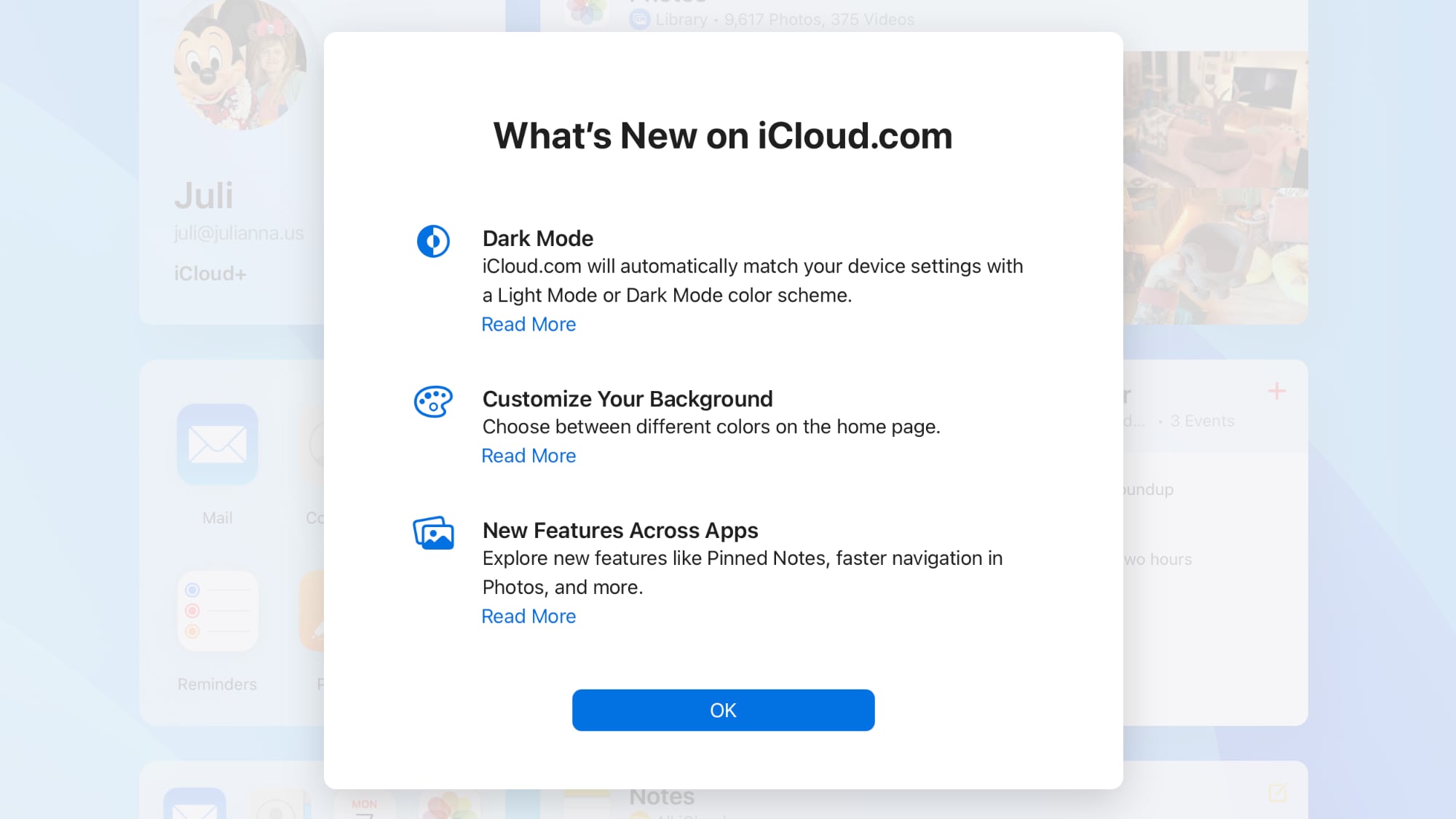
Apple today updated its iCloud.com website, which is the way you can access your iCloud apps and settings from any web browser. With today's refresh, iCloud.com supports some of the features that have previously been introduced in iOS.
There's now a Dark Mode option that will match your Mac's Light Mode or Dark Mode color scheme, plus a customizable homepage where you can select different colors for your background.
Photos app, and a Shared View for iCloud Drive. Apple has a full list of what's new when you log into iCloud.com. Here's the list:
Dark Mode
Customizable background
A refreshed design for the Calendar app and support for Hijri calendar.
Shared View for iCloud Drive that shows files that have been shared with you.
Option to jump to a month or year in Photos by clicking the calendar icon.
Option to modify date, time, and location of a photo from the info pane.
Option to display an album in the Photos tile on the iCloud.com homepage.
Important notes can be pinned to the top of the list in the iCloud Notes app.
In Reminders, new lists can be created and recurring reminders can be completed.
Tag: iCloud
Related Forum: Apple Music, Apple Pay/Card, iCloud, Fitness+
This article, "Apple Adds 9 New Features to iCloud Website" first appeared on MacRumors.com
Discuss this article in our forums
https://www.macrumors.com/2024/10/07/apple-icloud-website-update-october/
Google Ordered to Support Alternative App Stores and Payment Methods in Play Store
Epic Games has successfully forced Google to change its Play Store business model following the conclusion of a 2020 antitrust lawsuit. A U.S. judge today decided that the Google Play Store has an illegal monopoly, and Google has been ordered make multiple changes as a result, reports Reuters.
Google will need to allow Android users to download rival app stores like the Epic Games Store from within Google Play, plus it is required to allow third-party app stores to distribute Google Play apps, unless developers opt out of providing their apps through the alternative app stores.
Further, Google can no longer require developers to use Google Pay Billing for apps that are sold through the Google Play Store, which means that app developers will be able to offer alternative payment methods that do not give Google a cut of app sales.
Developers will also be able to link to alternative installation options in their apps, and will be able to let customers know about other ways to make purchases. Google is prohibited from offering carriers and device makers a financial incentive to preinstall the Play Store, and it is not able to offer developers money to launch their apps exclusively on the Play Store.
Google can, however, charge a fee for "reasonable measures" that are implemented to preserve user safety and security related to apps and app stores downloaded through Google Play.
ruled in Epic Games' favor, and said that Google had abused its power by charging developers unreasonable fees and operating an app store monopoly. While Google said that changes to the Play Store would be a hardship due to the time and money required, the judge overseeing the case was not swayed.
Google has to keep these changes in place for three years, starting on November 1, 2024. Google plans to appeal the ruling.
another Epic Games lawsuit, which was filed last week. Epic Games accused Google and Samsung of colluding to prevent sideloading on Galaxy devices through the Auto Blocker safety feature, though Epic Games CEO Tim Sweeney has confirmed that there is as of now no proof that the two companies worked together to limit sideloading on Samsung smartphones.
Tags: Android, Epic Games, Google
This article, "Google Ordered to Support Alternative App Stores and Payment Methods in Play Store" first appeared on MacRumors.com
Discuss this article in our forums
https://www.macrumors.com/2024/10/07/google-alternative-app-store-support-android/
Google Ordered to Support Alternative App Stores and Payment Methods in Play Store
Epic Games has successfully forced Google to change its Play Store business model following the conclusion of a 2020 antitrust lawsuit. A U.S. judge today decided that the Google Play Store has an illegal monopoly, and Google has been ordered make multiple changes as a result, reports Reuters.
Google will need to allow Android users to download rival app stores like the Epic Games Store from within Google Play, plus it is required to allow third-party app stores to distribute Google Play apps, unless developers opt out of providing their apps through the alternative app stores.
Further, Google can no longer require developers to use Google Pay Billing for apps that are sold through the Google Play Store, which means that app developers will be able to offer alternative payment methods that do not give Google a cut of app sales.
Developers will also be able to link to alternative installation options in their apps, and will be able to let customers know about other ways to make purchases. Google is prohibited from offering carriers and device makers a financial incentive to preinstall the Play Store, and it is not able to offer developers money to launch their apps exclusively on the Play Store.
Google can, however, charge a fee for "reasonable measures" that are implemented to preserve user safety and security related to apps and app stores downloaded through Google Play.
ruled in Epic Games' favor, and said that Google had abused its power by charging developers unreasonable fees and operating an app store monopoly. While Google said that changes to the Play Store would be a hardship due to the time and money required, the judge overseeing the case was not swayed.
Google has to keep these changes in place for three years, starting on November 1, 2024. Google plans to appeal the ruling.
another Epic Games lawsuit, which was filed last week. Epic Games accused Google and Samsung of colluding to prevent sideloading on Galaxy devices through the Auto Blocker safety feature, though Epic Games CEO Tim Sweeney has confirmed that there is as of now no proof that the two companies worked together to limit sideloading on Samsung smartphones.
Tags: Android, Epic Games, Google
This article, "Google Ordered to Support Alternative App Stores and Payment Methods in Play Store" first appeared on MacRumors.com
Discuss this article in our forums
https://www.macrumors.com/2024/10/07/google-alternative-app-store-support-android/
Latest iOS 18.1 Beta Adds Sleep Apnea Alerts and Breathing Disturbance Readings
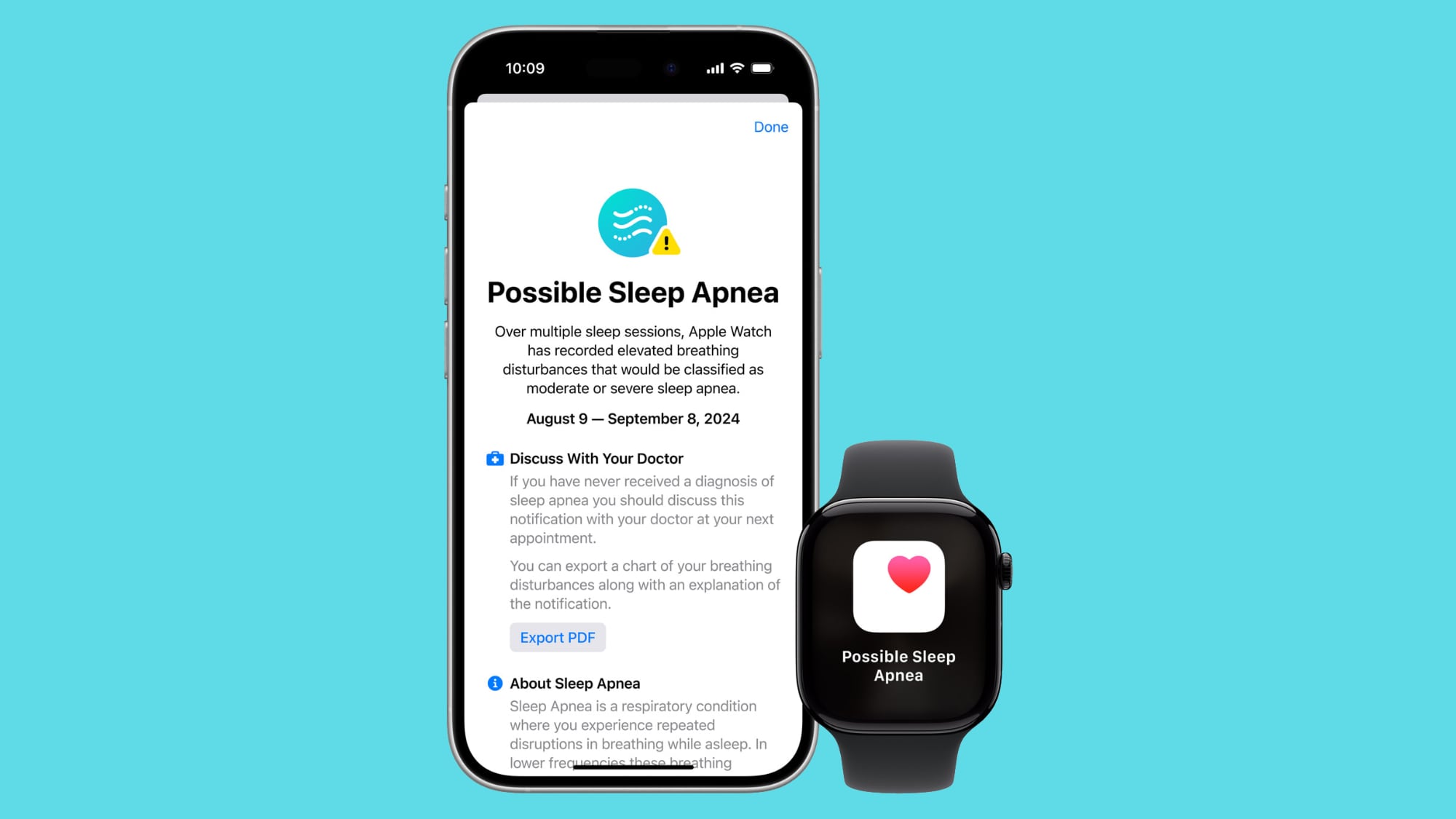
With the sixth beta of iOS 18.1 and the fourth beta of watchOS 11.1, Apple has finally added support for sleep apnea on iPhones that have been running the iOS 18.1 beta since before the Apple Watch Series 10 launched.
Sleep apnea alerts were introduced with iOS 18 and watchOS 11 on the Apple Watch Series 10, Apple Watch Series 9, and Apple Watch Ultra 2, but those running iOS 18.1 and watchOS 11.1 never got the iOS 18 and watchOS 11 updates that added the feature, which means it has been missing for many beta testers until now.
If you've been running the iOS 18.1 and watchOS 11.1 betas and haven't been able to use the sleep apnea alert feature, it will be available after updating. Note that this is only relevant to people who did not previously have sleep apnea available in the beta.
After updating, you will need to set up sleep apnea notifications, which can be done in the Health app. You will need to answer questions about your age and whether you've previously been diagnosed with sleep apnea in order to turn the feature on.
This article, "Latest iOS 18.1 Beta Adds Sleep Apnea Alerts and Breathing Disturbance Readings" first appeared on MacRumors.com
Discuss this article in our forums
https://www.macrumors.com/2024/10/07/ios-18-1-beta-6-sleep-apnea/
Apple Seeds Sixth Developer Beta of macOS Sequoia 15.1
Apple today provided developers with the sixth beta of an upcoming macOS Sequoia 15.1 beta, with the new update coming two weeks after Apple released the fifth beta.
Registered developers can opt-in to the macOS Sequoia beta through the Software Update section of the System Settings app. An Apple ID associated with an Apple Developer account is required to get the beta.
first Apple Intelligence features, adding support for Writing Tools, new Siri features, Smart Replies in Mail and Messages, Priority messages in the Mail app, Memory Movie and Clean Up in Photos, and more.
does not include Image Playground, Genmoji, or more advanced Siri functionality.
Related Roundup: macOS Sequoia
Related Forum: macOS Sequoia
This article, "Apple Seeds Sixth Developer Beta of macOS Sequoia 15.1" first appeared on MacRumors.com
Discuss this article in our forums
https://www.macrumors.com/2024/10/07/apple-seeds-macos-sequoia-15-1-beta-6/
Apple Shares Trailer for 'Submerged' Immersive Vision Pro Short Film
Apple today shared a trailer for Submerged, its first scripted film designed for the Apple Immersive Video experience on the Vision Pro headset.
Announced back in July, Submerged is a short film that's set in World War II, and it follows a group of sailors that are struggling to survive a deadly torpedo attack. It was created by Austrian filmmaker Edward Berger, who directed 2022 movie All Quiet on the Western Front.
Apple has not provided details on the length of Submerged, but most Apple Immersive Video content is on the shorter side. Apple has been regularly adding Immersive Video to the Vision Pro since the device came out last February. The immersive content is in 3D, and is meant to make the viewer feel like they are part of the scene.
Apple TV app in Australia, Canada, Hong Kong, France, Germany, Japan, Singapore, the U.K., and the U.S. Users in China can watch the content through the Migu Video and Tencent Video apps.
Related Roundup: Apple Vision Pro
Buyer's Guide: Vision Pro (Buy Now)
Related Forum: Apple Vision Pro
This article, "Apple Shares Trailer for 'Submerged' Immersive Vision Pro Short Film" first appeared on MacRumors.com
Discuss this article in our forums
https://www.macrumors.com/2024/10/07/vision-pro-submerged-trailer/
Apple's Latest iPhone 16 Ad Highlights Pro Camera Feature
Ahead of the holiday season, Apple is sharing iPhone 16 ads highlighting the new functionality in an effort to entice customers to upgrade to the latest models. Today's ad focuses on the 4K 120 frames per second Dolby Vision video recording feature that is exclusive to the iPhone 16 Pro and iPhone 16 Pro Max.
The minute-long ad shows several slow motion shots, including a wind storm, an astronaut floating in space, an arrow flying through the air, a car crash, and more. The spot ends with the tagline "Hollywood in your pocket."
Photos app to change the frame rate later, so you can select from 60, 48, 30, or 24 fps in post processing.
Tag: Apple Ads
This article, "Apple's Latest iPhone 16 Ad Highlights Pro Camera Feature" first appeared on MacRumors.com
Discuss this article in our forums
https://www.macrumors.com/2024/10/07/iphone-16-pro-camera-ad/
New Report Reveals When to Expect the AirTag 2
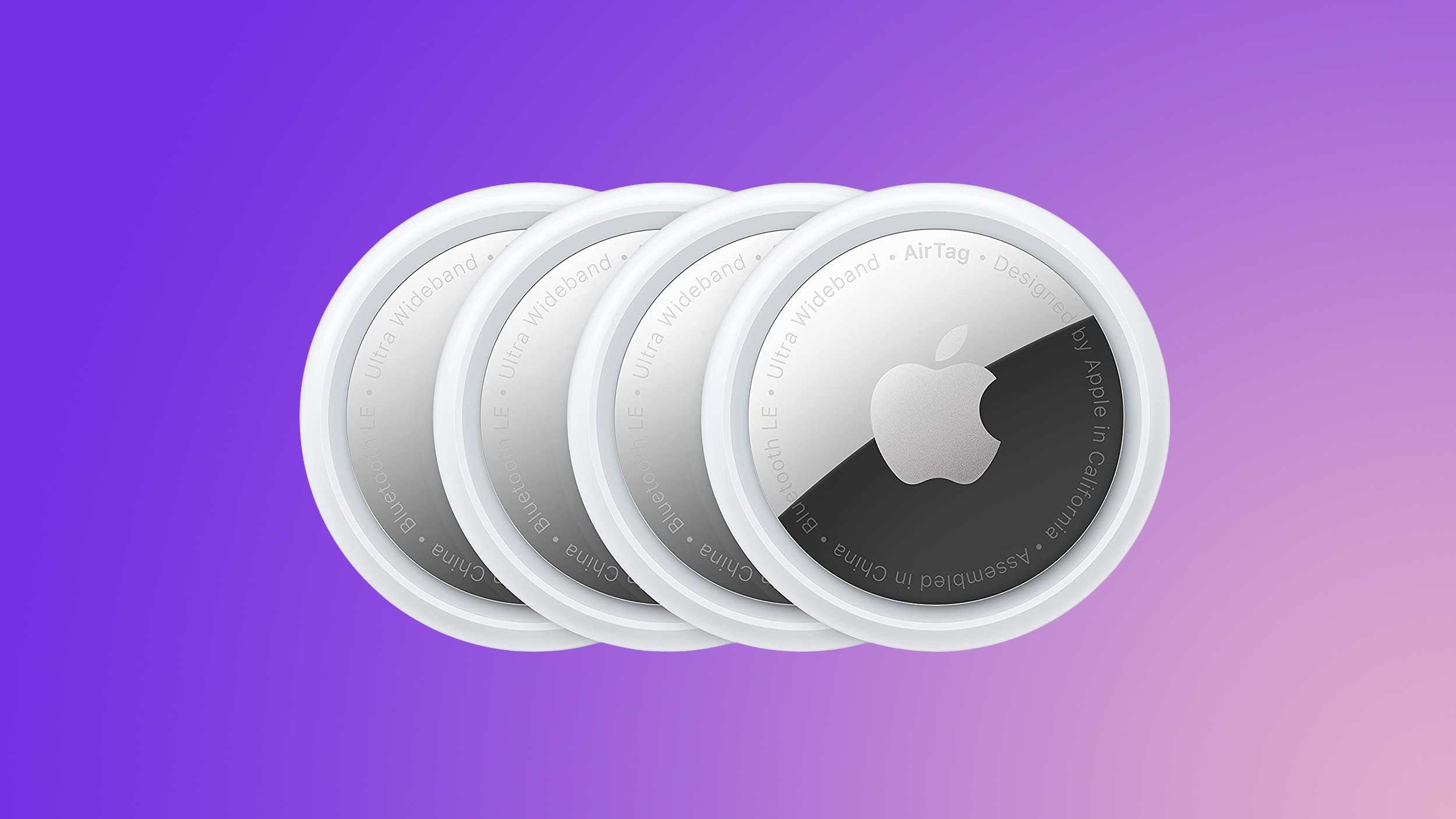
Apple released the AirTag in April 2021, so it is now three and a half years old. While the AirTag has not received any hardware updates since then, a new version of the item tracking accessory is in development, according to a recent report.
Below, we recap rumors about a second-generation AirTag.
Timing
A new AirTag is one of many new products that Apple aims to announce in the first half of 2025, according to Bloomberg's Mark Gurman.
Power On newsletter on Sunday:
I expect Apple to kick off 2025 with several other new devices in the first half of the year:
- 13-inch and 15-inch MacBook Air models with M4 (J613 and J615).
- Revamped iPhone SE (V59).
- Refreshed 11-inch and 13-inch iPad Air models (J607 and J637).
- New Magic Keyboards for the updated iPad Air line (R307 and R308).
He did not provide any specific details about the new AirTag in the newsletter.
until some point in 2025, but he did not provide a reason for the apparent change in plans. Kuo and Gurman are thus in agreement that a new AirTag is coming next year.
Features
Gurman previously said the new AirTag would feature an upgraded chip with improved location tracking. If so, the AirTag could be updated with the second-generation Ultra Wideband chip that debuted in all iPhone 15 models last year.
integration with Apple's Vision Pro headset, but he has not shared any specific details.
AirTag 2 guide for more.
Tags: AirTag, AirTags 2
This article, "New Report Reveals When to Expect the AirTag 2" first appeared on MacRumors.com
Discuss this article in our forums
https://www.macrumors.com/2024/10/07/when-is-the-airtag-2-coming-out/