

No but all communications providers using any radio spectrum must be licensed to use spectrum.
Solved e-mail not working in luckyBackup app with smtp-cli app
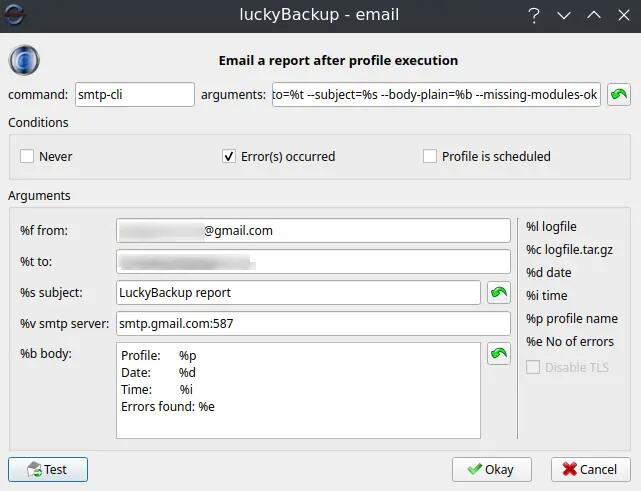
I love the free and open source luckyBackup app for doing rsync backups of my user data, as rsync is fast and reliable, and you can easily verify seeing your files that are backed up. I've been using luckyBackup for many years now, despite it no longer being supported from about 12 years ago (little has changed with regards to rsync, which it uses, and rsync updates still).
The only problem I, and many others had, was when Google tightened up their SMTP access for sending of mail. We started getting authentication errors for SMTP logins with app passwords. But I'd seen many complain but no easy solution was ever mentioned for luckyBackup, which executes a command line execution to send the logs via e-mail.
This week it became critical as I noticed my backups stopped running a few days ago, and of course, I got no error e-mail. I looked to using Duplicati backup now which is really excellent and saves masses of space, but it is horribly slow, especially on the first run. For my 1.1 TB of data it has now been running nearly 24 hours and it has 230 GB still to go!
So, a renewed effort on luckyBackup finally found a breakthrough. I looked at alternative CLI mail command apps and actually got ssmtp to work, by adding an option `AuthMethod=LOGIN`. This got me to realise that of course GMail's (and some other SMTP servers) are not always standard. But the ssmtp app does not execute properly from within luckyBackup.
Then I came upon a comment in a post where someone said they had created an open-source app called smtp-cli for the command line, and it also did some diagnostics along with some optional parameters including also an option `--auth-login`. And it worked, including inside of luckyBackup!
The app only had updates done 5 years ago, but I see various issues have been closed, and more than once it was said no update was actually required as users can use the numerous parameters to control various issues. It also has a `--verbose` option to give lots of feedback on its progress or issues.
This app is also pretty useful if you're having any issue with e-mailing from cron jobs as it will handle that job pretty well too.
I just wish I'd come across this app sooner!
See https://github.com/mludvig/smtp-cli
#technology #opensource #smtp #luckybackup
Magnets are switching up the keyboard game with an additional keystroke setting
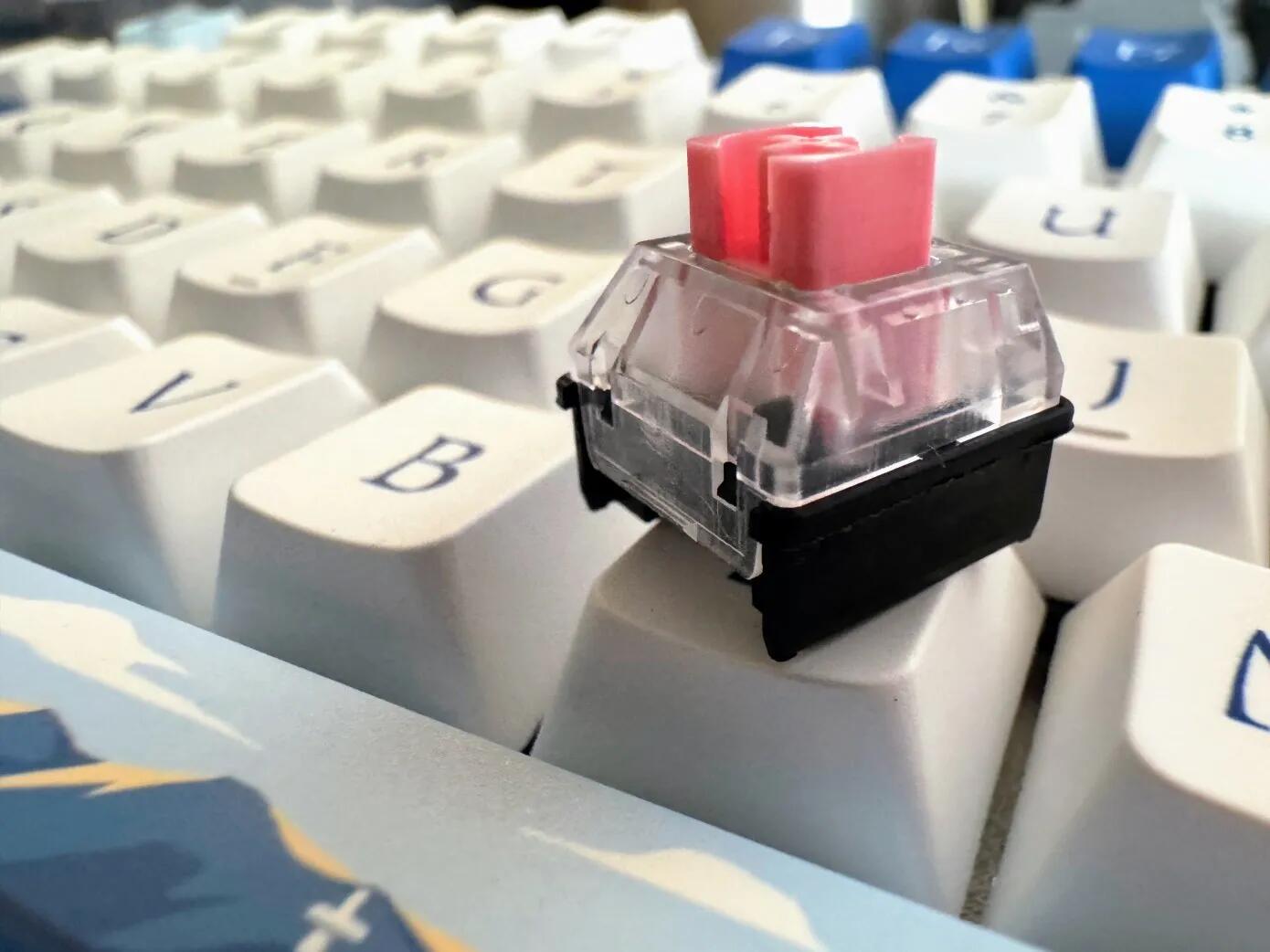
These keyboards rely on magnets and springs and activate by sensing changes in the magnetic field. Popularized by Dutch keyboard startup Wooting, these switches rely on the Hall Effect and have actually been around since the 1960s.
You can change how far you need to press down to register the keystroke, as well as for the release point.
The one thing you can’t change, though, is the switch’s resistance. Despite all the talk of magnets, that’s still handled by the spring inside the switch, after all (for the moment, until the xyz is released).
But interestingly, this also means with temperature differences, you may also have to "calibrate" your keyboard. The price point for the Akko MOD007B PC Santorini keyboard at around US$110 to $150 is certainly not more expensive than many mechanical keyboards.
See https://techcrunch.com/2024/04/07/magnets-are-switching-up-the-keyboard-game/
#technology #keyboards
How to update the firmware on Raspberry Pi

Essentially, firmware is a form of low-level software that instructs hardware on how to operate and interact with other devices and components. For instance, firmware tells a computer to turn on when you press the power button, and it also tells a Raspberry Pi how to read micro-SD cards and USB drives.
Depending on what you do with your Raspberry Pi, you might never need to update its firmware. Aside from the occasional bug fix, you only have to update your Raspberry if you upgrade a project with new processors, memory chips, or printed circuit boards. You probably won’t need a firmware update if you only use the Raspberry Pi to power a mini RC rover, but if you feel like adding a bit more processing power to a device running Windows 11, you’d better install new firmware.
So, this may mostly not really be required, but it is handy to know if you plan to re-purpose your Pi with newer hardware.
See https://www.xda-developers.com/how-to-update-the-firmware-on-raspberry-pi/
#technology #raspberrypi
Starlink in Zimbabwe: Techies Find Ways to Disguise Kits, Evading Authorities

In a country choked by high internet costs and limited options, Zimbabweans are turning to remarkable ingenuity. Facing arrest and equipment seizure for using Starlink, tech-savvy individuals have devised a way to disguise the kits.
One such individual who communicated anonymously with us here at Techzim has said he’s helping people hide their Starlink terminals from the authorities.
They modify the terminal so that it looks like a solar panel, or just a light. They are also able to make it work without the indoor router, removing any evidence of the presence of a Starlink connection, even if the authorities suspect, or a neighbour snitches.
It now seems to be a sort of business helping do this via kits that can be purchased. It is certainly also needed in countries where the Internet is itself censored (LOL yes also including Australia).
It's just really sad also where suppliers can get away with not having enough innovative competition for them to lower their prices through a competitive market. Governments too are not always putting their citizens first as licensing seems to have some other objectives. Ask citizens, and they're probably going to just say they want to have choices.
#technology #Zimbabwe #Africa
This Asus PC case monitors your dust filter so you don't have to

Traditionally, one would have to periodically check the status of the dust filtering on a PC case, but that's not the case (pun intended!) with the Asus ProArt PA602. This chassis has a fancy infrared (IR) sensor behind the front-facing dust filter. Should this detect a set layer of dust covering the filter material, a small LED will illuminate on the side of the case. It's tastefully done. No alert on an LCD screen, no obnoxious sound. With this activated, you will know to clean the filter (and give the inside a quick air blast) next time the system has been shut down.
Quite a thoughtful case, apart from having the dust filter warning, it also has wheels to move it more easily.
But it does show also, is that even cases can innovate as well. I'd like to see more of these and maybe have the sensors also on the other dust filters (my case has one underneath as well), as IR sensors themselves are not very expensive to incorporate.
See https://www.xda-developers.com/this-asus-pc-case-monitors-your-dust-filter/
#technology #cases #dust
German state of Schleswig-Holstein ditches Windows, Microsoft Office for Linux and LibreOffice

Schleswig-Holstein, Germany's most northern state, is starting its switch from Microsoft Office to LibreOffice, and is planning to move from Windows to Linux on the 30,000 PCs it uses for local government functions.
The announcement (in German) was made yesterday by the state's Minister-President Daniel Gunther, who has served in that position since 2017. According to a translated version of the announcement, independence was a key motivation for switching to open source software.
This is unlike the reasons that were given by Munich and Lower Saxony which were stayed to be cost savings, and then Microsoft discounted their services. Back when LiMux started, it was mostly seen as a way to save money. Now the focus is far more on data protection, privacy and security. Consider that the European Data Protection Supervisor (EDPS) recently found that the European Commission's use of Microsoft 365 breaches data protection law for EU institutions and bodies."
See https://www.theregister.com/2024/04/04/germanys_northernmost_state_ditches_windows/
#technology #opensource #datasovereignty #Germany
Android’s Find My Device network settings FINALLY start going live for some users
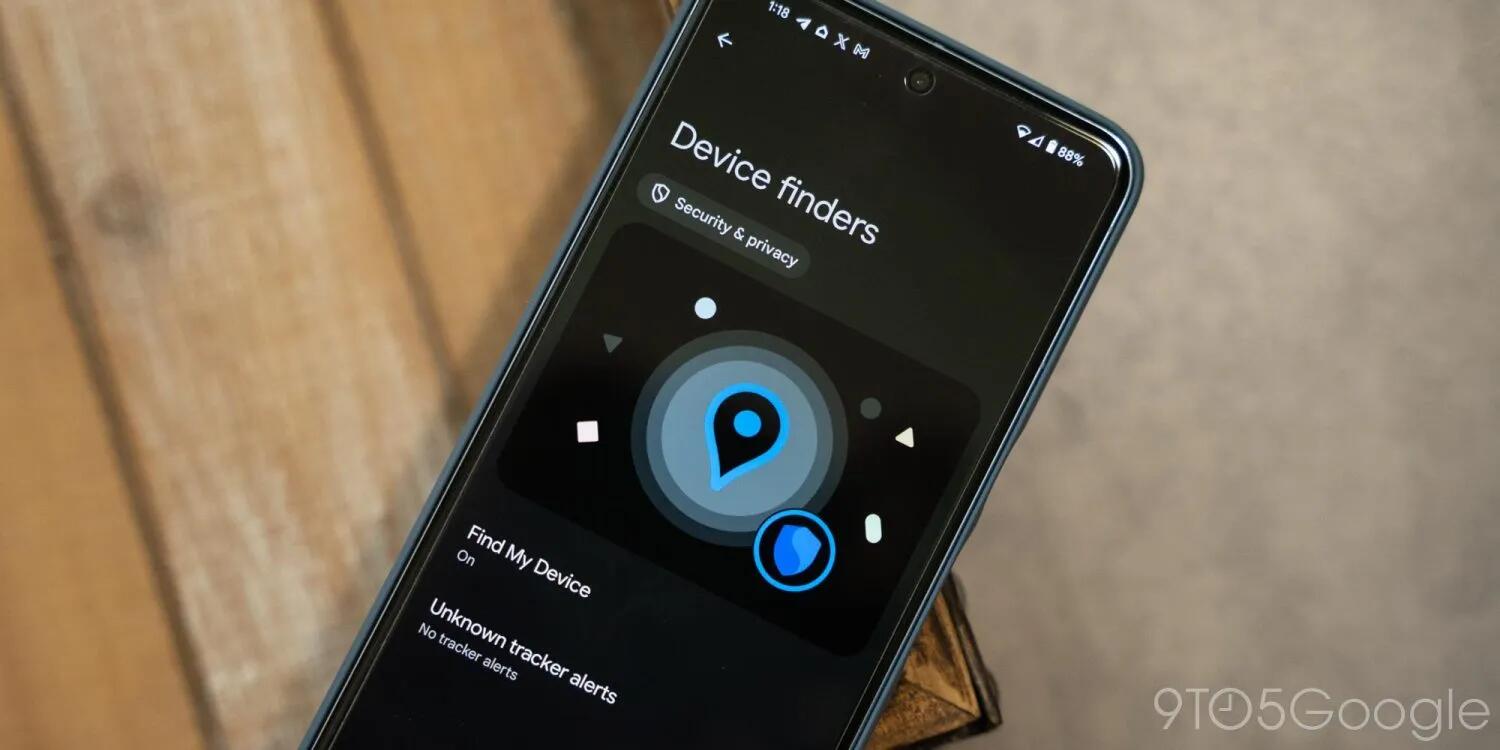
Nearly a year ago at Google I/O, the new “Find My Device” network for trackers was announced for Android, but then delayed indefinitely for the benefit of iPhone users. Now, finally, the network is starting to roll out – sort of.
The Find My Device network piggybacks off of all Android phones with Google Play Services to help users find lost items including phones and smartwatches, as well as trackers, headphones, and more. Google first announced the network in May 2023 with the goal of rolling it out in the months to follow, but the company later announced a delay.
Yes, the hold-up was supposedly Apple refusing to implement their part of the deal, to warn Apple users that an Android tracker was following them. And yes, this despite Google having long ago implemented the warning for Android users. A whole lot of new trackers for Android were supposed to be based on this new standard.
So, I've been sitting with a set of AirTags that warn me daily that they are following me around, because I could not yet buy the new trackers for Android. Let's just hope this now moves ahead with some speed. No-one wants to buy outdated trackers that only work with Samsung, or Tile, or whoever. The new standard will allow any Android device to find your lost tag, which is how Apple's AirTags work for any iOS device passing by.
See https://9to5google.com/2024/04/03/android-find-my-device-network-live-early/
#technology #trackers #Android
UK govt office admits ability to negotiate billions in cloud spending curbed by vendor lock-in

It's one of the points I've been making since the beginning of enterprise cloud services. It's not to say necessarily that a cloud service is bad, but you have no control (and often no easy way out) if prices jump (remember Microsoft changing their SQL database licenses from per CPU to per core - think it was that way around).
Quite often too, cloud providers use their own proprietary formats inside their cloud, so all works wonderfully, but what went out of the window was many governments' requirements around open data standards. There was one very good reason for open data standards, and that was for easy portability to any other service, e.g. using ODF document standard and then moving from LibreOffice to, or from, FreeOffice.
Combine both of these and you're in a tightish spot. You may also have very few skilled IT staff left, because all your services now sit in someone else's cloud.
So, you just want to factor all of this in very carefully when considering whether to go into a cloud or not. We won't even mention the UK govt's experiences recently with Oracle...
See https://www.theregister.com/2024/04/04/uk_cddo_admits_cloud_spending_lock_issues_exclusive/
#technology #cloud #vendorlockin

These are software passkeys so they're durable enough ;-) But for hardware I bought a YubiKey a while ago, and it's still going strong. I bought one that was USB as well as NFC.

True that Nextcloud offers many additional underlying functions, and file backup/sync is its claim to fame.
Overview of Memories Advanced Photo Management Suite that installs inside Nextcloud

Memories is a fast, modern and advanced photo management suite, that installs quickly and easily inside Nextcloud. My video contrasts it with the Photos app that comes with Nextcloud, and highlights some reasons why you may want to use it instead of Photos. This app has face, object, landmark, place, and human action recognition capability through the Recognise app. It's not that obvious, but albums can be shared, and photos commented on, with other Nextcloud registered users using the underlying Nextcloud file commenting system.
Memories is a great way to collaborate and share photos privately with friends and family, and even to share public links to some of your albums. It can even work on a Raspberry Pi hosted in the home.
It also has apps for iOS and Android, which can optionally auto-upload photos into Memories.
By saving/reading titles and descriptions into the photo's EXIF headers means that importing or exporting out of Memories is a lot less of a chore with migrating between photo services.
Watch https://youtu.be/2A6u0AluCnI
#technology #opensource #selfhosting #photomanagement
Android 15 may be taking privacy to a whole new level by hiding locations even from the network

In a surprise move that’s more iPhone than iPhone, it looks like Android may be taking privacy to the next level, with new devices able to hide their locations even from their networks.
Even more markedly, Google has also previewed a feature to protect devices from IMSI grabbers and intercept platforms. These are the technologies used by law enforcement and sometimes criminals to capture phone IDs and trick those phones into connecting to a copycat network, allowing calls and messages to be intercepted.
As ever with this level of phone security and privacy, it’s good to have even if it won’t be a game-changer for the vast majority of users. But for journalists, politicians, celebrities, dissidents and protesters, this is a major advance in the improvement of personal privacy and data security and is as welcome as it is surprising.
I suppose too with the global adoption of RCS it also means that insecure text messaging can also be a thing of the past soon (ish). Wonder if the bulk SMS companies have aligned with this yet.
#technology #privacy
LocalSend and SnapDrop can be used for universal AirDrop instead of pushing to Apple
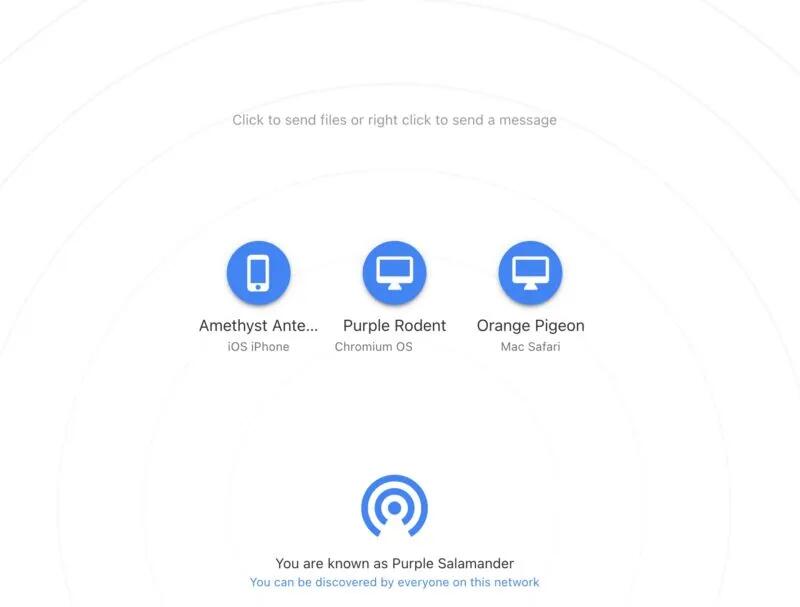
Firstly, Airdop only works to other Apple devices, but there is a lot more to the world than just Apple devices! These open source (private and secure despite what Apple claims) apps will do universal file transfer between Apple, Linux, Windows, Android, etc devices.
They work on the same LAN so keep the traffic local. Snapdrop can even be self-hosted by you. Pairdrop (also .net address) is a fork of Snapdrop that offers a few extra bells and whistles like permanently pairing your devices (also Syncthing is better for this) as well as a temporary public room.
See https://arstechnica.com/gadgets/2024/03/the-two-apps-i-use-when-i-need-airdrop-on-non-apple-devices/
#technology #filetransfer #alternativeto
There is not much to say yet about passkeys except most are fully locked into their own service. Proton is the first one I've seen with an export option. Thing is there is nowhere to import yet except back into Proton. Only thing I don't see on Proton Pass is Identity that Bitwarden does, but Pass does have aliases.
I actually started paying for ProtonVPN after migrating from ExpressVPN. Then upgraded to Unlimited so I could add my own domain name for email and sync my mails offline.
I'm also contemplating going all in on Proton Pass. Want to test how the form fill works as I've been having some minor issues with Bitwarden not fully filling in credit card info, but it may be to do with the sites too. Still Bitwarden is highly configurable. I'm just interested now that Pass has passkeys and for mobile too.
Proton Pass now supports passkeys on all devices and plans: Beating Bitwarden to mobile devices

Passkeys are an easy and secure alternative to traditional passwords that can help prevent phishing attacks and make your online experience smoother and safer.
Unfortunately, Big Tech’s rollout of this technology prioritized using passkeys to lock people into their walled gardens over providing universal security for everyone (you have to use their platform, which often does not work across all platforms). And many password managers only support passkeys on specific platforms or provide them with paid plans, meaning you only get to reap passkeys’ security benefits if you can afford them.
They’ve reimagined passkeys, helping them reach their full potential as free, universal, and open-source tech. They have made online privacy and security accessible to everyone, regardless of what device you use or your ability to pay.
I'm still a paying customer of Bitwarden as Proton Pass was up to now still not doing everything, but this may make me re-evaluate using Proton Pass as I'm also a paying customer of Proton Pass. It certainly looks like Proton Pass is advancing at quite a pace, and Proton has already built up a good reputation for private e-mail and an excellent VPN client.
Proton is also the ONLY passkey provider that I've seen allowing you to store, share, and export passkeys just like you can with passwords!
See https://proton.me/blog/proton-pass-passkeys
#technology #passkeys #security #ProtonPass #opensource
ActivityPub plugin for WordPress Adds Your WordPress Site to the Fediverse

This plugin effectively turns your WordPress blog into a one-person Mastodon (or other microblog) instance on the Fediverse. You carry on doing your blogs as normal, but anyone from right across the Fediverse can find and follow you, and reply and like your posts.
What is really nifty is that replies from the Fediverse appear as comments on the WordPress blog post. So, you manage all the interactivity from inside WordPress.
This is ideal for those who are primarily focussed on their blog and would prefer to manage things there. Their Fediverse address will be that of their blog (with that domain name). In this way, you also own your Fediverse address and retain your blog's branding.
This is perfect for businesses who run WordPress news blogs already, and who do not want to establish, and manage, a separate Fediverse account. Retaining their own branding is also the cherry on the top for them.
If you already have a Fediverse address, then that stays separate from your blog's address.
See https://lifehacker.com/tech/make-your-wordpress-site-part-of-the-fediverse
#technology #Fediverse #WordPress #blogging
Google Just Revealed When Apple Will Officially Adopt RCS: Northern Hemisphere Fall 2024

The Android developer just published an updated landing page for Google Messages, showing off key features ranging from customization, privacy and security, and, of course, AI.
On this landing page, there are different sections for each feature set, including one for RCS. As spotted by 9to5Google, if you expand this list of RCS features and scroll to the bottom, you see a section on "Coming soon on iOS: Better messaging for all." That's no surprise: We've known Apple was adopting RCS since November. However, it's the next line that brings the news: "Apple has announced it will be adopting RCS in the fall of 2024."
Of course, this does not say a lot as it is "in the fall" which is anywhere over a couple of months, and Google has tried to embarrass Apple into making moves before. I suppose, though, there is the looming court case against Apple which is anyway keeping pressure on Apple. If it were not for the US court case, I would have guessed Apple may have pulled out after the EU had ruled Apple was not a dominant player in the market (although the EU case was looking more at interoperability with WhatsApp and others in Apple Messages).
Of course, with Apple actually including RCS now, they can probably argue that there is interoperability via RCS between their platform and Android too. It must be remembered that in many countries, like mine, SMS's are paid for so are very expensive to use for any form of chatting, and the costs go up exponentially when you text an international number.
I personally have quite a few issues with interoperability with Apple:
* I still have AirTags from when I had an iPhone and I daily get the audio beeps warning me the AirTags are not connected (I use an Android phone and alternate between an iPad and an Android tablet)
* I can't wait to sell my AirTags and get the new one's Google was working on that will interoperate with Apple, but supposedly Apple has been delaying building in that support into their devices (which Google already built into Android for AirTags in 2023)
* Because I was on Apple Messages and my iPad still sometimes connects, I find a message on my iPad that arrived a week ago which I had not seen (I had Beeper which was solving this problem)
Apple is not at all dominant outside the USA, but it makes interacting with Apple users quite a pain, as Apple has gone out of their way to try to keep their users inside the walled garden.
See https://lifehacker.com/tech/google-just-revealed-when-apple-will-officially-adopt-rcs
#technology #RCS #Apple #interoperability
High Level Steps to Migrate my Docker Hosting to a Different Hosting Service

It's a pretty lengthy post with some inline code formatting, so I am rather leaving the post on my blog.
#technology #docker #migration #hosting
10 Things You Probably Didn't Know You Could do With Nano Editor

OK, you probably do know at least one or two of these, but I've added the auto backup, line numbers, mouse support, and scroll bar to an alias for every time I start up nano.
See https://itsfoss.com/nano-tips-tricks/
#technology #nano #Linux #opensource