


From what I see though it is generating a mirrored profile across the bridge, but there is no way to link it to an existing profile one has on the other side, to post into that profile?
They may be - but definitely best to test and check. By us, they are not going to be active for a year or three still.
8 ways Android handles notifications better than iOS
Android may have the wrong colour bubbles for messaging, but its users can at least pat themselves on the back for having better managed notifications (those things that can really irritate a person if not managed properly).
Notification and spam management can drive one to leave a platform if it is not easily manageable. People don't believe me when I say I left iOS (a second time) for Android because the lack of spam caller management drove me mad on my iPhone. I've posted at length about it before, but it related to the Truecaller app not being allowed but iOS to take over managing the dialler function.
But to get the best value out of managing notifications, you really want to get familiar with what all you can tweak. Reading the linked article will help give some insight into this. I've really cut down dramatically on those beeping alerts, but only allowing the most important/urgent ones top give audible alerts. For most, I'll just see a counter over the icon to indicate there are messages. It has made my day a lot more peaceful and prioritised.
Also muting, permanently or even timed duration, for many group chats, makes your life a lot easier. You don't need to read every back and forth message as it happens between 300+ people in the community. This also means I catch up on some social sites when I want to see what is happening, not as it happens throughout the day.
See https://www.androidpolice.com/android-handles-notifications-better-than-ios/
#technology #notifications #Android
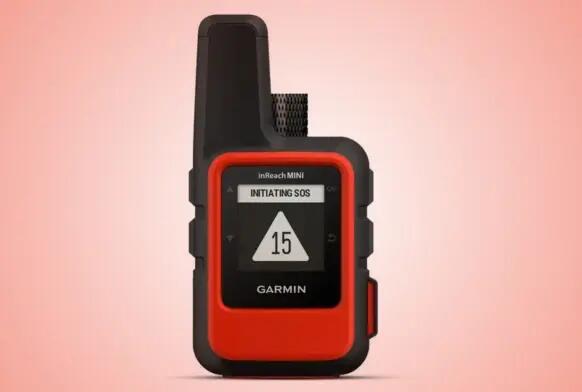
Garmin SOS fails South African biker after accident
A South African biker’s post-accident medical treatment was delayed after the SOS feature on his Garmin satellite communicator failed to evoke a timely response from emergency services.
Rapport reports that Johan Swarts only received a call from responders while in hospital on the day after he suffered a serious crash, despite paying a R574.99 (US$31) monthly subscription for the service.
He told Rapport that a Garmin product manager only responded two months after his complaints and said the SOS was only received on 18 February, a day after the accident.
So, yes testing is important as well as informing someone where you are going and when you expect to be back, but this is extremely concerning as such devices (along the expense they incur) are intended for use in the most dire emergencies. South Africa, as well as the rest of Africa, has some very isolated areas.
As of 2024 there are yet no reliable satellite services in Africa for ordinary cellphones, so the only option is a full-blown satellite phone (of course with its associated cost that many cannot afford).
Seems it did actually work if the message came through a day later. But where did it come through to a day later, and why? It's like a key piece of the puzzle is just missing here. Certainly a radio transmission is almost instantaneous, it does not transmit "slowly" over 24 hours. Seems to me, there was some human or system failure between the UK and SA? Due to the nature of this service, it warrants a really thorough investigation.
#technology #SouthAfrica #Garmin #motorcycling
GCam is a modded version of the Pixel Camera app that you can install on your Android phone
This app unlocks the hidden potential of numerous Android smartphones. While hardware limitations exist, GCam bridges the gap by leveraging Google’s advanced image processing algorithms. This app finds particular favour among users of devices from brands like Xiaomi, OnePlus, and Realme, where the stock camera software often leaves room for improvement.
The secret lies in Google’s masterful software engineering. GCam brings a slice of Pixel magic to non-Pixel devices, replicating features and functionalities that significantly enhance photos. Additionally, for seasoned mobile photographers, GCam offers a treasure trove of customizable options, allowing them to fine-tune settings and unlock their creative vision. The ability to import and export settings further empowers users to personalize their GCam experience and optimize it for their specific device.
The true strength of GCam extends beyond its built-in features. A vibrant online community thrives around GCam, fostering collaboration and knowledge sharing. Developers tinker with the app, creating customized versions optimized for specific smartphone models. This collaborative spirit allows users to access features and functionalities tailored to their unique device. Often exceeding the capabilities of the stock camera app.
On the plus side this does not replace your stock camera app so you can still use that, but on the minus side this can be unstable for some, and it is a sideloaded app so not via the Play Store. But if you're an Android user, you probably have a bit of an adventurous side to you and do like to try out new things and just have other options.
I'd suggest though that you do read through the linked article more thoroughly as they go into more details.
See https://www.gizchina.com/2024/05/09/how-to-install-gcam-9-2-on-almost-all-android-smartphones/
#technology #Android #camera #Gcam
South African mobile network operators must zero-rate content from approved public benefit organisations
PBOs include non-profit organisations, trusts, and government departments with .gov.za domain names.
These PBOs will be required to apply to Icasa to assess whether they meet the requirements for having their content zero-rated. Once approved, the PBO’s content must be zero-rated within 14 business days.
The successful bidders will have 36 months to fulfil the zero-rating obligation, starting 15 January 2024.
Well, this is good news for citizens needing to access essential services. Quite interesting too that the PBOs will need to host their site inside of the country to be zero-rated (problem being it can often be cheaper to host your site outside the country).
This will primarily benefit (although everyone should get this zero rating) less affluent customers, meaning these users won't find their data usage being consumed by using these services.
The mobile providers need to monitor and manage these zero ratings. What I'm really confused about is, what will our mobile data counters on our phones know about this usage? If a user sets a limit of say 2 GB data for the month so that the phone warns when the usage is going high, that won't be excluding zero-rated sites and data. End users will also have no way at all to know whether their access in real-time is zero-rated or being counted (there is a 300 MB limit per day per user for zero-rated data).
So all great, but the management of this by all parties is going to be quite hazy.
#technology #SouthAfrica
You can automate much of your home and devices with a Raspberry Pi and open-source Home Assistant
This article is a worthy reminder that are already many things in your home which you can automate from garage door openers, to your home router, to a solar system, to lights, to speakers, and so much more.
Home Assistant has hundreds of ready to use integrations that just hook up with these devices, either directly or via their cloud services. This can provide a nice dashboard of what is on or off, what has warnings, to keep an eye on your Ring video doorbell or Reolink CCTV system, etc.
I've even found a way to use this to show some statuses on my Stream Deck and have a quick button to reboot my router.
It gets even more powerful when you set some basic automation rules like for sunsets or sunrises, when it starts to rain, when a battery level drops too low. I have various of these set up to announce over the home speakers.
All it costs you is to use a spare Raspberry Pi or to buy one.
See https://www.xda-developers.com/automate-home-with-raspberry-pi/
#technology #RaspberryPi #homeautomation #opensource
Unintended consequences ;-) but I can see rental companies have quite a challenge retaining their cars
Yes I recall the Handspring Visor from the time.
40 years later, Kontrabant 2 for ZX Spectrum is rebroadcast on FM in Slovenia
Software is almost impossibly easy to download, distribute, and access compared to 40 years ago. Everything is bigger, faster, and more flexible, but there's a certain charm to the ways of diskettes and cassettes that is hard to recapture. That doesn't mean we can't try.
By the time you read this, it's likely that Kontrabant 2 will have already hit the airwaves on Radio Študent in Slovenia. At 9:30 pm Slovenia time (UTC+2 in Daylight Savings Time), if you are tuned to 89.3 FM, hitting record on a cassette tape will capture a buzzing sound that will run until just over 50KB have been transmitted. If all went well, you can load the tape into your working ZX Spectrum or bring it to the Computer History Museum in Slovenia and use theirs to try it out.
The game is in Serbian, as it was originally made for what was then Yugoslavia, for ZX Spectrums mostly smuggled in from Western Europe.
My ZX81 also loaded programs from audio tape cassettes and I remember that some computer shows back then on TV also had a short audio broadcast to allow users to record the audio, and load it into the computers afterwards.
But if you don't have the computer, missed the broadcast, and can speak Serbian, you can play Kontrabant 2 on the Internet Archive's emulator.
#technology #retro #Serbia #zxspectrum #gaming
Hackbat: This Raspberry Pi hacking tool is what the Flipper One could have been
The whole thing runs off of a Raspberry Pi RP2040 and open-source code. It has modules for NFC, SD card, and Wi-Fi communication, plus it features a miniature display so you can tell what it's doing. If you want to make your own, the Hackster page features everything you need to know to get started, from the hardware to the code used for the project.
It is open-source and cheaper than the Flipper Zero, so maybe those who held out on a Flipper Zero will find this more appealing.
See https://www.xda-developers.com/raspberry-pi-hackbot/
#technology #RaspberryPi #opensource #hacking
The Internet Archive has hundreds of full usable Palmpilot apps that you can run in your browser
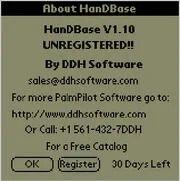
This really brings back memories, and I was even able to run the HanDBase app, which was a database app you could use to easily create a database with properly defined fields etc. The apps all run in proper Palmpilot or Palm OS emulators, so you do get the actual feeling of using the device right down to the Graffiti writing (which took me a few minutes to get used to again (it's been a good 30 years since I last used a Palmpilot).
Partly the power behind Palm was the ability to install 3rd party community apps, and there were really some very good ones. It may look awfully simple today but that was the limitation of the graphics and devices of the time. This was long before smartphones and up to this point we mostly only had dumb fixed ROM pocket organisers.
See https://archive.org/details/softwarelibrary_palm?tab=collection
#technology #retro #Palmpilot
The origins of Bitwarden and how it is fending off the tech giants
Kyle Spearrin had never developed a mobile app or browser extension when he started building Bitwarden as a fun side project in 2015.
Nearly nine years later, Spearrin’s humble attempt at a free, open-source password manager has become one of the most popular ways to keep online accounts secure. Wirecutter, PCWorld, PCMag, and others say it’s the best free password manager, and CNet even calls it the best password manager overall. Bitwarden says it now has 8.5 million users, and it uses that audience to grow its enterprise subscription business. Bitwarden’s business side has tens of thousands of customers and helped fuel nearly 100% revenue growth last year, and the company now has roughly 200 employees.
“We really value that everyone should have access to a full-featured password management tool,” Spearrin says.
Very humble beginnings, and of course we've seen why tech giants like Apple, Google, etc embraced passkeys with such enthusiasm, as this would lock users into their ecosystem. Try using your Apple passkeys when migrating to say Android, or vice versa.
“If you are locked in with one vendor, you have a risk of being locked out of your account,” Magdanurov says. “Something can happen. Somebody can hack your account. Or their automated tools that block your account for violations can be triggered for some reason.”
So, whilst it is true many tech giants have been improving their offerings around password management, Bitwarden is managing to stay a step or two ahead of them with newer innovative features (some I did not even know about). And of course one can self-host Bitwarden too.
A lot can also be learnt from buy-outs like LastPass went through. The ownership does dictate the philosophy, or changes to it.
Although I'm eyeing out Proton Pass' rapid developments (I'm a paying Proton user) I'm still a paid tier user of Bitwarden as right now they're doing their things right, and what I really like is that their paid tier is not expensive at all. I just feel that I am supporting what they do.
See https://www.fastcompany.com/91117788/how-bitwarden-is-fending-off-tech-giants
#technology #passwords #Bitwarden #security #OpenSource
Five things to consider when making the transition to a new email address
Work and school emails are fine, but they might not last forever (and often neither does using an ISP e-mail address if you ever want to switch ISPs). You need something you can always come back to.
First, make sure your new email address is one you’ll actually use for a long time. That might involve finally getting your own domain and associating your email address with your real name. Something like firstname@lastname.com has a lot more staying power than yourname@yahoo.com. This way, you won’t deal with an email provider, and you don’t have to worry about changing your email address ever again.
And that line is for me the real gold. I had a good 1,000+ logins and places using my previous mail address, and I'm still working through updating my mail address everywhere. It is just not something you ever want to have to do again in your lifetime. Using your own domain name means keeping your e-mail address no matter where your e-mail service is.
The other very good tip in this linked article is an added bonus of using a password manager, as you can see exactly where your old e-mail address is still in use.
See https://lifehacker.com/how-to-change-your-email-address-without-screwing-every-1481486947
#technology #email
Before you buy a gaming headset, consider getting In-Ear Monitors instead
Full-size gaming headsets have long been a popular choice for most gamers. IEMs (in-ear monitors), on the other hand, have traditionally been overlooked. While traditional headsets like the Logitech G Pro X 2 provide an immersive audio experience, the clamping force, weight, and bulkiness can make them uncomfortable for some people. This is where IEMs come in.
The term IEM traditionally refers to any in-ear earphone, but it usually implies an enthusiast-grade, wired model. IEMs are tiny, lightweight, and pack a punch! And just because they're enthusiast-grade, they don't necessarily have to cost an arm and a leg.
The linked article makes some very good points, especially too when it comes to the weight and bulk of headphones when wearing them for many hours.
A very important question to ask is: Why do you really want the device? Don't just buy headphones because they are cool looking and seem popular. I made that mistake myself when buying a gaming chair - after about 3 years it was no longer comfortable at all (the seat wears flat) and they're actually not very ergonomic. I eventually tossed out my gaming chair and replaced it with a very good, ergonomic office chair with a 10-year warranty.
Rather buy for quality and comfort, and it will probably last much longer and also be far comfier to wear.
So, yes for IEMs a potential downside to consider is whether you need a microphone, as that can often be a shortcoming with IEMs.
See https://www.xda-developers.com/iems-for-gaming/
#technology #gaming #headphones
4 Tools to Share Large Files Over the Internet Securely
These are privacy respecting tools to consider. But, what signifies as a big file? Any file that you cannot seem to send through an encrypted messaging app like Signal or Telegram's secret chat. Ideally, it should be anything more than 1 GB.
Internxt is probably the most convenient being online, whilst an option like OninionShare is fully peer-to-peer but then does require the app to be installed at both ends (but is available for all generally used platforms).
See https://itsfoss.com/share-large-files-tool/
#technology #filesharing #privacy
Video Overview of the Meshtastic Radio Mobile App Interface and Settings
This video explores what the Android app looks like, how to use the main screens, and what various settings and menu options it has. It gives a good feel of how you'd use Meshtastic radio communications from the app to control the radio settings and to communicate. I did a previous video that dealt with a non-technical intro to what Meshtastic radio is, and this is well worth just watching first if Meshtastic is completely new to you.
Meshtastic is license-free, so anyone can use it, and has really started picking up in popularity in the last year, so much so, that stock has often not been available for a month or two at a time. It's a really fun way to also connect to neighbours nearby, or keep in contact in the wilderness when out hiking.
Watch https://youtu.be/GAGOkXUlbaY
#technology #radio #Meshtastic #offgrid #opensource
Koodo Reader is an open-source ebook reader for Linux, Windows, macOS and the Web
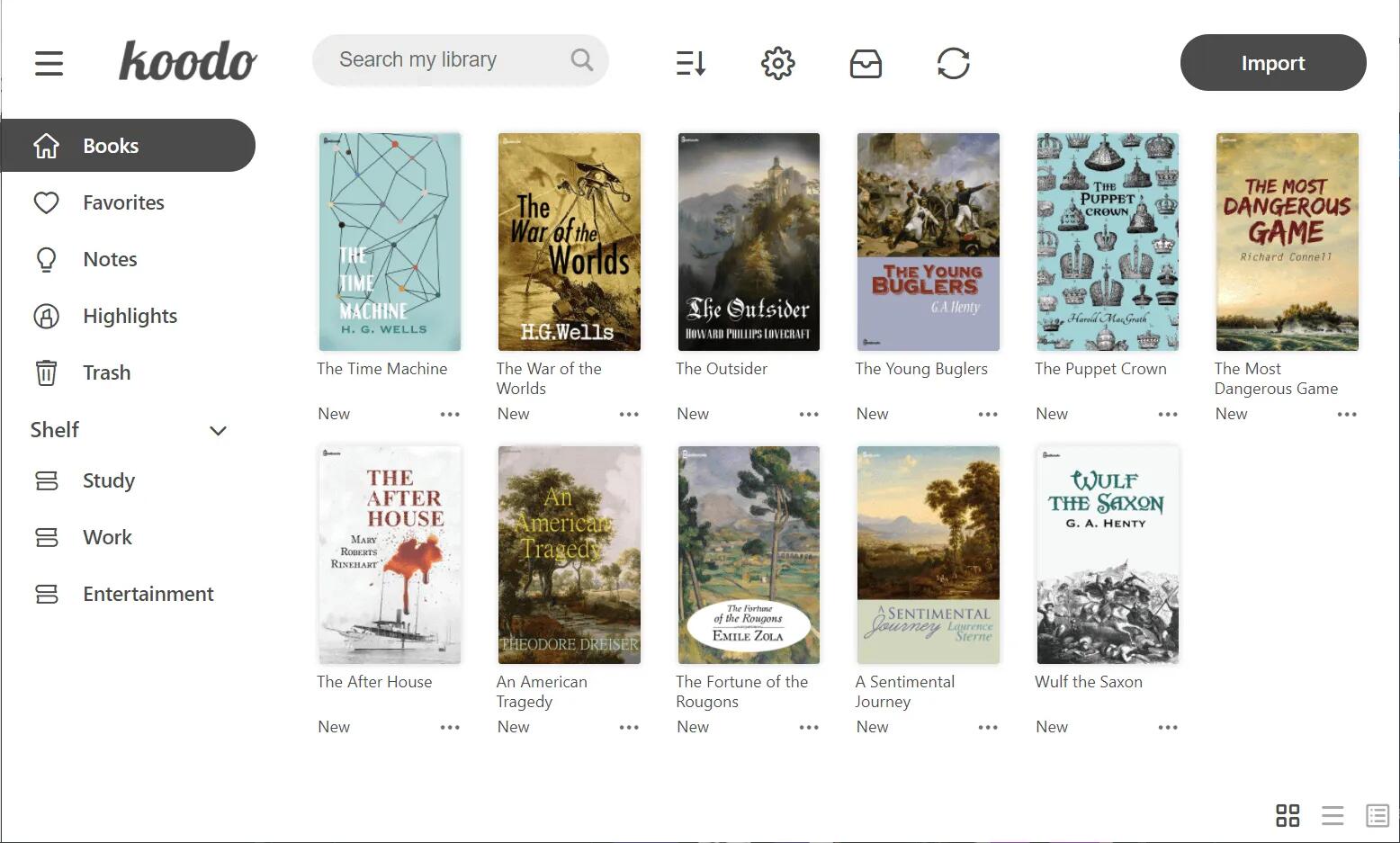
This is a great looking ebook reader for ePub, PDF, comic book archive and a few other formats. It allows highlighting, bookmarks and notes per book, and for non-PDFs there is also a reading mode with a side-by-side view (no page flipping animation, but it has a page-slide animation).
I like that it has numerous settings to changer colours and most of the layout settings you can think of. You can also customize the source folder and synchronize among multiple devices using OneDrive, iCloud, Dropbox, etc.
It has touch-screen support, but one thing I don't see is handwritten annotations (although you have typewritten notes you can add).
See https://github.com/koodo-reader/koodo-reader
#technology #ereader #koodoreader
How to Install KDE Plasma in Ubuntu, Debian and Mint: Because you have Choices
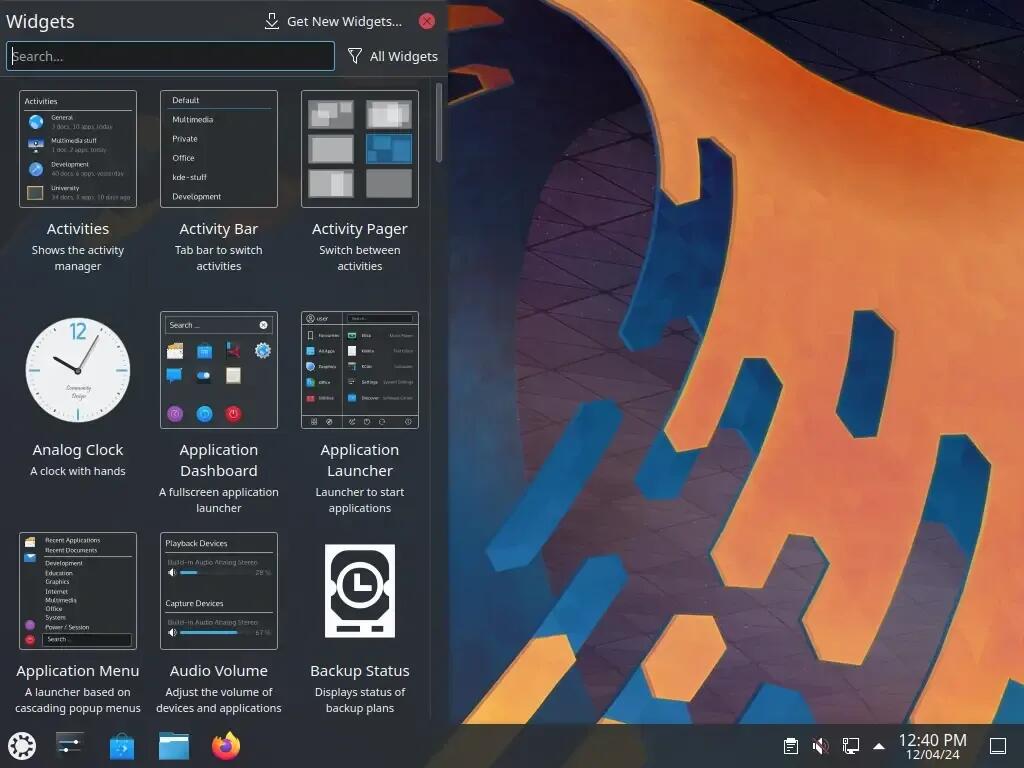
KDE Plasma (KDE) is a well-known desktop environment for Unix-like systems designed for users who want to have a nice desktop environment for their machines, it is one of the most used desktop interfaces out there.
Linux distros usually ship with one main desktop environment, but you can install others without reinstalling the distro. I have Manjaro KDE as my distro, but I also have Gnome desktop installed on it as an alternative desktop, and I can switch between them from the login screen. This is because the underlying Linux kernel across all the distros is the same one. The distros just add their choice of desktop, theming and apps on top.
The key thing is to be sure you install all the dependencies it expects to find, and the linked article below will show how to do that.
See https://www.tecmint.com/install-kde-plasma-ubuntu/
#technology #Linux #KDE
GoToSocial is a new ActivityPub social network server for the Fediverse
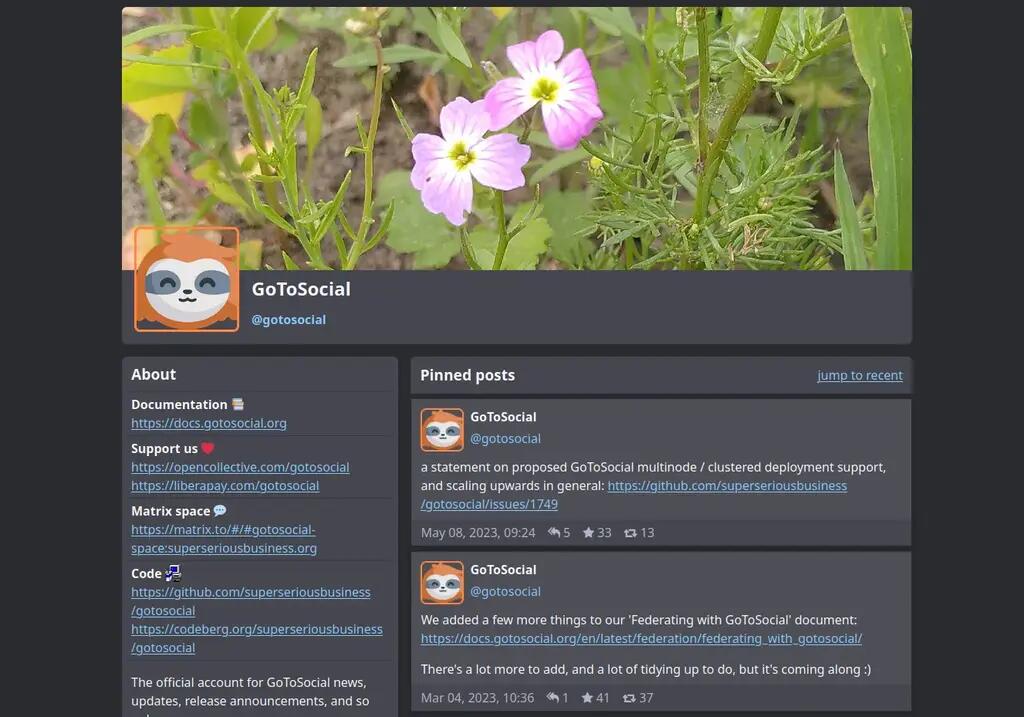
This service is still in Alpha release but is already deployable and usable, and federates with other Fediverse servers.
However, there is no "main" instance you go to join. The intention really is that you host your own instance for yourself and a few friends and family. To this end, it is designed to be very lightweight and will happily run on a Raspberry Pi or even a $5/pm VPS.
This is taking a very different approach from say Mastodon which has one main instance everyone could join, but then it sits with the issue that everyone joins there, and it becomes a bit "centralised". GoToSocial has been designed as lightweight for self-hosting, and also has a Docker image installation, so it makes it really easy for (and encourages) most people to host their own instance.
It seems to also be focussed very much around privacy (defaults to unlisted posts) and permission controls (for example, you have an option to post to mutual-only where both people follow each other). Also, by hosting your own service you set the rules, and you are also your own admin. You can choose to turn off likes, replies, boosts, etc as well. Being your own admin also means you can easily adjust the post length as well.
It does conform to the Mastodon API so apparently some Mastodon clients will also work fine with it.
See https://github.com/superseriousbusiness/gotosocial/
#technology #ActivityPub #GoToSocial