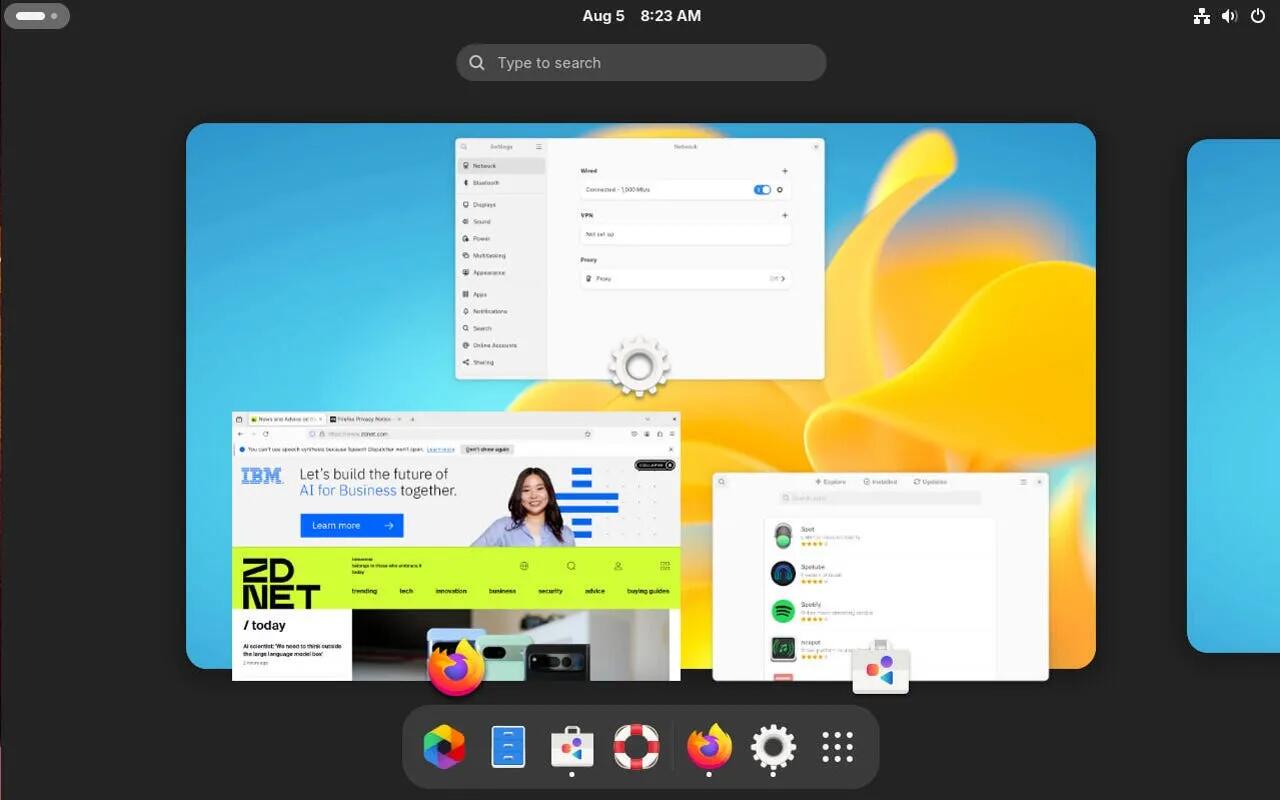
This Raspberry Pi project can identify stray cats in your garden, and safely scare off birds if need be
I like this project not only for the recognition and photographing of stray cats (or maybe to identify neighbours' cats straying into your yard), but the bird "scaring" part is nice and safe to use if you have a problem with birds sitting on your window sill and setting off your alarm beams.
The project can probably be adapted for other purposes too.
See https://www.xda-developers.com/raspberry-pi-project-identify-stray-cats/
#technology #raspberrypi #opensource
5 SSD specs you should really care about when buying one
The world has, more or less, moved on from hard drives. Everyone knows that an SSD is much faster than an HDD, and an NVMe SSD is faster than a SATA SSD. When buying a new SSD, most users are aware they need to look at the more obvious specifications such as the interface (SATA/NVMe), PCIe generation (Gen3, Gen4, Gen5), capacity, and the advertised read/write speeds.
The linked article unpacks the following concepts in a bit more detail:
* The endurance rating (TBW) of an SSD determines its lifespan; most SSDs with regular use can last for well over 5–6 years.
* The type of NAND flash (SLC, MLC, TLC, QLC) determines the cost, performance, and durability of your SSD.
* Having a high-end controller can improve performance manifold; DRAM can boost sustained write operations.
* The random read/write speeds of an SSD are more indicative of real-world performance in gaming and general desktop use.
So, before just going for the cheapest option per GB, it may be worth weighing up some of these other aspects as well.
See https://www.xda-developers.com/specs-to-care-about-when-buying-ssd/
#technology #hardware #SSD

40 Chill Games to Unwind From Your Stressful Life With
Video games are the ultimate form of escapism—they can absorb you into their world better than any other form of media. This means they can be a great way to relax and unwind, but not every game is well-suited for that. So today, we wanted to shine a light on the calmer side of gaming, showing off games that take it upon themselves to give you chilled and relaxing experiences.
The linked article has categories for:
* Exploration Games
* First-Person Games and Walking Simulators
* Simulator Games
* Strategy Games
* 2D Sidescrollers
* Puzzle Games
* Survival and Crafting Games
I'd also add Snowrunner to the simulator games and Valheim to the survival games.
See https://www.howtogeek.com/38372/chill-games-to-unwind-from-your-stressful-life-with/
#technology #gaming

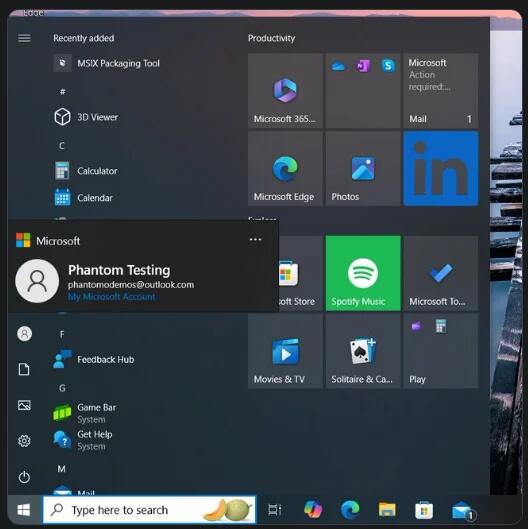
Now Microsoft is bringing Start menu ads to Windows 10, too
As Windows 11 slowly becomes inundated with ads, people on Windows 10 have been watching on in horror. Unfortunately, it seems that they, too, will begin seeing ads. Someone has spotted Start menu ads making their way onto Windows 10, and they look very similar to the kind that's currently rolling out onto Windows 11.
As spotted by Neowin, This new "feature" was spotted by PhantomOfEarth on X. If that name sounds familiar, it's because PhantomOfEarth has had a long track record of sniffing out features hidden within Beta, Dev, and Canary builds.
So, the good news is Windows 10 users will be enjoying back ported Win 11 Start Menu in the future, and also the ads are still disabled by default, but the bad news is the capability is all built-in. Microsoft probably has no interest at all in home users, but hopefully users will find hacks to keep this disabled (it can be disabled in Win 11, or not?).
See https://www.xda-developers.com/microsoft-start-menu-ads-windows-10/
#technology #MIcrosoft #Windows
iOS 18 Notes App: All the New Features: Google Must do Better
I only have an iPad left now from the Apple ecosystem, but after testing some of these features out, I must say that Google really needs to just try and catch up with their Notes app. Apple is definitely out-innovating Google here by a mile. Google has really neglected their Notes app quite badly.
Some of the new features I like most with the iOS Notes app are:
* Notes integrates with the Calculator app in iOS 18 for a new feature called Maths Notes. Maths Notes is designed to let you solve equations, so you can do things like add up your monthly budget, calculate what people owe for a group trip, or split a restaurant bill.
* Maths Notes with the Apple Pencil. Just write out equations by hand.
* All audio recordings that you capture with the Notes app are automatically transcribed in real-time.
* Transcription Summaries.
* If you have long notes with multiple headings, you can now collapse those headings.
* Highlight Colours (Google did release this, but it has not become usable across all my notes yet).
* Smart Script — The feature uses machine learning to recreate your own handwriting style to refine what you've written, making messy writing look neater.
See https://www.macrumors.com/guide/ios-18-notes-app/
#technology #iOS #notes

Your 'Max Heart Rate' Is Probably Wrong
f you’ve ever worried about your heart rate during exercise being too high or too low, you’ll want to read this. Your "heart rate zones" might be completely wrong. Not only are zones defined differently in different apps, they are also usually calculated based on your maximum heart rate. And that maximum heart rate calculation? It’s incorrect for huge swaths of the population.
Your maximum heart rate is, by definition, the fastest your heart can possibly beat. If a watch tells you that your max is 180 beats per minute, and then you go for a run and your heart is beating at 190 beats per minute, you haven’t gone “over” your max. You have simply found out that 180 isn’t your max at all. Your actual max must be at least 190.
The only way to truly know your max heart rate is to test it with intense exercise. I’ll give you some ways to do that below. Fitness gadgets and apps (and, in the olden days, books and other sources of fitness advice), meanwhile, try to skip that step by using a formula that estimates your maximum heart rate based on your age. The most popular formula simply subtracts your age from 220.
But there are problems with that formula, and even with the alternative equations that have been proposed to replace it. There is no formula that can tell you what your own personal max heart rate actually is.
Quite interesting, as I always went with that 220-age formula (I suppose it is a good rule of thumb), but it is true that I don't shop for shoes base don my body height either. I had always wondering too why I could easily exceed my "max heart rate" by quite a bit for exercises. But in the end I also decided I did not want to be exercising at such a high rate as it is probably better to pace myself rather at 80% to 90% anyway.
See https://lifehacker.com/how-to-calculate-your-max-heart-rate-youre-probably-d-1683716934
#technology #health #heartrate

What is Wireguard, and What Makes It a Worthy VPN Protocol?
Wireguard is less than half as old as OpenVPN's 22 years, though it's still proving to be fairly reliable. It's also much leaner, at only 4,000 lines of code. That's much easier to audit, incorporate, or build with than OpenVPN's 70,000, and that can be critical for certain sensitive applications. Wireguard's protocol itself also has less overhead than others, which means it uses more bandwidth on your actual data and there's less of a tax on the system.
OpenVPN operates in user-space, which means privilege-escalation attacks aren't likely from the program itself, but it hurts your overall throughput. Wireguard has a user-space application that's very fast, but it also has kernel support. It's significantly faster overall, both in theory and in practice, making it ideal for transferring large files quickly or streaming video from a personal media server.
Wireguard's security philosophy is also different. OpenVPN is flexible, so if there's a mismatch between the client and server, there are options and the connection can still be established. However, the cost of this approach is that there are more potential security holes, and there's much more upkeep required by system administrators to mitigate that risk.
Wireguard is built to be less flexible—each version is based around specific algorithms and processes. If there's a mismatch between two devices in the network, they will not connect. This means that system administrators mainly just need to make sure things are updated regularly. There's a variety of other differences between Wireguard's implementation and traditional VPNs as well. There's a lot of depth once you start to get more technical.
The linked article goes on to say what Wireguard can be used for, as well as some specific disadvantages with using it. I see Proton VPN also has an experimental implementation of Wireguard, but it is a pity they don't offer its split tunnelling in their Linux client app.
See https://www.howtogeek.com/what-is-wireguard/
#technology #VPN #privacy

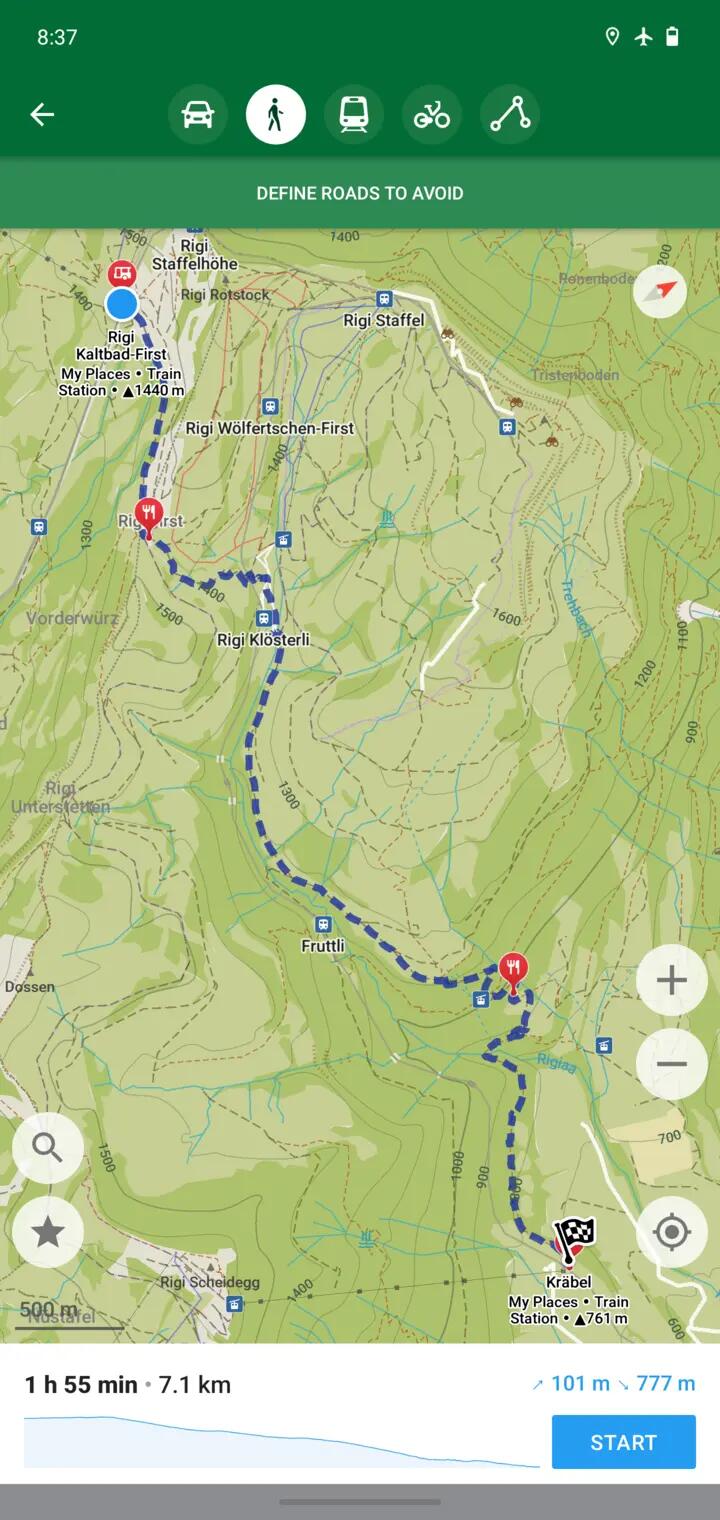
Organic Maps — Free, Open-Source, Private, Low Battery mapping app for Hiking, Biking, Trails and Navigation
Organic Maps is a free Android & iOS offline maps app for travellers, tourists, hikers, drivers, and cyclists based on OpenStreetMap data created by the community. It is a privacy-focused, open-source fork of Maps.me app (previously known as MapsWithMe), maintained by the same people who created MapsWithMe in 2011.
Features:
* Detailed offline maps with places that don't exist on other maps, thanks to OpenStreetMap
* Cycling routes, hiking trails, and walking paths
* Contour lines, elevation profiles, peaks, and slopes
* Turn-by-turn walking, cycling, and car navigation with voice guidance and Android Auto
* Fast offline search on the map
* Export/import bookmarks in KML/KMZ, import GPX
* Dark Mode to protect your eyes
* Countries and regions don't take a lot of space
* Free and open-source
Why Organic?
* Respects your privacy (requires no Google login nor registration)
* Saves your battery
* No unexpected mobile data charges
* No ads
* No tracking
* No data collection
* No phoning home
* No annoying registration
* No mandatory tutorials
* No noisy email spam
* No push notifications
* No crapware
It is based on OpenStreetMaps, so I could see a little known trail in the middle of the Cederberg mountains in South Africa. The great thing though with OpenStreetMaps is, if something dos nor exist, you can just add it yourself.
It installs on iOS and Android phones (including from F-Droid and Obtanium), but I was also p[leased to see a Flatpak install for Linux desktops as well.
#technology #trails #navigation #opensource #privacy
5 essential Linux terms every new user needs to know
It's important because Linux gives a user lots of options, unlike Windows and macOS, which are essentially one integrated system with just applications that get installed.
This is not to say Linux is "complicated" because for any distro chosen, it downloads and installs as a "single system" as a distro is basically packaged from a bunch of choices made by the distro provider. This is why you'll sometimes see Ubuntu GNOME and Ubuntu KDE as complete downloadable distros.
But Linux is also not fixed by the distro you install. You can for example change the desktop environment, and you can switch between two or more desktop environments.
This is one reason why understanding some key concepts can help clarify things for users. Another good reason is if you do need some help with diagnosing a problem, it does help that discussion if the concepts mentioned are understood (everyone on the same page).
But also do not let this put anyone off, as many new users download and install say Linux Mint Cinnamon, and are perfectly happy not knowing what parts there are to the system.
The linked article will unpack the concepts of a Distribution, a Desktop environment, a Package manager, the Command line, and your Home directory.
See https://www.zdnet.com/article/5-essential-linux-terms-every-new-user-needs-to-know/
#technology #Linux #opensource

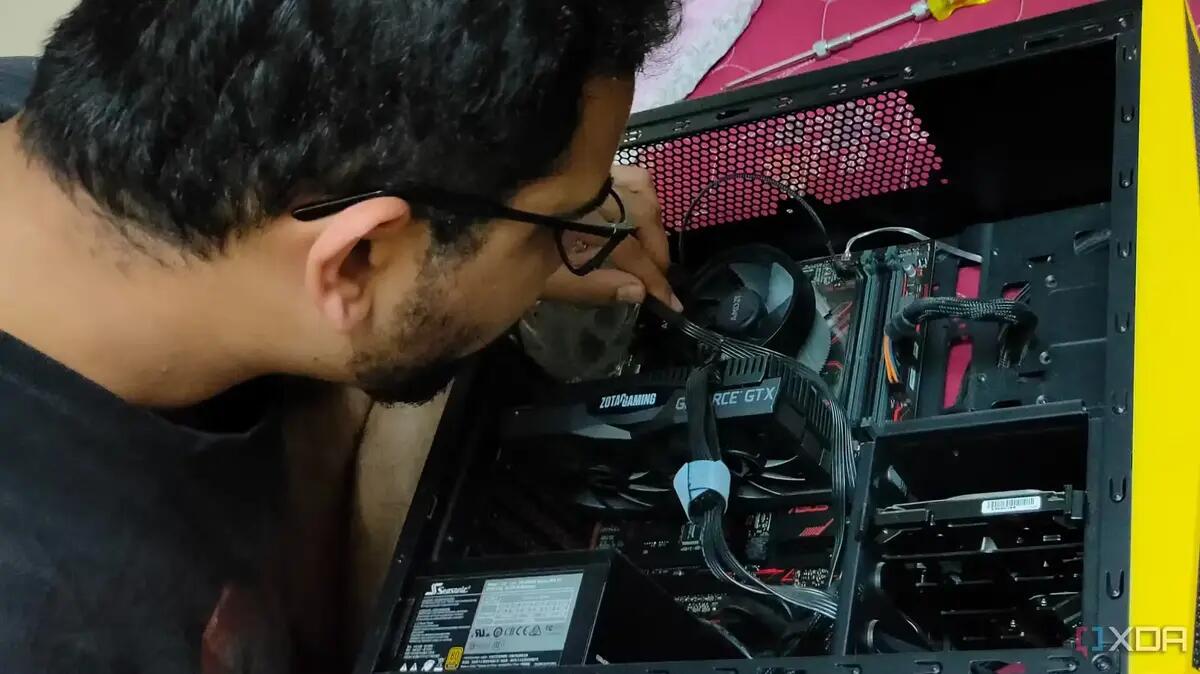
10 obvious things I wish someone told me before I built my first PC
PC building may not be rocket science, but it isn't a walk in the park either, especially for a first-timer. Most of us who have built a few PCs in our time have learnt these tricks already.
But these are good to read if you are thinking of building your first PC. They're all good tips, and the great thing about “modern times” is you have YouTube and similar video platforms to usually explain and show exactly how something is best done.
Building your own PC is typically very rewarding, mainly because instead of getting nearly all “compromise” components at a price in a pre-built PC, you get to choose exactly what you want to put in your built PC. Most importantly, it gives the confidence to upgrade a component or two later on.
Every PC I've ever built has had it's two or three upgrades done to it along the way. The case and keyboard have always lasted the longest, but do consider replacing a case at some point, as the newer ones have great cable management and airflow features.
See https://www.xda-developers.com/things-i-wish-i-knew-before-building-my-first-pc/
#technology #hardware #DIY
Looking for a Google Workspace alternative? OnlyOffice DocSpace is ready for the job
Although this linked article mostly focusses on the hosted cloud side (I suppose that is the equivalent of Google Docs) there is actually a very good open source desktop app available called ONLYOFFICE Desktop Editors which installs on Linux, Windows, and macOS, with apps also for Android and iOS.
The desktop app connects not only to ONLYOFFICE cloud, but optionally also to Nextcloud, ownCloud, Moodle, Liferay, Seafile, and infomaniak kDrive.
Although ONLYOFFICE Desktop Editors do work in open document format (the international standard) it actually prides itself on having very good docx compatibility. Its menu ribbon is probably also closer to MS Office than LibreOffice is.
What I also like about it, is it starts up in a few seconds.
#technology #officesuite #alternativeto #opensource

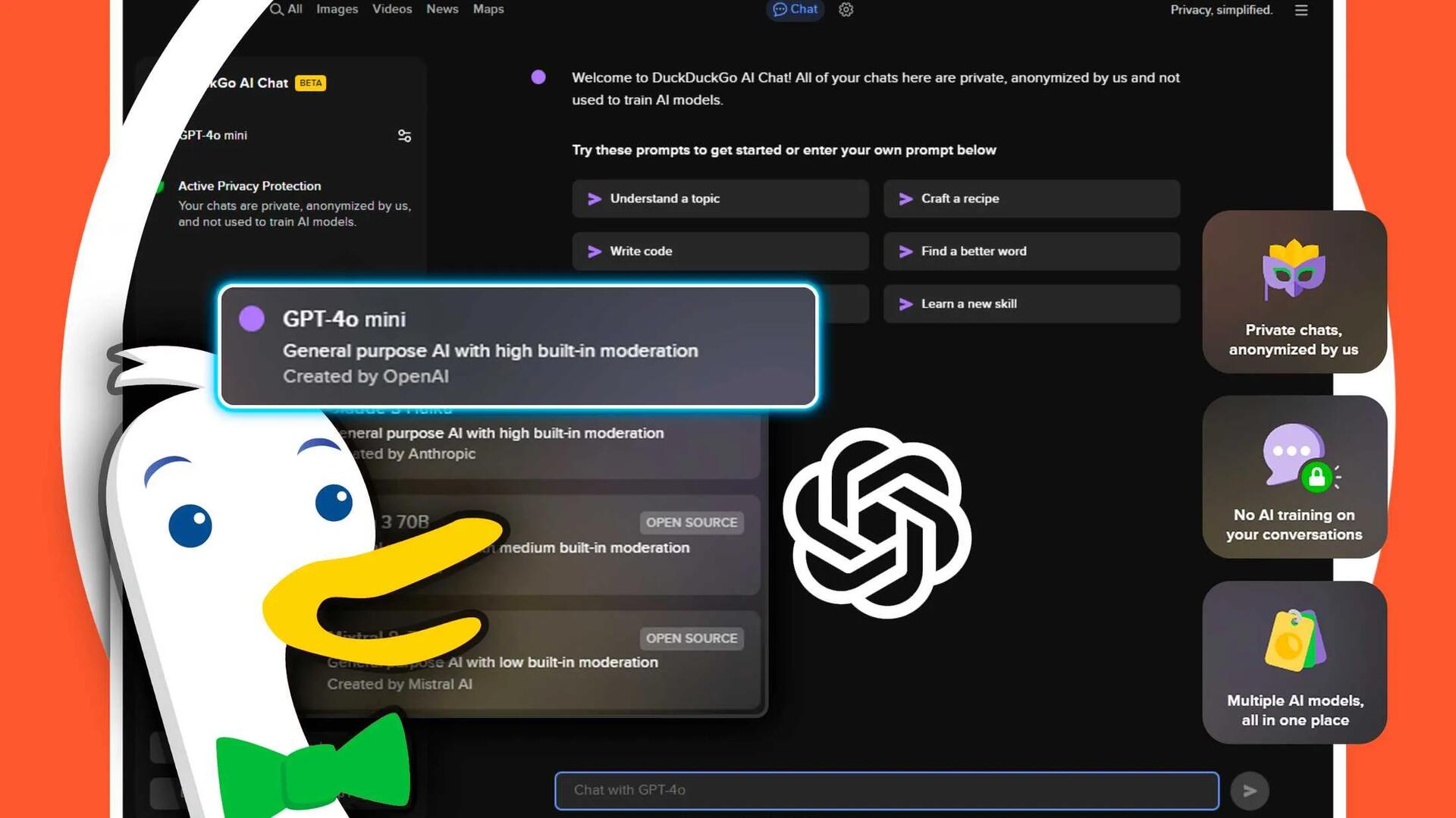
DuckDuckGo AI chat offers privacy, no user data used to train models, and a bare-bones text-only experience
The chat boasts many standard features, such as answering questions when searching on DuckDuckGo, and an interactive chat window. It offers a bare-bones, text-only experience with no multimedia support. The AI chat also includes a "burn" mode, allowing users to erase conversations at any time quickly.
Unlike Meta's AI, OpenAI's ChatGPT, or Google's Gemini, the DuckDuckGo AI chat offers users access to a multitude of large language models, including both closed-source and open-source options. Currently, users can engage with ChatGPT 3.5, ChatGPT 4.0-mini, Llama 3, Claude, and Mixtral.
Obviously being more private means no "memory" or history of chats. It also has no image generation, and the choices of different models may confuse some users. But for the privacy conscious, DDG Chat is a big plus.
You can access it's Chat from any browser by just doing a DDG search, so no need to specifically install the DDG browser etc.
See https://www.howtogeek.com/duckduckgos-new-ai-chat-is-the-best-way-to-use-chatgpt/
#technology #privacy #AI
Cheap DIY open-source button pad can do a lot of what an expensive Stream Deck does
This is going to be way cheaper than buying a Stream Deck, but it will certainly cost a bit of time and effort getting it together.
What it will do is allow for up to 8 different paper templates to be inserted with custom button logos (think of these templates as Stream Deck pages). The colour of each button can be changed, as well as switching between a press function or a toggle function. The button presses basically function as controller button presses or toggles.
What it is not going to do, though, is display any information back from the computer onto each button, or indicate any status back through a button, which a Stream Deck can do.
Besides that, though, it is great for having custom buttons set up for games to control lights, gears, AWD, horns, camera views, etc.
The video in the linked article does a good job of showing how it works.
See https://hackaday.com/2024/08/13/cheap-diy-button-pad-uses-neat-punchcard-trick/
#technology #DIY #opensource #StreamDeck

The best free password managers: Expert tested by ZDNET
We use passwords every day to access everything from our social media profiles to our bank accounts -- and if you are following good password hygiene rules, you have a lot of complex, unique logins that are impossible to remember. A password manager can help you organize and store this information securely, while giving you quick access when you need it. You don't even need to pay a premium for this service, as there are several great free password managers to choose from.
There are some excellent password managers today which provide an abundance of required features free of charge. This leaves really no excuse for anyone still using the same password across different sites.
ZDNET has listed Bitwarden, NordPass, Proton Pass and LogMeOnce as worthy of their recommendation. All these services provide full synchronisation across all your mobile and computer/laptop devices. So, by using them, you are also not locked into a specific OS or OEM.
Today, one also wants to be sure your password manager can handle TOTP and passkeys (also synced across all your devices). Some now also offer hide your e-mail functionality.
The linked article also adds a few worthy mentions at the end such as KeePass, RoboForm and Dashlane.
See https://www.zdnet.com/article/best-free-password-manager/
#technology #passwords #security

Deep-Live-Cam goes viral, allowing anyone to become a digital doppelganger
Over the past few days, a software package called Deep-Live-Cam has been going viral on social media because it can take the face of a person extracted from a single photo and apply it to a live webcam video source while following pose, lighting, and expressions performed by the person on the webcam. While the results aren't perfect, the software shows how quickly the tech is developing—and how the capability to deceive others remotely is getting dramatically easier over time.
The results shown using a moving flashlight are quite impressive. It is quite amazing though given that this all just works with some free Python code, a normal 2D photo, and a webcam. Yes, it is certainly not perfect, but is good for a laugh with your friends.
#technology #deepfakes #webcam

Cal.com is an open-source alternative to Calendy for scheduling meetings
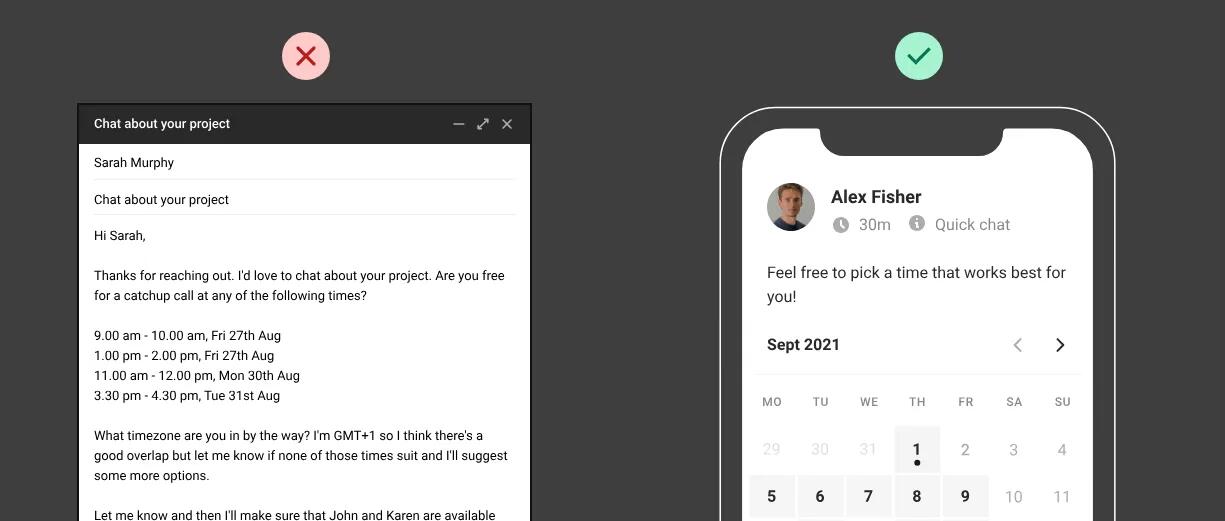
Cal.com works by everyone sharing their calendars to it, and it then suggests times when everyone should be available. It is great for doctors, dentists, teachers, companies meeting candidates, etc who need to set up meetings and want the process as automated as possible.
It can be self-hosted for complete privacy, or they also offer a hosted service which is free for individuals. Not only that, but it can connect to many types of calendaring services, and also has support for CalDav.
See https://cal.com/
#technology #opensource #selfhosting #meetings
Note this is not fully open source as the API is closed source and is required to use it properly.
Cal.com is an open-source alternative to Calendy for scheduling meetings
Cal.com works by everyone sharing their calendars to it, and it then suggests times when everyone should be available. It is great for doctors, dentists, teachers, companies meeting candidates, etc who need to set up meetings and want the process as automated as possible.
It can be self-hosted for complete privacy, or they also offer a hosted service which is free for individuals. Not only that, but it can connect to many types of calendaring services, and also has support for CalDav.
See https://cal.com/
#technology #opensource #selfhosting #meetings
Proton VPN adds ‘Discreet Icons’ to hide app on Android devices and adds more servers for countries with lack of freedoms
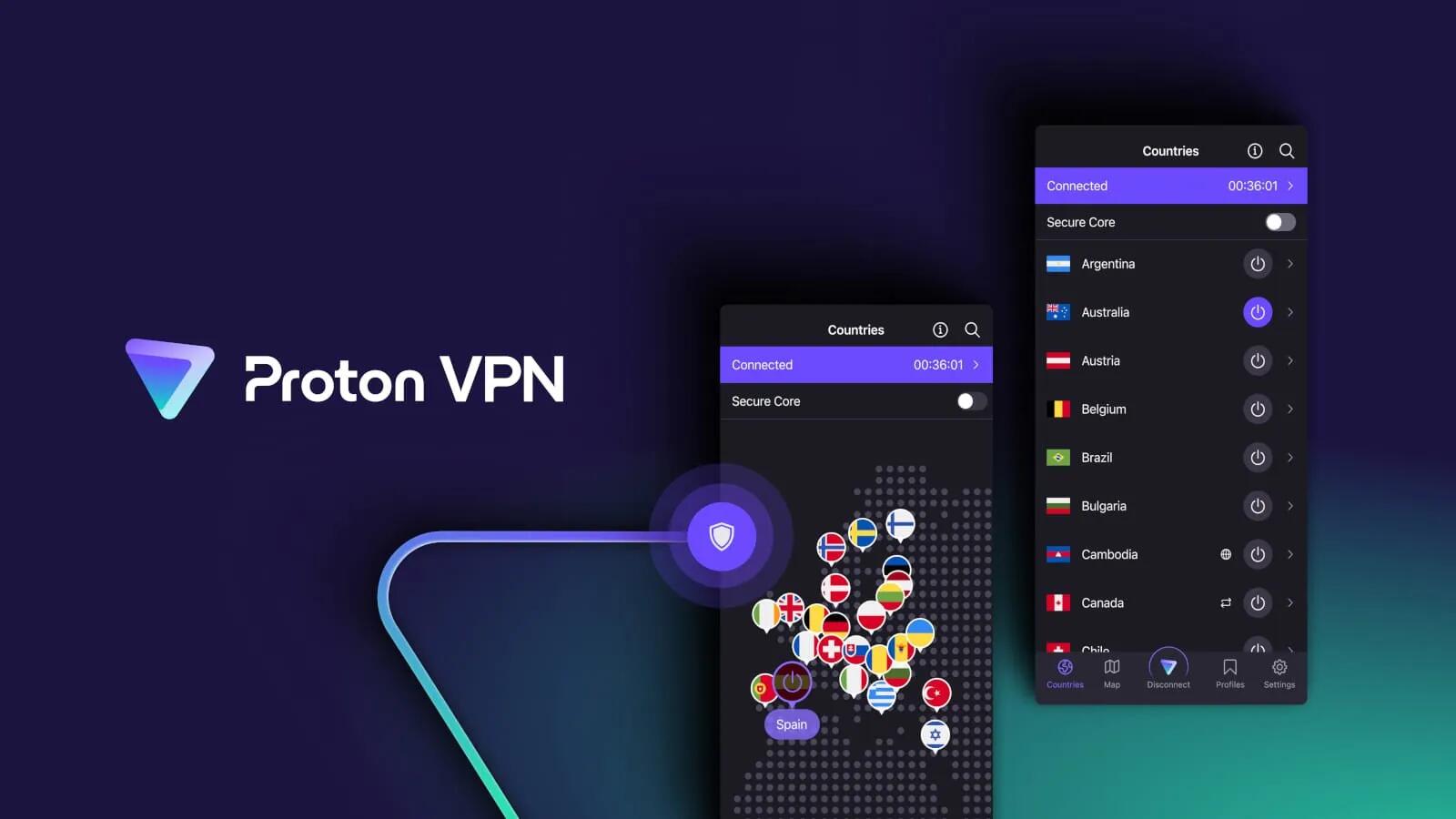
One of the stand-out features is 'Discreet Icon,' a new setting allowing users to disguise the Proton VPN app icon and make it appear as a weather, notes, or calculator app.
In countries governed by oppressive authoritarian regimes where many VPN tools, including Proton VPN, are banned, random physical checks performed by law enforcement on people's devices could get them into trouble if a VPN app is found on their apps list.
The second highlighted feature is the addition of the 'Stealth' anti-censorship protocol to Proton VPN's Windows client. This protocol allows users to disguise VPN traffic as regular internet traffic. Previously, the protocol was available on iOS, macOS, and Android.
Proton VPN will start providing new servers in the twelve countries at the bottom of the Freedom House Index and Democracy Index lists, where people need a trustworthy VPN more urgently. These countries are Afghanistan, Bahrain, Eritrea, Ethiopia, Iraq, Kuwait, Libya, Saudi Arabia, Sudan, Tajikistan, Turkmenistan, and Yemen.
Interestingly, the servers are not situated inside these countries, but in neighbouring countries, and simulates an IP address of the target country.
It's clear that Proton's philosophy is quite divergent from Google's philosophy. Google may provide services for "free" but it is using its users' information to serve adverts and working with advertisers. Proton takes the opposite path by charging users for the services, but then providing them with privacy and not working with advertisers. It is good to see, though, that Proton is still providing a pretty robust free VPN service to users (whilst I think Google just recently discontinued their VPN service).
The thing to remember is that privacy does not go hand in hand with free services, as someone has to pay the bills or donate the time/resources.
#technology #privacy #VPN
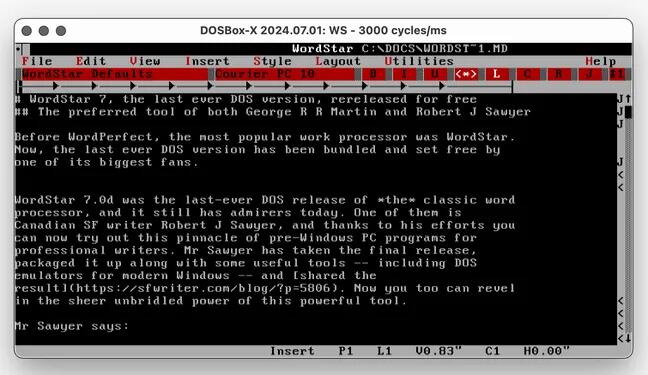
WordStar 7, the last ever DOS version, is re-released for free
Before WordPerfect, the most popular work processor was WordStar. Now, the last ever DOS version has been bundled and set free by one of its biggest fans.
One forgets today how massive WordPerfect and WordStar were in their days. In fact, anyone younger than around 35 or 40 years old won't know anything except for Microsoft Word. WordStar is probably also "well" known for its odd shortcut keys. Back in its day, we did not have a mouse, so everything revolved around keyboard shortcuts.
Yes, Microsoft really did make everyone a bit lazy, as it's no secret that if you know your common keyboard shortcuts in any app, you can work a lot faster than the person that also uses their mouse or the menu to do everything. Which is why those, who really know their command line, are going to work must faster than their counterparts using a GUI app.
But that's the world we live in today
So, this old WordStar app will actually run in Windows, macOS and even Linux (with the suitable DOS emulator).
See https://www.theregister.com/2024/08/06/wordstar_7_the_last_ever/
#technology #retro #WordStar
Vanilla OS Orchid improves on an already brilliant Linux distribution - Immutable and Supports all Package Manager Sources
I've never used Vanilla OS but I see mentions of it popping up more and more. Interesting that it has already embraced the immutable approach to the root desktop OS so that the root file system is read-only.
One could be led to think of Vanilla OS as a "frankenlinux" distribution, as it seems to be an amalgamation of Debian, Ubuntu, Alpine, Fedora, Arch, and openSUSE, thanks to the package-management wrapper, called Apx, which allows for the installation of packages from various sources. Those packages are also installed within containers, so you don't have to worry about them accessing your root file system and wreaking havoc (should a malicious app accidentally be installed). Vanilla OS supports Flatpaks, AppImages, and even Android apps.
Another blog post I made yesterday also referred to Vanilla OS as being only one of two distros that has a dual-root-volume system, (much like Android has) so what this all says is Vanilla OS should be pretty immune to being seriously broken by updates etc. This type of approach could make it ideal for new Linux users, but also those prone to trying out some risky installations.
Yes, I much prefer Plasma as my desktop instead of GNOME, and Manjaro has now also got an immutable distro option, so I'm not intending to switch right now. But Vanilla OS should be a serious consideration, alongside Linux Mint, for any new user to decide between.
See https://www.zdnet.com/article/vanilla-os-orchid-improves-on-an-already-brilliant-linux-distribution/
#technology #Linux #VanillaOS