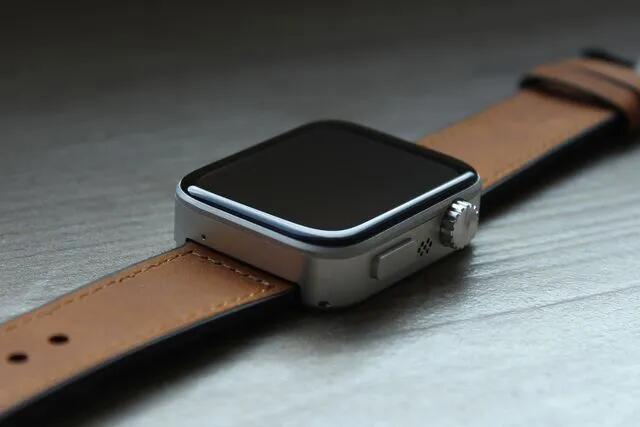
You can easily disassemble this repairable Spectra smartwatch using just a Phillips screwdriver
The Spectra is a new smartwatch designed from the ground up to be hackable and easy to repair. It was created by Pocuter, a company that has spent the last few years honing an expertise in building small electronics like its tiny Pocuter One computer. What makes the Spectra unique is that it’s repairable, yet with a design that mirrors the Apple Watch which is much harder to get into.
The wearable is now available for preorder through a Kickstarter crowdfunding campaign with delivery expected as early as July 2025.
The downsides are it is a Kickstarter project so we'd have to see what actually transpires, and it will run SpectraOS based on JavaScript, so will not be installing any apps from the Apple or Android store.
That said, I mostly use my watch for exercise tracking, my groceries list, and mirroring notifications from my phone. So what sort of apps are available may also be an important consideration for many.
It will be much like a modern reincarnation of the Pebble watch. If it proves popular, it may well attract a lot of app development.
See https://www.theverge.com/2024/11/22/24303386/pocuter-spectra-smartwatch-repairable-hackable-wearable
#technology #smartwatch #righttorepair
PrivateBin and MicroBin compared as alternatives to Pastebin for text and file sharing
Pastebin is a long text and code snippet sharing site. The site has some limitations for free accounts, and does not allow file uploads.
Pastebin recently flagged one of my pastes as spam, so I needed to look for an alternative. The best two open source self-hosted alternatives I found were PrivateBin and MicroBin, both of which do what Pastebin does, and sharing of files. My video takes you through a comparison I did to try to decide which of the two would be best for me to use. I also mention a workaround for not being able to remove a MicroBin paste, and demonstrate how both these applications work.
Watch my video at https://www.youtube.com/watch?v=jusUL_YrRkA
#technology #opensource #selfhosting #alalternativesto
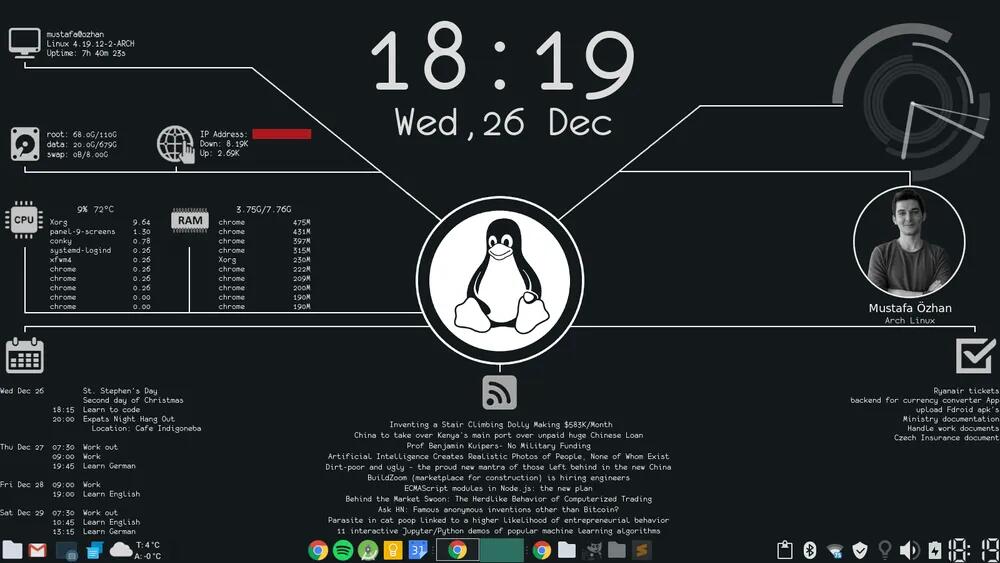
Beginner's Guide to Install and Use Conky in any Linux distro
Conky is a lightweight system monitor available on Linux and BSD. It can display the system information and statistics such as CPU consumption, disk usage, RAM utilization, network speed, etc. in an elegant way. All the information is displayed on top of your wallpaper. It gives your desktop a live wallpaper feel.
The looks of the displayed information can be changed via Conky configuration file.
Conky is incredibly configurable, and I have it setup on my Manjaro Linux desktop to monitor available drive space, fan speeds, etc. I did a video a while back comparing various system monitoring tools, including Conky, at https://www.youtube.com/watch?v=w5XaY_gt5VU.
It is a bit of work to set up a more complex setup, but once done, you don't really need to touch it again.
See a good beginners guide at the linked article below. Although it is aimed at Ubuntu users, Conky really works across all distros.
See https://itsfoss.com/conky-gui-ubuntu-1304
#technology #opensource #Conky #linux
Cape has been selling a privacy-focused cellphone service to the U.S. military, now offering to high-risk members of the public
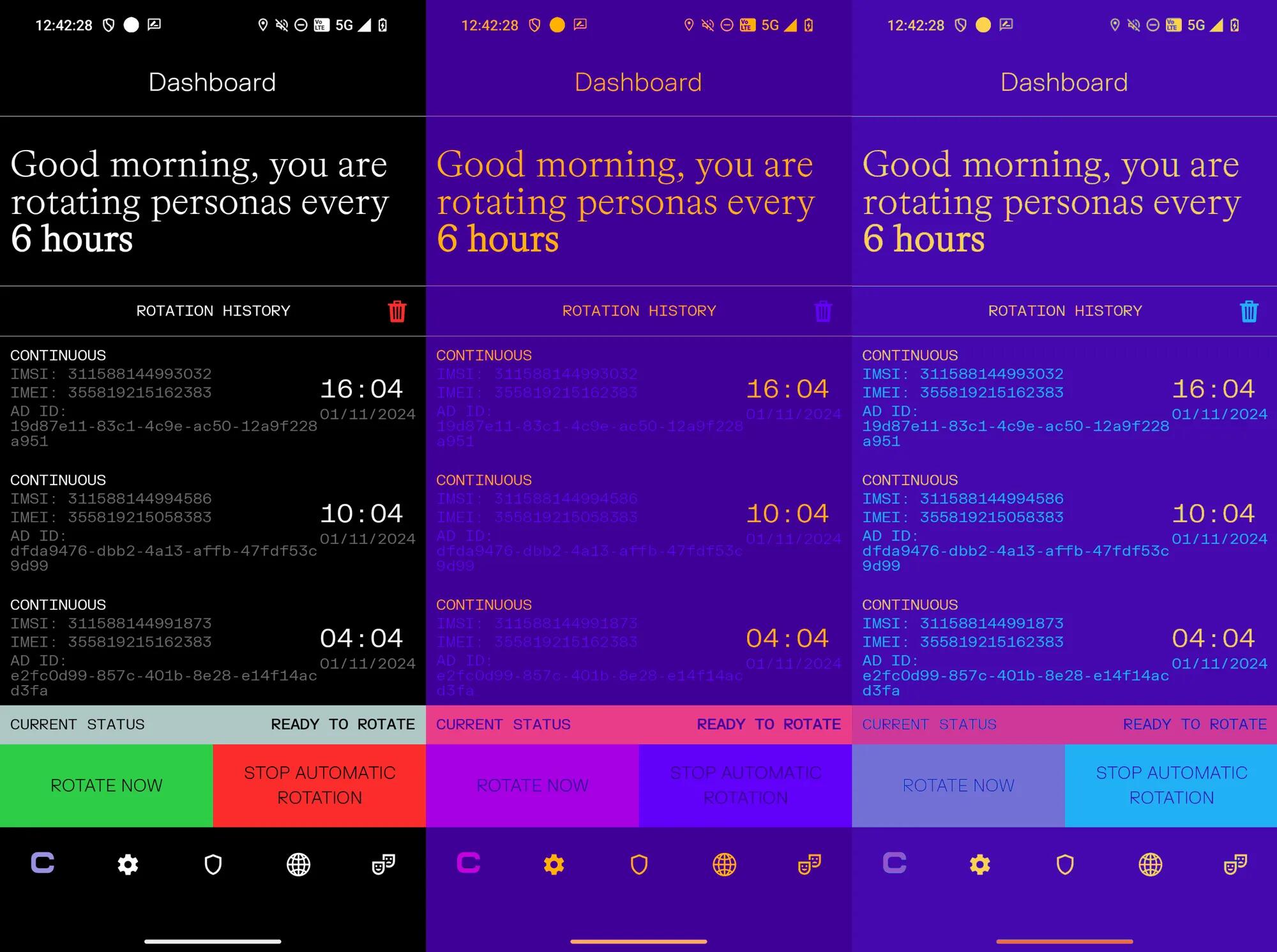
Cape runs its own mobile core, all of the software necessary to route messages, authenticate users, and basically be a telecom. Ultimately, this gives Cape the control to do more privacy-enhancing things, such as periodically give its phones a new IMEI—a unique identifier for the phone—and new IMSI—a similar identifier, but one attached to the SIM card (or eSIM in Cape’s case). The phone can also give itself a new mobile advertising identifier (MAID), which is an identifier advertising ecosystems and apps use to track peoples’ web browsing activity and is sometimes linked to their physical movement data. Cape said the IMEI and MAID rotation is handled by the custom Cape handset, which runs standard up-to-date Android.
Cape lets users create bundles of these identifiers, called “personas”, then cycle through them at different points. This means that during some attacks, a Cape phone may look like a different phone each time.
Well, this is a very interesting phone. Whether governments really want their citizens (or their terrorists or child molesters) to have these devices is another story...
The author also raises an intriguing point about why has AT&T and other phone networks not offered something like this before. The easy answer is wire-tapping requirements (remember the NSA vs PGP encryption in the 1990's). Google could have offered encrypted email too if it wished, but reading our mail helps fuel its advertising business.
But way more shocking in the linked article, was the statement by the author that they have not owned a smartphone since 2017! I get that you can do a lot on your desktop (like I do), but even I realised that I needed that banking app to do 2FA when approving payments, or SMS for some sites still to authenticate access, and needed Waze to navigate through ever denser traffic, etc. Even the poorest of the poor in our country now at least have a feature phone.
I find it difficult enough telling many people, no, really, I don't have WhatsApp when they want to send receipts to me via WhatsApp.
See https://www.404media.co/i-dont-own-a-cellphone-can-this-privacy-focused-network-change-that
#technology #privacy
Why electric car charging stations are expensive in South Africa
Well, no surprise as SA government already applies and over and above tax on all EV imports. SA liquid fuels are also very heavily taxed.
And with fast charging stations, there are already a few middle-people adding their mark-ups. I don't think even yet, SA government has added any road levy taxes to these charging stations.
I know there are discussions on the go about reducing import levies, as well as road taxes, but right now in SA owning an EV is purely a rich person's pursuit.
Technically, EVs could be very cost-effective to operate, even given the standard residential electricity tariffs. But right now is just not the time. Other countries in Africa are already offering better incentives, and even manufacturing and exporting their own EV buses.
As far as EVs go, South Africa has somewhat missed the bus.
#technology #SouthAfrica #EV #environment

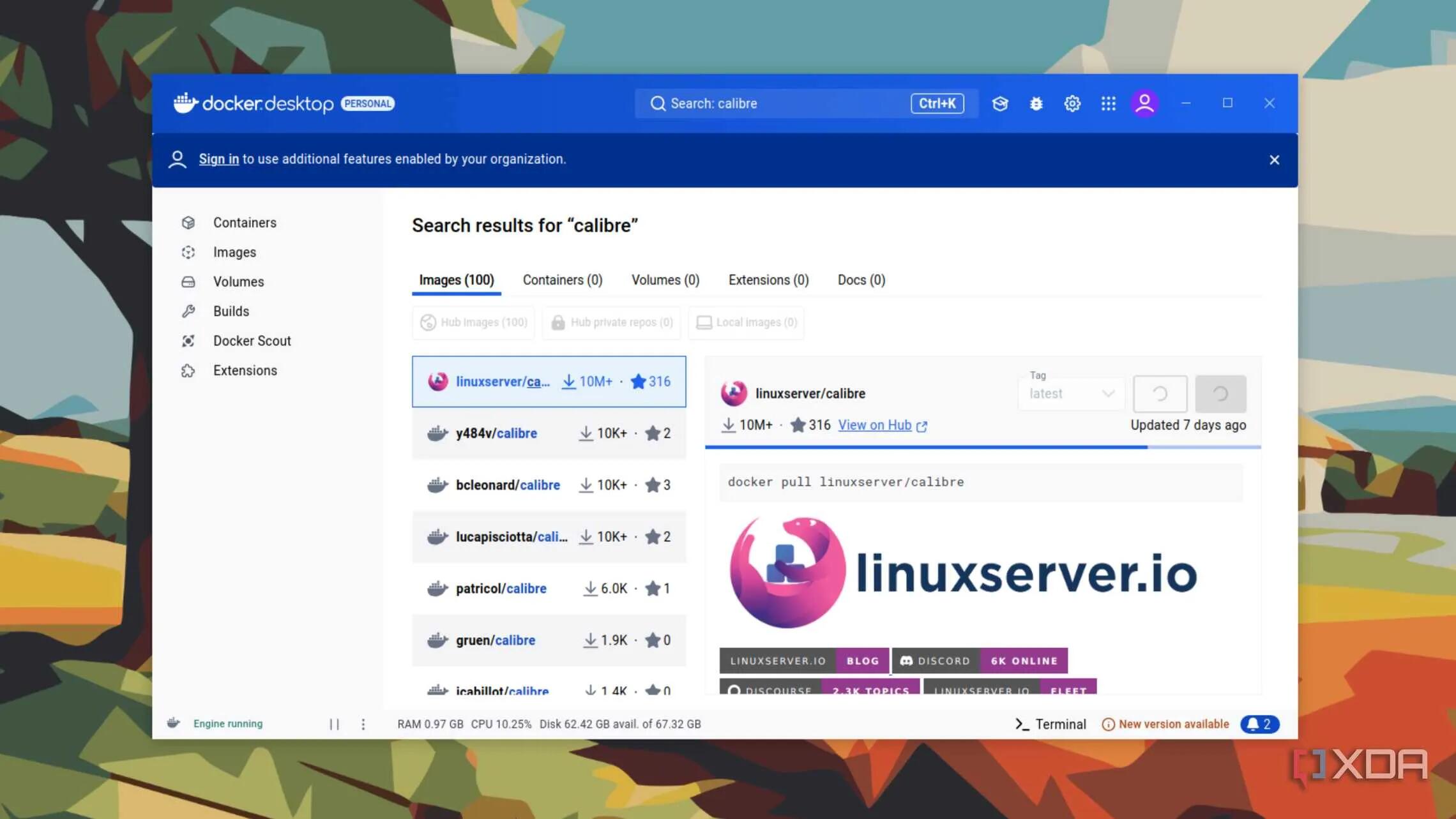
4 reasons why you should use Docker containers on your PC
I use Docker containers exclusively on my servers, but have yet to explore using them on my desktop computer or a Raspberry Pi. I do use Flatpaks quite a bit, and there seems to be a case for Docker containers being lighter than Flatpaks even (not sure about this yet).
But certainly, Docker containers are ultra-lightweight (just think also how quickly they spin up).
And yes, they do isolate their environment and prevent any chance of conflicting packages.
If you use Docker containers on your desktop, let me know which you are finding useful for a desktop environment.
See https://www.xda-developers.com/reasons-why-you-should-set-up-docker-containers-on-your-pc
#technology #docker #cocontainers
Listen to the oldest known recording of a human voice from 1860 before they could even play it back
Thomas Edison is often credited with being the first person to record sound.
But it was in fact a Frenchman named Edouard-Léon Scott de Martinville who invented sound recording via his phonautograph in 1857 – 20 years before Edison invented his phonograph.
When this was recorded, there was no known way of how to yet play back anything. It was more an experiment to try to replicate how the human ear works. With today's technology, though, we can reverse engineer that to reproduce the sound.
That is a 164-year-old recording, many generations ago. Technology itself was still in the era of steam power. Radio, phonographs, gramophones, etc were still a long way away from being invented.
See https://www.youtube.com/watch?v=ICVtdcIIsrc
#technology #vintage #auaudio

How to update your SSD firmware on Windows
Software updates are an integral part of modern life, with your computer's operating system and your smartphone being smart enough to update on its own. But that's not the case for every piece of electronics, and many need a manual touch to get them updated. Pretty much every computing device you own, from the best M.2 SSDs to your computer's motherboard and the router powering your home network, all runs on a combination of firmware and hardware. It's called firmware instead of software because it's designed to be permanently embedded in the device that it controls and updated only periodically.
These firmware updates can fix performance-related issues, security holes, or other types of bugs. Because they're not scheduled regularly, it's even more important that you update the firmware when a new version arrives. For SSDs, firmware controls how data is stored and read, as well as other functions that the SSD controller needs to operate efficiently to give you the best performance possible. Every SSD manufacturer has a slightly different way of handling updates, but they all have one thing in common–they're quick and easy to do.
This is a bit of a Catch-22: Updating firmware on a SSD does have a slight chance of borking the drive, and some say it is better not to mess with something that is working OK...
See https://www.xda-developers.com/how-update-ssd-firmware
#technology #SSD


There are reports that whilst these trees do indeed generate some power, they do not achieve the claimed outputs and do so at greater cost than other wind:
No solar panels, no wind turbines, but the Aeroleaf WindTree: This tree produces infinite energy in your garden
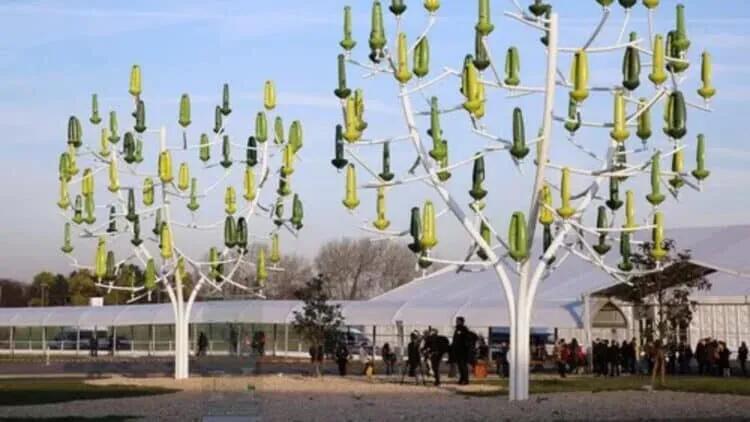
A new form of wind power generation technology with a focus on aesthetics is sweeping the green energy industry, and it’s expected that Aeroleaf WindTrees will soon be popping up in gardens across the globe as the nature-friendly innovation takes root in the market. The organic-looking, small-scale installations, which are ideal for urban settings, are fitted with microturbines that have the appearance of leaves on branches, making them far more pleasing to the eye than giant wind farm installations or solar panels.
The technology is remarkable in that the “leaves” can operate in winds from any direction and at speeds as low as 5.6 miles per hour. The devices are silent and don’t require much maintenance, making them ideal for urban areas and small- to medium-scale energy production, and they are suitable for commercial, corporate, or home settings.
The biggest model in the Aeroleaf range is the WindTree, which is 32 feet high. Depending on how it’s set and how many “leaves” it has, the WindTree has a generation capacity of between 4,200 and 10,800 watts.
Really good to see better alternatives coming out for green energy.
See https://www.eldiario24.com/en/solar-panels-aeroleaf-wind-turbines/3876
#technology #environment #windpower
EDIT: There are reports that whilst these trees do indeed generate some power, they do not achieve the claimed outputs and do so at greater cost than other wind:
OK that would be interesting to see a report on. As far as I know it us basic magnetic motors so nothing really different. It is more the construction and design that looks different.
No solar panels, no wind turbines, but the Aeroleaf WindTree: This tree produces infinite energy in your garden
A new form of wind power generation technology with a focus on aesthetics is sweeping the green energy industry, and it’s expected that Aeroleaf WindTrees will soon be popping up in gardens across the globe as the nature-friendly innovation takes root in the market. The organic-looking, small-scale installations, which are ideal for urban settings, are fitted with microturbines that have the appearance of leaves on branches, making them far more pleasing to the eye than giant wind farm installations or solar panels.
The technology is remarkable in that the “leaves” can operate in winds from any direction and at speeds as low as 5.6 miles per hour. The devices are silent and don’t require much maintenance, making them ideal for urban areas and small- to medium-scale energy production, and they are suitable for commercial, corporate, or home settings.
The biggest model in the Aeroleaf range is the WindTree, which is 32 feet high. Depending on how it’s set and how many “leaves” it has, the WindTree has a generation capacity of between 4,200 and 10,800 watts.
Really good to see better alternatives coming out for green energy.
See https://www.eldiario24.com/en/solar-panels-aeroleaf-wind-turbines/3876
#technology #environment #windpower
A hands-On Review with Session - A Fully Encrypted Chat App
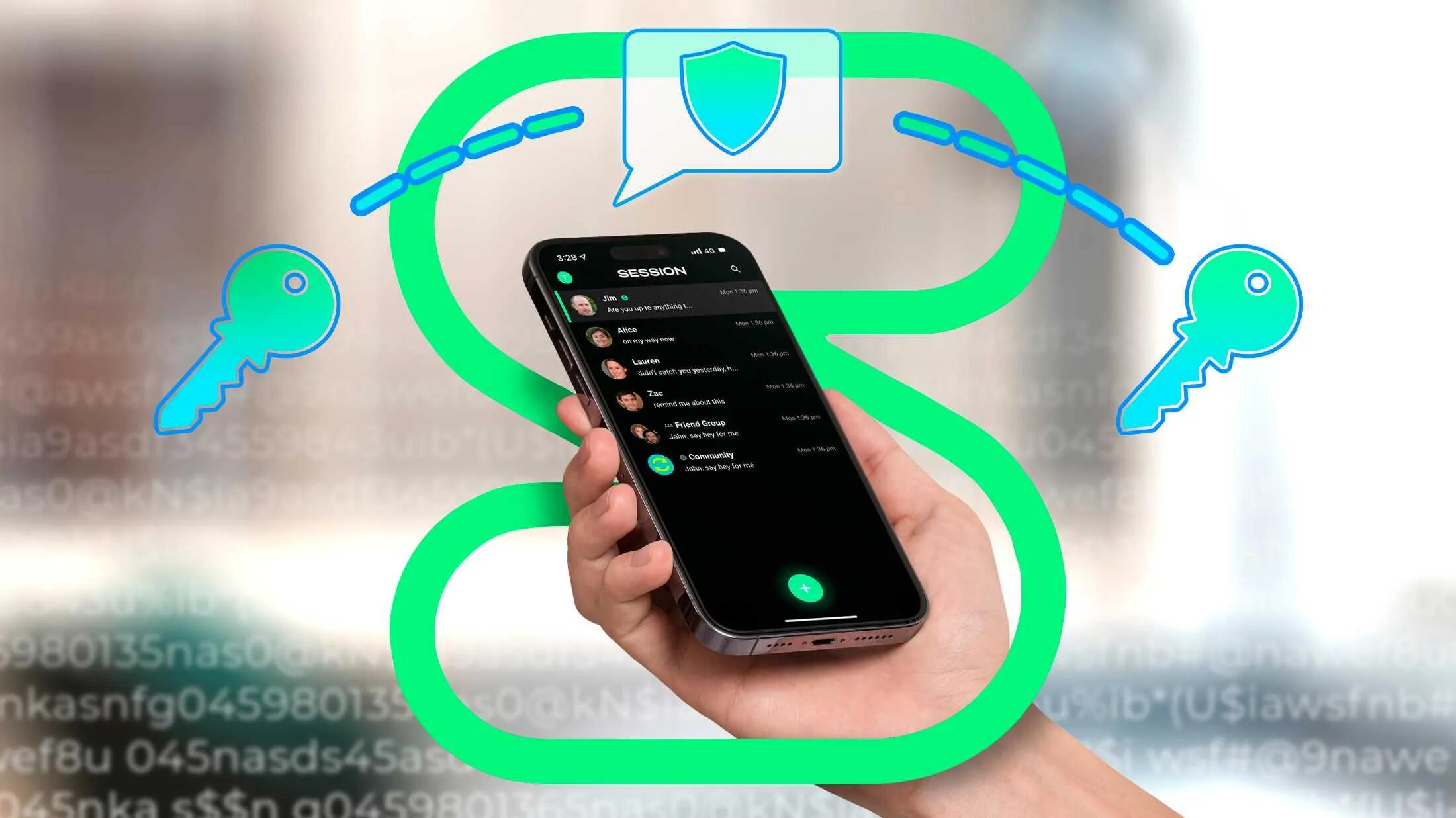
As with Threema and SimpleX, Session is one of the most secure and private chat apps that you get today (more so than Signal, and way more so than WhatsApp).
A lot of this is to do with the metadata level (that data which WhatsApp actively resells upstream to Facebook and other providers).
There is no doubt that Session is up there with the best, but this is also why none of your friends will be found there. There is no phone number or e-mail lookup to find users, nor any search to find them. Each friend must choose to share their contact ID with you. You can connect quite easily with a QR code or a contact link, but that is just not how people are yet connecting.
Most users want to log into a central service where their e-mail address or phone number is searchable (at least to those who know it), and that is how people connect and find each other.
Of course that means the central provider knows who you are and can connect that information with your login times, IP addresses, location, etc. Yes Signal tries to minimise that, as does Proton Mail, but others like Google, Facebook, and WhatsApp max out that information to build profiles on you "to serve you better". Personally, I think WhatsApp and Facebook have taken that too far, by sharing that information, which is why I deleted my accounts with them.
So, yes Session is excellent, but regretfully the world is just not ready to adopt it en-mass (and the same goes for truly encrypted e-mail). The technology is ready, but humans are not ready.
What you can otherwise do, if this does concern you at all, is to rather adopt something like Signal messenger, and for Facebook use a 3rd party anonymising app like SlimSocial. If you are not ready to delete your Facebook and WhatsApp apps (the mobile apps are real data gatherers), then at least create your presence on Signal, so that others friends can delete their apps and can still contact you.
See https://www.howtogeek.com/i-went-hands-on-with-session-an-encrypted-chat-app
#technology #privacy #Session
You can actually turn an old phone into a NAS
If you're a tech enthusiast like me, chances are you have an old phone or two lying around unused. While it's not necessarily the best use for it, you can definitely take one of those older devices and use it as a rudimentary NAS (network attached storage device) for sharing data across all your devices.
On top of that, if you really want to take things a step further, you can root an old Android phone and set up Docker on it. From there, you can host normal applications that you would on any other NAS and deploy them on your network, including running things like Pi-hole or Jellyfin. They're making just a NAS out of an Android phone, but you can easily host a Nextcloud Pi server on your smartphone if it's rooted.
We forget that yesterday's flagship, or even mid-range, phones are actually pretty powerful devices, often a fair bit of storage. With a USB hub plugged in, you can attach storage, an Ethernet connection, and more.
Repurposing an old phone, instead of throwing it out, is certainly also cutting down on e-waste.
See https://www.xda-developers.com/how-turned-old-phone-nas
#technology #NAS #environment
Yes we've certainly seen open source software working well - some choose to pay to have it hosted for them, others are more savvy and host it free for themselves. It can end being a win-win-win.
I remember the beginning days when you could not buy a hard drive without having the pre-paid Windows OS on it. I remember the liberating feeling a while later when we could buy blank drives and format OS/2 Warp onto it. It's always big industry that tries to control their markets.
eSIM security vs. a physical SIM: An eSIM is safer
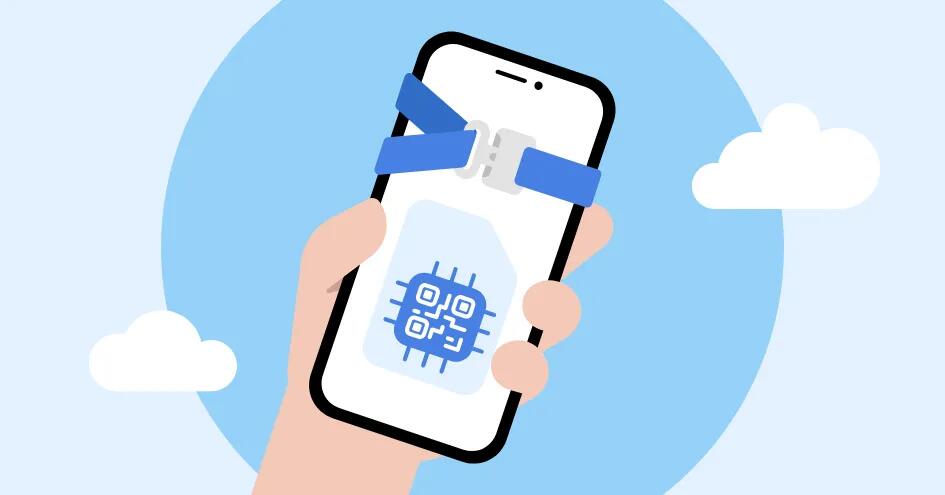
Apart from, the convenience of being able to easily enable an eSIM (without waiting for a physical SIM delivery), the ease of switching SIM profiles when travelling, and not having a physical card that gets damaged, these eSIMs also have some security advantages too.
eSIM (embedded subscriber identity module) technology employs various additional security measures that make it less prone to hacking than physical SIMs. Those measures include a secure element, which stores sensitive data and protects it from unauthorized access or tampering, adding an extra layer of protection against hacking attempts.
They cannot be cloned, as they cannot be physically accessed from outside the phone. Also, if your phone is stolen, it is not like a physical SIM where a thief can just remove the SIM card (the eSIM is always active inside the phone).
In other aspects they are quite similar to physical SIM cards, for example, with SIM swapping, as SIM swapping is done virtually on the network side and has little to do with the SIM in your phone.
But remember that no online device is ever fully immune to hacking. So whilst eSIMs are a step up from physical SIM cards, they may not be fully immune.
See https://nordvpn.com/blog/is-esim-safe
#technology #eSIM #security
Google is CRIPPLING their Find My Device network with ‘aggregation by default’ setting
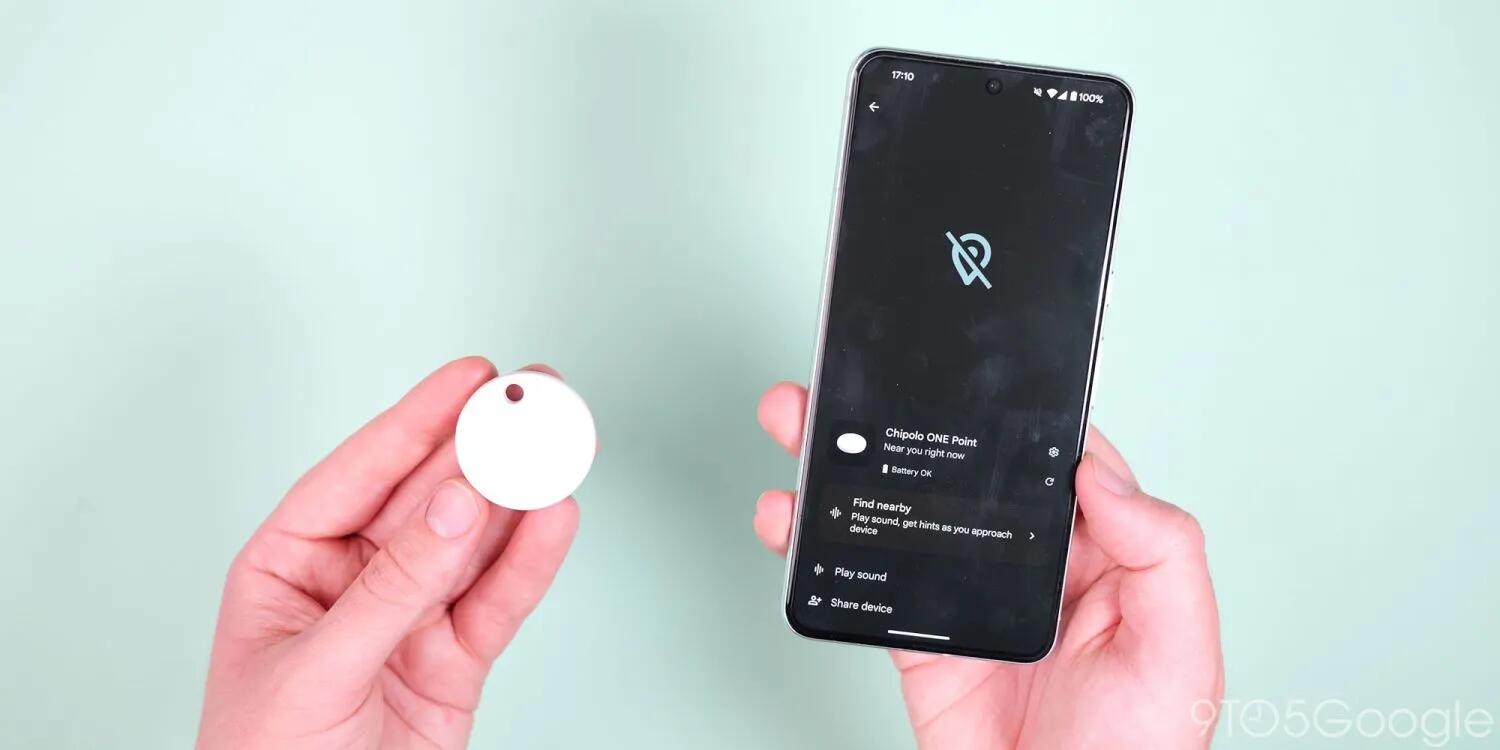
From the beginning, Google has prioritized being privacy-conscious with the Find My Device (FMD) network, including delaying the launch until the iPhone gained unknown tracker alerts. Google chose “aggregation by default” to the detriment of Find My Device performance, and is seemingly doubling down on that decision.
The default Find My Device network setting is “With network in high-traffic areas only.” Multiple Android devices have to detect an object before its location is shared. So far, users have found this ineffective in real-world usage, with trackers not being located.
Unlike Apple who has this type of setting as opt-out by users, and which results in a far more extensive network to find your lost items, Google has restricted it to opt-in. Looking at reviews about the Motorola Moto tags, I see this issue cropping up a lot. Great tags, but the Google network is just not locating your device until multiple Android users have passed it.
It is not as if any 3rd party is going to identify you or your location whether this setting is enabled or not. Your identity and location is never passed to the others users.
What it means is that Google is basically crippling their network, whilst Apple's is functioning extremely well. With Apple being who they are, they seem to be happy with the default settings reporting the location of a lost tag with just one iOS device passing by.
We are all familiar with default settings, and with this one as it is, it means Google's network is never really going to function well. You can really forget about expecting a few billion people to all changing this setting themselves. It would have been better to activate it properly and put a notice on the start-up screen to inform what it does.
See https://9to5google.com/2024/07/09/google-find-my-device-aggregation-default
#technology #trackers #FindMyDevice
7 free open-source tools for amazing photo and video edits
While there is no shortage of powerful photo and video editing tools, most of them come with a hefty price tag or require a subscription to get started. It may discourage students, beginners, and freelancers from exploring them fully. Luckily, thanks to free, open-source tools, you don’t need to shell out hundreds of dollars to achieve stunning results.
XDA Developers have short-listed their choices in the linked article below, and explained why each has been chosen.
I'd certainly also add digiKam for photo editing. It has some very powerful features, including advanced geolocation editing, batch editing, blending of stacked images, OCR text generation, creation of calendars, creation of panoramas, RAW editing, camera control, and exporting to numerous cloud services including Flickr, Imgur, Piwigo, Pinterest, etc.
See https://www.xda-developers.com/free-open-source-tools-for-amazing-photo-and-video-edits
#technology #opensource #photography