

Welcome to YakiHonne, where we’re excited to introduce you to our innovative Smart Widgets! These interactive components allow you to create dynamic and engaging campaigns directly within social feeds, all without needing any coding skills. Whether you’re new to Smart Widgets or looking to refine your approach, this guide will walk you through the process.
### Step 1: Log In
Start by logging into your YakiHonne account. This is your gateway to creating and managing Smart Widgets. If you don’t have an account yet, sign up easily on our website.
### Step 2: Create Smart Widgets
Once you’re logged in, it’s time to get creative. Head over to the “Post” section and select “Smart Widget.” Here, you have two options:
**Option 1: Create from Scratch**
If you have a specific idea in mind, you can create your Smart Widget from a blank canvas:
• Click on “Create Blank Widget.”
• Begin designing by adding your unique content, interactive features, and any elements that match your campaign’s needs.
• Customize the appearance and functionality to fit your brand or message.
**Option 2: Choose a Template**
If you’re not sure where to start or want some inspiration, using a template is a great option:
• Select “Templates” from the options available.
• Browse through a variety of pre-designed templates.
• Choose one that fits your campaign’s goal, and customize it to make it your own.
**Option 3: Clone a Community Widget**
If you want to explore what others are doing, you can clone a widget shared by the community:
• Click on “Smart Widgets” to see what the community has shared.
• Browse through the community’s shared Smart Widgets.
• Find a widget you like, and click “Clone.”
• Modify the copied widget to create your unique Smart Widget.
 )
)
### Step 3: Explore Smart Widgets Features
Your Smart Widgets can do much more than just display content. Let’s dive into the features you can integrate:
• User Engagement Tools: Add polls, surveys, or quizzes to interact with your audience.
• BitcoinFi Integration: Enable features that support Bitcoin transactions, like tipping or payment gateways.
• Governance Options: Incorporate voting systems to allow users to participate in decision-making processes.
• Product Growth: Use widgets to drive user growth through referral programs or viral marketing techniques.
 )
)
 )
)
These features are designed to enhance interaction and make your Smart Widget stand out. Feel free to experiment with different combinations to see what works best for your campaign.
### Step 4: Publish Your Smart Widgets
After you’ve created and customized your Smart Widget, it’s time to share it with the world:
• Preview your widget to ensure everything looks and works as intended.
• Click “Post my Smart Widget” to publish it.
• Your widget is now live and ready for others to interact with in their social feeds.
 )
)
### Step 5: Add Smart Widgets to Notes
To maximize the impact of your Smart Widget, you can integrate it into your Notes:
• Go to the “Notes” section on your dashboard.
• Select “Add Smart Widget” and choose the widget you’ve just created.
• Publish the note, and now your audience can engage with your Smart Widget directly through the note.
 )
)
### Tips for Success
* Experiment with Features: Don’t hesitate to try out different combinations of features to find what works best for your audience.
* Engage Your Audience: The more interactive and engaging your Smart Widget is, the better the results.
* Monitor Performance: After publishing, keep an eye on how your Smart Widget is performing. Adjust and optimize based on user feedback and engagement metrics.
### User Guideline Video Resources
[Create from Scratch](https://drive.google.com/drive/folders/1-vBaL31-lDB2d7LQtnONeQ9xmF_4Pm4Y)
[Choose a Template](https://drive.google.com/drive/folders/1-vBaL31-lDB2d7LQtnONeQ9xmF_4Pm4Y)
[Clone a Community Widget](https://drive.google.com/drive/folders/1-vBaL31-lDB2d7LQtnONeQ9xmF_4Pm4Y)
[Full tutorial video ](https://drive.google.com/drive/folders/1-vBaL31-lDB2d7LQtnONeQ9xmF_4Pm4Y)
### Conclusion
Creating and using Smart Widgets on YakiHonne is a powerful way to engage with your audience, promote your brand, and drive meaningful interactions. With no coding required, the possibilities are endless. Start exploring today, and see how Smart Widgets can take your campaigns to the next level!
Happy creating!
interesting

That's true. You seem cool and down to earth.
I agree but who and why the fuck is someone doing that for

Vitor.... what's new with amethyst? Anything going on or in the works right now? Like cool features? How come you don't get together with nostr:nprofile1qqsqgc0uhmxycvm5gwvn944c7yfxnnxm0nyh8tt62zhrvtd3xkj8fhgprdmhxue69uhkwmr9v9ek7mnpw3hhytnyv4mz7un9d3shjqgcwaehxw309ahx7umywf5hvefwv9c8qtmjv4kxz7gpzemhxue69uhhyetvv9ujumt0wd68ytnsw43z7s3al0v ? I think you guys could create something great
I think someone is creating all these #bot #accounts on #nostr to inflate the numbers dude. There's nothing but bots in the global feed
God,
Liberals are so annoying.
#RandomThoughts

No u don't need a relay to create a community unless you want to use #ditto. For regular communities use satellite earth to create them
Layla on play store
#lemmy #admins ladies and gentleman 

I didn't pay anything
Good morning #nostr ppl
When using #Ditto I'm trying to sign in to #mastodon #apps with my nostr key, after I do so it asks for a bunker URL ?
What is that? What do I put there ? Can you help me?
Am I the only person who hasn't seen any trace of the new nostr bot
Rhymes with apply fly
I wonder why
You mean this one ? 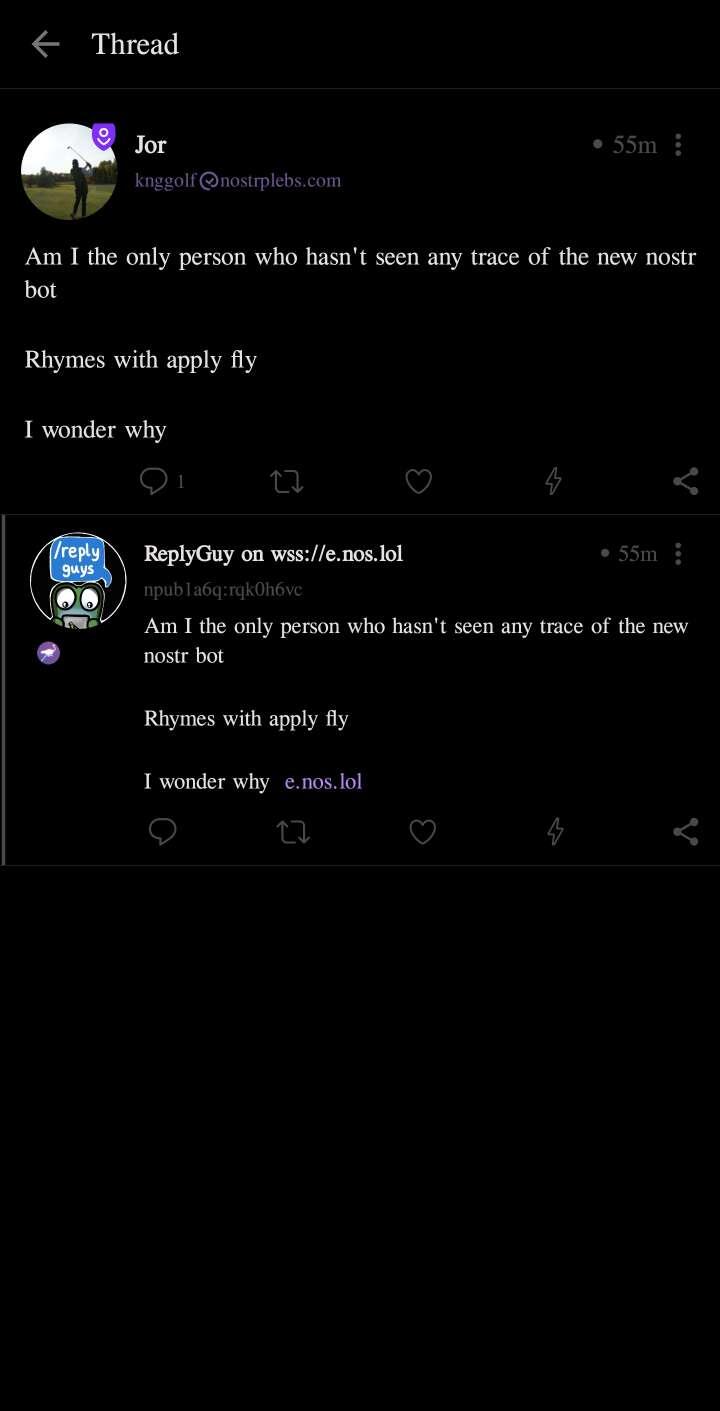
I feel Weird today
