

use the Linux Native meshtastic code: https://meshtastic.org/docs/software/linux-native/
I did a writeup here:
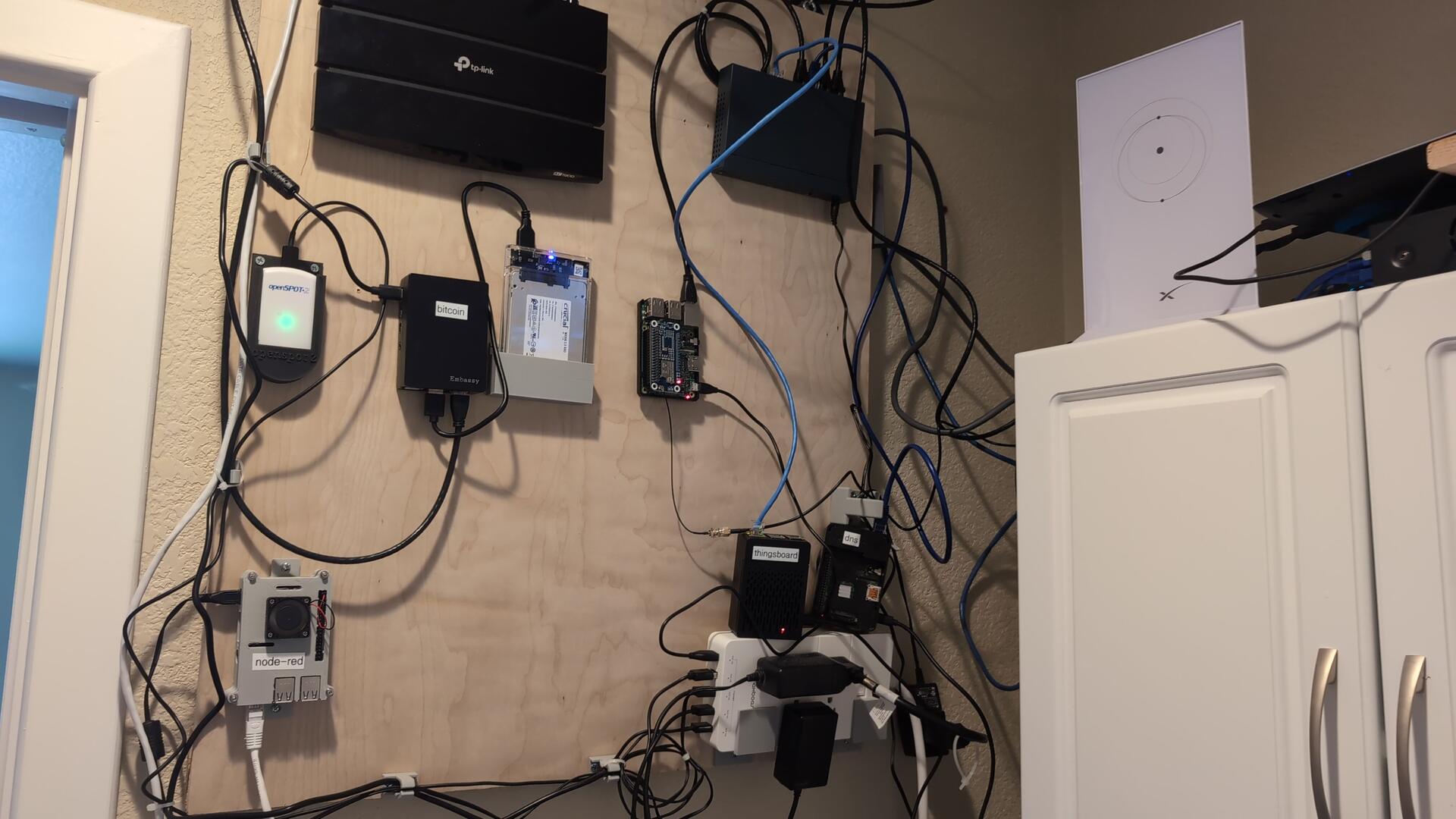
you can see how I wired up the BBS here:

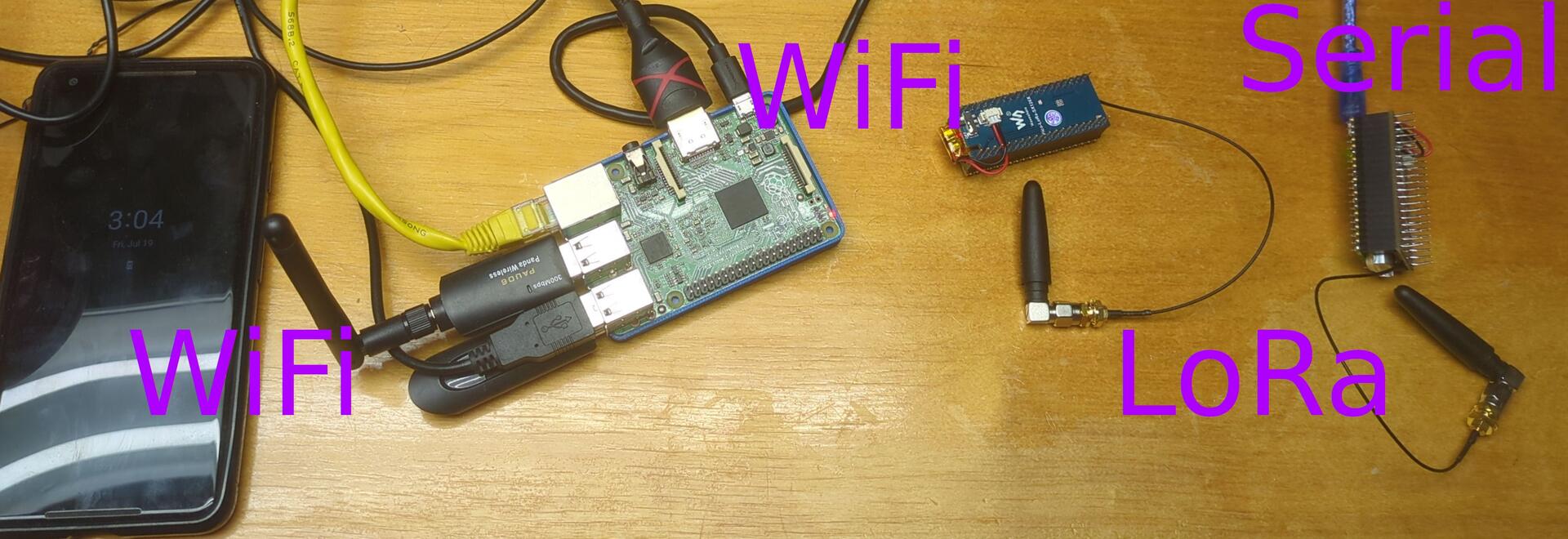
are you running meshtastic on the Pi? I have added a lora hat to my pi and I can run the meshtastic node right on the pi as well as run TC2-BBS on the same pi. I am also running a MQTT server on the pi to route traffic to the internet. That way, you have an all in one meshtastic "router"
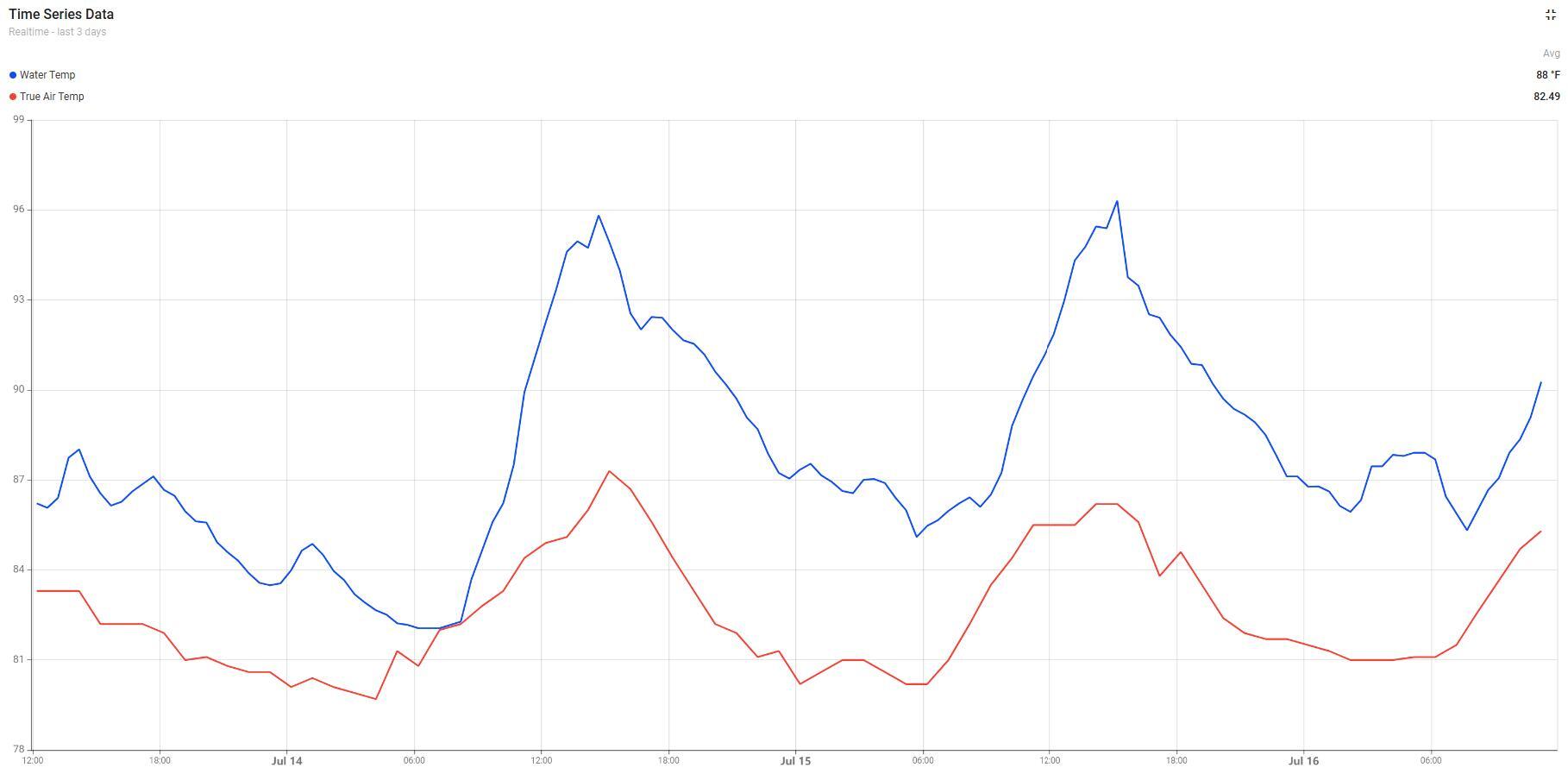
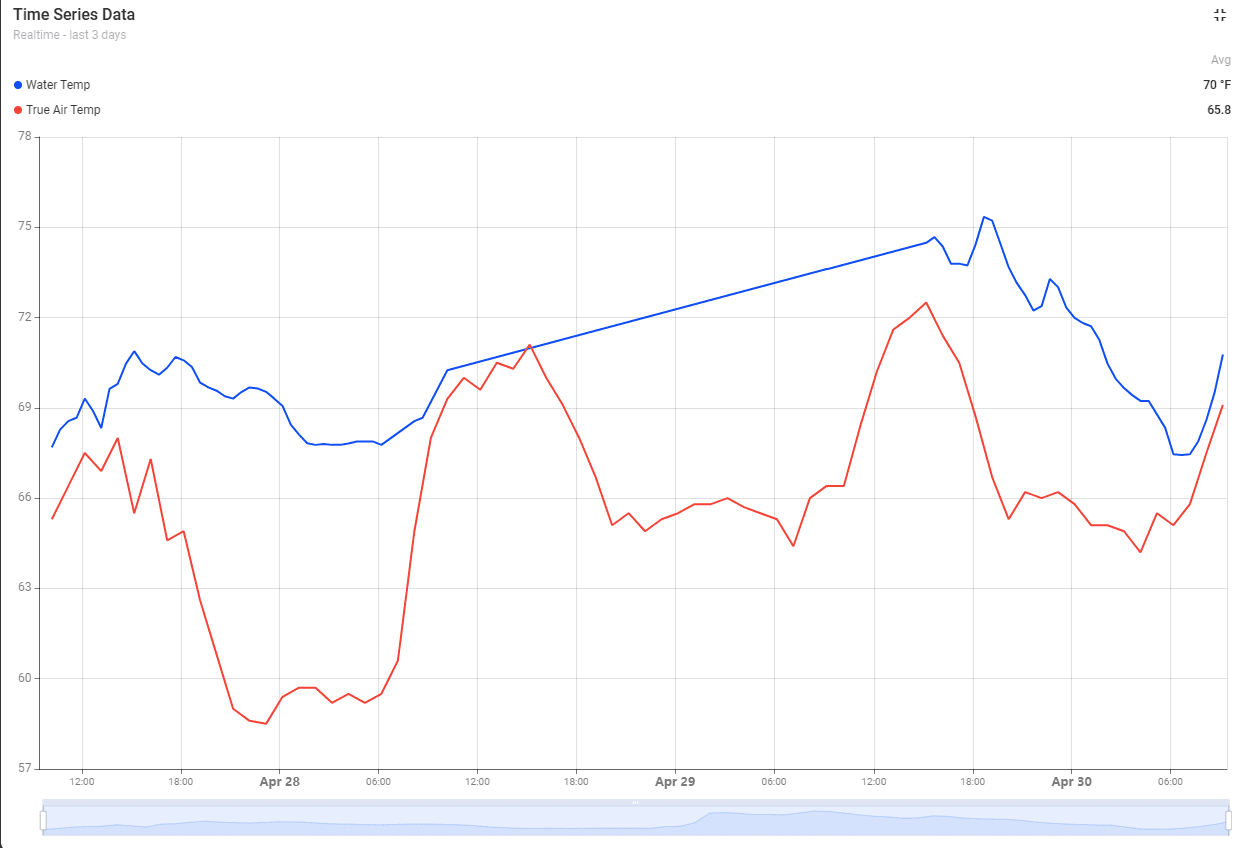
Wild watching shallow water pretty much follow air temps in its ups and downs. The sound is pretty warm right now. NOTE: this temperature sensor is only in about 2 feet of water off of our dock. But it is pretty warm out there. (air temp is red line, from a sensor we have on a mast about 40 feet in the air. Water temp is the blue line)
#obx #outerbanks #capehatteras #weather #iot

Go starlink. We live in a place where cable goes down all the time. Starlink has been great since we switched
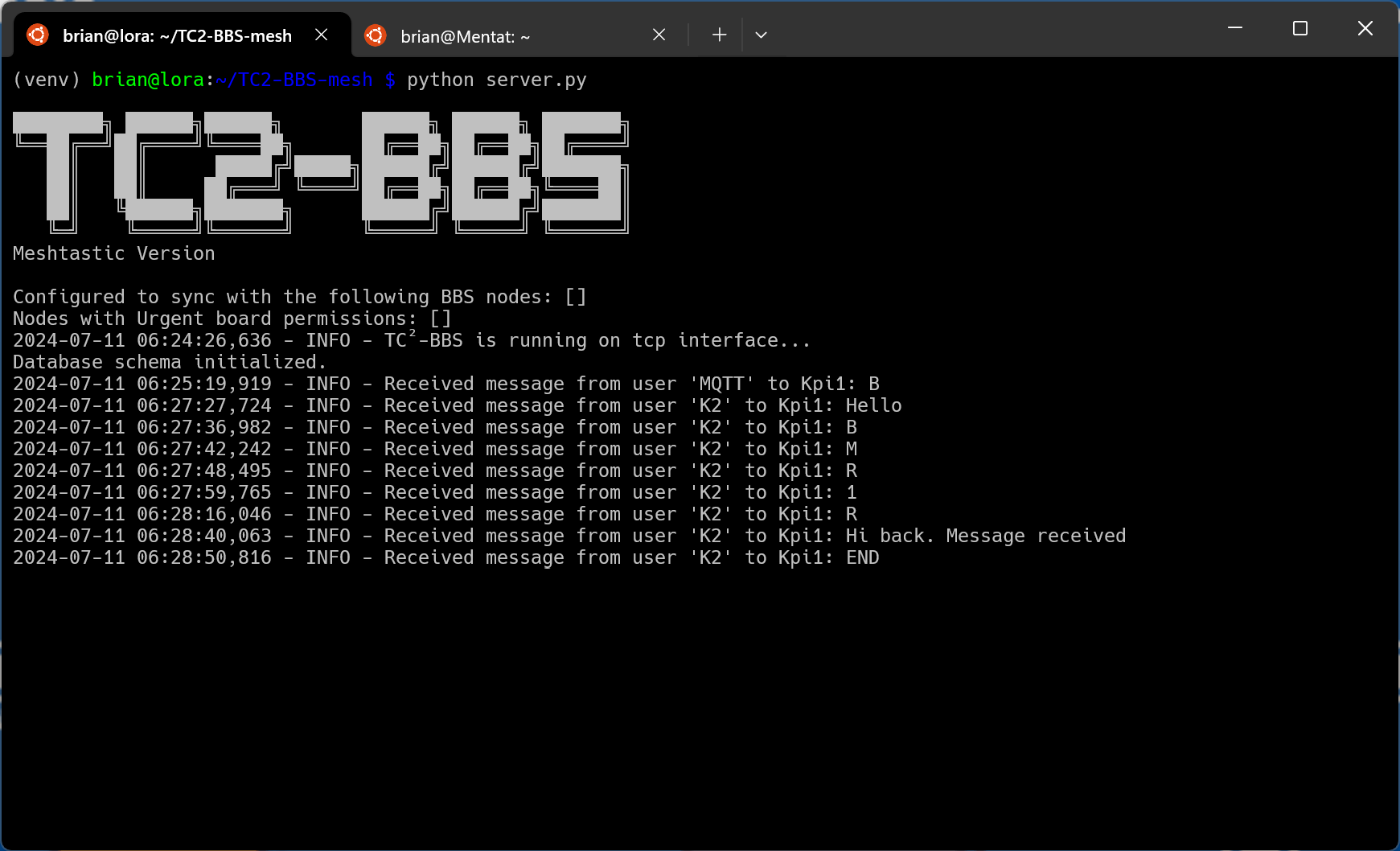
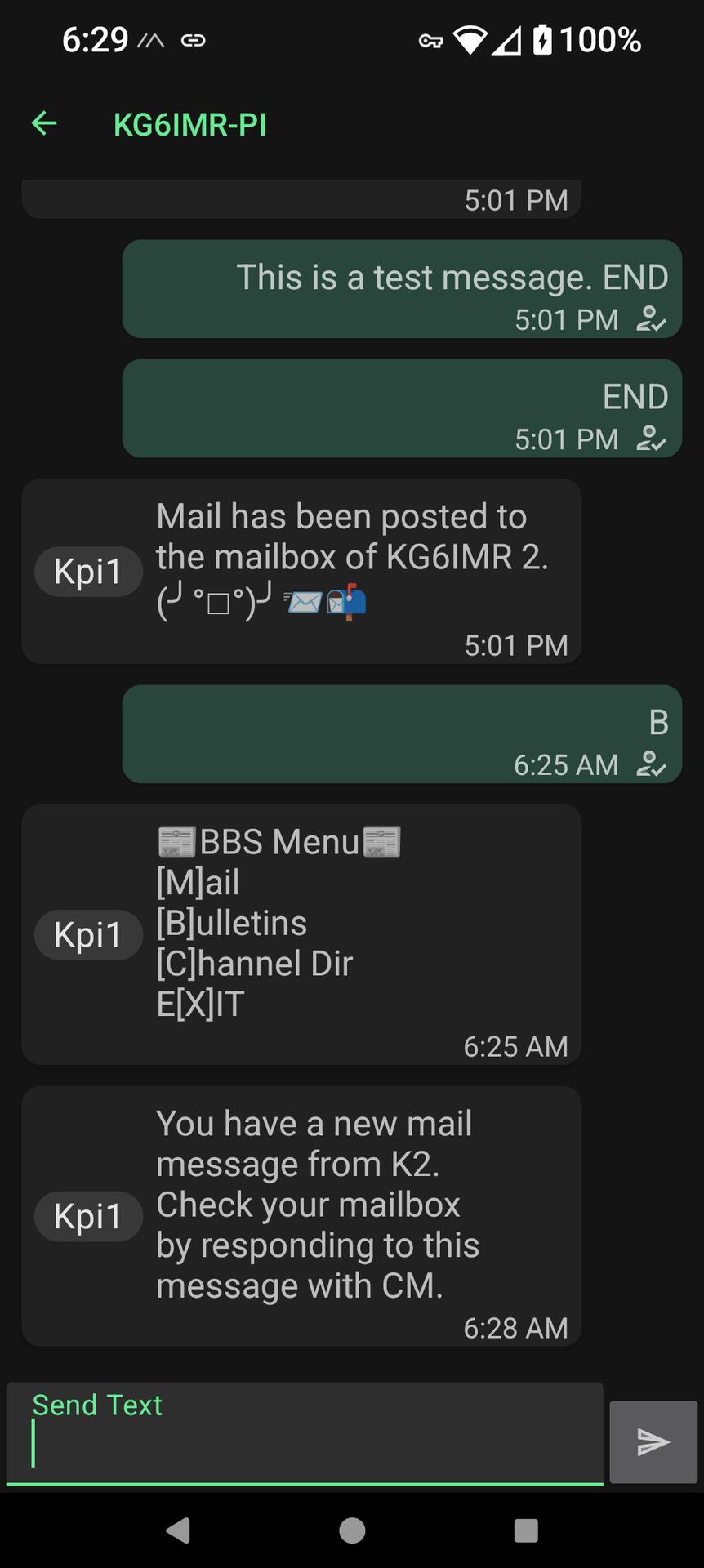
Very cool. Not sure if anyone is using TC2-BBS with Meshtastic, but it works great. A bit crude, but not much worse than the BBSs I used back in the 80's. I have the BBS running on a Raspberry Pi. the Pi has a LoRa hat so that I can run a Meshtastic node on that same Raspberry Pi. I also have MQTT running on the pi. I can then connect to another Meshtastic node (in this case a Lilygo T-Beam) and have an internet disconnected network for sending emails, posting bulletins, and having chat sessions. I'll do a writeup on what I did to get the BBS and Meshtastic to run on a single Raspberry Pi.
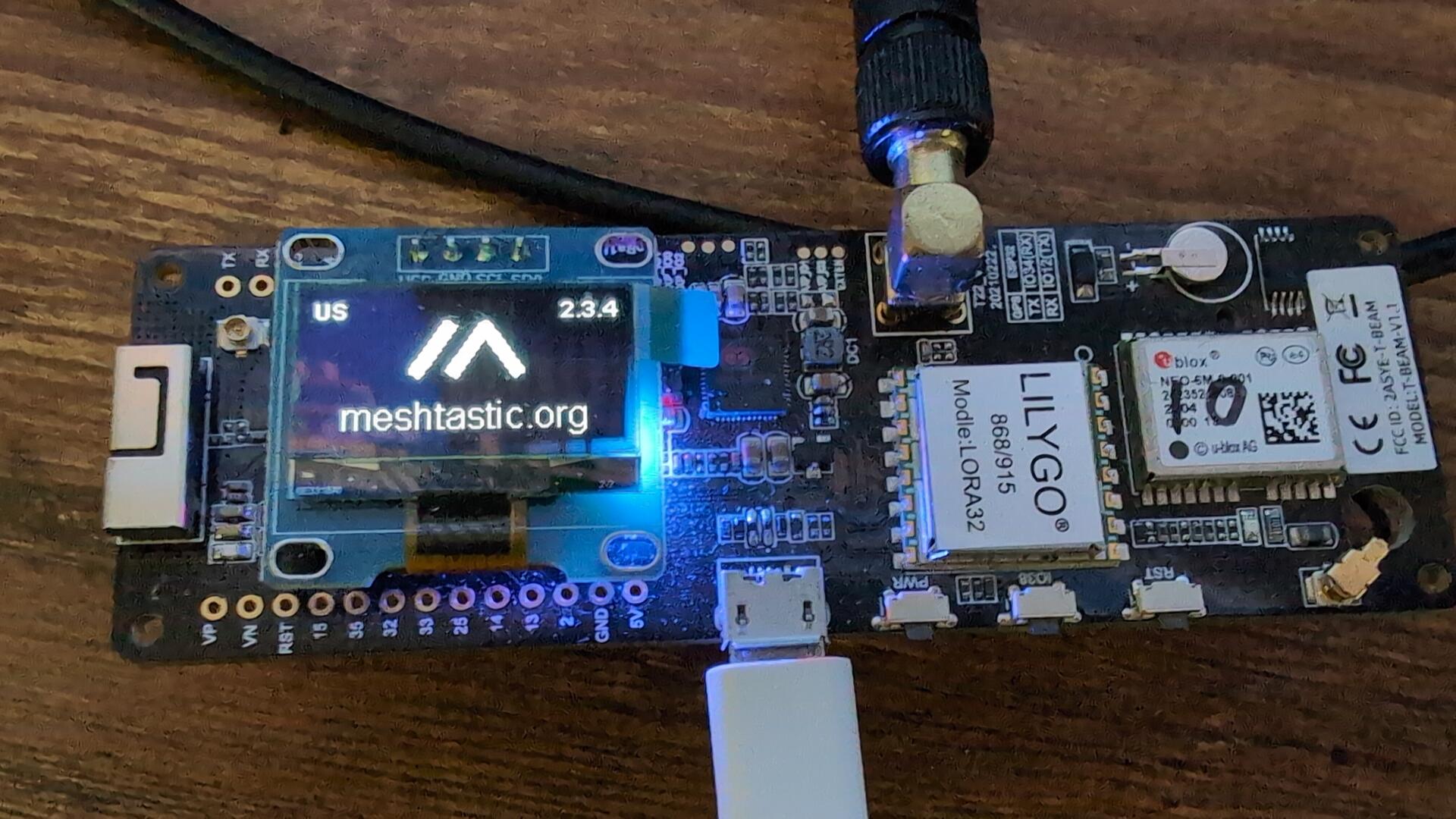
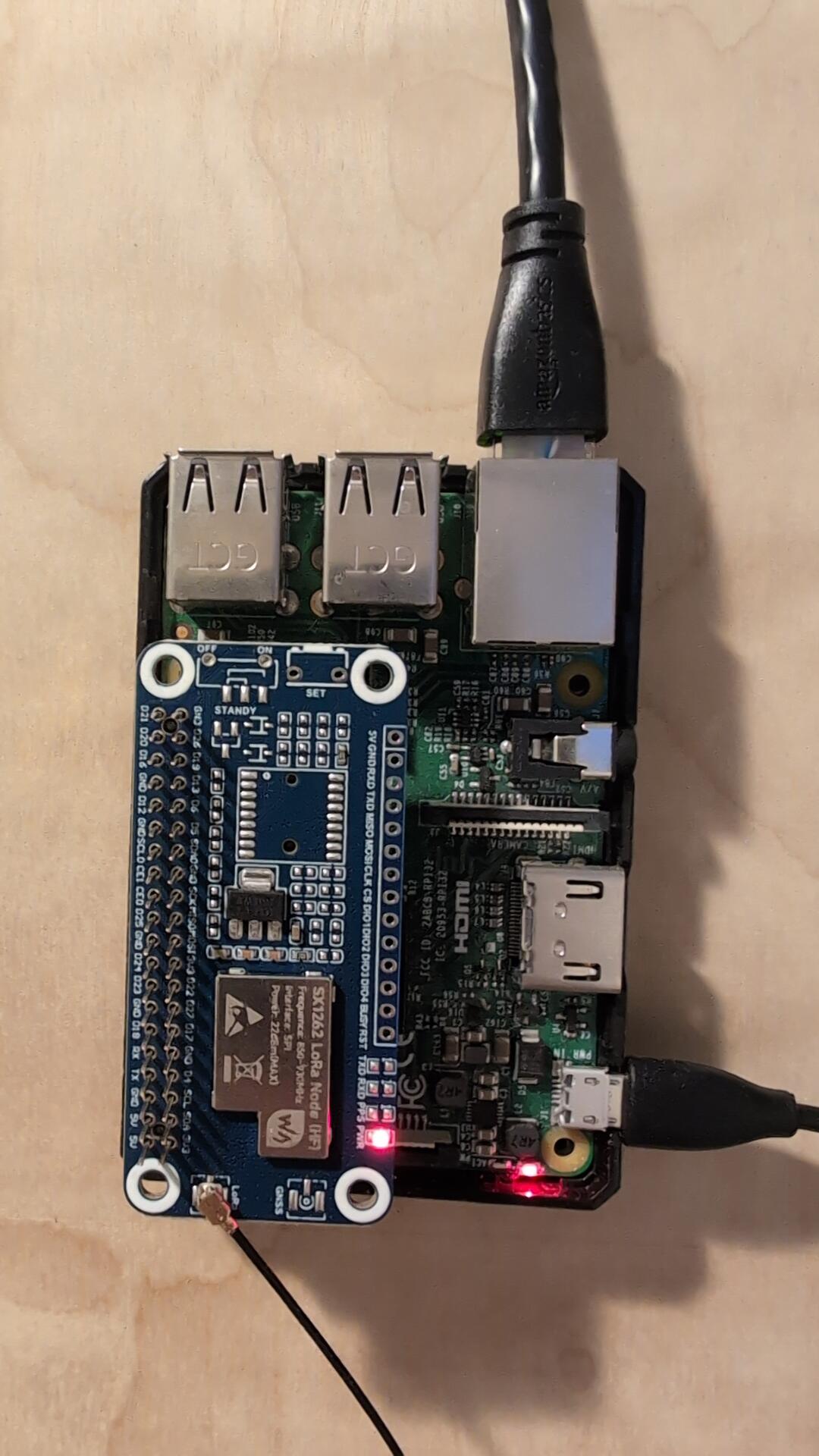
#meshtastic #raspberrypi #meshnetwork #prepper #hamradio
Yesterday, the bee guys came to move the bees from our outdoor shower. There was a big hive up in the underpinnings. Thanks to Jeff and Tyler for moving the bees. We are now going to name our house the Honeycomb Hideout.
#beekeeping #bees #polinators


We have bees swarming in our outdoor shower. The bee expert wanted a picture to see if they were honey bees. I was scared of getting too close and get stung, so I drew a picture instead. They look like honey bees to me!

We have a swarm of bees in the outdoor shower. It was still a bit dark when I got back from paddling this morning. I am glad that I hadn't fully disrobed before realizing the buzzing sound was from ticked off bees getting we're from me turning on the shower. Now to find some to remove them.
Was still a bit windy, so I paddled about a mile to the mouth of Brigands Bay and paddled around in the shelter of their canals and then back home. Still nice paddle, even if I got a lot of spray from jumping the waves 🙂
#obx #outerbanks #northcarolina #obxnc #paddleboard #pronepaddle #sunrise #photography



Welcome to the new 2024 Hurricane Season!
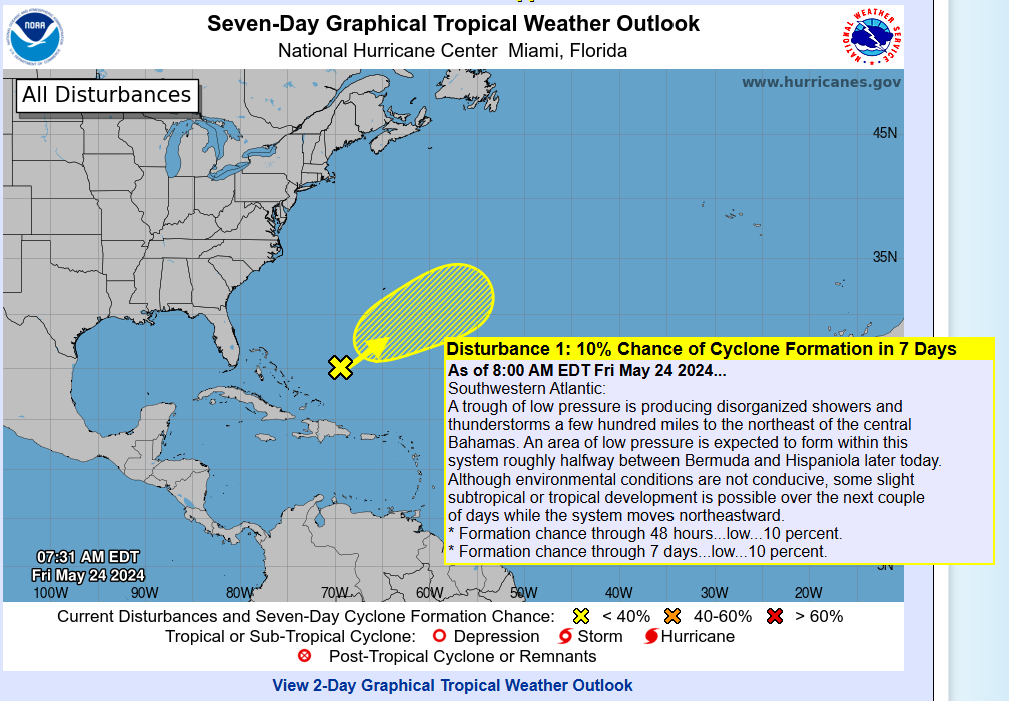
#obx #outerbanks #theouterbanks #obxnc #weather #hurricane #noaahurricanes #nationalweatherservice

Woke Boy Scouts Org. Drops ‘Boy’ & Rebrands As ‘Scouting America’
https://www.infowars.com/posts/woke-boy-scouts-org-drops-boy-rebrands-as-scouting-america
#Zap to support, DM to suggest new feeds.
My guess is that is mainly because they are losing membership due to disinterest. They opened up to girls years ago (with separate troops for girls and boys). This is just rebranding to get more members. While there could be some woke things going on, I think this is just a way to get their membership up since they are already bleeding members. and the Girl Scouts of America is in even worse shape.
Today is one of those days where you watch the barometric pressure map and read out predictions on wind direction and speed for days to know that today is going to be the perfect glassy day for a paddle. Well, it didnt dissapoint. Air temp in the upper 60s. I couldnt really tell where the wind was coming from since we were in a state of flux on direction. Awesome day to be out on the Sound. I only did about 3 miles today. I did one of my shorter circuits. But still worth getting out.
#pronepaddle #pronepaddling #pronezone #obx #outerbanks #hatterasisland #capehatteras


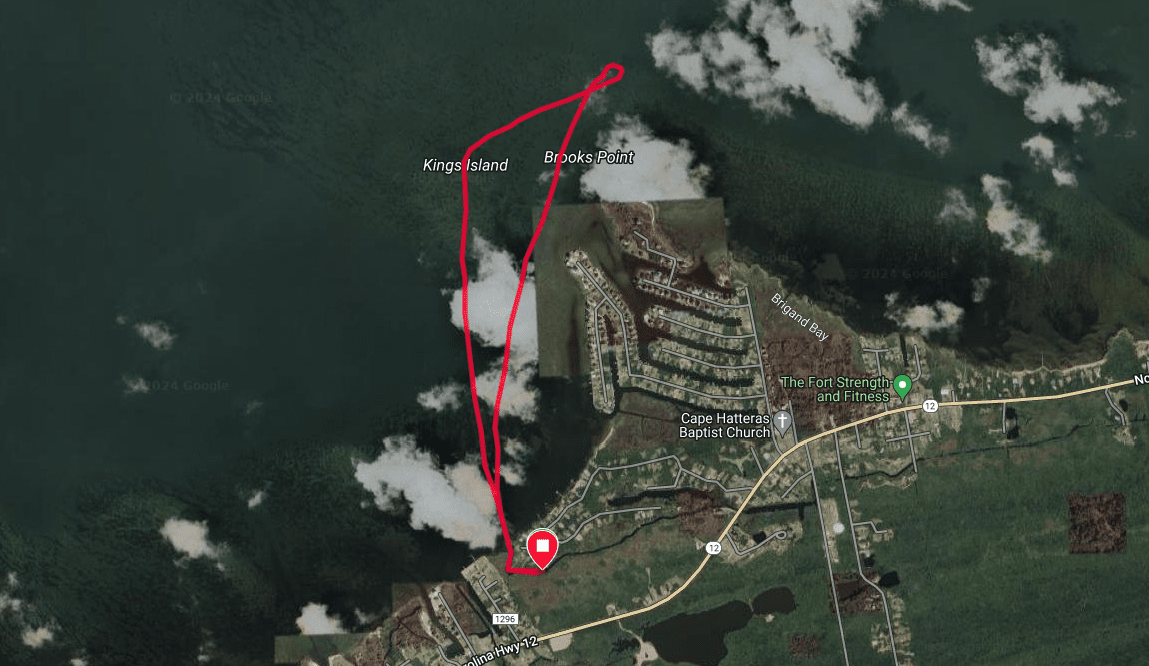
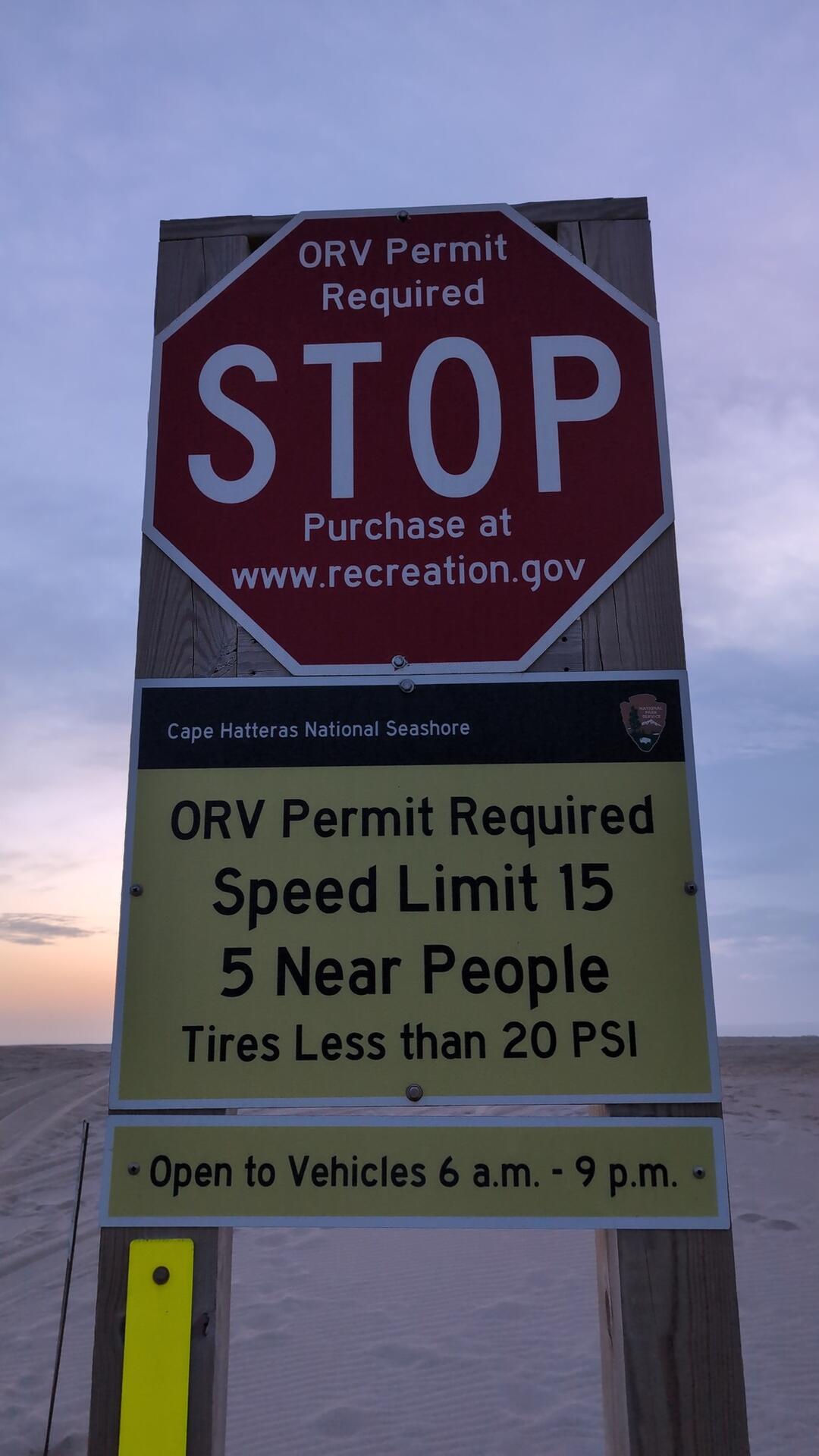
Its that time of year again. No more 24 hour 4wd access.
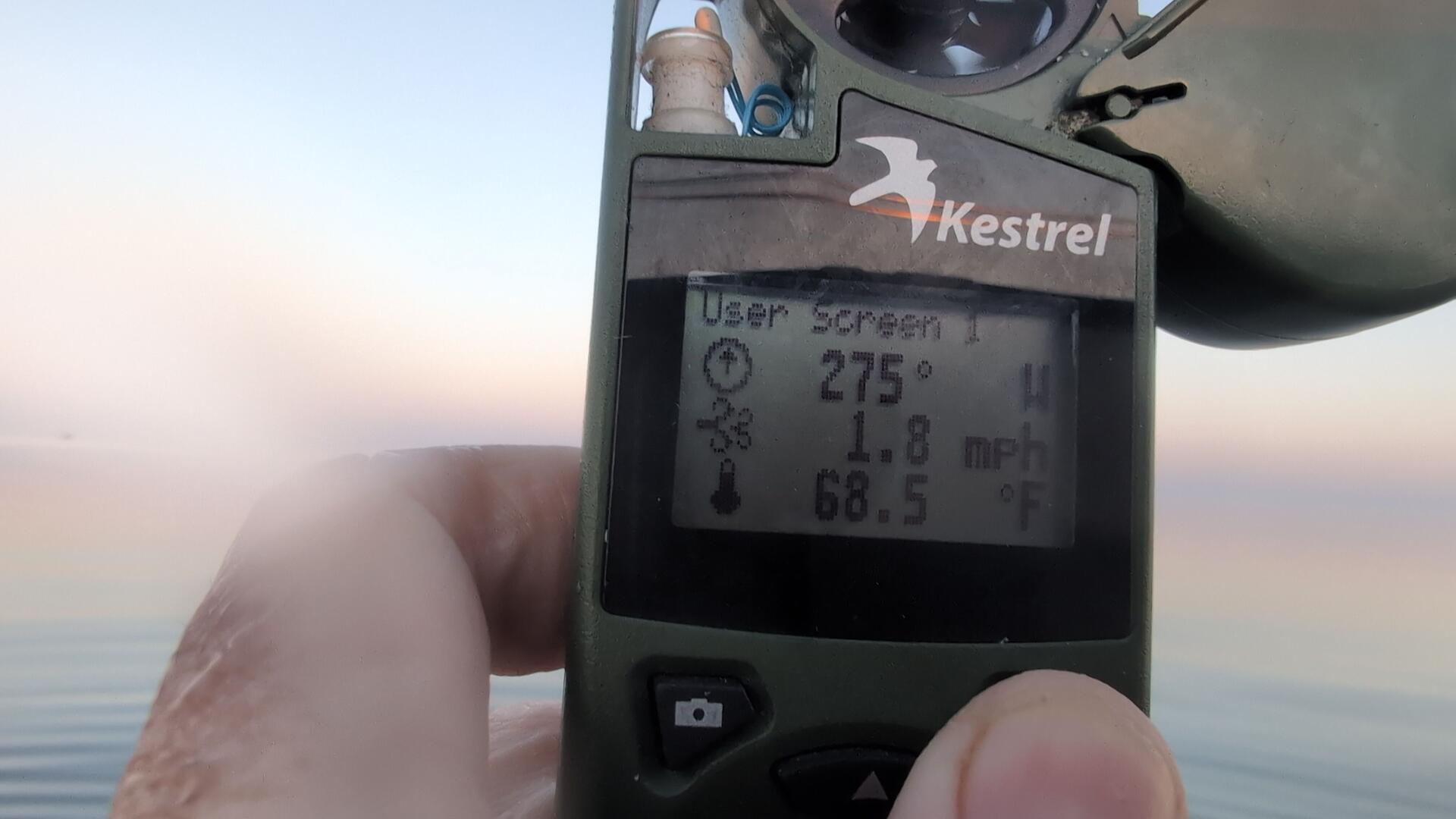
Surf is smaller and sloppier than yesterday. It might work for bigger boards, but I think I will stay dry and nurse my wrist from yesterday. Air temp in the mid 60s. Water temp in the shore break 62. Wind out of the SW. A nice cloud bank off the coast. Saw lightning early this morning before first light.
#outerbanks #obx #northcarolina #4wd


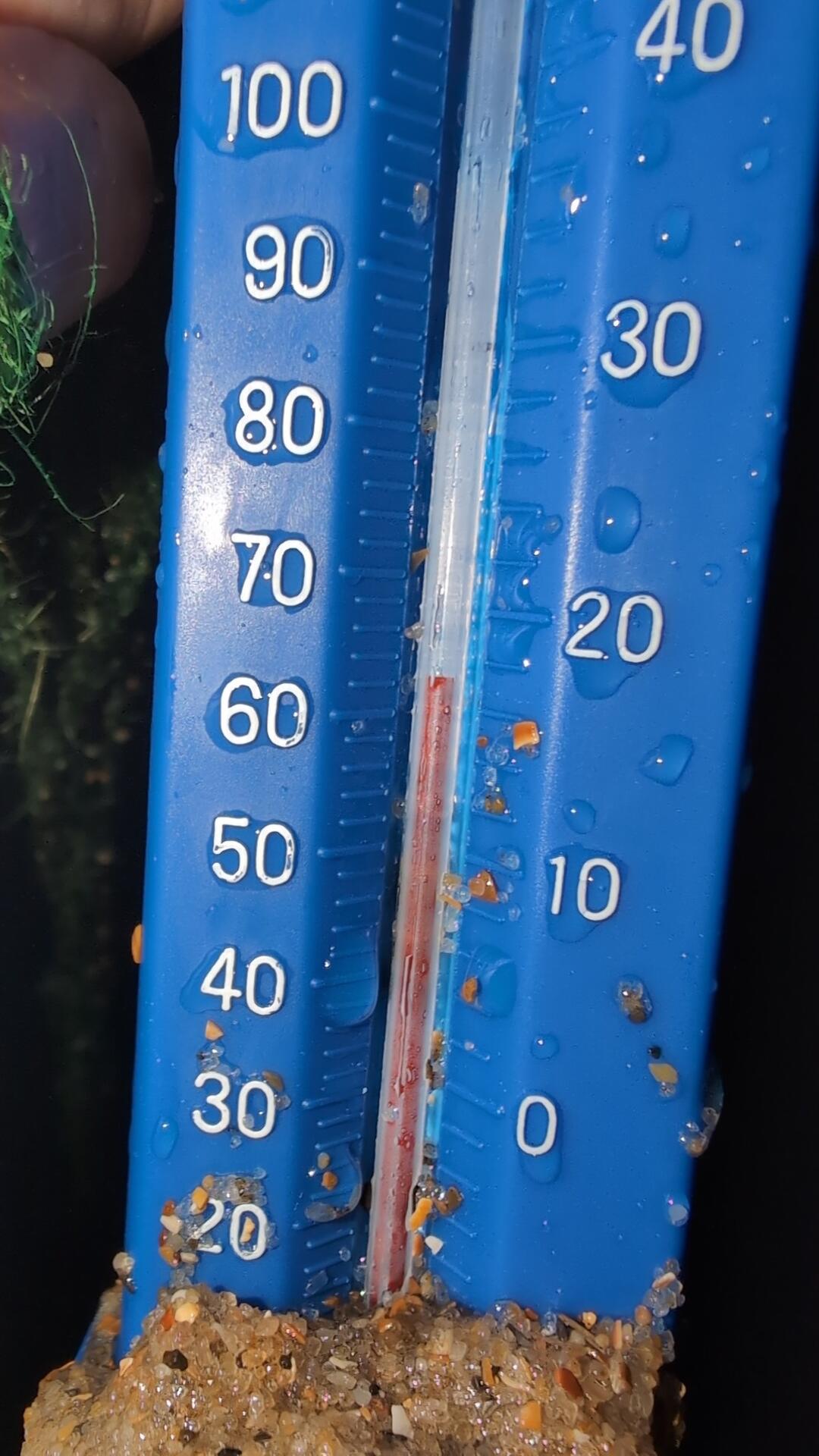
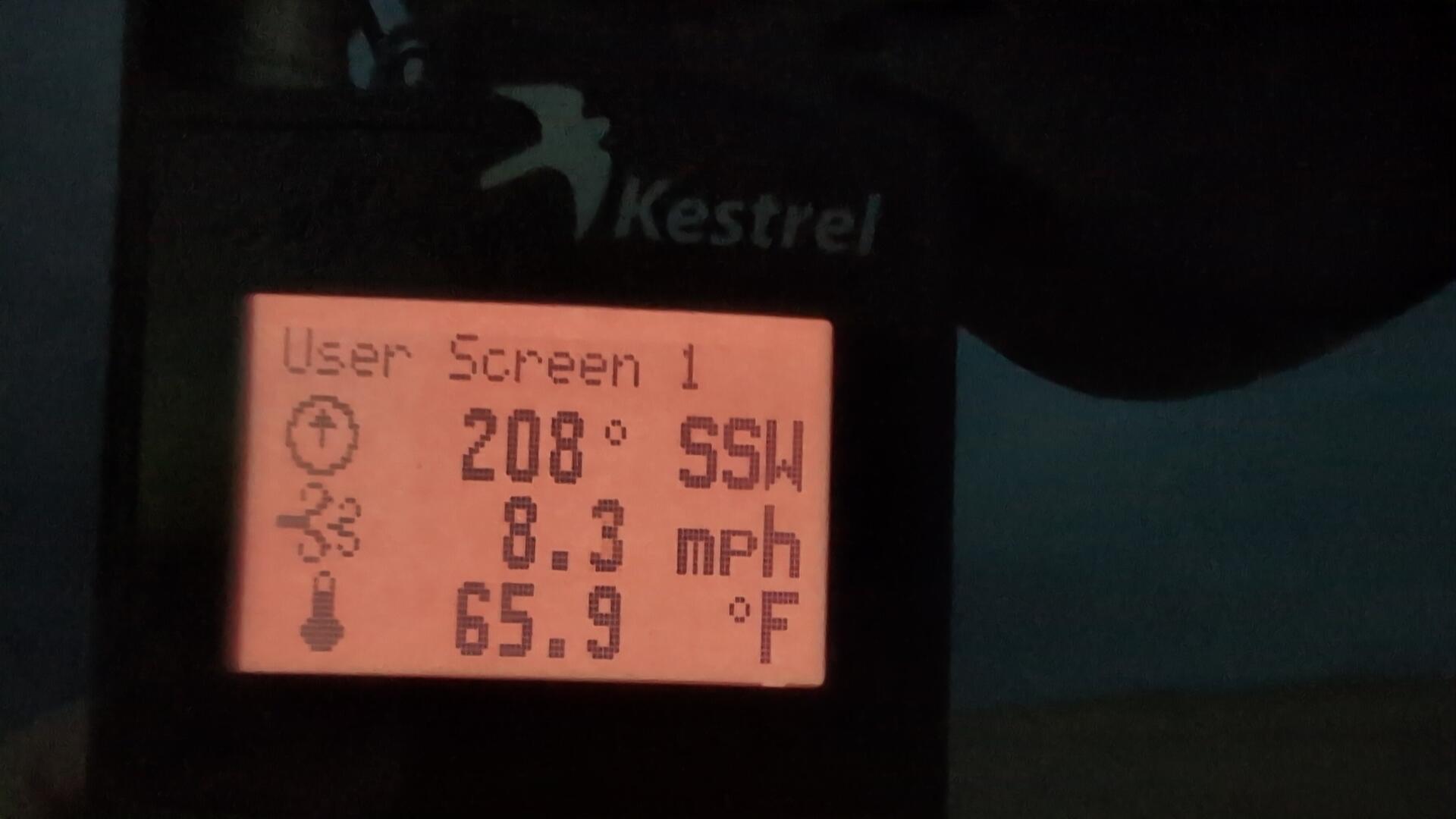
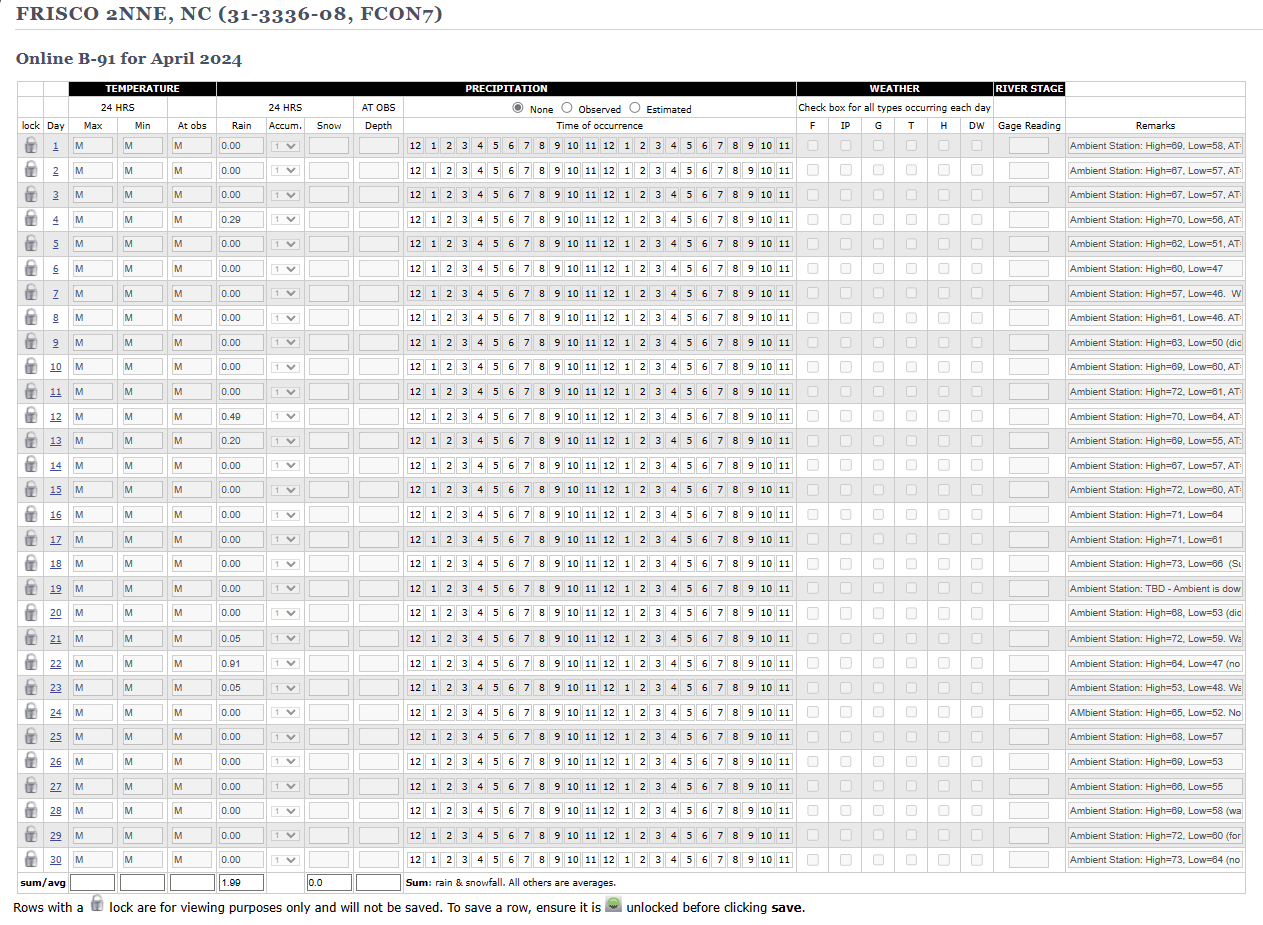
Wow, where did April go? This is my first full month capturing weather conditions for the U.S. National Weather Service (NWS) here in Frisco, NC. We didnt get a whole lot of rain in April. Hopefully we will get a little in May to help the gardens grow.
#weather #nws #nationalweatherservice #outerbanks #obx #northcarolina
I use a local MQTT server, so, if I run this on a raspberry pi, I can also have the MQTT server on the same device. It is great for "Home Base" device. I would deploy esp32 powered devices out in the field. but, the Raspberry Pi is a good device for home. And the Pi Zero is pretty cheap.
Things are warming up. The shallow Pamlico Sound fluctuates quite a bit based on solar radiation and wind. YOu can see where the creek behind our house (that feeds into the Sound) got over 70 degrees. You can also see that yesterday morning, the battery died in my sensor before I got a chance to get out and put in a fully charged. I gotta get a better solar panel for this thing.
#iot #arduino #raspberrypi #sensors #weather #hatteras #hatterasisland #obx #outerbanks #theouterbanks
#meshtastic #meshnetwork #emergencycomms
Here is some information on what I did to get meshtastic running on Linux (specifically Raspberry Pi)
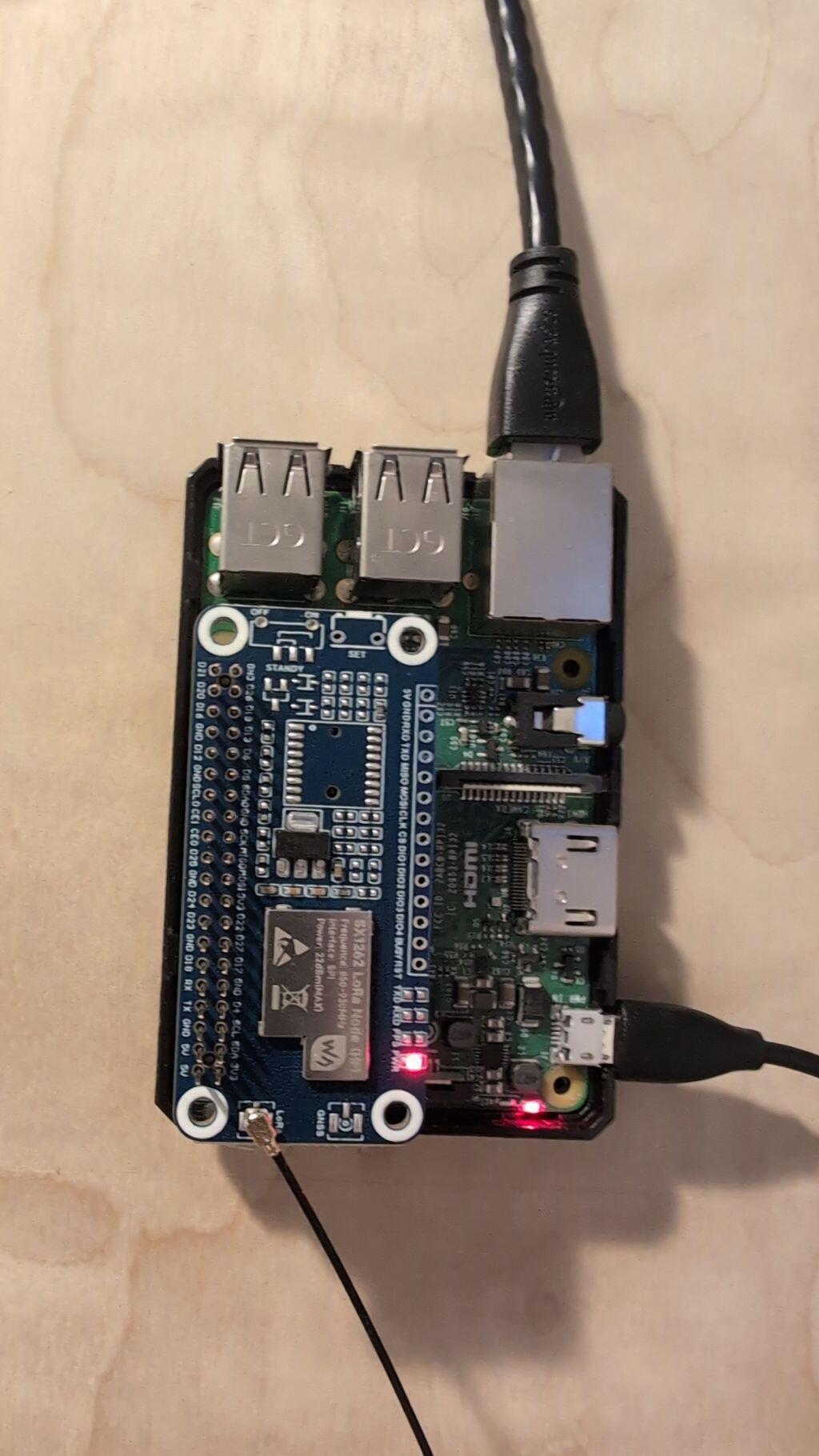
I used a Raspberry Pi 3B. And I used this Pi-Hat for my LoRa. I read you can do this on a PiZero. I just bought a PiZero 2 that I plan on trying out in the next week or so.
https://www.amazon.com/gp/aw/d/B0C61XFGHC?psc=1&ref=ppx_pop_mob_b_asin_title
flash your raspberry pi with Raspian Bookworm 64 bit. I use the version that is Raspberry Pi OS Lite (make sure you get 64 bit) -- I dont use desktop to save on resources. You can get the image here. Basically then use the Raspberry Pi Imager and choose "Use Custom" to select your image that you downloaded
https://www.raspberrypi.com/software/operating-systems/
I am using the linux native meshtastic noted here:
https://meshtastic.org/docs/software/linux-native/
The way I got it was to go to the github releases:
https://github.com/meshtastic/firmware/releases
Scroll down to find "Assets" for the version you want to download. Right click on the meshtasticd_*_arm64.deb file you want. Right click on it to get the link.
Then on your raspberrypi, use wget (you may have to install wget) to retrieve the file you got the link for:
You can then install it now that you have the file locally.
sudo apt install ./meshtasticd_2.3.6.7a3570a_arm64.deb
Then make sure you have SPI turned on for your raspberry pi:
sudo nano /boot/firmware/config.txt
make sure these 2 lines are in there:
dtoverlay=spi0-0cs
enable_uart=1
Now configure meshtastic. Edit this yaml file (NOTE: it is white space sensitive. so, just remove the # to uncomment. Dont remove the white spaces or add any)
sudo nano /etc/meshtasticd/config.yaml
for the pi-hat that I added for LoRa, I uncommented this:
Lora:
Module: sx1262 # Waveshare SX126X XXXM
DIO2_AS_RF_SWITCH: true
CS: 21
IRQ: 16
Busy: 20
Reset: 18
I then installed libulfius2.
sudo apt install libulfius2.7
Then start meshtasticd. You should be able to then hit the web server (NOTE: I also use Tailscale so that I can hit my device from outside of my home network without having to port forward. This is handy if you want to control your mesh network from the outside world)
sudo systemctl enable meshtasticd --now
#meshtastic #raspberrypi #meshnetworking #emergencycomms
Here is some information on what I did to get meshtastic running on Linux (specifically Raspberry Pi)
I used a Raspberry Pi 3B. And I used this Pi-Hat for my LoRa. I read you can do this on a PiZero. I just bought a PiZero 2 that I plan on trying out in the next week or so.
https://www.amazon.com/gp/aw/d/B0C61XFGHC?psc=1&ref=ppx_pop_mob_b_asin_title
flash your raspberry pi with Raspian Bookworm 64 bit. I use the version that is Raspberry Pi OS Lite (make sure you get 64 bit) -- I dont use desktop to save on resources. You can get the image here. Basically then use the Raspberry Pi Imager and choose "Use Custom" to select your image that you downloaded
https://www.raspberrypi.com/software/operating-systems/
I am using the linux native meshtastic noted here:
https://meshtastic.org/docs/software/linux-native/
The way I got it was to go to the github releases:
https://github.com/meshtastic/firmware/releases
Scroll down to find "Assets" for the version you want to download. Right click on the meshtasticd_*_arm64.deb file you want. Right click on it to get the link.
Then on your raspberrypi, use wget (you may have to install wget) to retrieve the file you got the link for:
You can then install it now that you have the file locally.
sudo apt install ./meshtasticd_2.3.6.7a3570a_arm64.deb
Then make sure you have SPI turned on for your raspberry pi:
sudo nano /boot/firmware/config.txt
make sure these 2 lines are in there:
dtoverlay=spi0-0cs
enable_uart=1
Now configure meshtastic. Edit this yaml file (NOTE: it is white space sensitive. so, just remove the # to uncomment. Dont remove the white spaces or add any)
sudo nano /etc/meshtasticd/config.yaml
for the pi-hat that I added for LoRa, I uncommented this:
Lora:
Module: sx1262 # Waveshare SX126X XXXM
DIO2_AS_RF_SWITCH: true
CS: 21
IRQ: 16
Busy: 20
Reset: 18
I then installed libulfius2.
sudo apt install libulfius2.7
Then start meshtasticd. You should be able to then hit the web server (NOTE: I also use Tailscale so that I can hit my device from outside of my home network without having to port forward. This is handy if you want to control your mesh network from the outside world)
sudo systemctl enable meshtasticd --now
Are you talking about this software? https://meshtastic.org/docs/software/linux-native/
If so, what LoRa radio hardware do you use on Linux?
yes, that is what I installed. this is the hat I am using. I can do a quick writeup on what I had to do to get it to work tomorrow
https://www.amazon.com/gp/aw/d/B0C61XFGHC?psc=1&ref=ppx_pop_mob_b_asin_title