
“We’re slow, we’re dumb, and we die easy,” Saul says. “We’re bugs.”
Da Shi insists they go on a drive and takes them to the marsh where swarms of cicadas cloud the sky. “People hate bugs, been trying to get rid of them forever,” Da Shi says. “Look around, they’re not going anywhere.”
He pours out some rum “for the bugs” and turns to Saul and Jin. “Let’s get back. We’ve got work to do.”
We are bugs
Once again, with the stroke of a pen, everything has changed.
What field of scientific research do you see having the most positive impact on society 100 years from now?
It looks like we may need some open source drone designs for 3d printers.
Wondering what the enshittification of openai may look like. Download and run ollama on your own PC if you want to avoid that. It's Foss.

We are the antifragility
I don't have the c plus2 myself, but I had an AI recode the ui positioning to theoretically work with the higher res. Paste incoming:
#initially published as of block height #845774
#if you have any questions, just DM me on nostr at nostr:npub1wgg9sd3zzuh9e7uzaa7txgzyjxj6ceukgwdmht69xjq9553cc0qsyq7cwj
from m5stack import *
from m5ui import *
from uiflow import *
from easyIO import *
import wifiCfg
import time
import urequests
#black background to black
setScreenColor(0x111111)
#creating main variable which we will use to to store and display the network stats
data = None
#ui elements, pixel positions of elements are hardcoded because pleb. These should hopefully look okay on the C plus2
line0 = M5Line(M5Line.PLINE, 67, 0, 67, 199, 0xf7931a)
line1 = M5Line(M5Line.PLINE, 98, 0, 98, 240, 0xf7931a)
label0 = M5TextBox(125, 0, "label0", lcd.FONT_Ubuntu, 0xf7931a, rotate=0, scale=1)
label1 = M5TextBox(187, 0, "label1", lcd.FONT_Ubuntu, 0xf7931a, rotate=0, scale=1)
battery = M5TextBox(215, 0, "battery", lcd.FONT_Ubuntu, 0xf7931a, rotate=0, scale=1)
batterylabel = M5TextBox(94, 0, "batterylabel", lcd.FONT_Ubuntu, 0xf7931a, rotate=0, scale=1)
#replace MY_SSID with your WiFi Network name, and My_WIFI_PASSWORD with your WiFI Password
battery.setText(str(map_value((axp.getBatVoltage()), 3.7, 4.1, 0, 100)))
label0.setText('BTC Stats V1.0')
label1.setText('Connecting to wifi')
wifiCfg.doConnect('MY_SSID, 'My_WIFI_PASSWORD')
label0.setText('Booted')
label1.setText('Connecting to wifi')
wait(2)
#if Wifi is connected, get those GET requests going
#This part is spaghetti code, but it will allow for you to easily remove, add or modify the data that is displayed
if wifiCfg.wlan_sta.isconnected():
while True: battery.setText(str(map_value((axp.getBatVoltage()), 3.7, 4.1, 0, 100)))
try:
req = urequests.request(method='GET', url='https://blockchain.info/q/getblockcount?')
label0.setText('Block Height:')
data = req.text
label1.setText(str(data))
except:
label0.setText('fail')
wait(10)
try:
req = urequests.request(method='GET', url='https://blockchain.info/q/bcperblock')
label0.setText('Miner Subsidy:')
data = req.text
label1.setText(str(data))
except:
label0.setText('fail') battery.setText(str(map_value((axp.getBatVoltage()), 3.7, 4.1, 0, 100)))
wait(10)
try:
req = urequests.request(method='GET', url='https://blockchain.info/q/eta')
label0.setText('Next Block (seconds):')
data = req.text
label1.setText(str(data))
except:
label0.setText('fail')
wait(10)
try:
req = urequests.request(method='GET', url='https://blockchain.info/q/totalbc')
label0.setText('Total Satoshis:')
data = req.text
label1.setText(str(data))
except:
label0.setText('fail')
wait(10)
try:
req = urequests.request(method='GET', url='https://blockchain.info/q/unconfirmedcount')
label0.setText('Unconfirmed Txs:')
data = req.text
label1.setText(str(data))
except:
label0.setText('fail')
wait(10)
try:
req = urequests.request(method='GET', url='https://blockchain.info/q/24hrprice')
label0.setText('24 Hour Price USD:')
data = req.text
label1.setText(str(data))
except:
label0.setText('fail')
wait(10) battery.setText(str(map_value((axp.getBatVoltage()), 3.7, 4.1, 0, 100)))
try:
req = urequests.request(method='GET', url='https://blockchain.info/q/hashrate')
label0.setText('Gigahashes/second:')
data = req.text
label1.setText(str(data))
except:
label0.setText('fail')
wait(10)
else:
label0.setText('WiFi is not conected')

Hell yeah! Here is the part
https://shop.m5stack.com/products/stick-c?variant=43982750843137
Here is a paste of the code, which you can just paste back into uiflow, and should work after you include your WiFi creds.
#initially published as of block height #845774
#if you have any questions, just DM me on nostr at nostr:npub1wgg9sd3zzuh9e7uzaa7txgzyjxj6ceukgwdmht69xjq9553cc0qsyq7cwj
from m5stack import *
from m5ui import *
from uiflow import *
from easyIO import *
import wifiCfg
import time
import urequests
#black background to black
setScreenColor(0x111111)
#creating main variable which we will use to to store and display the network stats
data = None
#ui elements, pixel positions of elements are hardcoded because pleb.
line0 = M5Line(M5Line.PLINE, 25, 0, 25, 200, 0xf7931a)
line1 = M5Line(M5Line.PLINE, 54, 0, 54, 199, 0xf7931a)
label0 = M5TextBox(46, 0, "label0", lcd.FONT_Ubuntu, 0xf7931a, rotate=90)
label1 = M5TextBox(17, 0, "label1", lcd.FONT_Ubuntu, 0xf7931a, rotate=90)
battery = M5TextBox(78, 87, "label2", lcd.FONT_Ubuntu, 0xf7931a, rotate=90)
batterylabel = M5TextBox(78, 0, "Battery%:", lcd.FONT_Ubuntu, 0xf7931a, rotate=90)
#replace MY_SSID with your WiFi Network name, and My_WIFI_PASSWORD with your WiFI Password
battery.setText(str(map_value((axp.getBatVoltage()), 3.7, 4.1, 0, 100)))
label0.setText('BTC Stats V1.0')
label1.setText('Connecting to wifi')
wifiCfg.doConnect('MY_SSID, 'My_WIFI_PASSWORD')
label0.setText('Booted')
label1.setText('Connecting to wifi')
wait(2)
#if Wifi is connected, get those GET requests going
#This part is spaghetti code, but it will allow for you to easily remove, add or modify the data that is displayed
if wifiCfg.wlan_sta.isconnected():
while True:
battery.setText(str(map_value((axp.getBatVoltage()), 3.7, 4.1, 0, 100)))
try:
req = urequests.request(method='GET', url='https://blockchain.info/q/getblockcount?')
label0.setText('Block Height:')
data = req.text
label1.setText(str(data))
except:
label0.setText('fail')
wait(10)
try:
req = urequests.request(method='GET', url='https://blockchain.info/q/bcperblock')
label0.setText('Miner Subsidy:')
data = req.text
label1.setText(str(data))
except:
label0.setText('fail')
battery.setText(str(map_value((axp.getBatVoltage()), 3.7, 4.1, 0, 100)))
wait(10)
try:
req = urequests.request(method='GET', url='https://blockchain.info/q/eta')
label0.setText('Next Block (seconds):')
data = req.text
label1.setText(str(data))
except:
label0.setText('fail')
wait(10)
try:
req = urequests.request(method='GET', url='https://blockchain.info/q/totalbc')
label0.setText('Total Satoshis:')
data = req.text
label1.setText(str(data))
except:
label0.setText('fail')
wait(10)
try:
req = urequests.request(method='GET', url='https://blockchain.info/q/unconfirmedcount')
label0.setText('Unconfirmed Txs:')
data = req.text
label1.setText(str(data))
except:
label0.setText('fail')
wait(10)
try:
req = urequests.request(method='GET', url='https://blockchain.info/q/24hrprice')
label0.setText('24 Hour Price USD:')
data = req.text
label1.setText(str(data))
except:
label0.setText('fail')
wait(10)
battery.setText(str(map_value((axp.getBatVoltage()), 3.7, 4.1, 0, 100)))
try:
req = urequests.request(method='GET', url='https://blockchain.info/q/hashrate')
label0.setText('Gigahashes/second:')
data = req.text
label1.setText(str(data))
except:
label0.setText('fail')
wait(10)
else:
label0.setText('WiFi is not conected')
We got lines now! Lines are cool. 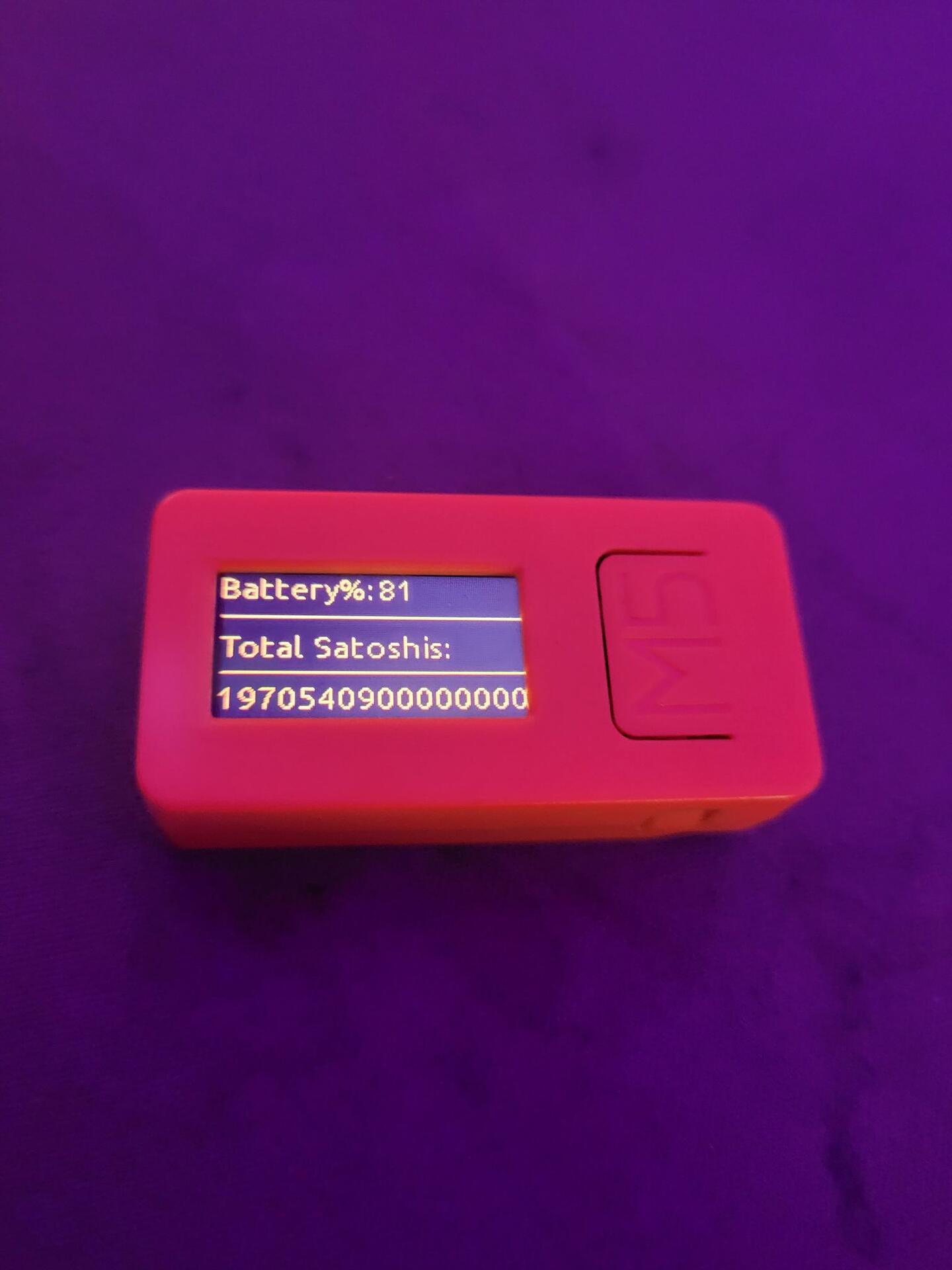
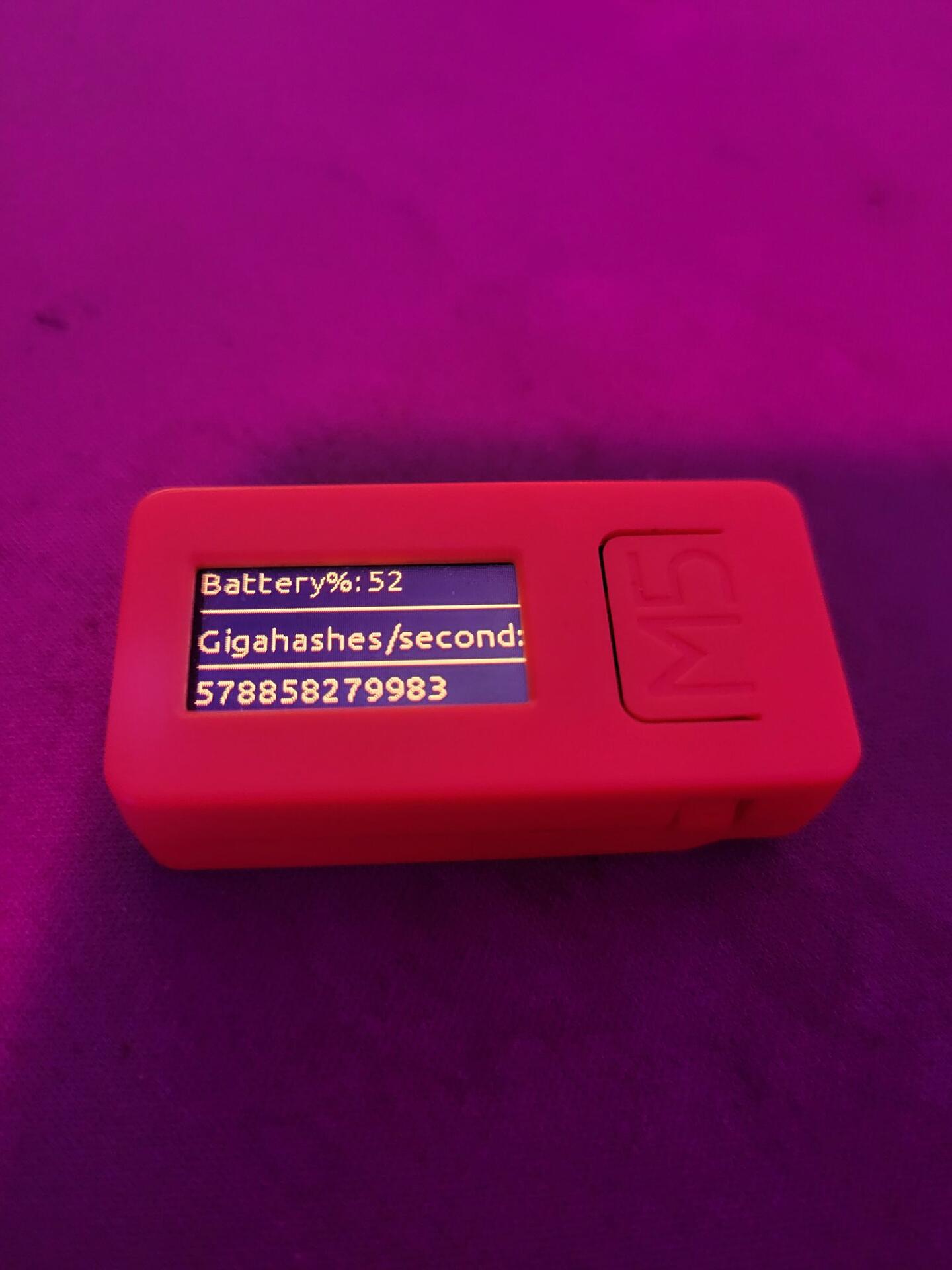
Hell yeah! Bit of an info dump incoming:
Here's where you can get the hardware:
https://shop.m5stack.com/products/stick-c?variant=43982750843137
Here's where I am getting the info:
https://www.blockchain.com/explorer/api
You will also need to connect this sucker to wifi, and so the only thing you would really need to change in the code is your wifi name and password.
I just made a little block clock / network stats display. The hardware for this is around 10 bucks right now, just let me know if you want the code.
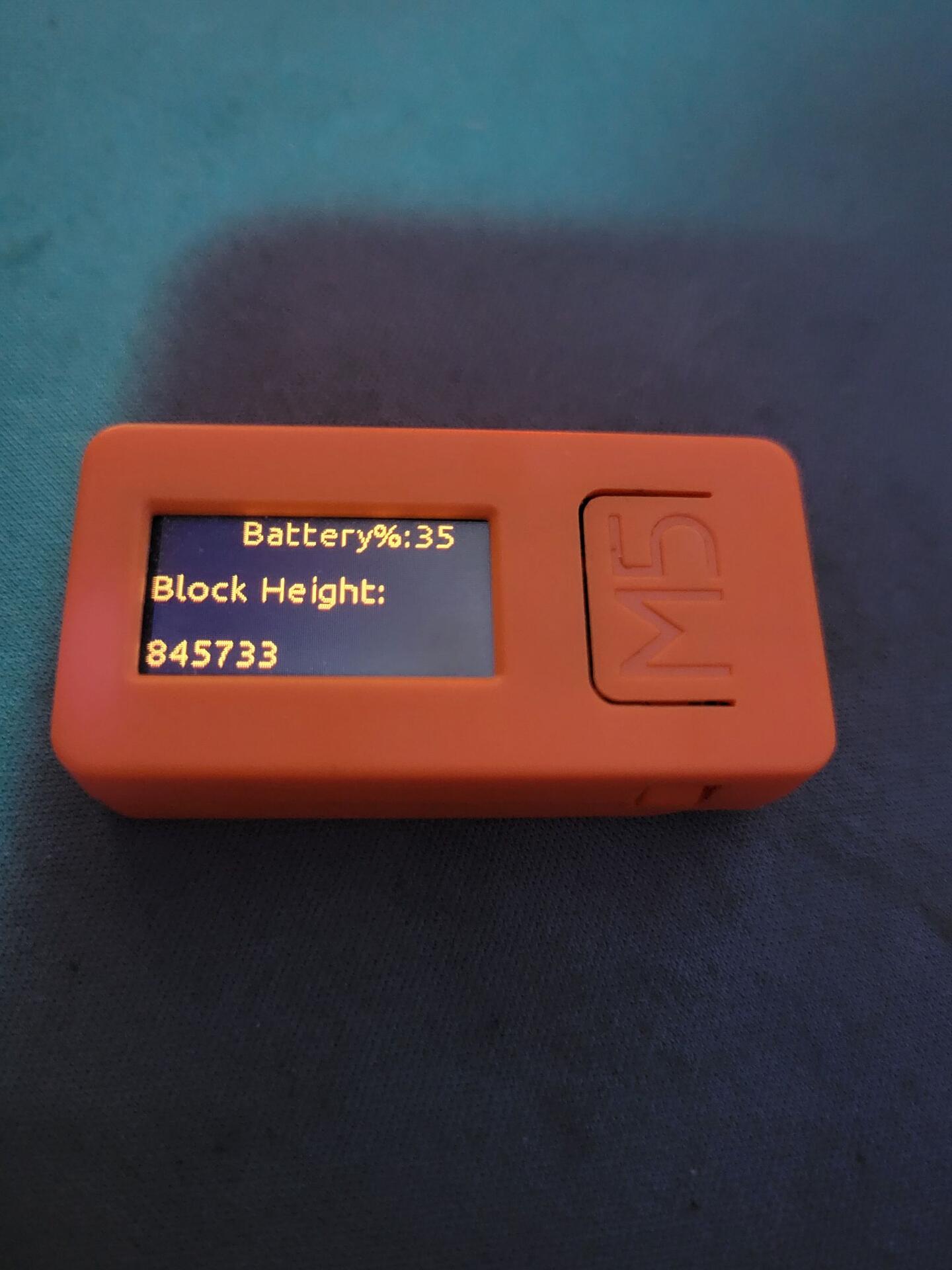
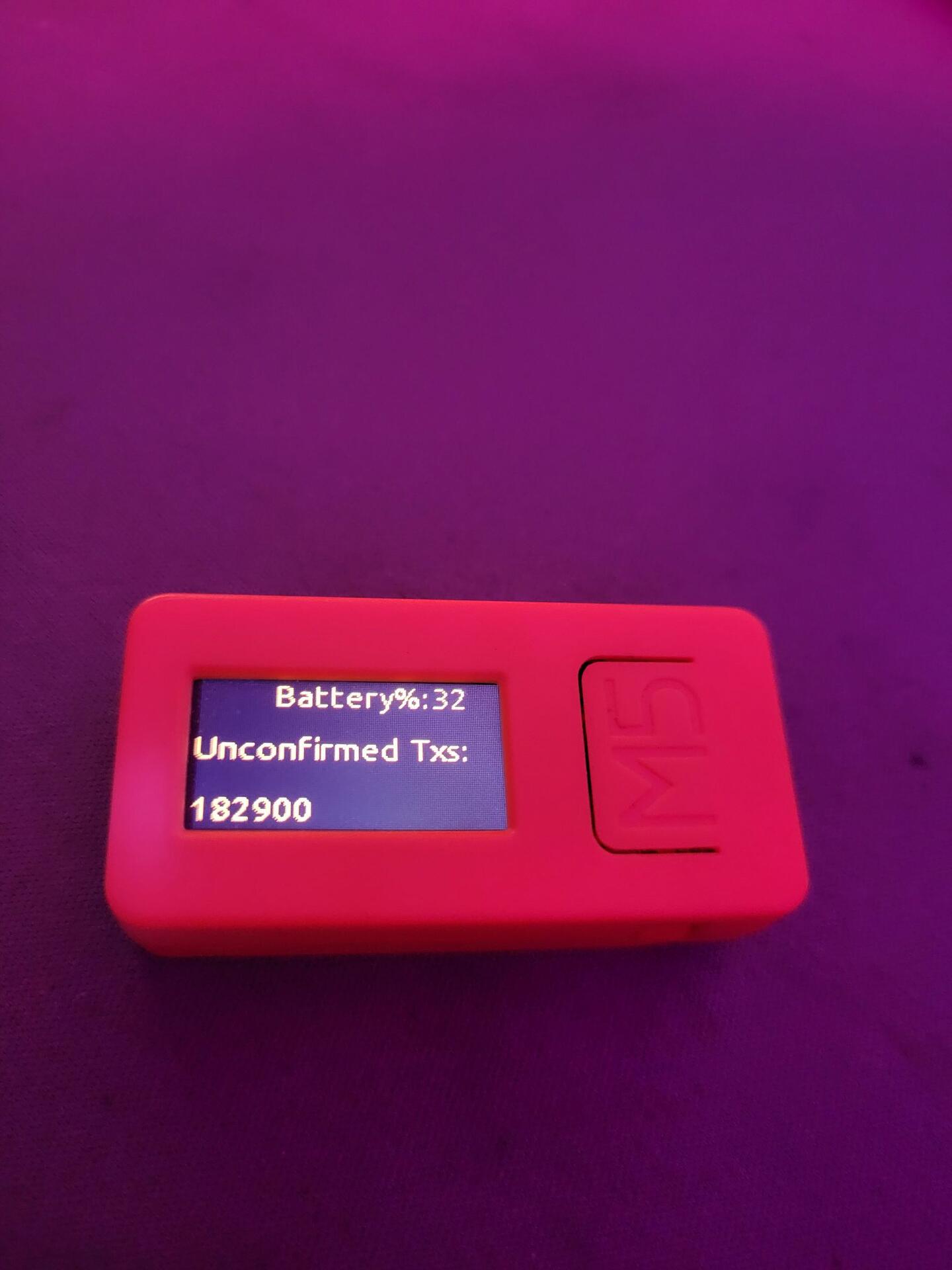
Blood sweat and fucking tears


Would it be fucking stupid to cover my nodes hard drive in copper conductive tape to make a Faraday cage before this solar storm hits? It's external so i don't know how it could hurt I guess.

I just learned the genesis blocks nonce has two more leading zeros than were necessary for an early block.
No idea why that is the case, but it is the case, and that's pretty interesting.