
Sneak peek 🤓 Coming soon to a place near you.


Any update here nostr:npub17tyke9lkgxd98ruyeul6wt3pj3s9uxzgp9hxu5tsenjmweue6sqq4y3mgl nostr:npub1rfd0hxdzcze6pzj29thuz34vur57wm9quje7w3edxjgusq6m47csnl7wrt ?
To clarify, Nunchuk still supports static QR for XPUB. It just needs to follow BC-UR standard.

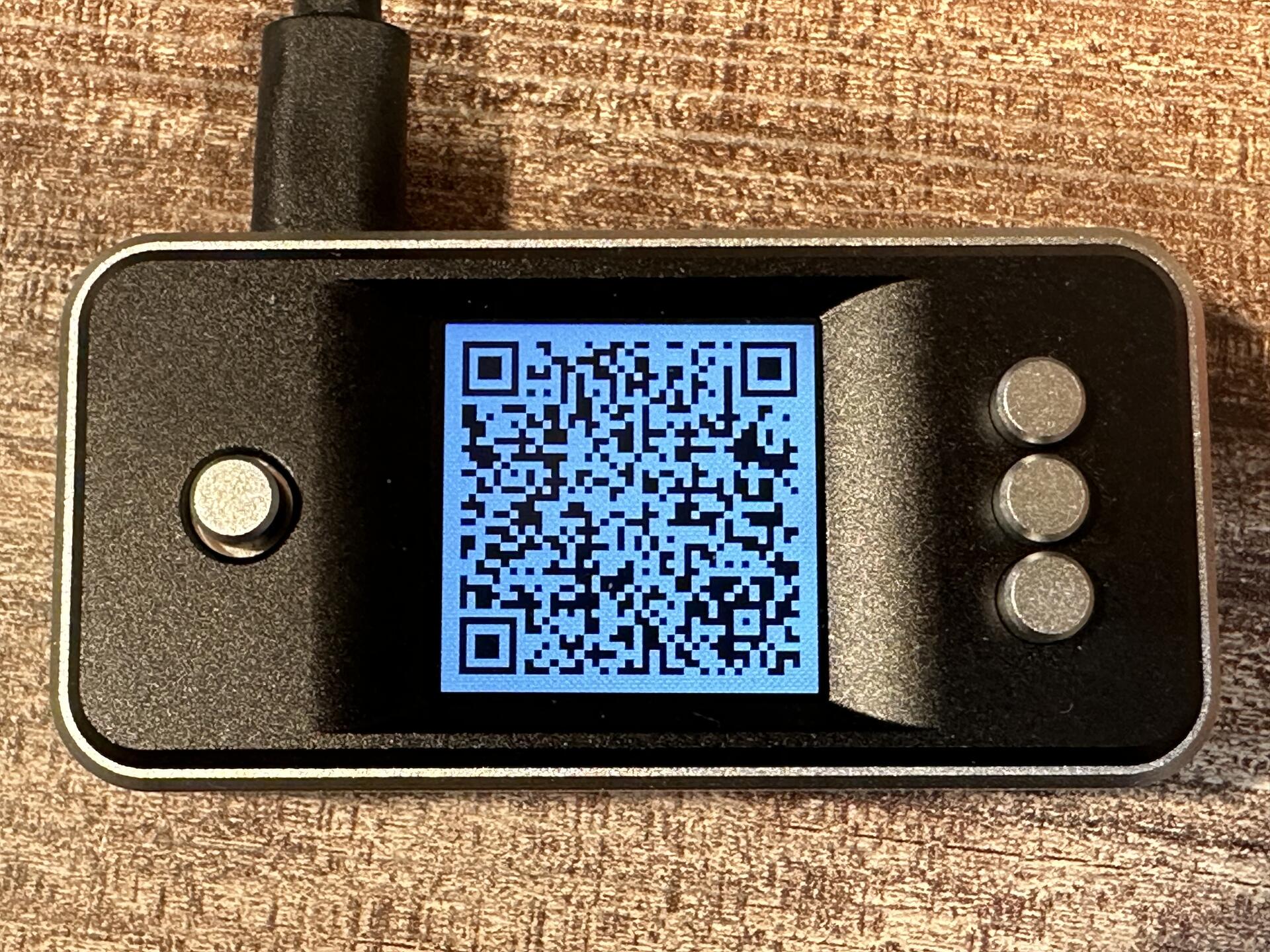
So this seems to be plaintext, not BC-UR format. The animated QR still follows BC-UR format, that’s why it still works.
Did something change on SeedSigner side?
Interesting. Might be a regression bug. Do you have a sample (singlesig) static QR for an XPUB? We can take a look and debug it.

🙄🙄
nostr:nprofile1qqsydl97xpj74udw0qg5vkfyujyjxd3l706jd0t0w0turp93d0vvungppemhxue69uhkummn9ekx7mp0qy08wumn8ghj7mn0wd68yttsw43zuam9d3kx7unyv4ezumn9wshsz8thwden5te0dehhxarj9ekh2arfdeuhwctvd3jhgtnrdakj70vc385 nostr:nprofile1qqsvxq03xdev3uxehjqcdkr5lfzl5vawmcf7vm6ps73m6ghwg8y4k2spz4mhxue69uhk2er9dchxummnw3ezumrpdejqz9nhwden5te0dehhxarj9eekcmm5dpujuamfdcq3yamnwvaz7tmsw4e8qmr9wpskwtn9wvuasnac
https://github.com/nunchuk-io/nunchuk-android/commit/72373c3531f49bdf085fb0cbb3b10ba10884e85b
Hey guys, the instructions are now complete. You can try it out here: https://github.com/nunchuk-io/nunchuk-android/tree/master/reproducible-builds
🚀 Big news!!
We're excited to share that Nunchuk for Android now supports reproducible builds.
Read more on our blog: https://nunchuk.io/blog/reproducible-builds

Stupid Question... So why do I need to create an account to use nostr:npub1cvqlzvmjercdn0ypsmv8f7j9lge6ahsnueh5rparh53wuswftv4q49yjt3? Call me paranoid, but for some reason this sets off warning bells in my head.
You don't, you can use the wallet as Guest. No account needed.
🙄🙄
nostr:nprofile1qqsydl97xpj74udw0qg5vkfyujyjxd3l706jd0t0w0turp93d0vvungppemhxue69uhkummn9ekx7mp0qy08wumn8ghj7mn0wd68yttsw43zuam9d3kx7unyv4ezumn9wshsz8thwden5te0dehhxarj9ekh2arfdeuhwctvd3jhgtnrdakj70vc385 nostr:nprofile1qqsvxq03xdev3uxehjqcdkr5lfzl5vawmcf7vm6ps73m6ghwg8y4k2spz4mhxue69uhk2er9dchxummnw3ezumrpdejqz9nhwden5te0dehhxarj9eekcmm5dpujuamfdcq3yamnwvaz7tmsw4e8qmr9wpskwtn9wvuasnac
https://github.com/nunchuk-io/nunchuk-android/commit/72373c3531f49bdf085fb0cbb3b10ba10884e85b
The instructions aren’t fully complete yet. We’ll announce it when it’s ready.
The fix is fairly simple: expose the seed export option within the Key Info of the hot key, even if the hot wallet has been deleted (and user hasn’t viewed the seed yet).

Correct. There’s nothing Nunchuk does uniquely regarding backups. You can use Nunchuk with other hardware signing devices (for which seed generation/backup should be handled separately on the hardware), or you can use a Software key, which Nunchuk generates and gives you the seed phrase for.
The scenario the OP mentioned specifically has to do with an edge case where user created a hot wallet (with a hot key that you can back up later), then CHANGED THEIR MIND and delete the hot key AND REUSE THE SAME HOT KEY (that user hasn’t backed up) in a multisig wallet. This might warrant a fix, but not how the majority of people use Nunchuk.
Just to be clear, this is an edge case scenario (that might warrant a fix), but not how the majority of people use Nunchuk. When you create the key or hot wallet, best practice is to back up the key at the earliest.
This scenario you ran into is specifically about deleting the hot wallet (without having backed up the key) AND reuse the same key in a multisig.
We currently disable exporting the seed phrase more than once, for security reasons. After all, if one can view/export the seed phrase multiple times, it becomes a vulnerability, if someone gets a hold of your phone even for just 15 seconds.

nostr:nprofile1qqsw3znfr6vdnxrujezjrhlkqqjlvpcqx79ys7gcph9mkjjsy7zsgygpz4mhxue69uhhyetvv9ujuerpd46hxtnfduhsz8thwden5te0dehhxarj9ekh2arfdeuhwctvd3jhgtnrdakj7qgkwaehxw309ajkgetw9ehx7um5wghxcctwvshspg7dju I have my Q now. There are a few things: The keyboard sadly isn't that good. The feedback on pressing a key is bad and sometimes it doesn't recognize a pressed key. Also, Nunchuk is quite useless. QR code reading doesn't work when it comes to scanning a signature from Coldcard. It says 100%, but then nothing happens. Please create your own app or maybe try asking the Nunchuk devs to fix that.
We just tested it again on the latest Nunchuk version and were able to sign. Could not reproduce the issue. Are you using the Android or iOS app? And which app version?
Note that BBQr is a relatively new standard, so issues might be expected.

Thank you! Have you tried setting up a multisig wallet on Nunchuk? Would love to hear your feedback / any pain points you run into.
Tip: you can have the Tapsigner as one of the keys in the multisig.
We have published our analysis on the “Dark Skippy” vulnerability and mitigation recommendation in our blog.
Read or share it here:
Most of which can be mitigated with multisig. Why people refuse to upgrade to multisig is beyond me.
💯. We’re working to change that. Slowly but surely.
Great research and security disclosure by nostr:npub1j8d6h8mzvc8f2fvysrf09nlkmn7m2ylj32zl5na4tm5e8fd5dqysrg26k2 nostr:npub1xh897wvhn93tda0zws94mdyc7eagc8qm0798clp7x48zh6kjwazq29gst6 and Robin Linus. Here's what you need to know about the "Dark Skippy" vulnerability:
1. Hardware signing devices insert random values called 'nonces' every time they sign Bitcoin transactions.
2. Weak nonces (values that are not sufficiently random) can allow an attacker to mathematically brute-force the private key from the signatures alone, just by analyzing transactions on the public blockchain.
This is a well-known class of attack. "Dark Skippy" is a new technique which makes it easier to grind the private key from weak nonces.
What are the conditions required for the attack? The attack requires either:
1. Loading malicious firmware onto the device, which generates weak nonces.
2. A bug in the vendor's official firmware that produces weak nonces.
How do I protect myself from this type of attack?
1. Order hardware signing devices straight from the vendors, if possible. The more direct, the lower the likelihood of tampering.
2. Use hardware vendors that have tamper-resistant mechanisms in place, such as tamper-evident sealed bags, firmware attestation, etc.
3. Use hardware where you can easily verify the integrity of the source firmware and its updates.
4. Use hardware that follows security standards in generating nonces. One such standard is RFC6979 (deterministic nonces).
5. Verify the authenticity of the firmware every time you upgrade. (Tip: bookmark the vendor website to avoid phishing).
6. Avoid updating firmware unless you absolutely have to. Use another device if you want to experiment with firmware features that you don't actually need for your main stash.
7. Use multisig, preferably multi-vendor multisig. This alone significantly increases the difficulty of executing the attack.
Multisig versus Anti-exfil
You might have heard that "anti-exfil" is a way to prevent the above attack. In short, anti-exfil describes a security technique which combines entropy from the hardware signing device with entropy from a SECOND DEVICE (typically the host of the companion software wallet) to generate the nonces.
However, there are 2 downsides to this approach. First, there is currently no anti-exfil standard, so you'd have to trust that the vendors implement anti-exfil correctly. Secondly, since anti-exfil changes the way a signature is generated, i.e., asking for entropy from a second device for every single transaction, it is not compatible with the way most Bitcoin wallets work today, and therefore introduces a UI/UX challenge.
Until anti-exfil has a well-defined standard and wider wallet compatibility, we recommend multisig as the more practical approach. Fundamentally, multisig achieves the same goal as anti-exfil: it also requires entropy from a second device to authorize each Bitcoin transaction. Multisig can also add entropy from more than just 2 devices, if you so choose (3-of-5 multisig, for example). Last but not least, multisig has been used for 10+ years in Bitcoin, battle-tested (securing hundreds of billions worth of Bitcoin), and at this point has been very well standardized (PSBT, BSMS, Output Descriptors, to name a few standards).
Hence, use multisig if you are concerned about Dark Skippy.
In conclusion, while the "Dark Skippy" vulnerability highlights potential risks in hardware signing devices, users can significantly mitigate these risks by following best practices in device procurement and usage, and by implementing multisig setups. Stay informed, verify your devices and firmware, and consider multisig for enhanced security of your Bitcoin holdings.
P.S. A common question is: “Does adding a passphrase to my seed phrase protect me against Dark Skippy and similar types of attacks?” The answer is no. Since nonce-based key grinding works against the master private key, not the seed phrase, adding a passphrase will NOT protect you against this class of attack.
nostr:nevent1qqsp76e87v9cl8re47sljhn8ex9helc7nrry42t6sl3aywpqaz3wfysw4323c
