



Should have made him doing the Vulcan salute instead of westside


frfr I’m going to keep my channel open but with all the sats on Phoenix’s side

BREAKING: 🇪🇺 The EU reportedly prohibits use of anonymous hosted #Bitcoin wallets and cash payments > €10,000❗️
ATTACK ON PRIVACY CONTINUES! https://video.nostr.build/4495ad6940e9a09d55bccac3018fa8cc9819fb8958eae70b2342636e38c4435b.mp4
Satoshi hearing this news 👁️🫦👁️

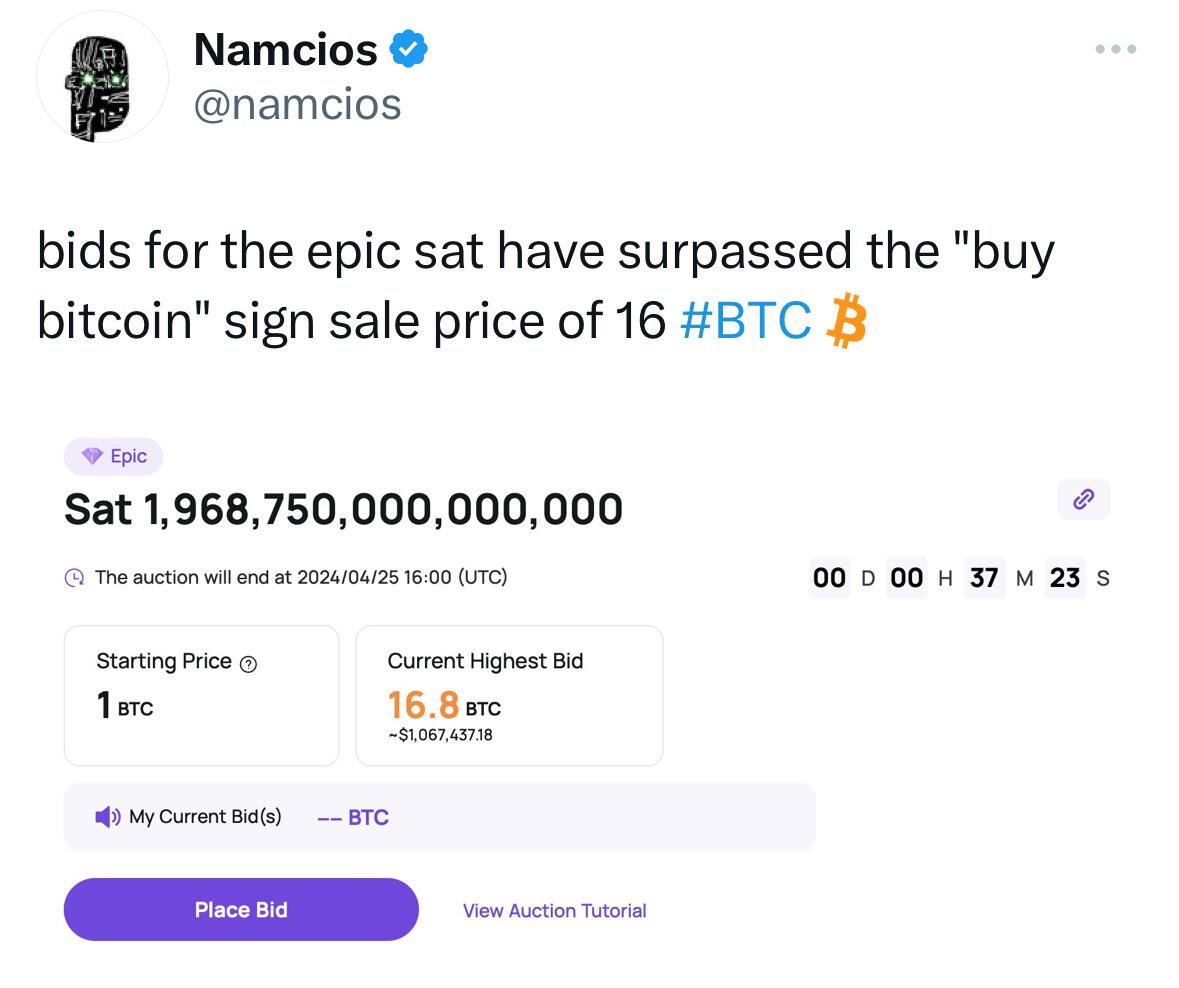 nostr:note14zm3vk4jzy505d0neazkzhxp84np5jeeseqt2925ehswmw9l9glqc2xfjn
A fool and their bitcoin
10 more blocks 🤯
69 blocks until halving

This just takes a screenshot for me

Some notes on purchasing vs. building a SeedSigner...
These are just some periodic reminders about purchasing a SeedSigner kit / assembled SeedSigner that I like to make sure people are aware of:
Part of the value proposition of our project, and DIY in general, is supply chain risk mitigation; you are placing some degree of trust in the person(s) from whom you are purchasing components if they know what the components will be ultimately used for.
If you do choose this route, carefully consider the reputation of the person you choose to purchase from -- they should have a personal reputation that stands on its own within your local bitcoin community. We intentionally do not have any kind of "Buy Now" button on https://seedsigner.com. I am aware of people building and selling SeedSigners on 5 or 6 continents at this point, and we also do not attempt to maintain any kind of centralized "approved sellers" list.
Also very important for those who take this route is that the seller should not be sending a microSD card that is pre-loaded with any kind of software -- individuals should be comfortable downloading (or building), verifying, and loading their own software if they are going to be using a SeedSigner. This is a reasonably simple process that has been thoroughly documented in our Github repository.
If you choose to purchase a SeedSigner, consider purchasing the signer as a kit (or planning to disassemble the signer to examine the components), and comparing the components you receive with images of known-good parts online. This can give you some peace of mind and is a useful process to spot any inconsistencies.
One last suggestion -- consider choosing a seller who has publicly committed to donating a portion of their revenue back to the SeedSigner project to support our contributors. We do not attempt to audit these donations in any way, but it seems like a fair request given the value our contributors have created.
If you would like to build your own SeedSigner, Pi Zero W can be easily found among the retailers listed on https://pilocator.com, and if you choose to do so, can be very simply modified to permanently disable the device's wireless communication capability. The Zero 1.3 can be more challenging to source, but can be found among smaller RPi distributors, as well on AliExpress.
The needed Waveshare display hat and Pi camera can be found at a variety of different retailers, check out https://seedsigner.com/hardware for Amazon & AliExpress links for those components. In addition to reducing your supply chain risk, ordering the parts yourself will help you avoid being placed on yet another list of bitcoiners.
I continue to appreciate all of our contributors, users, donors, and others who have supported the project in various ways -- thank you everyone! 🧡
PSA. Pi Zero V1.3 is back in stock on Adafruit
Pi Zero Version 1.3 is back in stock on Adafruit

If it’s not 420 I don’t want it
Blocks to Halving / Sats to USD eclipse 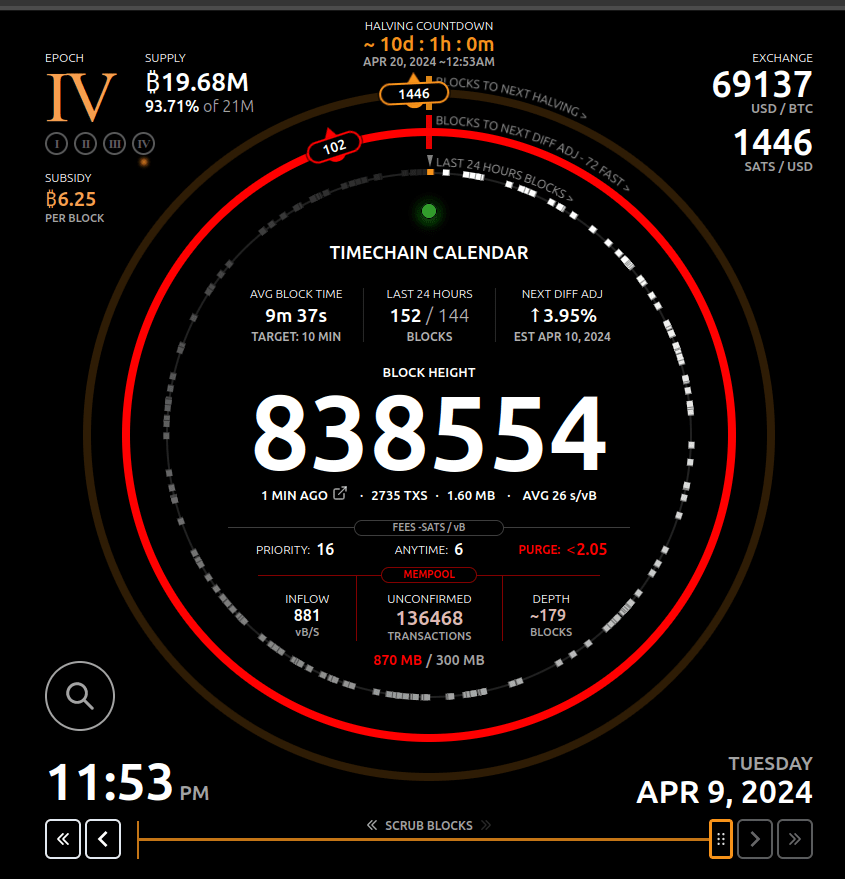

Yep I’m not too busy I’m too lazy that’s the problem

Well… I have a Zeus pay address but I didn’t think I have LSP enabled I use Zeus to connect to mynode and I manage my channels still
I’m not using LSP but I see I could add a memo in settings but that looks like it would be set a default type of memo . No option to set a memo for each individual invoice like previous versions?
ZEUS v0.8.2 is now available
- LSP support for LND REST connections
- Point of Sale: Print receipts [Android]
- Multi-currency conversion tool
- 33 new fiat currencies
- Enhanced wallet recovery interface
- Default channel opening settings
- New invoice expiration picker interface
- LND v0.17.4-beta
## Links
Blog post: https://blog.zeusln.com/new-release-v0-8-2/
Release notes: https://github.com/ZeusLN/zeus/releases/tag/v0.8.2
ZEUS documentation: https://docs.zeusln.app/
Embedded node FAQ: https://docs.zeusln.app/for-users/embedded-node/faq
Android
Universal APK: https://zeusln.com/zeus-v0.8.2-universal.apk
arm64-v8a APK: https://zeusln.com/zeus-v0.8.2-arm64-v8a.apk
Manifest: https://zeusln.com/manifest-v0.8.2.txt
Manifest Signature: https://zeusln.com/manifest-v0.8.2.txt.sig
F-Droid https://zeusln.com/download
Google Play https://play.google.com/store/apps/details?id=app.zeusln.zeus
iOS
IPA: https://zeusln.com/zeus-v0.8.2.ipa
Apple App Store: https://apps.apple.com/us/app/zeus-wallet/id1456038895

Where do I go to add a memo to an invoice? The field seems to have gone missing