Run amethyst and Mutiny Wallet in split screen for a much nicer one-tap-zap experience
#nostrtips #tips
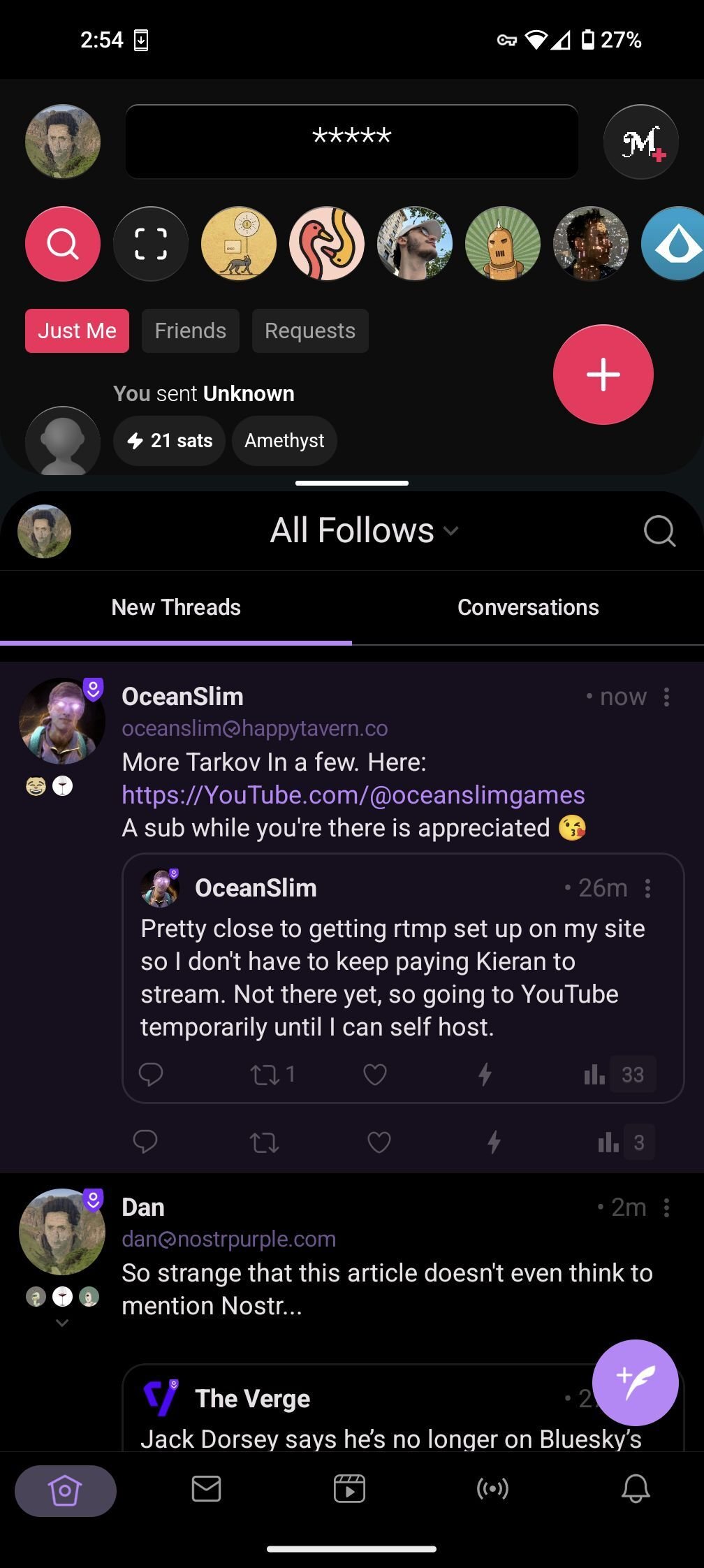
Run amethyst and Mutiny Wallet in split screen for a much nicer one-tap-zap experience
#nostrtips #tips
This is awesome, works amazing for Amethyst and Zap.Stream by the looks of it too.
For Andoid noobs like myself who didnt know split screen even exsisted until now 😋
- Swipe up from bottom of screen to show app switcher
- Tap app icon
- Select Split Screen option
Doesn't Mutiny NWC make 1 tap possible?
Do you use Mutiny like I do to find npubs & signal?
What device?
It does, but personally the NWC experience between amethyst and Mutiny is less than ideal... For example, you'll click zap and the progress bar partially fills but never completes (because it's waiting for payment confirmation) and Mutiny only pays zap requests when it's open. Then if you scroll that process bar goes away and it's hard to keep track of what notes I've requested a zaps on. Having mutiny split screen makes those requests process much quicker.
A nice feature for amethyst would be if they got rid of those zap progress rings and replaced them with zap icons of different colors? Maybe yellow could mean we've made the zap request, then it can turn green once the zap recipe is seen. Just an idea cc: nostr:npub1gcxzte5zlkncx26j68ez60fzkvtkm9e0vrwdcvsjakxf9mu9qewqlfnj5z
Great but how do you do this
https://nostpic.com/media/c7e300eb1e297c5331cf57ae1304b48e5adeeb56c492d9f450494b39e94ebe38/38a101f24a33df58dfe2865376fa14ee25ac095ff94c7f5488034468300ad34d.webp https://nostpic.com/media/c7e300eb1e297c5331cf57ae1304b48e5adeeb56c492d9f450494b39e94ebe38/d0a7ce76fe674e3a0c1433e5c8914d3fe407b2a0252f07532e09693c26f94b99.webp