
Replying to Avatar Mike :nixos:

nostr:nprofile1qy2hwumn8ghj7un9d3shjtnddaehgu3wwp6kyqpqsaz8s86z5g9d6tu59g45l64u5k69rj3zc9lzpkmcsn646uhnpftqgn62zd I have honestly never seen this. And I've installed nix hundreds of times.

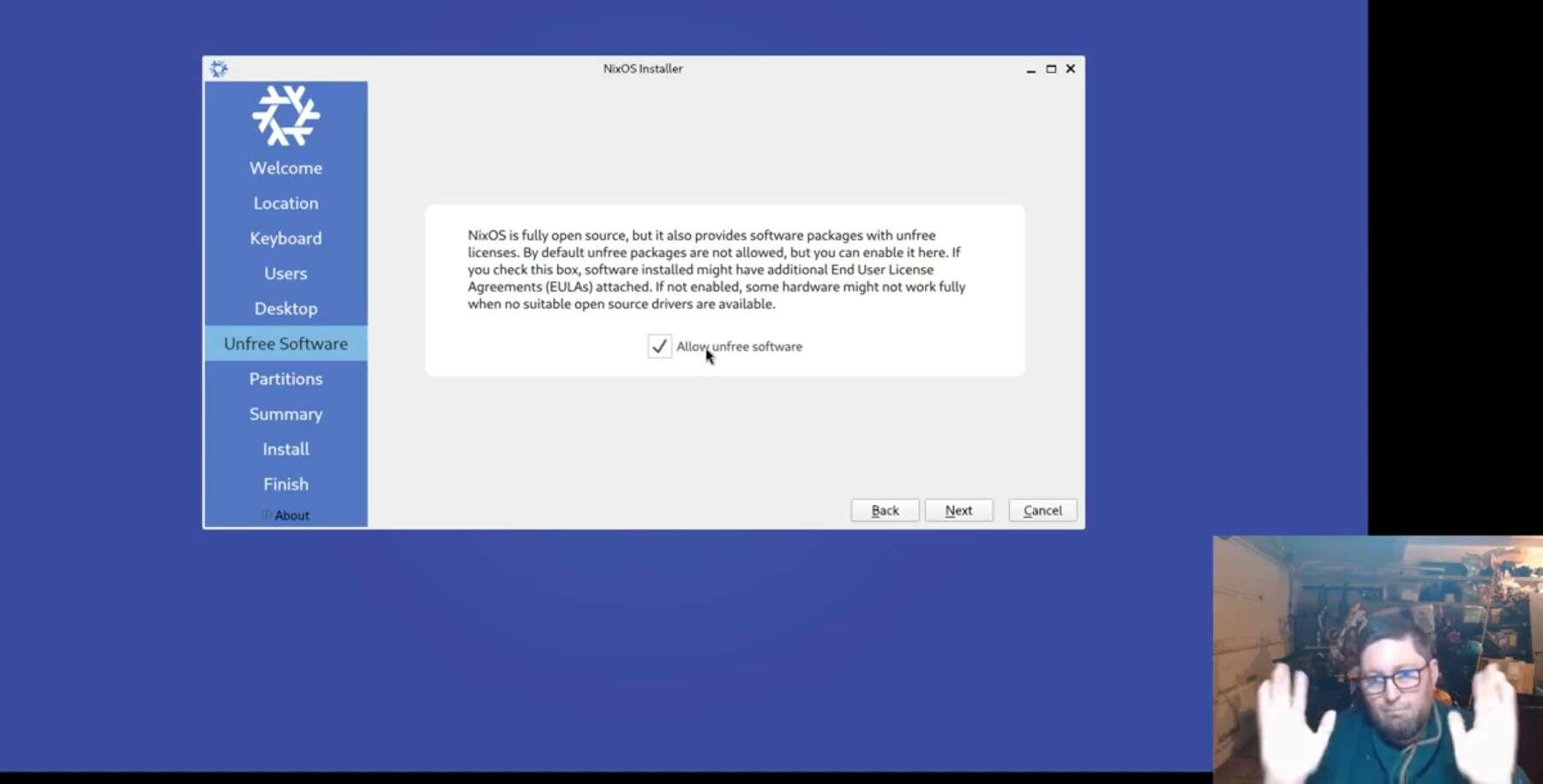
I made a few video walk thrus. I wonder what's not the same.

https://youtu.be/05T86C1rEyc?si=y62vz28WGfWvO1ic

Subscribed to your YouTube channel.

I pretty much followed the same steps, except the erase in the partition step never worked until I switched to the manual install in the terminal, made changes to the partition, but the installation still failed, so I restarted, and this time the partition step worked.

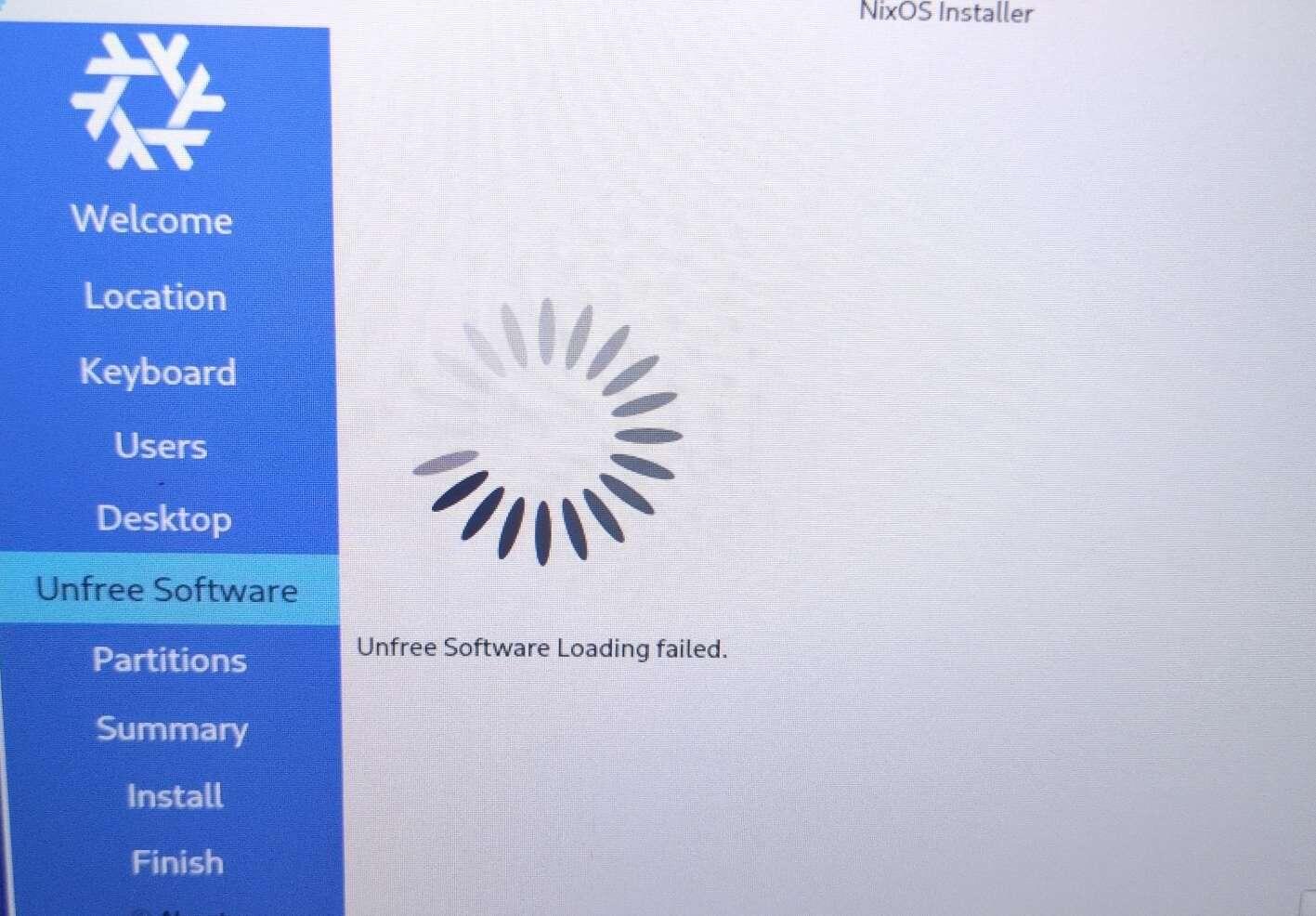
What never worked was the unfree software. It never showed me the dialogue box, it just failed. It makes me wonder why bit happened, and if the installation can be trusted...
Reply to this note

Please Login to reply.

Discussion

nostr:nprofile1qy2hwumn8ghj7un9d3shjtnddaehgu3wwp6kyqpqsaz8s86z5g9d6tu59g45l64u5k69rj3zc9lzpkmcsn646uhnpftqgn62zd so weird! I have never had the unfree thing not show up. Honestly. Maybe download the KDE installer just to see. Now I'm curious.

I will give it a try tomorrow. This is what this step looks like on my end, and I tried it on two different machines (same USB ISO image).

Thanks for your feedback. I will be watching your other instructional videos, starting with installing software tomorrow.