nos2x won't let me zap when signed in (Brave, desktop) but everything else, permission-wise, is fine. So I either go to mobile to zap or I quit for the day or I get mad and uninstall the signer extension and just give my nsec to Primal 😬

I refuse to have to use mobile when I don't want to. My last eye surgery prohibits me being able to see much on my mobile besides calls. But I also don't want to just throw my nsec around either😪

I've done this dance now, about 4 times. Unless someone has an Alby invite, I think I'm rekt. I really hate to fkn #asknostr stuff all the time because I'm an autodidact by nature, but when I search for stuff, it's just spam reply guys. Some online guides are of no help, they're either oudated and/or convoluted.


Reply to this note

Please Login to reply.

Discussion

#asknostr is there for help. This is all still a confusing mess. Most of the tools are broken.

Nos2x should allow you to zap. I'm pretty sure that I use that extension on one of my browsers on my phone (should be functionally the same as on desktop, though...), but I'd have to double check.

I wouldn't trust primal's current iterations with my nsec yet.

Did you see my DM?

I got two DMs I could not open, 😭 and I got a couple replies on my note about zap cooking Thad I can't view. I must have rejected an item or muted a person or 3 by mistake😩

Do you use simplex or another e2ee coms method?

I don't see any from you, no

A couple web apps that allow you to use nsec bunker to remote login from Amber on your phone are noStrudel.ninja and Coracle.social

Here's some basic instructions:

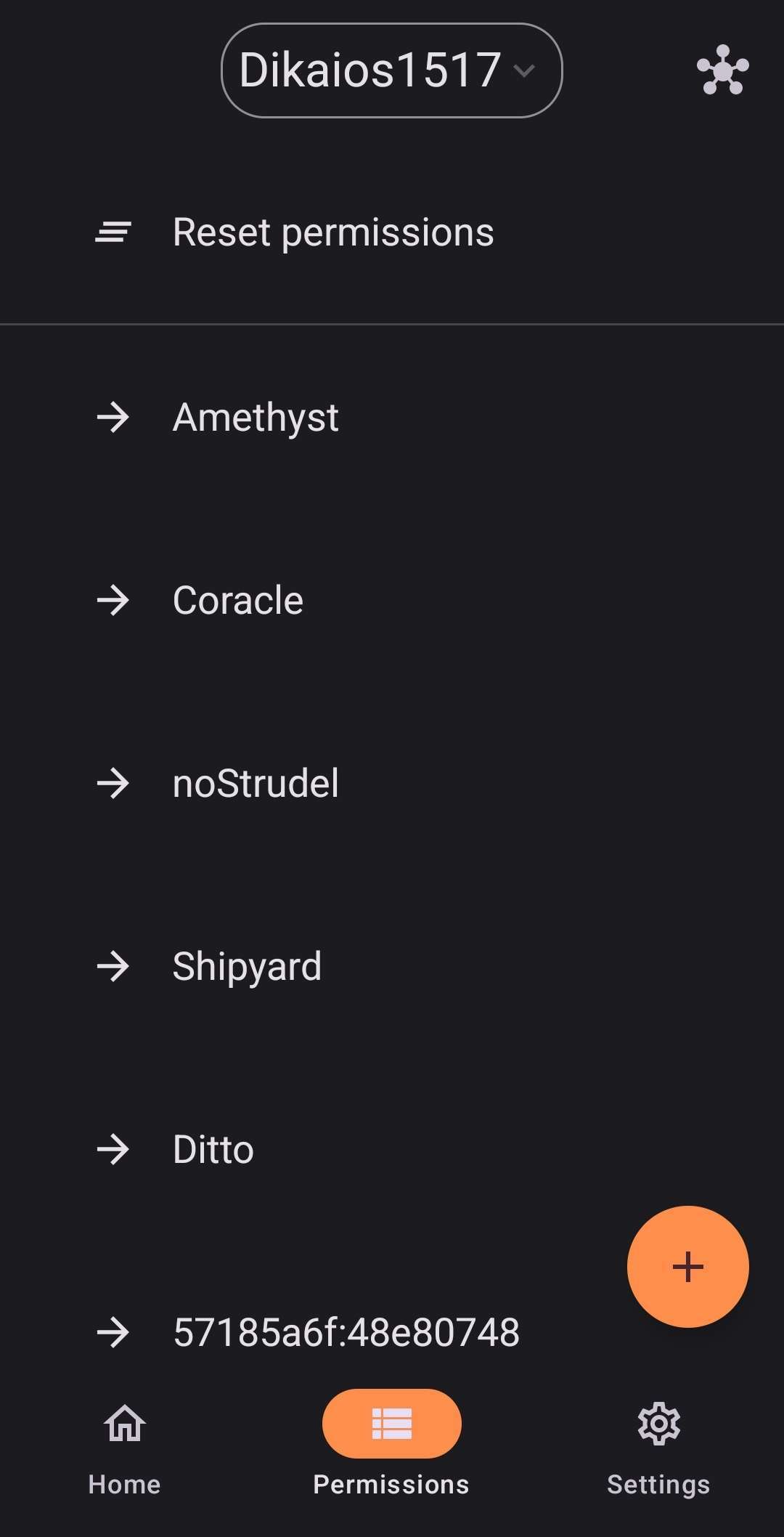
Open Amber and go to your Permissions tab, then tap the + button.

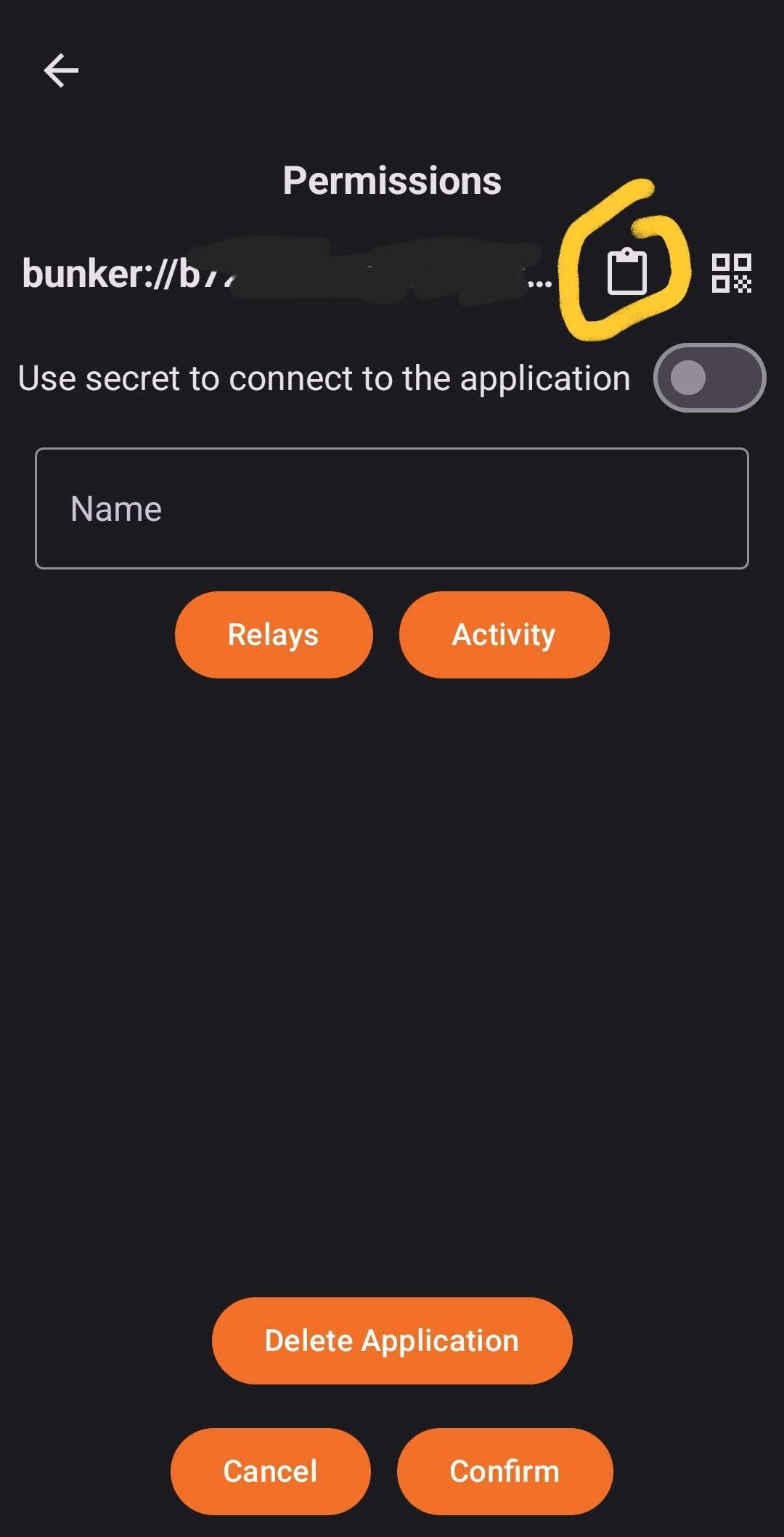
Choose "New App" and on the next page tap the clipboard to copy your bunker string.

Now, you need to get this string over to your PC somehow. It doesn't have anything too sensitive. Just a version of your public key (the one you share with others) and the relay to use for signing requests. You can email it to yourself or any other method you want to use.

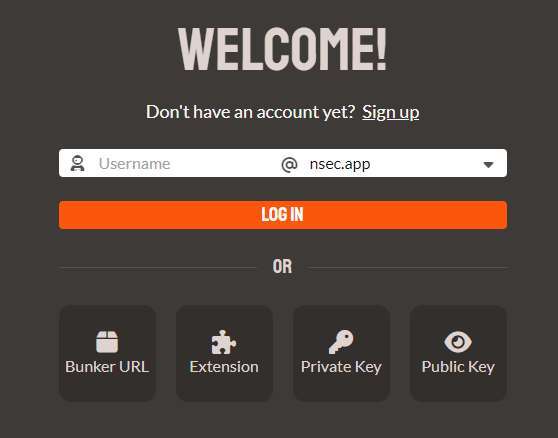
Now, go to coracle.social and select Login in the bottom left, then select the Bunker URL option.

Paste that bunker string you got from Amber and when it tries to log in, you should get a notification on your phone. You can give it as much or as little permission as you like. The more you give it, the less often it will ask you to confirm permission manually on your phone.

Cool, I will look into this. TY 😁👍

Um... It was desktop that I was struggling with, zapping.

Right. While using nos2x as your signer, correct?

The above allow you to use Amber on your phone as your signer for a couple web apps on desktop.

It may also have to do with what wallet you are using for zapping, rather than anything to do with signer permissions.

Interesting. TY