
Apple Explains How iOS 18 Genmoji Work
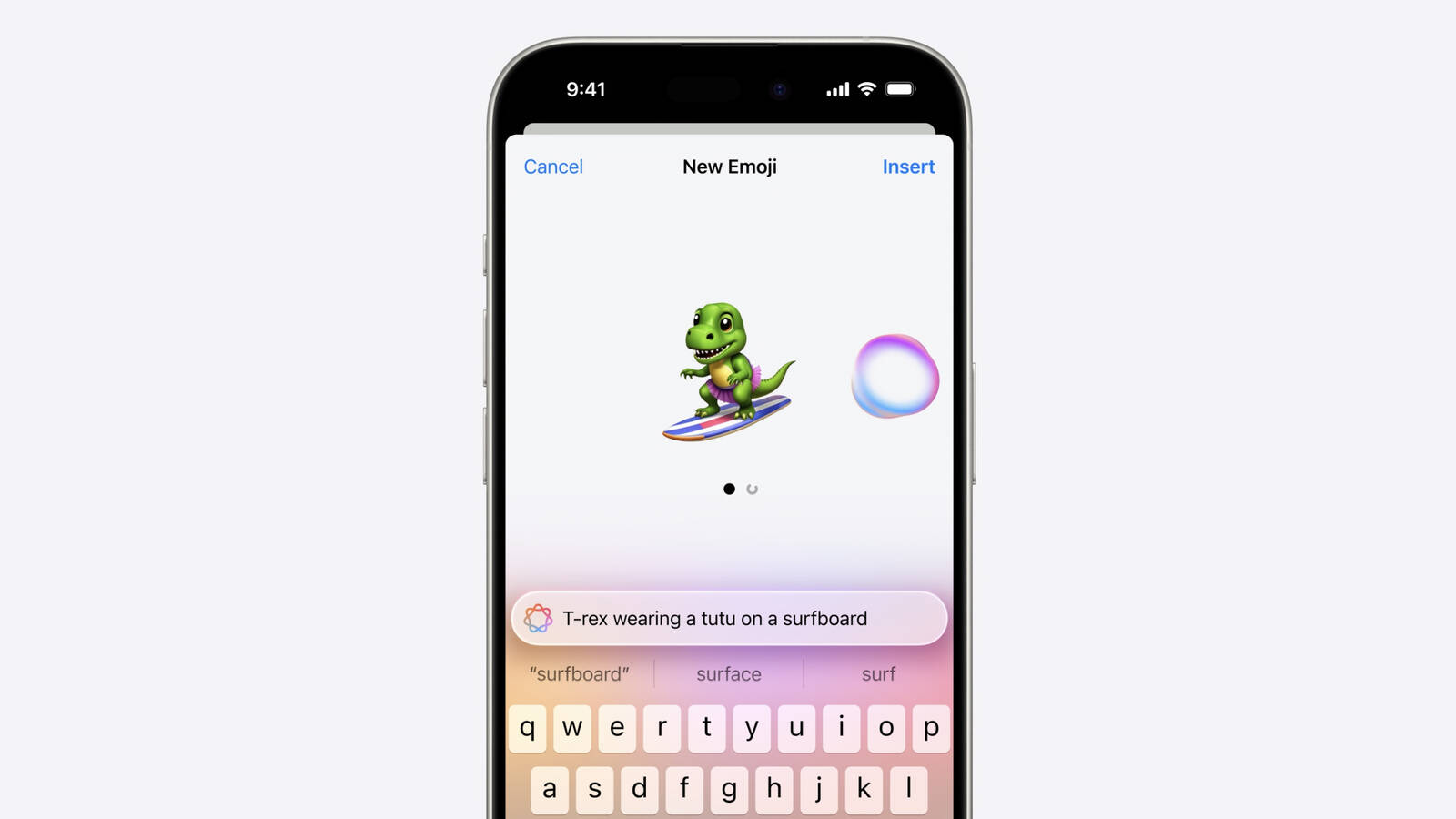
One of the Apple Intelligence features coming in iOS 18 is Genmoji, which will allow iPhone users to use AI to generate all-new emoji characters based on text input. The Genmoji will look similar to emoji, but are custom created, according to an iOS 18 WWDC session focused on Genmoji.
Emoji are not images, but are instead pictographs that are encoded in the Unicode Standard and rendered by each platform. Emoji are added by the Unicode Consortium, which raised some questions about how Apple's Genmoji solution will work.
As it turns out, Apple has designed an NSAdaptiveImageGlyph API for Genmoji and also other images like stickers and Memoji, and this API makes them behave like emoji. It is powered by a standard image format in a square aspect ratio with support for multiple resolutions, and it is augmented with metadata. This setup means that Genmoji and other content using NSAdaptiveImageGlyph can be used with and formatted alongside regular text, similar to emoji.
Genmoji can be used alone, copied, pasted, and sent as stickers. They can be used inline with text, and they respect line height and text formatting. Anywhere that can support rich text can support Genmoji, according to Apple.
Genmoji are not Unicode and may not be appropriate for some data such as identifiers, phone numbers, email addresses, and will not be supported as widely as emoji. Prior versions of iOS, iPadOS, and macOS, as well as apps that do not support rich text will denote Genmoji with a text description.
iPhone 15 Pro models and iPads and Macs with M-series chips.
Related Roundup: iOS 18
Related Forums: iOS 18, iPadOS 18
This article, "Apple Explains How iOS 18 Genmoji Work" first appeared on MacRumors.com
Discuss this article in our forums
https://www.macrumors.com/2024/06/14/apple-explains-ios-18-genmoji/