

do you see the logs?
can the relay.getalby be accessed?
sounds like the hub does not answer for some reason.
do you see the logs?
can the relay.getalby be accessed?
sounds like the hub does not answer for some reason.
AlbyHub logs? also which logs should I check?
albyhub logs, yes.
albyhub logs, yes. I think you can check in the settings -> debug.
and do you see something about the relay? and after you try to use an app like Alby Go what do the logs say?
which one should I click on? I clicked around and its all

restart the hub.
unlock it.
try to use alby go or something else
then get the app logs. - it will be a lot of noise but we would look for some relay issue. or some error.
Its up now. I did get these errors in the logs after I did what you told me to do.
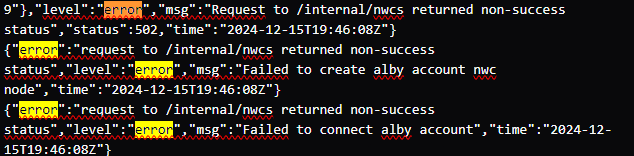
what's happening around there - before this?
I think that error means that the Alby account tries to connect to the hub via NWC but does not get a response.
I went to Boost in Podverse this morning and it failed.
I checked AlbyGo and it wouldn't connect which usually means my node is offline.
When I checked AlbyHub everything seemed ok so I unlink my account and it wouldnt reconnect
I mean what’s in the logs before those lines.
unlink should not be needed.
in such cases some connectivity issue is there. but I am not sure what caused it.
it could be that the hub could not connect to the relay for some reason.
This is what will fit on the screen. 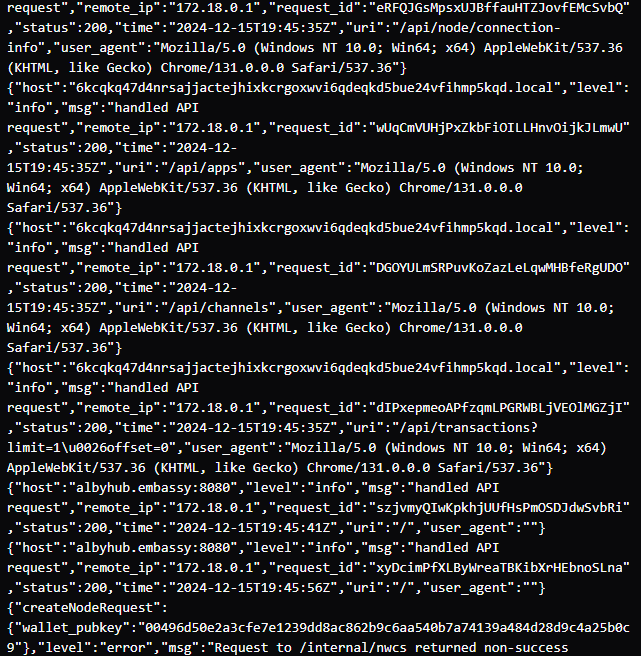
Any chance you could send the whole log file to Alby Support (support@getalby.com).
Do normal connections (e.g. Alby Go) work now?
the latest version v1.12.0 has an improvement there that better recovers from network connection issues to the relay.
not sure if this was the problem here, but maybe. let me know if it happens again
Start9 is at 1.10.4. I haven’t had this issue in months so I’ll keep you posted if it happens again.
