

Ok folks. nostr:npub1v3tgrwwsv7c6xckyhm5dmluc05jxd4yeqhpxew87chn0kua0tjzqc6yvjh gives you a 8 points ol with some 0.5 steppings to follow for testing post #hyperbitcoinization -ware called nostr:npub1yjxerh4msvgqf230ej3648a28xhvxjstqr2rhpjt2eelf538e70scnl9d0. They even did some research before starting to code and choose BLE for transmission between Android devices. Neat.
How to help to test nostr:npub1yjxerh4msvgqf230ej3648a28xhvxjstqr2rhpjt2eelf538e70scnl9d0 at home:
1. Download, install, and configure a local Nostr relay (e.g., #citrine).
2. Download, install, and configure a Nostr client (e.g., #amethyst).
3. Connect Amethyst to Citrine as both the input and output relay. To avoid false positives, it might be better not to have any other relay configured.
3.5. Test that Amethyst is indeed sending notes to Citrine, that it saves them, and that they can be viewed in Amethyst.
4. Download and install nostr:npub1yjxerh4msvgqf230ej3648a28xhvxjstqr2rhpjt2eelf538e70scnl9d0 from its GitHub page https://github.com/KoalaSat/samiz/releases, the IzzyDroid repository, or nostr:npub10r8xl2njyepcw2zwv3a6dyufj4e4ajx86hz6v4ehu4gnpupxxp7stjt2p8.
5. Completely disconnect the device from the internet (airplane mode), ensuring that Bluetooth remains activated.
6. With all three apps running on the same device, start a session in nostr:npub1yjxerh4msvgqf230ej3648a28xhvxjstqr2rhpjt2eelf538e70scnl9d0 by pressing the "Start Session" button.
7. Confirm in the Logs view that nostr:npub1yjxerh4msvgqf230ej3648a28xhvxjstqr2rhpjt2eelf538e70scnl9d0 has received the test note that was created earlier (what is displayed is the note ID).
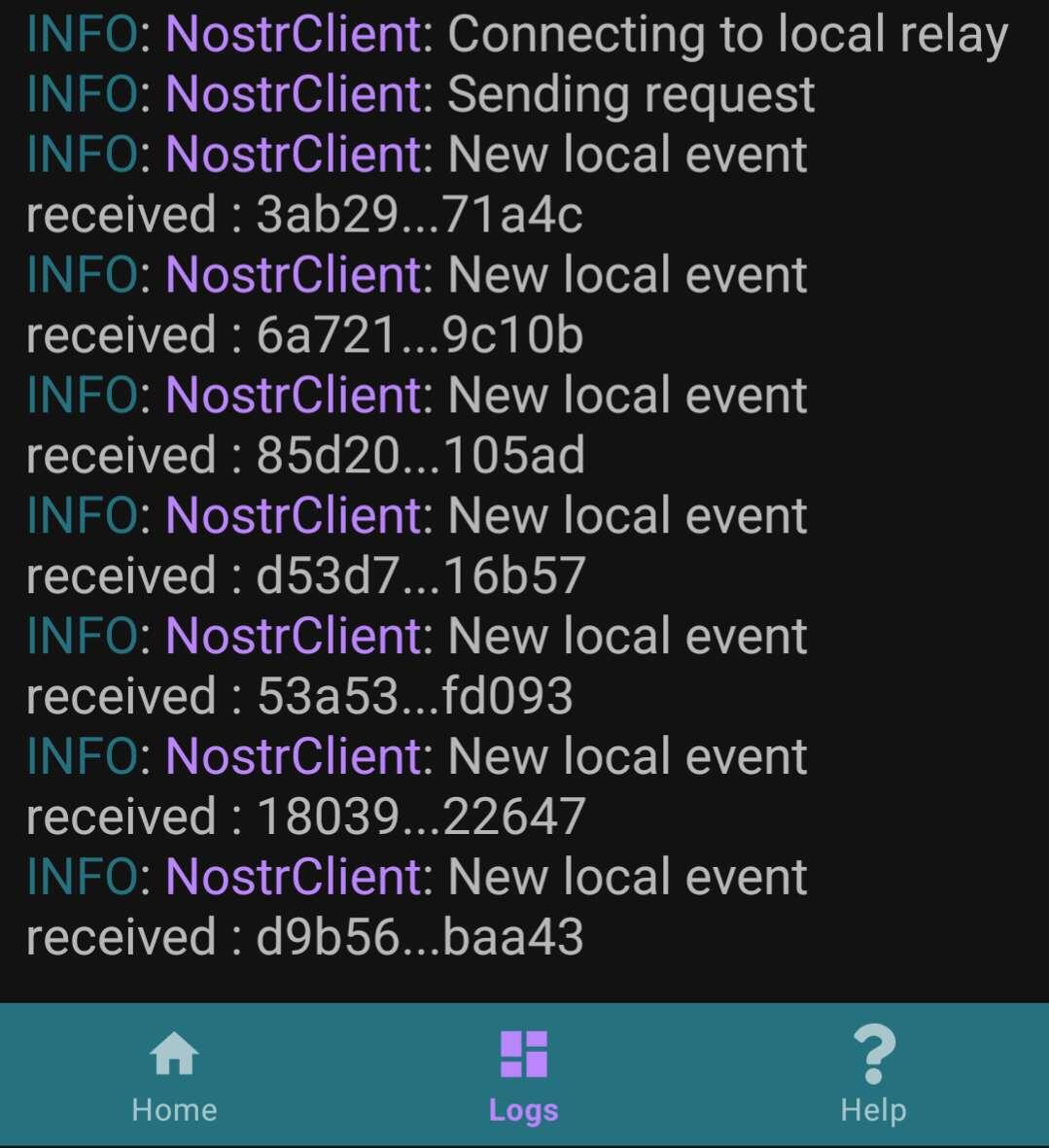
8. Create a new note in Amethyst and confirm again in the Logs that nostr:npub1yjxerh4msvgqf230ej3648a28xhvxjstqr2rhpjt2eelf538e70scnl9d0 has detected it.
This covers the basics. If someone is lucky enough to have a second Android device, they can test further by following steps 1 to 6 on the second device. They should then be able to receive and view notes created on the first device from Amethyst on the second device.
Finally, here’s a video from a user showing how it should work:
Discussion
No replies yet.