
iOS 18 Lets You Lock and Hide Your Apps for Added Privacy
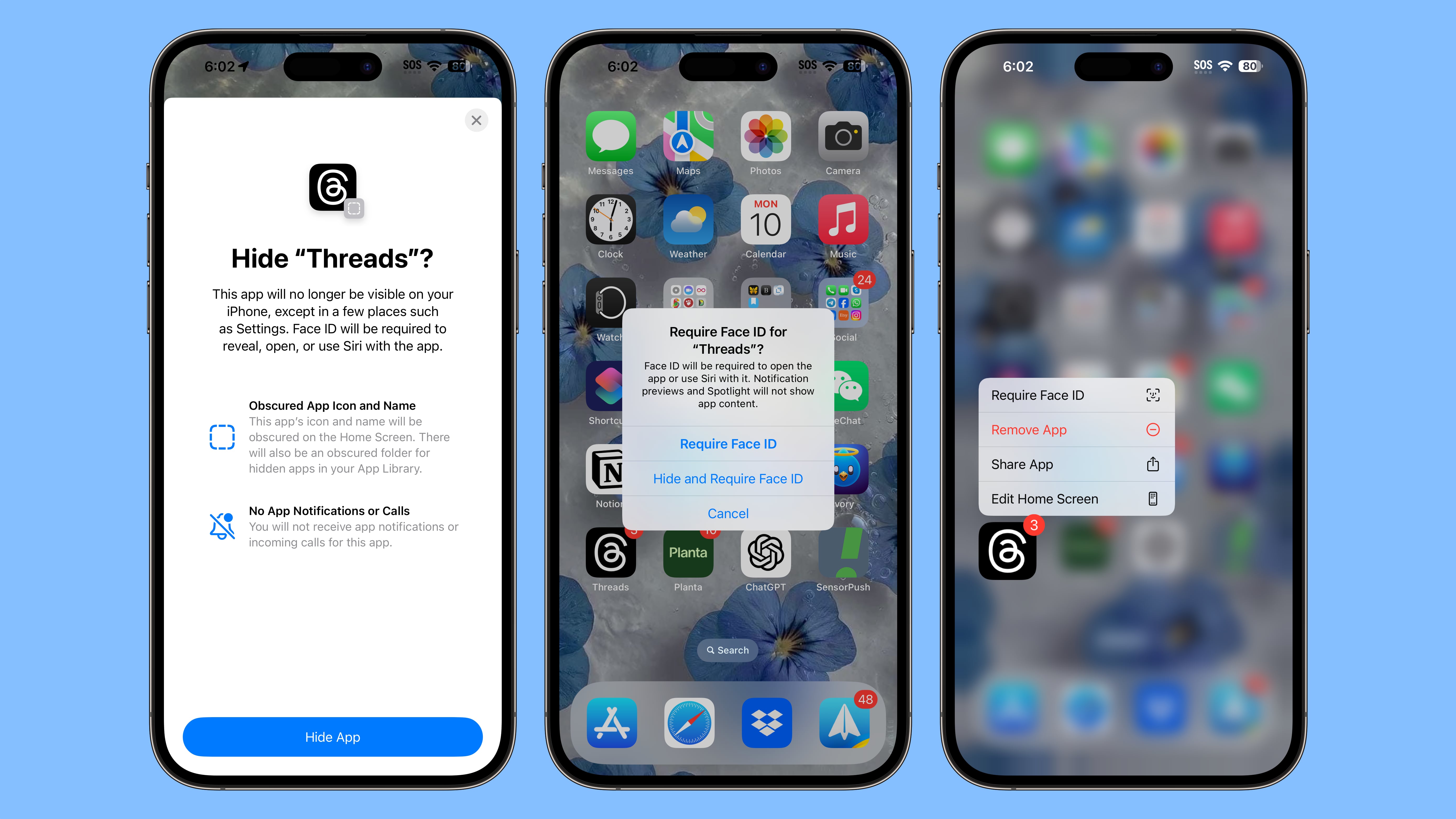
Apple is improving privacy in iOS 18, introducing a feature that allows apps to be locked or hidden, which makes them inaccessible without a Face ID scan.
If someone is using your phone and you've locked an app, when they try to open that app, they'll see a popup that says it can't be accessed without secondary authentication. Locking an app can be done by long pressing on it and selecting the Require Face ID option (or Touch ID on the iPhone SE).
Not all apps can be locked, with Apple not providing an option for innocuous apps like Maps, Clock, Calculator, and Stocks, but almost every other app can be locked, including third-party apps. When you lock an app, you have the option to hide it as well, which moves it into a locked, hidden apps folder that requires authentication to open.
Photos app. Hiding an app means that you will not receive incoming notifications or calls from it, and it will only be available from a "Hidden" folder in the App Library.
iPad.
Related Roundup: iOS 18
This article, "iOS 18 Lets You Lock and Hide Your Apps for Added Privacy" first appeared on MacRumors.com
Discuss this article in our forums