
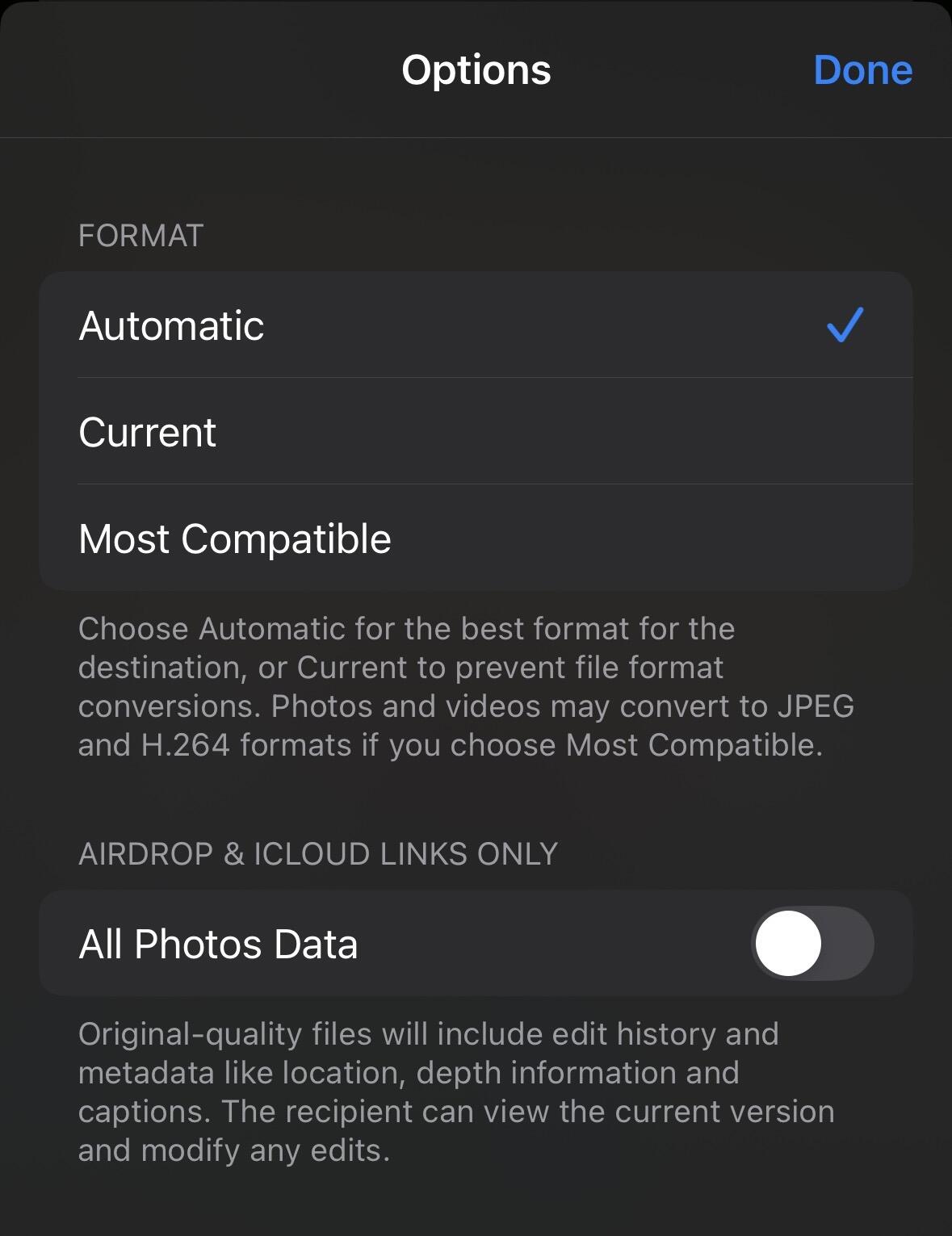
Trying to figure out what’s changed too. There is also a sub setting in iOS18 that offers the format choice “again” (from HEIC to jpg) which seems to be independent of the global format compatibility setting under the camera settings. It shows up under “options” when sharing / sending the image somewhere else. 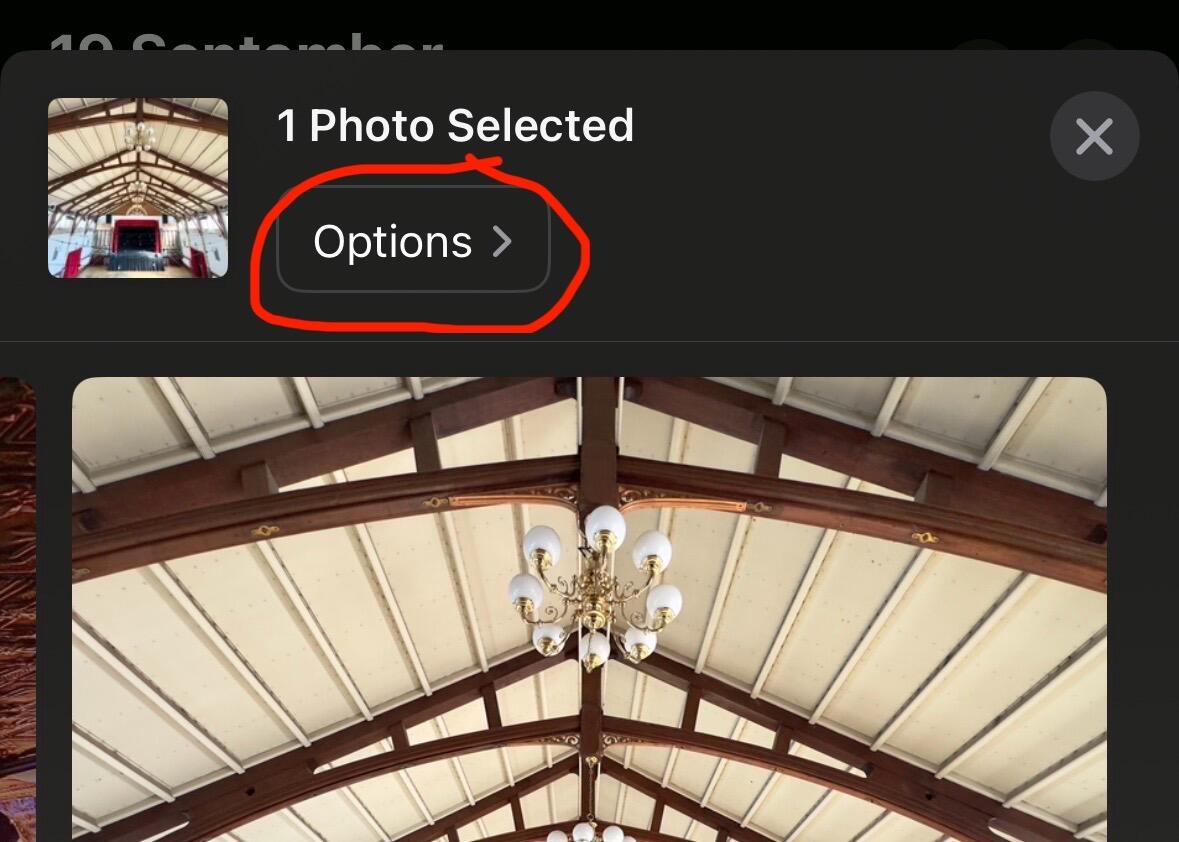
Discussion
Colour space, as someone else highlighted, is also a possible issue too. RGB, sRGB, AdobeRGB, monitor/LCD colour profiles, Apple colour profiles etc etc. Who knows what’s being included or stripped out upon upload. 🤷♂️

I can no longer trust the nostr:npub12vkcxr0luzwp8e673v29eqjhrr7p9vqq8asav85swaepclllj09sylpugg uploader on mobile since it doesn’t have previews.
By that I mean accurate previews, i.e., the thumbnail didn’t look like the final upload or couldn’t be enlarged to check.
So looks like a primal thing? Is it as bad with other clients?
No, I think it’s an Apple issue, I just haven’t had time to figure out what’s causing it.
nostr:npub1nxy4qpqnld6kmpphjykvx2lqwvxmuxluddwjamm4nc29ds3elyzsm5avr7 nostr:npub137c5pd8gmhhe0njtsgwjgunc5xjr2vmzvglkgqs5sjeh972gqqxqjak37w Have you run into this issue with images uploaded from iOS 18? It only seems to happen with photos that have had level adjustments made using the photo editor.

Can you please elaborate what issue you are experiencing exactly? Is it color shifting, resolution decrease and blockiness, something completely different? We do convert HEIC to JPEG upon upload and it may change the colorspace and bit depth when it’s doing it. HEIC generally has higher bit depth that will make photo look more realistic but JPEG can retain most of that in sRGB space but not strong highlights or deep shadows. If you have sample pictures (can upload to your account and share with me) that would help. So far I haven’t ran into issues with my iOS 18.1beta6
It appears to be a color space issue. I’m having trouble reproducing it at the moment but I’ll update this post when it happens again.
Uploading from the account page specifically seems to remove color profile data for some reason. 