

Appreciate this. I don't know where it got the location from in my case
Hold your horses. What.the.heck are you even talking about? What does 2FA apps have anything to do with sim? Ok anyways, moving on.
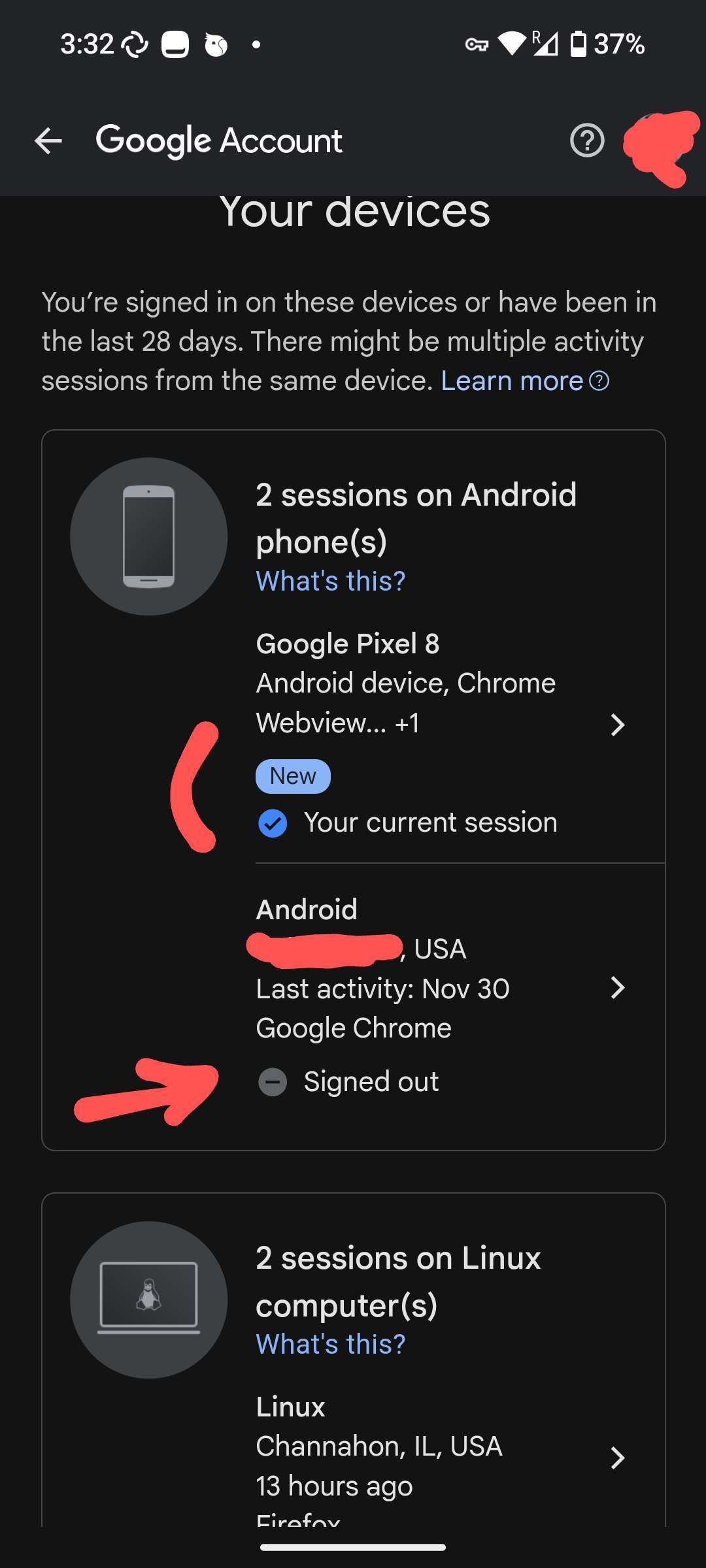
nostr:nprofile1qqs8y6s7ycwvv36xwn5zsh3e2xemkyumaxnh85dv7jwus6xmscdpcygprpmhxue69uhkv6tvw3jhytnwdaehgu3wwa5kuef0ekucf3, here is my screenshot. I followed the exact same steps as you did (let me know if I skipped something):
1. I don't have my VPN on currently
2. I went into Google Play Store > Manage GAccount > Security and looked for old or existing signed devices (showed my location obviously) and signed out.
3. Turned my VPN on and Connected to Canada or whatever
4. Went back in the Google signed devices settings and saw this: (no IP, nothing)
Discussion
well, you have to be very specific about where you found that "location": same screenshot as above?
if yes, it'll be a good idea to use a throwaway Google account (id you really) have to use one, otherwise, simply be content with the sandboxed GPS included in the OS