
iOS 18 Photos App Adds New Utilities Categories for Finding QR Codes, Receipts, Illustrations and More
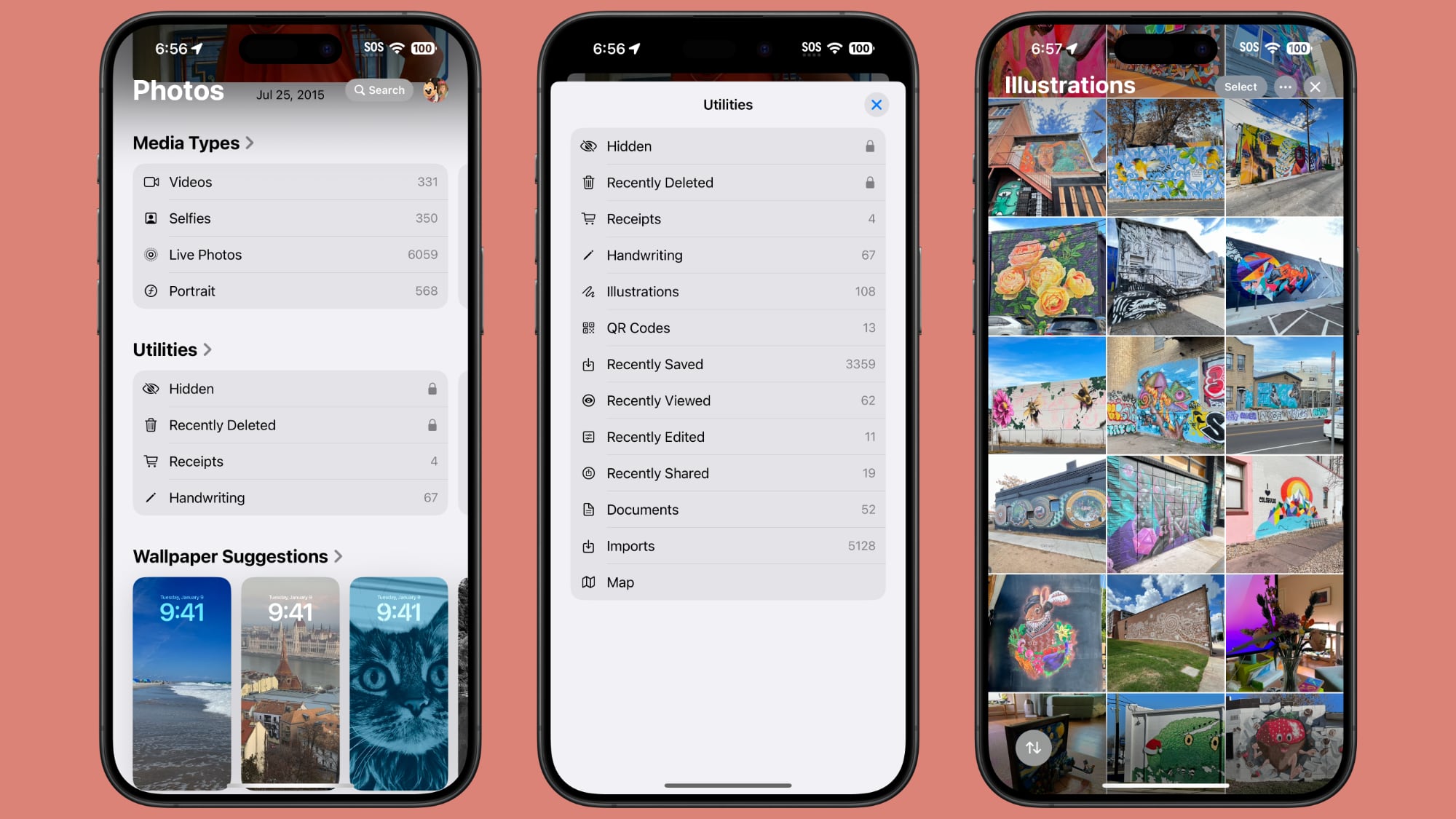
Apple introduced a new design for the iOS 18 Photos app that replaces the Library and For You sections with a more integrated all-in-one view, and part of that redesign includes an overhauled Utilities section that makes it easier to find different types of images.
Rather than being limited to Imports, Duplicates, Hidden, and Recently Deleted as in iOS 17, the Utilities section of the app has all of the following categories:
Hidden
Recently Deleted
Duplicates
Receipts
Handwriting
Illustrations
QR Codes
Recently Saved
Recently Viewed
Recently Edited
Documents
Imports
Maps
You've been able to search for things like receipts in prior versions of iOS, and still can, but having them in a dedicated Utilities section makes them quicker to locate.
Along with Utilities, the Photos app also features Media Types, and while this section is largely the same, there is a new Animated category. The Animated category and the Illustrations utility section may be aimed at the image generation tools that are coming to iOS 18 as part of the Apple Intelligence feature set.
macOS Sequoia as well as iOS 18.
Related Roundup: iOS 18
Related Forums: iOS 18, iPadOS 18
This article, "iOS 18 Photos App Adds New Utilities Categories for Finding QR Codes, Receipts, Illustrations and More" first appeared on MacRumors.com
Discuss this article in our forums
https://www.macrumors.com/2024/06/11/ios-18-photos-app-utilities/