
They don't want you to know about:
Socks5 Proxies vs VPNs:
These hushed elite secrets are more relevant now than ever.
Did you know that, LinkedIn makes more money off selling user data, then they do from paid job ads?
Or even worse, Twitter's valuation collapsed after Elon Musk's takeover, but then yet according to Fidelity, it got a rebound from Musk's training his AI startup on your data.
It should not surprise you then that both LinkedIn and Twitter, restrict many VPNs for new sign-ups. And more and more websites and services are banning Tor. How can you succeed with privacy under these conditions? In this note, I'll use Nostr's uncensored nature to teach you this critical knowledge, while it still works...
~~~
VPNs
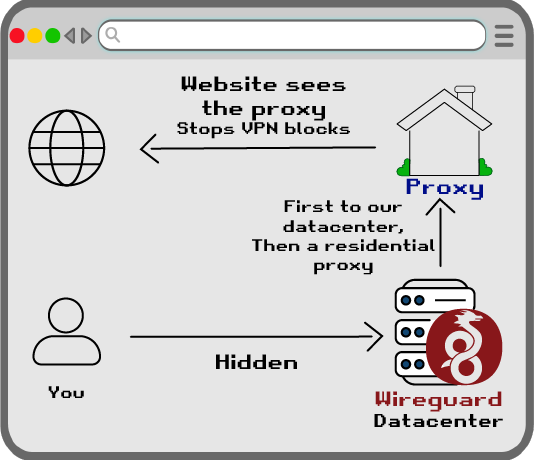
When we think of VPNs, we usually think of protocols like WireGuard. WireGuard has public/private encryption keys, and the traffic is encrypted.

One potential issue with WireGuard is it's typically linked to a Datacenter. These datacenter IPs are then blocked by websites that often want to purposefully find out the identity of their users.
~~~
Socks5 Proxy
Socks5 Proxies simply forward the traffic to make requests from a new destination WITHOUT encryption. This typically is done only in a browser, but it could work in the command line or any app.
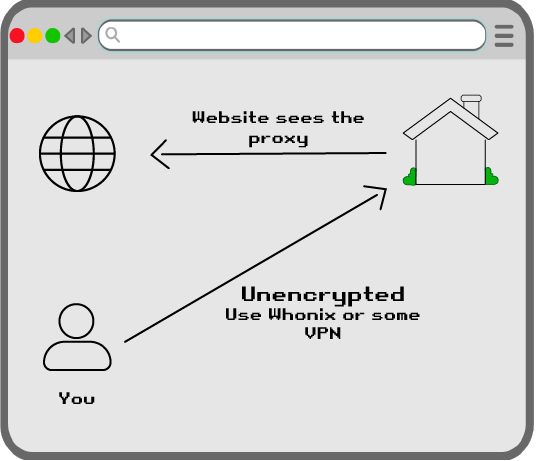
Many users wonder what the purpose of a Socks5 Proxy is, if there is no encryption. There are many use-cases.
Some websites may block VPNs coming from Datacenters. Socks5 Proxies are can be used to make the traffic appear to be coming from a residential home.
Speed
Since encryption slows down a VPN, a proxy is more lightweight, and thus faster than WireGuard.
Firewalls
Also WireGuard may have issues with residential firewalls, that socks5 helps avoid.
~~~
Tor Block
Another issue is some websites may block Tor. Tor exit IPs are published and known by all participants.
WireGuard + Tor = Fail
Since WireGuard uses UDP packets, it can't be used in front of Tor. Tor uses TCP only.
OpenVPN Slow
While OpenVPN, on port 443 (with TCP), in theory COULD be used in front of Tor. In reality, this is unbearably slow. Because you're doing 3 hops of Tor AND THEN a 4th encrypted hop on an external network.
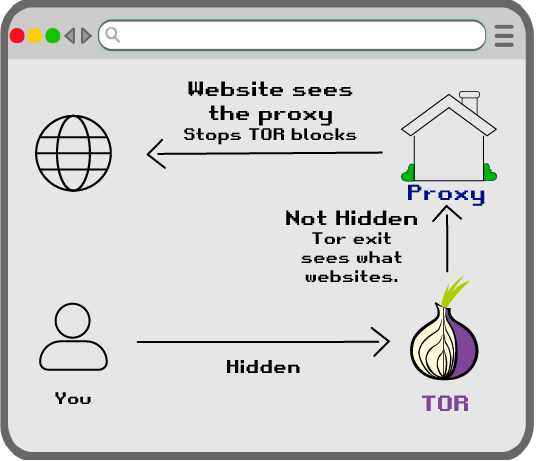
To get around the speed issue, most users looking to hide Tor use, instead use Socks5 Proxies. These are fast because it has no encryption, but the ISP can't see anything because you're using Tor first.
Tor Exit Sees
The only one who the user isn't hiding from is the Tor exit. Tor exits still can't see through SSL/TLS or httpS website encryption. In other words, Tor exits can see WHAT domains you visit, but not your username, password, or what data you DO on those websites.
No Sudo
A huge advantage of Proxies is that they don't require sudo. They can just work in just the browser.
Simplified Privacy
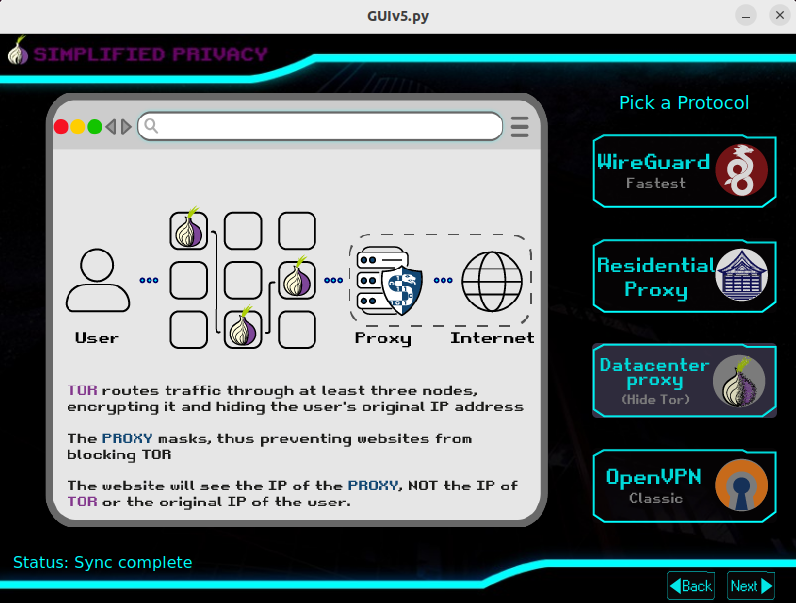
Our Datacenter proxies exit the same servers and IP addresses as our WireGuard users. So the website won't know if you're using Tor or a VPN. I hope we make it financially through beta testing, to begin offering residential proxies as well.
Now do both me and humanity a favor, and slam the repost to aid our Nostr bros.