
iCloud 'Keep Downloaded' Option Included in iOS 18 and macOS Sequoia
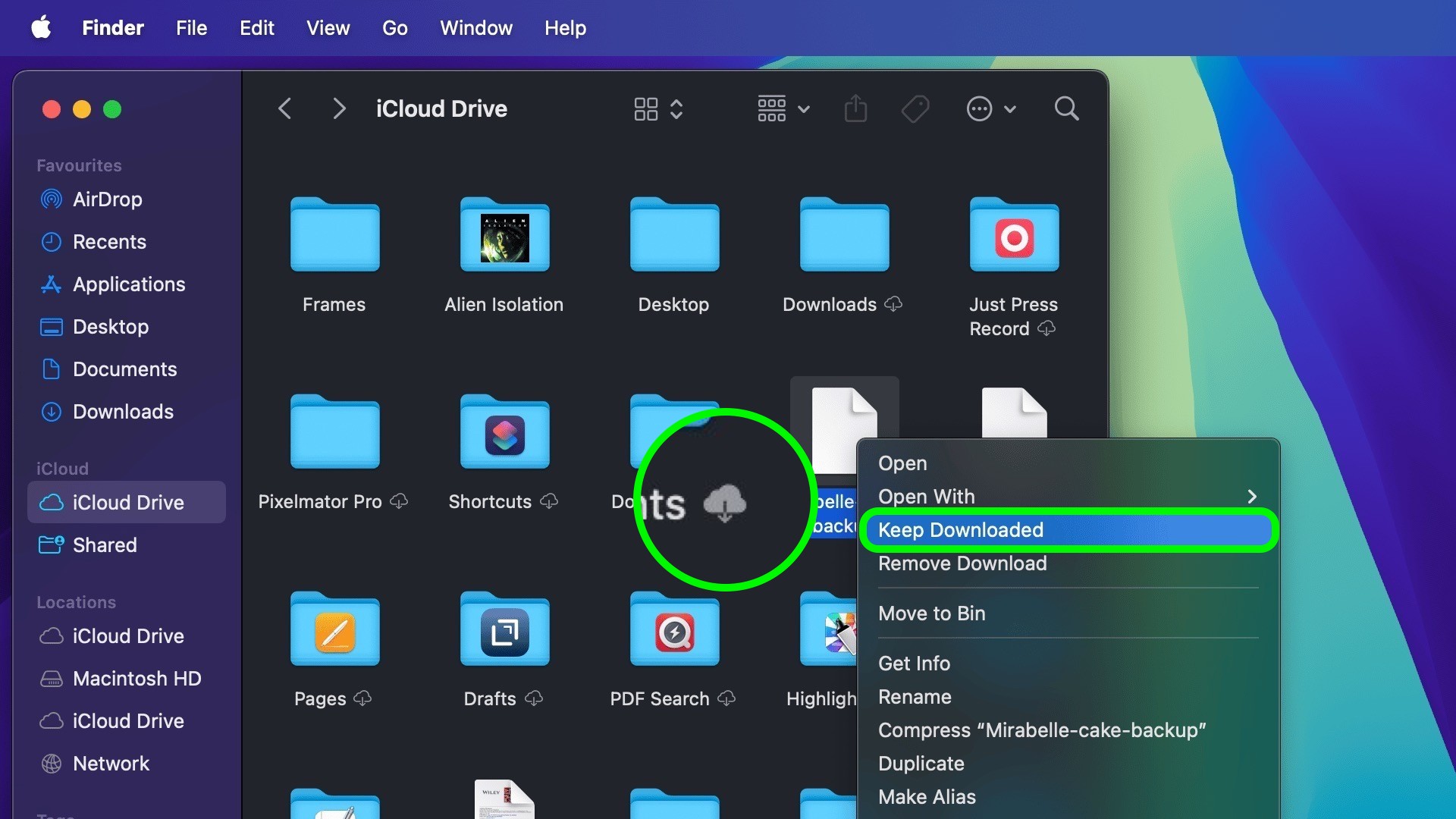
In iOS 18, iPadOS 18, and macOS Sequoia, Apple has added a new "Keep Downloaded" option when browsing items in iCloud, allowing users to designate which files and folders should remain permanently available locally on their device.
In previous versions of iOS and macOS, users had limited control over which files and folders were kept offline. iCloud's automatic management system would offload files from the device to free up space, potentially removing files that you might want to keep available at all times.
Apple offered no straightforward way to prevent this – until now. In macOS Sequoia, when browsing iCloud Drive in Finder, right-clicking a file or folder reveals the new "Keep Downloaded" option. When enabled, the cloud symbol next to the item is opaque instead of transparent, indicating that it will remain on the device.
In iOS 18 and iPadOS 18, the same option can be found in the Files app when a file or folder is long pressed to bring up the contextual menu. Users can now explicitly mark files to remain on their device, regardless of how much storage they take up.
Related Roundups: iOS 18, iPadOS 18, macOS Sequoia
Tag: iCloud
Related Forums: iOS 18, iPadOS 18, macOS Sequoia, Apple Music, Apple Pay/Card, iCloud, Fitness+
This article, "iCloud 'Keep Downloaded' Option Included in iOS 18 and macOS Sequoia" first appeared on MacRumors.com
Discuss this article in our forums
https://www.macrumors.com/2024/06/26/icloud-keep-downloaded-option-ios-18-macos-sequoia/