Setup para hacer en casa:
1.Descargar, instalar y configurar un relay nostr local (ej. #citrine)
2. Descargar, instalar y configurar un cliente nostr (ej. #amethyst)
3. Conectar Amethyst a Citrine como relay de entrada y relay de salida. Quizás para asegurar falsos positivos es mejor que no haya configurado ningún otro relay.
3.5. Testear que Amethyst efectivamente envía notas a Citrine, este las guarda y se pueden ver en Amethyst.
4. Descargar e instalar nostr:nprofile1qqszfrv3m6acxyqy4ghuega2n74rntkrfg9sp4pmse94vul56gnul8cpz4mhxue69uhhyetvv9ujuerpd46hxtnfduhs33xu96 desde su github https://github.com/KoalaSat/samiz/releases, el repositorio IzzyDroid o nostr:nprofile1qqs83nn04fezvsu89p8xg7axjwye2u67errat3dx2um725fs7qnrqlgzqtdq0
5. Desconectar el dispositivo completamente de internet (modo avión), asegurándose que el Bluetooth sigue activado.
6. Con las 3 apps inciadas en el mismo dispositivo, iniciar una sesión en nostr:nprofile1qqszfrv3m6acxyqy4ghuega2n74rntkrfg9sp4pmse94vul56gnul8cpz4mhxue69uhhyetvv9ujuerpd46hxtnfduhs33xu96 pulsando el botón "Start Sesión".
7. Confirmar en la vista de Logs que nostr:nprofile1qqszfrv3m6acxyqy4ghuega2n74rntkrfg9sp4pmse94vul56gnul8cpz4mhxue69uhhyetvv9ujuerpd46hxtnfduhs33xu96 ha recibido la nota de testeo que se ha creado antes (lo que se muestra es el ID de la nota)
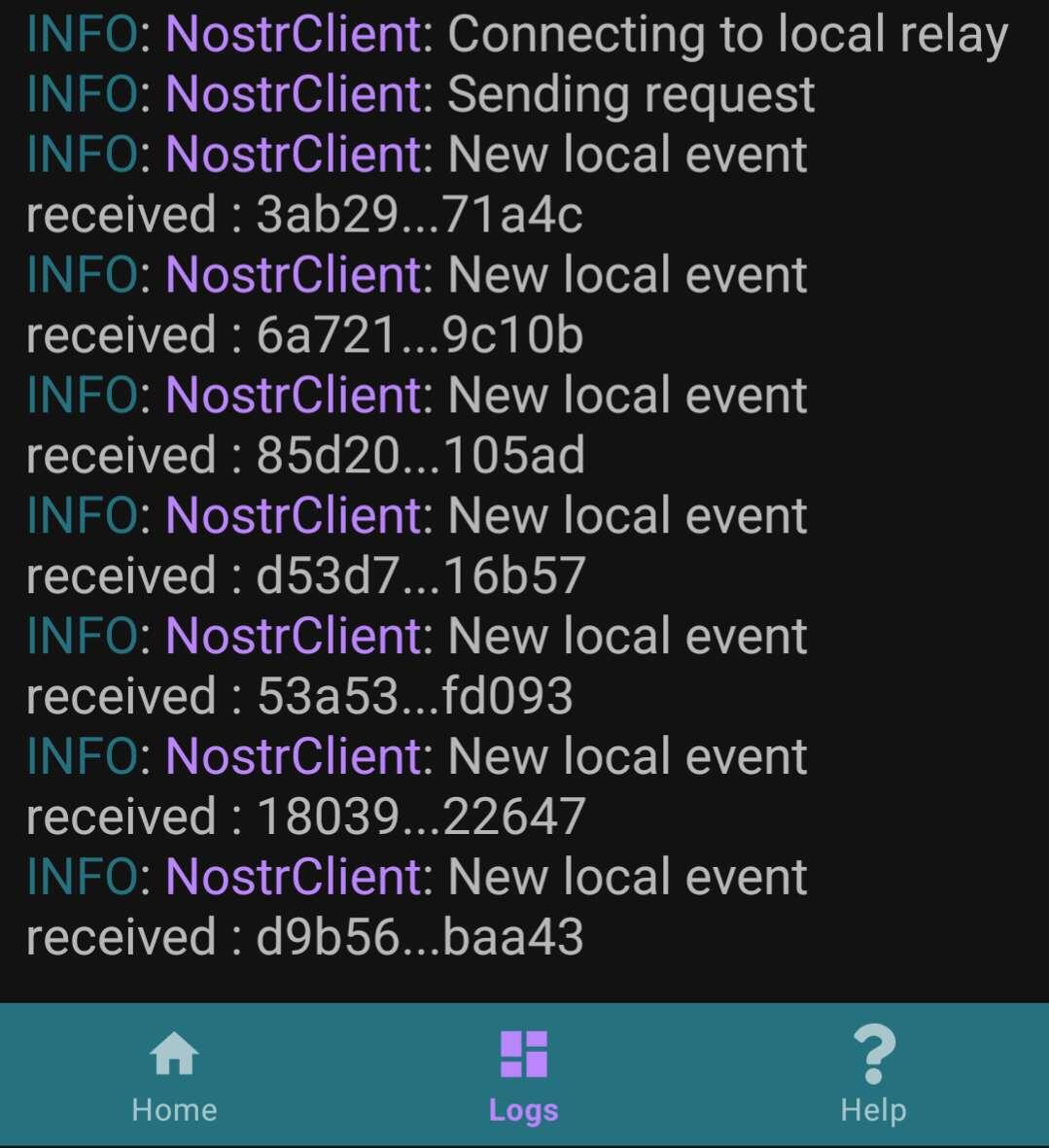
7. Crear una nueva nota en Amethyst y confirmar de nuevo en los Logs que nostr:nprofile1qqszfrv3m6acxyqy4ghuega2n74rntkrfg9sp4pmse94vul56gnul8cpz4mhxue69uhhyetvv9ujuerpd46hxtnfduhs33xu96 la ha detectado
Hasta aquí lo básico, si por suerte alguien tiene un segundo dispositivo Android, puede testear más siguiendo en el segundo dispositivo los pasos 1 a 6. Entonces debería de ser capaz de recibir y ver desde el Amethyst del segundo dispositivo las notas que se han creado en el primer dispositivo.
Por último, un vídeo de un usuario mostrando como debería funcionar:
nostr:nevent1qqsr5cztcmq5mvksz03vz4p5w22jvn8xc3g90w835rxdt0d5gcf52egppemhxue69uhkummn9ekx7mp0qgsqm9a74et8lnkfcet578rw7cfxa2tf6jvjcvvcu5wqltzjc5n559qrqsqqqqqprgedlt

