Any nerds from BitKey on here #asknostr
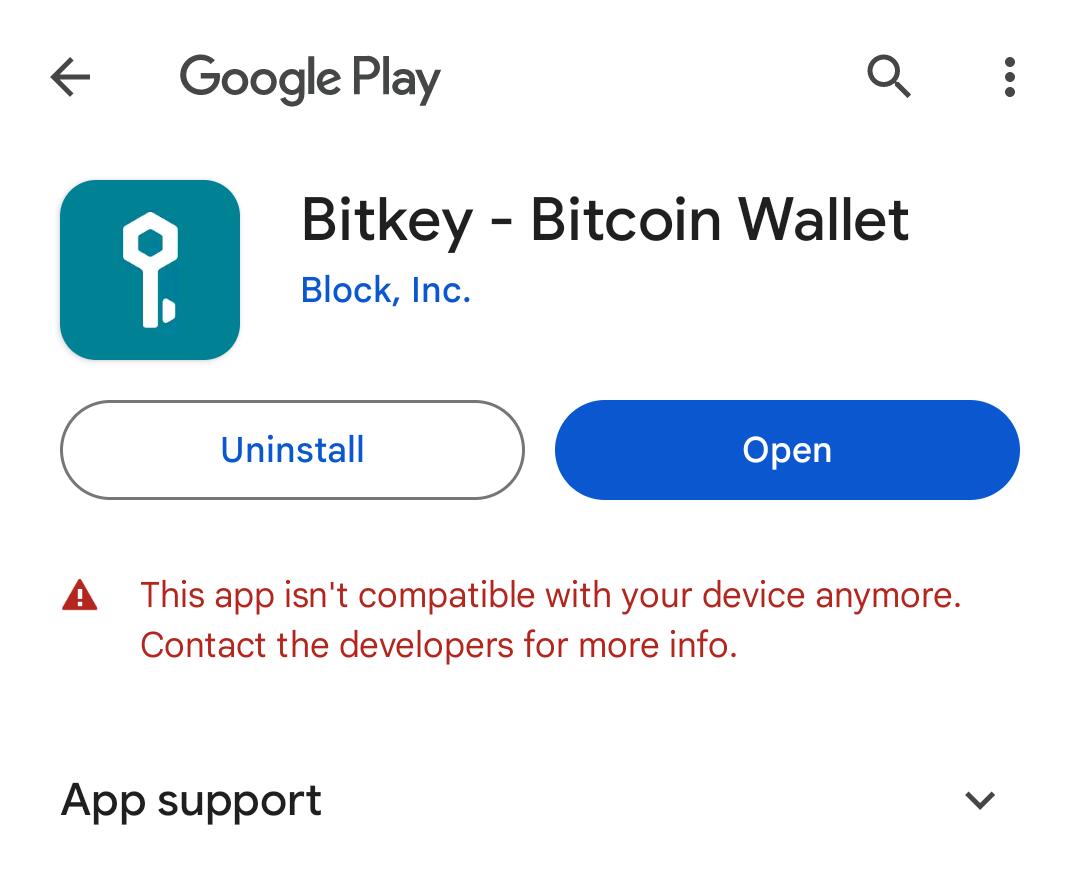
Any nerds from BitKey on here #asknostr
ty!
Thomas:

nostr:npub1sg6plzptd64u62a878hep2kev88swjh3tw00gjsfl8f237lmu63q0uf63m nostr:npub1yk3pjtw0xnpmuvnf3z6un72z42t83xye69d4jsfxq2z54pera85qcwyya6 y’all should hire me for bitkey customer/tech support on nostr 👀 give me a list of how to troubleshoot issues like this & im ur frog
if you can solve my problem, then they will answer you. lol
I still haven’t been properly trained & no troubleshooting spreadsheet /:
but lemme go ask ChatGPT see if I can help u
This is a test.
lemme know if any of these help n I can help you move forward
Here are a few steps you can take to address this issue:
1. **Check for System Updates**: Ensure your device's operating system is up-to-date. Sometimes, compatibility issues arise from outdated software.
2. **Clear Cache and Data**: Go to your device's settings, find the app in the list of installed apps, and clear its cache and data. This can resolve minor glitches and compatibility issues.
3. **Reinstall the App**: Uninstall the app and then reinstall it from the Google Play Store. This might help in getting the latest compatible version.
4. **Check App Requirements**: Verify if the app has updated its system requirements, which your device might no longer meet. You can usually find this information on the app's page in the Google Play Store.
5. **Contact the Developer**: Reach out to the app developer for support. They might offer a solution or an alternative version of the app that is compatible with your device.
6. **Use an Older Version**: If the new version isn't compatible, you can try finding an older version of the app from a trusted source and install it manually. However, be cautious about security risks with this approach.
7. **Use an Alternative Device**: If possible, try using the app on a different device that meets the compatibility requirements.
Focus on 1,2,3,4 👀🤝
1. My phone is up-to-date
2. I had to use the github and get the APK to install it, Google Play would let me access it. I also tried updating Google Play.
3. Google Play won't let me at all.
4. I don't know what I am looking at here. I have an old android and a new android, get the same thing from Google Play.
5. I wrote a message on Bitkeys website last night and it will take up to 72 hours for a respond, been about 16 hours.
6. The APK is the only one I know is listed on their bitkey github, otherwise i dunno
7. I only have two cheap androids.
Here is the text I get with the apk/app installed on my phone:
Thank you for your patience ma’am, I’m gonna bring in our expert in all things android nostr:npub18ams6ewn5aj2n3wt2qawzglx9mr4nzksxhvrdc4gzrecw7n5tvjqctp424 & escalate this issue to his department. He’s very capable and will get back to you at his earliest convenience, appreciate your continued loyalty to block & the bitkey team 🫂
He is getting his on Monday and said he will see what is up. lol
Btw did you ever download the emergency access kit ?
might be the solution to your problem right now 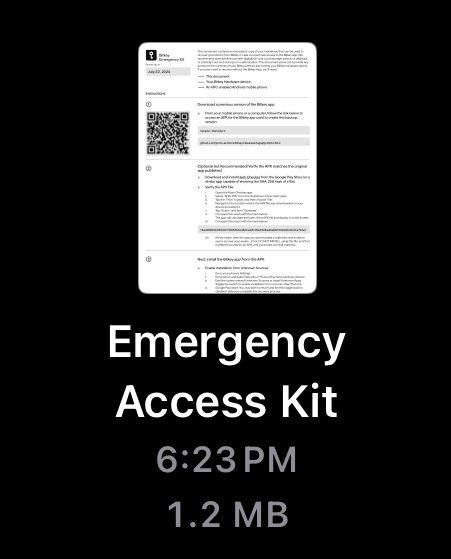
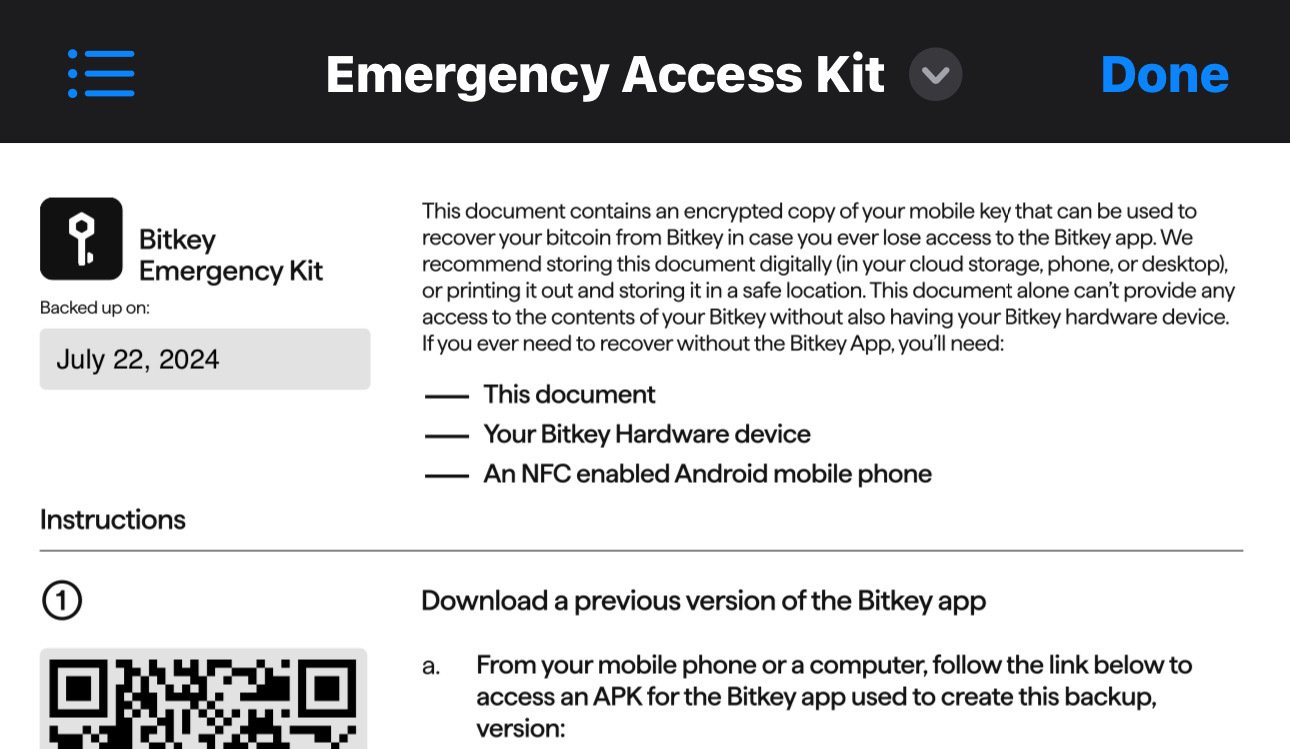
not the kit, i did the apk....do i select a different link in the github?
This document contains an encrypted copy of your mobile key that can be used to recover your bitcoin from Bitkey in case you ever lose access to the Bitkey app. We recommend storing this document digitally (in your cloud storage, phone, or desktop), or printing it out and storing it in a safe location. This document alone can't provide any access to the contents of your Bitkey without also having your Bitkey hardware device.
If you ever need to recover without the Bitkey App, you'll need:
— This document
— Your Bitkey Hardware device
- An NFC enabled Android mobile phone
Seems to me like you have 2 out of the 3 things you’d need for this recovery method
I don't see NFC on my phone, so I might not have that even though I have a 2022 model. According to some articles Moto G Stylus 2022 or later should have NFC, but I have two androids and neither do.
yeah only two motorolas have this feature and i dont have this:
Only two Moto G Stylus phones include NFC. These include the following:
Moto G Stylus 5G (2022)
Moto G Stylus 5G (2023)
ps i can't get the document as far as i know as well, so I only have a pretty rock I can't do anything with besides keep by my bedside
Before so get to the PDF you have to activate your wallet that you actually can't do. I activated my bitkey on iPhone and going to use emergency kit on Android to restore it there.
hey i was just trying to find our message, do you have a NFC on your android phone? It may be turned off, you have to go into your settings, connected devices, preferences and turn on NFC...I have two androids that dont have this
I do have NFC 😉 But “set up a new wallet” doesn’t work
Yeah it must because you downloaded the recovery APK and because you refuse to go to Google store
Yeap
So what we are saying - BitKey - needs a APK for us lol
OK. I recovered Bitkey on GrapheneOS and the app has limited functionality. Only receive and send.
*2...google wouldnt let me
Can you provide more information? What you OS and so on
i didnt find an apk yet. is there some? i run graphene OS
The APK on their GitHub is for recovery
i did, and it gave me the apps front page, but wouldnt let me click set up new wallet button
Hmm 🤔
yeah there were two buttons, the new wallet button and the recovery button and the recover button was asking about a pdf, i dont know, it was weird
Maybe you should turn Bluetooth on and connect to the bitkey and then it will find it and allow you to click on create a new wallet
My Bluetooth won't find it...and after downloading the recovery APK I get this message when I press new wallet

Did you turn on that thing? 😅
i dont know how
the light keeps blinking
It has NFC so you should probably keep as close as possible to your phone !
I saw that, and tried keeping as close to it as possible, but the apk is a recovery version so its locked
I cant get past the 2nd one
What happens when you hold it close to your phone ? Does it recognize anything or prompts you to app or website or whatever ?
nothing, on the app its says new wallet is disabled, the google store says the app there is no longer compatible, and the wifi doesnt pick it up at all....so i don't know if something changed between the google store and the app with an update on either side (google or bitkey) but my phone is like nope in all directions.
Once I am at home I will try to download the app on my graphene and will report you back
ok ty
Okay, so the APK also doesnt work on my Pixel with grapheneOS. So, you were right. Also I don't have a Google store and not planning to have that at all. So, now I might have the same issue with activating it within few days once it arrives lmao


